You open a Steam Deck, sign in, queue a couple of installs, and hit the first wall fast. Storage fills up sooner than expected, the stock protection only goes so far once the device leaves the house, and every accessory listing claims it fits every model and every kind of player. That’s where people overspend. In practice that means the tomtoc case, the JSAUX protector, and whatever storage your library actually needs. Here the GameSir Nova Lite 2 and the JSAUX dock are the two upgrades that change how the Deck feels the most.
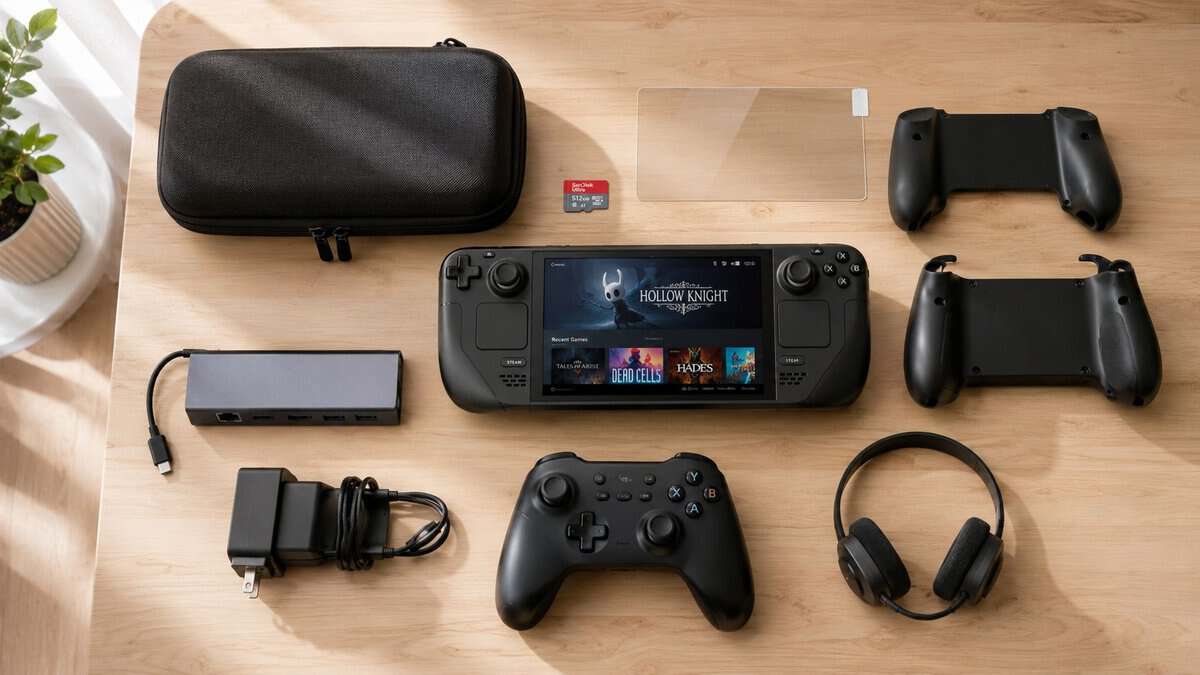
Most bad accessory purchases happen for simple reasons. Buyers chase premium extras before fixing storage and protection, or they trust “universal” fit claims that don’t hold up once the case blocks a port or a dock sits at the wrong angle. If you care about value, the right move is narrower than most roundups make it look.
This guide is built for that practical middle ground. Not the absolute cheapest pile of add-ons, and not the expensive desk setup that makes sense only if your Steam Deck lives next to a monitor. The best Steam Deck accessories are the ones that solve a real problem, hold up to daily use, and don’t force a second purchase a month later.
If you’re still deciding whether the Steam Deck is the right handheld to build around, this Steam Deck vs ROG Ally breakdown is a useful place to compare the ecosystems before you buy more gear.
- Guide frame removes install guesswork
- 9H glass with excellent clarity
- Second sheet included as a backup
- Must match OLED or LCD version
- Glossy finish shows fingerprints
- No anti-glare in this variant
- Slim enough for backpacks and travel
- Interior does not press sticks or screen
- Well-made zipper and shell for the price
- Little room for a charger or dock
- No shoulder strap option
- Skips the cable pocket bigger cases have
- Hall effect sticks and triggers resist drift
- 2.4G dongle keeps docked latency low
- Solid shell with no creak for the price
- No back paddles
- Compact shape may feel small for big hands
- Charging dock sold separately
- 4K 120Hz and VRR support
- 100W passthrough keeps the Deck charged
- Ethernet and plenty of USB in one hub
- More dock than handheld-only players need
- RGB is cosmetic
- Larger footprint than basic hubs
Picks and availability last verified: October 26, 2026
- Buy protection first: the JSAUX screen protector and tomtoc Slim case cover the two most expensive failure points for the least money.
- Skip microSD cards for now if you can: name-brand cards are scalper-priced across the board, so lean on your internal drive or an SSD upgrade instead.
- For docked play, the GameSir Nova Lite 2 brings Hall effect sticks and low-latency 2.4G wireless at an entry price.
- The JSAUX 12-in-1 RGB dock is the one premium accessory that changes how the Deck feels, adding 4K 120Hz output and 100W charging.
- Check fit before every purchase: OLED and LCD models differ, and cases, protectors, and grips are not always cross-compatible.
Table of Contents
How to Prioritize the Best Steam Deck Accessories
A handheld this capable invites upgrades right away, but not every upgrade deserves first priority. On a fresh setup, the biggest pain points usually show up in three places: running out of room, worrying about scratches or drops, and realizing that comfort changes a lot once sessions get longer than a quick indie run.
That matters because the Steam Deck isn’t just for one style of play. Someone using it for docked RPG sessions needs different add-ons than someone grinding FPS matches, browsing MMO menus, or streaming from a couch setup. The accessory list can get long fast. The smart approach is to separate what protects the device and improves daily use from what only adds convenience later. And if the way you play points away from the Deck entirely, our Steam Deck alternative picks match a handheld to where your games already live.
What actually makes an accessory worth buying
A good accessory should do at least one of these jobs well:
- Protect the hardware: Cases, grips, and screen protectors only matter if they fit cleanly and don’t wear out at the stress points.
- Improve performance access: Storage and dock connectivity affect what games you can keep installed and how well the device works at a desk or TV.
- Reduce friction: Better controls, better carry options, and cleaner charging matter more than decorative extras.
Practical rule: Buy for the problem you already have, not the setup you might build six months from now.
A lot of lists blur that line. They push bulky docks, oversized travel kits, or premium shells before dealing with the basics. That usually backfires. The strongest budget build starts with fewer pieces, but each piece needs to earn its spot.
Budget Essentials Overview
A budget Steam Deck setup goes wrong in a familiar way. The owner buys a dock, a shell, maybe some thumb caps, then realizes the Deck still has nowhere safe to travel, storage fills up fast, and the screen picks up the first scratch in week two. The smarter first spend is simpler: a carrying case, a microSD card, and a screen protector.
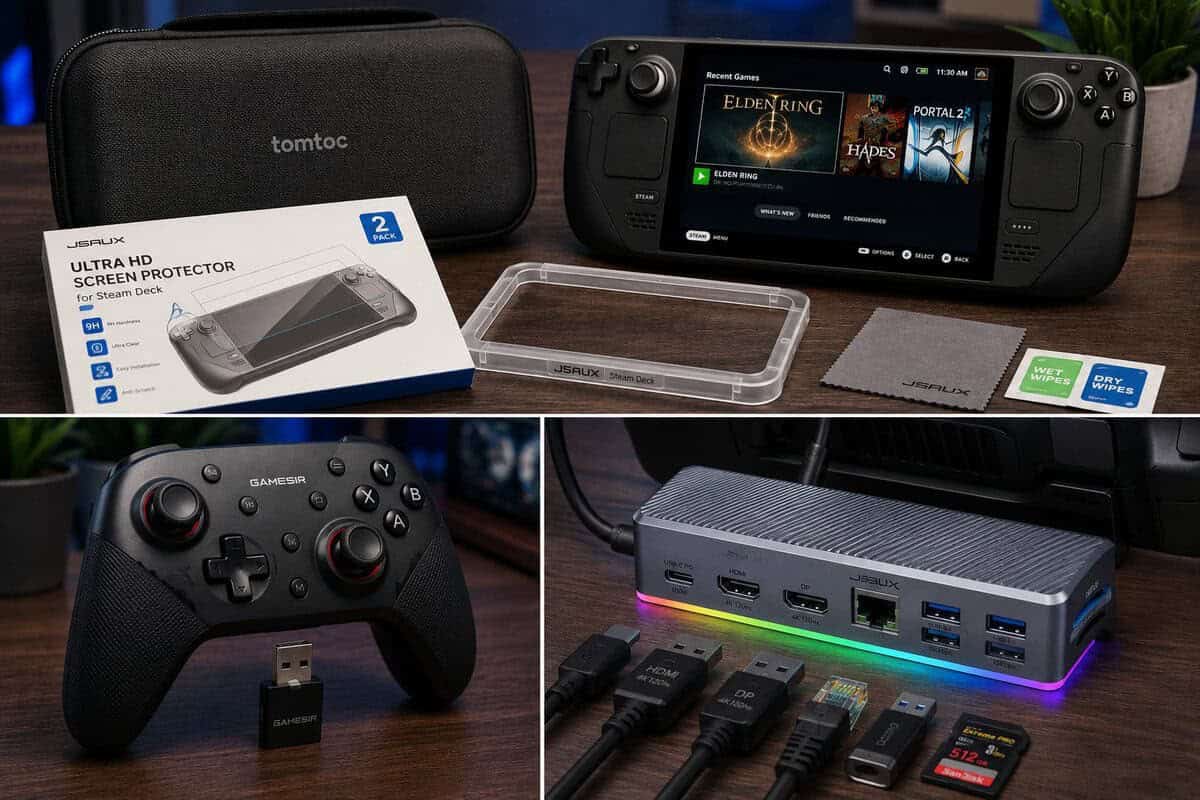
Those three cover the problems that show up first for most players. They also happen to be the easiest place to stay under control on cost. In practice, the entry tier holds particular significance. A screen protector and a decent soft or semi-rigid case can often be bought in that bracket without giving up much, while storage is the one category where going too cheap usually leads to slower installs, spotty reliability, or both.
Why these three matter first
A carrying case does more than stop scratches. It protects the sticks from pressure inside a backpack, keeps grit out of the triggers, and prevents the zipper rub and corner wear that show up on bargain cases with thin liners. For the Steam Deck LCD and OLED, fit matters more than branding. Cases with shallow stick clearance or tight interior molds can press against the controls, especially if you use stick grips or a slim shell. Our best Steam Deck case guide compares four options, from a slim hard shell to a sling that carries the dock and charger.
The microSD card fixes the first real limitation on lower-capacity models. The 64GB version feels cramped fast, and even higher-capacity models benefit from separate storage for larger games, emulation libraries, or media. This is one place where the budget floor is real. Very cheap cards are often fine for light file storage, but game loading and update behavior are more consistent once you step up to a reputable UHS-I card with app-rated performance.
The screen protector is the low-cost insurance buy. Tempered glass will not stop every hard drop, but it takes the hit from keys, grit, table contact, and repeated cleaning. On the OLED model, cut accuracy matters more than many buyers expect because poor edge fit is what starts peeling first.
What not to buy first
Some accessories are useful later, but they are easy to overbuy early.
- Large internal drive upgrades: Worth considering once install habits are clear, especially for heavy AAA libraries. Early on, many owners get enough room from a good microSD card.
- Comfort extras: Thumb caps, clip-on stands, shells, and desk add-ons depend heavily on hand size, case choice, and whether you play docked or handheld more often.
- Ultra-cheap bundles: Multi-piece kits look efficient, but the weak link is usually obvious after a month. Bad adhesive, rough zippers, thin plastic, and poor cutouts wipe out the savings.
The same buy-for-the-problem-first logic applies to other handheld gear too. It shows up clearly in this guide to the best phone controller options.
The best early upgrade is the one that protects the hardware and removes daily friction without wasting budget on parts you may stop using.
Comparing Accessory Categories
A Steam Deck setup usually gets expensive in the wrong places first. I see it happen with dock bundles full of weak cables, oversized cases that barely fit a backpack, and grip shells that block vents or press against triggers on one model more than the other. Category shopping fixes that. It helps you judge what solves a real problem, what has model-specific fit risks, and what can stay in the entry tier without turning into replacement-buy territory.
Accessory Categories Comparison
| Category | What to judge first | Where cheap options still work | Where they usually fail |
|---|---|---|---|
| Case | Crush resistance, zipper durability, stick protection, charger space | Simple EVA shells often do the job if the interior doesn’t press the sticks | Thin walls, sloppy zipper tracks, loose internal fit |
| Dock | Output support, port spacing, power passthrough, base stability | Basic USB-C hubs can work for desk use if video output and charging are stable | Wobble, heat, flaky display handshakes, weak cable strain relief |
| microSD card | Real loading consistency, app rating, brand reliability | Mid-capacity UHS-I cards from known lines are often the best budget point | Inconsistent write speed, long update times, early failure |
| Controller | Comfort, connection stability, trigger quality, stick feel | Older mainstream pads can be fine if latency and pairing stay consistent | Cheap sticks, weak Bluetooth, mushy triggers |
| Power | Charger wattage, cable fit, heat, plug durability | A good cable or compact charger can stay in the entry tier and still be worth buying | Loose USB-C ends, heat buildup, charging drops under load |
| Grips and shells | Texture, vent clearance, port access, case compatibility | Thin TPU grips can be good value if cut for the correct Deck model | Slippery plastic, misaligned cutouts, added bulk that breaks case fit |
| Screen protector | Edge coverage, adhesion, clarity, install tolerance | Tempered glass is usually affordable and worth it | Poor edge fit, weak adhesive, sensor cut mismatch |
| Audio and capture | Port compatibility, cable routing, travel practicality | Basic wired audio accessories can be inexpensive and dependable | Bulky adapters, noisy connections, awkward dock use |
Which categories deserve budget first
Cases, power, and storage usually give the clearest return because they affect the Deck every day. Controllers and docks matter more once the handheld starts doing living-room or desk duty.
The useful split is simple. Buy for handling, charging, and carrying first. Buy for docked play once you know how often the Deck leaves handheld mode.
Model fit changes the math more than many buyers expect. The OLED and LCD versions are close, but not every shell, protector, dock cradle, or hard case fits both equally well. Slight differences in shell shape and cut tolerances are enough to cause pressure on sticks, poor screen protector alignment, or a grip case that no longer fits inside a travel case. That is why some overlooked entry-tier buys, especially TPU grip covers, basic glass protectors, and compact charging cables, are better value than a cheap all-in-one bundle.
How to compare trade-offs without overspending
A low-cost case can be a smart buy if the shell is stiff, the zipper track feels clean, and the interior keeps pressure off the sticks. Price alone does not separate the good cases from the throwaways. Build details do.
Docks are trickier. Spec sheets hide daily annoyances. A dock can output video correctly and still be frustrating because the USB ports are cramped, the Deck sits at a bad angle, or the attached cable bends too sharply at the connector. If you want a closer look at what matters in a dock, this guide to the best Steam Deck dock options breaks down the features that impact use.
Grip accessories have the highest fit risk in the budget range. Some improve hold security right away. Others add enough thickness that face buttons feel recessed, shoulder buttons become harder to reach, or your existing case stops closing properly. For this category, model-specific cutouts matter more than extra texture patterns or add-on kickstands.
The best category buys are the ones you keep using after months of travel, charging, and repeated pack-and-unpack.
Value-Focused Picks and Trade-offs
A value pick proves itself six months later, after being tossed into a backpack, charged on the couch, and used through long sessions without developing loose seams or fit problems. For Steam Deck accessories, that usually means buying fewer pieces, choosing better materials, and paying close attention to OLED versus LCD fit.
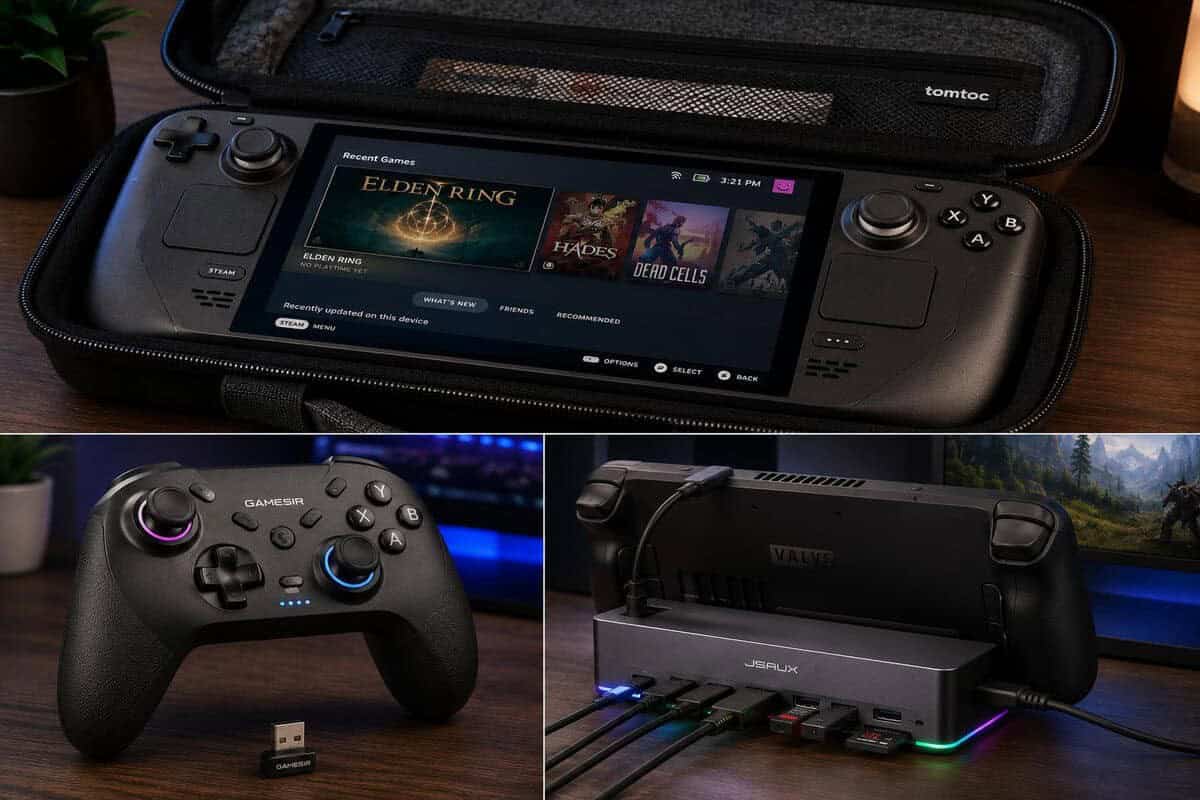
| Category | Our pick | Why it earns the slot | Watch out for |
|---|---|---|---|
| Carrying case | tomtoc Slim Carrying Case | Slim EVA shell, proper lid clearance, travel-friendly | Slim design fits fewer extras |
| Screen protector | JSAUX Ultra HD 2-Pack | Guide frame makes clean installs easy, 9H glass | Confirm OLED vs LCD version |
| Dock | JSAUX 12-in-1 RGB Dock | 4K 120Hz output, 100W charging, Ethernet | Overkill if you never play docked |
| Docked controller | GameSir Nova Lite 2 | Hall effect sticks and triggers at an entry price | No back paddles at this tier |
Cases and protection
The best low-cost case is usually a plain EVA hard shell with enough lid clearance to avoid pressing on the sticks. That matters more than extra pockets. It is exactly what the tomtoc Slim Carrying Case gets right: a slim EVA hard shell with proper lid clearance, a smooth zipper track, and a soft interior that stays off the screen. Cheap travel cases can hold up fine for years when the zipper track stayed smooth and the top shell did not flex inward. Bargain cases can also fail fast because the inner flap rubbed the screen or the molded recess squeezed the triggers.
For grip cases, entry-tier is a useful cutoff. Below that, simple textured TPU often gives the best return because it adds grip, absorbs small drops, and keeps weight reasonable. The catch is compatibility. Some LCD-fit shells sit too tight on the OLED model, and some OLED-ready shells add enough thickness around the USB-C port or shoulder area that docking gets annoying. A basic grip that fits your exact model and still works with your charger is a better buy than a thicker “protective” shell that creates new problems.
Screen protectors are similar. Tempered glass is usually the safer value choice because it resists scratches better and feels closer to the bare display. Film protectors cost less, but they show edge wear sooner and are more likely to look cloudy after repeated cleaning.
Storage and screen
MicroSD cards are one of the easiest places to overspend. For a lighter library, a 256GB card still makes sense if you mostly keep indies, older games, and emulation files on external storage. For larger modern installs, 512GB is usually the smarter floor because it cuts down on constant shuffling. Our SD card for Steam Deck guide picks A2 cards at 512GB and 1TB without paying for speed the slot cannot use.
The important trade-off is speed versus price. A card with the right U3 and A2 class ratings is usually enough for a budget-minded Deck setup, while bargain cards that look similar on the listing page can fall apart on sustained transfers or shader cache loads. In practice, I would rather buy one dependable mid-capacity card than chase the cheapest high-capacity listing and deal with slower installs, hotter operation, or questionable long-term reliability.
For the screen, the JSAUX Ultra HD screen protector two-pack is the rare accessory that is cheap, easy to install with its included alignment frame, and effectively permanent. On storage, one honest market note: name-brand microSD prices are inflated right now, and many listings sit with third-party sellers at well above normal pricing. If your library fits, buy once at 256GB from a reputable listing, or put that money toward an SSD upgrade instead and treat the card slot as overflow.
Controllers and docked play
For docked play, the value sweet spot is a budget wireless controller that uses Hall Effect sticks and has a shell that does not creak under pressure. That combination matters more than cosmetic extras. The GameSir Nova Lite 2 hits that sweet spot with Hall effect sticks and triggers, 2.4G wireless plus a 1000Hz wired mode, and a shell that punches above its price. For the dock side, the JSAUX 12-in-1 RGB Docking Station is the standout from our Steam Deck dock guide, pairing 4K 120Hz output with 100W passthrough charging. A lighter travel controller can still be worth it, but very cheap ones often save money in the wrong places, usually the triggers, shoulder buttons, or charging port.
There is also a clear budget threshold here. One step up from the entry tier, controller quality usually improves enough to avoid the worst problems from entry-level pads, especially stick wear and inconsistent dead zones. Below that, quality control gets less predictable. If docked gaming is only occasional, a basic controller is fine. If you play shooters, racing games, or anything with regular camera correction, spending a little more on better stick hardware is usually money well spent.
Docks are less forgiving than they look. A low-cost dock or USB-C hub can work well if it holds a stable video signal, has decent port spacing, and does not force a sharp bend at the Deck’s USB-C port. If the unit wobbles, runs hot, or feels loose with the Deck inserted, the lower price stops looking attractive fast.
Small accessories people either overbuy or ignore
The overlooked entry-tier accessories are often the best ones to buy first because they solve daily annoyances without locking you into a bulky setup:
- Thumbstick caps: Worth buying only if they improve grip without dulling stick feel or causing the caps to scrape the shell.
- A compact stand: Better than a full dock for tabletop play, quick downloads, and travel setups where you only need charging and a viewing angle.
- A short braided charging cable: One of the best cheap upgrades. It lasts longer than thin bundle cables and puts less strain on the port in handheld use.
- A small audio add-on for streaming: If you use a desk mic with your docked setup, a pop filter is often essential for professional audio in streams because it reduces harsh plosives that make budget audio setups sound rough.
Inspect the seams, port cutouts, hinge points, and zipper path first. Those are the parts that usually fail long before the product listing photos suggest a problem.
Matching Accessories to How You Play
Different games expose different weaknesses in a Steam Deck setup. The best Steam Deck accessories for one player can be wasted money for another.
FPS gaming
For FPS play, grip and input consistency matter most. A textured grip case helps keep the handheld steady during long aim-heavy sessions, and a controller with Hall Effect sticks makes more sense when you dock the system to a monitor. Thumbstick caps can help too, but only if they don’t make the sticks feel vague.
MMO sessions
MMOs stress interface comfort more than raw handheld portability. If you’re managing hotbars, chat windows, inventory, and maps, a docked setup gets easier fast. A stable dock, external controls, and a case that’s easy to remove and reattach without stretching out are more useful here than decorative shell pieces.
Streaming and voice chat
For streaming, the weak point is often audio workflow. A compact docked setup, dependable cable routing, and clear microphone placement matter more than flashy RGB desk extras. If you’re speaking on stream, a pop filter is often essential for professional audio in streams because it helps tame harsh plosives that handheld and desk mic setups both pick up easily.
A streaming setup doesn’t need to be elaborate. It needs to be repeatable, tidy, and easy to reconnect without troubleshooting every session.
Couch gaming and travel
If your Steam Deck mostly moves between the sofa, a backpack, and a hotel desk, carry gear becomes more important than desktop expansion. That’s where a durable case, solid zipper hardware, and a storage card with dependable loading behavior do more for daily use than a large dock ever will.
The mistake I see most often is buying for an imaginary “full setup” instead of the sessions you play. A handheld-first owner needs comfort and protection. A desk-first owner needs output and controller support. Those are different shopping lists.
Setup and Compatibility Guidelines
Compatibility is where a lot of accessory budgets get wasted. A product can be well built and still be a bad buy if the cutouts miss, the shell pinches, or the dock angle doesn’t line up cleanly with your model.
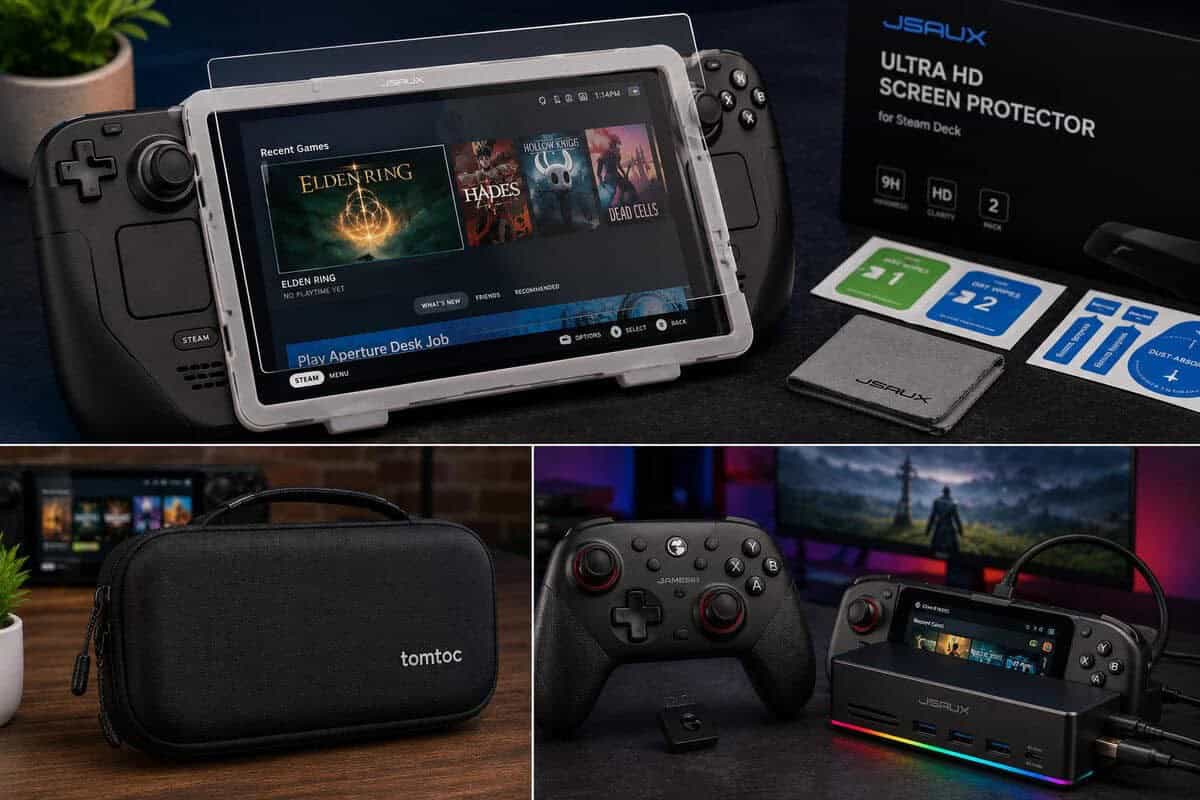
That problem isn’t minor. Plenty of Steam Deck OLED owners have bought accessories that turned out not to fit, because of misleading “universal” claims.
What to check before buying
Start with physical fit. When in doubt, Valve’s official Steam Deck page is the reference for current models, dimensions, and hardware specs.
- Check model-specific listing language. If a product page only says “fits Steam Deck” without separating OLED and LCD support, treat it cautiously.
- Look at port cutouts closely. USB-C clearance, vent spacing, and top-edge shape matter more than sellers make it sound.
- Study how the accessory handles thickness and curve changes. Thin shells and dock cradles can fail here even when the product technically “fits.”
Docks and monitor output
If you want high refresh docked play, don’t assume every adapter path works the same. The weak point is often not the Deck. It’s the accessory chain around it.
- Match your display connection carefully: Output support only matters if the dock and monitor path both support the target mode.
- Avoid cramped pass-through designs: Tight cable bends near USB-C connections wear out faster with repeated docking.
- Check case-on docking fit: Some protective shells force you to remove the case every time, which gets old quickly and can stretch softer materials.
If you’re weighing portable storage against opening the handheld for internal upgrades, this overview of the best SSD for gaming helps frame that trade-off.
Don’t trust “universal” as a substitute for dimensions, port alignment, and real cradle fit.
A simple compatibility routine
Before ordering, compare the accessory photos against your own device and ask three practical questions:
- Will this block airflow or ports?
- Can I use it without removing another accessory I rely on?
- Does the build look durable at pressure points like corners, lips, and clips?
That short check catches a lot of bad purchases before they happen.
Maintenance Tips for Long-Term Value
Accessories only save money if they last. Most of the wear on Steam Deck gear comes from dirt in seams, bent cables, rough storage habits, and repeated stress around openings and zippers.
A routine that actually helps
Wipe down shells, grips, and cases regularly with a soft cloth, especially around the top vents, charging area, and hand contact points. Dust and skin oil make rubberized finishes feel worse over time, and debris in zipper tracks shortens case life.
For screen protectors, replace them once the edges start lifting or once scratches become distracting. Waiting too long usually means dirt gets under the edge, which turns a minor issue into a messy removal job.
Storage habits that preserve gear
Don’t cram charging cables tightly into a case compartment. Looser coils reduce strain near the connector housing, which is where cheap and mid-range cables tend to fail first.
If you carry your Steam Deck around campus, to work, or on transit, it helps to understand the difference between splash protection and true sealing. This explainer on water resistance for busy lifestyles is useful because many accessory materials resist light exposure but aren’t built for real soaking.
A similar care mindset applies to desk gear too. If you want a good cleaning routine for peripherals you use alongside the Deck, this guide on how to clean a mechanical keyboard is a practical reference.
Clean gear lasts longer, feels better in hand, and usually performs more consistently than accessories left to collect dust and cable strain.
Recommendations by Budget Tier
For a practical starter setup, build around the Essential Starter Kit. That means a carrying case, a screen protector, and a microSD card. It’s the cleanest choice for new owners because it covers protection, storage, and daily transport without adding accessories that may sit unused. It suits handheld-first players, students, and anyone still figuring out how they’ll use the Deck. If the Deck belongs to someone you are shopping for, our list of gift ideas for gamers puts a slim case and a TV dock alongside picks for PC and console players.
The Performance Bundle adds a better storage tier and a controller for docked play. This works best for players splitting time between handheld sessions and TV or monitor gaming. If you play FPS games docked or want a more console-like setup at home, this is the sweet spot.
The All-Inclusive Pack makes sense only if your Steam Deck is doing double duty. Think docked gaming, MMO sessions, media use, and occasional streaming. That bundle should include the core protection kit, stronger storage, a reliable controller, and a dock that doesn’t compromise output or port access. It’s the right tier for players who already know they’ll use the device as both handheld and desk system.
The pattern is simple. Start with protection and storage. Add control and connectivity only when your real habits justify them.
Frequently Asked Questions
What Steam Deck accessories should I buy first?
Start with protection: a tempered glass screen protector and a hard shell carrying case. They are the cheapest accessories in the lineup and they guard the two most expensive parts of the device. A dock, a controller, and storage upgrades only make sense once you know how and where you actually play.
Do Steam Deck LCD accessories fit the OLED model?
Often, but not always. The OLED model has a slightly different screen size and thermals, so screen protectors are model-specific, and some tight-fit cases and grips are too. Docks, controllers, and USB-C accessories work across both. Always check the listing for explicit OLED support before buying.
Is a microSD card or an SSD upgrade better for the Steam Deck?
An internal SSD upgrade is faster and better value per gigabyte, but it requires opening the device. A microSD card is plug-and-play and fine for indies, emulation, and older games. Right now name-brand microSD prices are heavily inflated, so if your library fits the internal drive, waiting is the smart budget move.
Do I need an official Valve dock for the Steam Deck?
No. The Steam Deck works with any USB-C dock that supports video output and power delivery. Third-party docks like the JSAUX 12-in-1 typically offer more ports, higher refresh output, and lower prices than the official dock. What matters is 100W passthrough charging and a solid connection to your display.
Can I use any Bluetooth controller for docked Steam Deck play?
Most modern Bluetooth controllers pair fine, but a 2.4G wireless dongle gives noticeably lower latency for fast games. Controllers with Hall effect sticks are also worth prioritizing because they resist stick drift over time. Both features now show up on entry-priced pads, so you do not need to spend much.
If you want more practical buying guides built around value, durability, and real trade-offs, visit Budget Loadout. It’s a solid resource for gamers and streamers who want gear that performs well without wasting money on the wrong upgrades.
Related Articles