Most people comparing these handhelds are really choosing between battery life and horsepower. In the Steam Deck vs ROG Ally matchup for 2026, the Steam Deck OLED is the better handheld for unplugged play and the better value, while the ROG Xbox Ally X is the faster machine for players whose games live outside Steam. If neither quite fits, the Legion Go S sits between them with the biggest screen of the three.
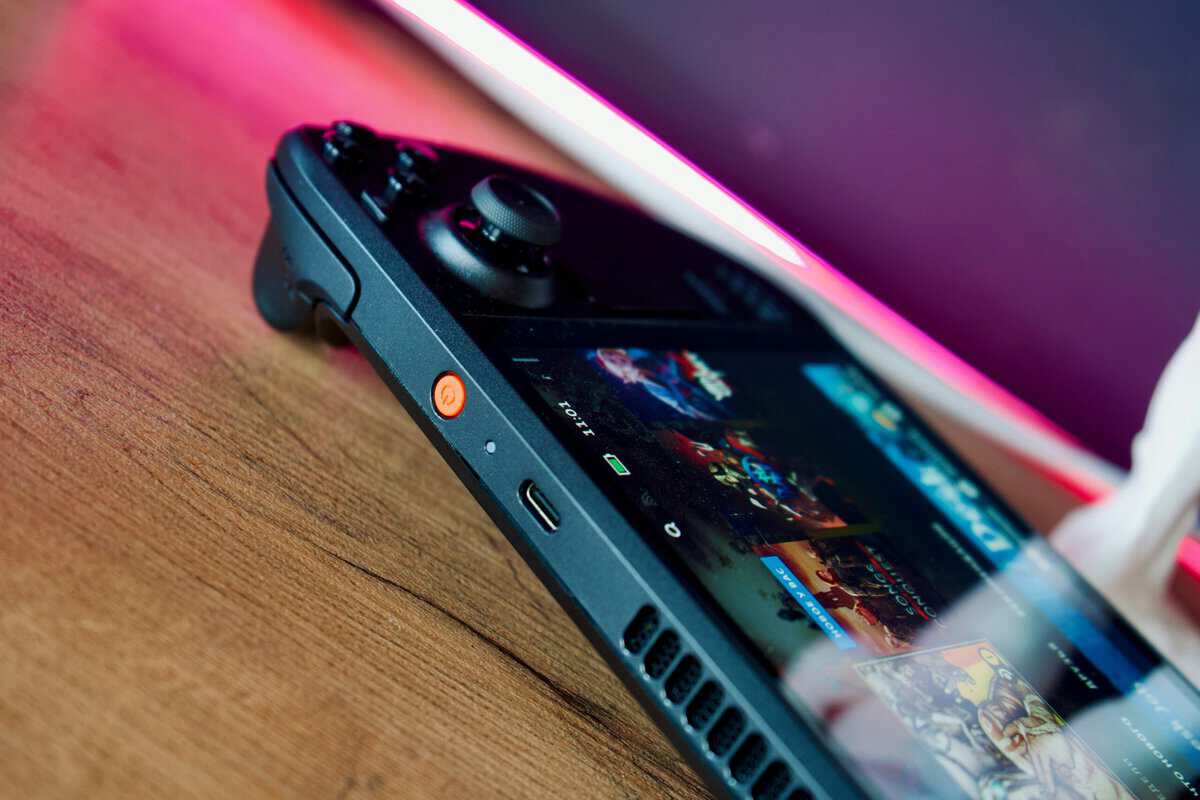
Which Ally you compare matters. ASUS now leads its lineup with the 2025 ROG Xbox Ally models, and the 2024 ROG Ally X is hard to find new, so this guide puts the Steam Deck OLED against the current ROG Xbox Ally X, with the original 2023 Ally as context and the Legion Go S as the third option many shoppers end up weighing.
For budget-conscious buyers, the right answer is rarely “which one is best.” It is “which one wastes less of what I care about.” If you mostly play away from a charger, efficiency matters more than peak performance. If your library is spread across launchers, subscriptions and anti-cheat-heavy games, software flexibility matters more than a cleaner interface.
- The Steam Deck vs ROG Ally choice comes down to handheld-first polish versus raw Windows performance, not just spec sheets.
- Steam Deck OLED wins on battery life, comfort, and a console-like SteamOS that’s easier to live with day to day.
- ROG Ally pulls ahead on peak frame rates and Windows flexibility, including launchers and anti-cheat games SteamOS struggles with.
- If portable, away-from-the-wall play is your priority, the Steam Deck is the smarter value pick for most buyers.
- Buy the Steam Deck direct from Valve and the ROG Ally from ASUS, Amazon listings for both are 3rd-party and marked up.
Table of Contents
Steam Deck vs ROG Ally at a Glance
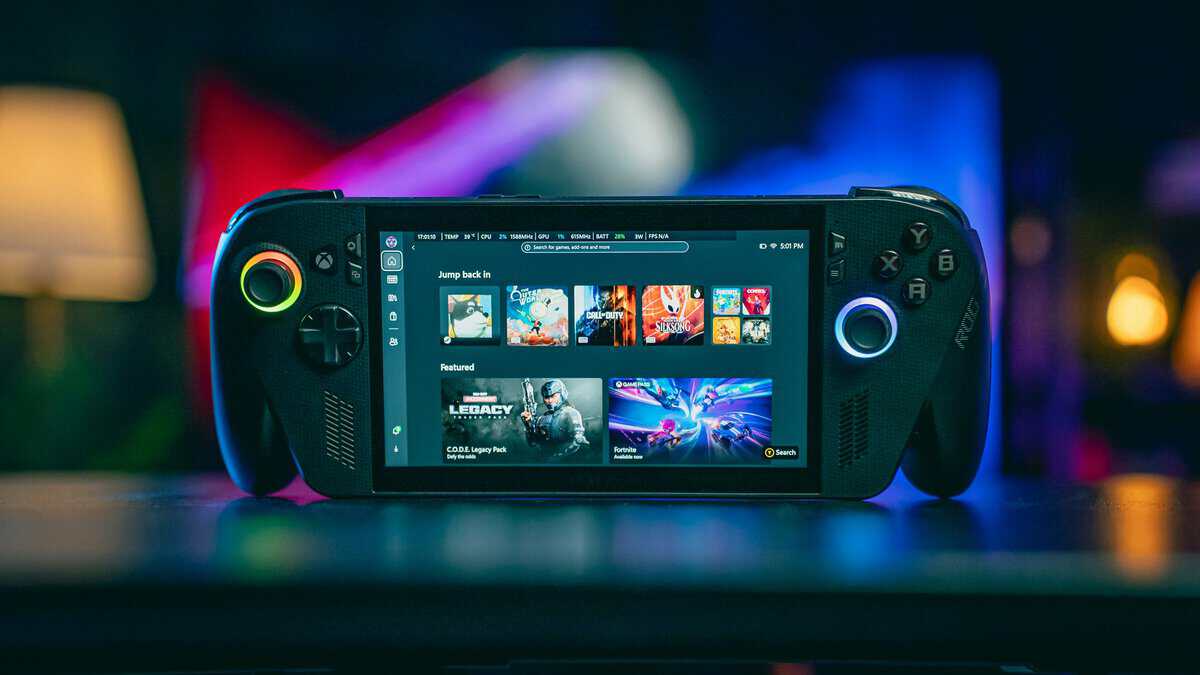
Valve and ASUS built these machines around opposite ideas. The Steam Deck is a portable console that happens to be a PC: a modest chip tuned to run efficiently, an OLED screen and SteamOS. The ROG Xbox Ally X is a compact Windows gaming PC: a much stronger processor, a sharper 120Hz screen and a battery big enough to feed it. The Legion Go S splits the difference with a larger 8-inch display.
Steam Deck OLED vs ROG Xbox Ally X vs Legion Go S Specs
| Specification | Steam Deck OLED | ROG Xbox Ally X | Lenovo Legion Go S |
|---|---|---|---|
| Display | 7.4-inch HDR OLED, 1280×800, up to 90Hz | 7-inch IPS, 1920×1080, 120Hz | 8-inch IPS, 1920×1200, 48-120Hz VRR |
| Brightness | Up to 1,000 nits HDR, 600 nits SDR | 500 nits | 500 nits |
| Processor | Custom AMD APU, Zen 2, 4 cores / 8 threads | AMD Ryzen AI Z2 Extreme, 8 cores / 16 threads | AMD Ryzen Z2 Go |
| Graphics | 8 RDNA 2 compute units | AMD Radeon integrated | AMD Radeon integrated |
| Memory | 16GB LPDDR5 | 24GB LPDDR5X | 16GB LPDDR5X |
| Storage | 512GB or 1TB | 1TB | 512GB |
| Battery | 50Wh | 80Wh | 55.5Wh |
| Weight | About 640g | 715g | About 740g |
| Software | SteamOS 3 | Windows 11 Home with the Xbox full screen experience | Windows 11 (a SteamOS version also exists) |
The Legion Go S figures are for the Z2 Go model with 16GB and 512GB. Valve’s Steam Deck OLED tech specs and Lenovo’s Legion Go S product reference list the full details.
That table hides the part that affects your money. The Ally X has far more processing power and memory, but you pay for performance that only shows when you let it draw more power. The Steam Deck OLED gives up raw speed and resolution and turns that trade into a consistent portable experience with the best screen of the three.
ROG Ally X vs Steam Deck OLED
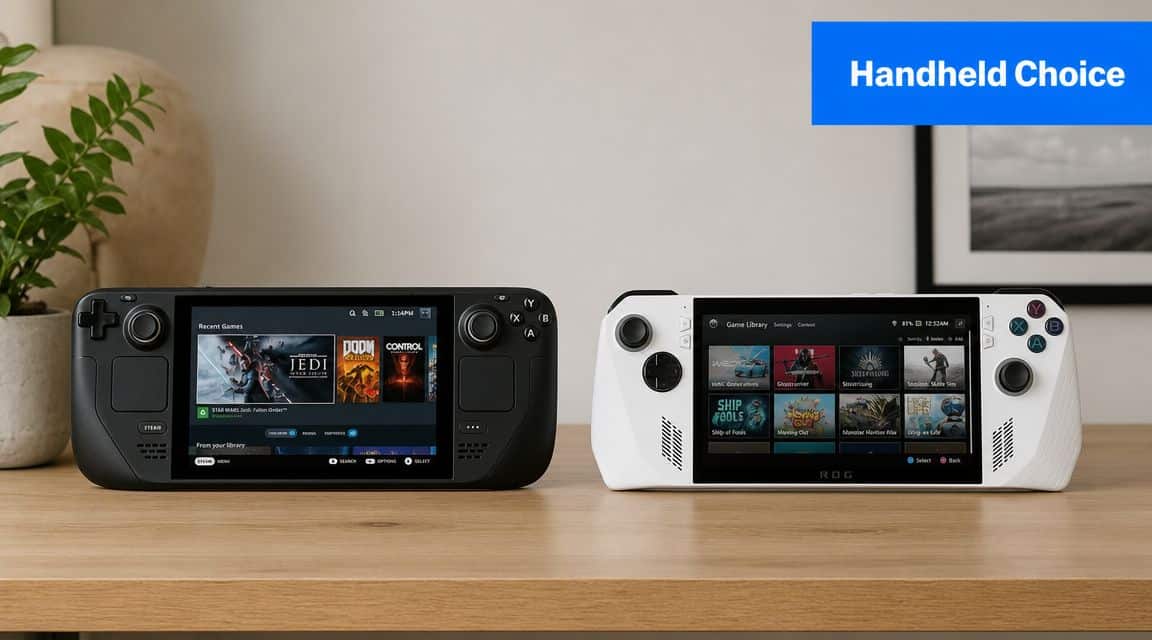
This is the comparison most buyers are actually making in 2026, and it is closer than the original matchup was. The first ROG Ally beat the Steam Deck on speed and lost badly on battery. The Ally X line fixed the battery problem with an 80Wh cell, and the 2025 ROG Xbox Ally X keeps that battery while moving to the newer Ryzen AI Z2 Extreme chip.
Performance and Headroom
The Ally X wins the raw hardware argument by a wide margin. Its 8-core, 16-thread processor and 24GB of memory give demanding new games room that the Steam Deck’s 4-core Zen 2 chip and 16GB simply do not have. In recent releases, that is the difference between playable and comfortable, and the 120Hz screen lets lighter games show the extra frames.
The Steam Deck OLED answers with efficiency. Valve rates its whole chip at 4 to 15 watts, and it is tuned to look good inside that range. Most older games, indies and anything already built for the Deck run smoothly without the fan ramping up or the battery draining fast.
Chasing the highest frame rate on a handheld often turns into chasing the nearest charger.
Battery and Endurance
On paper the Ally X now carries the bigger battery: 80Wh against the Deck OLED’s 50Wh. The catch is that the Ally X also spends more power when you let it run at its best. At matched, modest settings the gap narrows, and the Deck’s low-power tuning keeps it competitive for long, light sessions. If you play demanding games unplugged, the Ally X’s bigger battery finally makes its speed usable away from the wall.
Screen: OLED Contrast vs 1080p Sharpness
The Ally X’s 1080p, 120Hz panel is sharper and smoother, which helps text-heavy PC games and fast shooters. The Deck OLED’s HDR OLED panel has deeper blacks, brighter highlights up to 1,000 nits in HDR and far richer color, at a lower 1280×800 resolution and up to 90Hz. Shoppers who care about how games look in a dark room usually prefer the OLED; shoppers who care about clarity and frame rate prefer the Ally X.
Storage and Expansion
All three take a microSD card, so a small internal drive is not a dead end. The Ally X’s reader is the faster UHS-II type, while the Deck’s is UHS-I, which matters if you plan to play big games straight from the card. Inside, the Ally X uses a full-size 2280 SSD slot, the easiest of the three to upgrade, and the Legion Go S takes a shorter 2242 drive. Our Steam Deck SD card guide explains how much space a handheld library really needs.
Who Should Pick Which
- Pick the Steam Deck OLED if most of your library is on Steam, you play on the couch or on the move, and you want the simplest power-on-and-play experience.
- Pick the ROG Xbox Ally X if you play Game Pass, Epic, Battle.net or anti-cheat-heavy games, want the most performance in a handheld, and do not mind Windows underneath.
- Skip both for the Legion Go S if a bigger 8-inch screen matters more to you than either OLED contrast or top-end speed.
Legion Go S vs Steam Deck
The Lenovo Legion Go S is the handheld that ends up in a lot of Steam Deck comparisons because it attacks the Deck’s most obvious weakness: screen size and sharpness. Its 8-inch, 1920×1200 display runs at up to 120Hz with variable refresh, and Lenovo sells versions with either Windows 11 or SteamOS, which makes the SteamOS model a direct rival to Valve’s own machine.
The trade-offs are size and chip choice. At about 740g, it is the heaviest handheld here, and the bigger body is something you feel in long sessions. The Z2 Go is Lenovo’s mainstream chip choice, not its top one, so it lands closer to the Steam Deck than to the Ally X on demanding games. Its 55.5Wh battery is a little larger than the Deck OLED’s, but it has to feed a larger, higher-resolution screen.
Where the Legion Go S Makes Sense
Buy it if you want the largest, sharpest screen for less than the Ally X, and you are happy to trade some portability for it. Two USB4 ports also make it the easiest of the three to dock to a monitor. If you mostly play on the go and value comfort and battery life, the Steam Deck OLED is still the easier recommendation.
Battery Life: Thermals and Noise
Many buying guides get the conclusion backwards. They treat battery life as a side note after performance. For a handheld, that logic does not hold up: if the device dies quickly unless you rein it in, the extra power only helps in a narrow slice of real use.
Mixed Use Tells the Real Story
Real handheld use is messy. One evening is an indie game, the next is a short action session before bed, and in between there are menus, downloads and sleep-and-resume. In that kind of mixed use, the Steam Deck’s efficiency is easier to appreciate than any machine’s peak mode, and it gives commuters, students and couch players more time between charges.
If you mostly play unplugged, battery life isn’t a feature comparison. It’s the product.
Thermals and Fan Behavior
The Ally X’s stronger chip and 120Hz screen put more pressure on cooling when you push it, which means more heat and more audible fan when it runs like a small gaming PC. The Steam Deck is not silent either, but it is most comfortable doing what most handheld buyers actually do: long portable sessions at moderate settings.
If you like tweaking, power limits help all three. Capping frame rates and wattage can make a handheld feel much better than its default profile, and our guide on how to undervolt your GPU explains the same efficiency-first thinking from the desktop side.
Charging and Docking
Every handheld here charges over USB-C, so one good charger and one dock can serve whichever you buy. The Steam Deck OLED ships with a 45W charger and drives an external display through its single USB-C port, up to 4K at 120Hz. The Ally X adds a USB4 port beside a second USB-C, and the Legion Go S has two USB4 ports, so both can charge from one port while running a dock or a fast external drive from the other.
That second port is a small thing that shows up every day. On the Deck, a dock is the answer to charging and plugging in a controller or drive at the same time. On the Ally X and Legion Go S, a cable or two often does the same job on a desk.
Controls Ergonomics and Build Quality
Specs do not tell you how a device feels after two straight hours. Grip shape, button feel, weight and balance decide whether you keep reaching for a handheld or leave it in its case. If you pick the Deck and it rides in a bag between sessions, our best Steam Deck case guide covers four ways to carry it.
Steam Deck Favors Comfort and Utility
The Steam Deck is large, but the size works for many hands. Its grips are deep, it has four rear grip buttons, and its two square trackpads matter more than they look on a store page. For strategy games, older PC interfaces, menu-heavy RPGs and plain desktop navigation, the trackpads make the Deck easier to use without constant touchscreen pokes.
The Xbox Ally X Feels Like an Xbox Controller
ASUS reshaped the Xbox Ally models with textured grips inspired by Xbox controllers, and the Ally X adds vibration motors in both triggers. If you mostly play gamepad-native genres, it feels immediately familiar. It is also no longer the light option: at 715g it is heavier than the Deck OLED, though the weight sits in larger grips.
Buy for the session length you actually have, not the shape that feels best for five minutes.
Durability and Daily Wear
All three are plastic handheld PCs, and all three deserve a hard case if they travel. The Ally X’s screen uses Gorilla Glass Victus and the Legion Go S’s uses Lenovo’s Panda King glass. If input feel matters as much as frame rate to you, our look at gaming controller options helps frame what makes a layout comfortable rather than merely acceptable.
Software Experience and Game Compatibility
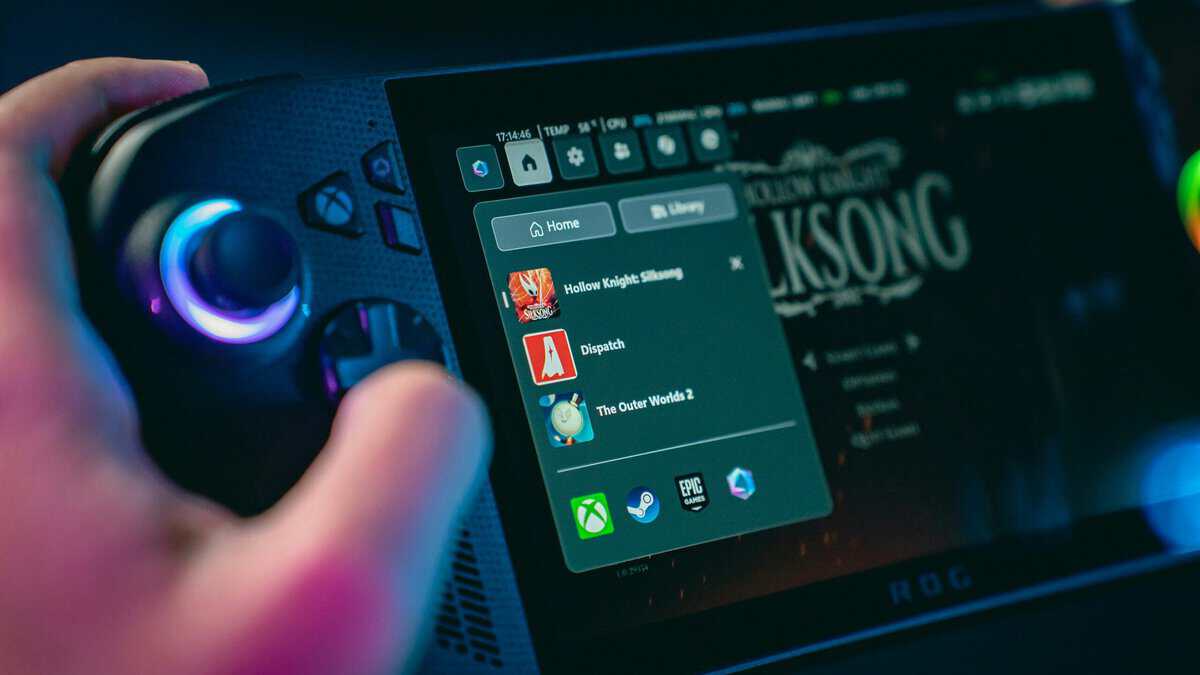
The biggest difference between these handhelds is not performance. It is philosophy. One is a gaming system built around a focused interface. The others are small Windows PCs, now with much better handheld front ends than the original Ally had.
SteamOS Is Easier to Live With
SteamOS gets the basics right for handheld use. Sleep and resume feel natural, performance controls sit one button away, and the whole interface is built for a controller. If your library is already on Steam, it is the least fiddly way to play PC games in your hands.
Checking a Game Before You Buy
Steam rates games for the Deck as Verified, Playable, Unsupported or Unknown, and the rating shows on each store page. A Verified badge means the game runs well with the default controls and readable text, which takes most of the guesswork out of buying for the Deck. On a Windows handheld there is no single badge, but anything that runs on a Windows PC will generally run, limited only by performance.
Windows Gives the Ally Broader Freedom
The Ally X’s strength is simple: if a game expects Windows, the Ally runs it. That covers Game Pass, other launchers and anti-cheat systems that can block games on SteamOS. The Xbox full screen experience now boots straight into a controller-first launcher, which removes much of the desktop friction that used to decide this comparison for the Deck.
- Choose the Ally X for compatibility if your library is spread across several storefronts and services.
- Choose the Deck for ease of use if most of your play happens inside Steam and you want fewer software headaches.
- Avoid Windows handhelds if you hate updates and drivers, because Windows underneath still asks for some patience.
- Avoid the Deck if a must-play game needs Windows-only anti-cheat, because convenience will not fix a compatibility wall.
If you do buy a Windows handheld, a little cleanup goes a long way, and our guide on how to optimize Windows 11 for gaming covers the housekeeping that matters more on a small device than on a desktop.
The Verdict: Which Handheld Should You Buy?
For most budget-conscious players, the Steam Deck OLED is still the smarter buy. It is the most convincing away from the wall, the most comfortable for long sessions, has the best screen for games that suit it, and is the best value of the three.
Buy the ROG Xbox Ally X if you want the most performance a handheld offers today, play games outside Steam, and want Windows compatibility without the old desktop friction. It is the best handheld PC here, not the best value.
Buy the Lenovo Legion Go S if a bigger, sharper screen is your priority and you can live with the extra weight.
Whichever you choose, the accessory logic is shared. A dock like the UGREEN Steam Deck dock turns any of them into a living-room console (our dock guide compares the field), and a hard case like the tomtoc slim case is the cheapest insurance any of these machines can buy. The rest of the kit lives in our Steam Deck accessories guide, and if you are still weighing a console instead, our Nintendo Switch vs Steam Deck comparison covers that decision.
If you are still stuck, use one tiebreaker: where you play most. Away from outlets and inside Steam, the Steam Deck OLED wins. Near a charger, or with a library that lives on Game Pass and other launchers, the ROG Xbox Ally X makes the stronger case.
Frequently Asked Questions
Is the Steam Deck or ROG Ally better for beginners?
The Steam Deck is usually friendlier for newcomers. SteamOS boots straight into a console-like interface with less to configure. The ROG Xbox Ally models now boot into an Xbox launcher too, which helps, but Windows underneath still means more updates and settings to manage.
Is the ROG Ally X better than the Steam Deck OLED?
It is faster, with a much stronger processor, more memory and a sharper 120Hz screen, and its 80Wh battery is larger than the Deck OLED’s 50Wh. The Steam Deck OLED is the better value, has the better screen for contrast and color, and is simpler to use. Buy the Ally X for performance and Windows games, the Deck OLED for value and ease.
Can the ROG Ally play games the Steam Deck can’t?
Sometimes. Because the ROG Ally runs Windows 11, it natively supports launchers and anti-cheat systems that can be fussy on SteamOS, including some competitive multiplayer games. The Steam Deck runs many Windows games through its compatibility layer, but not the ones whose anti-cheat blocks it.
Is the Legion Go S a good Steam Deck alternative?
Yes, if you want a bigger screen. Its 8-inch 1920×1200 display is larger and sharper than the Deck’s, and a SteamOS version exists. It is heavier, and the Z2 Go model is closer to the Deck than to the Ally X on demanding games. Our Steam Deck alternative picks also cover options that are not handheld PCs.
Are these worth buying over a Nintendo Switch?
It depends on your library. These are handheld gaming PCs built around existing PC libraries and open software, while the Switch is a closed console with Nintendo exclusives. If you already own PC games or want flexibility, a handheld PC makes sense. For Nintendo exclusives and simplicity, the Switch still wins.
If you want more practical gaming gear advice without the usual hype, Budget Loadout is worth bookmarking. It’s built for people who want solid performance, decent durability, and smarter spending decisions across handhelds, peripherals, and streaming gear.
Related Articles