Choosing a Steam Deck case comes down to one question: does it come off when you start playing, or stay on? The best Steam Deck case for you follows from that answer, plus one more: does the charger travel with the Deck? A case that stays on protects the handheld in your hands, while a case that comes off protects it in a backpack.
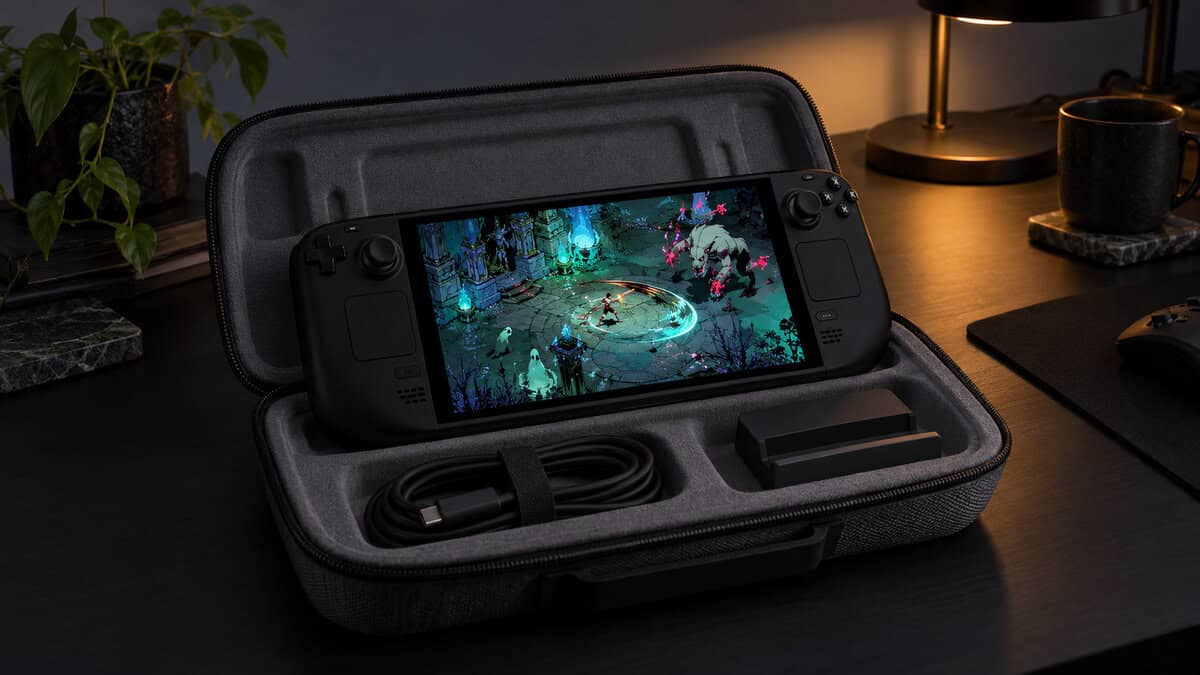
The four picks below cover each way of carrying a Steam Deck, from a slim hard shell for the commute to a sling that holds the dock and the charger. After the cards, the guide explains which cases stack, what Valve already puts in the box and how to fly with the Deck and a power bank.
The hard case that carries the whole travel kit. It takes a Deck still wearing its shell, plus the original charger and a small dock, behind a double zipper.
- Takes a Deck still wearing its shell
- Room for the charger and a dock
- Velcro straps hold the Deck in place
- Bulkier than a slim case in a bag
- Not made for 2025 ROG Xbox Ally models
- Comes in one grey finish
The slimmest hard case here, sized for the Deck and nothing else. Raised areas over the sticks and a padded buffer keep pressure off the controls.
- Slimmest of the three carrying cases
- Raised lid clears the thumbsticks
- Splash-proof shell with YKK zippers
- No room for the charger
- No shell fit listed
- Fewest owner reviews of the four
A shell that stays on while you play and still covers the screen in a bag. The front cover, metal kickstand and accessory strap make it the most flexible pick.
- Stays on during handheld play
- Hard front cover guards the screen
- Detachable kickstand for tabletop play
- Can add some thickness to the grips
- No space for the charger
- Snap-on cover, not a zipped case
A sling bag for the full docked kit. A removable foam insert holds the Deck while the dock, charger and HDMI cable ride in their own spaces.
- Carries the Deck, dock and charger
- Adjustable strap for hands-free carry
- Also fits a Switch 2 or ROG Ally
- Soft bag, not a hard shell
- The dearest pick of the four
- Bulkier than a case in a backpack
- Pick a Steam Deck case by how you carry it: a shell for play, a hard case for the backpack, a bag for the whole kit.
- Only buy a carrying case for a shelled Deck if its listing says it takes one.
- Check your box before you buy: Valve includes a carrying case with the Steam Deck.
- Power banks fly in the carry-on bag, never in checked luggage.
- A slim case saves bag space but leaves the charger and dock to travel separately.
Table of Contents
Shell vs Carrying Case vs Sling Bag: The Three Layers
Steam Deck protection comes in three layers, and many owners end up using one or two of them rather than a single case that does everything. A shell protects the Deck while you hold it, a hard carrying case protects it inside a bag, and a sling bag carries the Deck plus everything that plugs into it.
The Deck itself measures 298 x 117 x 49 mm and weighs about 640 grams, according to Valve’s Steam Deck tech specs, so every case here is built around a large, heavy handheld with exposed thumbsticks. If you are still filling out the rest of your kit, our best Steam Deck accessories guide covers docks, screen protectors and controllers alongside one case pick.
Layer One: A Shell You Play In
A play-in shell is a back cover that stays on the Steam Deck during handheld sessions, guarding the back and corners against drops and scuffs. The best ones add a front cover for travel, so the same shell protects the screen once the Deck goes into a bag.
Layer Two: A Hard Case for the Backpack
A hard carrying case is the familiar zip-up clamshell, and it protects the Steam Deck from knocks and pressure inside a backpack. Slim versions hug a bare Deck and take up little room, while roomier ones add pockets for the charger and take a Deck that is already wearing a shell.
Layer Three: A Bag for the Whole Kit
A sling bag carries the Steam Deck, its dock, the charger and cables in one piece of luggage, which suits players who dock at a friend’s TV or in a hotel room. A foam insert holds the Deck in place, so the bag protects the screen without being a hard case.
The Best Steam Deck Case Picks Up Close
Each of the best Steam Deck case picks below covers one layer. The spec table lines up the numbers from each listing that decide what fits inside and what travels with the Deck.
| Case | Layer | Shell Material | Dimensions (in) | Capacity (cu in) | Compartments | Closure | Holds the Charger | Takes a Deck in a Shell |
|---|---|---|---|---|---|---|---|---|
| JSAUX Carrying Case | Hard carrying case | EVA shell, Oxford cloth | 13.4 x 6 x 3.9 | 297 | 3 | Double zipper | Yes | Yes |
| tomtoc Slim Carrying Case | Slim hard case | PU and felt | 12.52 x 5.51 x 2.36 | 160.57 | 1 | YKK zippers | No | Not listed |
| JSAUX ModCase | On-device shell | PC-ABS and TPU | Fits on the Deck | n/a | n/a | Snap-on front cover | No | It is the shell |
| tomtoc Arccos Sling Bag | Whole-kit sling bag | 840D fabric, EVA insert | 12.8 x 5.91 x 5.12 | 387.31 | 4 | YKK zipper | Yes | Not listed |
JSAUX Carrying Case
The JSAUX Carrying Case is the best all-round case for owners who carry more than the Deck. Its 297 cubic inches hold the handheld in the main compartment, with room around it for the original AC charger, a small dock, a small power bank and headphones. JSAUX also states that the Deck fits without removing its protective case, which none of the other carrying cases here lists.
The JSAUX case is the one hard case here that takes a shelled Deck and its charger together.
Protection comes from a thickened EVA shell wrapped in Oxford cloth, with a grooved design that JSAUX says will not press on the controls and a fleece-lined compartment against the screen. A double zipper closes it, and Velcro straps inside hold the Deck so it does not slide into the accessories.
The same case fits the original ROG Ally and the 2024 ROG Ally X, and if you are still deciding between handhelds, our Steam Deck vs ROG Ally comparison covers how they differ. JSAUX lists it as not compatible with the 2025 ROG Xbox Ally models or the Legion Go series. The tradeoff is bulk: at 13.4 x 6 x 3.9 inches, it takes up more backpack space than the slim tomtoc.
tomtoc Slim Carrying Case
The tomtoc Slim Carrying Case is the case to grab when only the Deck travels. At 12.52 x 5.51 x 2.36 inches and 0.33 kg, it is the slimmest of the three carrying cases here, sized closely around a Steam Deck or Steam Deck OLED.
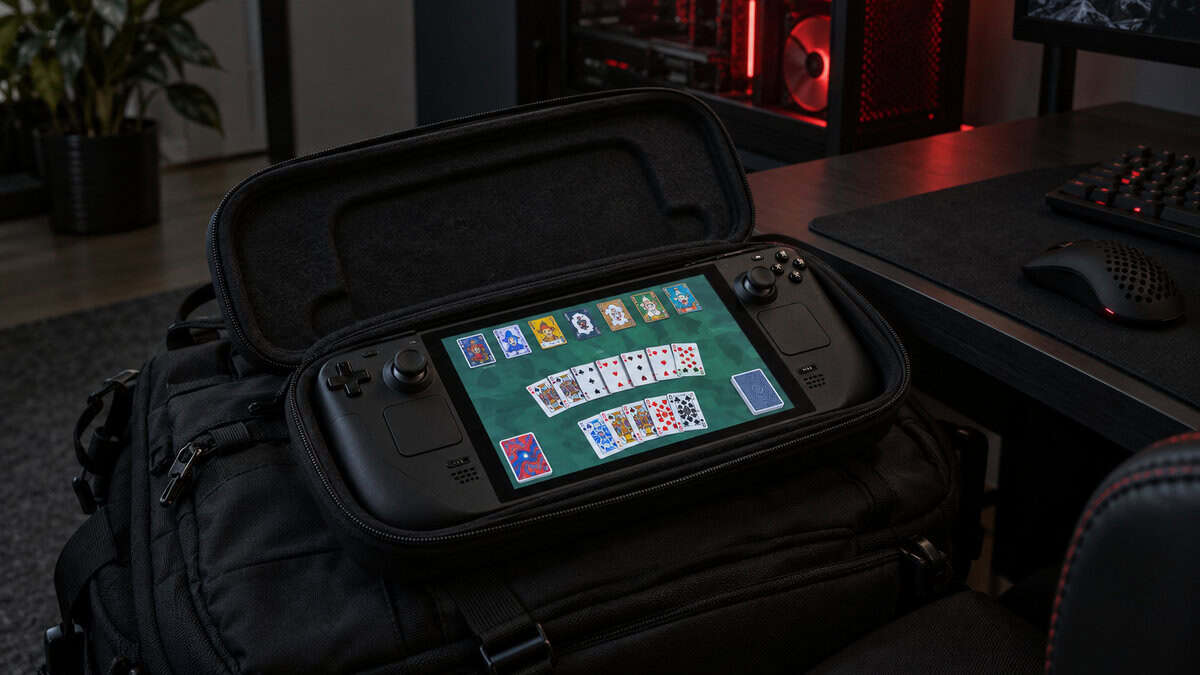
The tomtoc Slim trades storage for the smallest footprint in a bag.
The hard shell is splash-proof PU and felt, and tomtoc shapes raised areas over the thumbsticks and buttons so the lid does not press on them, with a padded buffer for the shoulder buttons. Heavy-duty YKK zippers close it, and tomtoc backs it with a 12-month warranty.
The slim fit is also the limit. There is one compartment and no listed room for the charger, and tomtoc does not say the case takes a Deck wearing a shell, so plan on packing a bare Deck. It also has the fewest owner reviews of the four, though its owner rating is among the highest here.
JSAUX ModCase
The JSAUX ModCase is the pick if you want protection that stays on while you play. The back shell is PC-ABS with shock-absorbing TPU and textured edges for grip, and it fits both the Steam Deck OLED and the original LCD model with access to every button and trigger.
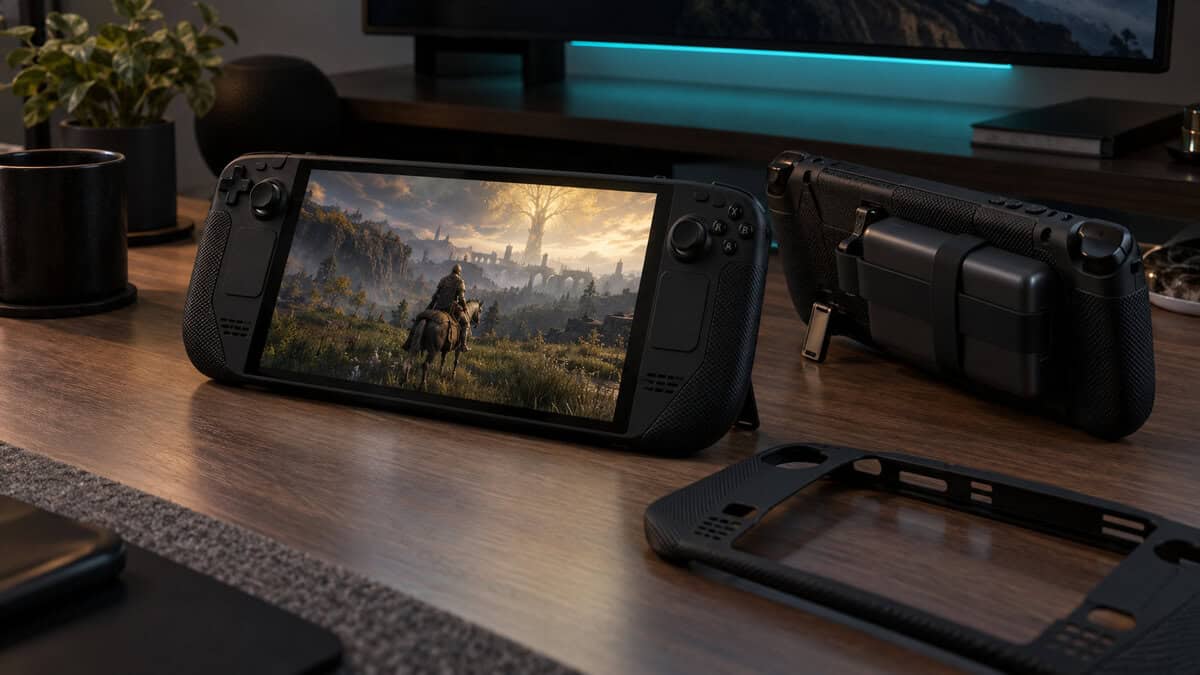
The ModCase protects the Deck in your hands, not just in your bag.
The modular parts set the ModCase apart. A hard front cover snaps on over the screen and thumbsticks, so you can drop the Deck into a backpack without a separate case. A detachable zinc-alloy kickstand slides onto the back for tabletop play, and a silicone strap holds a power bank or USB-C hub against the back.
The tradeoff is that the ModCase is not a carrying case. It has no space for the charger, and a snap-on cover may not guard against crushing the way a zipped hard case can. If you also carry the charger, pair it with the JSAUX Carrying Case, which takes a Deck in its shell.
tomtoc Arccos Sling Bag
The tomtoc Arccos sling bag carries the whole docked setup. Its 387.31 cubic inches hold the Deck in the main compartment, with space for a dock, the charger and HDMI cables, and inside pockets that keep small accessories in order.
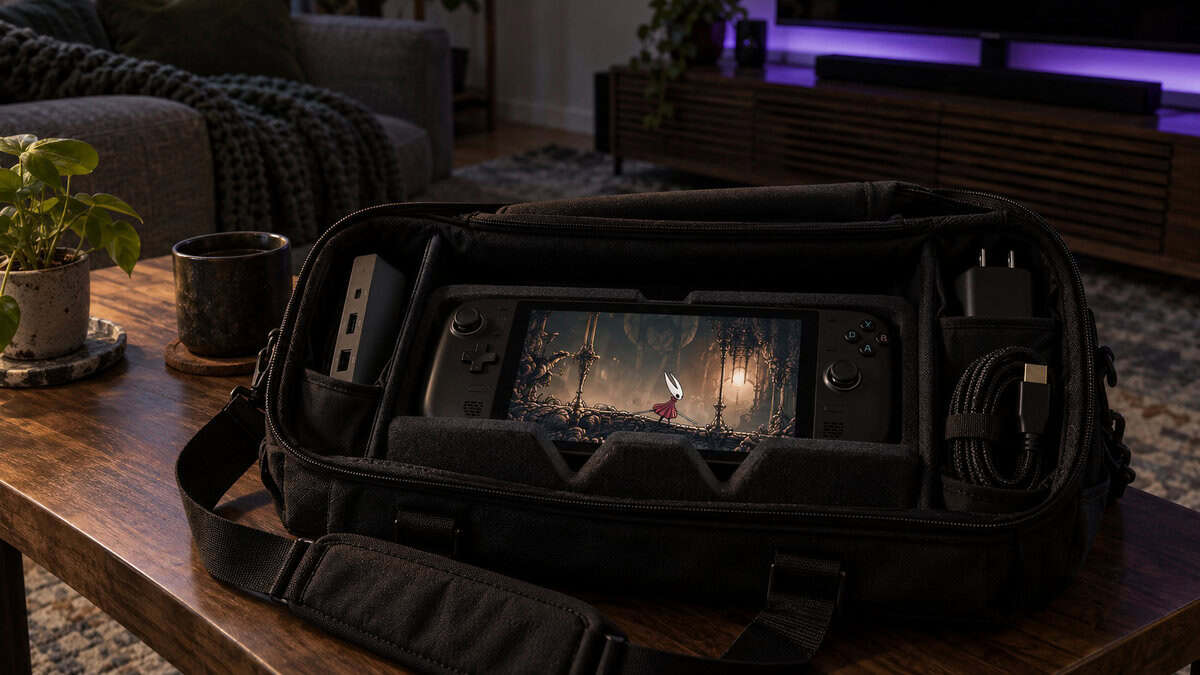
The Arccos sling is for the trip where the dock comes too.
A removable W-shaped EVA insert holds the Deck with room on either side so the screen and thumbsticks are not pressed, and an included strap tightens it in place. The outside is 840D splash-resistant fabric with a YKK zipper, and the bag weighs 1.1 pounds empty.
Because it is a soft bag, it relies on that insert rather than a hard shell, so it suits owners who carry it on the body rather than packing it under heavier gear. tomtoc lists the same bag for the ROG Ally family, the Legion Go and the PlayStation Portal. It is the dearest of the four picks.
Will a Shell Fit Inside a Carrying Case
A shell fits inside a carrying case only when the carrying case is sized for it, and the other listings here say nothing either way. Among these picks, the JSAUX Carrying Case is the only one whose listing states that the Deck fits without removing its protective case.
Combinations That Zip Shut
The ModCase back shell inside the JSAUX Carrying Case is the pairing with the clearest listing support, since JSAUX says its carrying case takes a Deck in a protective case. The listing does not mention the ModCase’s front cover, so plan on packing the Deck with the shell on and the cover off if the lid feels tight.
The tomtoc Slim Carrying Case is sized closely around the Deck, and tomtoc does not list shell compatibility, so plan on taking a shell off before zipping it. The Arccos sling’s foam insert leaves room on both sides of the Deck, but tomtoc does not list shell compatibility for it either.
Thumbstick Grips and Raised Lids
Thumbstick grips add height, and height is what a slim case has least of. The tomtoc Slim’s raised lid areas are shaped around the standard sticks, and tomtoc does not list room for grip caps, so check the lid clearance or pull the grips off before packing. The JSAUX Carrying Case is the roomier choice if you keep tall grips on.
The Case Valve Already Put in the Box
Valve includes a carrying case with the Steam Deck, so check your box before buying a second one. On Valve’s Steam Deck OLED page, the LCD model and the 512GB OLED each list a carrying case, and the 1TB OLED, including the Limited Edition, comes in an exclusive case with a removable liner.
Valve describes that liner as a way to carry the Deck in a backpack when you do not need the protection, or the bulk, of the full hard case.
When the Included Case Is Enough
The included Steam Deck case is enough if the Deck travels alone, in a bag with room to spare. Valve’s included carrying case covers a bare Deck, so for trips between home and work, a second slim case adds little beyond a smaller footprint.
Where a Second Case Earns Its Spot
A second Steam Deck case earns its spot when you carry more than the Deck, play with a shell on or dock away from home. The JSAUX Carrying Case adds room for the charger and a dock, the ModCase protects the Deck during play, and the Arccos sling carries the docked setup.
Storage is another reason. The Deck’s microSD slot makes swapping game libraries easy, and our SD card for Steam Deck guide covers the cards that suit it. A case with spare pockets keeps those cards with the handheld instead of loose in a bag.
Flying With a Steam Deck and a Power Bank
Flying with a Steam Deck is simple until a power bank joins it. The FAA’s PackSafe guidance on lithium batteries states: “Spare (uninstalled) lithium ion and lithium metal batteries, including power banks and cell phone battery charging cases, must be carried in carry-on baggage only.”
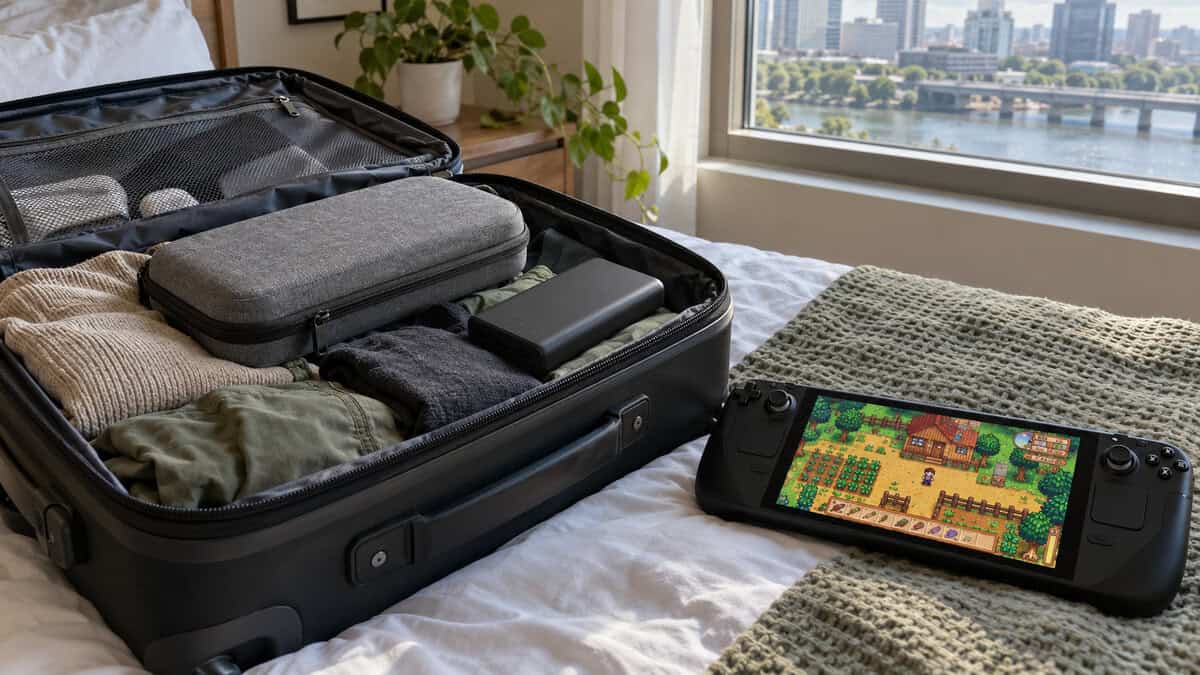
Power Banks Stay in the Cabin
A power bank has to ride in your carry-on, so pack it in the cabin bag alongside the Deck’s case, not in the suitcase you check. The FAA adds that if a carry-on is checked at the gate, spare batteries and power banks must come out and stay with you in the cabin.
Size matters too. The same FAA page says lithium ion batteries are limited to a rating of 100 watt hours per battery, and Valve rates the Deck’s own battery at 50Whr. Airlines can set stricter limits on how many power banks you carry, so check with yours before the trip.
The FAA also asks that battery terminals be protected from short circuits, for example by leaving the bank in its retail packaging or using a battery case. A zipped case pocket that keeps the power bank away from loose cables and coins follows the same idea.
Packing the Charger and Cables
Packing the charger with the Deck saves hunting for it at the hotel. Valve’s 45W USB-C power supply comes with a 2.5 m cable, and the JSAUX Carrying Case and the Arccos sling both have room for it.
With the tomtoc Slim or the ModCase, the charger travels in another bag pocket.
Ports and Docking With a Case On
Port access matters most with a shell, because a shell stays on the Steam Deck all day. The Deck has a USB-C port for charging and video, a microSD slot and a 3.5 mm headphone jack, and a shell has to leave all three open.
JSAUX lists full access to every button and trigger on the ModCase. Cables with chunky plugs are worth checking, since a shell adds a little depth around each opening.
Docking Without Taking the Shell Off
Docking a Steam Deck with a shell on depends on the dock’s cradle as much as the shell. A shell adds thickness to the back of the Deck, so a dock with a tight slot may need the shell off, and the ModCase’s kickstand is detachable, so it can come off before the Deck goes in.
If you dock at home and play handheld on the road, our best Steam Deck dock guide covers docks and how they hold the Deck.
Which Layer Each Case Covers
Which Steam Deck case suits you depends on the layer you need and what travels with the Deck. The tomtoc Arccos sling also fits the Nintendo Switch 2, so households with both handhelds can share it; our Nintendo Switch 2 case guide covers Switch-only options.
| Case | Layer It Covers | What Travels With It | Who It Suits |
|---|---|---|---|
| JSAUX Carrying Case | Bag-proof hard case | Deck (shell on), charger, small dock | Owners who carry the charger every trip |
| tomtoc Slim Carrying Case | Slim hard case | The Deck alone | Commuters short on bag space |
| JSAUX ModCase | On-device shell | Deck, kickstand, strap-on power bank | Players who want protection while playing |
| tomtoc Arccos Sling Bag | Whole-kit bag | Deck, dock, charger, cables | Players who carry the full docked kit |
If you only buy one case, the JSAUX Carrying Case covers the most ground: it protects the Deck in a bag, takes a shell and carries the charger. Add the ModCase later if you want protection while you play.
Frequently Asked Questions
Quick answers about choosing a Steam Deck case.
Does the Steam Deck come with a case?
Yes. Valve’s Steam Deck OLED page lists a carrying case with the LCD model and the 512GB OLED, and the 1TB OLED comes in a case with a removable liner. A second case helps if you carry the charger or a dock, or want protection while you play.
Do Steam Deck cases fit the Steam Deck OLED?
All four picks here list the Steam Deck OLED as compatible, and the JSAUX ModCase lists both the OLED and the original LCD model. Any of them works as a case for Steam Deck OLED, so choose by how you carry the Deck rather than by model.
Can I put a Steam Deck in a carrying case with a shell on?
Only if the carrying case is made for it. The JSAUX Carrying Case lists room for a Deck still in its protective case. tomtoc does not list shell fit for the tomtoc Slim Carrying Case, so plan on a bare Deck.
Do I need a screen protector with a case?
A carrying case protects the screen in a bag, but not while you play. A play-in shell like the JSAUX ModCase covers the back and corners, so a screen protector covers the glass during handheld sessions.
Can I take a Steam Deck case with a power bank on a plane?
Yes, in your carry-on. The FAA requires spare lithium batteries and power banks to travel in carry-on baggage only, limits lithium ion batteries to 100 watt hours each and asks for protected terminals. Keep the power bank out of checked luggage.
Looking for more budget gaming gear? Check out Budget Loadout for the latest reviews and recommendations.
Related Articles