Mobile games keep getting more demanding, and thumbs on glass can only do so much. Swipe-aim in a shooter, mistime a dodge in an action RPG, or fight a cloud session over spotty Wi-Fi, and the ceiling becomes obvious fast. A dedicated controller removes that ceiling, but the market is packed with pads that look identical in listings and behave very differently in your hands.
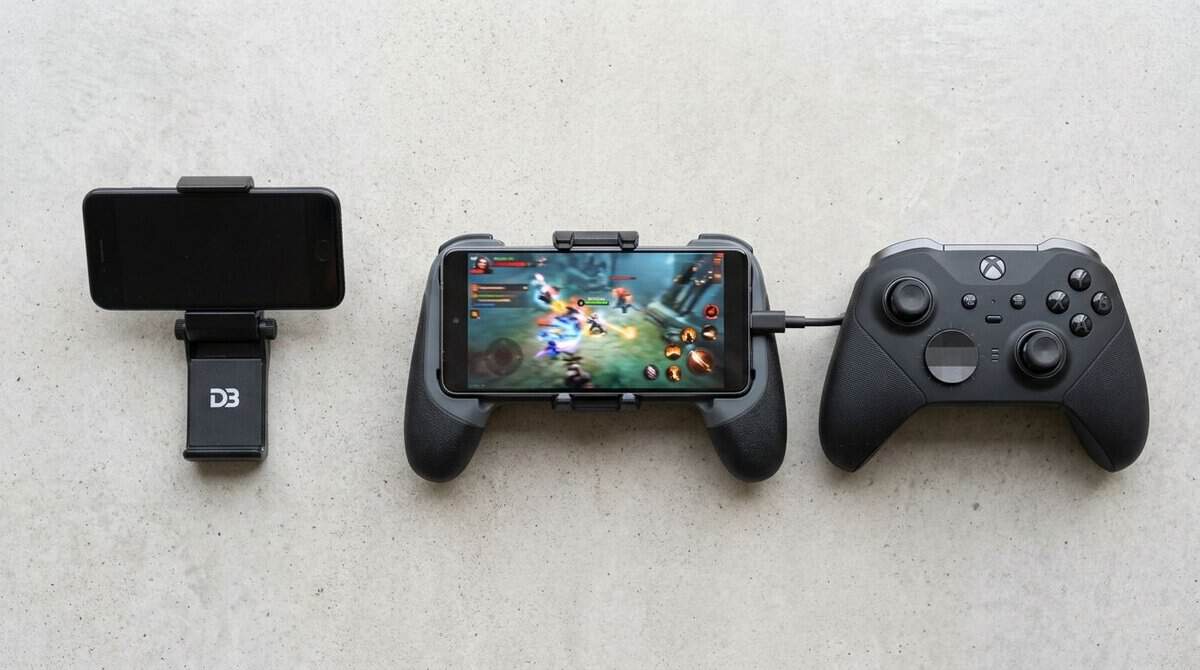
The best phone controller isn’t the cheapest model. It’s the one that gives you stable input, fits your phone without feeling flimsy, and keeps working across the games and devices you use. That matters even more if you switch between FPS games, MMO grinding, and streaming from a console or PC.
- Hall effect sticks and triggers resist drift
- Full-size grips beat cramped clip-on pads
- Passthrough charging plus a headphone jack
- Bulkier than pocket-friendly rivals
- No Bluetooth mode for wireless play
- Needs a USB-C phone, so older iPhones are out
- Full-size grips for long sessions
- TMR sticks and two back buttons
- Fits many phones without removing the case
- Needs an iPhone 15 or newer on iOS
- Bulkier than fold-flat compact designs
- Some apps inside Nexus charge extra
- Lowest cost of entry in this roundup
- Hall effect hardware at a budget price
- Wired path keeps cloud sessions consistent
- No wireless option at all
- Build feels simpler than premium rivals
- Smaller brand with a smaller support network
- Lowest-latency wired path in the group
- TMR sticks plus remappable back buttons
- Wide device fit, including iPad mini
- Premium price for a phone accessory
- Overkill for casual or turn-based play
- Bulkier folded than compact rivals
Picks and availability last verified: October 19, 2026
- Wired USB-C beats Bluetooth for latency: independent tests consistently put wired telescopic controllers ahead for shooters and cloud gaming.
- The GameSir G8 Galileo is the best value for most buyers, pairing Hall effect sticks and full-size grips with plug-and-play USB-C.
- The Razer Kishi V3 is the smoothest all-around pick, with full-size grips, TMR sticks, and a case-friendly fit.
- The EasySMX M15 covers stable wired play for the least money, while the Razer Kishi V3 Pro adds TMR sticks and back buttons for competitive players.
- Check physical fit before settling in: bridge flex, uneven triggers, and port strain are the first failure points on budget controllers.
Table of Contents
What Makes the Best Phone Controller
A lot of buyers make the same mistake. They shop by shape, button count, or price tag, then wonder why the controller feels inconsistent once a match gets busy. On mobile, important considerations include input latency, connection stability, phone compatibility, and whether the controller was built to survive daily use in a bag or backpack.
This guide is for players who want value, not bargain-bin compromises. That means looking at the best phone controller choices through a practical lens: which ones feel responsive enough for shooters, which ones make more sense for MMO sessions or cloud gaming, and which ones hold up after regular travel and repeated phone mounting.
You’ll see an early side-by-side comparison, then a deeper breakdown of specs, wireless behavior, operating system quirks, and product recommendations that make sense for different budgets and play styles. If you want more hardware buying advice beyond mobile gamepads, Budget Loadout’s controller coverage is a useful place to keep browsing.
Understanding Key Controller Specs
The specs that matter on a phone aren’t always the same ones people obsess over on console or PC. Start with the metrics that change how your games feel in your hands, especially in shooters, MOBAs, and streamed titles.
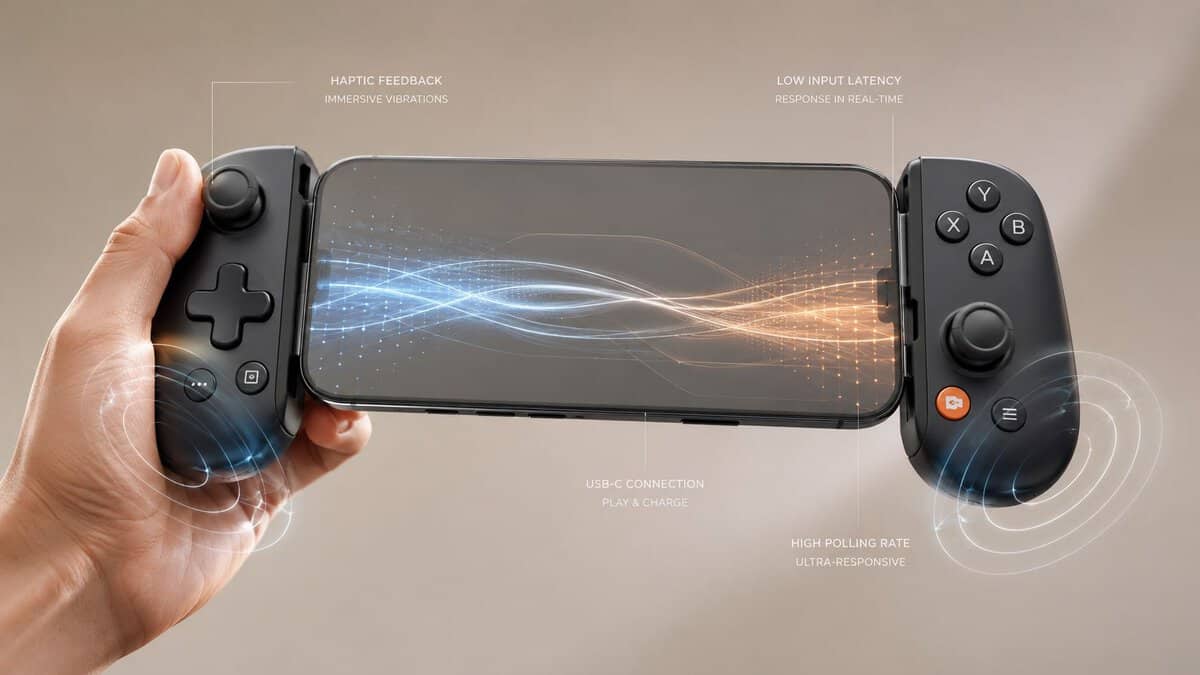
Input latency comes first
Input latency is the delay between your button press and the game reacting. For a best phone controller shortlist, this matters more than flashy extras. In 2026 competitive play, platform certification is a hard requirement rather than a nice bonus. Controllers with Google’s Play Games Certified badge or Apple’s MFi Game Controller Program certification reduce end-to-end latency by 40–65ms compared to touch controls, according to Alibaba’s 2026 controller guide.
That doesn’t mean every certified controller feels identical. It means certified hardware starts from a better baseline for serious play.
Practical rule: If you play FPS or MOBA titles on mobile, shop for responsive input first and everything else second.
Polling rate, haptics, and triggers
Polling rate gets talked about a lot, but on phones it can distract buyers from the bigger issue. A high polling rate sounds good on paper, yet it won’t rescue a controller with poor wireless behavior, bad firmware, or weak OS integration.
Haptics matter more than many budget buyers expect. In streaming and cloud play, stronger feedback can make timing easier because your hands get clearer confirmation of actions. Adaptive triggers are less essential for pure competitive play, but they can improve immersion in racing games, story games, and streamed console sessions.
If you’re also tuning controls for shooters, this controller guide for Warzone-style play helps frame what changes responsiveness versus what just sounds premium.
Battery life and power draw
Battery life matters, but not as an isolated number. A wireless controller with decent endurance still becomes annoying if it drains your phone faster, disconnects under load, or takes too long to wake and reconnect. For commuters and frequent travelers, wired USB-C models often make more sense because they remove one charging cycle from your routine.
Look at battery concerns through use case:
- For FPS gaming: lower-latency connection quality matters more than convenience features.
- For MMO sessions: comfort, grip shape, and fatigue management matter more because you’ll hold the device longer.
- For streaming: stable connectivity and clear haptic feedback usually matter more than compactness.
Comparing Connectivity and Compatibility
You feel this section the first time a close-range fight goes wrong. The shot was on target, but the input arrived late, or the controller dropped back into a lower-power wireless state for a split second. Budget mobile pads can look similar on a store page and still behave very differently once a phone’s Bluetooth rules, charging port fit, and app support get involved.
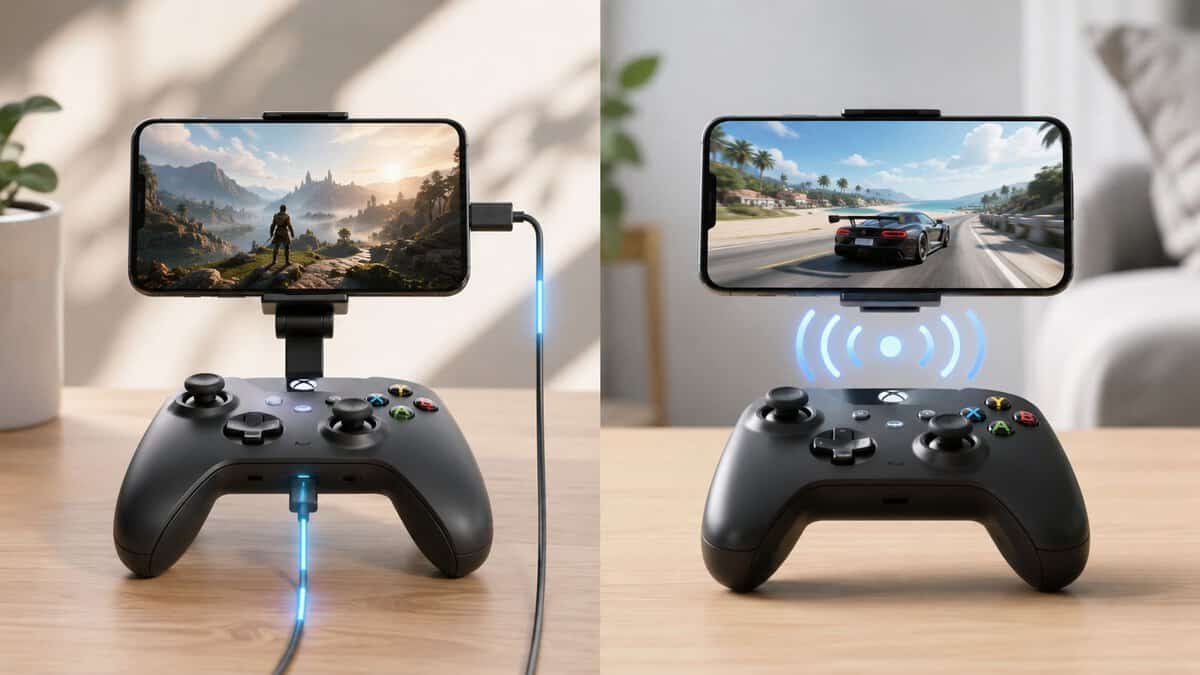
Wired USB-C versus standard wireless
USB-C remains the safer pick for players who care about clean, repeatable inputs. A direct connection removes pairing issues, cuts out a layer of wireless processing, and usually avoids the brief hiccups that make aim feel soft in shooters or cloud sessions. In everyday use, that matters more than flashy spec-sheet claims. Services like Xbox Cloud Gaming are built around controller input, which is why connection stability matters even more when the game itself runs in the cloud.
Wireless still has a place. It is easier to share across phones and tablets, easier to toss into a bag, and often the better fit if you prefer a full-size pad with a clip. The trade-off is consistency. Wireless performance depends on the controller, the phone’s Bluetooth implementation, and the operating system’s input policies.
That last part gets ignored too often. Some phones throttle Bluetooth behavior to save power or prioritize other radios in crowded environments. The controller gets blamed, but the delay is sometimes coming from the OS.
BLE versions help, but firmware and OS behavior matter more
Newer Bluetooth standards can improve stability, especially in apartments, dorms, offices, and train stations where wireless traffic is heavy. Bluetooth SIG’s Bluetooth Core Specification 5.4 overview outlines features aimed at better efficiency and more reliable wireless behavior, but buyers should keep expectations realistic. A newer Bluetooth version does not guarantee lower gaming latency on its own.
Controller firmware, phone-level scheduling, and app support still decide whether a wireless pad feels steady or sloppy. I have seen budget controllers post acceptable behavior in quiet rooms, then start showing missed or uneven inputs once Wi-Fi congestion rises and the phone shifts how it handles Bluetooth traffic. That is why raw version numbers matter less than real gameplay behavior.
iPhone and Android compatibility are not equal
Android usually gives buyers more room to experiment. iPhone is less forgiving. Certification, input mapping support, and app-level recognition have a bigger effect on whether a controller works properly or turns into a troubleshooting project.
Budget controllers fail on iPhone for a few common reasons. Some use generic Bluetooth modes that connect but do not map cleanly in games. Some fit physically but do not expose the right input profile. Others work in one app and break in another after an iOS update. Certified models cost more, but they usually save time and reduce odd bugs like missing triggers, reversed stick axes, or unreliable reconnect behavior.
Physical compatibility matters too. Large camera bumps, thick cases, off-center USB-C ports, and shallow connector cutouts can rule out otherwise good telescopic designs. Check the supported phone dimensions before you buy, not after the return window starts.
A practical way to choose
Use the connection type that matches how you play:
- Choose USB-C for shooters, rhythm games, and cloud play where timing errors are easy to notice.
- Choose wireless if you rotate between multiple devices and care more about flexibility than shaving off every bit of delay.
- Choose certified iPhone-friendly models if you use iOS and want fewer mapping and reconnect issues.
- Check fit before features if your phone has a thick case, a large camera island, or an unusual port position.
The same buy-for-your-setup mindset applies to handheld accessories beyond phones. If you also play on portable hardware at home, this Steam Deck dock buying guide covers the same kind of real-world compatibility checks.
Head-to-Head Performance Benchmarks
A controller can feel fine in a racing game and still cost you shots in a mobile shooter. That gap usually comes down to input latency, not marketing features.
Controller latency and certification comparison
| Controller type | Latency range | Certification | What to expect in play |
|---|---|---|---|
| Wired USB-C telescopic models | Lower, more consistent | Varies by platform | Best fit for shooters, rhythm games, and cloud streaming where timing errors stand out |
| Wireless certified mobile controllers | Mid-range, usually stable | Better odds of clean mapping and reconnect behavior | Good balance for mixed play across supported devices |
| Generic Bluetooth pads | Higher variance | Often unclear or absent | Fine for slower games, but response can shift more from phone to phone |
Independent bench tests matter here, but so does the test method. The useful question is not just which controller posts the lowest lab number. It is whether that result holds up once the phone applies its own Bluetooth scheduling, input buffering, and game-level mapping layer.
That is why I put more weight on wired USB-C results for competitive recommendations. Bluetooth can be good enough, but OS behavior often decides whether “good enough” stays consistent through a full match.
What the numbers mean in play
Small latency gaps are easy to miss in turn-based games or casual platformers. In shooters, MOBAs, rhythm games, and cloud streaming, they show up faster. You feel it on snap turns, parry timing, burst-fire correction, and quick ability chains.
The practical split is simple:
- Lower and steadier latency: better for ranked play and timing-heavy genres
- Middle of the pack: usually fine for general gaming if comfort and compatibility are stronger
- Higher or less consistent latency: acceptable for casual use, weaker for competitive play
Consistency matters as much as the average result. A controller that swings between responsive and delayed is harder to trust than one that is slightly slower but predictable.
Why OS behavior changes the result
Hardware is only part of the chain. Phones handle Bluetooth input differently, and that difference can be large enough to change how the same controller feels across platforms.
On iPhone, stricter HID handling and certification requirements tend to reduce weird mapping issues, but they can also limit how some generic Bluetooth controllers perform in actual games. On Android, support is broader, but behavior varies more by device brand, OS version, and background power management. The cause is sometimes the room, especially in crowded wireless environments, but the phone’s Bluetooth stack is often the bigger factor.
This is the part many buying guides skip. A controller can test well in one setup and still feel worse on another because the operating system is shaping the input path before the game ever sees it.
For buyers trying to stretch a budget, this is also why some older budget gaming controllers for PC still feel familiar in the hand but do not always deliver the same timing on a phone. Mobile adds another layer of latency and compatibility checks that desktop play usually avoids.
A fast controller paired with a slow wireless path still feels slow.
For competitive play, the safer bet is a wired USB-C model with proven mobile support. For casual play across multiple devices, wireless can still make sense. The trade-off is flexibility versus timing precision, and on phones, the operating system has a bigger say in that than many spec sheets admit.
Best Controllers by Budget and Use Case
A budget pick stops feeling cheap the moment you miss inputs in a shooter or fight bad ergonomics through a long session. Price matters, but on phones, the better filter is this: which controller gives you the fewest compromises for how you play.
| Controller | Best fit | Main strength | Main trade-off |
|---|---|---|---|
| Razer Kishi V3 Pro | Competitive mobile play | Lowest wired latency in independent tests | Premium-tier positioning |
| Razer Kishi V3 | Balanced all-around use | Full-size grips and TMR sticks | Bulkier than compact designs |
| GameSir G8 Galileo | Value pick | Strong feature set for the money | Fit and feel still matter more than spec sheets |
| EasySMX M15 | Wired multi-device use | Broad wired compatibility | Less convenient than grab-and-go wireless |
Best value for most buyers
The GameSir G8 Galileo is the value pick for players who want a fuller grip, console-style controls, and a direct USB-C connection without paying premium pricing. In practice, that matters more than a long feature list. A midpriced controller with stable input and good hand support usually beats a cheaper model with loose sticks, shallow triggers, or an unstable fit around larger phones.
It fits best for:
- FPS players who want firmer handling than compact clip-on pads
- Action RPG and MMO players who stay in game for longer stretches
- Buyers who care more about comfort and control quality than pocketability
The trade-off is size. Larger telescopic controllers feel better in the hands, but they are harder to toss in a pocket, and the sliding frame is one of the first places budget models start to feel less refined. Check for flex near the bridge, uneven trigger feel, and any port strain once a phone is mounted. With Steam Link on the phone, a grip like this also works as a Steam Deck alternative for anyone who already has a gaming PC.
Best all-around choice for broad compatibility
The Razer Kishi V3 is the safer pick for buyers who want consistent day-to-day use across supported phones with minimal setup friction. That matters most for people who do not want to spend time testing mappings, updating firmware, or figuring out why one game reads a trigger differently from the next.
It makes the most sense for:
- iPhone 15 and newer owners who want a full-size grip
- Players who split time between short sessions and longer travel play
- Anyone who keeps a case on and hates removing it to play
The trade-off is straightforward. You get TMR sticks and back buttons without paying Pro pricing, but the full-size frame is bulkier than fold-flat designs.
It also highlights a point many budget guides skip. Certification and OS support affect real gameplay, not just setup. A controller that behaves predictably on iPhone can feel like the better buy even if another model looks stronger on paper, because stable input handling matters more than spec-sheet wins.
Best for wired multi-device use
The EasySMX M15 suits players who want one controller for phone gaming, streaming, and occasional use on other devices without depending on Bluetooth. For cloud play and emulation, that wired path can be the difference between controls that feel immediate and controls that feel a half-step behind.
This use case is simple:
- Wired play cuts out a layer of wireless variability
- Device switching makes more sense if you already play across phone, tablet, and PC
- Setup is usually easier than dealing with repeat pairing issues
The downside is convenience. A wired-first controller is less pleasant for quick couch sessions, commuting, or any setup where the cable and mounted phone shift around in your hands.
If you want a broader value reference point, this guide to budget gaming controllers for PC is useful because it shows how much of the mobile premium comes from the telescopic form factor and phone-specific compatibility work, not just the buttons and sticks.
Best for low-latency competitive play
The Razer Kishi V3 Pro is the strongest fit for competitive players who care more about response time than extras. Independent latency testing shows why. In mobile play, a fast wired controller has an advantage before the match even starts, because it avoids part of the Bluetooth path where phones can add delay, resample inputs, or behave differently under power-saving rules.
That does not make it the default pick for everyone.
Choose this style of controller if you play reaction-heavy shooters, fighting games, or streaming sessions where timing errors are obvious. Skip it if you mainly play slower games, want the lightest travel option, or would rather save money and accept a little more input delay.
A practical way to match controller to use case
Use case should decide the budget, not the other way around.
- For FPS and competitive play: prioritize wired USB-C support, low measured latency, and stable triggers
- For long sessions: prioritize grip shape, stick resistance, and how evenly the phone sits in the frame
- For streaming and emulation: prioritize consistent connection behavior over extra buttons you may never use
- For general value: pick the controller with the fewest real weaknesses on your phone, especially if your OS handles Bluetooth input inconsistently
A cheaper controller that drops inputs, flexes under load, or fights your phone’s Bluetooth stack is not a bargain. A slightly pricier model that stays responsive for a year usually is.
Setup Steps and Troubleshooting
Even a good controller can feel broken if the setup is sloppy. Most mobile controller problems come down to four things: bad pairing order, outdated firmware, low-quality cables, or hidden phone settings that add buffering.
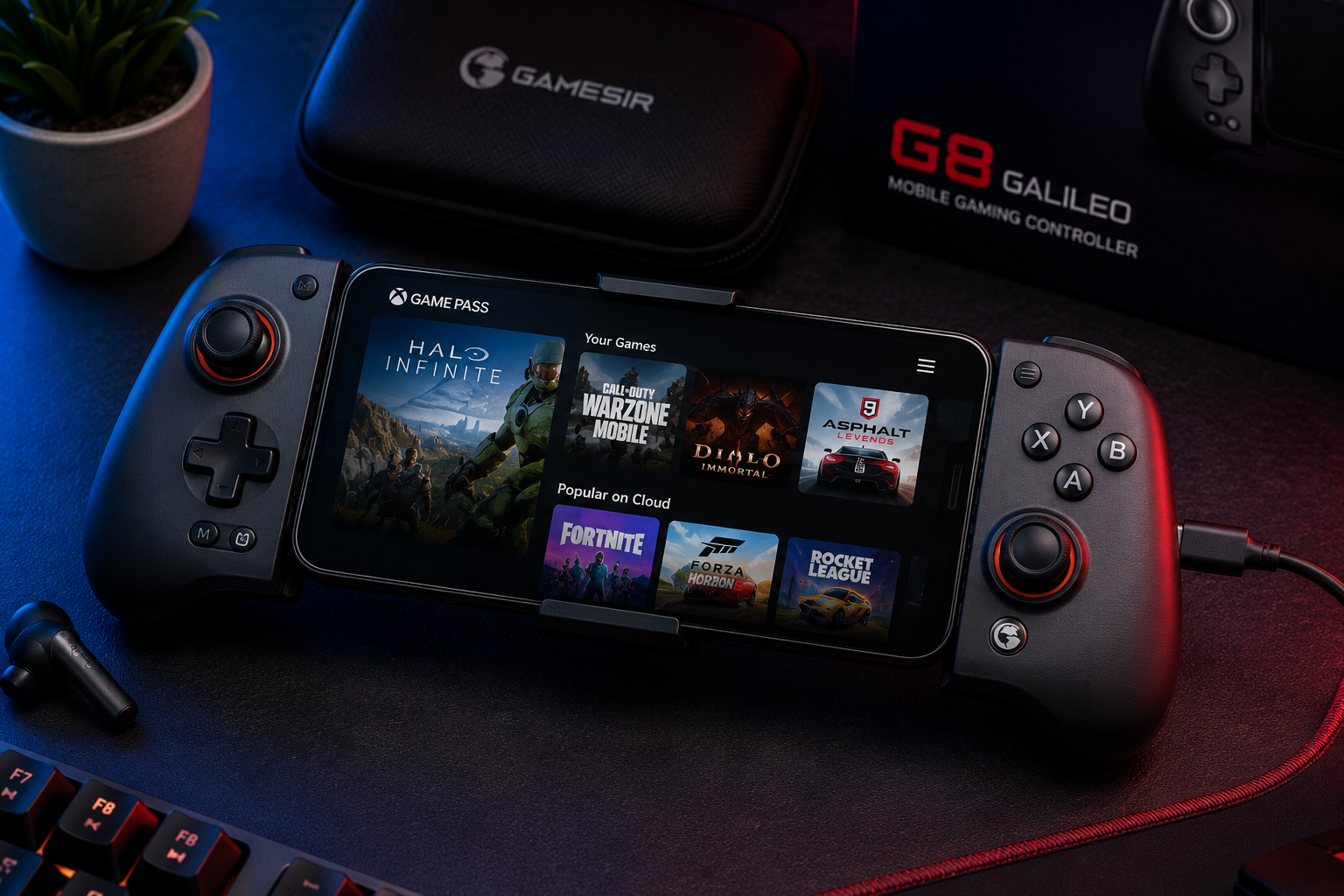
Wired setup that avoids the usual mistakes
For USB-C controllers, keep the process simple:
- Remove bulky cases first. A bad physical fit often looks like a dead port or failed detection.
- Attach the phone firmly. Don’t leave the connector under tension.
- Launch a supported game after connection. Some apps detect controller input only after they’re fully open.
- Test sticks and triggers immediately. If one input seems off, reseat the phone before blaming the controller.
A cheap or worn cable is often the hidden problem on wired-capable pads. If input drops or the controller disconnects when you shift your grip, check the connection path before anything else.
Wireless pairing that usually works the first time
Wireless setup is more sensitive to order: If you hit pairing walls on iPhone, Apple’s official controller pairing guide lists the supported models and exact steps.
- Clear old pairings from the phone if the controller was used with another device.
- Charge the controller first because low battery can cause unstable pairing behavior.
- Put the controller in the correct pairing mode for your platform, not just any discoverable mode.
- Close and reopen the game after pairing if controls don’t register.
If a controller pairs but doesn’t respond correctly, the issue is often mode selection or game support, not total hardware failure.
Fixing lag, missed inputs, and random disconnects
When players say a controller feels delayed, I usually tell them to isolate variables one by one. Start with the phone, then the connection, then the game.
Use this order:
- Restart both devices: This clears temporary Bluetooth and input-state issues.
- Update controller firmware: Old firmware can cause mapping errors and unstable reconnection behavior.
- Move away from wireless congestion: Shared spaces can make wireless input feel inconsistent.
- Disable extra phone overlays or background load: Notifications, capture tools, and aggressive battery management can interfere with smooth play.
If you need a broader checklist for diagnosing responsiveness problems, this input lag troubleshooting guide is a good next step.
When the problem is physical, not software
Sometimes troubleshooting goes nowhere because mechanical wear is the problem. Watch for:
- sticks that don’t center cleanly
- shoulder buttons that need uneven pressure
- rails that shift under hand pressure
- USB-C connectors that feel loose with slight movement
Those aren’t setup issues. They’re signs to return the controller or stop trusting it for anything competitive.
Assessing Build Quality and Durability
A mobile controller gets stressed in ways a regular gamepad often doesn’t. It gets stretched to fit different phones, packed into bags, twisted during travel, and grabbed one-handed while you’re moving. That makes rail strength, hinge stability, and connector support more important than cosmetic finish.
What to inspect before you keep it
Start with the frame. If the telescopic section flexes too much, larger phones will make the whole controller feel unstable. That instability shows up as creaking, connector strain, and eventually intermittent input issues.
Then check the controls:
- Thumbsticks: they should return to center cleanly and resist wobble.
- Face buttons: they should feel consistent, not hollow or sticky.
- Shoulder buttons and triggers: they should actuate evenly on both sides.
Durability is about repeated use, not first impressions
A controller can feel good on day one and still age badly. The weakest points are usually the sliding mechanism, the phone connector, and any thin plastic around the grips. Daily commuters should be especially cautious with compact clip-on designs that save space by sacrificing structural confidence.
Buy for month three, not minute three. First impressions matter less than how the controller feels after repeated mounting and travel.
For budget-conscious buyers, durability is part of value. Replacing a flimsy controller early is more expensive than buying a sturdier one the first time.
Making the Final Choice and Alternatives
Your last circle in a shooter, your thumb is on target, and the shot still lands late. At that point, the decision is simple. Pick the controller that removes the delay you can feel, not the one with the nicest app or the flashiest feature list.
For competitive play, the final choice should start with connection type. A direct phone connection usually gives the most consistent response. Bluetooth can still work well, but OS-level input handling and background power management on some phones can add small delays or uneven polling that show up during aiming, parries, and rhythm timing. Certification also matters more than many buyers realize. Controllers that are better integrated with the mobile OS tend to have fewer pairing quirks, fewer button-mapping surprises, and more stable behavior across updates.
That is why the safest all-around pick remains the Razer Kishi V3, as noted earlier. It is not automatically the cheapest or the most ergonomic for every hand size. It is the option I point budget-conscious buyers to when they want the fewest compatibility headaches and a fast, consistent plug-in experience.
The strongest value alternative is the GameSir G8 Galileo. It usually makes more sense for players who care more about grip comfort, larger controls, and long sessions than shaving every possible setup annoyance.
The practical crossover alternative is the EasySMX M15. It fits buyers who want a wired controller that can pull double duty instead of buying one pad strictly for mobile.
There are also cases where the obvious pick is not the right one. Phones with unusual camera bumps, thick cases, extra-large dimensions, or very specific grip preferences can still work better with a clip-on setup or a full-size controller plus mount. Those options are less compact, but they can be the smarter buy if comfort, fit, or multi-platform use matters more than portability.
Frequently Asked Questions
Do phone controllers work equally well on iPhone and Android?
Not always. Android is generally more permissive with controller input, while iPhone support depends on the game and, for some accessories, MFi certification. USB-C models like the GameSir G8 Galileo and Razer Kishi V3 work across both platforms, but always check the maker’s compatibility list against your exact phone model before buying.
Is a wired phone controller really lower latency than Bluetooth?
Yes. A wired USB-C connection skips the Bluetooth radio path entirely, which removes the resampling and power-saving delays phones can add to wireless input. Independent latency tests consistently place wired telescopic controllers ahead of Bluetooth pads, and the gap is most noticeable in shooters, fighting games, and cloud streaming.
Do I need a phone controller for cloud gaming?
For anything beyond casual titles, it makes a major difference. Cloud services like Xbox Cloud Gaming and GeForce NOW are designed around controller input, and touch overlays add both imprecision and screen clutter. A wired controller also keeps your input path consistent while the stream itself varies with your connection.
Will a telescopic controller fit my phone with a case on?
It depends on the rails and the case. Most telescopic controllers handle slim cases fine, but thick or rugged cases usually have to come off. Check the maximum supported phone length and thickness in the spec sheet, and inspect for port strain once the phone is mounted.
Do phone controllers drain my phone battery?
Wired controllers draw a small amount of power from the phone, though models with passthrough charging let you top up while playing. Bluetooth controllers run on their own battery instead, trading that drain for higher input latency. For long sessions, a wired model with passthrough charging is the most practical setup.
If you want more hype-free gaming gear advice focused on value, durability, and real performance, visit Budget Loadout.
Related Articles