Here is the honest starting point: for most budget builds, a good air cooler is still the smarter buy, and we have made that case before. But if you are set on liquid, whether for clearance, aesthetics, or a hot flagship chip, the best AIO cooler for you is the one that earns its premium instead of just wearing RGB. These four do, from a budget 240mm to a whisper-quiet 360mm.
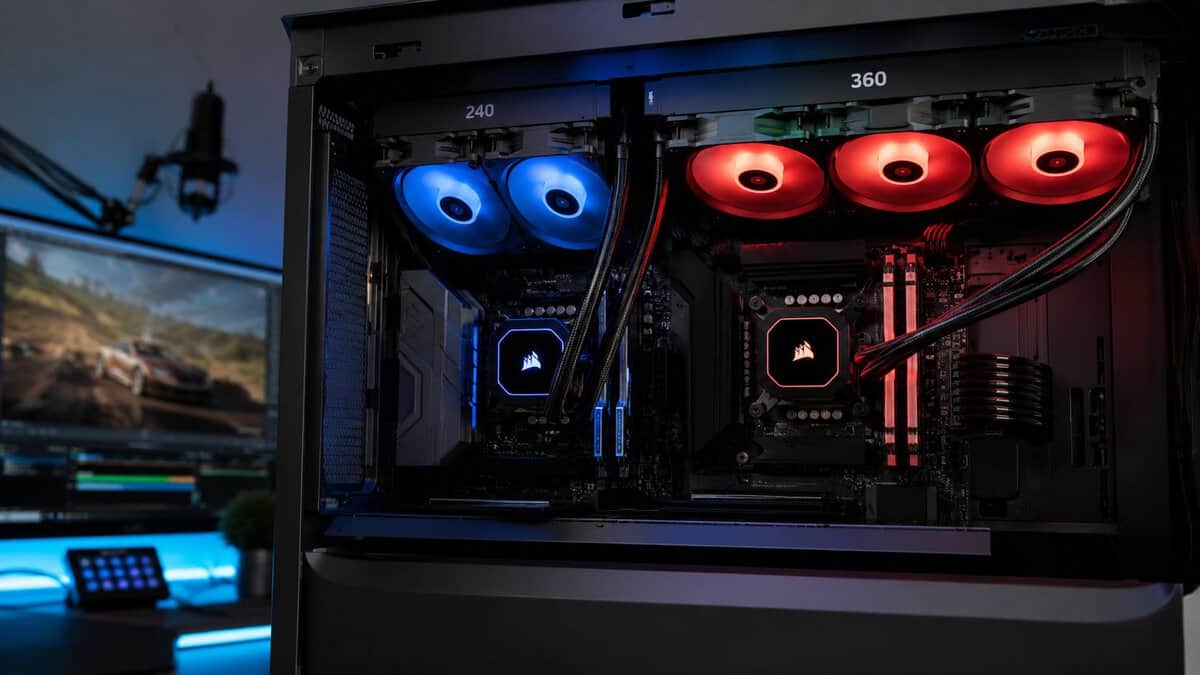
That’s the part most guides miss. For a budget-conscious gaming or streaming PC, the smartest AIO isn’t the cheapest unit on the shelf, and it isn’t automatically the one with the most lights. It’s the one that matches your CPU’s heat output, your case, and the kind of load you run, whether that’s long FPS sessions, MMO raids, or gaming while streaming to friends.
- VRM fan cools the board, not just the CPU
- P12 PRO fans bring A-RGB lighting
- Fan cables hide inside the hose sleeving
- Contact frame included for LGA1851 and LGA1700
- 360mm radiator needs real case clearance
- Offset mounting rewards a careful read of the manual
- Costs more than a 240mm kit
- Daisy-chain fans cut cable clutter substantially
- ARGB lighting without the premium-tier cost
- Cooling headroom for hot mainstream and enthusiast chips
- Fans favor performance over silence at full load
- Lighting control runs through your motherboard
- Plain pump cap with no LCD screen
- Runs quiet at gaming loads thanks to 360mm headroom
- EZ Connect cabling simplifies a first liquid install
- One bracket covers current Intel and AMD sockets
- Small review base as a newer model
- Faces strong value competition at its price tier
- Full lighting control requires MSI Center software
- Genuinely budget pricing for a proven 240mm kit
- Simple white LED look fits any build theme
- Right-sized for mainstream gaming processors
- Not built for flagship-class heat output
- Plain white LED only, no addressable RGB
- Fans get audible at maximum speed
Picks and availability last verified: October 19, 2026
- For most budget builds a good air cooler still wins on value; buy an AIO for clearance, aesthetics, or a genuinely hot chip
- The Arctic Liquid Freezer III Pro 360 A-RGB is the value benchmark, with an integrated VRM fan and A-RGB fans that give you cooling and lighting in one kit
- Match radiator size to the CPU: 240mm covers mainstream chips, 360mm is for processors that can use the headroom
- The MSI MAG CoreLiquid A15 is the quiet-room pick, using 360mm headroom to keep fan speeds low on stream
- Budget builders should price the ID-COOLING FROSTFLOW X 240 before paying big-brand premiums for the same job
Table of Contents
Why Your Next PC Needs a Better CPU Cooler
A stronger CPU changes the whole thermal picture inside your case. The chip boosts harder, holds clocks longer, and dumps more heat into the system. If your cooler can’t keep up, the result isn’t just an ugly temperature number. You can get louder fans, worse sustained performance, and a PC that feels less stable during long sessions.
That’s why cooling stops being optional once you move beyond lower-power builds. If you’ve ever watched temps climb during a match, heard the fans ramp up while encoding a stream, or noticed performance flatten during a long MMO session, the cooler is part of the problem. Before replacing anything, it helps to know what counts as normal CPU temperatures while gaming so you can tell the difference between healthy heat and a cooling setup that’s falling behind.
A lot of people learn this the hard way on laptops first. If you’re trying to understand the warning signs of heat-related instability in a more compact system, this guide on how to prevent laptop shutdowns is a useful reference because the underlying issue is the same. Heat builds up, cooling capacity runs out, and performance suffers.
Practical rule: Buy cooling for the CPU you actually own, not for the logo on the pump cap.
The right AIO gives you three things that matter in real use:
- Better sustained gaming performance when the CPU stays under control instead of bouncing off thermal limits.
- Lower noise under load because the fans and pump don’t need to work as hard all the time.
- More headroom for mixed workloads like gaming, Discord, browser tabs, capture software, and stream encoding at the same time.
Build quality matters too. A cheap-feeling mount, weak tubing, or poor radiator finish can turn a good spec sheet into an annoying install and a shorter service life. For most gamers, “budget” should mean strong value and solid durability, not the lowest possible upfront cost.
How AIO Coolers Work and What Specs Matter
An AIO cooler is simple once you strip away the marketing. The pump block sits on the CPU, absorbs heat, and moves coolant through tubes to the radiator. The radiator gives that heat to the fans, and the fans push it out of the case or pull fresh air through it.
That basic loop only works well when the parts are balanced. A flashy pump cap won’t fix a weak radiator. Nice fans won’t make up for bad mounting pressure. And a large radiator won’t help if your case can’t fit it cleanly.
If you’re still deciding between liquid and tower cooling, it helps to compare the broader strengths and trade-offs in this look at AIO vs air cooler options. For this article, the important point is that an AIO makes the most sense when you need more thermal headroom, cleaner RAM clearance, or a specific look without giving up practical performance.
The specs that actually matter
Start with radiator size. That’s the first filter because it determines how much heat the cooler can realistically dissipate. Bigger isn’t always smarter, but undersizing is one of the easiest ways to waste money on an AIO that looks good and performs like a compromise.
Then check these parts:
- Fans with real radiator focus. Radiator fans need good static pressure so they can push air through dense fins instead of just spinning loudly in open space.
- Pump design and mounting hardware. A stable pump and secure mounting system matter more than decorative features. Bad mounting pressure can wreck otherwise decent cooling results.
- Tubing quality. Stiff, cheap tubing makes routing harder and can put stress on the pump block or radiator position.
- Radiator finish and frame quality. Bent fins happen, but sloppy overall construction is a bad sign for long-term durability.
- Warranty support. Even a strong AIO is still a pump-based cooler. Good warranty coverage matters because longevity isn’t only about temperatures on day one.
What doesn’t matter as much as people think
A lot of builders get distracted by screen modules, software effects, and oversized branding. Those things can be nice, but they don’t fix a mismatch between the cooler and the CPU.
If your processor runs hot under sustained load, radiator capacity matters more than branding.
For gaming, practical fit matters too. A top mount often feels cleaner and is usually easier to live with over time, but your case might only support certain thicknesses with tall motherboard heatsinks or RAM. Front mounting can work well, though it changes airflow balance and can make the whole build run differently.
A quick checklist before you buy
| What to check | Why it matters |
|---|---|
| Case support | A 360mm AIO is useless if your case only cleanly supports 240mm |
| CPU class | Cooler size should follow heat output, not marketing tier names |
| Noise tolerance | Some coolers perform well but sound rough at full load |
| Build quality | Mounting, tubing, and radiator finish affect daily use and lifespan |
| Use case | FPS gaming, MMO sessions, and streaming loads don’t stress a CPU the same way |
The best AIO cooler is usually the one that disappears into the background. It fits, runs with minimal sound, holds temperatures where they should be, and doesn’t create maintenance headaches.
Choosing the Right Radiator Size 240mm vs 360mm
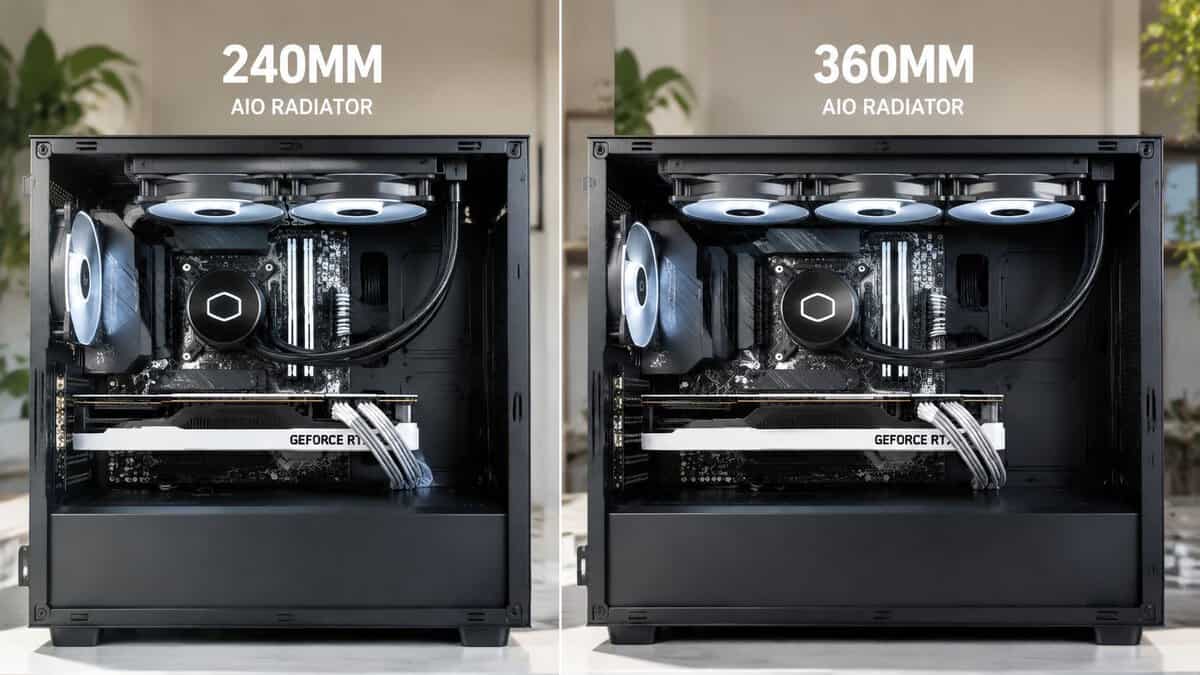
You feel this choice later, not at checkout. A 240mm can look like the better deal on day one, then turn into higher fan noise, hotter sustained temps, and less headroom once you pair it with a power-hungry CPU. Size first, brand second. That is the part many budget guides miss.
The practical hierarchy is simple. Start with the CPU’s heat output and the kind of load you run. Then check what your case can fit. If both sizes fit, buy the smallest radiator that keeps that processor under control without needing the fans to scream.
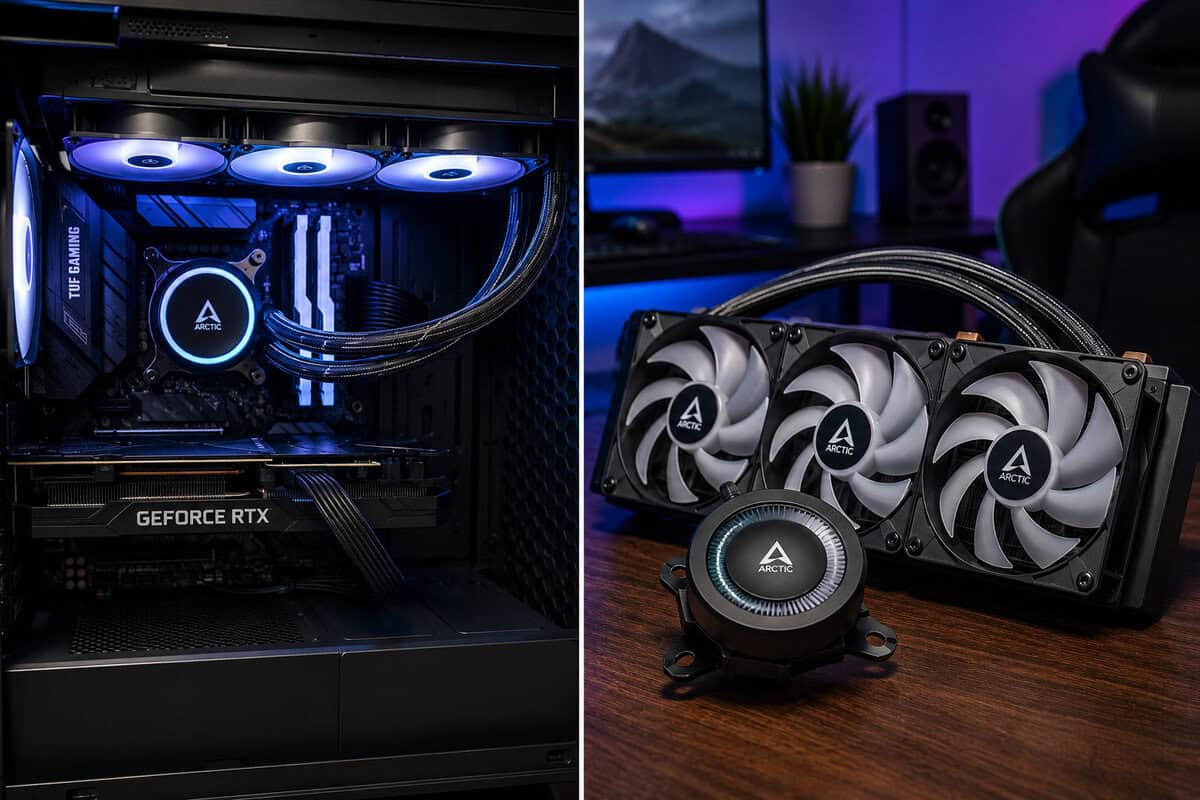
When a 240mm AIO is the smart pick
A 240mm makes sense for mainstream gaming builds with CPUs that are not trying to pull extreme power for long stretches. If the system is built mainly for gaming, with occasional background apps and light multitasking, a good 240mm usually gives the best balance of cost, fit, and noise.
It also works well in smaller mid-tower cases where radiator clearance is tighter and installation gets messy fast. In real builds, that matters more than spec-sheet bravado. A 240mm is often easier to mount cleanly, easier to route around tall motherboard heatsinks, and less likely to force compromises elsewhere in the case.
Use a 240mm if your priority is value and your CPU sits in the middle of the stack.
When a 360mm is the right call
A 360mm earns its place when the processor can stay hot for long periods, not just spike for a few seconds. That usually means higher-end CPUs, gaming plus streaming, heavy compile or rendering work, or long sessions in games that keep CPU load steady instead of bouncing around.
Here is where builders save themselves from a bad purchase. A smaller AIO can still boot, benchmark, and technically work with a hot chip. It just does the job with less margin, more noise, and a higher chance of thermal limits showing up under sustained load. If you are buying a modern upper-tier CPU because you want its performance, pairing it with more radiator area is the straightforward way to hold onto that performance.
A 360mm is also the better pick if you care about quieter cooling under load. More radiator surface area lets the cooler move the same heat with lower fan speeds.
The trade-off that actually matters
This is not about buying the biggest cooler you can afford. It is about avoiding an undersized one.
A 360mm costs more, takes more space, and can limit case choices. A 240mm is cheaper, simpler, and often the better fit for a sensible gaming build. But once you move into hotter CPUs, the extra radiator length stops being a luxury and starts being the safer match for the hardware.
If you are choosing a chassis at the same time, check radiator support before you buy anything else. A good gaming PC case with proper radiator clearance and airflow prevents the common mistake of buying a strong CPU, then discovering the case only fits a smaller cooler up top.
The simple rule
Choose 240mm for mainstream gaming CPUs and value-focused builds.
Choose 360mm for hotter, higher-end CPUs or any build that will spend real time under sustained load.
That sizing order will usually matter more than the logo on the pump cap.
The Best AIO Coolers for Value in 2026
You feel the cooler choice most after the build is done. The PC is on your desk, the CPU is under load, and the difference between a smart AIO pick and a bad one shows up as fan noise, lower sustained clocks, or money spent on radiator size you never needed.
For value builds, I would sort these by fit first and branding second. A good 240mm can be the right buy for a mainstream gaming system. A 360mm earns its keep once you move into hotter CPUs, longer all-core loads, or a build where lower noise under load matters every day.
Top Value AIO Coolers 2026 At a Glance
| Model | Size | Best For | Key Trade-Off |
|---|---|---|---|
| Arctic Liquid Freezer III Pro 360 A-RGB | 360mm | High-end gaming and streaming builds | Larger footprint means fit matters more |
| Corsair Nautilus 360 RS ARGB | 360mm | Performance-per-dollar focused builders | Not the quietest-first choice |
| MSI MAG Core Liquid A15 | AIO cooler | Quiet gaming and streaming setups | Noise-focused buyers may trade some outright value emphasis |
| ID-COOLING FROSTFLOW X 240 | 240mm | Mainstream budget-conscious builds | Best suited to CPUs that don’t need 360mm cooling |
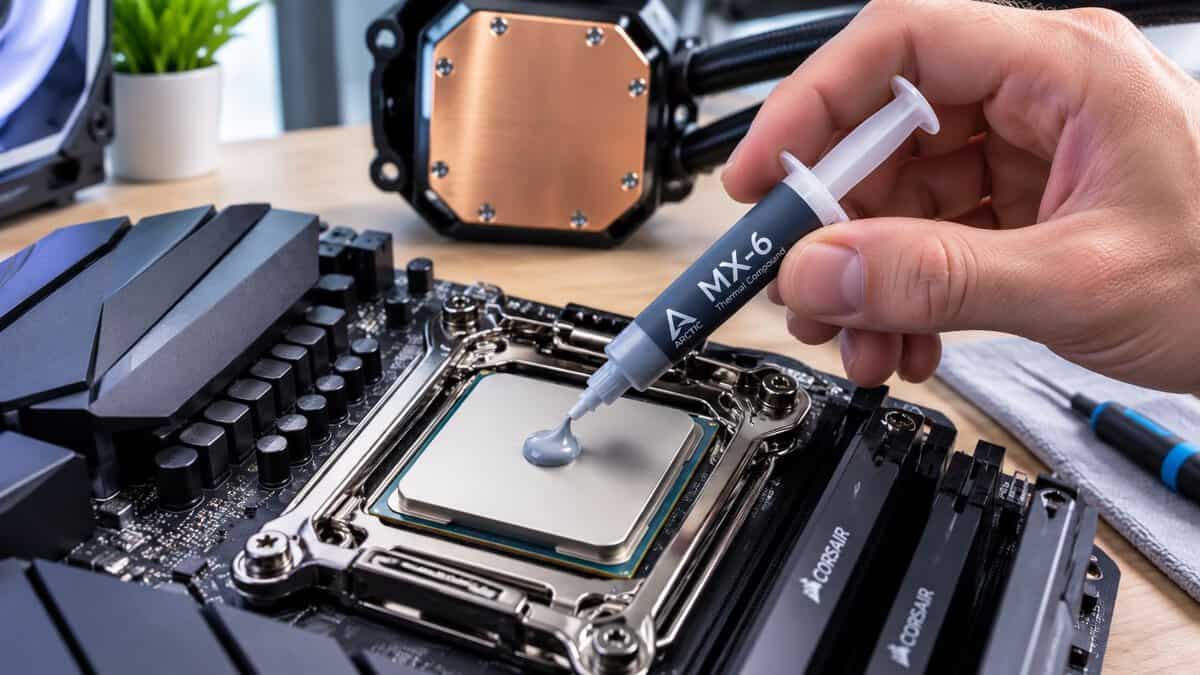
Arctic Liquid Freezer III Pro 360 A-RGB
If your CPU belongs in a 360mm build, the Arctic Liquid Freezer III Pro 360 A-RGB is the kind of cooler that makes sense. It has the thermal headroom that higher-end chips can use, and it stays in the value conversation because it gives you serious cooling without pushing straight into overpriced halo territory. Its P12 PRO fans also carry A-RGB lighting, so you no longer have to pick between the value cooler and a build that glows, and the fan cables run inside the hose sleeving to keep the install tidy.
I like this sort of 360mm recommendation for one reason. It solves the right problem. If you are running a hot gaming CPU, streaming while gaming, or spending long stretches in sustained workloads, a 360mm radiator is not cosmetic. It is what keeps the system from turning loud and temperature-sensitive the moment the load stays high.
Trade-offs to know:
- Fit comes first because a 360mm radiator can limit case and motherboard clearance
- Installation takes more planning in tighter mid-towers
- The upfront cost is higher than a 240mm, but the extra radiator area can be worth it on the right CPU tier
Corsair Nautilus 360 RS ARGB
The Corsair Nautilus 360 RS ARGB hits the part of the market many builders should pay attention to. It has enough cooling for strong gaming systems, it usually lands in a more reasonable price bracket than premium 360mm units, and it avoids the common mistake of paying extra for features that do not improve temperatures.
This is the 360mm option I would point to for buyers who have already decided their CPU needs more than a 240mm, but still want to protect the rest of the budget. That matters in a real build. Money saved on the cooler can go to storage, a better power supply, or a case with cleaner airflow.
Why it makes sense for many gamers
AIO value is not about buying the cheapest liquid cooler on the page. It is about buying enough cooler for the CPU you own, without paying for marketing extras that do little once the side panel is on.
The Nautilus 360 RS fits well in builds like these:
- Upper-midrange gaming PCs with CPUs that can benefit from 360mm headroom
- Gaming and light streaming systems that spend long periods under load
- Builders who want strong cooling per dollar more than premium acoustics or display-heavy pump caps
Where the compromise shows
The trade-off is straightforward. This kind of cooler makes sense because of overall value, not because it leads every category. If your top priority is the lowest possible noise profile, there are quieter-leaning options. If your processor runs especially hot, spending more on a stronger 360mm can still be reasonable.
For a lot of people, though, this is the point where the math still works.
MSI MAG Core Liquid A15
The MSI MAG CoreLiquid A15 360 is for a different buyer. Some builds are judged less by benchmark screenshots and more by how they sound in a room for three hours straight. If you stream, share a space, or just hate aggressive fan ramping, noise behavior matters.
Recent 2026 roundup coverage noted the MSI MAG Core Liquid A15 as a strong pick for quieter AIO operation under load. That makes it easier to recommend for gaming and mixed-use systems where a calmer acoustic profile is worth paying for, even if another model might edge it out on raw value-per-dollar.
Best fit for streamers and shared spaces
A quieter AIO is easier to live with during:
- Streaming sessions where fan noise can creep into a mic
- Late-night gaming in bedrooms, dorms, or apartments
- Daily mixed use where harsh fan surges get old fast
What matters here is the full experience. Pump tone, fan character, and how much manual tuning the cooler needs all affect whether a system feels refined or irritating.
If you want the radiator setup to look clean without hurting airflow, pair it with RGB case fans that still prioritize balanced airflow instead of buying whatever has the flashiest lighting.
ID-COOLING FROSTFLOW X 240
This is the pick that keeps budget AIO buying honest. The ID-COOLING FROSTFLOW X 240 makes sense if your CPU and workload fit a 240mm cooler. That usually means a mainstream gaming processor, a sensible power target, and a case where a 240mm radiator is the cleaner fit.
A lot of budget guides miss that point. They treat every AIO like a universal answer, then leave buyers wondering why a hot upper-tier CPU still runs louder than expected. A 240mm is smart when the system does not need more. It is the wrong place to save money when the CPU clearly belongs on a 360mm.
Who should buy it
This cooler lines up well with builds that have:
- A midrange CPU
- Gaming as the main workload
- No expectation of heavy sustained all-core stress
- A case that fits 240mm more comfortably than 360mm
That is a big part of the market. For many gaming PCs, a decent 240mm AIO gives you good temperatures, a cleaner look than some large air coolers, and lower cost than stepping up to a bigger radiator you will not fully use.
What not to expect
Do not buy a 240mm unit for a high-heat CPU and hope the label solves it. If the processor belongs in a 360mm class, saving money on radiator size usually comes back as higher noise, less thermal headroom, or both.
That is the value rule for AIOs in 2026. Get the size right first. Then worry about the model.
Installation and Maintenance Tips for Longevity
You finish the build, power it on, and the CPU still runs hotter and louder than expected. In a lot of cases, the cooler itself is not the problem. The issue is the mount, the airflow plan, or where the radiator ended up in the case.
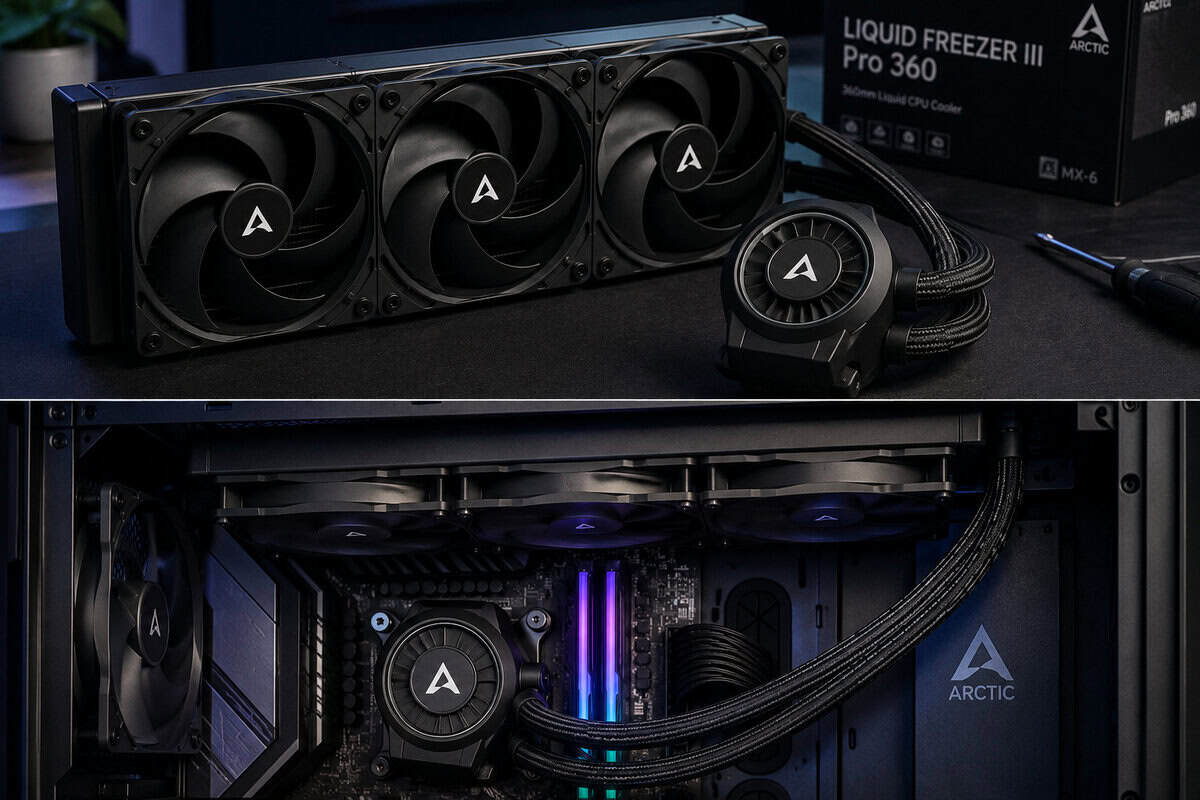
Placement that helps the cooler last
AIO longevity starts with radiator position. Top mount is usually the safer choice because air tends to stay away from the pump block, which helps avoid extra pump noise over time. Front mount can still work well, but it needs more care. You want the tubes routed without sharp bends, and you do not want the pump sitting at the highest point in the loop.
A few checks matter more than the rest:
- Keep the pump lower than the highest part of the radiator so air is less likely to collect in the pump housing.
- Set fan direction intentionally based on your case layout. Radiator intake can help CPU temps, while radiator exhaust often gives a cleaner overall airflow path.
- Avoid tube strain. Twisted or tightly stretched tubes put unnecessary stress on the fittings and make installation harder to get right.
This is also where radiator size shows up again in a practical way. A 240mm is often easier to mount cleanly in compact or budget cases. A 360mm needs more room and better front or top clearance, but if your CPU requires that extra surface area, forcing a cramped 240mm setup usually leads to more heat and noise later.
The maintenance people skip
Dust is the slow killer. Radiator fins clog gradually, fan blades collect grime, and airflow drops long before the system looks dirty from the outside.
Clean the radiator and fans every few months, or sooner if the PC sits on the floor, near pets, or in a dusty room. Hold the fans in place while cleaning so they do not spin freely from compressed air. That small habit helps avoid unnecessary wear on the fan bearings.
Many problems blamed on the cooler come from clogged fins, uneven block pressure, or air trapped in the wrong part of the loop. A good AIO will only stay quiet and effective if it can move air through a clean radiator and circulate coolant without the pump gulping bubbles.
If you remount the block, treat thermal paste like part of the install, not an afterthought. A good thermal paste guide for gaming PCs can save you from chasing temperatures that are really just a bad contact issue.
Mounting and airflow decisions affect daily noise and temperatures as much as the cooler itself.
Frequently Asked Questions About AIO Coolers
How long does an AIO cooler usually last
AIO lifespan depends on pump reliability, radiator construction, tubing quality, and how well the unit is installed. In practice, durability matters as much as raw cooling. That’s why warranty support is worth paying attention to, especially on a cooler you expect to keep through multiple GPU upgrades or a later platform swap.
Are AIOs always better than air coolers?
No. AIOs aren’t automatically better. They’re often a better fit when you need more thermal headroom, cleaner RAM clearance, or a certain case layout. High-end air coolers still make sense for builders who want simplicity and fewer moving parts.
The right answer depends on the CPU, case, and noise expectations. If your processor doesn’t need heavy cooling, an AIO can be unnecessary.
Do I need to refill an AIO?
No. These are closed-loop coolers, so normal ownership doesn’t involve refilling them. What you should do is keep the radiator clean, check that fans are behaving normally, and listen for any new pump noise.
What’s the best budget-friendly AIO right now?
The ID-COOLING FROSTFLOW X 240 is explicitly identified as the best budget-friendly AIO cooler in the 2026 lineup, and it’s positioned for value-conscious builders rather than the very cheapest end of the category, based on this 2026 budget AIO roundup. That makes it a strong fit for mainstream gaming systems that don’t need a 360mm radiator.
Should gamers choose 240mm or 360mm?
For most mainstream gaming PCs, a 240mm makes sense when the CPU and case support that level of cooling without compromise. For high-end CPUs and demanding gaming or streaming setups, 360mm is the safer choice because radiator size needs to follow heat output, not branding.
If you’re building for value and want gear advice that cuts through marketing, Budget Loadout is worth bookmarking. It’s built for gamers and streamers who want practical recommendations, honest trade-offs, and better performance per dollar across the whole setup.
Related Articles