A controller charger only has to do one thing well: make it easy to drop controllers off and pick them up full. The JSAUX 5-in-1 is a switch 2 pro controller charging dock that also holds four Joy-Con 2, and after a week on my desk, it’s a charger I’d recommend. One compact unit and one cable charge my Pro Controller and a pair of Joy-Con 2 together, with a spot for game cards and memory cards built in.
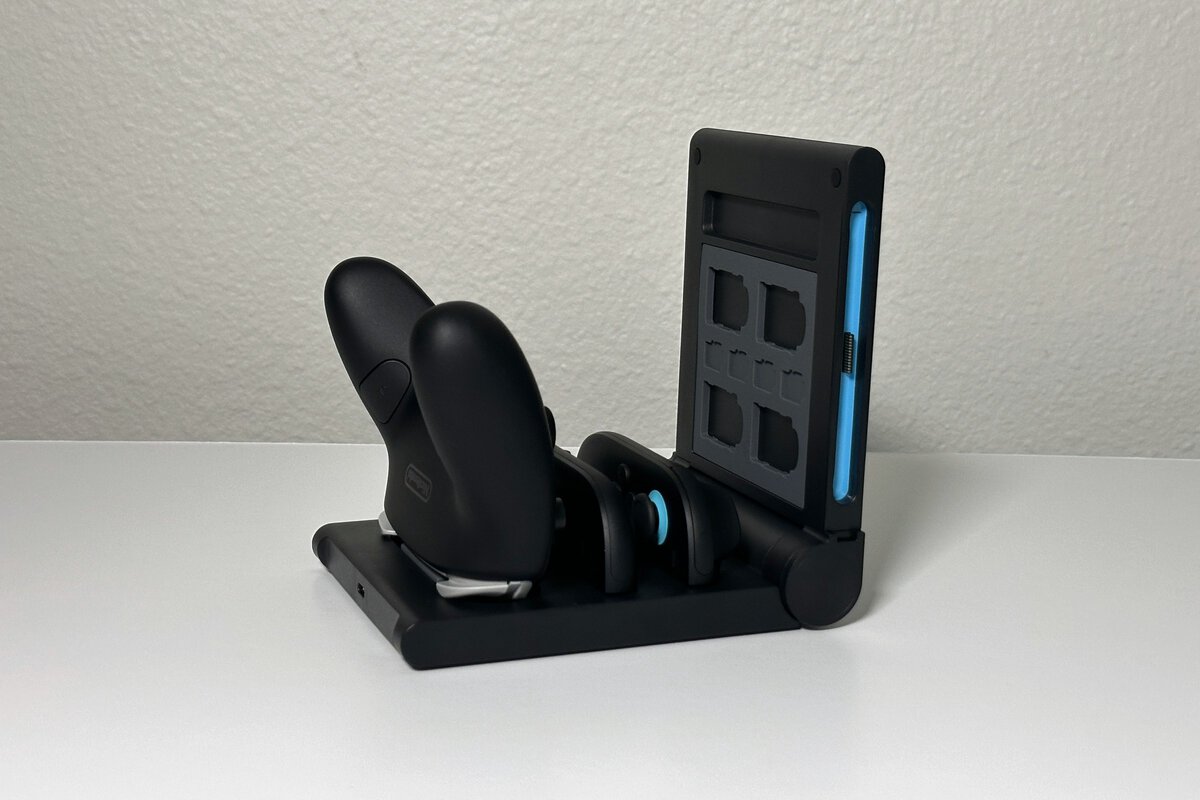
The short version: it solves a lot of the problems Switch owners run into, with several controllers to charge and nowhere to keep game cards. The color-coded Joy-Con 2 slots are easy to use, the round charge screen shows each controller’s status at a glance, and the whole thing feels solid. My one quirk is the Pro Controller’s bare USB-C post, which takes a moment to line up and two hands to lift off.
A compact, foldable dock that charges a Pro Controller and up to four Joy-Con 2 from one cable, with game card and memory card storage built in. I’d recommend it to anyone with spare controllers.
- Charges five controllers from one cable
- Game card and memory card storage built in
- Color-coded Joy-Con 2 slots are easy to use
- Pro Controller takes two hands to remove
- Box says “Switch,” not Switch 2
- No power adapter in the box
- The JSAUX 5-in-1 charges a Switch 2 Pro Controller and up to four Joy-Con 2 from one USB cable, and JSAUX lists a layout that also charges original Switch Joy-Con.
- Charging, game cards and memory cards all live in one compact unit, which keeps a Switch setup tidy.
- The round screen turns each slot red while charging and green when full.
- The box includes the dock, a USB cable and instructions, so bring your own USB wall adapter.
- It earns its place once you own spare Joy-Con 2 or a Pro Controller; the Pro Controller post is the one quirk.
Table of Contents
What the JSAUX 5-in-1 Charges
The JSAUX 5-in-1 Charging Dock has five charging spots: four for Joy-Con 2 and one for the Switch 2 Pro Controller. It also charges original Switch Joy-Con: the two side slots take first-generation Joy-Con, so two original Joy-Con can charge alongside two Joy-Con 2 and the Pro Controller. That makes it a fit for homes that still have controllers from the first Switch.
I only own Switch 2 controllers, so I couldn’t try the original Joy-Con layout myself; that capability comes from JSAUX’s listing. Everything else below comes from charging my own controllers. During my week with it, the most I had on the dock at once was three controllers: the Pro Controller and a pair of Joy-Con 2.
One USB cable feeds all five spots, which is the main appeal.
If you’re still weighing the Pro Controller against other controllers, our guide to the best Switch 2 controllers covers how it compares. This review is only about keeping it charged.
Setting Up the Switch 2 Pro Controller Charging Dock
Setting up the switch 2 pro controller charging dock is simple: unfold it and plug it in. In the box you get the dock, a USB cable and a sheet of instructions. There is no wall adapter, so I plugged the included cable into a USB power cube I already had and plugged that into the wall.
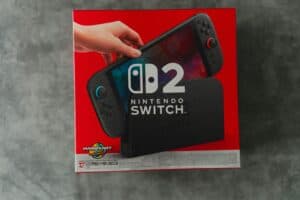
One thing on the packaging gave me pause. The box only says “Switch,” which made me unsure at first whether it was meant for Switch 2. It works with Switch 2: the Switch 2 Joy-Con and Pro Controller fit and charge.
JSAUX lists the cable at 1.5 meters, which gives you some reach to an outlet behind a desk or TV stand. Your Switch 2’s own dock has USB ports too, and our Switch 2 dock guide covers what else plugs into it, but I ran this dock from a wall outlet.
Joy-Con 2 Slots Are Color-Coded and Easy
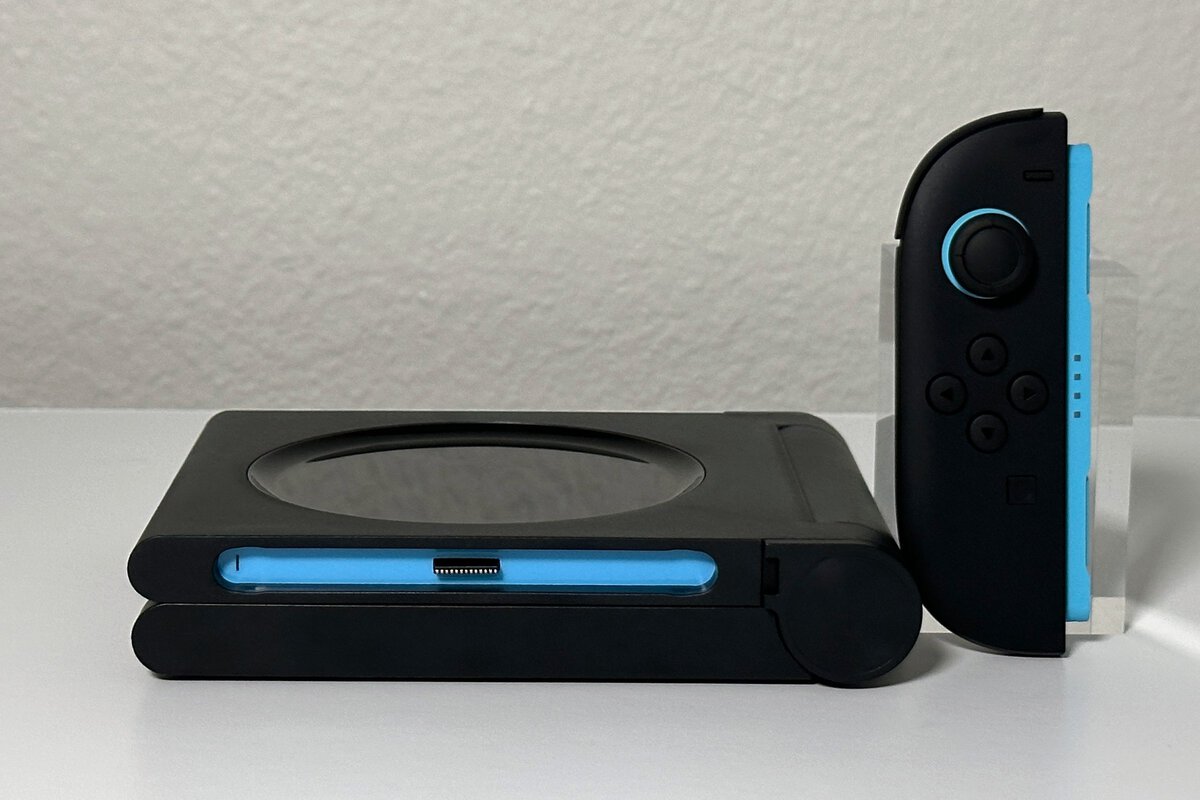
The Joy-Con 2 side of the JSAUX 5-in-1 is its strongest feature. Each slot has a strip of colored plastic, blue on one rail and orange on the other, that matches the colored rails on the Joy-Con 2 themselves. You can see at a glance which controller goes where, so nobody in the house has to guess or flip a Joy-Con around to find the right side.
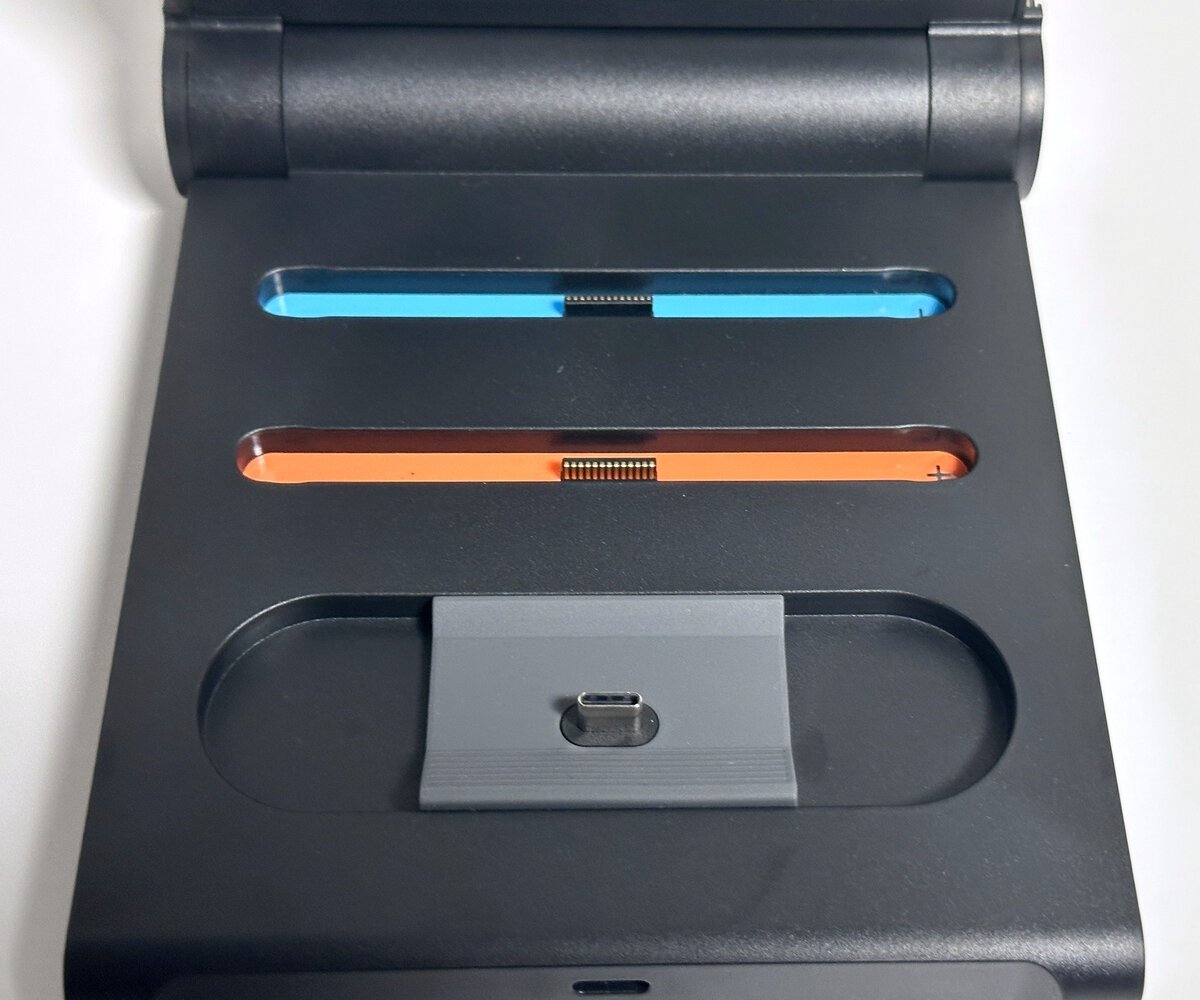
Seating them is just as easy. A Joy-Con 2 drops onto its rail without any fuss, and lifting one out is just as quick. In the week I used it, this part didn’t get in the way.
The color-coded rails take the guesswork out of which way a Joy-Con goes.
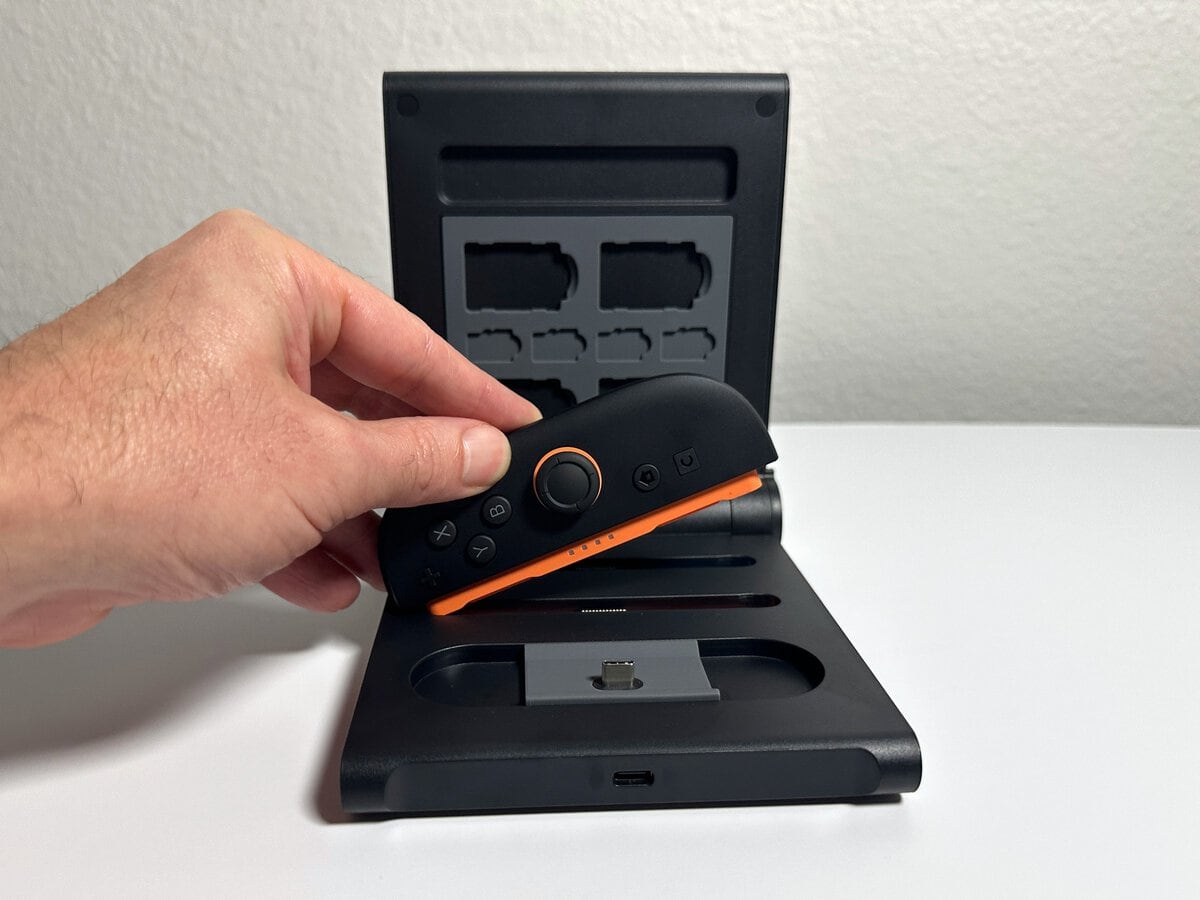
The build quality backs that up. The plastic feels sturdy, the dock stays put when you lift a Joy-Con off, and the whole unit stayed clean and solid through a week of use.
The Pro Controller Post Is the One Quirk
The Pro Controller spot is the one place the JSAUX dock asks for a little patience. Instead of a cradle that guides the controller into place, the JSAUX dock uses a bare USB-C post that the Pro Controller’s port has to land on. Lining the two up takes a moment of looking.
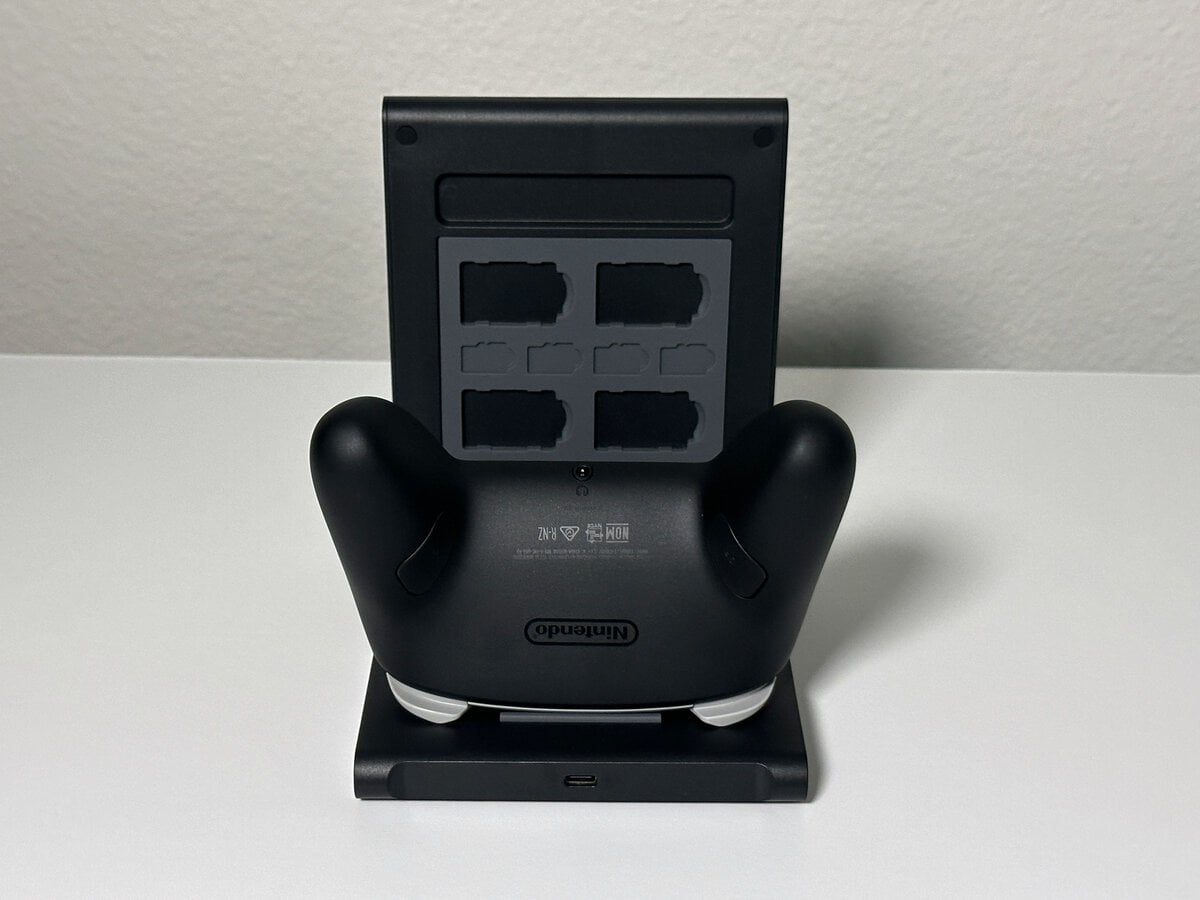
Taking it off takes two hands, every time. The connection holds tightly enough that you have to hold the dock down with one hand while lifting the Pro Controller with the other; I tried it several times and that never changed. The Joy-Con, by contrast, come off with one.
If your Pro Controller wears a protective shell or grip, check that the USB-C port is fully exposed before you buy, because the post needs a clean, direct fit. My Pro Controller had no case on it. It’s a small quirk in a dock that gets the rest right.
Reading the Charge Screen
The round screen on the front of the JSAUX 5-in-1 shows one small icon for each slot. An icon sits white on standby, turns red while that controller charges, and switches to green once it’s full. You can tell at a glance which controllers are ready, which beats picking each one up to check.
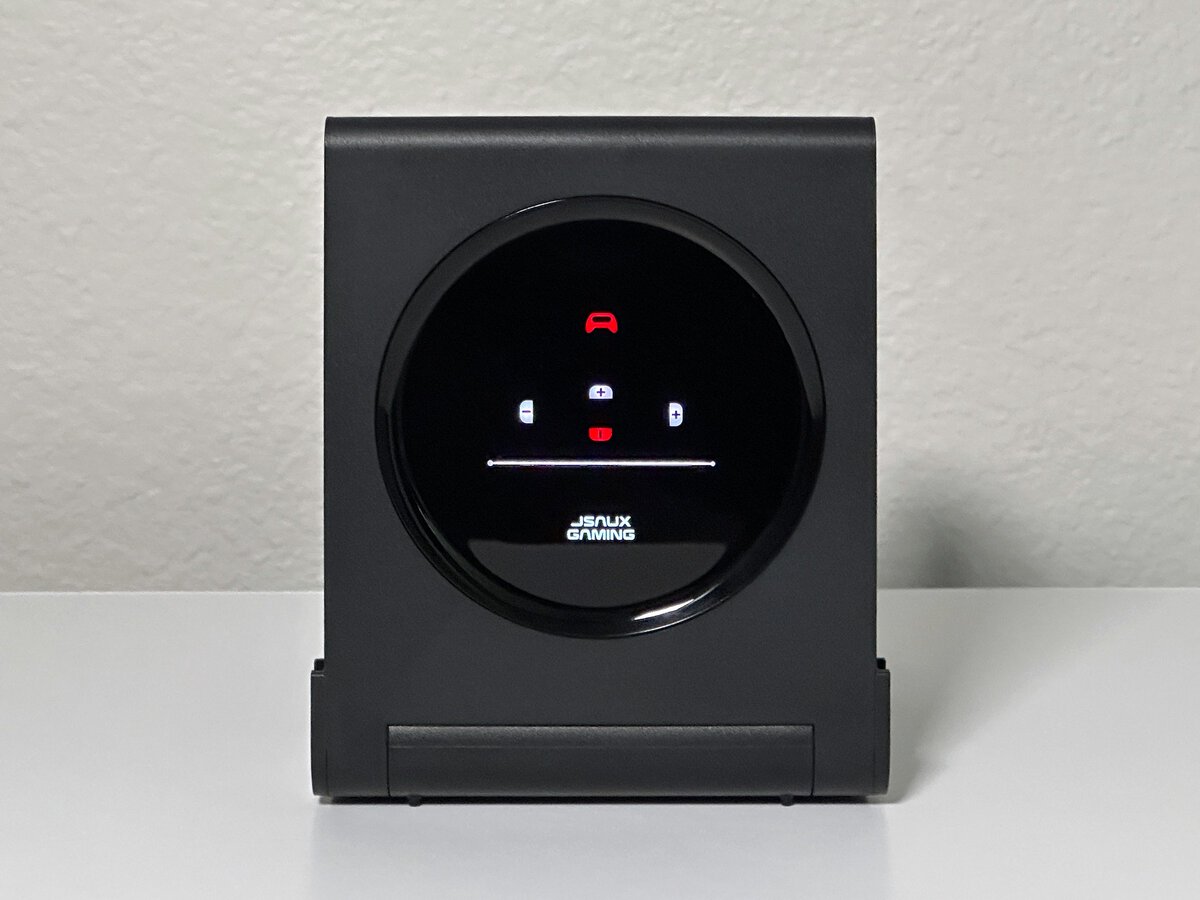
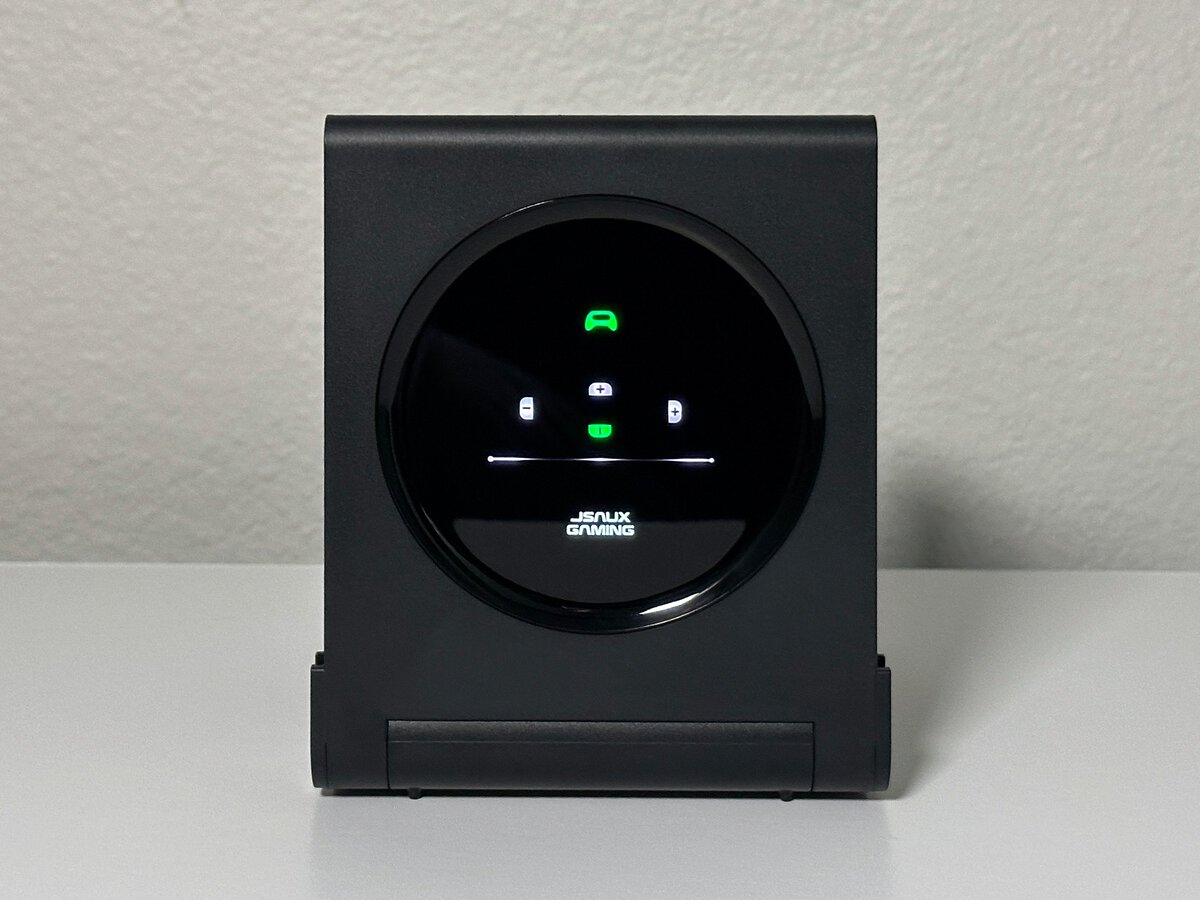
A full charge took a few hours on my setup. JSAUX claims about 2.5 hours on its listing, and Nintendo says Joy-Con 2 take approximately 3 1/2 hours to fully charge when attached to the console. Either way, a few hours on the dock is enough to top up between sessions.
The charge screen answers the main question you have about a charging dock: is it done yet?
Storage and Folding
The upright panel on the JSAUX dock doubles as storage. JSAUX lists room for four Switch 2 game cards and four memory cards, in molded slots on the back of the panel. I don’t own physical game cards, so I can’t tell you how snugly they sit, but having charging and card storage in the same compact unit is one of my favorite things about it. Everything Switch-related has one home on the desk.
The panel also folds down flat over the base for storage, and the hinge felt solid during my week with it. If you carry your console around, our Switch 2 case guide covers protecting it on the go.
On the Desk Next to a Switch 2
Unfolded and loaded, the JSAUX 5-in-1 sits comfortably next to a Switch 2 on my desk, as the photo below shows. JSAUX lists it at 14 ounces, light enough to move around but steady enough that it stayed put while I pulled Joy-Con off.
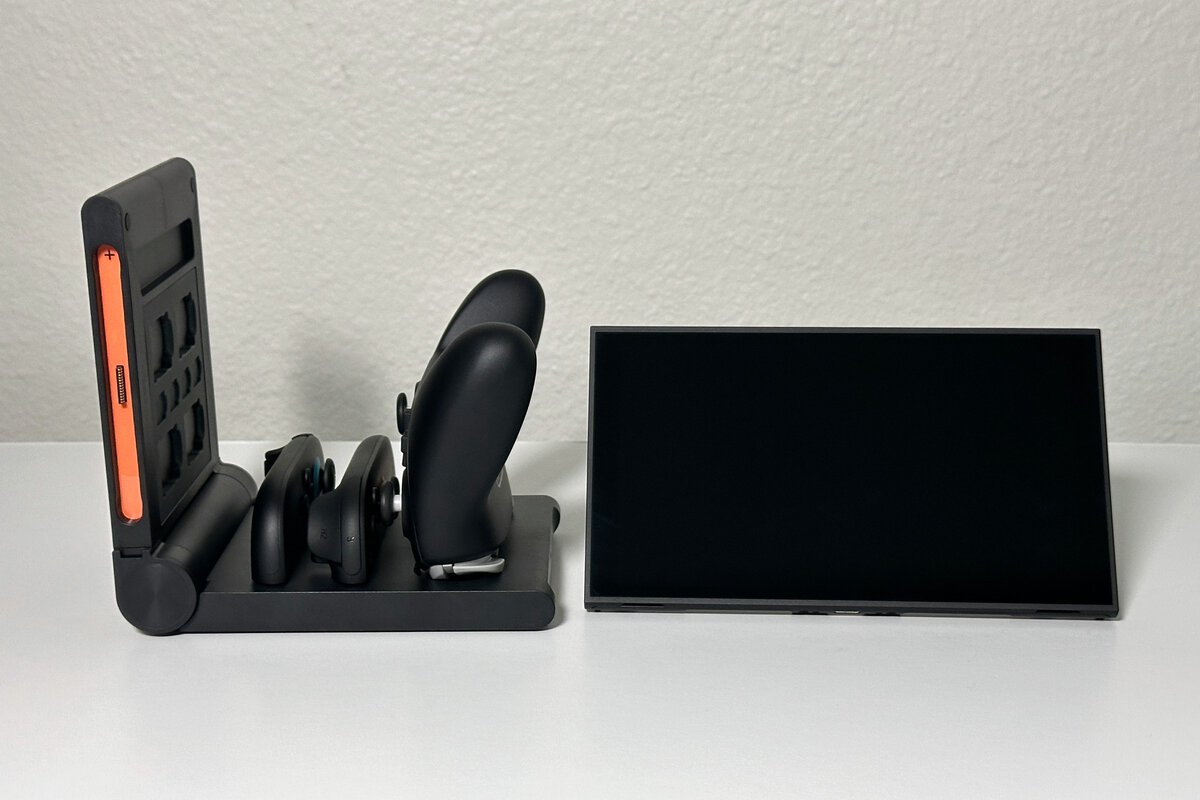
Because everything charges from one cable, it also cuts down on clutter. If you’re building out the rest of your Switch 2 setup, our list of Nintendo Switch accessories is a good place to see what else is worth adding.
My Verdict and Who Should Buy It
I’d recommend the JSAUX 5-in-1. It’s a cool little charger that does a lot of things well: one unit, one cable, a Pro Controller and Joy-Con charging side by side, and a place for game cards and memory cards, all in a footprint that sits neatly next to the console.
It’s a cool little charger that solves a lot of the problems Switch owners run into.
Buy the JSAUX 5-in-1 if you have more controllers than places to charge them. A Pro Controller plus a spare pair of Joy-Con 2, or a family with two sets, is the situation it suits, and the color-coded slots make it easier for everyone in the house to put controllers back the right way. It also earns a look if you still have original Joy-Con from the first Switch, since JSAUX built in a layout for them.
You can skip it if you only own the pair of Joy-Con 2 that came with your console. Those charge on the Switch 2 itself, so a dock adds little until you buy more controllers.
The only thing to weigh is the Pro Controller post. If you swap the Pro Controller on and off many times a day, the two-handed removal may get old. If it mostly charges overnight or between sessions, it’s a minor quirk in a dock I’d happily keep on my desk.
Other Ways to Charge Switch 2 Controllers
Nintendo’s support pages list a few built-in options, so a dock is a convenience rather than a necessity. Joy-Con 2 charge while attached to the Switch 2, as long as the console is plugged in and either on or in Sleep Mode. Nintendo also sells a Joy-Con 2 Charging Grip separately, and its support pages note that the grip included with the console can’t charge them.
According to Nintendo, the Pro Controller charges from its included USB cable, plugged into a USB port on the Switch 2 dock or into the console’s AC adapter. That works fine for one controller. A dock like the JSAUX earns its place when you have three or more controllers that all need a home at the end of the night.
If you also play on PlayStation, the same idea applies there, and our PS5 controller charging station guide covers the options.
Frequently Asked Questions
Quick answers about the JSAUX 5-in-1 charging dock.
Does the JSAUX 5-in-1 charging dock work with Switch 2?
Yes. I charged a Switch 2 Pro Controller and Joy-Con 2 on it. The box only says “Switch,” but the dock is built around Switch 2 controllers, with four Joy-Con 2 slots and one Pro Controller spot.
Does the JSAUX dock come with a power adapter?
No. The box includes the dock, a USB cable and instructions. Plug the cable into a USB wall adapter you already own.
How long does the JSAUX dock take to charge controllers?
A full charge took a few hours for me. JSAUX claims about 2.5 hours, and the screen turns each slot’s icon from red to green when that controller is full.
Can I leave controllers on the dock overnight?
Yes, for most people. Battery University explains that charging stops once a lithium-ion battery is full, and that heat and sitting at full charge for long stretches add wear over time, so a cool spot is best.
Can I charge original Switch Joy-Con on it?
JSAUX lists a layout with two original Switch Joy-Con, two Joy-Con 2 and a Pro Controller. I only own Switch 2 controllers, so I haven’t tried that layout myself.
Looking for more budget gaming gear? Check out Budget Loadout for the latest reviews and recommendations.
Related Articles