A Switch 2 case usually makes you choose between protection on the road and comfort while you play. The JSAUX GoJoy case tries to do both in one shell, and it mostly pulls it off. What I like most is that you can just leave it on, whether you’re playing or traveling. The grips felt good through about an hour of play, the fold-out stand is a nice extra, and the console slid into the official dock without the case coming off. It’s heavier than a bare Switch 2 and the Joy-Con covers take some fiddling, but as a middle option it earns its place.
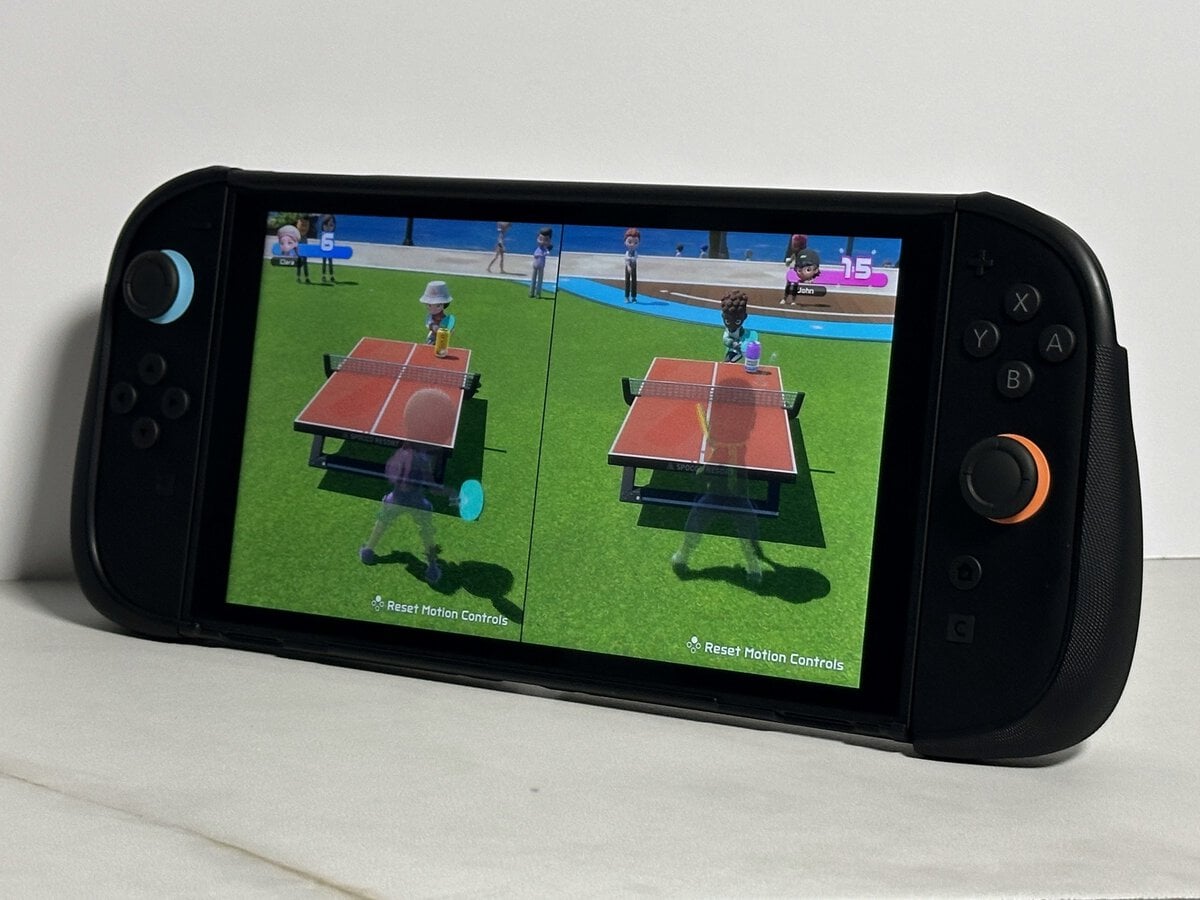
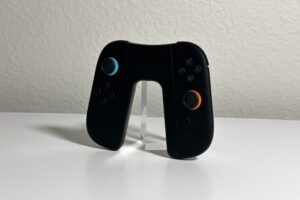
The GoJoy case comes in four pieces. There’s a back shell with a fold-out stand, a cover with a built-in grip for each Joy-Con 2, and a front cover that closes over the screen for travel.
A dockable Switch 2 case with grips, a fold-out stand and a padded front cover. It adds weight, but it protects the console while you play and while you travel.
- One case for play, docking and travel
- Comfortable grips through about an hour
- Fold-out stand rotates to different angles
- Joy-Con covers are fiddly to hook at the top
- Noticeably heavier than a bare Switch 2
- Back plate is stiff to remove at first
- One case covers play, docking and travel, so you can leave it on if the extra weight doesn’t bother you.
- The fold-out stand rotates, so you’re not stuck in one position.
- The grips felt comfortable through about an hour of play, but they add noticeable weight.
- With the front cover off, the console slides into the official dock with the rest of the case on, Joy-Con 2 included, and charges.
- The front cover is padded inside, and JSAUX lists slots for eight game cards (I couldn’t test them).
- The Joy-Con covers take some work to hook over the top corner every time you fit them.
Table of Contents
What Comes With the JSAUX GoJoy Case
The JSAUX GoJoy case is a hard shell built in parts. The back shell wraps the console and carries the stand. Each Joy-Con 2 gets its own cover with a built-in grip, and the front cover closes over the screen when you pack it away.
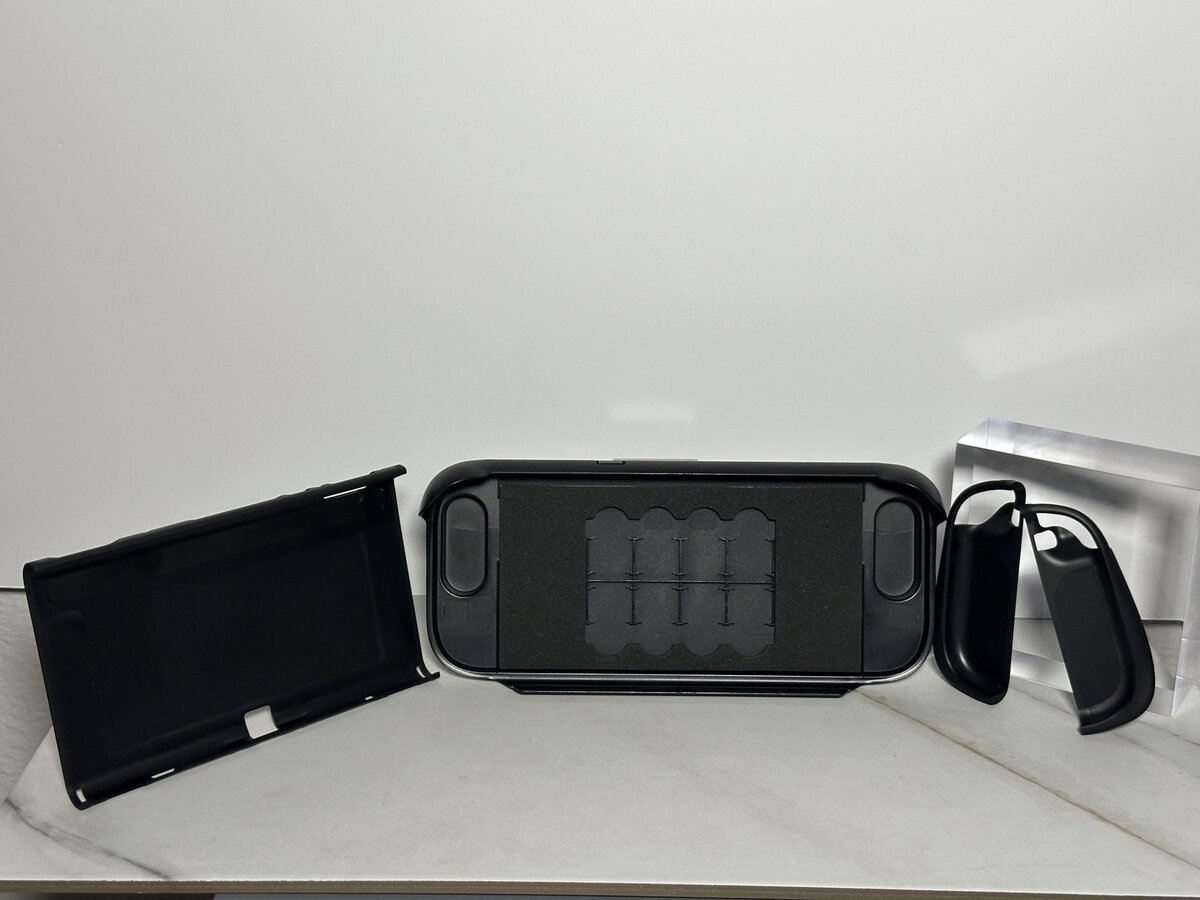
JSAUX lists the shell as polycarbonate and TPU. It feels pretty sturdy, with a little give in the plastic but not too much. The top of each Joy-Con cover is a pliable plastic, which comes up again when you fit them.
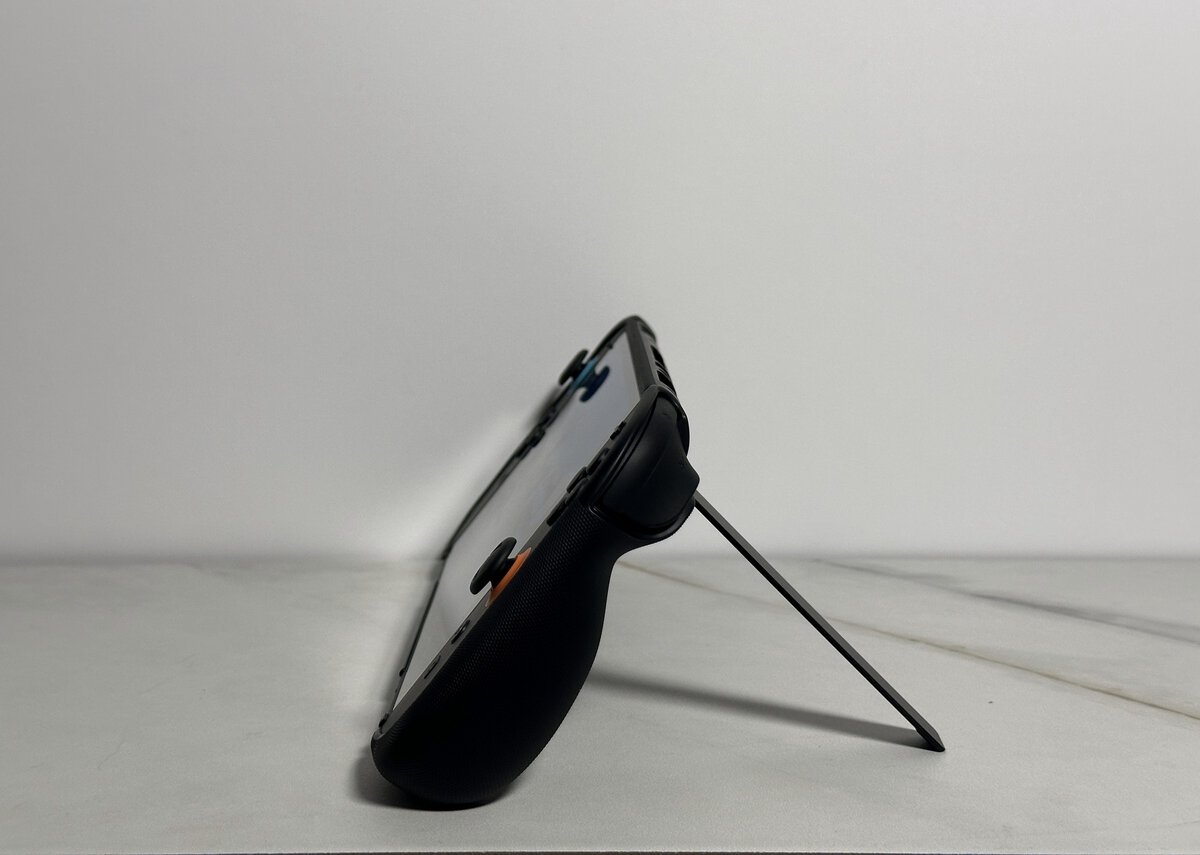
A Fold-Out Stand That Rotates
I liked the stand. The first time I popped it out was fine, and it’s not that difficult. A really small child might find it a bit hard. For just about everyone else it’s easy.
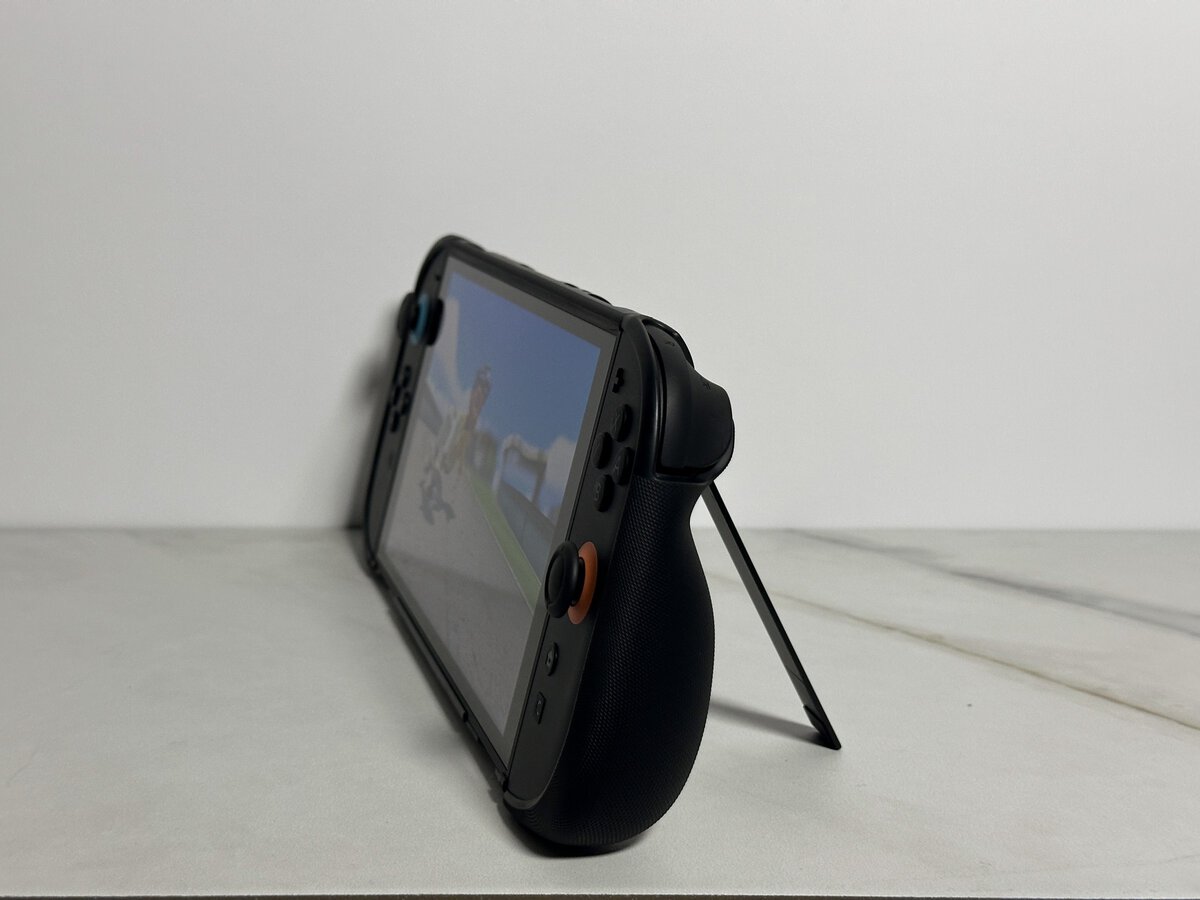
Once it’s out, it doesn’t lock you into one position. It goes in and out, and it also rotates, so it’s easy to get the screen to the angle you want. JSAUX describes it as an aluminum stand with a metal hinge that adjusts up to 45 degrees.
Grips and Weight in Your Hands
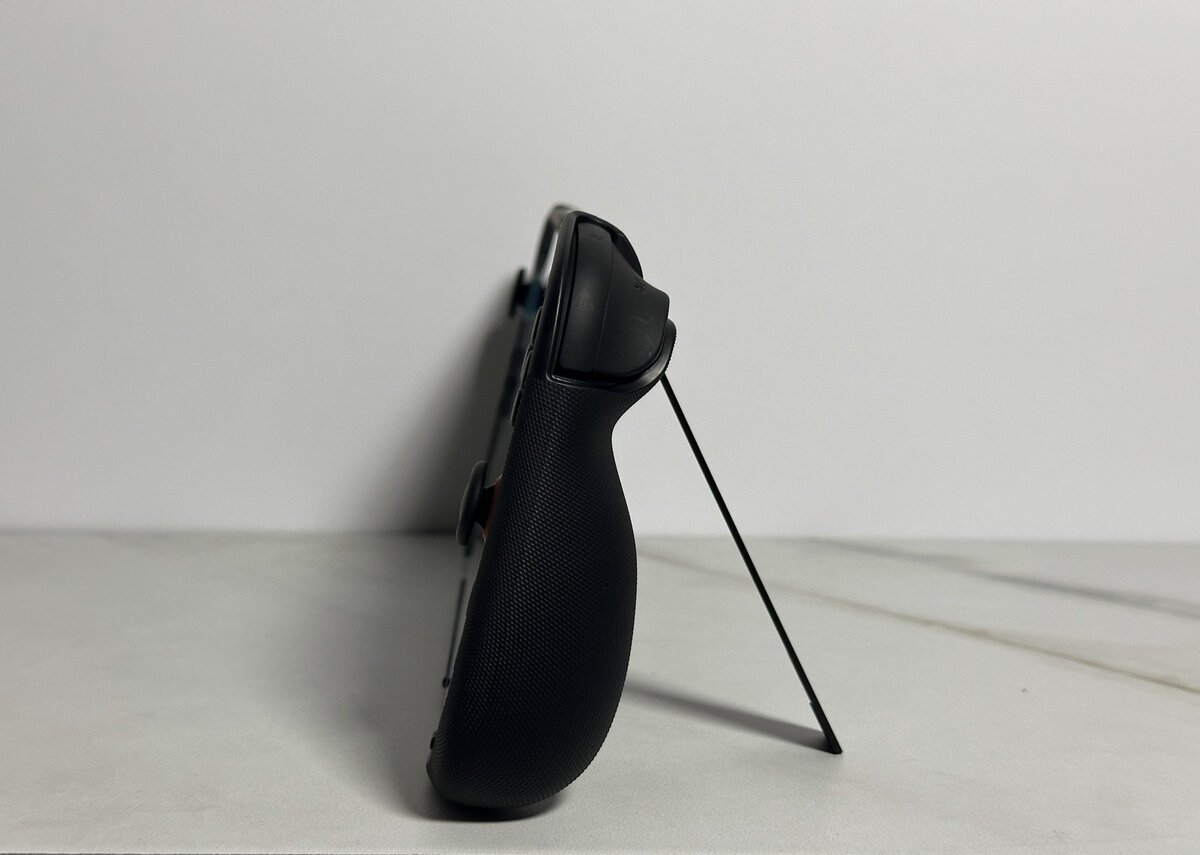
The grips are the other half of the appeal. They felt comfortable and well shaped in my hands, and I played for about an hour with no issues. JSAUX says they follow the curve of your palms and have an anti-slip texture.
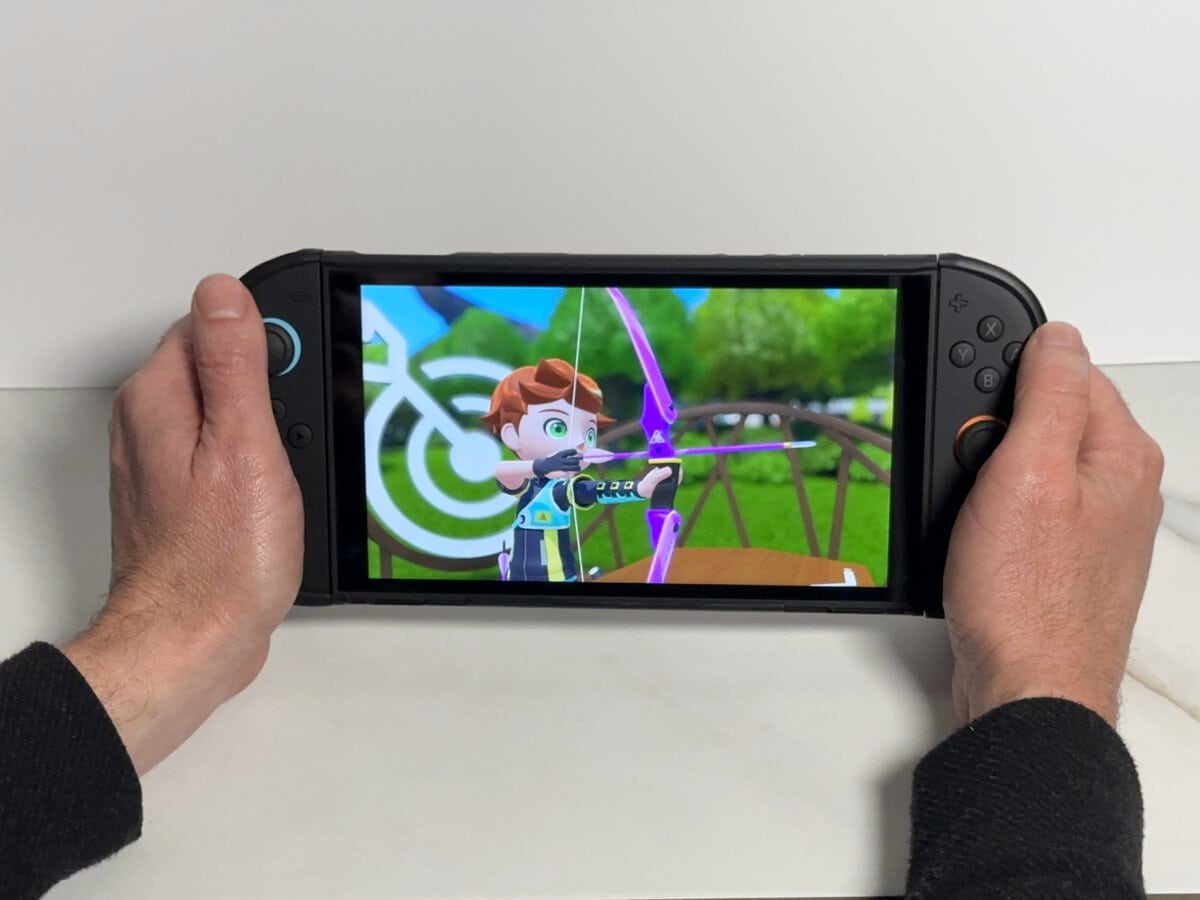
They do add weight. The Joy-Con 2 feel noticeably heavier with the grips on, nothing crazy, but you’ll notice it if you’re used to the bare console. Nothing about the case got in the way of my play. Whether the extra heft is worth the protection is up to you.
Docking With the Case On
You don’t have to strip the case to play on the TV. Take off the front cover, and the console goes into the dock with the rest of the case on, even with the Joy-Con 2 and their grips still attached. To actually play on the TV, you’ll slide the Joy-Con 2 off, since Nintendo’s TV mode instructions say attached Joy-Con 2 can’t be used while the console is docked.
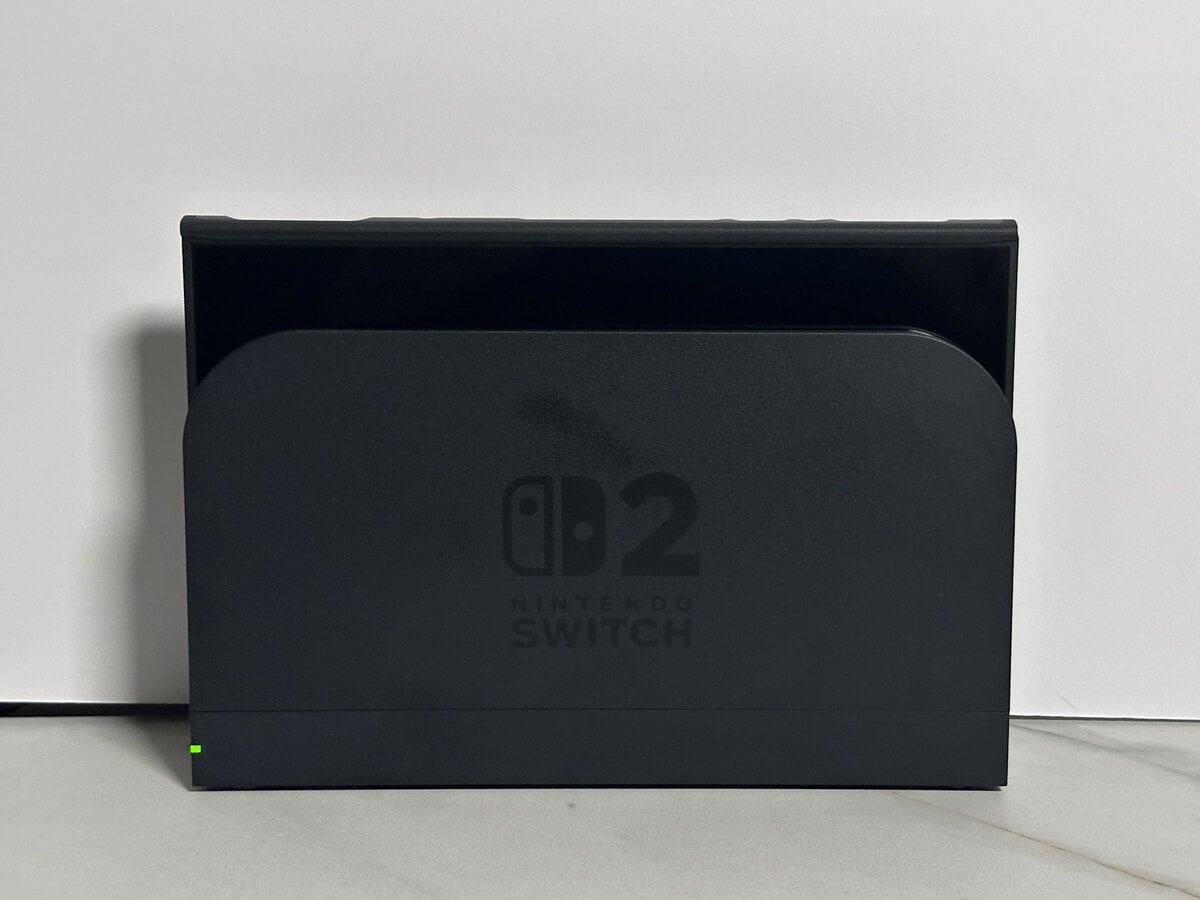
In the official Nintendo dock, the GoJoy case slid right in. It started charging without any extra push, and the charge light came on. Our Switch 2 dock guide covers the dock itself and its ports.
The Joy-Con 2 pop off easily with their covers on, so switching between handheld and TV play doesn’t mean pulling the case apart.
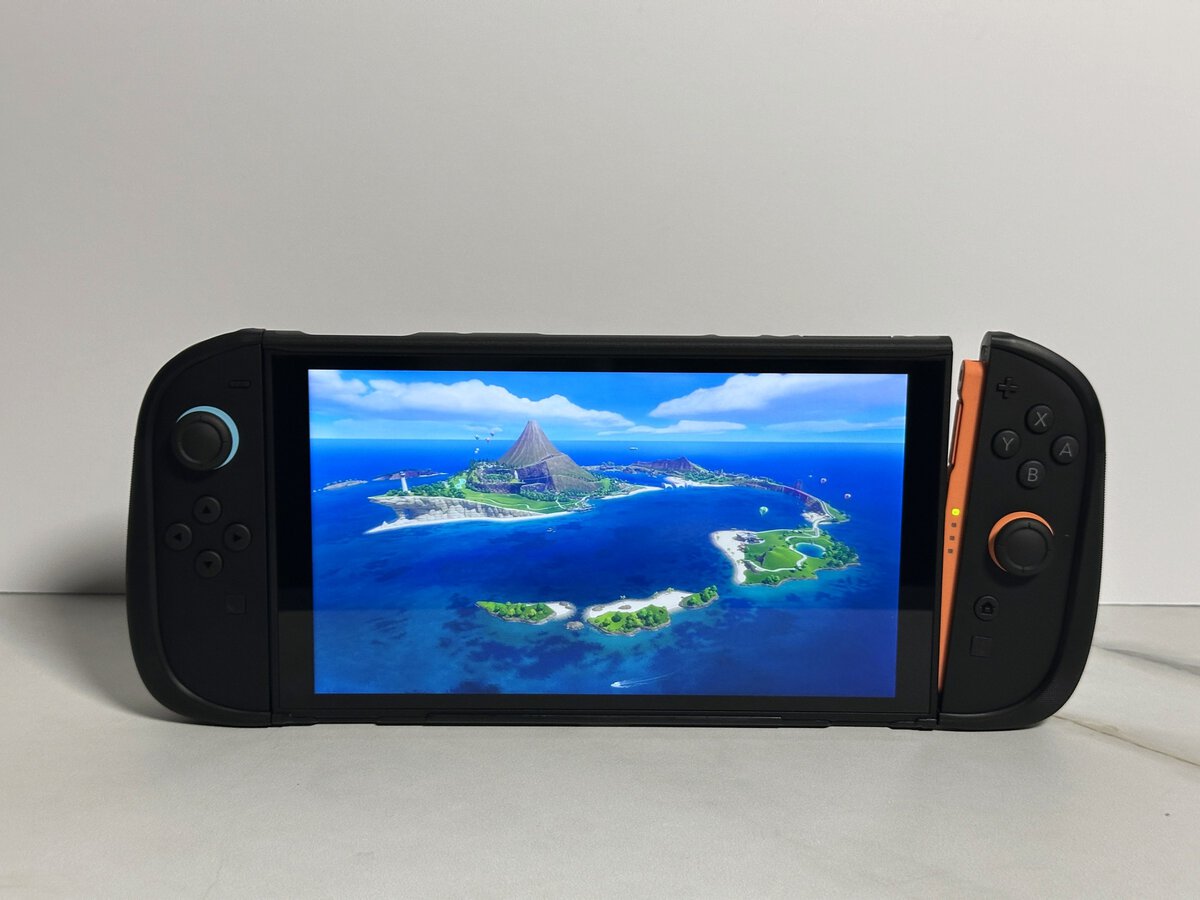
Nothing on the console is blocked. The microSD card slot on the top edge, next to the headphone jack, is easy to reach and opens just fine with the case on.
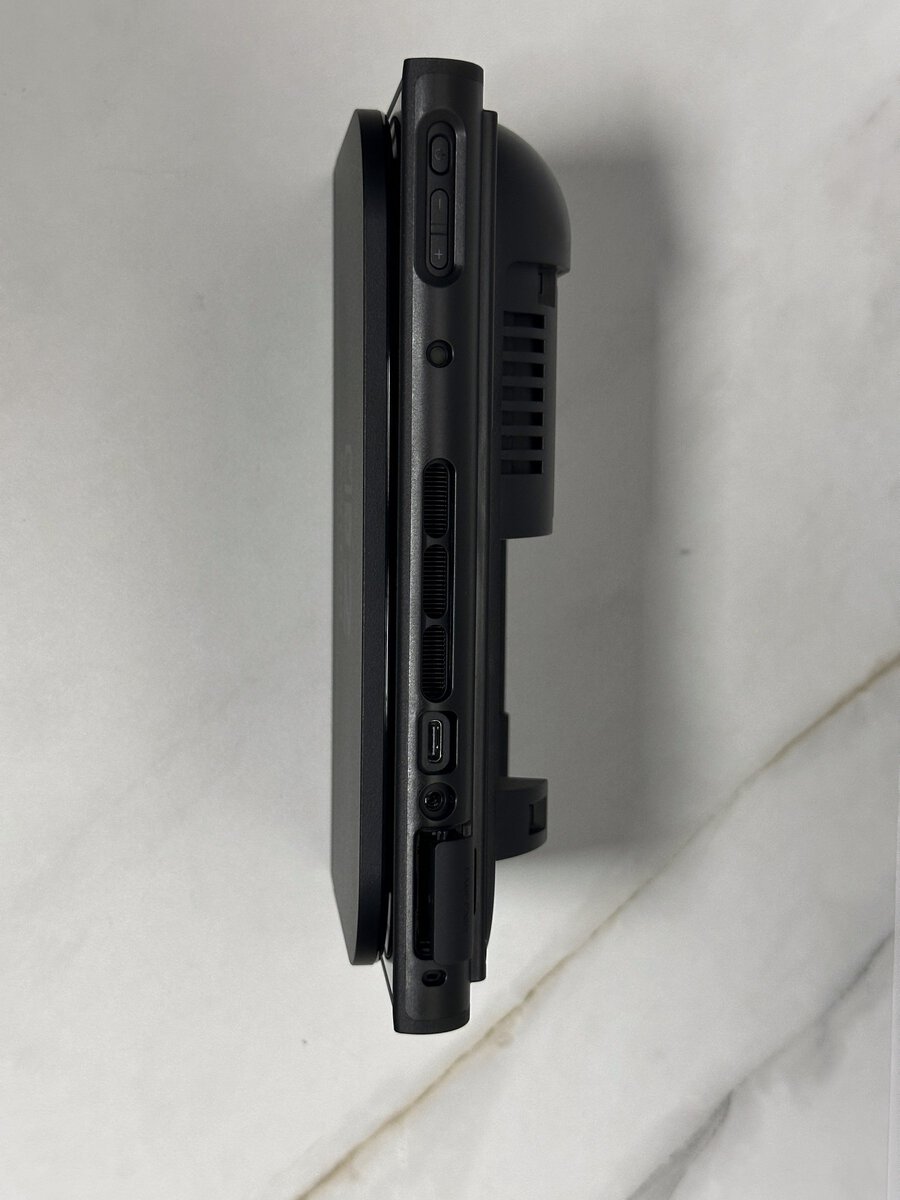
The Front Cover and Travel Mode
The front cover turns the GoJoy into a travel case. It took me a quick second to figure out, and the trick is to hook it on the top first and then push the bottom down. After that it fits well.
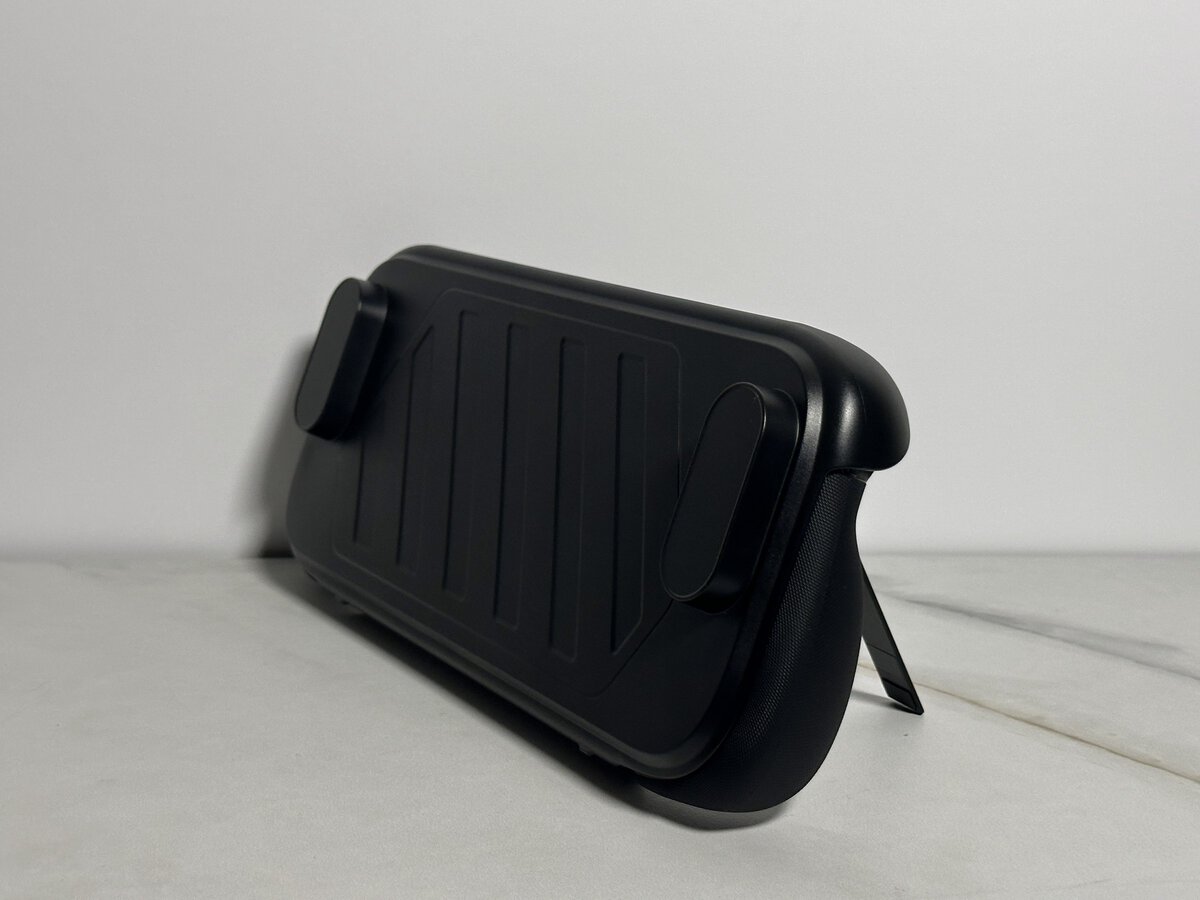
Inside, the cover is padded. It’s not super soft, but it’s a real added layer between the cover and the screen. I wondered whether the card slots could scratch the screen, and the padding keeps them apart. JSAUX lists slots for eight game cards. I don’t own any game cards, so I couldn’t check how well they hold them.
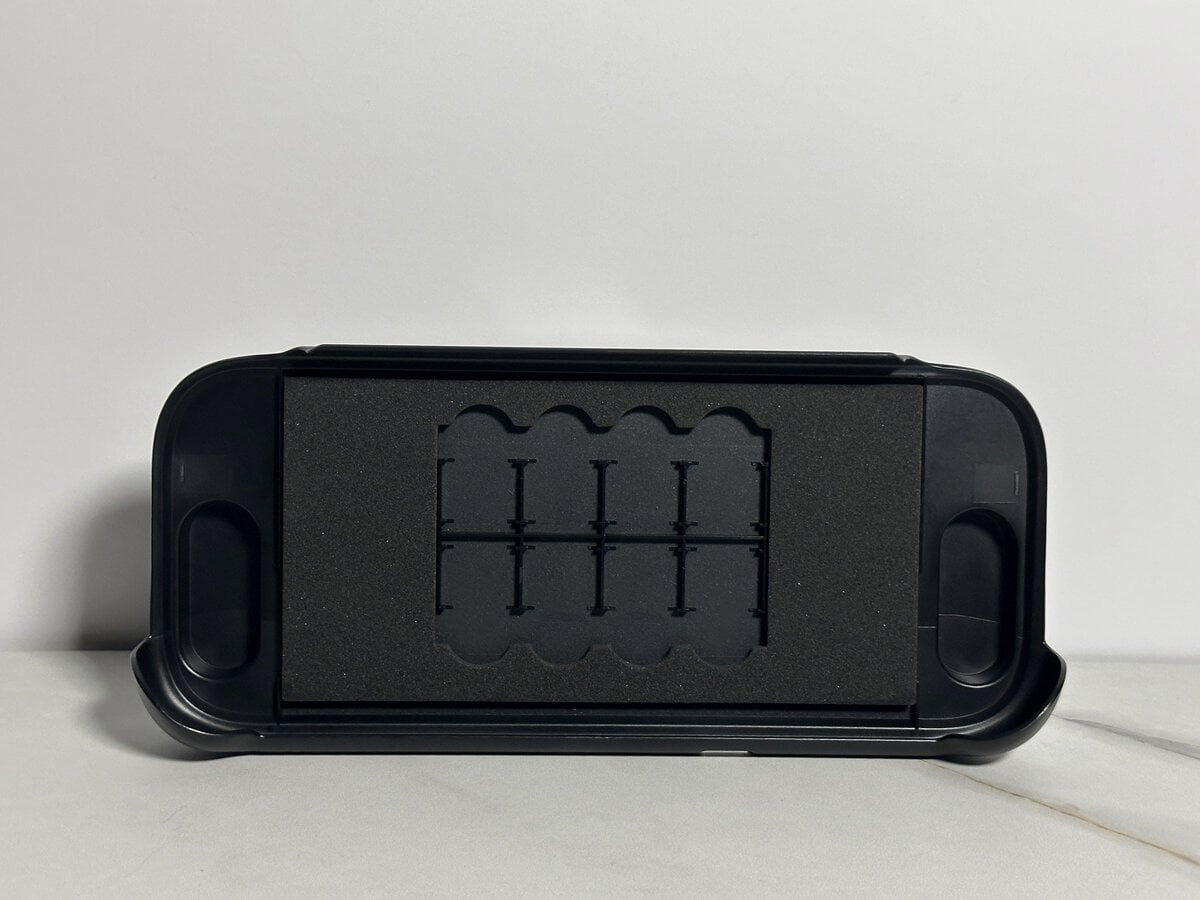
With the cover on, the console never has to go in and out of a pouch.
You take the cover off to play, so it only adds bulk while you’re carrying the console. If you want the screen covered while you play too, our Switch 2 screen protector guide compares the options.
Two Fiddly Spots When Fitting It
Two parts take some patience, and only one of them gets easier with practice.
The Joy-Con covers come off easily, but getting them on is harder. Fitted from the bottom up, a cover doesn’t fully wrap over the very top corner by the rail unless you really work it. The top is pliable plastic, so I hold the Joy-Con 2 down and pull the cover toward me to hook it over. It happened on both the left and the right cover, every time, so it’s a design issue rather than a one-off. I didn’t really like that. Once the covers are on, they’re fine, but if you take them on and off often it can get really annoying.
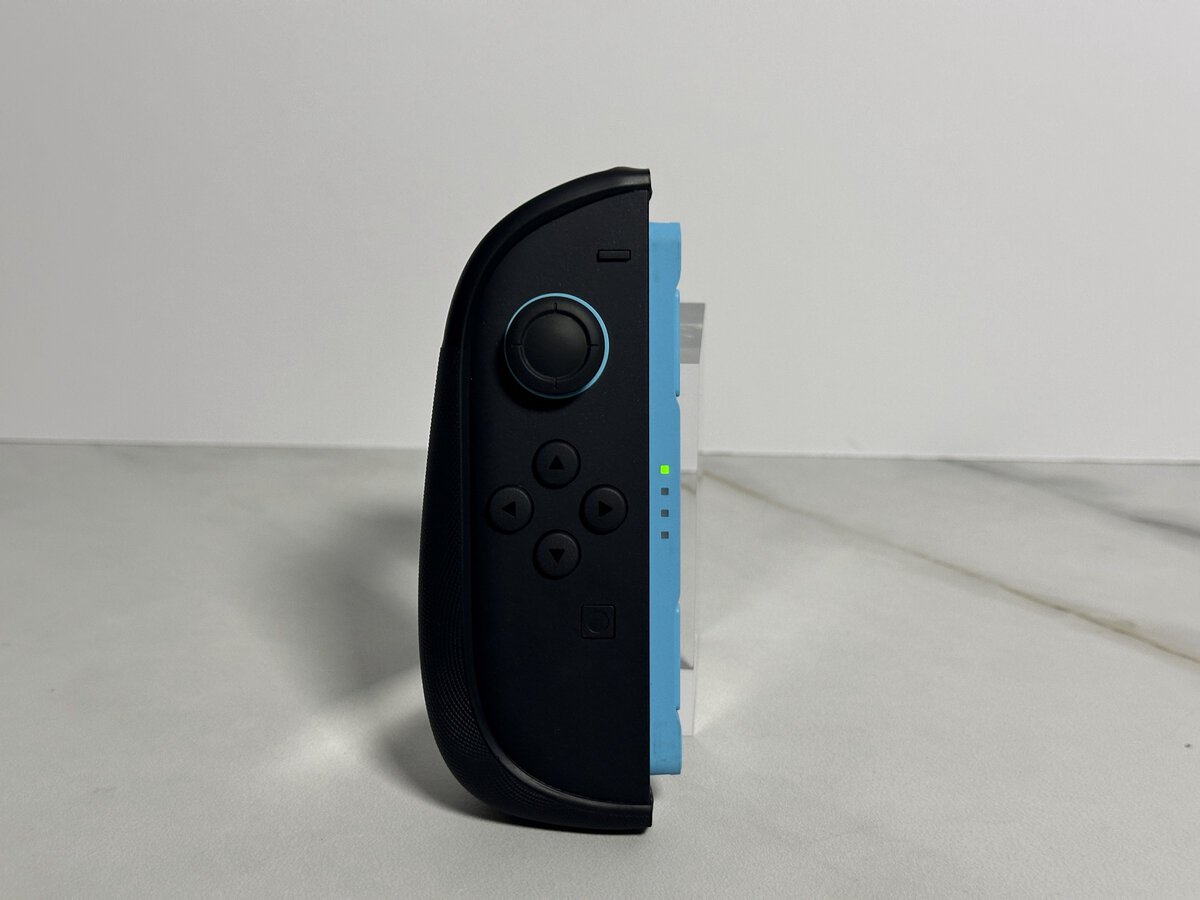
The back shell goes on easily. You slide it into the top and push the bottom down. Taking it off was kind of a chore the first time or two, partly because you don’t want to press hard near the screen. It got easier after a few tries.
How Much Protection It Adds
The back plate is plain plastic with no padding inside. It works mainly as scratch protection, and after taking the case on and off many times there are no scratches on the back of my Switch 2.
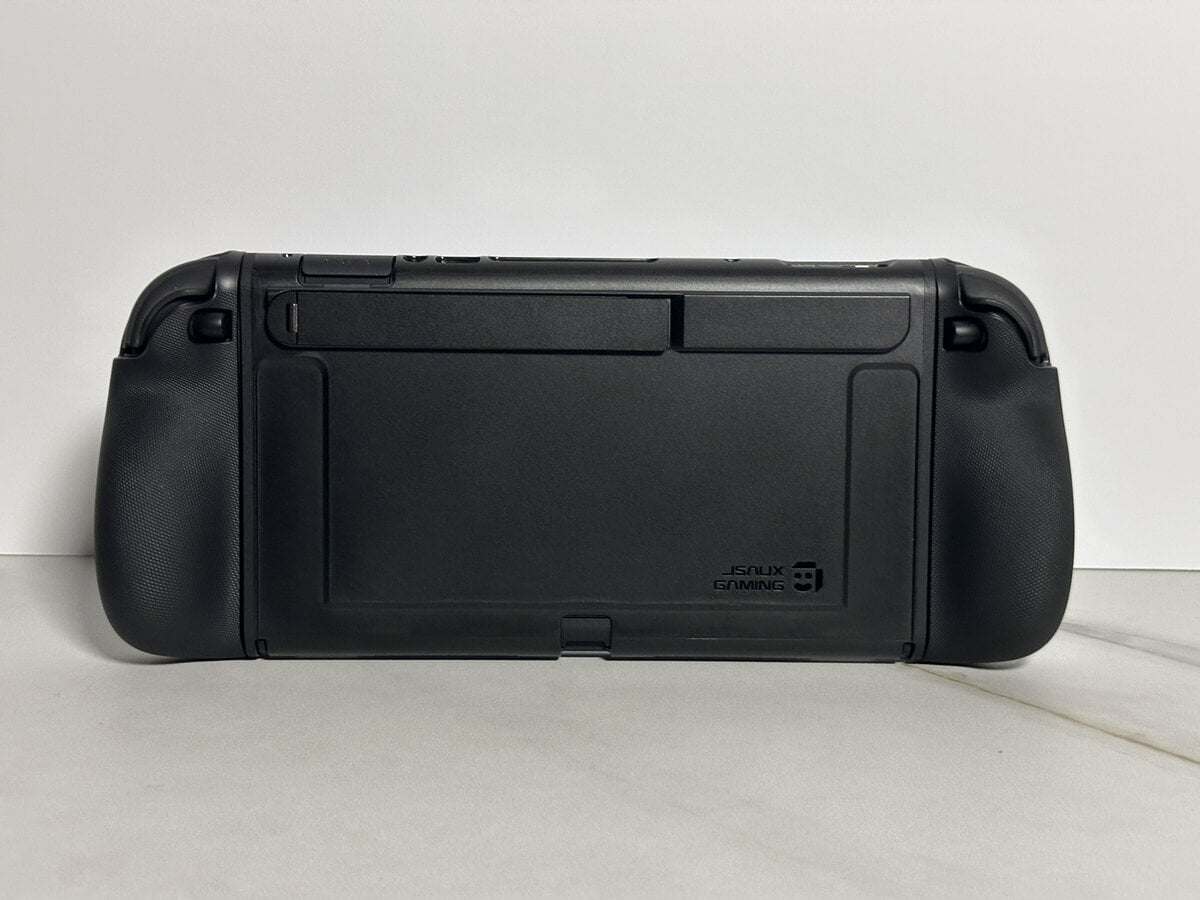
JSAUX says the case covers the L and R buttons when the front cover is closed and that its structure helps absorb impact from drops. I didn’t drop it to find out, and my hunch is that the unpadded back is mostly about scratches. If drop protection matters most, our Switch 2 case guide covers padded and rugged options.
My Verdict and Who Should Buy It
The JSAUX GoJoy case adds an extra layer of protection for the Switch 2 and the Joy-Con 2, and it seems solidly built. The stand is a nice touch, everything on the console stays reachable, and the front cover gives adequate protection when you’re not playing. The two fiddly spots are real, but neither one changes how it plays.
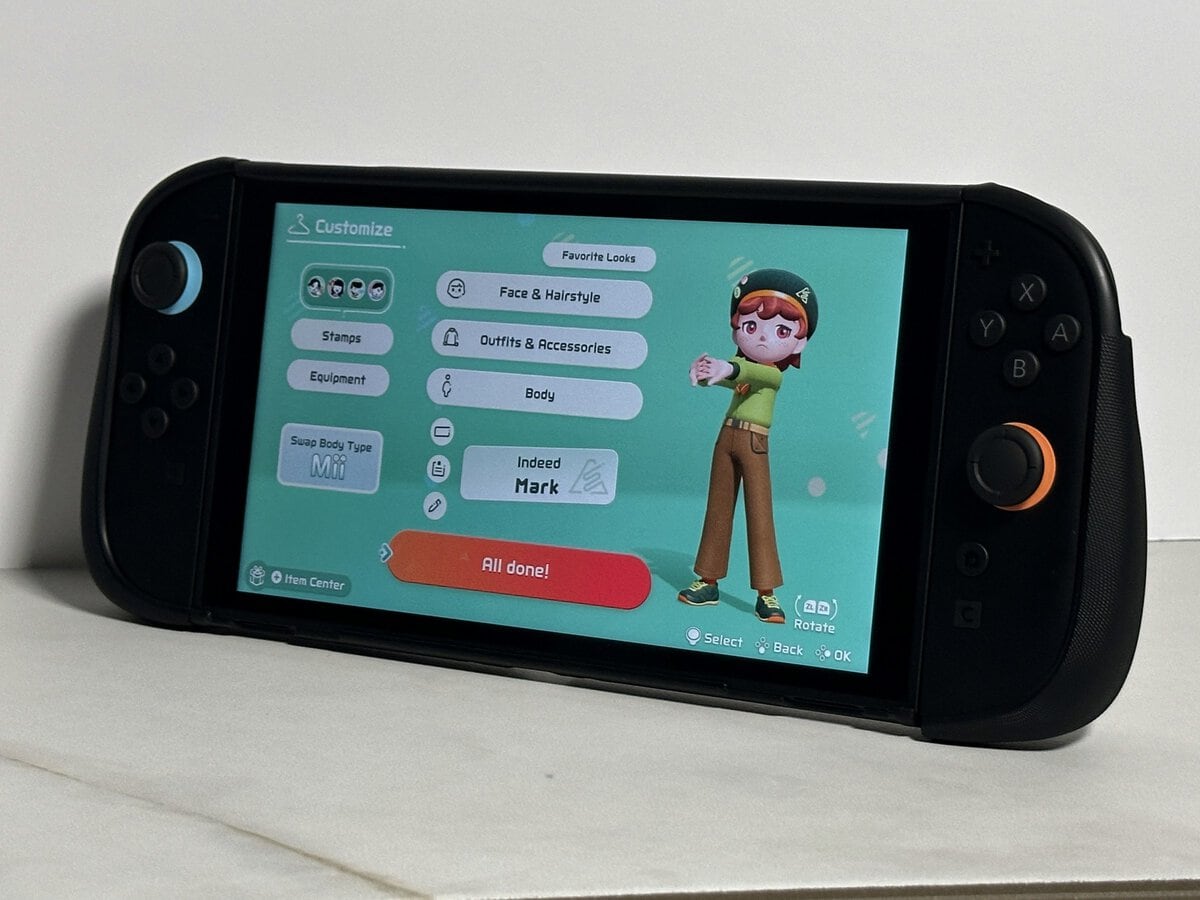
It suits you if you travel with your Switch 2 and want one case that stays on while you play, docks for the TV and closes up for travel. It’s a middle option. It’s more solid than a soft case, likely with less cushioning than a heavily padded one, and you never move the console in and out of a pouch. You can just leave it on, if you’re OK with the weight.
Skip it if you want your handheld as light as possible, or if you’ll be taking the Joy-Con covers on and off a lot. For the rest of your setup, our list of Nintendo Switch accessories covers the other gear worth adding.
Frequently Asked Questions
Quick answers about the JSAUX GoJoy case.
Does the JSAUX GoJoy case fit in the Switch 2 dock?
Yes. Take off the front cover and it goes into the official dock with the rest of the case on, even with the Joy-Con 2 attached. Slide them off to play on the TV, since Nintendo says attached Joy-Con 2 can’t be used while docked. Mine slid right in and started charging.
Can you reach the microSD card slot with the case on?
Yes. The slot on the top edge, next to the headphone jack, is easy to reach and opens with the case on.
Does the GoJoy case protect against drops?
JSAUX says its structure helps absorb impact from drops. I didn’t drop-test it. The back plate has no padding inside, while the front cover is padded.
How many game cards does the front cover hold?
JSAUX lists eight game card slots in the front cover. I don’t own game cards, so I didn’t check how securely they hold.
Can you take the Joy-Con 2 off with the case on?
Yes. The Joy-Con 2 pop off easily with their covers on, so you can use them on the TV while the console stays docked.
Looking for more budget gaming gear? Check out Budget Loadout for the latest reviews and recommendations.
Related Articles