The grip that comes in the box with a Switch 2 has one job, and charging isn’t part of it. The JSAUX Magnetic Charging Grip is a Switch 2 charging grip that adds the missing piece: plug in its cable and your Joy-Con 2 charge while you keep playing. After a couple of sessions with it, including a longer one in front of the TV, it’s a grip I’d recommend with one caveat: it has to be plugged in to charge. Its magnetic snap-on design is my favorite part.
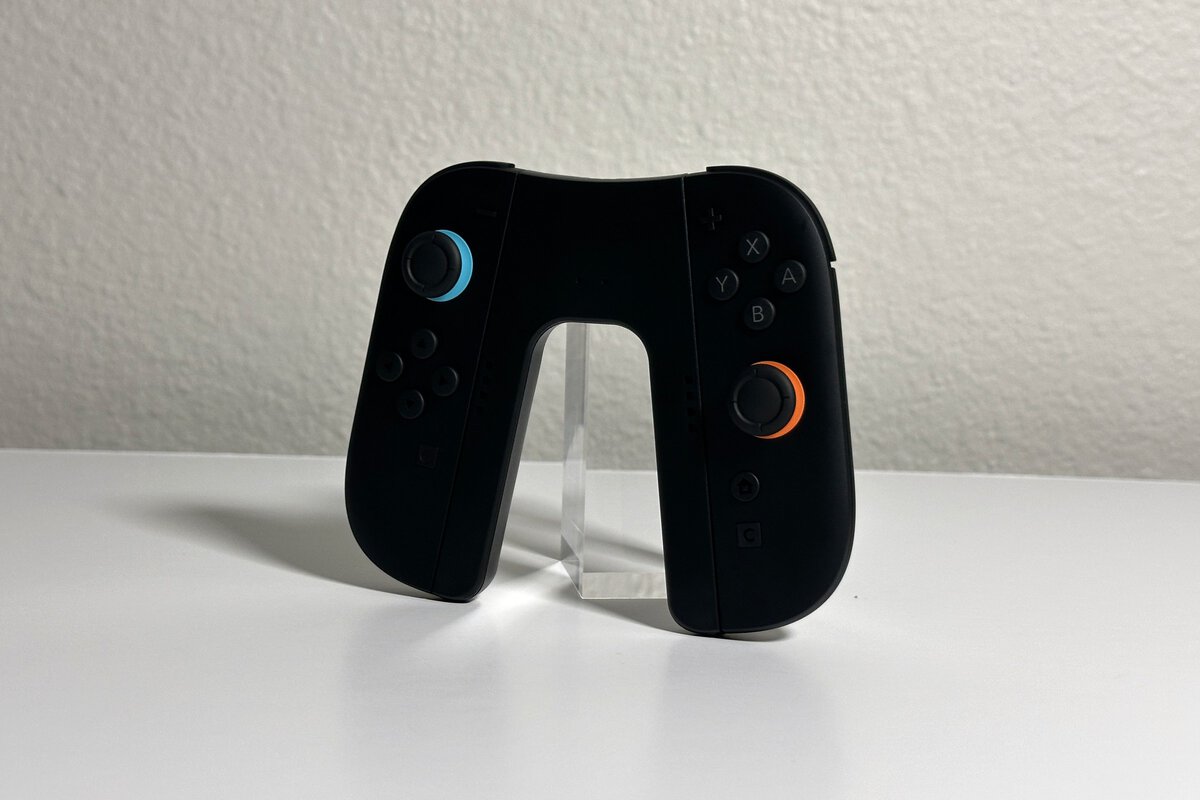
The short version: the Joy-Con 2 attach easily with a magnetic snap, the grip is light and slim, and two small lights tell you when each side is charging or full. It charges through its USB-C cable rather than a built-in battery.
A light magnetic grip that charges your Joy-Con 2 while you play, something the grip in the Switch 2 box can’t do. I’d recommend it to anyone who plays near an outlet.
- Magnetic snap-on holds the Joy-Con 2 securely
- Charges the Joy-Con 2 while you play
- Light and slim for travel
- Needs a USB power source nearby to charge
- No built-in battery for unplugged play
- Snugger fit than Nintendo’s included grip
Picks and availability last verified: October 13, 2026
- The grip included with the Switch 2 can’t charge Joy-Con 2; the JSAUX grip charges them while you play.
- Charging runs through the included USB-C cable, so plan to play near an outlet or your dock.
- The magnetic snap-on makes attaching and removing the Joy-Con 2 quick and secure.
- Two small lights show each side’s status: red while charging, green when full.
- JSAUX lists it at 2.82 ounces and just over half an inch thick, so it adds very little to the Joy-Con 2.
Table of Contents
What the JSAUX Switch 2 Charging Grip Does
The JSAUX Switch 2 charging grip holds both Joy-Con 2 together like a regular controller and passes power to them through a USB-C port on top. With the included cable plugged in, both Joy-Con 2 keep charging while you play, even through a long session.
Nintendo’s support page says the grip that comes with the console cannot be used to charge the Joy-Con 2, and Nintendo’s own charging grip is sold separately. The JSAUX Magnetic Charging Grip gives you the same play-while-charging idea with a magnetic design.
There’s no battery inside. Unplugged, it’s a light grip that holds the Joy-Con 2 together but doesn’t charge them. If you want to charge away from an outlet, JSAUX sells a separate JSAUX Battery Charging Grip with a built-in 1200mAh battery, and that’s the version to look at.
Plug in the cable and the Joy-Con 2 charge while you keep playing.
The Magnetic Snap-On
The magnetic snap-on is my favorite thing about this grip. Each Joy-Con 2 lines up with the side rail and attaches with a magnetic snap. There’s no sliding a rail down a track, and attaching them was easy every time.
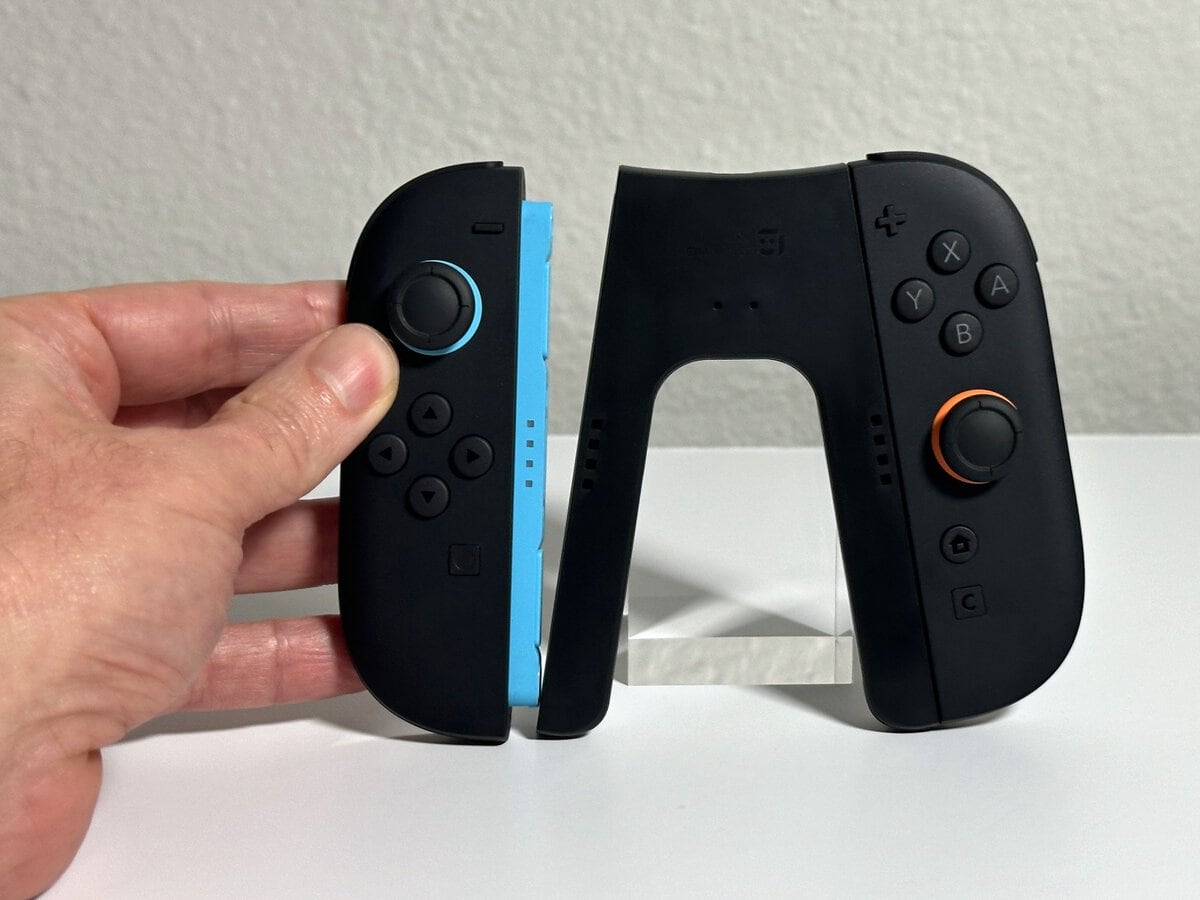
Attaching the Joy-Con 2 to the JSAUX grip is quick and easy every time, and that’s exactly why the magnetic snap-on is my favorite feature.
The magnetic snap-on is my favorite part: the Joy-Con 2 attach easily.
How It Feels in Your Hands
The JSAUX grip is light and slim. JSAUX lists it at 2.82 ounces, so it adds very little to the Joy-Con 2 themselves.
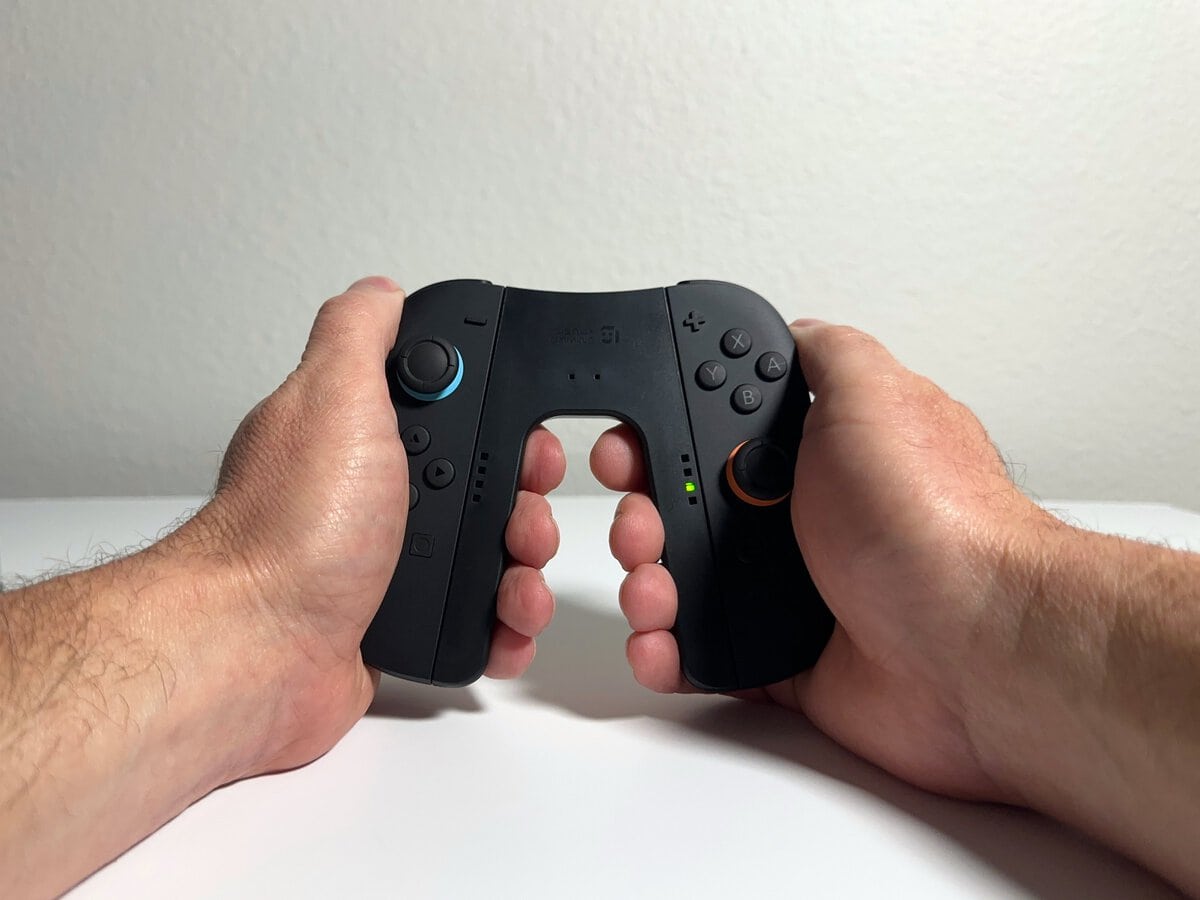
The one trade-off is the fit. If you’re used to the grip that comes with the Switch, this one feels a bit snugger, with the thumbsticks sitting a little closer together, and that didn’t change over a longer session. It’s a fair trade for charging while you play, and it’s most noticeable with bigger hands.
Charging While You Play
Charging is simple. I plugged the included cable into a USB power cube I already had, and the Joy-Con 2 charged while I played on the TV. JSAUX lists the cable at 1.5 meters (4.9 feet), enough to reach from a TV stand or a nearby outlet.
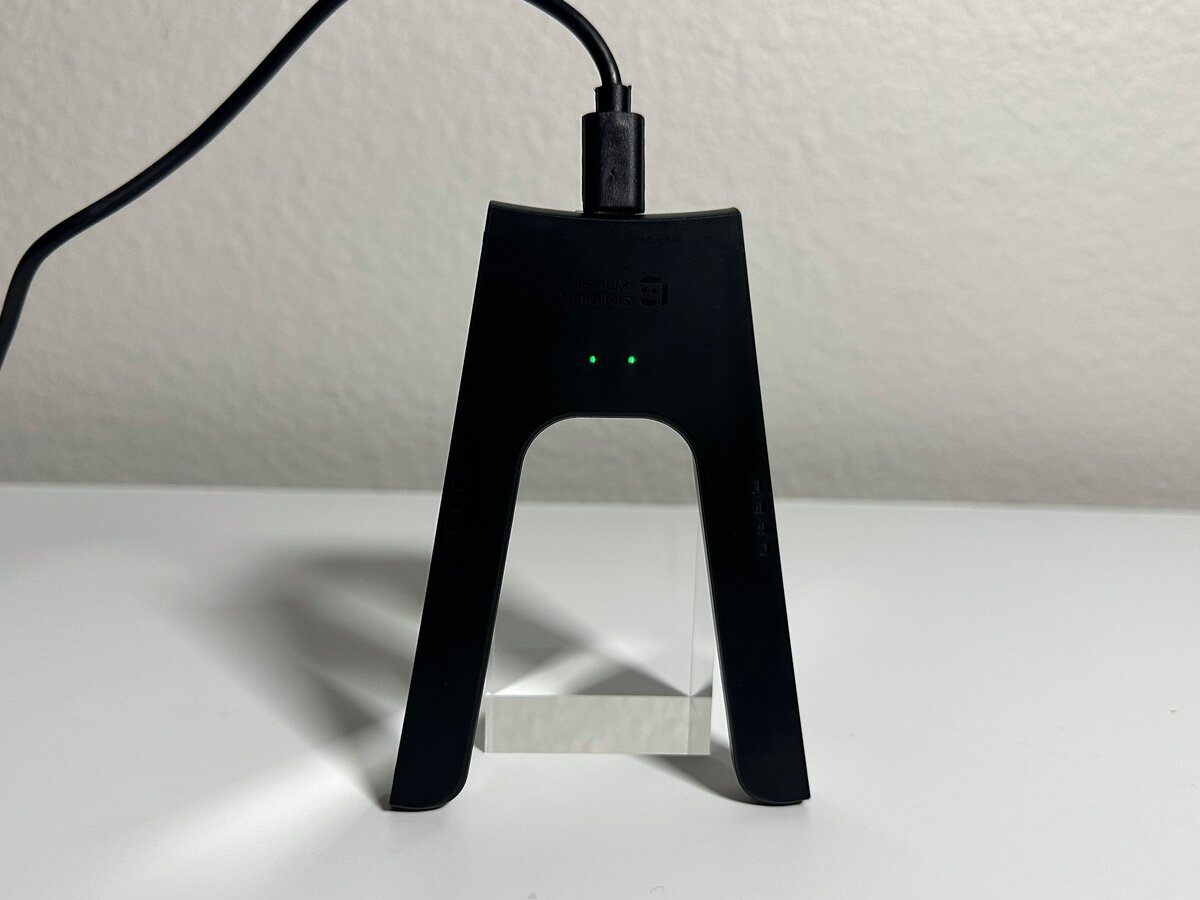
Two small lights under the JSAUX logo show each side’s status. A light glows red while that Joy-Con 2 charges and turns green once it’s full, so you can see at a glance which side is ready. With no Joy-Con attached, both lights show green, as in the photo of the plugged-in grip below. The green lights further down the Joy-Con rails are the Joy-Con 2’s own player lights, not the grip’s.
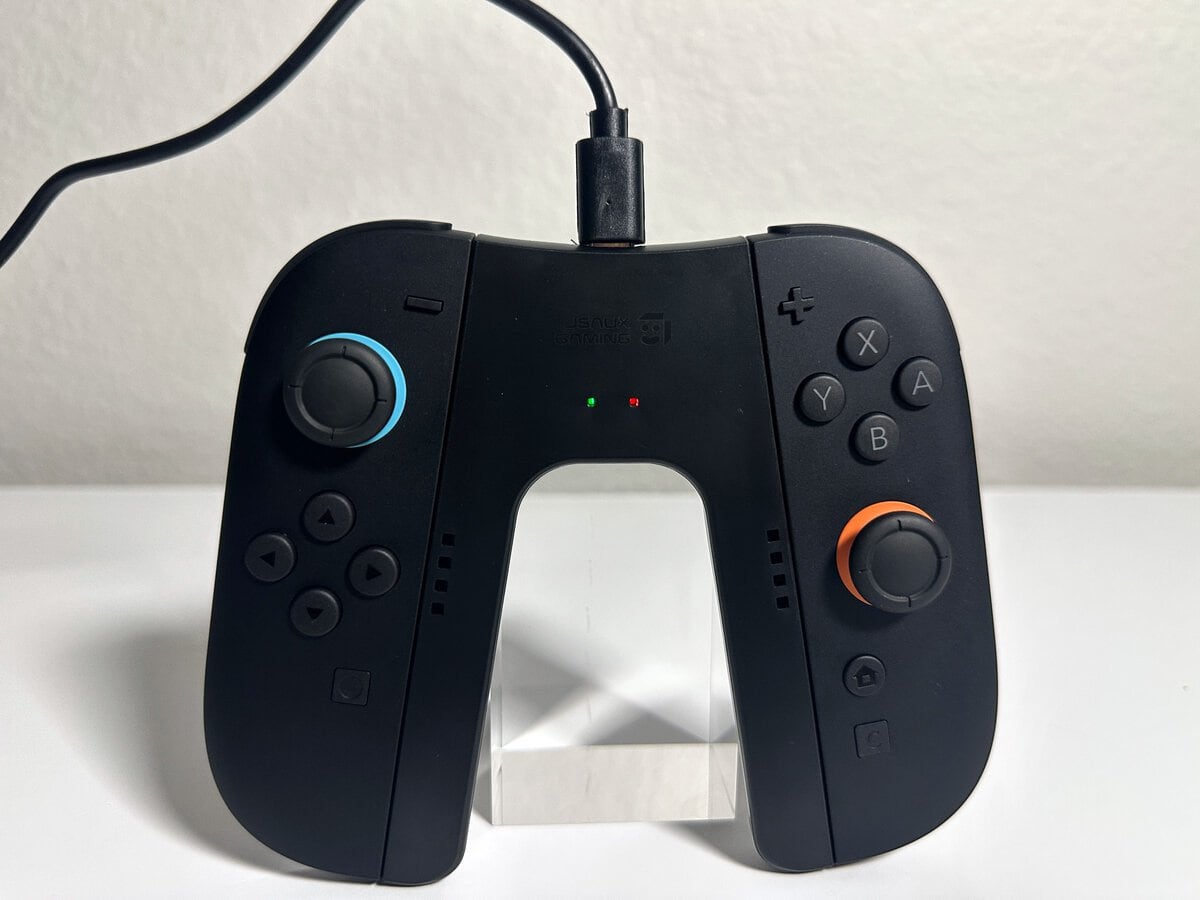
The cable plugs into a USB-C port on the top edge of the grip, out of the way of your hands. If your Switch 2 sits in its dock, our Switch 2 dock guide covers the dock’s USB ports and power setup.
Next to Nintendo’s Included Grip
Set beside the grip that ships with the Switch 2, the JSAUX grip is in the same size class. The difference is what it can do: Nintendo’s included grip only holds the Joy-Con 2, while the JSAUX grip holds them and charges them.
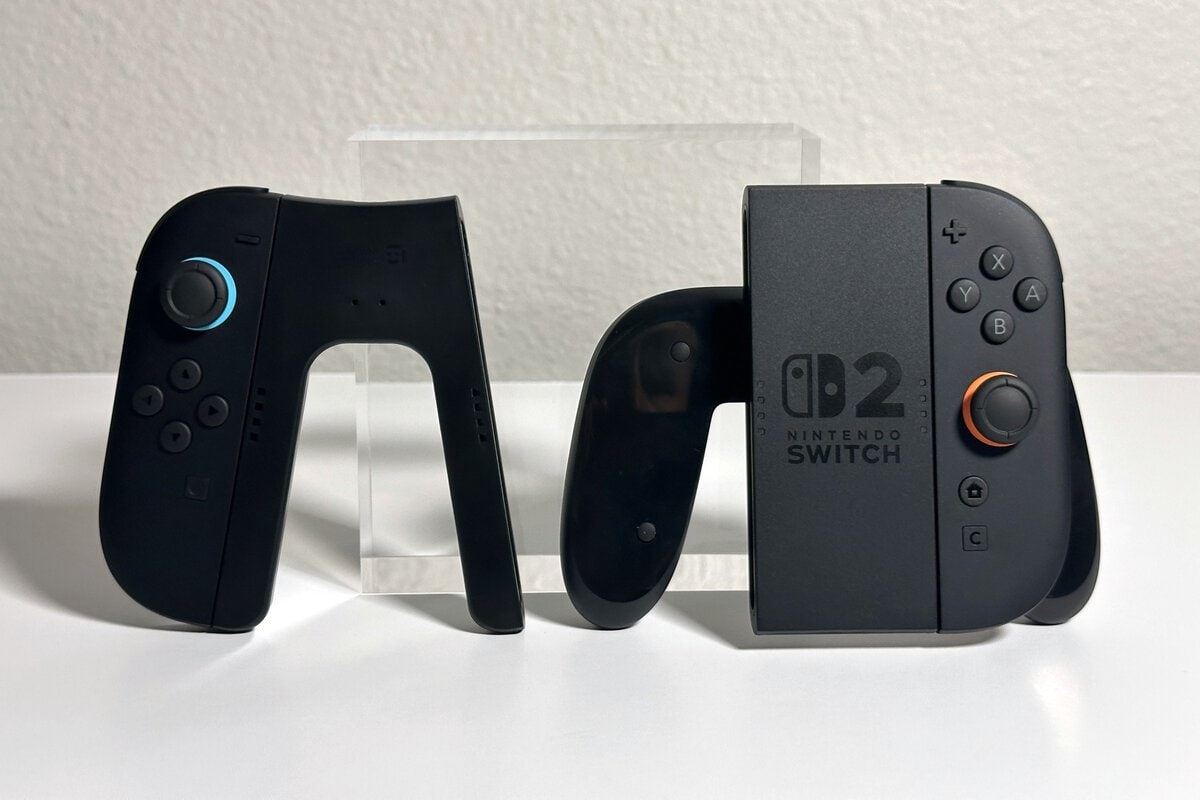
If you’ve been weighing Nintendo’s separately sold charging grip, the JSAUX grip is an alternative with a magnetic design. For the controller side of the decision, our guide to the best Switch 2 controllers compares the Joy-Con 2 with the Pro Controller and other options.
Size and Travel
The JSAUX grip is compact. JSAUX lists it at 4.4 x 3.18 x 0.54 inches, just over half an inch thick, and the side view shows how flat it is.
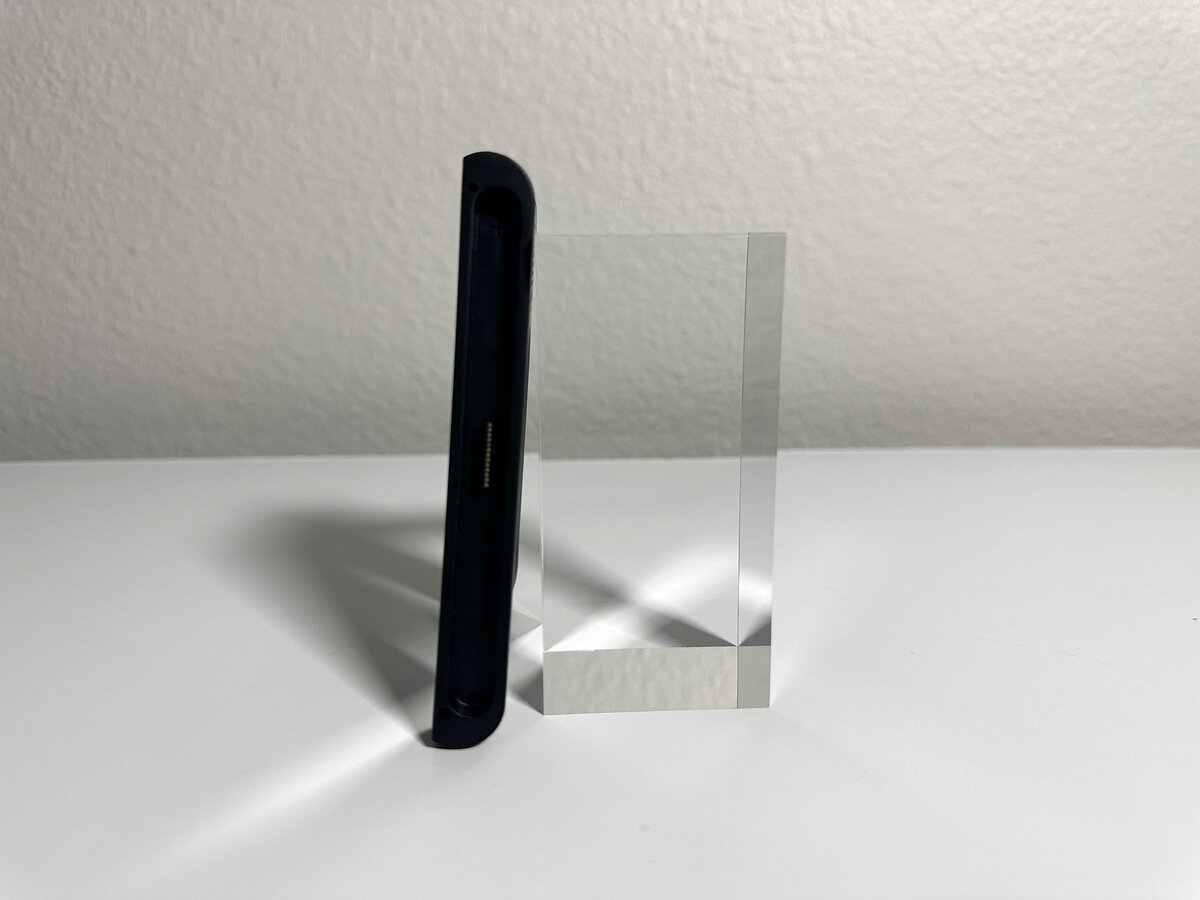
JSAUX pitches it as compact enough for travel, and our Switch 2 case guide covers cases with room for accessories. Pack the cable too if you want to charge on the road.
My Verdict and Who Should Buy It
I’d recommend the JSAUX Magnetic Charging Grip, with one caveat: it only charges while it’s plugged in, so it’s built for playing near an outlet or your dock. Within that, it does what the grip in the Switch 2 box can’t, the magnetic snap-on is my favorite part, and it’s light.
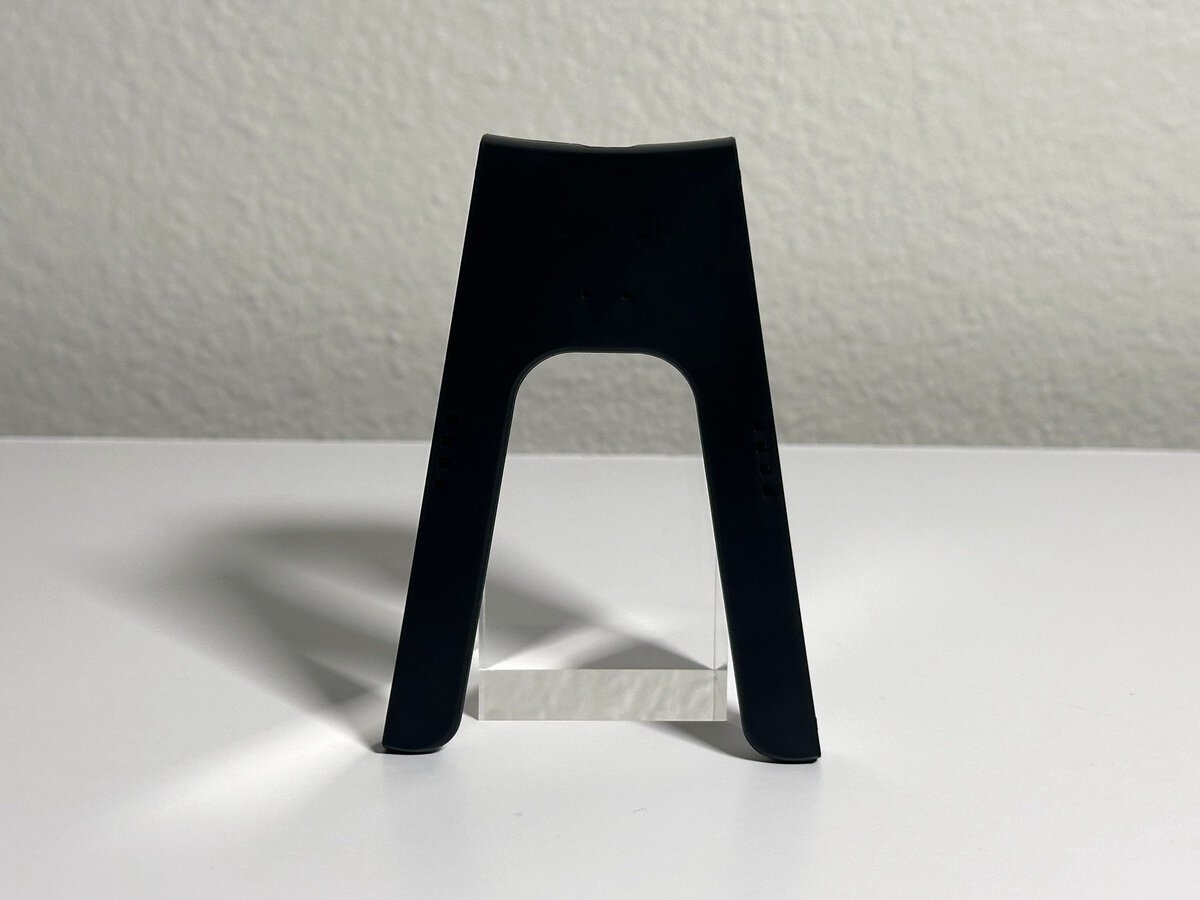
It suits you if you play docked or near an outlet and want your Joy-Con 2 topped up without stopping. It’s also an alternative to Nintendo’s separately sold charging grip.
Skip it if you want to charge with no cable at all. That’s what the JSAUX Battery Charging Grip is for.
Other Ways to Charge Joy-Con 2
Joy-Con 2 also charge while attached to the Switch 2, as long as the console is plugged in and on or in Sleep Mode. That works well for handheld play but means taking the controllers off the TV setup. Our list of Nintendo Switch accessories covers the other gear worth adding. If you need to charge several controllers at once, a charging dock suits that better, and we reviewed the JSAUX 5-in-1 charging dock separately.
Nintendo also sells its own Joy-Con 2 Charging Grip separately. Like the JSAUX grip, it charges the Joy-Con 2 while you play over a USB cable, so the choice comes down to which design you prefer, and the JSAUX grip’s magnetic snap-on is the reason I like it.
Frequently Asked Questions
Quick answers about the JSAUX charging grip.
Does the JSAUX charging grip have a battery?
No. It charges the Joy-Con 2 while its USB-C cable is plugged in. Unplugged, it works as a regular grip. JSAUX sells a separate Battery Charging Grip with a built-in 1200mAh battery if you want to charge away from an outlet.
What do the lights on the JSAUX grip mean?
Each side has a small light under the JSAUX logo. It glows red while that Joy-Con 2 charges and turns green when it’s full, or when that side has no Joy-Con on it.
Does the Switch 2’s included grip charge Joy-Con 2?
No. Nintendo says the grip included with the console can’t charge the Joy-Con 2. Nintendo sells a separate charging grip, and the JSAUX grip is an alternative.
Is it OK to play with the grip plugged in for long sessions?
Yes. Battery University explains that a lithium-ion charger stops charging once the battery is full, and that heat speeds up permanent capacity loss, so play somewhere cool.
Does the JSAUX grip work with original Switch Joy-Con?
JSAUX lists it for Switch 2 Joy-Con. I used it only with Joy-Con 2.
Looking for more budget gaming gear? Check out Budget Loadout for the latest reviews and recommendations.
Related Articles