A headset spends most of its life not being worn. Where it sits during those hours decides how long the headband keeps its shape, how quickly the earpads flatten, and whether the cable develops a kink you can never train out. That is the real argument for the best headset stand you can find: not tidiness for its own sake, but keeping weight off the padding and tension off the cable when the headset is idle.
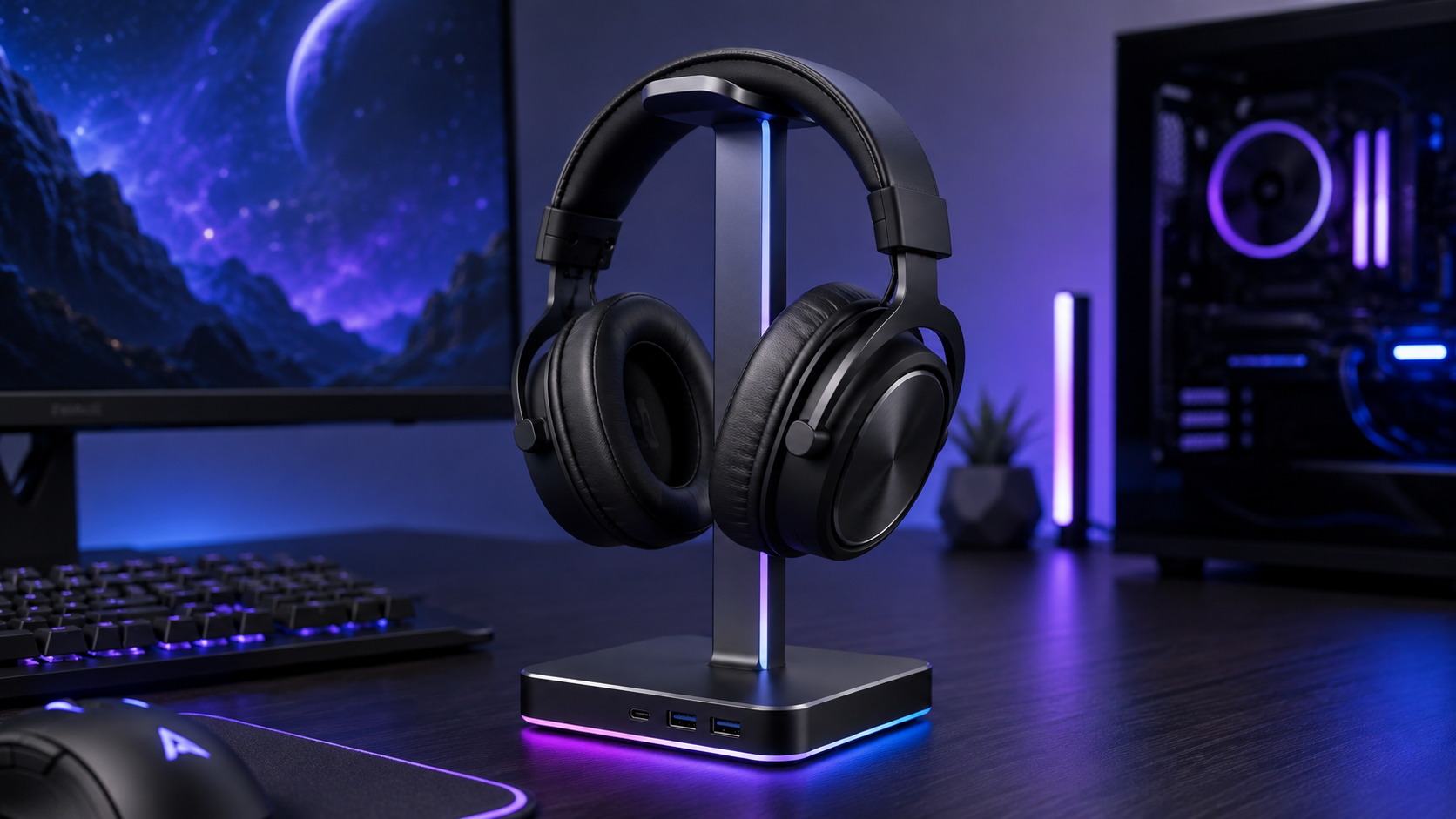
The mistake many make is buying for looks first. RGB, shape, and desk presence matter less than whether the cradle compresses your pads, whether the contact points scratch the finish, and whether the base stays planted when you yank the cable in a rush. That’s the difference between a useful desk accessory and a slow accessory killer.
If you want a practical starting point for building out a cleaner desk, the broader accessory context matters too, especially if you’re sorting out your desk accessories for gaming. A headset stand is one part of the system, not the whole solution.
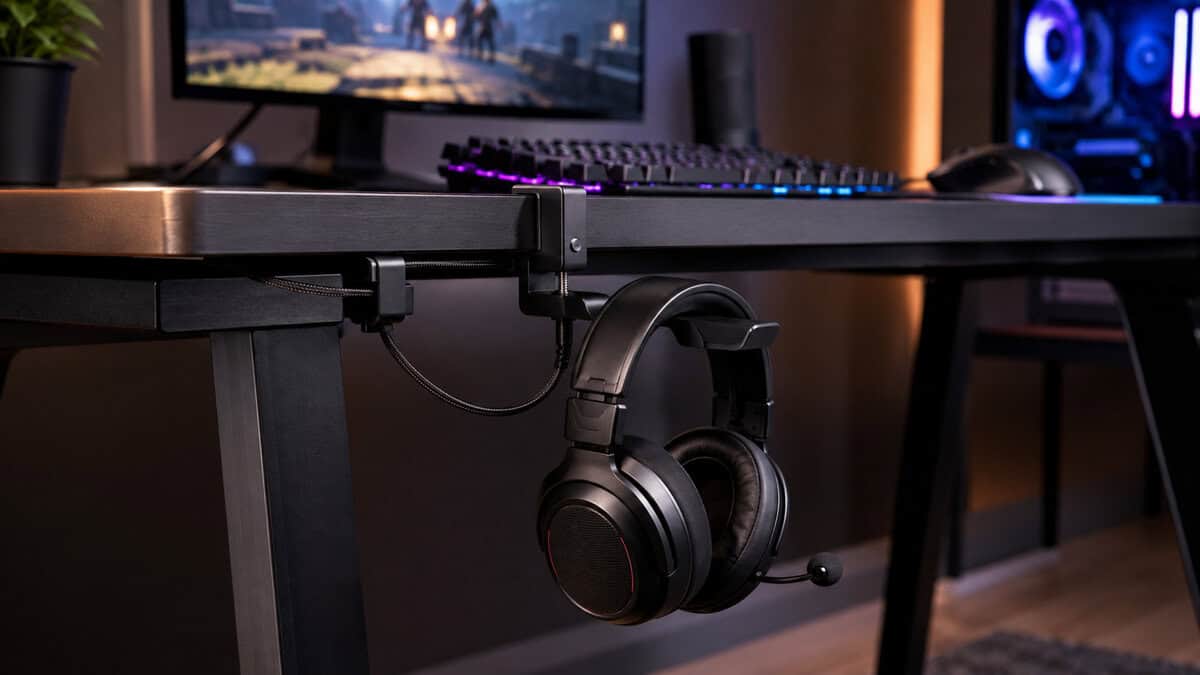
Sidesteps the footprint problem entirely by clamping to the desk edge instead of sitting on it. The arm swivels out of the way and swings back when you need it, and a cable clip keeps the lead off the floor.
- Uses no desk surface at all
- Far larger review base than anything else in its class
- Swivel arm tucks the headset away when it is not in use
- Needs a clear desk edge with nothing mounted beneath it
- A heavy headset pulls harder on an arm than on a weighted base
- Very thick desktops fall outside the clamp range
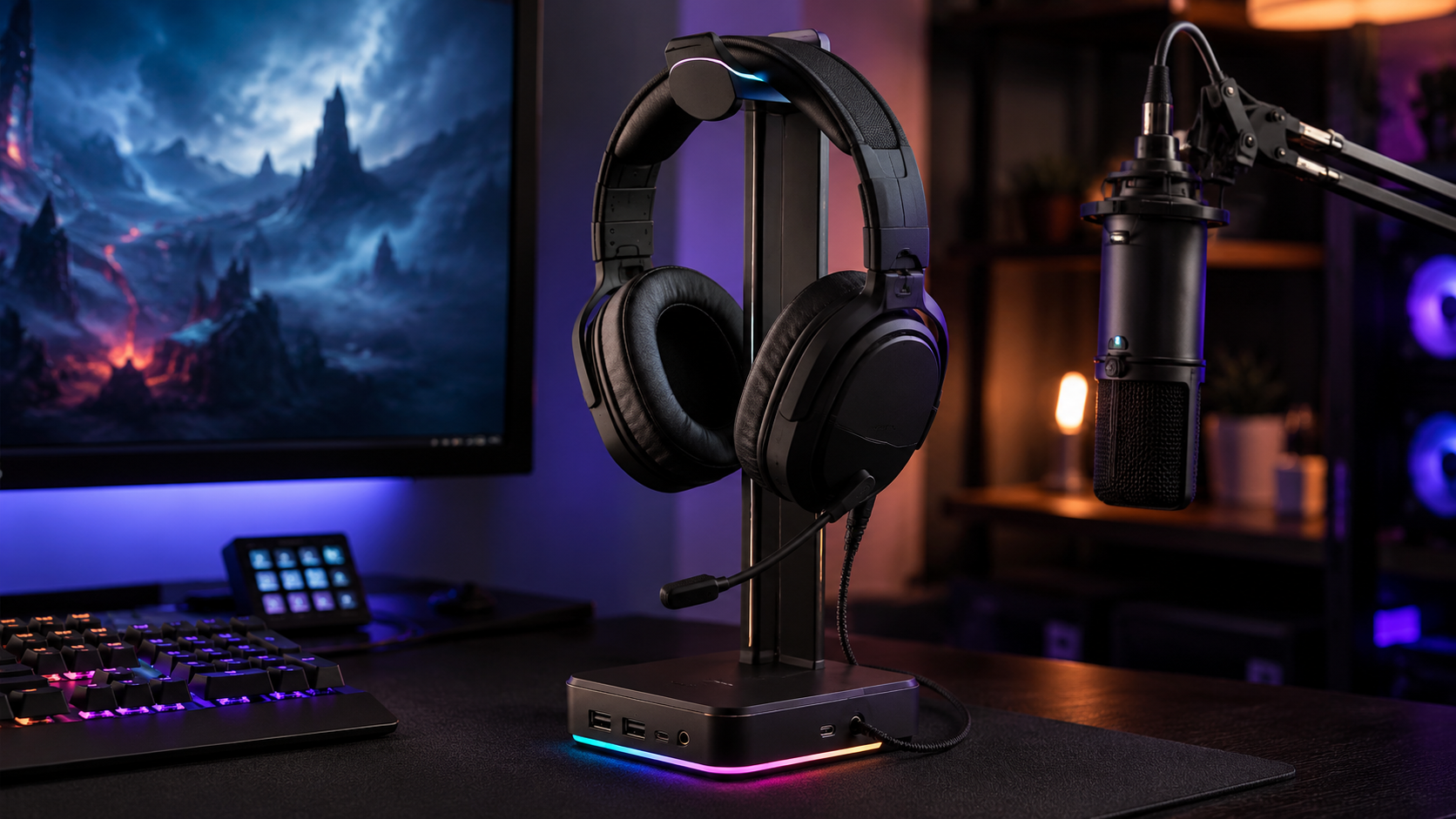
The one we would put on most desks. An aluminum post rather than hollow plastic, a base wide enough to stay planted when you drop a headset on it one-handed, and a curved head that spreads the headband load.
- Aluminum construction resists the tipping that kills cheap stands
- Wide base stays planted under one-handed use
- USB-C and USB ports save buying a separate passthrough
- RGB will not suit every desk, though it can be switched off
- The ports add one more cable to route
- Occupies desk surface that a clamp-on design does not
The only pick here that is more than a stand. A wired headset plugs into the stand instead of reaching behind a tower, and the built-in DAC is a real step up from most motherboard audio outputs.
- Doubles as a USB hub and a headphone DAC
- Weighted base and taller post suit large over-ear headsets
- Sold and shipped by Amazon rather than a marketplace seller
- Costs several times what a stand that only holds a headset does
- The hub and DAC go unused if your headset is wireless
- Largest desk footprint of the three
- Where a headset sits when it is not on your head decides how long the headband and pads keep their shape
- Measure earcup width and headband arc before buying, because a cradle that pinches is worse than no stand at all
- A clamp-on design costs you no desk surface, which is the constraint most setups actually run into
- Base width matters more than height: a narrow base tips the moment you set a headset down one-handed
- Pay for a built-in hub or DAC only if your headset is wired and your desk is genuinely short on ports
Table of Contents
Why Your Headset Deserves a Dedicated Spot
There’s a certain point in every desk setup where the headset stops being “stored” and starts being “parked wherever it fits.” That’s usually when it ends up on the monitor base, draped over a chair, or hanging off a mic arm that was never meant to carry it overnight. If you’ve got memory-foam pads, soft velour, or a hinged frame that cost more than the stand itself, that casual storage starts to matter fast.
The real problem isn’t clutter, it’s pressure
A headset stand should do one simple job: keep the headset off the desk without stressing the parts that wear out first. Pads take the abuse before users notice it, and a narrow or badly shaped cradle can flatten them in the same spot every day. That’s how a cheap storage habit turns into a comfort problem during long sessions.
The other issue is cable strain. If your mic boom or cable gets hooked around a sloppy stand, you end up tugging the same joint over and over. That’s exactly the kind of daily friction that turns a decent headset into a creaky one.
Practical rule: if the stand changes the shape of the pads when the headset is resting on it, it’s too aggressive for long-term use.
A dedicated stand makes sense for more than one kind of player
FPS players usually want the desk clear, because a cluttered corner gets in the way of mouse movement and quick repositioning. MMO players tend to leave gear in place for longer stretches, which makes stability and pad preservation more important than flash. Streamers care about what the desk looks like on camera, but a neat setup still fails if the stand tips, scrapes, or traps the cable in the wrong spot.
That’s why a dedicated spot helps. It keeps the headset ready, reduces the chance of accidental knocks, and gives the cable a consistent place to rest instead of dangling into the keyboard tray. For most budget-conscious buyers, that’s the value case in plain terms: less wear, less mess, fewer annoying surprises.
Fit Geometry and Materials That Protect Your Headset
A headset stand succeeds or fails on geometry, not marketing copy. If the cradle is the wrong shape, it can create pressure points, compress the pads, or force the headband into a curve it was never meant to hold. If the contact surface is too hard, it can mark glossy plastic and wear the finish right where the headset rests every day.
Measure the headset before you shop
Start with the earcups. The guidance that matters most is simple: choose a cradle with at least 3–4 cm of extra horizontal clearance beyond earcup width, and check headband arc compatibility in the 12–18 cm radius range so the headset sits naturally instead of being squeezed. Alibaba buying guide. That extra clearance lets the headset settle without pinching the pads, while the arc check keeps the headband from being forced against a profile that is too tight or too flat.
If you use large earcups, memory foam, or a hinge-heavy frame, don’t guess. A stand that looks fine in a product photo can still be the wrong shape on your desk. The fit problem does not usually show up on day one, it shows up as slow wear on the headset over time.
The safest stand is usually the one that matches the headset’s shape with the least drama.
Choose contact materials like you actually care about your gear
The same guide also recommends silicone, TPE, or closed-cell foam for contact points instead of bare metal or hard plastic. That is the kind of detail people ignore until a shiny finish picks up little scratches or the pads start feeling uneven. Soft contact surfaces are not glamorous, but they separate “stored” from “handled well.”
Budget-minded buyers often win by being picky. You do not need the most feature-packed stand. You need the one that will not slowly punish the headset you already own.
Don’t ignore the base
A stand can fit perfectly and still be annoying if it tips. Independent review coverage points to weighted bases, rubber feet, and aluminum or ABS construction as the stability features most likely to stay planted on a desk Kayak Cambria roundup. That matters because a stand that slides every time you grab the headset is worse than a fixed hook in a lot of setups.
| Feature | What to Look For | Why It Matters |
|---|---|---|
| Cradle width | 3–4 cm extra clearance beyond earcup width | Reduces pad compression and fit stress |
| Headband arc | 12–18 cm radius compatibility | Helps the headset rest naturally |
| Contact surface | Silicone, TPE, or closed-cell foam | Lowers scratches and pressure on delicate finishes |
| Base weight | Weighted or broad footprint | Improves stability on busy desks |
| Feet | Rubberized feet or grips | Cuts slipping during quick grabs |
| Body material | Aluminum or ABS, depending on build | Supports durability without flimsy flex |
If you pair the stand with a larger desk mat, the surface underneath matters too, especially for grip and stability. A good reference point is this best desk mat guide, because desk traction affects how confidently a stand stays put. That same setup also matters in a budget streaming setup, where a stand that wobbles or scuffs the surface becomes a small but constant annoyance.
Three Headset Stands Worth Buying
The smartest pick is not the flashiest one. It is the one that matches how your desk is already laid out. A clean FPS setup needs a small footprint and predictable stability. A streamer needs cable discipline and something that does not look awkward on camera. Below are three that solve those problems in genuinely different ways, rather than three versions of the same hook.
| Stand | Type | Mounting | Extras | Best for |
|---|---|---|---|---|
| EURPMASK Clamp-On | Under-desk hook | Clamps to edges from 0.31 to 1.57 inches | 360 degree swivel, cable clip | Zero desk footprint |
| New Bee RGB | Desktop stand | Freestanding aluminum, 4.47 inch base | USB-C and USB passthrough, 7 lighting modes | Most desks |
| Razer Base Station V2 | Desktop hub | Freestanding, anti-slip weighted base | USB ports, 3.5mm with built-in DAC, Chroma | One-hub streaming desks |
EURPMASK Clamp-On: best budget
The EURPMASK Clamp-On sidesteps the whole footprint problem by not sitting on the desk at all. It clamps to the edge, fitting surfaces from about a third of an inch to an inch and a half thick, and the arm swivels a full 360 degrees so you can tuck the headset out of the way and swing it back when you need it. A cable clip on the body keeps the lead from pooling on the floor.
This is the pick when desk space is genuinely the constraint, which for most people it is. It has also gathered a far larger review base than anything else in the category, which counts for something in a market full of near-identical listings. The trade-offs are honest ones: the clamp needs a free edge with nothing mounted under it, and a heavy headset on a long arm will pull more than one sitting on a weighted base.
New Bee RGB Aluminum: best overall
The New Bee RGB Aluminum is the one we would put on most desks. The post is aluminum rather than the hollow plastic that makes cheap stands tip, it runs about 9.5 inches tall on a 4.47 inch base, and the curved head spreads the headband load instead of concentrating it on one point. It also carries a USB-C and a standard USB port, so it doubles as the passthrough you were probably going to buy separately.
Seven lighting modes will either sell you or leave you cold, and they are easy enough to leave off. The more useful detail is the base width: at nearly four and a half inches it stays planted when you drop a headset on it one-handed, which is the failure mode that kills narrow stands. The ports mean one more cable to route, so plan where it sits before you commit.
Razer Base Station V2 Chroma: best premium
The Razer Base Station V2 Chroma is the only pick here that is more than a stand. It adds USB charging ports and a 3.5mm port with a built-in DAC, so a wired headset plugs into the stand rather than reaching round the back of a tower, and the audio path gets a genuine upgrade over most motherboard outputs. The base is weighted and anti-slip, and the post is taller than the budget options so larger over-ears clear the desk.
It is also several times the price of everything else on this list, and that is the honest catch. If you only need somewhere to hang a headset, you are paying for hardware you will not use. It earns its slot when the desk is short on USB ports and the headset is wired, because then the hub and the DAC are doing real work rather than decorating.
Sold and shipped by Amazon, which for a product at this price is worth more than it sounds. Marketplace listings for premium accessories are where counterfeits cluster.
What actually separates the tiers
- Budget picks usually win on price-to-function, but the materials are often simpler.
- Midrange stands usually balance durability and presentation better.
- Premium models should only be chosen when the extras serve a real need, not because they look more complete.
The trade-off stays the same across all three. Buy the stand that fits the headset cleanly, stays upright, and won’t wear your pads out. Anything beyond that is optional.
When a Stand Is Worse Than No Stand
A headset stand can look like the cleanest option on the desk and still be the worst place to rest a headset. If the cradle shape is wrong, it can press into the pads, twist the yokes, or leave the headset hanging in a way that slowly changes how it sits. In those cases, a plain hook, a drawer, or a flat resting spot can be easier on the hardware.
When the stand shape works against you
Large earcups are the first thing to check. If the contact area is too narrow, the pads get compressed in one spot and the headset stops sitting the way it should. That matters with memory-foam cushions, because fit and support both shape how the headset ages.
User discussions around storage often focus on fit, sagging, and whether the stand is helping or just taking up space on the desk. A lot of stands look neat while still pressing where they should not, which is why some people choose a safer hook, wall mount, or drawer instead Reddit discussion on headset storage.
Alternatives can be the better call
A simple under-desk hook avoids some of the geometry problems that desktop stands create. It keeps the headset off the work surface without taking up visual space or forcing the earcups into a tight cradle. Drawer storage can also work if the headset folds flat and the cable can rest without kinking.
If the headset is heavy, wide, or awkwardly hinged, storage that removes pressure may be smarter than a stand that looks cleaner.
Cable strain is the other weak point. A hanging cable that gets tugged every time you grab the headset can stress the connection point, which is why some desks are better served by a fixed resting place instead of an exposed desktop perch. The choice often comes down to whether the headset should hang, sit, or disappear out of the way.
Wired and wireless setups don’t need the same answer
A wired headset needs storage that keeps the cable from dragging across the desk edge, but that does not automatically make a desktop stand the right pick. If the cable is long, delicate, or constantly rerouted, a hook or drawer can be easier on the connection point, and the storage question changes with the headset itself, which is why a wired vs wireless gaming headset decision affects how you should store it. For wireless headsets, the choice is usually more about pad shape, charging access, and keeping the headset ready between sessions, so the wrong cradle still matters even without a cable pulling on it.
A stand should support the hardware you own, not force you to baby it every time you set it down.
Setup, Cable Management, and Long-Term Maintenance
A good headset stand can still underperform if you park it badly on the desk. Put it where the base sits flat, where it won’t get bumped by a mouse swipe, and where the cable can fall naturally without wrapping around the body of the stand. That’s the difference between a clean setup and a setup that still feels cluttered.
Place it for stability first
Start by giving the stand a level section of the desk with enough clearance on both sides. If the desk edge is too close, the headset may hang at an angle and drag the base when you pull it off. If it sits in a crowded corner, you’ll end up nudging it every time you reach for a controller, mug, or audio interface.
This is especially important in streaming setups where the camera picks up the whole desk. A stand that’s slightly out of line becomes obvious fast, and so do loose cables. The visual cleanup comes from placement first, not from buying a stand with more chrome or lighting.
Keep the cable from becoming the weak point
Route the cable so it falls naturally, then check that it isn’t bending sharply over a hard edge. If your desk already has a cable path, use it instead of making the stand do that job. A clean route reduces tangles and keeps the headset easier to grab when the match starts, or the stream goes live.
For a broader cable cleanup pass, this pc cable management guide is a useful companion read. The same logic applies here: less strain, fewer snags, and fewer distractions on camera.
Maintenance is mostly about small checks
- Clean the contact surface so dust and skin oils don’t build up on the cradle.
- Check screws and joints occasionally if the stand has moving or assembled parts.
- Watch rubber feet for wear, because slipping usually starts there.
- Inspect soft pads or silicone pieces if the stand uses them, since those are the first parts to age.
- Keep USB ports clear if the stand includes charging features, because dust turns convenience into annoyance fast.
A stand doesn’t need babying, but it does need basic care. If the feet lose grip or a screw loosens, stability goes first and the headset usually pays for it. That’s why the best long-term value often comes from simple designs with fewer parts, solid contact points, and a base that doesn’t need constant attention.
Headset Stand Questions, Answered
The same questions come up whenever someone weighs a stand against just leaving the headset on the desk. Here are the straight answers.
Does a headset stand actually protect your headphones?
Yes, but indirectly. The damage that shortens a headset life is slow: pads compressed against a desk, a headband splayed over a monitor corner, a cable bent at the same point every night.
A stand removes all three by giving the headset a shape-matched place to rest. It will not stop wear from use, but it stops the wear that happens while you are not even wearing it.
Should I buy a clamp-on or a desktop stand?
Start with your desk. If surface space is tight, a clamp-on hook uses none of it and is the obvious answer.
A desktop stand wins when you have room and want the headset on display, or when you want the extras that only fit in a base, such as USB ports. Clamp-ons also need a free edge, so check nothing is already mounted under the lip.
Will a stand fit any size headset?
Most will, but not all. The two measurements that matter are the width across the earcups and the arc of the headband.
A cradle narrower than your earcups squeezes the pads every time the headset is parked, which is the exact wear you bought the stand to avoid. Give yourself a little clearance rather than an exact fit.
Do I need a stand with USB ports or RGB?
No, and most people should not pay for them. Ports are useful only if your headset is wired and your desk is short of them, in which case a stand with a hub genuinely saves you buying one.
RGB is purely taste. It adds nothing to how well the stand holds a headset, and every model that has it lets you turn it off.
Is it bad to hang a headset on a monitor or a hook?
It is not catastrophic, but both are worse than a stand. A monitor edge is a hard, narrow line that presses into one spot on the headband, and a bare hook does the same thing.
Over months that concentrated pressure is what creates the flattened patch and the permanent bend. A stand spreads the same weight across a curve instead of a point.
If you want more no-nonsense gear advice like this, visit Budget Loadout for practical setup picks that favor durability, fit, and real value over fluff. The right headset stand should protect your gear, not just decorate your desk, and that’s the standard we use across every guide.
Related Articles