A gaming soundbar solves a narrower problem than most buying guides admit. It is not a headset replacement and it is not a home cinema on a budget. What it does well is give you one clean box of sound where a pair of tinny monitor speakers used to be, without cables spidering across the desk or a subwoofer competing for floor space. Picking the best gaming soundbar is really a room question first and a spec question second: where you sit, how far the sound has to travel, and what you can plug it into.
The right question isn’t “What’s the most expensive model?” It’s “Where am I sitting, what game do I play, and what problem am I trying to fix?” That’s the filter I use for everything below.
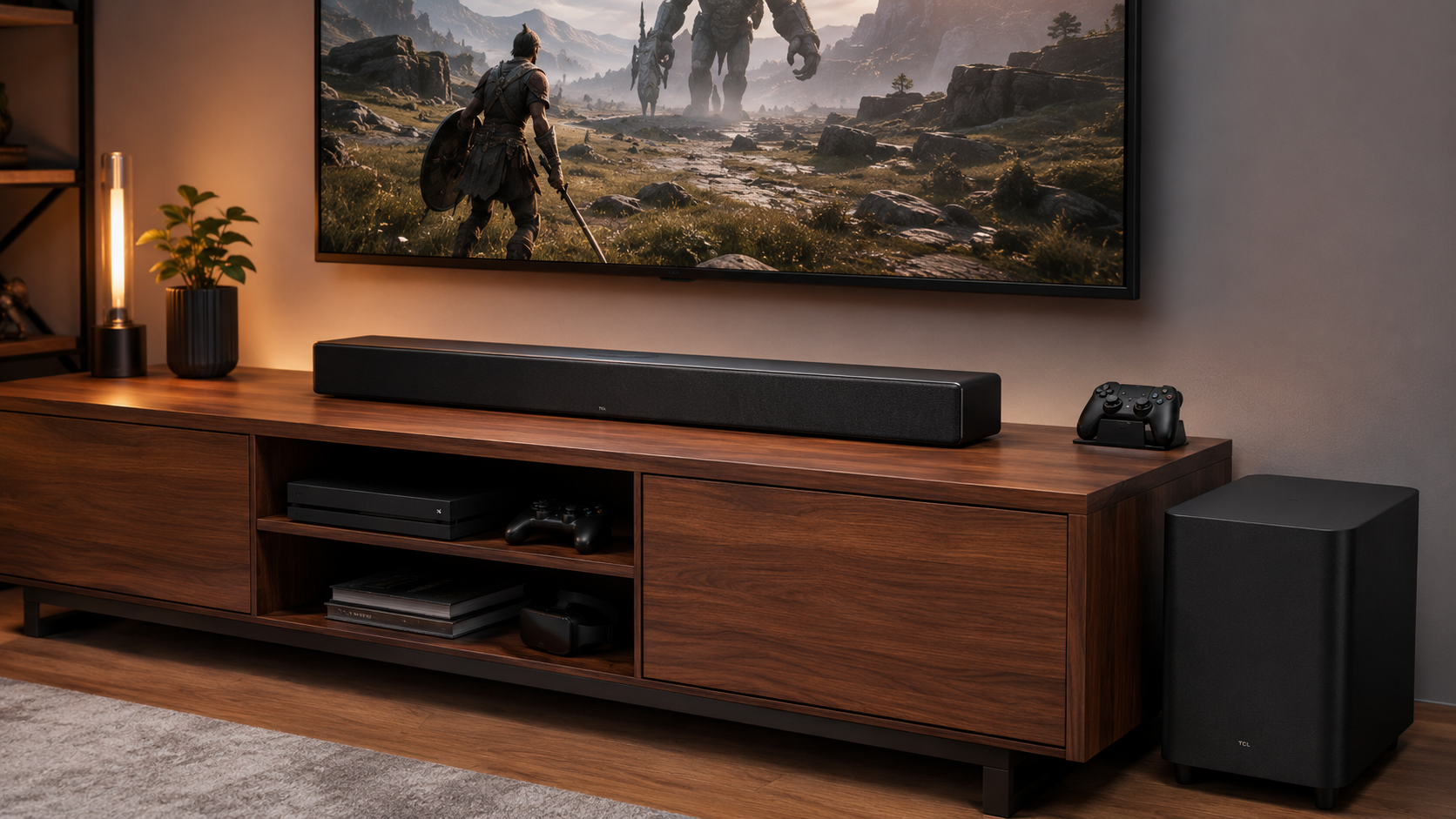
The pick when a console feeds a TV and the sofa is the listening position. HDMI eARC passes uncompressed audio and keeps sound locked to picture, and the wireless subwoofer does the low-end work a slim bar physically cannot.
- HDMI eARC keeps game audio in sync with what is on screen
- Wireless subwoofer is included rather than a paid add-on
- Sold and shipped by Amazon rather than a marketplace seller
- Two devices to place and power instead of one
- Plastic cabinet rather than a machined enclosure
- Subwoofer output is more than a desk setup needs
Built for near-field listening rather than adapted from a TV product, and at a desk that shows. It tucks under a monitor and runs on one USB-C cable, so nothing new ends up on the floor.
- One USB-C cable carries both power and audio
- Compact enough to sit under a monitor
- Holds a stable stereo image at close listening distance
- No subwoofer, so bass depth is limited by design
- Chroma RGB puts software in the chain
- Light cabinet shifts easily on a crowded desk
The one bar at this price with a review base large enough to trust in a category full of anonymous listings. It is compact, useful and limited, and it does not pretend otherwise.
- Far larger review base than anything else in its class
- Physical volume knob ages better than a touch strip
- Plug and play over USB and 3.5mm with no software
- Stereo only, with no subwoofer or virtual surround
- Light cabinet needs careful placement to sound its best
- A 2.1 desktop set beats it on separation if you have the room
- Pick the bar for the room first: a subwoofer that suits a sofa is wasted at arm-length on a desk
- HDMI eARC is the connection that matters for console gaming, because it carries uncompressed audio and holds lip sync
- Treat Bluetooth as a convenience mode, not a gaming connection, because the delay shows up in anything twitchy
- A soundbar replaces weak TV or monitor speakers; it does not replace a headset for competitive play
- If your desk has room for two speakers, a 2.1 set usually wins on separation and bass depth for the same money
Table of Contents
Why the Obvious Gaming Soundbar Pick Is Often Wrong
The default pick in this category is usually a giant Dolby Atmos bar with a matching subwoofer. That works well in a TV room where you sit far enough back to let the speakers spread out, but it wastes space and money on a desk. A lot of gamers get a better result from a compact bar, a headset, or a 2.1 speaker set, because those options fit the room and the seat instead of chasing living-room theater vibes.
Budget should be judged against the setup, not the sticker. A midrange bar with a real subwoofer can make sense for a couch setup and a console under a TV. At a desk, the same money often goes further in a cleaner 2.1 speaker set, or in a headset that handles positional cues more directly because the drivers sit right next to your ears. If you are balancing audio gear against other PC upgrades, a Budget Loadout DAC guide is a better place to start than buying a big bar just because it looks premium.
Match the bar to the room, not the hype
A console under a TV is the cleanest home for a soundbar. You get easier cable routing, a stronger center-channel feel, and enough distance for the sound to open up without crowding the screen. If the TV itself is due for an upgrade, our gaming TV guide matches a screen to each console.
A PC at a desk is a different problem. If your monitor sits close to you, a wide bar can turn into expensive overkill, because you are paying for room-filling output you never really use. In that case, judge the bar on near-field behavior, clear dialogue, and stable timing, not on marketing language about cinematic immersion.
A hybrid setup sits between those two worlds. If you move between console, PC, and streaming, a soundbar earns its place by keeping input switching simple and the desk uncluttered. If it cannot do that without extra hassle, choose something else.
Practical rule: if the room is small and the listening distance is short, buy for the seat you actually use, not the box you wish the setup looked like.
Gaming Soundbar Specs That Matter
The spec sheet only matters if you know which numbers affect play. For gaming, four things matter most, latency, connectivity, subwoofer behavior, and spatial audio support. Everything else is secondary unless you care more about the look of the setup than the sound from it.
Start with latency, then check the ports
Input delay is the spec that separates a usable gaming bar from a frustrating one. In direct gaming tests, one bar landed at 14 ms over HDMI 2.1, another at 22 ms over eARC, and a third reached 38 ms, with the slowest result late enough to matter in competitive play latency testing. Once you get past roughly 30 ms, the delay becomes easier to notice in FPS and rhythm games.
Connectivity follows the same logic. HDMI 2.1 with eARC is the cleanest path because it keeps modern console features intact and reduces lip-sync headaches. Optical is fine as a fallback. Bluetooth is convenience first, gaming second, because it adds compression and can wobble on timing.
For PC users, the difference depends on where the signal starts. If the GPU feeds the display and the soundbar rides the TV’s eARC path, you are relying on the display chain to behave. If the bar sits in the direct audio path, you get fewer variables, which is usually what you want for a desk rig. If you are sorting out port support or deciding whether your current gear needs an upgrade, the Budget Loadout DAC guide is a better companion read than guessing from the box art, and a quick check of HDMI 2.0 versus HDMI 2.1 helps you separate real bandwidth from marketing noise.
| Tier | Form Factor | Connectivity | Latency Target | Best For |
|---|---|---|---|---|
| TV-room console/PC | Full-size bar with subwoofer | HDMI eARC, HDMI passthrough, optical | Under 30 ms | Couch gaming, open-world titles, streaming |
| Desk setup | Compact near-field bar | HDMI, USB, optical, Bluetooth as fallback | Under 30 ms, lower is better | FPS play, hybrid PC desks, small rooms |
| Compact streaming setup | Small bar or 2.1 system | Simple wired input, easy switching | Low and stable over wireless convenience | Bedrooms, kids’ consoles, light content creation |
Don’t ignore the subwoofer and cabinet build
A gaming soundbar lives or dies on bass control. A loose, boomy sub can make explosions bigger while making footsteps less readable. A tight sub keeps the mix usable for games, which matters more than sheer loudness.
Build quality matters too. Cheap bars tend to fail at the power input, the subwoofer connection, or flimsy cabinet joints first. Look for a solid enclosure, well-fitted grille work, and a sub that feels physically stable rather than lightweight and hollow.
A good bar should feel like hardware, not decor.
Three Tiers, Three Real Setups
The cleanest way to shop is by room type, not by marketing category. A full-size living-room bar solves different problems than a compact desk bar, and a small streaming setup has different limits again. Once you separate those environments, the “best” pick gets a lot easier.
TV-room console and PC setups
This is the tier for people who game from a couch, keep a console under the TV, or use a TV as a big PC display. You want a real bar with a real subwoofer, strong HDMI behavior, and enough output to fill a larger room without sounding thin.
The upside is immersion. The downside is size, cost, and the fact that you’re buying more system than a desk gamer usually needs. That’s fine if the room is built for it. It’s wasteful if it isn’t.
Desk setups
Most soundbar advice breaks down here. A desk user cares about near-field clarity, footprint, and whether the bar can sit under the monitor without becoming a shelf tax. A compact bar can work, but it has to earn its space.
A 2.1 set often wins here because it gives you more natural stereo separation and better bass placement at short range. A soundbar only makes sense if you value the clean layout or need quick switching between devices.
Compact streaming and bedroom rigs
This tier is for smaller rooms, secondary consoles, and streamer desks where space management matters as much as sound. You’re looking for competent stereo, acceptable low latency, and a shape that doesn’t fight the rest of the setup.
The ceiling here is lower, and that’s okay. You’re not chasing reference audio. You’re trying to get a clear upgrade over built-in speakers without buying a giant system that dominates the room.
Latency, Connectivity, and the Competitive Edge
If you play FPS games, rhythm games, or anything where audio cues drive your reactions, latency is the first thing to check. A bar can have plenty of bass and still feel off if the sound arrives late. That timing gap is what makes one setup feel crisp and another feel detached, which is why I called out the delay differences earlier in the guide.
Use the connection that matches the game
For console gaming, HDMI eARC is the cleanest default because it keeps the audio path modern and simple. If your display and bar handle passthrough correctly, start there and don’t overcomplicate it.
For PC gaming, the right answer depends on the whole chain. A direct HDMI path from the GPU can stay tidy if the bar and display play nicely together, but the moment the handoff gets messy, you start losing timing and consistency. If your setup is fighting you, a headset is the safer choice.
If you are sorting out the display side of the chain too, the differences in HDMI 2.0 vs 2.1 matter more than a lot of buyers expect. Bandwidth, passthrough behavior, and feature support can change how cleanly the whole setup behaves.
Bluetooth belongs in the casual category. It works for menus, YouTube, and relaxed single-player sessions. It is not the connection I would choose for ranked play or anything where footstep timing matters.
Keep one honest fallback in mind
A soundbar does not automatically beat a headset at a desk. The speakers still sit farther from your ears than a pair of cups, so even a fast bar has more work to do before it feels immediate. That is why a good headset still makes more sense for people who play competitive shooters every day.
A short port checklist keeps the decision clean. HDMI eARC first. Optical if you want simple setup and stable behavior. Bluetooth only when convenience matters more than timing.
For people comparing TV gaming setup choices, the display side deserves the same attention as the audio side. A soundbar can only do so much if the rest of the chain adds delay or forces awkward routing.
Matching the Soundbar to the Game You Play
Genre matters, and so does where you sit. A soundbar that feels right under a living-room TV can be a poor fit at a desk, especially if you care about speed, placement, and how clean the mix stays under pressure.
FPS and competitive shooters
For Valorant, CS2, Apex Legends, and Call of Duty, prioritize speed and clarity. You want footstep placement that snaps into focus, clean directional cues, and a mix that keeps gunfire from crowding the center channel.
A midrange bar with low latency and a controlled subwoofer makes sense for a TV stand setup. At a desk, a headset usually wins because the drivers sit closer to your ears and give you faster, more precise cues. Wide Atmos effects sound impressive, but they do not matter as much as clean positional audio in a match where a single step can decide the round.
MMO and open-world RPGs
For Baldur’s Gate 3, Elden Ring, and Final Fantasy XVI, immersion matters more than pure reaction speed. These games benefit from a wider soundstage, layered ambiance, and a presentation that gives cities, caves, and battle scenes more weight.
Premium Atmos bars earn their place here, especially in a living room. They add height and spread to the mix without making the soundtrack harder to follow, which suits slower, more atmospheric games much better than twitch shooters.
Streaming and content creation
If you stream, the priorities shift again. You need clear voice pickup, easy switching between PC and console, and an audio chain that stays out of the way of your mic setup. A bar that handles chat audio well is only useful if it keeps game sound from bleeding into your microphone path and does not force awkward workarounds.
A lot of hybrid creators still end up with simpler audio chains for that reason. If you are building out the rest of the room too, the practical advice in TV gaming setup choices helps when you are deciding how much of your budget should go to the screen side versus audio.
Short version: buy for the game you actually play most often, not the one that looks best in an ad.
Picks by Tier with Honest Tradeoffs
Three bars, one for each of the situations above. None of them is a flagship Atmos system, and that is deliberate. Those exist, they are genuinely impressive, and they are the wrong recommendation for almost everyone reading a budget gaming site.
| Soundbar | Channels | Connection | Subwoofer | Best for |
|---|---|---|---|---|
| TCL S55H | 2.1 | HDMI eARC, Bluetooth | Wireless, included | Console under a TV |
| Razer Leviathan V2 X | 2.0 plus passive radiators | USB-C, Bluetooth 5.0 | None | Desk and monitor setups |
| Redragon GS560 | 2.0 stereo | USB power, 3.5mm | None | Tightest budgets |
TCL S55H: best for a console under a TV
The TCL S55H is the pick when a console feeds a TV and the sofa is the listening position. It runs 2.1 channels with a wireless subwoofer in the box, supports Dolby Atmos and DTS Virtual:X, and connects over HDMI eARC, which is the part that matters for gaming. eARC passes uncompressed audio and keeps lip sync honest, so you are not fighting a delay every time an explosion lands a beat late.
A console under a TV is the cleanest home for a soundbar, and this is the tier where the shape genuinely earns its place. You get one box, one cable to the TV, and a subwoofer you can shove into a corner. That is a real upgrade over TV speakers without turning the room into a install project.
Build and durability: a separate wireless sub means two devices to place and power rather than one, and the bar itself is a plastic-shelled unit rather than a machined slab. Neither is a flaw at this tier; both are the tradeoff that keeps it affordable.
Value note: buy it if your gaming happens on a TV and you want bass without a receiver. Skip it if you sit at a desk, where a subwoofer at close range mostly just annoys whoever lives below you.
Razer Leviathan V2 X: best for a desk
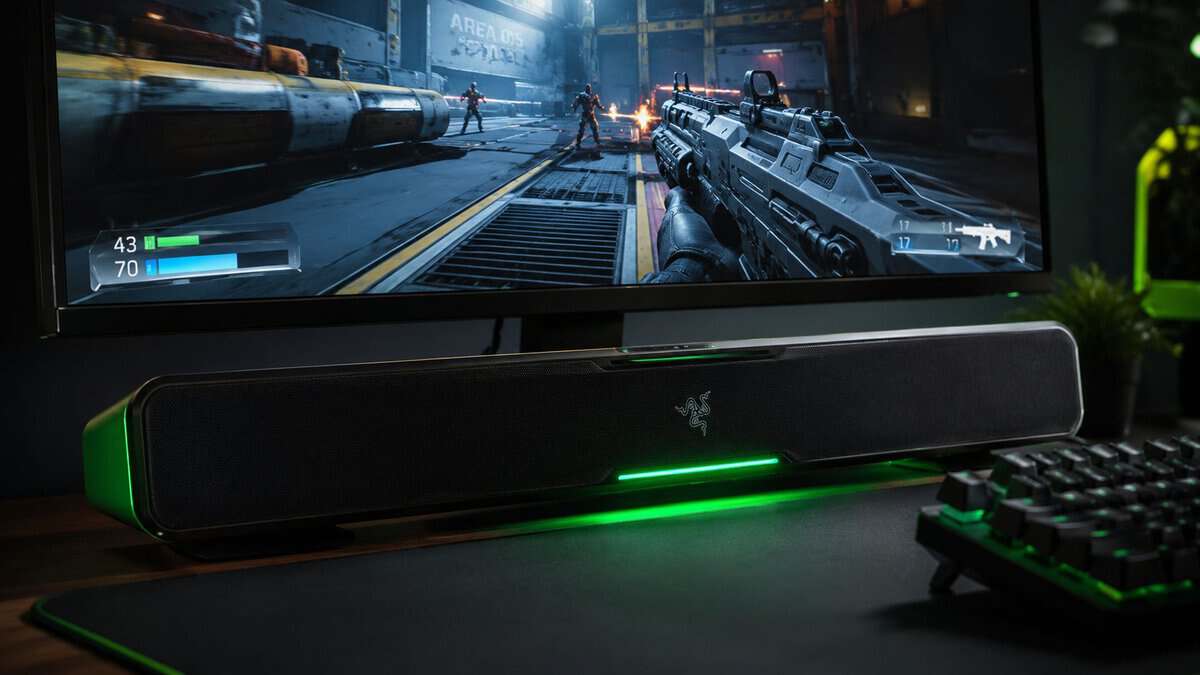
The Razer Leviathan V2 X is built for near-field listening rather than adapted from a TV product, and at a desk that distinction shows. Two full-range drivers and two passive radiators sit in a body compact enough to tuck under a monitor, and the whole thing runs on a single USB-C cable carrying power and audio together. Bluetooth 5.0 handles a phone or a Switch when you want it.
At a desk the sound only travels a couple of feet, so the sheer output that matters in a living room stops being the deciding factor. Positional clarity does. Sitting close to a bar this size gives you a stable stereo image without the reflection problems a big cabinet creates in a small space, and the single-cable setup means nothing new appears on the floor.
Build and durability: Chroma RGB across fourteen zones means software in the chain, and software is one more thing that can want attention later. The cabinet is light enough to shift if you knock it, which is worth knowing on a crowded desk.
Value note: buy it if the desk is where you play and you want a tidy, genuinely compact upgrade over monitor speakers. Skip it if you want deep bass, because there is no subwoofer here and no amount of EQ invents one.
Redragon GS560: best on the tightest budget
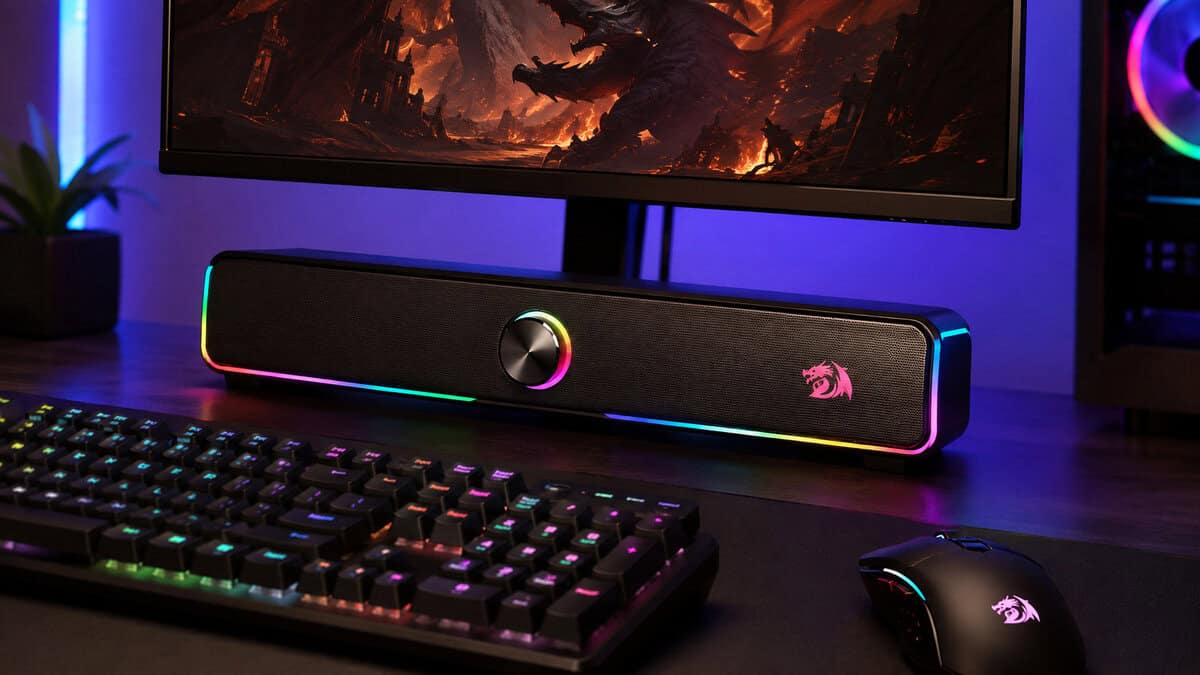
This tier deserves a hard filter, and the Redragon GS560 is the one that survives it. It is a 2.0 stereo bar about sixteen inches wide, powered over USB with a 3.5mm audio cable, with a volume knob on the unit and RGB lighting along the front. It has gathered a larger review base than anything else in this class, which counts for something in a category full of anonymous listings.
The best budget bars in this class are honest about what they are. They are compact, useful, and limited. Expect more plastic, weaker bass, and simpler wireless behaviour, because that is the cost of squeezing everything into a small shell. The GS560 does not pretend otherwise, and that is the reason it is here.
Build and durability: lighter cabinets and smaller power sections are common at this price, so longevity comes down more to careful placement than to rough handling. The physical volume knob is a small thing that ages better than a touch strip.
Value note: this is a good buy when you need a space-saving step up from monitor speakers. It is a poor fit if you want flagship performance from a small box, and a 2.1 desktop set will usually beat it on separation and bass depth if you have the room for two speakers instead of one bar.
Setup, Placement, and Quick Calibration
Most gaming soundbars sound merely fine until you put them in the right spot. Bad placement hides detail, muddies dialogue, and makes bass feel loose. A few minutes of setup does more than obsessing over specs.
Put the bar where the sound can breathe
For a TV-room setup, center the bar directly under the screen and keep it clear of sensors, bezels, or anything that blocks the front face. Place the subwoofer on the same wall, usually near a corner, but not jammed so hard into it that the bass turns thick and unfocused.
For a desk, pull the bar forward and angle it slightly upward toward ear level. If it sits too far back, the monitor stand traps the sound underneath the display, and the whole presentation loses definition fast. That is one reason a desk setup often works better with a compact bar, or with a different category entirely, as covered in gaming audio for custom builds.
Use the modes that actually help
Turn on Game Mode or any low-latency preset first. That is the setting that matters most if timing matters to you. If the bar adds heavy compression, turn that off for normal play so quiet cues do not get flattened.
Set the subwoofer crossover in a middle range, then listen for the point where bass helps rather than covers footsteps. Keep output levels matched if you switch between the bar and your display’s own speakers often, because consistent volume behavior makes day-to-day use easier. If you want a cleaner source chain for chat and capture, a guide to budget audio interface choices helps you keep the mic side tidy without overspending.
Latency also belongs here, but keep the full breakdown in the earlier connectivity section and use that as your reference point. Once you know which input path is the lowest-delay option, setup becomes straightforward, because you are no longer guessing between wireless convenience and wired timing.
Setup rule: if the first five minutes sound muddy, move the bar before you blame the product.
Buying Checklist and When to Skip the Soundbar
Before you spend money, check the basics that decide whether a soundbar works in your room.
- Low-latency connection: HDMI 2.1/eARC first, optical only as a backup.
- Subwoofer fit: match the bass to your room size, not to the marketing copy.
- Cabinet and grille quality: weak construction usually shows up fast.
- Game Mode or low-latency preset: if the bar skips this, keep shopping.
- Return policy: test it in your own room, because seating distance and layout change the result.
A soundbar is the wrong buy for a desk FPS setup. A headset gives you tighter positional cues and less room interference, which is why gaming audio for custom builds is often the better answer for competitive play at a monitor. A 2.1 set can also beat a bar in a small apartment, especially if you care more about stereo imaging and bass than a slim all-in-one package.
The sensible choice is plain. Match the tier to the room, match the feature set to the games you play, and skip Atmos if your setup cannot use it well. If a bar sounds muddy in the first few minutes, move it before you blame the product.
Gaming Soundbar Questions, Answered
The same few questions come up whenever someone weighs a bar against the alternatives. Here are the straight answers.
Is a gaming soundbar better than a headset?
For competitive play, no. A headset puts the drivers at your ears, which gives tighter positional cues and removes the room from the equation entirely.
A soundbar wins on comfort and on shared play. Nothing on your head, nothing to charge, and everyone in the room hears the game. Most people end up owning both and reaching for the headset when it is ranked.
Do I need HDMI eARC for a gaming soundbar?
If your bar sits under a TV with a console attached, it is the connection worth having. eARC carries uncompressed audio and keeps sound locked to picture, which optical cannot always manage with modern formats.
At a desk it matters far less. A USB or 3.5mm connection to a PC is direct and short, and there is no TV in the chain to introduce a delay.
Does soundbar latency actually matter in games?
It matters when the connection introduces it. A wired connection to a PC or a console over eARC is effectively immediate, and you will never notice it.
Bluetooth is the one to watch. It is genuinely useful for music or casual play, but the delay is enough to feel in anything twitchy. Treat it as a convenience mode rather than the way you game.
Can a soundbar give real surround sound for gaming?
Not in the way a speaker set with rear channels can. Virtual surround uses processing and reflections to widen the image, and how well it works depends heavily on your room.
What a good bar does reliably is give you a wide, clean stereo image with more weight than TV or monitor speakers. That is a real upgrade, and it is worth more day to day than a surround badge on the box.
Should I buy a soundbar or 2.1 speakers for a desk?
If you have room for two speakers, a 2.1 set usually gives you better stereo separation and deeper bass for the same money, because it is not squeezing everything into one shell.
The bar wins when desk space is the real constraint. One box, one cable, and a clear run of desk in front of your monitor is worth the tradeoff for a lot of setups.
If you want a wider buying checklist for audio gear, use Budget Loadout and stay focused on what you can hear in real use.
Related Articles