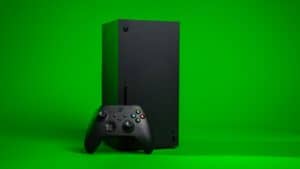
Adding storage to an Xbox Series X is not one decision, it is two. Which drive you buy matters far less than knowing what the console will actually let that drive do, because a Series X|S optimized game will not launch from a USB drive at all, however fast it is. Get that straight and picking the best external SSD for Xbox Series X becomes simple. Get it wrong and you can pay for speed you are never allowed to use.
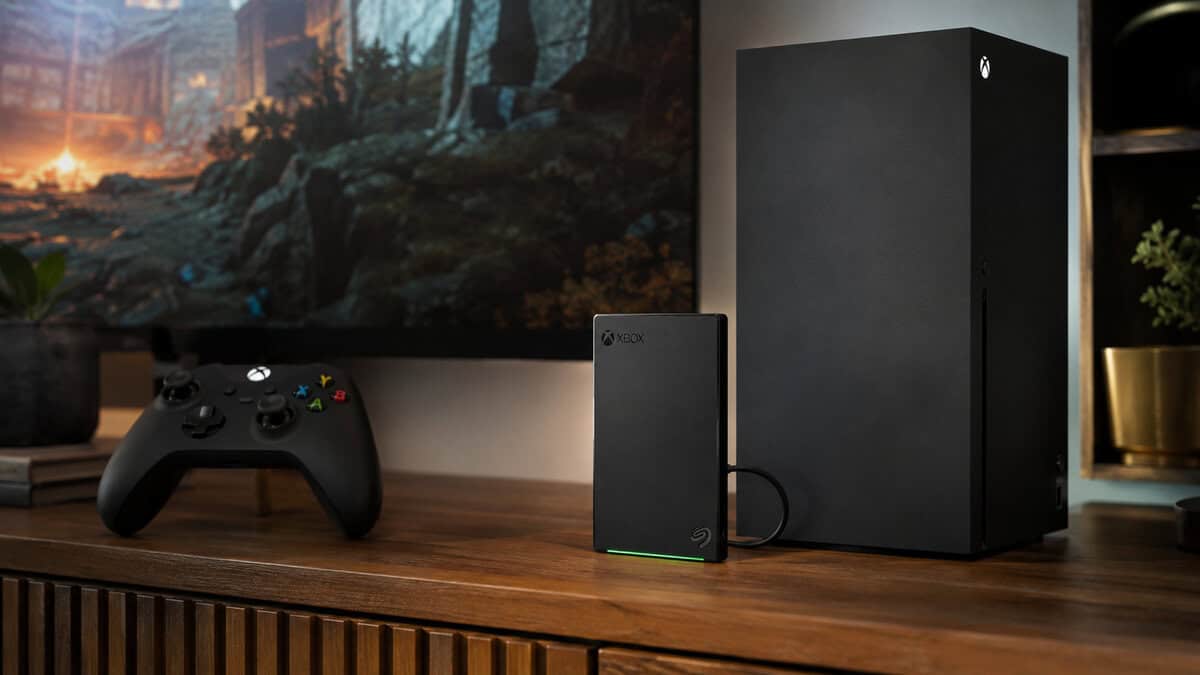
That’s why I’d stop chasing “fastest” and start chasing best value at the Xbox limit. A good external SSD can still be the right move for FPS libraries, MMO installs, and streaming captures, but only if you understand what the console lets it do. If you want the clean version, I’ll keep it blunt: buy for the Xbox, not for the spec sheet.
| Drive tier | Best for | What you’re really buying |
|---|---|---|
| Budget value SSD | Storing older games and clearing internal space | Solid speed without wasting money on unused headroom |
| Mid-range SSD | The sweet spot for most players | The best balance of speed, build quality, and price |
| Rugged premium SSD | Travel, knocks, and frequent unplugging | Better durability and stronger housing |
| High-capacity option | MMO players and big libraries | More room, less uninstalling |
A hard drive rather than an SSD, and deliberately so. Twice the capacity of the SSDs here for less money, built for Xbox, and small enough to pocket. Since no USB device can run an optimized Series X|S game, capacity matters more than speed for most people.
- Twice the storage of the 1TB SSDs at a lower price
- Includes a month of Game Pass Ultimate
- Built for Xbox with a very large review base
- Moving large optimized games back to internal storage is slower
- Mechanical drive, so it is less robust if knocked about
- Louder under load than a solid-state drive
The SSD to buy if transfer speed genuinely matters to you. It has the largest review base of the portable SSDs worth considering and it is small enough to travel with.
- Much faster game transfers than a hard drive
- Large review base for a portable SSD
- Compact and light enough to carry daily
- Half the capacity of the WD_BLACK for more money
- Ships from a marketplace seller, not Amazon directly
- Flash pricing is elevated across the whole category
Undercuts the name brands while keeping the same basic capability. The sensible step down if you have decided on an SSD and the SanDisk premium is hard to justify at current prices.
- Cheapest route into portable SSD speed
- Aluminium shell helps with heat under sustained transfers
- Same practical Xbox capability as pricier drives
- Smaller brand with a smaller review base
- Also ships from a third-party seller
- Worth taking the bigger name if a sale narrows the gap
- A Series X|S optimized game cannot run from any USB drive, only from internal storage or the official expansion card
- USB drives still play Xbox One and backward-compatible titles directly, and store optimized games for fast transfer back
- Flash prices are elevated right now, so a larger hard drive often beats a smaller SSD on value
- Buy the SSD only if you shuffle big optimized games back and forth often enough for the transfer time to matter
- The official expansion card is the only way to play optimized games externally, and it is out of stock nearly everywhere
Table of Contents
Why Your Xbox Capping Speed Changes Everything
The first thing to understand is simple. Xbox Series X USB ports are the bottleneck, not the sticker on the SSD. Testing and independent comparisons show that even drives rated far above the console’s limit still land in roughly the same transfer range on Xbox, because the USB controller is the limiter. Paying for a 2,000MB/s portable SSD does not buy you faster Xbox transfers than a good ~900MB/s drive, and it does not make sense to overspend on speed the console cannot use. That is the whole point, and it changes how you should think about any drive upgrade.
The actual sweet spot is not the fastest sticker
Once you accept the ceiling, the market makes more sense. USB SSDs are the value play for storing and moving games, while a console-specific expansion option remains the only external route for running Series X|S optimized titles externally at native-like performance. That split is what matters here, because it decides whether you should spend for speed, capacity, or build quality.
A super-fast portable drive is not a hidden turbo button for load times on Xbox. It is extra headroom the console will not use. The better buy is the drive that sits near the console’s useful limit without charging you for performance that only looks good on a box. That is why many buyers land around 900MB/s to 1,050MB/s drives as the practical value range, since those models get you close to the ceiling without throwing money away on dead weight.
Practical rule: if the drive costs more because of speed the Xbox cannot use, skip it and put that money into capacity or a sturdier enclosure.
The smartest external SSD buyer is the person who wants the best real-world transfer speed the console can use without paying extra for specs that stay unused. If you want the straightforward version, buy for the Xbox’s limit, not for the biggest number on the label.
What an External SSD Does on Xbox Series X
An external SSD on Xbox Series X is a storage tool first, not a magic performance fix. It stores and runs backward-compatible Xbox One, Xbox 360, and original Xbox titles from USB, and it can also hold current-gen Series X|S optimized games so you can move them around fast. What it will not do is run those optimized next-gen titles directly from a USB SSD. For that job, the console’s proprietary expansion card is still the best choice.
Use it for the right part of your library
The clean way to use one is simple. Put the games you touch less often on the external SSD, and keep your internal drive reserved for the titles that need it. That means older games, indie releases, media apps, and anything you do not mind moving back later.
This setup makes sense if you jump between genres. Your FPS games stay ready on the internal storage, while your MMO backlog, older single-player campaigns, and capture files sit on the external drive. You get a bigger usable library without constantly uninstalling half your collection.
A USB SSD also makes cleanup less annoying. When your library gets messy, moving a few games off the console is faster than redownloading them, and that matters more than chasing a giant speed number the Xbox will never use. It is the same reason a lot of players prefer a practical, well-priced drive over paying extra for paper specs that do nothing on console. If you want a broader buyer’s reference for storage behavior on other consoles, this best SSD for PS5 guide shows the same basic logic at work.
If a portable drive ever acts up, the plain-language guide on external hard drive data recovery is useful context. I am not saying you should expect trouble, just that drives live under TVs, get unplugged, and sometimes need recovery thinking.
Keep your internal storage for the titles that need it, and use the external SSD as your overflow shelf.
That is the right mental model. Buy an external SSD because you want more usable space and quicker transfers, not because you expect it to replace the console’s internal path for every game.
Specs That Actually Matter When Buying
Ignore the marketing fluff and rank the specs the way Xbox cares about them. Sequential read speed matters, but only up to the console’s limit, so anything past that ceiling is wasted money. After that, capacity, durability, and thermal behavior matter more than the headline number on the packaging.
What to value first
Start with speed, but don’t overthink the top end. A drive in the ~900MB/s to 1,050MB/s range is already in the useful zone for Xbox, because the console won’t reward you for buying more raw bandwidth than it can process. Past that point, you’re mostly paying for a spec that looks good in a cart, not on your console.
Then look at the housing. A metal shell or a drive with a proper thermal pad is a smarter buy than a cheap plastic enclosure that runs hot during long transfer sessions. That matters when you’re moving a big library or backing up games after a cleanup weekend. A drive that holds its speed under sustained load is better than one that starts strong and then fades.
Build quality is not optional
Console storage gets knocked around. It sits under TVs, gets tugged when someone reaches for a controller, and sometimes rides in a bag. That’s where build quality indicators matter. Look for an IP rating if you care about protection, a drop rating if you move the drive often, and a warranty you’d trust before buying.
A drive with a decent enclosure and steady thermals beats a flashier model that looks premium but throttles once the transfers get long. That’s exactly why a drive that feels boring on paper can be the better purchase in real use.
Bottom line: a cheaper drive that holds its speed under heat is a better Xbox buy than a pricier one that slows down after ten minutes.
For a broader look at how people choose SSDs for gaming overall, this best SSD for gaming guide is a useful companion piece.
Best External SSDs for Xbox Series X Compared
The right external SSD for Xbox Series X is the one that respects the console’s USB ceiling instead of fighting it. That is the whole trick. Once a drive is fast enough to stay inside the console’s useful range, paying more for raw advertised speed stops making sense, because the Xbox will not turn a 2,000MB/s badge into a better experience than a solid 900MB/s-class drive.
Here’s the clean way to sort the options. A compact value drive is the safe buy for most players, a rugged portable drive makes sense if your gear gets moved around, and a larger hub-style drive fits a fixed setup with a big library. Spend for the shape that matches your life, not the biggest number on the box.
| Drive | Type | Capacity | Plays Xbox One titles? | Best for |
|---|---|---|---|---|
| WD_BLACK P10 Game Drive for Xbox | Hard drive | 2TB | Yes, directly | Most players, most of the time |
| SanDisk Portable SSD | SSD | 1TB | Yes, directly | Fast transfers of optimized games |
| SSK Portable SSD | SSD | 1TB | Yes, directly | The cheapest way into SSD speed |
A note on timing, because it matters right now. Flash prices have climbed steeply. A 1TB portable SSD that sat near a hundred dollars a year ago is comfortably past that today, and the official Storage Expansion Card, which is the only external device that can actually run optimized games, is out of stock almost everywhere. That combination changes the honest answer for a lot of people, so the picks below are ordered by what makes sense today rather than by raw speed.
WD_BLACK P10 Game Drive for Xbox: the one most people should buy
The WD_BLACK P10 Game Drive for Xbox is a hard drive, not an SSD, and that is the point. It is built for Xbox, includes a month of Game Pass Ultimate, and carries twice the capacity of the SSDs below for less money. Since no USB device can run an optimized Series X|S game anyway, the drive spends most of its life doing two jobs: playing Xbox One and backward-compatible titles directly, which it does perfectly well, and parking optimized games until you move them back.
You give up transfer speed. Shifting a large optimized game back to internal storage takes noticeably longer than it would from an SSD. If that shuffle is something you do weekly, pay for the SSD. If it is something you do when a new game lands, the extra terabyte is worth more than the minutes.
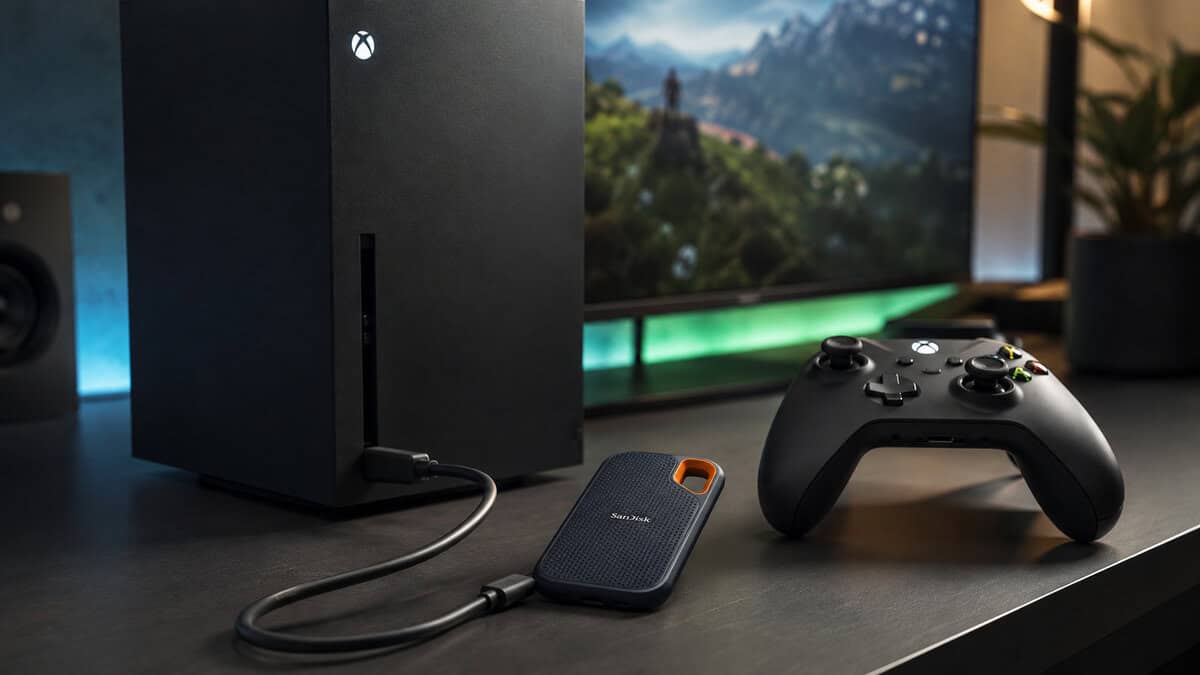
SanDisk Portable SSD: the SSD to get if you want one
The SanDisk 1TB Portable SSD is the pick if fast transfers genuinely matter to you. It has by far the largest review base of the SSDs worth considering, it is compact enough to travel, and USB speeds mean the console will not be the bottleneck for the jobs a USB drive is allowed to do.
The catch is the current market. You are paying meaningfully more for half the storage of the WD_BLACK, and it ships from a marketplace seller rather than Amazon directly. Neither is a reason to avoid it, but both are reasons to be sure you want the speed before you spend.
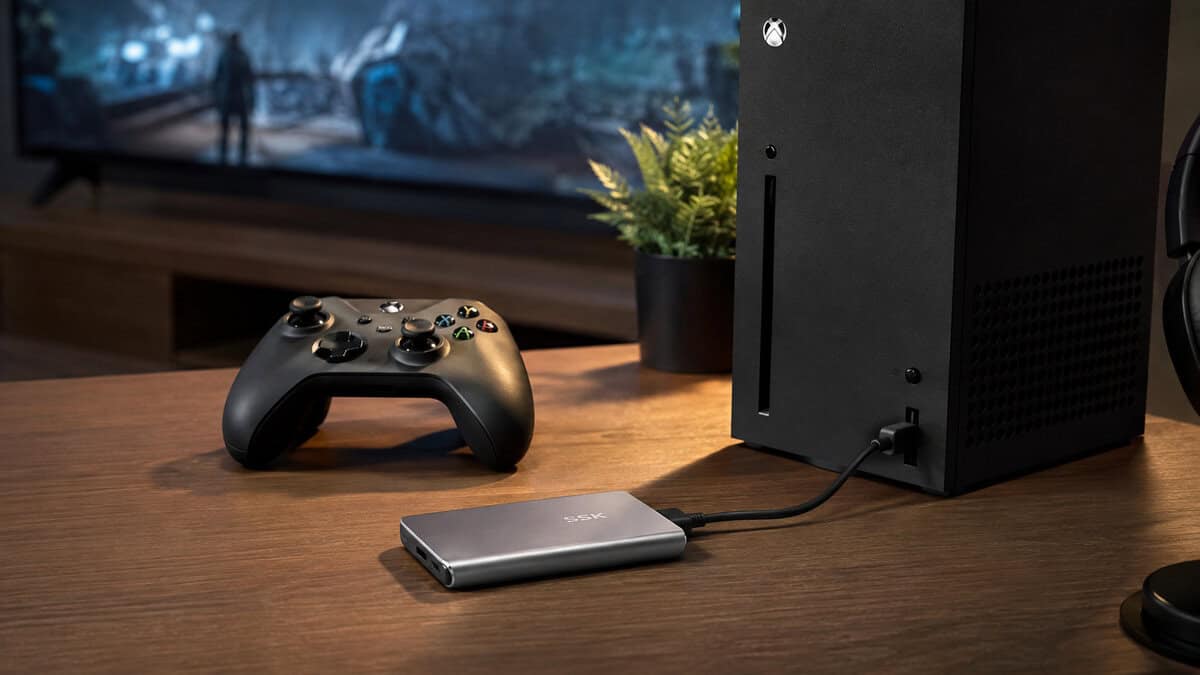
SSK Portable SSD: cheapest route to SSD speed
The SSK 1TB Portable SSD undercuts the name brands while keeping the same basic capability. If you have decided you want an SSD and the SanDisk premium is hard to justify at today’s prices, this is the sensible way down.
It is a smaller brand with a smaller review base, and like the SanDisk it comes from a third-party seller. Treat it as the value option rather than the safe default, and if the gap to the SanDisk narrows in a sale, take the bigger name.
The compact value pick is the one I’d steer most Xbox owners toward. It gives you the storage upgrade you need without charging you for speed the console cannot use. That matters because a lot of portable SSDs look wildly different on a spec sheet and end up feeling much closer in real use once they’re plugged into the Xbox.
The high-speed portable pick is the wrong buy for anyone who only wants an external Xbox drive. It is a good drive in the abstract, and that is exactly the problem. If the extra bandwidth only helps on another device, the Xbox setup is paying extra for nothing useful.
The console-friendly portable pick is the middle ground that makes sense for a lot of players. It fits the Xbox’s limits, stays easy to place near the console, and keeps your library storage simple. If you want a cleaner comparison point for how SSDs behave across different consoles, this PS5 SSD guide is useful, but the same rule still applies here, the console’s USB ceiling decides what you get.
The high-capacity hub pick is the one for players who keep a huge library parked in one place. It is not trying to be small or fancy. It is there to hold a lot of games, keep them ready, and avoid the hassle of swapping smaller drives just to make space.
The rugged portable pick is the expensive choice that earns its keep if your drive gets tossed in a backpack or handled often. The stronger shell matters more than another spec bump Xbox will never use. If you travel with your setup, that extra durability is money better spent than chasing a number the console will ignore.
The real split is simple. Buy for portable convenience, rugged durability, or large-library capacity, not for peak transfer numbers the Xbox cannot fully use.
Picking a Drive for Your Specific Games
Your library decides the right SSD. An FPS player shops differently from an MMO grinder, and a streamer who saves clips has different needs again. Buy for how you play, not for benchmark screenshots or the biggest number on the box.
FPS libraries need stability, not spec theater
If your main games are fast-paced competitive shooters, pick a drive that sits under the TV and stays out of the way during long sessions. A sensible mid-range portable SSD is the right call here because it gives you quick transfers and a compact footprint without wasting money on speed the Xbox will never use. You are storing and moving games, not chasing a lab result.
That setup works best when the games you jump into every night stay easy to reach, while the rest of the backlog lives on the external drive. The internal drive stays focused on the titles that need the fastest access. If plug-and-play convenience matters more than flashy numbers, this is the lane to stay in.
MMO and open-world players should buy capacity first
If your library is full of large online games and sprawling open-world installs, capacity matters more than a tiny speed gap you will never notice. These games keep growing with patches, expansions, and reinstall cycles, so the smarter move is a drive that gives you room to breathe. A larger-capacity option makes more sense than a compact drive that fills up too fast, and this SSD capacity guide helps if you are deciding how much space your library really needs.
This category saves the most frustration for players who keep a lot of installs parked in one place. You are not moving one game. You are managing updates, swaps, and a backlog that keeps changing. A drive that holds more and stays steady under repeated writes beats a flashy portable unit that runs out of room before the month is over.
Streamers need space for captures and recordings
If you record clips, save gameplay footage, or keep capture files around for editing, the drive has to do more than store games. It needs to be easy to reach, dependable, and roomy enough for media that piles up fast. A rugged portable option fits that job well because it is built for more handling and less babying.
A good external SSD becomes part storage, part workflow tool. You can keep games in one spot and captures in another, without stuffing your internal storage with files you will probably archive later. For a streamer, that keeps the setup tidy instead of turning into a mess you sort out later.
Format and Set Up Your Drive in Minutes
Set the drive up on the Xbox itself, not on your PC. Plug it into one of the console’s USB ports, then go to Settings, System, Storage and select the drive. Let the Xbox format it, then set it as the default install location if that’s how you want to manage new downloads.
The one mistake that wastes time is formatting the drive as NTFS on a PC first. Xbox wants its own format, so a PC-prepped drive can turn into a pointless detour. If the drive already has files on it, move anything important off it before you start, because the format process will wipe it.
Keep the drive cool while it’s working
During long transfer sessions, leave the drive plugged in and give it room to breathe. External SSDs can still throttle under sustained load, especially if they’re shoved against a warm console or trapped in a tight cabinet. A little ventilation goes a long way.
Format it once, properly, on the Xbox. Re-doing it later wastes more time than the setup ever saves.
After that, moving games is straightforward. You’re just shifting library weight from one storage pool to another, which is exactly what the drive is there for.
Final Picks and Smart Buying Tips
If you want the cleanest answer, start with the budget value pick if you just need a reliable 1TB-class drive to clear internal space and park older titles. Go with the mid-range sweet spot if you want the best mix of speed, price, and build quality without paying for dead headroom. Choose the rugged premium pick if you travel with your console, toss your gear in a bag, or just want a tougher shell.
The biggest buying tip is simple. Check the cable in the box, because a good drive paired with a weak cable is a bad setup. Then look at the total cost, not just the headline capacity, and give real weight to a longer warranty instead of assuming every drive is equal once it hits your cart.
If you’re shopping for a bigger step up, keep an eye on 2TB models during sales because the value often improves there. For Xbox, that’s usually where the math starts making more sense for people with big libraries and long-term use in mind. If you want the same no-hype logic applied to other parts of your setup, Budget Loadout’s accessory guides are built for that kind of decision.
Xbox Storage Questions, Answered
The same confusions come up every time, mostly because Microsoft made two very different things both look like external storage. Here are the straight answers.
Can I play Xbox Series X games from an external SSD?
Not the ones optimized for Series X|S. Those will only launch from the console internal storage or from the official Storage Expansion Card.
Everything else is fair game. Xbox One, Xbox 360 and original Xbox titles all run directly from a USB drive, and they load faster from it than they ever did from a disc.
So what is the point of an external drive at all?
Two things, and both are useful. It plays your entire backward-compatible library directly, which is most people large back catalogue.
It also stores optimized games without deleting them. Moving a game back to internal storage takes a couple of minutes, which is far quicker than redownloading eighty gigabytes.
Is an SSD actually worth it over a hard drive here?
Only if you move games back and forth often. The speed advantage shows up during transfers, not during play, because the games that benefit from fast storage are the ones a USB drive cannot run anyway.
With flash prices where they are, a larger hard drive is the better buy for most people. Choose the SSD if the shuffle is a weekly habit.
What size drive should I get?
Bigger than you think, because modern games are enormous and the whole point is to stop deleting things.
2TB is a comfortable floor if you keep a large library. 1TB works if you play a handful of titles and mainly want somewhere to park the rest.
Do I need to format the drive first?
The Xbox handles it. Plug the drive in and the console prompts you to format it for game storage, which takes seconds.
Bear in mind that formatting wipes the drive, so move anything you care about off it first. A drive formatted for Xbox games will not read on a PC without being reformatted.
If you want more blunt, value-first Xbox buying advice, Budget Loadout breaks down gear the same way I do here, by what matters on your console and what’s just marketing noise. Check it before you spend on storage, accessories, or anything else that should earn its place in your setup.
Related Articles