Your wrist is sore after a long day, your aim feels off in fast shooters, and the cheap mouse on your desk doesn’t help either. That’s the usual moment people start looking for the best vertical mouse, hoping the shape will fix pain without wrecking productivity or game performance. The right pick can help, but only if you’re honest about grip fit, sensor quality, button layout, and how much adjustment time you’re willing to tolerate.
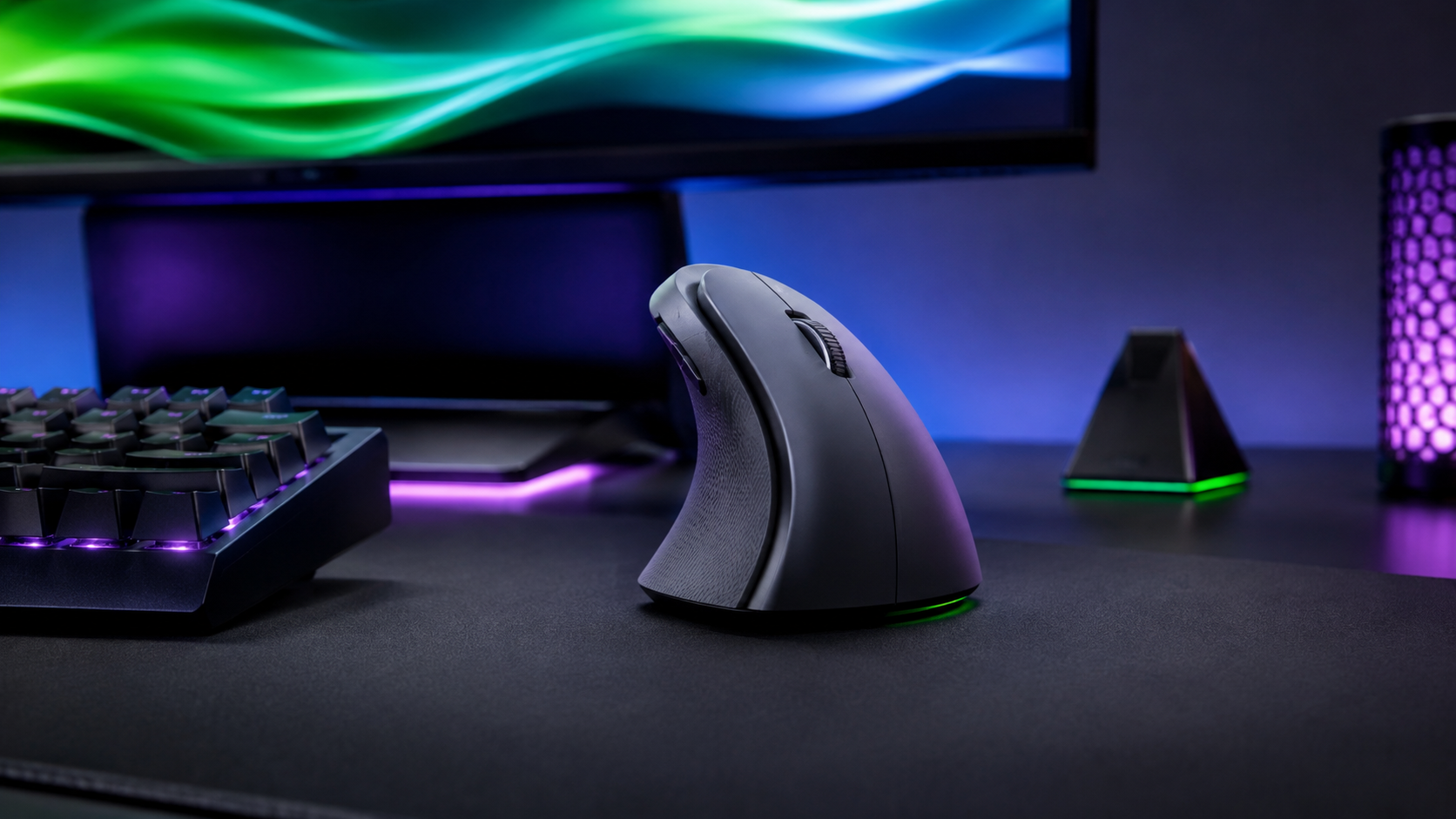
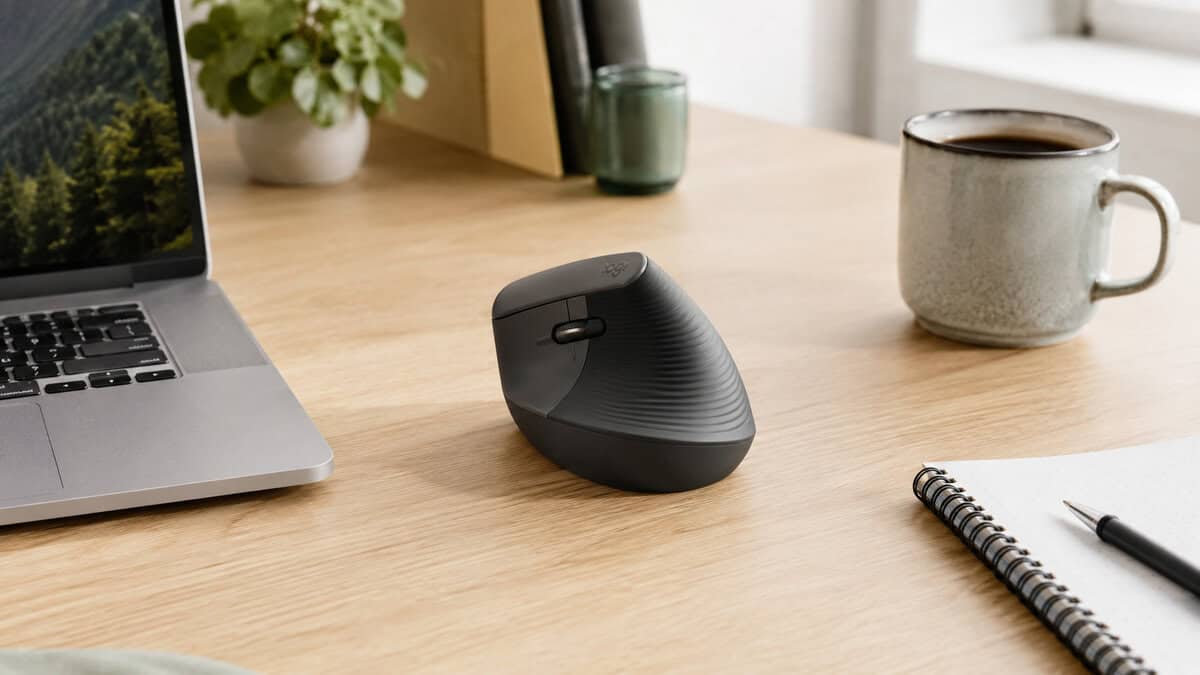
The Lift is the easiest way into a vertical grip without committing to a large shell. It uses the same 57-degree angle as Logitech flagship model in a body sized for small to medium hands, and the quiet switches keep it usable in a shared room.
- Same 57-degree angle as the MX Vertical in a smaller shell
- Quiet switches make it viable in shared or recorded spaces
- Pairs over Bluetooth or the bundled Logi Bolt receiver
- Sensor ceiling sits lower than the MX Vertical for high-DPI work
- Plastic finish feels less substantial than the flagship
- Still too tall for players who rely on fast low flicks
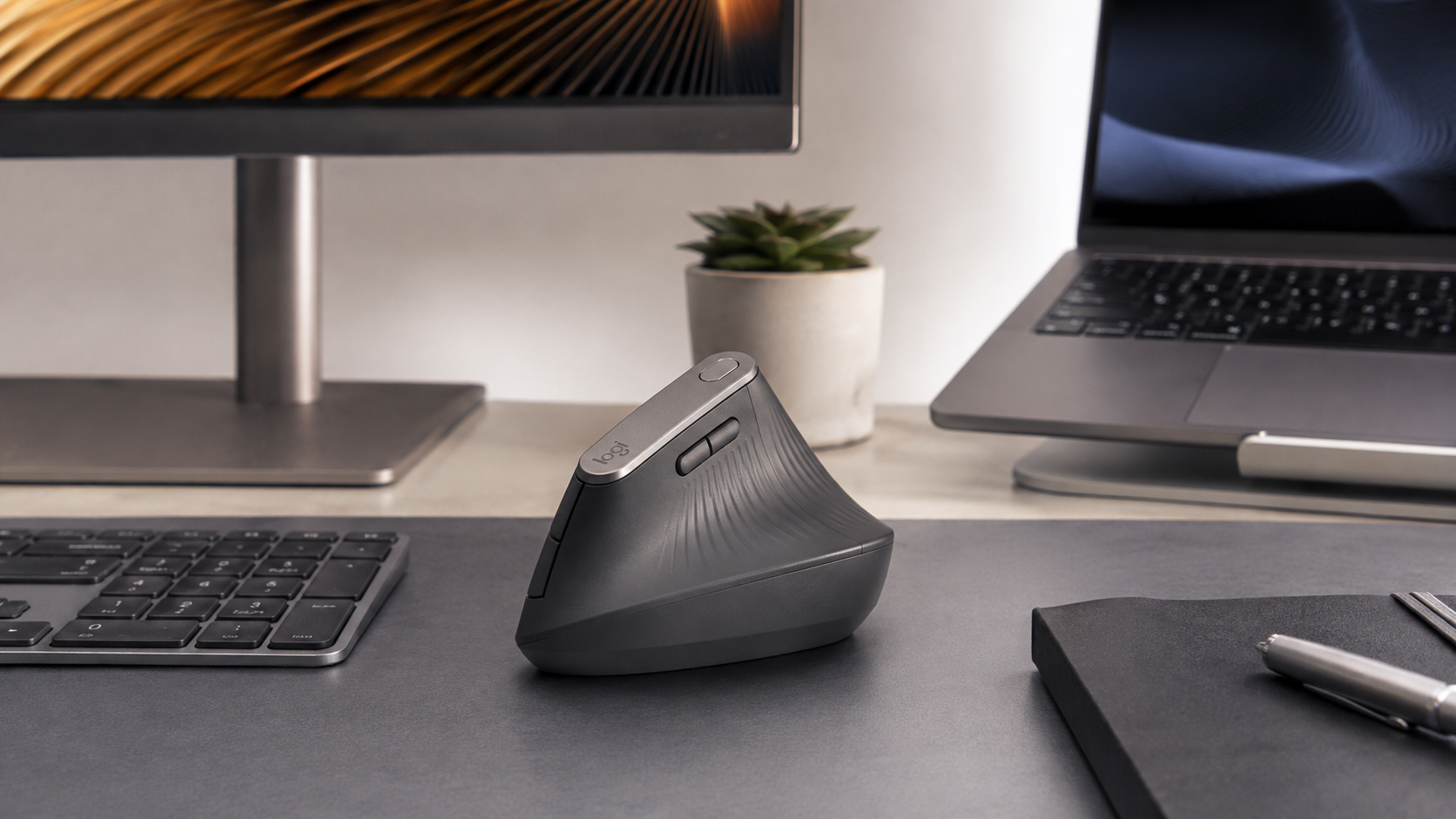
The MX Vertical is the safest all-round choice for desk work. Darkfield tracking copes with glossy surfaces that stall cheaper sensors, and multi-device pairing lets one mouse cover a laptop and a desktop without re-pairing each time.
- Darkfield sensor tracks on glass and gloss where cheaper sensors stall
- Switches between three paired machines without re-pairing
- Recharges over USB-C instead of taking disposable batteries
- Larger shell suits medium to large hands better than small ones
- Not built for the fast flicks competitive shooters ask for
- Costs more than the Lift for a similar change in posture
This is the only pick here with a genuine gaming sensor behind it. The Focus Pro 30K and high polling rate mean the shape is the limiting factor rather than the tracking, which is not something you can say about most ergonomic mice.
- Focus Pro 30K sensor takes tracking out of the equation
- 8,000 Hz polling is rare in a vertical shell
- Six programmable buttons cover macros and shortcuts
- Far more sensor headroom than office users will ever reach
- Newer release with a thinner review history than the Logitech pair
- Vertical geometry still limits fast low-sensitivity flicks
- A vertical mouse changes how your forearm rotates, not how well you aim, so expect a comfort gain and a short accuracy dip while you adapt
- Hand size decides this purchase more than specs: the Lift suits small to medium hands, the MX Vertical medium to large
- Independent ergonomics testing found vertical shapes improve wrist posture but rank worst on pointing speed, so keep a flat mouse for ranked play
- Look for Bluetooth plus a dedicated receiver if you move between a laptop and a desktop during the day
- Give any vertical mouse about a week of light desk work before judging it, and start with pointer speed set low
Table of Contents
Understanding vertical mouse benefits
A vertical mouse rotates the hand into a handshake-style grip instead of forcing the forearm into the same pronated position most flat mice encourage. That change matters because the wrist and forearm are not just feeling different, they are moving differently under load. Ergonomics testing has measured noticeably less forearm rotation and lower extensor muscle activity with a vertical shape than with a standard mouse. The same work found the catch: reaching a target takes longer on a vertical mouse, and that speed cost is what you trade for the better posture.
That slower target acquisition doesn’t mean the design fails. It means the benefit shows up best when your goal is to reduce strain over long sessions, not to make every flick shot easier on day one. For office work, streaming setups, and gaming sessions that mix menus, chat, and desktop control, that ergonomic change can be the difference between finishing the day comfortably and feeling cooked by mid-afternoon. If you’re also comparing symptoms and input-device options, a practical carpal tunnel guide from MEDISTIK is worth reading alongside any mouse choice.
Practical rule: if the pain is tied to long hours of clicking and dragging, a vertical shape can reduce stress. If the pain is coming from somewhere else, the mouse may not be the right fix.
A useful comparison point is a trackball. If you want to see how that category differs in actual desk use, the internal trackball mouse guide is the better companion piece, because some users do better with a different motion pattern entirely. A vertical mouse is a tool for changing load, not a universal cure.
How to choose the right vertical mouse
Start with the angle and the fit, not the marketing. A fixed 57° to 90° posture can feel natural for one person and awkward for another, which is why adjustable-angle designs matter. Expert ergonomic guidance says there’s no single best ergonomic mouse for everyone, and that the right choice depends on where the pain sits and how you grip the mouse, not just on whether the shell is vertical. That’s the part most buyers skip, then they blame the mouse when the actual problem is shape mismatch.
Fit, control, and the stuff that actually matters
Hand size changes everything. A mouse that feels stable for a larger palm can feel like a brick for a smaller hand, while a compact shape can make claw or fingertip users feel cramped. Grip style matters just as much, because palm users and fingertip users load the mouse differently during micro-movements and long editing sessions. The wrong fit creates thumb pinch, pinky drag, or a posture that’s supposed to be ergonomic but just feels forced.
For gaming and busy office work, sensor quality and buttons matter next. A strong sensor helps when you need clean tracking across spreadsheets, multi-monitor workspaces, or fast in-game camera movement. More programmable buttons help in MMO layouts, creative shortcuts, and stream control, but only if the buttons sit where your thumb can reach them without twisting your grip. Build quality also deserves attention, because a vertical mouse that flexes, rattles, or develops sticky buttons quickly stops feeling like a value buy.
Simple filter: if the mouse fits your hand but the buttons feel awkward, skip it. Ergonomics without usable controls gets old fast.
Connectivity is the last big decision. Wired is still the safest pick if you care most about zero battery hassle, while Bluetooth and 2.4GHz-style wireless setups make more sense for desks that move between machines or need a cleaner layout. If you’re also weighing cable freedom against consistency, the internal wired vs wireless gaming mouse guide is useful context. A good vertical mouse should match your daily reality, not just your wishlist.
Gaming and office vertical mouse performance
Vertical mice split buyers into two camps fast. Office users want comfort, repeatable pointer movement, and fewer end-of-day aches. Gamers want low-latency tracking, reliable button placement, and enough precision to survive fast flicks, drag shots, and macro-heavy sessions. Those needs overlap, but they don’t line up perfectly. Independent ergonomics research comparing flat, angled and vertical mice found the fully vertical shape improved wrist posture while turning in the weakest pointing performance of the group, which is the exact trade-off competitive players notice first.
Where vertical mice work, and where they don’t
For FPS gaming, the main question is whether the mouse can keep tracking cleanly while your hand is resting in a rotated posture. A vertical mouse can work for slower aim correction and general play, but the shape can make rapid micro-adjustments feel less natural than a standard shell. For MMO gaming, extra programmable buttons matter more than raw flick speed, so a vertical design can make sense if the layout is sensible and the build doesn’t flex under repeated presses. For streaming, the better test is whether you can bounce between chat, hotkeys, and desktop tasks without feeling like the device is fighting your grip.
Recent roundups keep pointing out the same problem: vertical mice vary a lot in sensor precision and button placement, and that makes some of them a poor fit for fast-paced gaming despite the ergonomic upside, as discussed in recent roundups. That’s why the “best” choice changes depending on whether you’re playing a shooter, running macros in an MMO, or editing documents all day. The office winner isn’t automatically the gaming winner.
A mouse can be comfortable and still be the wrong tool for a game that demands quick, repeated corrections.
For all-day productivity, the advantage is easier to see. Spreadsheet work, drag-and-drop file sorting, and browser-heavy multitasking reward a relaxed grip more than a twitchy one. For competitive players, though, the trade-off is real, and the shell shape can cost speed until your muscle memory adapts. That doesn’t make vertical mice bad for gaming, it just means you need to buy for the games you play.
Top vertical mice for every budget tier
There isn’t one vertical mouse that wins for everyone, and that’s the point. The sensible buy depends on whether you want a safer ergonomic office tool, a flexible midrange pick, or a vertical mouse that still behaves like a serious gaming peripheral. Build quality matters at every tier, because a cheap shell with poor switches or sloppy scroll feel won’t stay pleasant for long.
Value picks that make sense in real use
The Logitech MX Vertical is the easiest office recommendation because it blends comfort, sturdiness, and practical wireless features. It’s repeatedly spec’d with a 57° angle, a Darkfield sensor with up to 4,000 DPI, Bluetooth plus Logi Bolt connectivity, and multi-device pairing. That combination makes sense for people who switch between laptop and desktop, handle email, and want a mouse that feels built to last. It’s not the pick for fast shooters, but it’s a strong everyday work mouse.
The Razer Pro Click V2 Vertical is the performance outlier. It brings a Focus Pro 30K optical sensor, 30,000 DPI, 8,000 Hz polling, and 6 programmable buttons, which is serious hardware for a vertical form factor performance summary. If you want one of the few vertical mice that can credibly support gaming sessions without feeling stripped down, this is the one to look at. The trade-off is that it’s more specialized than a typical office vertical mouse, so value depends on whether you’ll use that sensor headroom.
The Logitech Lift is the sensible starting point, and the one to reach for if the MX Vertical feels oversized in the hand. It keeps the same 57° angle in a smaller shell built for small to medium hands, with Bluetooth and Logi Bolt pairing and quiet switches. You give up the larger sensor ceiling and the premium finish of its bigger sibling, but for everyday desk work it delivers the same posture change for noticeably less.
| Model | Best For | Key Specs | Budget Tier | Pros | Cons |
|---|---|---|---|---|---|
| Logitech Lift | Smaller hands, everyday desk work | 57° angle, 4,000 DPI, Bluetooth + Logi Bolt, quiet clicks | Value | Easiest entry into vertical, fits small to medium hands, quiet | Lower sensor ceiling than its bigger sibling, plastic finish |
| Logitech MX Vertical | Office multitaskers | 57° angle, 4,000 DPI Darkfield sensor, Bluetooth + Logi Bolt, multi-device pairing | Midrange | Durable, comfortable for long sessions, practical wireless setup | Not ideal for fast gaming, size won’t fit everyone |
| Razer Pro Click V2 Vertical | Gaming and hybrid work | 30K DPI Focus Pro sensor, 8,000 Hz polling, 6 programmable buttons | Premium | Strong tracking, better fit for gaming-style pointer work, feature-rich | More expensive in category terms, overkill for simple office use |
A separate buying note helps here: the internal optical vs laser mouse guide is worth a look if you care about tracking behavior across desk surfaces. For a vertical mouse, sensor quality and shell shape should be judged together, not in isolation.
Adapting your workflow for a vertical mouse
Don’t throw your main mouse in a drawer on day one. Start with light browsing, email, and document work for a few days so your hand learns the new angle without the pressure of a long gaming session. Then move into longer use, and only after that test aim-heavy games or macro-heavy workflows. That slow ramp matters because the muscles and coordination patterns need time to settle. Logitech publishes its own setup guidance for ergonomic mice, and the grip and desk-height advice there applies to any brand.
Set pointer speed conservatively at first, then raise it only if the cursor feels sluggish across your normal screen setup. If your mouse software lets you change angle or button behavior, do it before the device becomes part of your routine, not after you’ve built a bad habit. Small desk changes help too. Keep the keyboard close enough that your shoulders don’t creep forward, and make sure the monitor height doesn’t force your neck down while your forearm is trying to stay neutral.
Practical move: give yourself short breaks before discomfort starts, not after it’s already flared up.
If your chair setup is part of the problem, fix that too. A solid desk setup guide from Aspen Falls Wellness pairs well with mouse changes because wrist comfort and upper-body position are linked. The internal gaming desk guide also helps if your desk height or edge shape is making the mouse feel worse than it should.
Maintenance and troubleshooting vertical mice
Vertical mice don’t need much upkeep, but they do need basic care. Dust around the sensor lens can throw off tracking, and grime near the main buttons or thumb keys can make clicks feel sticky. Wipe the shell regularly, keep the feet clean, and check the sensor area before assuming the mouse itself is failing.
Wireless models need battery attention, and that matters more than people admit. If cursor movement starts feeling inconsistent, rule out low power first, then check for interference and reconnection issues. Firmware and driver updates can also fix odd button behavior or pairing problems, especially if the mouse is switching between devices.
Fix problems in the order they usually show up
- Erratic cursor movement: Clean the sensor, move to a more stable surface, and reset pointer settings in the operating system before blaming the hardware.
- Connectivity dropouts: Re-pair the mouse, check the battery, and update the device software if wireless behavior gets choppy.
- Sticky or unresponsive buttons: Clean the button gaps carefully, then test whether the issue follows one specific button or the entire device.
If the mouse still misbehaves after basic cleanup and software checks, contact support while it’s under warranty. That’s especially important for premium units where a failing switch, loose scroll wheel, or unstable wireless connection should be fixed by the manufacturer, not ignored until the device becomes annoying to use. A vertical mouse should feel dependable, not delicate.
Final recommendations for best vertical mouse
The smartest pick depends on how you use your computer. For a casual office user, the Logitech MX Vertical is the safest buy because the 57° tilt, Darkfield sensor, and multi-device pairing make it a durable productivity tool that doesn’t ask for much setup. For a budget-conscious gamer who still wants real performance hardware, the Razer Pro Click V2 Vertical is the strongest vertical option in the supplied data because its 30K DPI sensor, 8,000 Hz polling, and six programmable buttons give it a much better shot at handling gaming and work in one shell performance summary. For a heavy multi-device professional, the MX Vertical still makes sense because wireless flexibility and durability matter more than chasing raw gaming specs.
If your pain changes with grip style or the angle feels too fixed, the best move is to consider an adjustable design rather than forcing a strict vertical posture. That’s the main mistake buyers make: they shop for a shape label instead of a usable fit. The mouse should match your hand, your desk, and your workload.
Frequently Asked Questions
Common questions that come up when people are choosing their first vertical mouse.
Does a vertical mouse actually help with wrist pain?
It changes the angle of your forearm rather than treating an injury. Holding the hand in a handshake position reduces the rotation a flat mouse forces on the forearm, and that is what most people feel as relief. If pain is persistent or sharp, a mouse is a supporting change, not a substitute for seeing a professional.
Can you actually game with a vertical mouse?
You can, but it is a compromise. Independent ergonomics testing found vertical shapes improve wrist posture while scoring the worst on pointing performance, and that gap shows up most in fast flicks and low-sensitivity aiming. Slower or more deliberate games handle the shape fine. If you play ranked shooters seriously, keep a flat mouse alongside it.
How long does it take to adjust to a vertical mouse?
Give it about a week of light desk work before you judge it. Start with browsing, email and documents so your hand learns the angle without pressure, then move into longer sessions and only after that into aim-heavy games. Set pointer speed conservatively at first and raise it once the cursor feels sluggish rather than twitchy.
Which size vertical mouse should I buy?
Hand size matters more than any spec on the box. The Logitech Lift is built for small to medium hands, while the MX Vertical suits medium to large. A shell that is too big forces you to stretch for the buttons, which undoes the posture benefit you bought the mouse for in the first place.
Do vertical mice work with laptops and Macs?
Most modern ones do. Look for Bluetooth plus a dedicated USB receiver if you move between machines during the day, since Bluetooth alone can be slower to reconnect after sleep. All three picks here pair over Bluetooth, and the two Logitech models also include a Logi Bolt receiver.
Pick the model that fits your real use case, not the one with the loudest claims. Then give yourself a few days of adjustment before judging it. If you want more no-nonsense gear guidance for work and play, visit Budget Loadout and keep building a setup that’s comfortable, durable, and worth the money.
Related Articles