A mousepad does not make you aim better. It stops your desk from making you aim worse. That matters more in Wardogs than in most shooters, because the best mousepad for Wardogs has to absorb a sensitivity most players have never run before: low enough to track a runner across a two-kilometer sightline, which means a hand that travels much farther for every turn than it did in the last game you played.
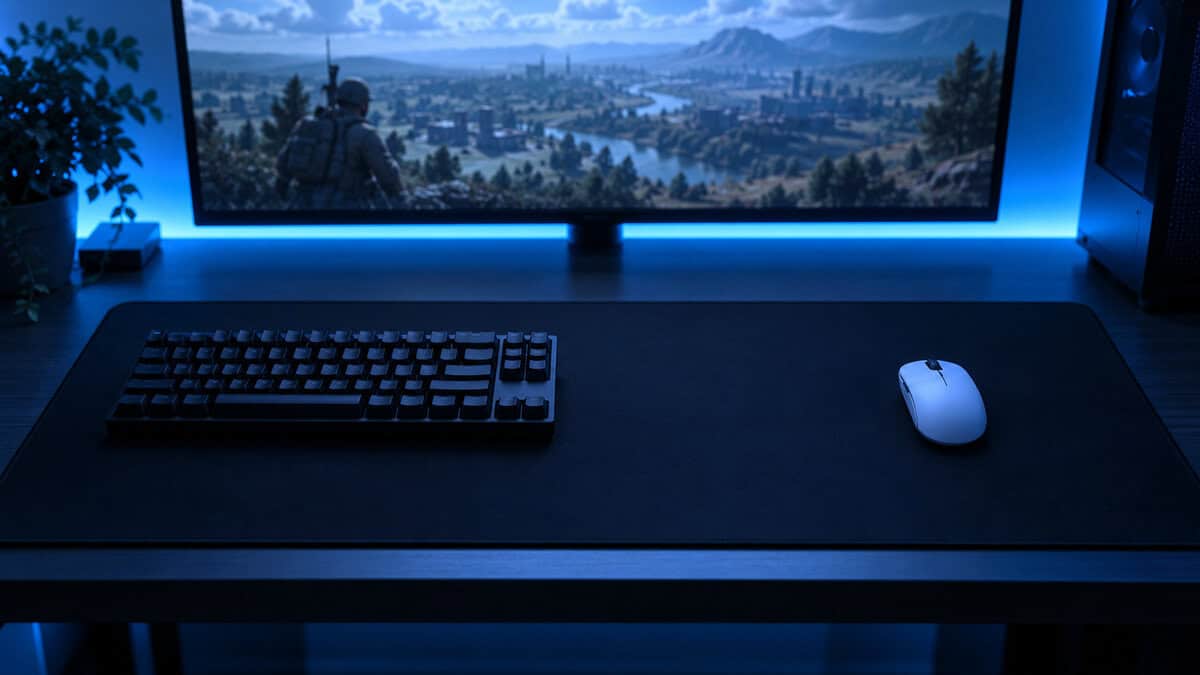
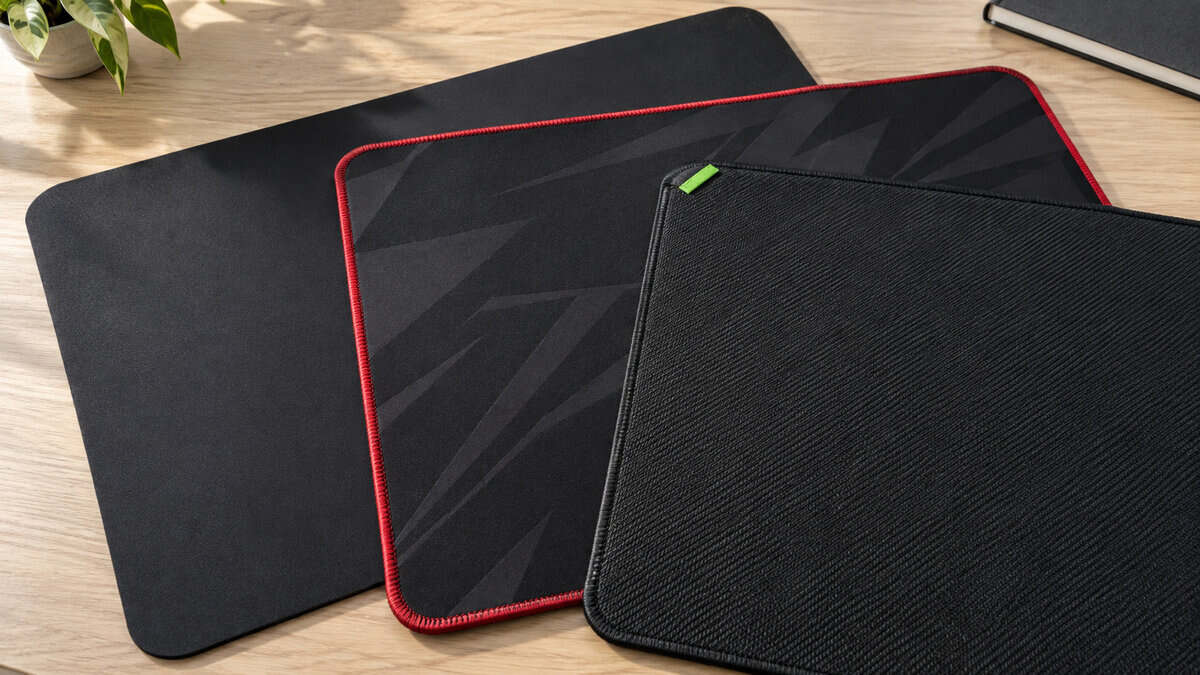
Three cloth pads give that hand somewhere to land. The rest of the guide covers how wide a pad your own sensitivity needs, which glide suits a game that is half long approaches and half zone brawl, and how to fit all of it behind a keyboard.
The pad most of the shooter world already plays on, in the size a low-sens Wardogs setup needs. The surface leans toward control, which is what slow long-range tracking wants, and the thin base sits almost flush with the desk under your wrist.
- Control-leaning surface suits slow tracking across long Wardogs sightlines
- Thin two-millimeter base sits nearly flush with the desk
- The largest review pool in the category by a wide margin
- Unstitched edge can fray after a year or two of heavy use
- Slower initial glide than the speed pads for players who live in the zone brawl
- Plain black cloth with no stitched edge or accent
The widest pad in this guide and the cheapest. The extra forty millimeters of depth is real room for a low-sens diagonal, the stitched edge outlasts the unstitched pads, and the surface sits in the balanced middle where most Wardogs players will want to be.
- Deeper than the other two picks, which matters for diagonal swipes and forward pushes
- Reinforced anti-fray stitching at a price the unstitched pads cannot match
- Balanced surface works for both slow tracking and fast turns
- Three-millimeter base shows a rough desk more than the Gigantus
- The raised stitched edge takes a session or two to stop noticing under the wrist
- Smaller review pool than the SteelSeries, though a very high rating within it
The pick for players who spend more of a Wardogs match in the three-team brawl than on the approach to it. The surface starts moving with less push than the QcK, the extra width covers a full low-sens turn with margin, and the thick foam base stays flat under fast direction changes.
- Faster initial glide for the flicks and turns of a close-range zone fight
- Widest of the three at 940mm, so a low-sens 180 lands with room to spare
- Four-millimeter high-density foam stays flat and cushions long sessions
- Speed-leaning surface asks for more control on slow long-range tracking
- Unstitched edge, like the QcK, can fuzz over time
- Razer branding is subtle but present
Picks and availability last verified: October 19, 2026
- Wardogs pushes sensitivity down for long-range tracking, and low sensitivity turns every 180 into real hand travel. Size the pad to that travel, not to the desk.
- An XXL cloth pad around 900mm wide is the right starting point. Anything narrower runs out under a low-sens turn once a keyboard takes its share.
- Control-leaning surfaces suit the long approach, speed-leaning surfaces suit the zone brawl, and a balanced pad is the honest answer if you do both.
- The keyboard decides how much of the pad you actually get. A tenkeyless or 60% board leaves the mouse zone a low-sens player needs.
- Stitched edges and a thick base are worth paying for on a daily pad, but a clean cloth surface matters more than either.
Table of Contents
What Wardogs Does to Your Mouse Hand
Most mousepad advice is written for games that happen inside a few hundred meters. Wardogs is not one of them. Bulkhead’s Steam page describes up to a hundred players across three teams, fighting over a single control zone on a map two kilometers to a side, with vehicles, artillery, and buildings going up and coming down while the fight is on. That geometry produces two kinds of aiming in the same match, and they pull your sensitivity in opposite directions.
On the approach, a small mouse movement is a large angle on the screen, so the natural response is to turn the sensitivity down until slow tracking becomes possible. In the zone, three teams are on top of each other and the fight wants fast turns. Most players settle the conflict by running a sensitivity low enough for the approach and turning with their whole arm in the brawl. Our mouse guide for Wardogs lands on the same conclusion from the sensor side.
Why the Best Mousepad for Wardogs Is an XXL
Low sensitivity has a physical cost, measured in centimeters of desk. A sensitivity that makes a two-kilometer sightline trackable can put a full 360-degree turn at forty or fifty centimeters of mouse travel, and a 180 at half that. A standard pad is not even half as wide as the turn. An extended pad around 900 millimeters wide is, with room left over for the keyboard, and that is why every pick here is one.
You do not run out of aim in Wardogs. You run out of mousepad.
The game also wants a surface that behaves the same on a slow track as on a fast turn, and cloth does that better than hard plastic or glass at this price. The differences between the three picks are how wide, how thick, and how fast the surface lets the mouse start moving.
The Three Picks by Glide
Three cloth pads at roughly the same size, sorted by how the surface feels under a slow track versus a fast turn. One leans toward control, one sits in the middle at the lowest price, and one leans toward speed.
SteelSeries QcK XXL: The Control Surface for Long Sightlines
The SteelSeries QcK XXL is the pad more shooter players have learned on than any other. The micro-woven cloth has a slightly higher starting friction than the speed pads, which means a slow track stays slow: the mouse does not run ahead of a small correction while you follow a vehicle across open ground. At 900 by 400 millimeters, it covers a low-sens 180 with margin, and the two-millimeter base sits nearly flush with the desk. If most of your matches are spent holding a sightline or picking off a driver at range, this is the surface that rewards patience.
The pad that does nothing surprising is the pad you stop noticing, and that is the whole point of one.
What you give up is the edge and the first millimeter of glide. The QcK has an unstitched edge that will start to fuzz after a year or two of daily use, and its control lean means the first push of a fast turn takes a little more effort than on the Gigantus.
ASUS ROG Sheath: The Widest Pad for the Least Money
The ASUS ROG Sheath should not be as good as it is at its price. It is 900 millimeters wide like the QcK but 440 millimeters deep, the most front-to-back room of any pick here, and that depth is where a low-sens diagonal swipe goes. It also has a reinforced anti-fray stitched edge, which the two pricier pads do not. The surface sits in the balanced middle, slower to start than the Gigantus and faster than the QcK, which is the honest place to be if you have not yet settled on whether you are an approach player or a brawler. Our desk mat guide picked it for the same reason.
The tradeoffs are physical. The base is three millimeters, thinner than the Gigantus, so a visible desk seam shows through more, and the stitched edge is raised rather than flush, which your wrist notices for a session or two before forgetting about it. The ROG Sheath II XXL is the successor with a flat edge, at more than twice the money for a change most players will not feel.
Razer Gigantus V2 XXL: Faster Glide for the Zone Brawl
The Razer Gigantus V2 XXL is the pick for the other half of the game. Its textured micro-weave has a lower starting friction than the QcK, so a turn begins the instant your arm does, and at 940 by 410 millimeters it is the widest pad in this guide. The four-millimeter high-density foam base stays flat under the hard direction changes a three-team brawl produces.
Speed pads reward the player who has already decided where the fight is going to be.
If you push the zone early and spend the approach in a vehicle rather than on a scope, this suits the way you play. The cost is that slow tracking asks more of you: a speed-leaning surface lets a tiny correction travel a little farther than intended, and on a long sightline that is the difference between a hit and a miss. Two pads nearly took this slot.
The Corsair MM Anti-Fray XXL is a newer 930-millimeter pad with stitched edges and a similar surface, undercutting the Gigantus on price with a shorter track record. The HyperX Pulsefire Mat XL is a 900-millimeter pad with flush anti-fray stitching, the one to look at if you already run a HyperX mouse and want the sensor and the cloth from the same lab.
Size the Pad to Your Sens, Not Your Desk
The wrong way to choose a pad size is to measure the desk. The right way is to measure your turn. Set your Wardogs sensitivity, put the mouse at one edge of whatever surface you have now, and swing a full 360. The distance your hand travels is the only number that matters, and it puts you in one of three groups.
Sweepers: A Full Turn Takes 40 cm or More
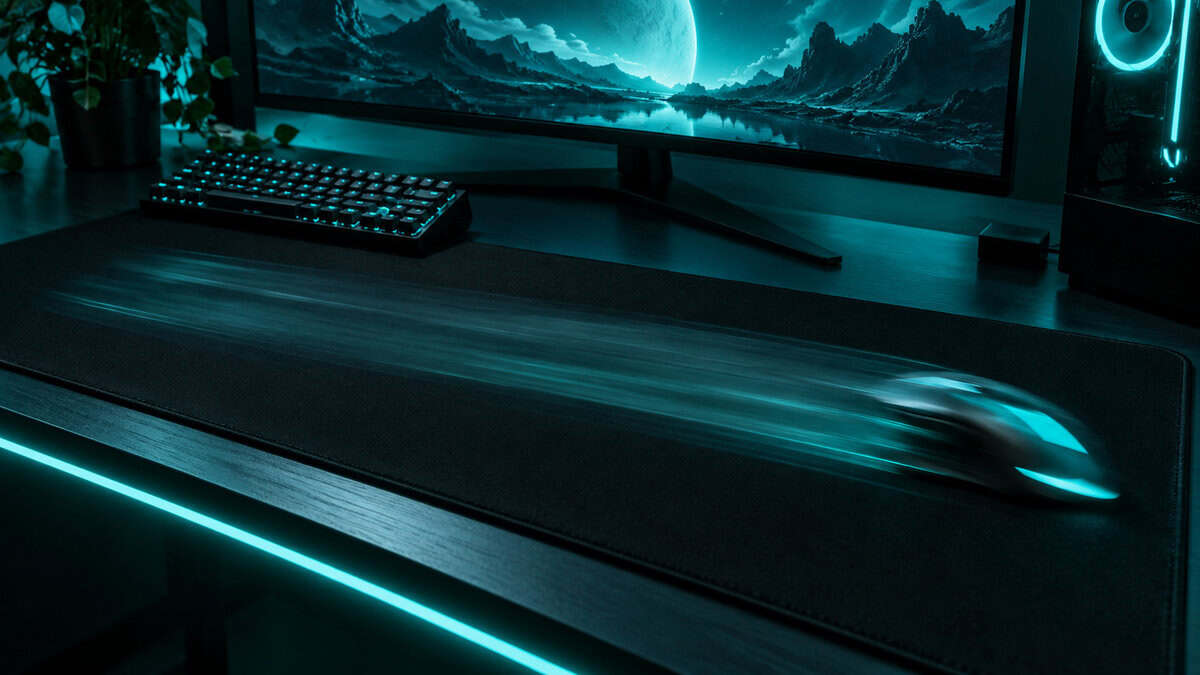
This is where the Wardogs approach pushes most players, and where the XXL pads earn their size. A 180 is twenty-plus centimeters of travel, and you never start a turn perfectly centered, so the pad has to hold a 180 plus the room you were already off-center by. On a 900-millimeter pad with a tenkeyless keyboard on the left third, the mouse gets roughly 550 millimeters, which covers even a slow-sens turn. Sweepers should also care about depth, because a low-sens push forward uses the front-to-back dimension, and that is why the Sheath is the value pick rather than a footnote.
Mid-Sens: The 25 to 40 cm Middle
Most players who come from a lane shooter land here, at least at first. A 180 is somewhere between twelve and twenty centimeters, and a large pad in the 450-millimeter class technically covers it. Technically is doing a lot of work in that sentence. The keyboard takes part of the pad, the mouse is never centered, and the approach will pull your sensitivity down as the long sightlines teach you what a small correction costs.
Every player who buys a large pad for a big-map shooter eventually buys an extended one. Skip the middle step.
Flickers: Under 25 cm
High-sensitivity players who turn with the wrist have the easiest sizing problem and the hardest Wardogs problem. Any of these pads is more room than a wrist aimer will use, so the reason to buy one is the desk under the pad: keyboard, mouse, and forearm all on the same material, which is quieter and more consistent than a small pad on bare laminate.
The harder problem is that a twitchy setting which wins a corner in a lane shooter makes a two-kilometer sightline nearly impossible to hold, and most flickers end up dropping their sensitivity for this game whether they planned to or not. The monitor guide for Wardogs covers the other half of the long-range problem, which is seeing the target at all. Hearing who is closing in while you line up that shot is a job for the headsets we picked for Wardogs.
Glide Speed on Long Sightlines
Cloth pads are sold as control, speed, or balanced, and the labels describe one thing: how much push it takes to get the mouse moving from a stop, and how quickly it stops once you let go. That maps neatly onto the two halves of a Wardogs match.
Control vs Speed vs Balanced
A control surface like the QcK has more starting friction, so tiny movements stay tiny. On a long sightline, where you are making one-millimeter corrections to hold a crosshair on a moving target, that friction is a feature. A speed surface like the Gigantus flips the tradeoff: the mouse starts with less push and coasts a little further, which is what a flick wants and a slow track does not. A balanced surface like the Sheath is the right default for a game that asks for both.
If you learned to aim on the control-leaning pads that dominate CS2, our CS2 mousepad guide explains why that surface became the standard there, and the instinct carries over to the Wardogs approach almost unchanged. The Logitech G840 XL is another control-leaning extended pad worth knowing about if you run a Logitech mouse, though its reviews trail the three picks.
Thickness and the Desk Underneath
Thickness gets sold as comfort, but its real job is hiding the desk. A three-millimeter pad on a desk with a seam, a warp, or a cable channel transmits every one of those to the sensor as a change in glide, and a low-sens player crossing the whole pad on a turn will cross every one of them. Four millimeters hides most of that. Stitched edges are the other build detail worth a decision: they stop the cloth fraying where your wrist rides the edge, which is how most cloth pads eventually die.
The raised type on the Sheath protects most and is the most noticeable under the wrist. The flush type on the HyperX and Corsair pads disappears under the hand. The unstitched QcK and Gigantus give up the protection for a surface that runs edge to edge, and both have lasted long enough on enough desks that the trade is a fair one.
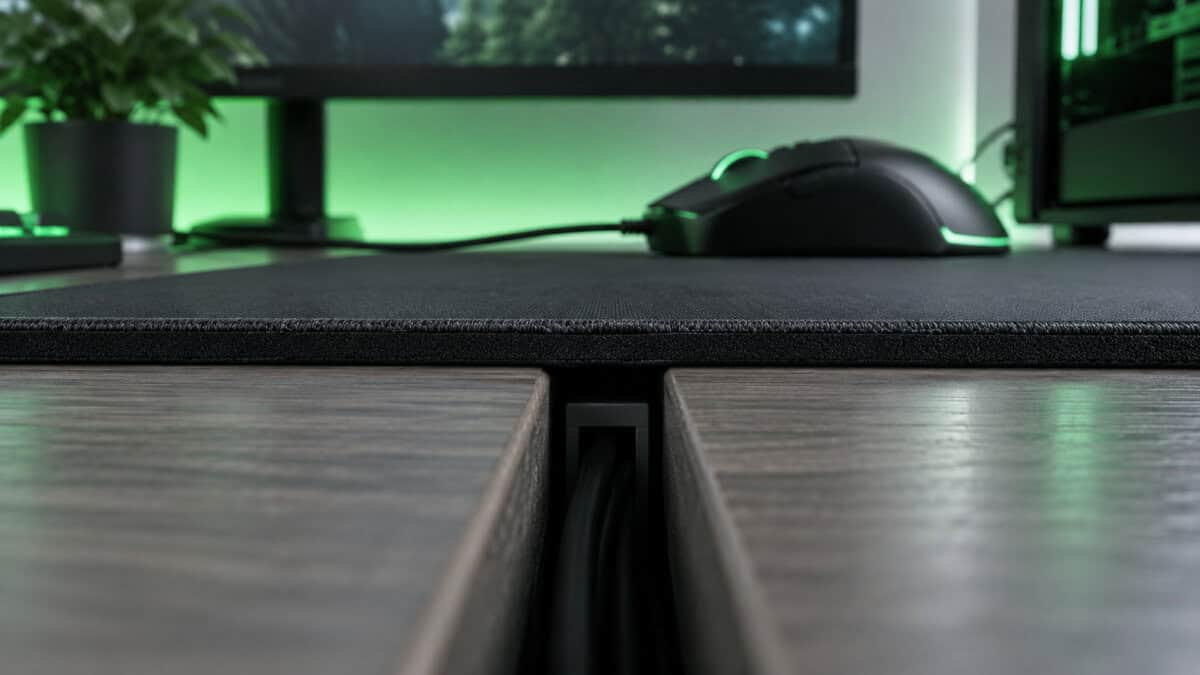
A thick pad is not for your wrist. It is for the desk you did not buy.
The Keyboard Eats the Pad
Every pad width in this guide is a lie until you subtract the keyboard. An extended pad sits under both, and the amount left for the mouse depends on which keyboard you put on the other end. This is the part of the sizing math most guides skip.
Full-Size vs TKL vs 60% on a 900 mm Pad
A full-size keyboard is roughly 440 millimeters wide. On a 900-millimeter pad that leaves the mouse about 460 millimeters, which is less than a sweeper’s turn once you account for starting off-center. A tenkeyless gives back around eighty millimeters. A 60% board gives back closer to 150, and a low-sens player suddenly has most of the pad to work with. That is the size argument for the compact boards in our keyboard guide for Wardogs, even if that guide rightly warns builders and drivers that a 60% costs them binds.
Two habits recover space without a new keyboard. Angle the board ten or fifteen degrees to the left so its right edge swings away from the mouse zone, and push the pad’s front edge to the front edge of the desk so your elbow clears the corner on a wide turn. Between those two, a full-size keyboard on a 900-millimeter pad becomes workable for a mid-sens player. It does not become workable for a sweeper. If the desk genuinely cannot host the turn, nudge the sensitivity up a notch rather than fighting the furniture. A turn you can complete beats a theoretically better one you keep running out of pad for.
The Three Pads Side by Side
The whole decision on one line each. If it leaves you between two of them, the glide column is the tiebreaker.
| Pick | Size | Thickness | Glide | Edge | Best for |
|---|---|---|---|---|---|
| SteelSeries QcK XXL | 900 x 400mm | 2mm | Control | Unstitched | Approach players holding long sightlines |
| ASUS ROG Sheath | 900 x 440mm | 3mm | Balanced | Raised stitched | Anyone undecided or on a tight budget |
| Razer Gigantus V2 XXL | 940 x 410mm | 4mm | Speed | Unstitched | Zone pushers who fight more than they approach |
Keeping a Cloth Pad Fast
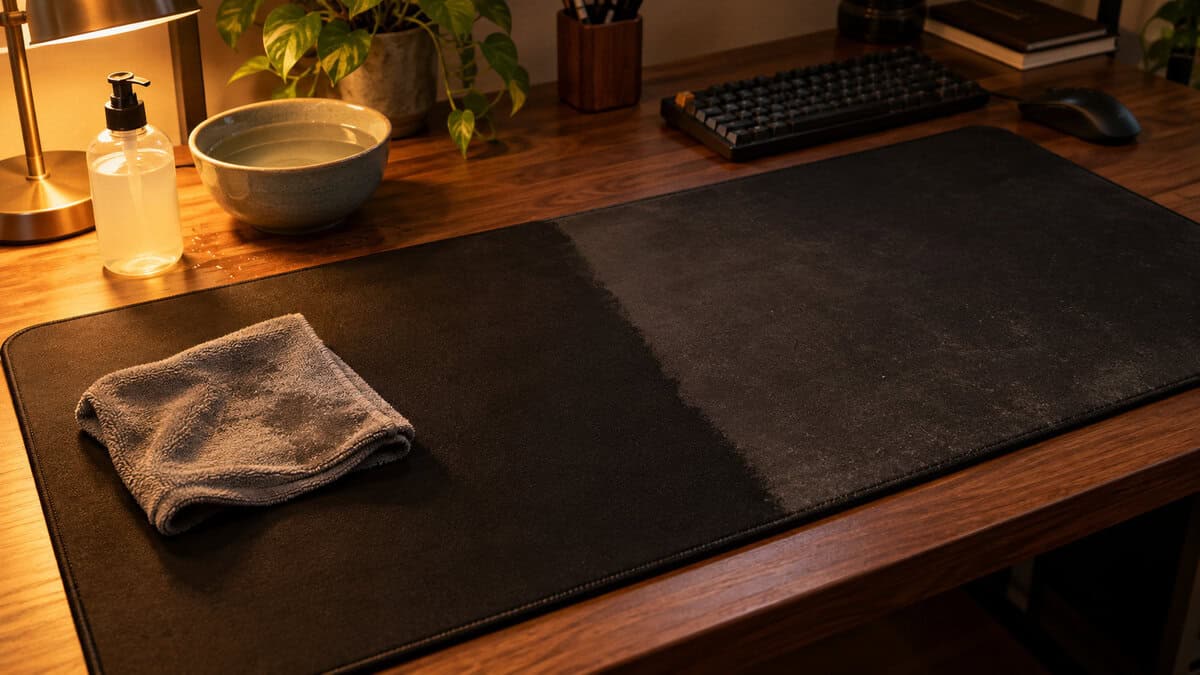
A cloth pad changes more in its first month than any other part of a setup, and most of the change is dirt. Skin oil and dust fill the weave, the glide slows, and you adjust without noticing until a clean pad feels alarmingly fast. The fix is boring: wipe the surface with a damp cloth every couple of weeks, wash it with mild soap and cool water every few months, and let it dry flat. Never fold it and never put it through a dryer.
The sensor side matters too. Some gaming mice can be tuned to a specific surface, and Logitech’s surface tuning guide walks through the process for its mice: run the calibration on the pad you actually play on, then leave it alone. If your desk is also where you eat, the Corsair MM350 Pro is the extended cloth pad built around a spill-resistant surface. It gives up a little glide consistency to get there, which is why it is the pad for the desk that needs it rather than for everyone.
Building out the rest of your WARDOGS setup? Our gaming setup builder fills every slot from monitor to mousepad, and if you play more than one game, it finds the gear our guides recommend across all of them.
Frequently Asked Questions
The questions that come up most when sizing a pad for a low-sensitivity shooter on a big map.
What size mousepad do I need for Wardogs?
An extended pad around 900mm wide. The long sightlines in Wardogs push most players to a low sensitivity, and a low-sens 180 can take twenty centimeters or more of hand travel from wherever the mouse happens to be. Once a keyboard takes its share, a standard or large pad runs out mid-turn.
Should I get a control or speed mousepad for Wardogs?
It depends on where you spend the match. Control surfaces like the SteelSeries QcK XXL keep small corrections small, which suits slow tracking on the approach. Speed surfaces like the Razer Gigantus V2 XXL start moving with less push, which suits the zone brawl. If you do both, a balanced pad like the ASUS ROG Sheath is the honest answer.
Does mousepad thickness matter for gaming?
Mostly for hiding the desk. A thicker base smooths out seams, warps, and cable channels that a thin pad transmits to the sensor as changes in glide. Four millimeters hides most desk problems. Three is fine on a smooth surface.
Are stitched edges worth it on a mousepad?
They stop a cloth pad fraying where your wrist rides the edge, which is how most cloth pads wear out. Raised stitching like the ROG Sheath’s protects most and is the most noticeable under the wrist. Flush stitching disappears under the hand. Unstitched pads like the QcK and Gigantus have still lasted years on many desks.
How do I fit an extended mousepad on a small desk with a full-size keyboard?
Angle the keyboard ten to fifteen degrees to the left so its right edge swings away from the mouse zone, and push the pad’s front edge to the desk edge so your elbow clears the corner on a wide turn. That makes a 900mm pad workable for a mid-sensitivity player. Very low-sens players need a tenkeyless or 60% keyboard, or a small sensitivity increase.
Looking for more budget gaming gear? Check out Budget Loadout for the latest reviews and recommendations.
Related Articles