The popular advice says trackballs are just ergonomic office gear, and that misses the question. In 2026, the best trackball mouse isn’t the one with the softest palm rest, it’s the one that balances latency, button layout, adaptation time, and build quality without wasting a budget-conscious buyer’s money. That matters more now because major review outlets still treat trackballs as a distinct category, not a leftover, with dedicated 2026 coverage from RTINGS and Wirecutter, which is a strong signal that the segment still has demand and product variety.
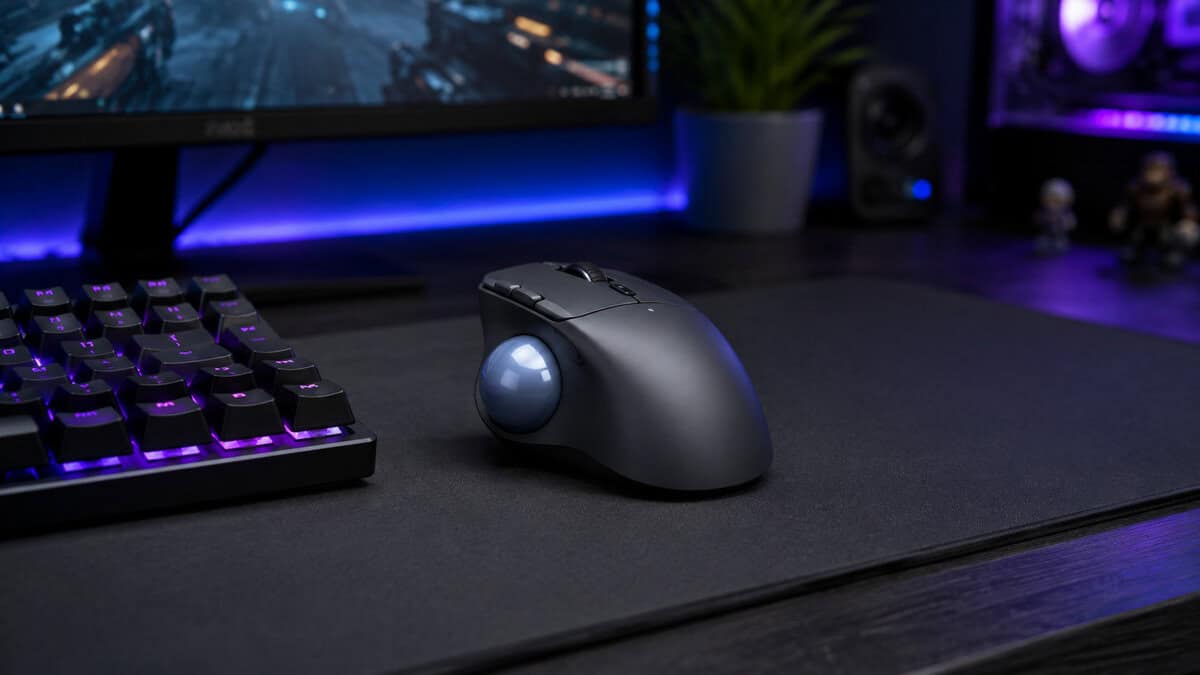
The least painful way into trackballs. Your hand sits roughly where a normal mouse puts it and only the thumb changes job, so the adjustment period is measured in days rather than weeks.
- Easiest transition from a conventional mouse
- Sold and shipped by Amazon rather than a marketplace seller
- Large mainstream review base for a niche category
- Right-handed shell only, with no left-handed version
- Smaller ball offers less fine control than finger-operated designs
- No programmable button bank for macros
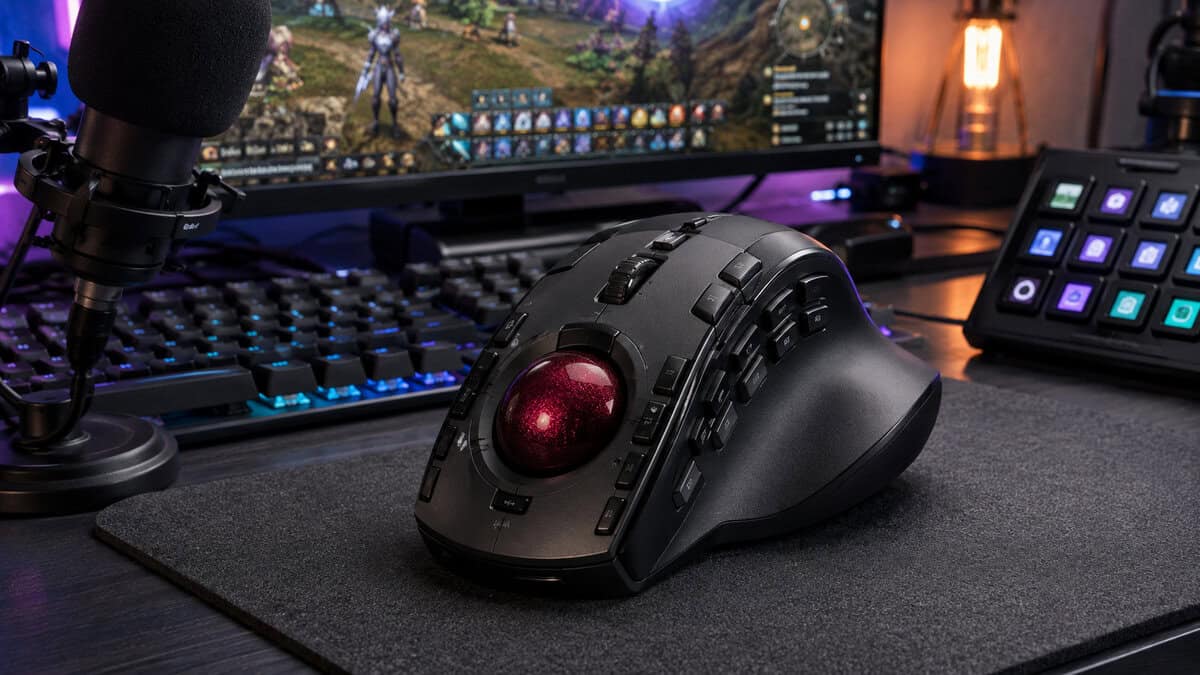
The configurable one. A large ball under your fingers gives finer pointer control than a thumb design, and the eight bindable inputs make it the pick if you drive macros or stream controls from the mouse hand.
- 52mm ball allows finer, more deliberate control
- Eight programmable buttons cover macros and shortcuts
- Largest review base of any trackball in this guide
- Steepest learning curve of the three
- Takes up considerably more desk depth
- Sold through the brand storefront rather than Amazon directly
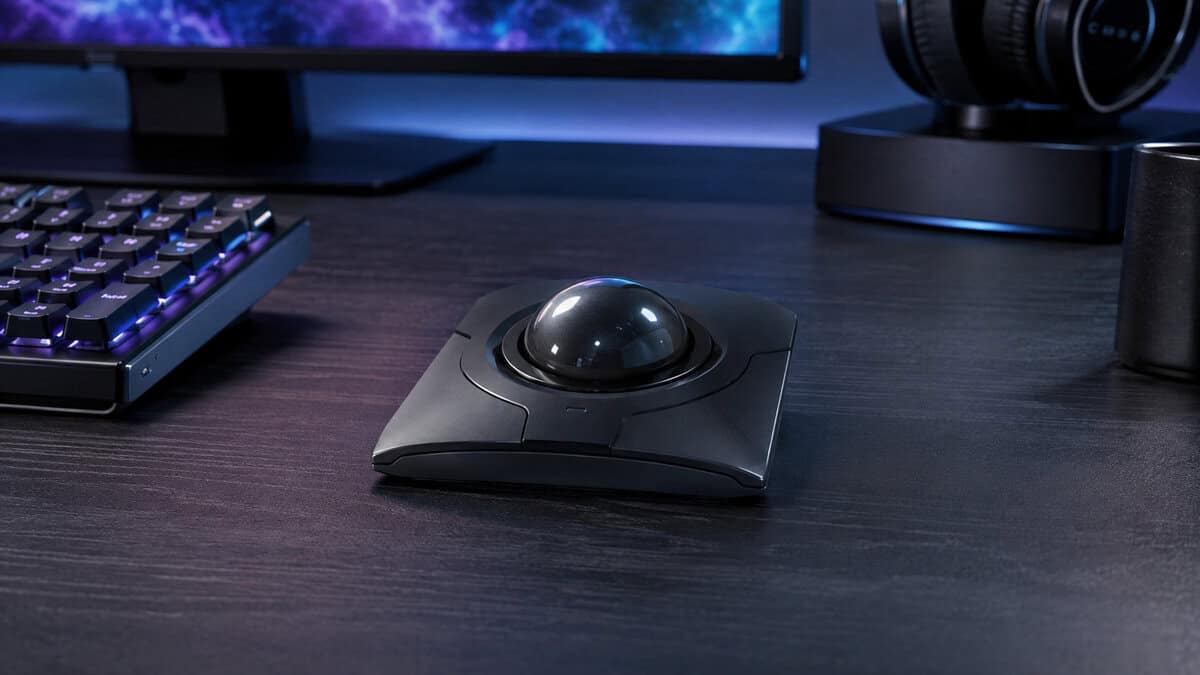
The one to buy if you swap hands or share a desk. A large centred ball works equally well from either side, and the build quality reads as professional equipment rather than a gaming accessory.
- Genuinely ambidextrous, useful for spreading strain
- Rechargeable rather than disposable batteries
- Sold and shipped by Amazon
- Roughly double the cost of the entry pick
- Flat profile gives less wrist support than sculpted rivals
- Aimed at precision work more than fast gaming input
Picks and availability last verified: November 2, 2026
- The first choice is thumb versus finger control, and it changes the shape, the desk space, and the learning curve
- A trackball never moves, so it is the answer when desk space is the real constraint
- Expect a genuine adjustment period of days to weeks, not minutes, whichever design you pick
- Larger balls give finer control but need more desk depth and a longer habit change
- Programmable buttons matter more than sensor specs on a trackball, since the pointer is doing less travelling
If you’re coming from a standard mouse and want a separate guide on comfort-oriented peripherals, the ergonomic gaming mouse buying guide is a useful companion. For people who fight eye and shoulder fatigue as much as wrist strain, a solid guide to avoiding screen fatigue pairs well with the posture changes that trackballs encourage.
Table of Contents
Why Gamers Are Rethinking Trackballs in 2026
Trackballs are not a nostalgia-only choice for people who remember early PCs. They sit in a niche category with enough ongoing development that current buying guides still test them on their own, which is a good sign that the format has real staying power. The appeal is simple. The device stays put, the hand does the moving, and that fixed layout can reduce arm travel during long sessions, which is the ergonomic reason serious reviewers keep returning to the category. Trackballs can produce better ergonomic outcomes than a traditional mouse because the device stays stationary while the user moves only the ball
Why streamers and desk-squeezed players care
For streamers, trackballs make sense when one hand needs to stay free for chat moderation, scene switching, or hotkeys. For desk-limited setups, the appeal is even easier to understand, because the footprint is much smaller than a mouse that needs open glide space. That is why the category keeps showing up in current coverage as a range of trade-offs, from entry-level picks to premium models with a wider feature set. The price spread makes one thing clear, this is not a single product type, it is a ladder with different compromises at each rung.
Practical rule: if your playstyle depends on constant broad-arm swipes, a trackball will feel strange at first. If your setup rewards still hands, tight spaces, or one-handed control, the format starts making sense quickly.
Trackballs also look less like pure comfort gear now. Dedicated tech publications highlight models with gaming-grade sensors, programmable buttons, and connectivity that can fit a hybrid work-and-play setup. The category has moved past “office-only” assumptions and into purpose-built input devices, which matters if you are trying to spend carefully and avoid buying a peripheral that feels good but performs badly. For anyone comparing comfort-focused devices, the ergonomic gaming mouse buying guide is a useful companion, and the guide to avoiding screen fatigue fits well with the posture changes trackballs encourage.
That does not make trackballs right for every game. Latency, polling behavior, and the time it takes to adapt still decide whether the format feels responsive or merely unusual. For budget-conscious buyers, that trade-off matters more than the novelty.
The Specs That Actually Determine Trackball Performance
Most buyers start with shape, but shape alone does not tell you whether a trackball feels crisp or vague in play. The specs that matter most are latency, polling rate, sensor behavior, and ball mechanism. If you care about cursor response in a game, a stream, or a drag-heavy workflow, those details matter more than the language on the box.
Latency and polling rate decide how alive it feels
Finger-operated designs generally feel more immediate than thumb designs, because a larger ball moving under stronger fingers needs less travel per unit of pointer movement. That difference is rasy to feel. The lower-latency device should respond faster to cursor starts, small corrections, and repeated flicks across a large display. For budget-minded buyers, the lesson is simple: if you dislike the slightly held-back feel some comfort devices have, latency is the first spec to check.
Polling rate matters too. A 1000 Hz device updates far more often than older, slower implementations, and modern roundup coverage shows that 1000 Hz polling is now part of the category rather than a rare extra. If you do macro-heavy MMO work, fast menu movement, or gaming-adjacent editing, that higher update rate helps the cursor feel more immediate.
Practical rule: high DPI does not automatically mean high precision. A well-tuned sensor stack usually matters more than a giant number on a box.
Ball size and connectivity shape the daily experience
Ball diameter changes how much motion you need for the same pointer travel. The ELECOM HUGE runs a 52 mm ball with 8 programmable buttons, while thumb-operated designs like the Ergo M575S sit nearer 34 mm. Bigger balls usually give you more control with smaller finger movements, which helps on large displays and in precision-heavy workflows.
Battery life is part of the spec story too. Battery life varies enormously across the category, from rechargeable packs to AA cells that run for months, so check the specific model rather than assuming. Those are the kinds of numbers that matter if you hate charging anxiety. For readers still deciding whether optical or laser-style tracking matters more in a trackball context, the optical vs laser mouse guide is a useful comparison point, especially if you are trying to separate sensor reality from spec-sheet noise.
Trackball Performance Specifications Comparison
| Model | Control | Ball | Buttons | Best For |
|---|---|---|---|---|
| Logitech Ergo M575S | Thumb | 34mm | 5 | First trackball, smallest learning curve |
| ELECOM HUGE | Index finger | 52mm | 8 programmable | Macros and fine control |
| Kensington SlimBlade Pro | Ambidextrous | 55mm centred | 4 | Shared desks and either-handed use |
The point is not that every buyer needs the most aggressive numbers. The point is that a trackball can now be chosen like a real performance peripheral, not just a comfort object.
Matching a Trackball to Your Gaming Genre and Setup
Competitive FPS is where trackballs face the hardest reality check. In an ACM study, the conventional mouse was more accurate for cursor-positioning tasks, and the reported accuracy gap was more than 100% in favor of the mouse in that test context ACM cursor-positioning study. That doesn’t make trackballs bad. It does mean you should be honest about what you play and how much precision you need.
Match the shape to how you actually work
If you mainly play MMOs, strategy games, sim titles, or manage streams, a trackball fits better. Those setups reward programmable buttons, one-handed movement, and the ability to keep your hand planted while your other hand handles keyboard shortcuts or stream controls. The ELECOM HUGE style of layout makes more sense there than a minimalist design.
For FPS gaming, the answer is more conditional. Fast-twitch shooters punish adaptation mistakes, and trackballs ask you to relearn cursor control with your fingers rather than your arm. Thumb-operated models feel closer to a normal mouse, so the transition is usually easier. Finger-operated models often offer more control once learned, but the learning curve is real.
Desk space and adaptation time matter more than people admit
A small desk can make a trackball feel better than a mouse very quickly because there’s less physical movement to manage. That’s a practical reason to switch, not a lifestyle theory. If you’re in a tight streaming setup or a dual-purpose bedroom rig, the lack of glide space can be the deciding factor.
The less-covered issue is adaptation time. Discussion among trackball users shows the switch can feel very different depending on whether the ball sits under the thumb or under the fingers, and that learning curve is usually the part most buying guides skim past. Expect a short period where your cursor control feels over-corrected and awkward. That doesn’t mean the device is wrong, it means your muscle memory is still rebuilding.
If you build or edit Trackmania content, the Trackmania video creation guide is a good example of why one-handed or shortcut-heavy control can matter when your workflow mixes play and production. And if your priority is raw aim in a game like Fortnite, the best mouse for Fortnite guide is a better starting point than forcing a trackball into a role it doesn’t naturally own.
Bottom line: use a trackball where control, comfort, and shortcut density matter. Use a standard mouse where raw aiming precision matters most.
Setup Tips and Maintenance for Long-Term Reliability
A trackball rewards a better setup than a standard mouse does, because the device’s performance depends on both motion and cleanliness. If the ball starts feeling gritty or the cursor begins to hesitate, don’t blame the concept first. Clean the ball and the housing, then reassess.
Keep tracking smooth and consistent
Routine cleaning matters because dust and skin oils can change how the ball rides. Use a careful, dry cleaning routine first, then check whether the contact points feel smooth again. That simple habit helps preserve the feel of the device and can prevent the frustrating “it used to glide better” problem that pushes people into buying replacements too early.
Button remapping is worth doing early, not later. Map your most frequent actions where your hand can reach them without stretching, especially if you stream or use macros. The more you can keep the device aligned with your own workflow, the less you’ll fight it.
Fix the transition before you call it a bad fit
The switch from a standard mouse usually feels awkward at first, and that’s normal. Give yourself a few days of real use before deciding the device is wrong for you. Short practice sessions help, but the important part is using it for ordinary tasks, not just testing it in menus.
If the cursor feels inconsistent, look at connectivity and system lag before you blame the ball. A trackball with the wrong wireless setup can feel worse than it should, and input lag is often the primary problem rather than the device shape. A practical troubleshooting guide like how to fix input lag can save a lot of guesswork.
Practical rule: if the hardware feels fine but your aim still feels off, the issue is usually adaptation or lag, not the existence of the trackball itself.
Trackballs are durable when maintained, but they’re still moving parts. When buttons wear, the roller feels inconsistent, or the shell no longer suits your hand, replace the device instead of trying to force a bad fit to become good.
Making Your Final Trackball Decision
Choose a trackball if you want comfort, compactness, shortcut density, or one-handed control more than you want perfect FPS precision. Choose a traditional mouse if your main priority is raw aiming consistency, because that’s where trackballs still lose ground. The measured latency, polling rate, ball size, and button layout tell you more than the marketing copy ever will.
If you’re a streamer or MMO player, a programmable, multi-button trackball makes real sense. If you’re an FPS-first gamer, be cautious and treat a trackball as a comfort compromise, not a performance upgrade. The best trackball mouse is the one that fits your actual sessions, not the one with the most impressive spec sheet.
If a trackball feels like too big a change, our best vertical mouse guide covers the gentler ergonomic option.
Trackball Questions, Answered
The same doubts come up every time someone considers switching. Here are the honest answers.
Is a trackball actually good for gaming?
For slower genres, yes. Strategy games, MMOs, sim titles and anything menu-heavy suit a trackball well, because precision matters more than raw speed and your hand stays planted.
For fast-twitch shooters it is a harder sell. Large, quick crosshair sweeps are simply easier with a conventional mouse, and most competitive FPS players will not want to give that up.
How long does it take to get used to a trackball?
Expect days for a thumb-operated model and closer to a couple of weeks for a finger-operated one. The first hours genuinely feel clumsy, which is where most people give up too early.
The adjustment is mostly about learning to move the ball in small deliberate increments rather than swiping at it. Once that clicks, accuracy comes back quickly.
Thumb or finger control: which should I choose?
Thumb models keep your hand in a familiar mouse-like shape and transfer over fastest, which makes them the safer first purchase.
Finger models put a larger ball under your index and middle fingers, giving finer control and usually more programmable buttons, at the cost of a longer learning period and more desk depth.
Do trackballs help with wrist pain?
They can, because the device never moves, so you are not repeatedly reaching and dragging across the desk. That removes one common source of strain.
They are not a medical fix though. A trackball shifts load onto the thumb or fingers instead, so if you already have pain, treat it as one part of a setup change rather than a cure.
Does ball size really matter?
It changes the ratio between finger movement and pointer travel. A larger ball lets you make finer adjustments with the same physical motion, which helps on big or multi-monitor displays.
The tradeoff is desk depth and a bigger change in habit. Smaller thumb balls are quicker to adapt to but give up some of that fine control.
Budget Loadout breaks down gear with the same no-hype approach used here, so you can spend on the parts of a setup that improve comfort and performance. If you’re weighing a trackball against other mouse options, visit Budget Loadout for more practical, value-focused buying guides that help you avoid expensive mistakes.
Related Articles