You’re probably here because Tarkov keeps giving you the same kind of death. You clear a hallway, pause, scan a window line, and then get dropped by someone you never saw. A lot of players blame only the game, and some of that is fair. Tarkov is cluttered, dark, and full of low-contrast fights.
But the monitor still matters. Not in the fake “buy this and win more” way. In the practical way. Better motion clarity helps when you flick across a tree line. Better contrast helps when someone is crouched in a dark corner. The wrong monitor can make Tarkov feel muddier than it already is.
The catch is that the best budget monitor for Tarkov isn’t the one with the biggest spec sheet. It’s the one your PC can drive. If your rig struggles, a flashy high-refresh panel becomes wasted money. If you’re building a full raid-ready setup, your audio matters too, and a solid headset for Tarkov often pairs with the right display better than overspending on either one alone.
Here’s the short version before we get into the details.
| Pick | Best for | Why it makes sense for Tarkov | Main tradeoff |
|---|---|---|---|
| AOC Q27G3XMN | Best overall value | 1440p clarity, fast refresh, strong contrast for dark interiors | VA behavior won’t look as clean in motion as a fast IPS |
| Gigabyte M27Q2 | Best mid-range step-up | Better motion handling and more versatile for gaming, work, and streaming | Contrast-focused players may prefer a VA panel in dark scenes |
| AOC 24G51F2 | Best entry-level pick | 24-inch Fast IPS at 1080p 180Hz keeps frame rates healthy on mid-tier hardware | Less detail at distance than the 1440p picks |
- Mini-LED contrast makes dark raids readable
- Sharp 1440p detail for long sight lines
- 180Hz with 1ms GtG response
- HDR1000 highlight pop in supported games
- VA motion isn’t as clean as fast IPS
- Single HDMI 2.0 port limits console use
- Stand adjustment is basic for the tier
- Fast SS IPS panel keeps motion crisp
- 200Hz refresh with OC headroom
- USB-C KVM for two-device setups
- Strong all-round panel for mixed use
- IPS contrast is shallower in dark scenes
- No meaningful HDR at this tier
- May be more monitor than Tarkov-only builds need
- Keeps frame rates high on modest hardware
- Fast IPS motion at 180Hz
- 24" size keeps 1080p looking sharp
- Adaptive-Sync for tear-free play
- Less detail at distance than 1440p
- Smaller screen for mixed desktop use
- Stand and extras are basic
Picks and availability last verified: October 19, 2026
- Contrast is the real Tarkov upgrade: dark-interior visibility decides more fights than raw refresh rate.
- Best overall: the AOC Q27G3XMN’s Mini-LED panel makes shadow-heavy raids readable without giving up 180Hz speed.
- Best step-up: the Gigabyte M27Q2 trades some contrast for cleaner SS IPS motion, 200Hz, and a USB-C KVM.
- On a weaker PC, the 24-inch AOC 24G51F2 at 1080p 180Hz keeps frame rates healthy instead of starving a 1440p panel.
- Match the monitor to your PC first: a balanced 1080p setup beats a 1440p screen your GPU can’t feed.
Table of Contents
Why a Good Monitor Is Your Best Tarkov Upgrade
Tarkov punishes weak visibility more than most shooters. In a fast arena FPS, you can miss a target and recover off pure movement. In Tarkov, one bad read on a shadow, staircase, or bush line can end the raid. That makes monitor choice less about “looks good on the desk” and more about whether the panel helps you read the game faster.
I’ve seen players make the same expensive mistake over and over. They upgrade to a premium display with a very high refresh ceiling, keep the same mid-range system, and assume the monitor will carry the experience. Then they load into Tarkov and realize their PC can’t feed that panel consistently enough for the upgrade to feel worth it.
A monitor only gives you the edge your system can support.
That’s why value matters more here than bragging rights. A balanced setup often beats a lopsided one. If your hardware sits in the middle of the pack, a sensible high-refresh display with good clarity and decent contrast usually does more for Tarkov than chasing extreme specs you’ll never use.
There’s also the durability angle. Budget buyers shouldn’t shop for the cheapest panel with a gaming label slapped on it. You want a display that holds up physically, has a stand you can live with, and doesn’t feel like a disposable part of the setup. That matters if you game at night, use the same screen for MMOs during the day, or stream from the same desk.
The practical question isn’t “What’s the best monitor on paper?” It’s “What monitor gives me the clearest advantage in Tarkov without wasting money on performance I can’t reach?”
Monitor Specs That Actually Matter for Tarkov
The spec sheet gets noisy fast. For Tarkov, only a handful of things really move the needle.
Refresh rate first
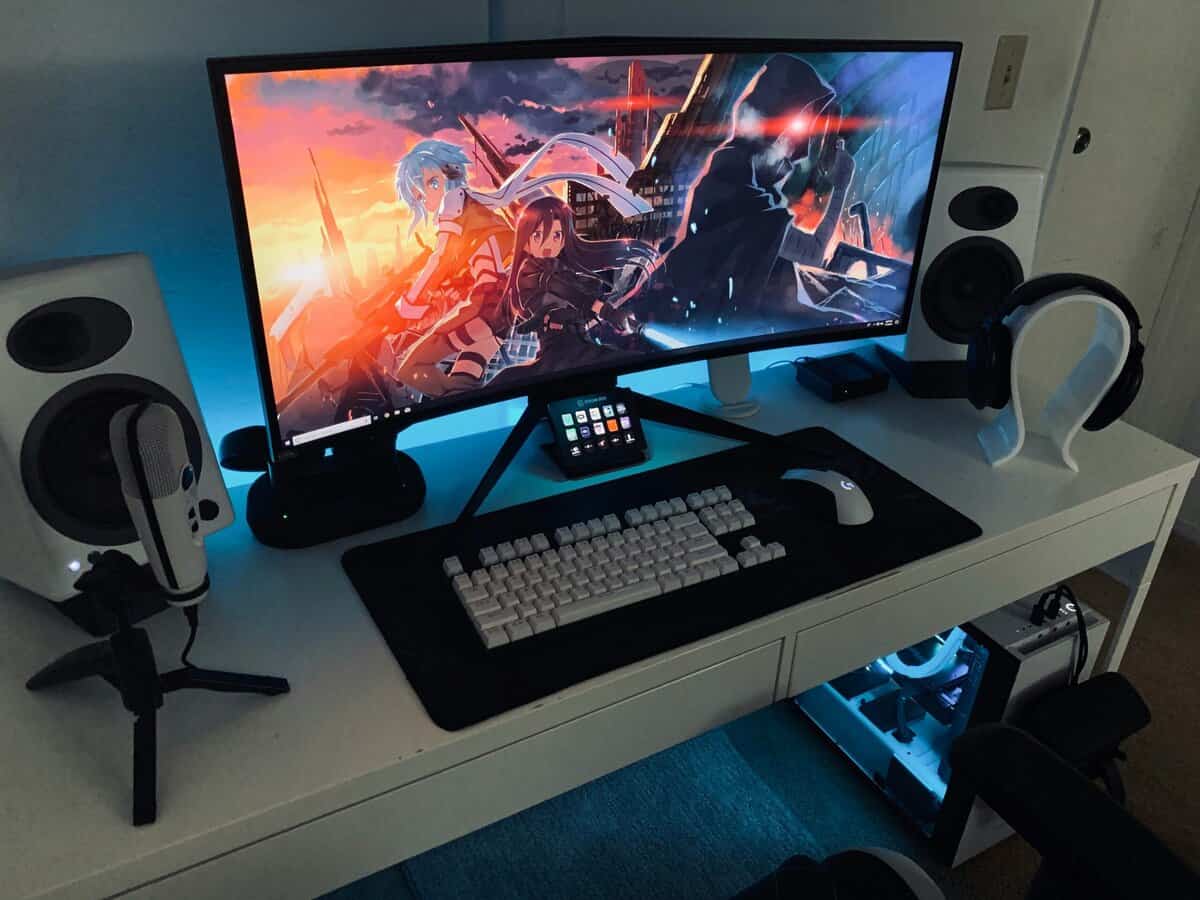
A 144Hz or higher monitor is a common competitive baseline for Tarkov because smoother motion can improve target tracking and perceived responsiveness, and one Tarkov-focused guide also notes that 1440p can make distant targets clearer if your GPU can sustain it. That same market context shows modern competitive displays going much higher, including a dual-mode panel that runs at 160Hz natively or 320Hz at 1080p, which tells you how much the market now leans on refresh rate as a selling point.
For Tarkov players on a budget, the lesson isn’t “buy the highest number.” It’s buy enough refresh rate to stay smooth without forcing the rest of your setup into a bad compromise.
Resolution and screen size
For most players, 27-inch 1440p is the sweet spot. That size and resolution combo gives you a cleaner image for spotting distant movement without making UI elements awkward. Tarkov rewards that extra clarity because enemies rarely stand in clean, obvious silhouettes.
A large 1080p screen can still work, especially if your rig is modest, but pixel density starts to matter when you’re scanning windows, ridge lines, and deep interior angles. On the other side, 4K sounds appealing until you remember what Tarkov does to hardware. If your PC can’t keep the frame rate where the monitor feels smooth, the image quality gain won’t help much.
Panel type changes the experience
However, Tarkov differs from a lot of generic monitor advice.
- VA panels usually make more sense if you care most about dark-scene visibility. Their stronger contrast helps separate shadows, corners, and dim interiors.
- IPS panels usually make more sense if you care most about motion clarity. Fast IPS panels tend to look cleaner when you whip your aim across a scene.
- TN panels still exist, but they’re usually hard to justify now unless you’re chasing refresh rate above all else and can tolerate weaker image quality.
In Tarkov, contrast is not a side feature. It’s part of visibility. That matters in places like parking garages, dorm interiors, and dim tree cover where enemies blend into the background.
Practical rule: If you mostly lose people in darkness, lean VA. If you mostly lose people while swinging corners or tracking movement, lean IPS.
Response behavior and sync matter more than the sticker
Response time labels on boxes are often marketing noise. What you’re trying to avoid is blur, ghosting, and smeary dark transitions. Fast motion handling matters when you strafe-check rooms or scan a hillside quickly. That’s also why your sync settings matter. If you’re not sure how display sync affects feel, this plain-English guide on what VSync is is worth reading before you start changing monitor settings at random.
What to prioritize in order
If you want a short buying checklist for Tarkov, use this:
- Match refresh to real frame output. Don’t buy a monitor your system can’t meaningfully feed.
- Choose resolution around your GPU. Stronger systems can justify 1440p. Weaker builds often do better at 1080p.
- Pick panel type based on how you die. Darkness problems point toward contrast. Motion problems point toward speed.
- Check the physical monitor too. A weak stand, shaky chassis, or poor long-term build can ruin a budget buy even if the panel looks good.
Budget Mid-Range and High-Value Tiers Explained
“Budget” in monitors doesn’t mean rock bottom. It means strong value without paying for features your system or your games won’t fully use.
One useful market snapshot is that value-focused buyers often cluster around entry-level 1080p panels, while budget monitor testing has looked across the whole value tier, from bare 1080p up to well-equipped 1440p. In that same practical context for Tarkov, a community example described a 27-inch 1440p 144Hz monitor as “works well enough,” while also warning that hitting 240 fps in Tarkov requires a “banging rig”.
The real tiers
| Tier | What you’re usually buying | Best fit |
|---|---|---|
| Budget | 1080p high refresh or entry 1440p high refresh | Mid-range PC, FPS focus, value-first setup |
| Mid-range | Better panel quality, better motion handling, stronger stands and features | Players who split time between Tarkov, MMOs, and daily desktop use |
| High-value | Not cheap, but sensible if the monitor meaningfully improves both play and general use | Stronger rigs, longer upgrade cycle, streaming or dual-use desk |
The wrong way to shop is by tier name alone. The right way is by system balance.
Match the monitor to the PC
If your hardware can’t maintain the kind of frame rate that makes a higher-end panel shine, the extra spend doesn’t convert into a better Tarkov experience. A cheaper high-refresh display can be the smarter move because the whole system stays in sync. That’s the angle most buyers miss.
For broader shopping help outside this Tarkov-focused guide, a general budget gaming monitor guide can help narrow the field once you know what class of display your PC can support.
The best budget monitor for Tarkov is often the monitor that wastes the least performance.
A simple way to decide
- Your PC struggles already. Stay realistic. A good 1080p high-refresh panel may be the best use of money.
- Your PC handles Tarkov reasonably well. 1440p high refresh then starts to make sense.
- You’re chasing extreme refresh numbers. Only do it if the rest of the system is strong enough to justify it.
Build quality matters in every tier. Cheap stands wobble. Thin plastic housings creak. Weak OSD controls get annoying fast if you change presets often for FPS gaming, MMO play, and streaming. Value isn’t just image quality. It’s whether the monitor still feels good to use months later.
Best Overall Budget Pick: AOC Q27G3XMN
The AOC Q27G3XMN is the pick I’d give most Tarkov players who want the best balance of image quality, refresh rate, and sane spending. It lands where this game makes the most sense on a budget. Enough resolution to improve target definition, enough refresh to stay smooth, and enough contrast to make Tarkov’s darker spaces easier to read.
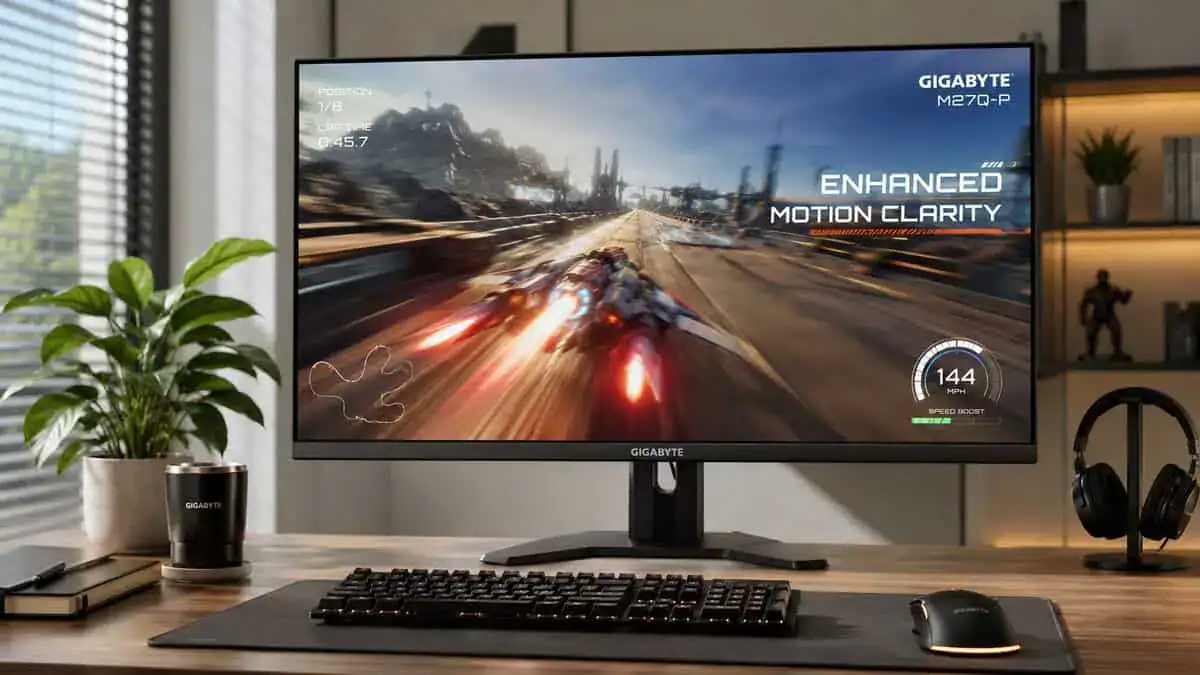
An expert roundup specifically calls the AOC Q27G3XMN a strong value pick in the mid tier, built around a 27-inch 1440p 180 Hz VA panel with a 4,500:1 contrast ratio. That same source says it can hit up to 1,000 nits in HDR, with HDR-off brightness around 550 to 650 nits (AOC Q27G3XMN value and panel details).
Why it works so well in Tarkov
Tarkov rewards a display that can separate detail in low-contrast scenes. That’s where this monitor earns its place. The VA panel’s contrast is the main reason I’d take it over many budget-first alternatives for this specific game. In raids with heavy shadow detail, contrast often matters more than pretty colors.
The 1440p resolution also matters here. On a budget, I’d much rather have this kind of balanced panel than a lower-resolution screen with a spec sheet built mostly around one giant refresh-rate number. Tarkov isn’t the game where you blindly chase the biggest number and call it a day.
What you give up
This isn’t a perfect display. The main tradeoff is the one that usually comes with VA panels. In darker motion, you can get behavior that doesn’t look as clean as a fast IPS. If you’re the kind of player who prioritizes fast close-quarters swings above everything else, you may notice it.
That said, for Tarkov specifically, I think this is the more useful compromise for many players.
- Strength. Better dark-scene separation than many budget IPS options.
- Strength. 1440p at 27 inches is a strong fit for spotting distant players.
- Strength. Refresh headroom is high enough for competitive play if your PC supports it.
- Tradeoff. Motion won’t look as consistently crisp as a strong fast IPS panel.
- Tradeoff. If your rig is weak, you may not fully benefit from the resolution.
Build quality and daily use
A budget monitor still needs to survive regular use. That means a stand that doesn’t feel flimsy, controls that aren’t frustrating, and a chassis that doesn’t feel disposable when you reposition it. This class of monitor usually appeals to players who use one screen for everything: Tarkov at night, MMOs on weekends, maybe Discord and stream controls on the side.
That’s where the AOC makes sense as a value buy, not just a raid buy. It’s easier to live with as an all-around display than a stripped-down esports panel that only looks convincing in one narrow use case.
If your PC can handle 1440p well enough, this is the kind of monitor that feels like money spent in the right place.
Best Mid-Range Pick: Gigabyte M27Q2
If the AOC is the contrast-first choice, the Gigabyte M27Q2 is the motion-first choice. This is the monitor I’d point to for players who want cleaner movement, faster-feeling pixel response, and a more versatile screen for mixed use beyond Tarkov.
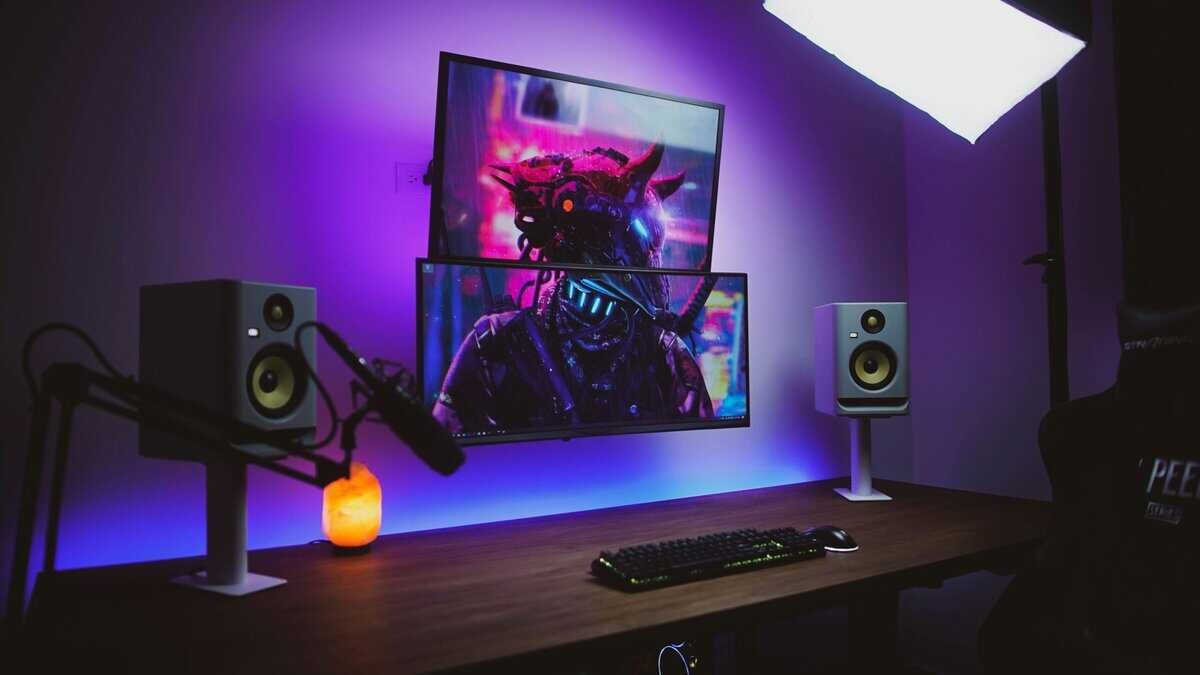
The appeal here isn’t that it turns Tarkov into a different game. It’s that it handles fast camera movement in a way many players will prefer once they start flicking, snapping, and scanning aggressively. If you tend to play close-quarters pushes, clear rooms quickly, and value cleaner motion over deep contrast, that difference shows up.
Why spend more
The extra money starts to make sense when you care about how the panel behaves in motion, not just how the static image looks. Fast IPS displays typically feel cleaner when you pan across a scene or track a target mid-sprint. That can matter in Tarkov, but it matters even more if you also play other FPS games where movement speed is higher and visual chaos is constant.
That’s also why the M27Q2 makes sense for a mixed-use setup.
- FPS gaming. Better motion handling tends to feel sharper during fast aim adjustments.
- MMO use. IPS screens generally feel more neutral and pleasant for long general-use sessions.
- Streaming and desk versatility. This type of monitor often fits a dual-purpose setup better than a darker-scene specialist panel.
A direct tradeoff against the AOC
This choice really comes down to which flaw bothers you less.
If you hate dark-scene muddiness and want stronger shadow separation, the AOC-style route is usually smarter for Tarkov. If you hate blurrier motion and want a cleaner response during fast turns, the M27Q2-style route is easier to justify.
That makes this a good step-up option for players who don’t only play Tarkov. If your time is split between extraction shooters, arena shooters, daily desktop work, and streaming, the more balanced behavior of a fast IPS panel can be worth the extra cost.
Build quality, practicality, and who should buy it
Mid-range monitors need to justify their price in daily use, not just in one benchmark or one raid. That means the stand should feel stable, the shell should feel durable enough to adjust often, and the monitor should make sense if you spend hours at the desk doing more than gaming.
The M27Q2 type of buyer usually looks like this:
- You play more than one genre. Tarkov is your main game, but not your only one.
- You care about motion clarity first. You notice smearing faster than you notice contrast limitations.
- You use one monitor for work or streaming too. General usability matters.
- You can afford to step above strict budget. Not for luxury, but for better all-around performance.
For pure Tarkov value, I still lean toward the AOC-style balance. For broader use and faster-feeling motion, the M27Q2 is the better fit.
Best Entry-Level Pick: AOC 24G51F2
Not every PC should be pushed to 1440p, and that’s exactly who the AOC 24G51F2 is for. It’s a 24-inch Fast IPS panel running 1080p at 180Hz, and on a mid-tier system it’s the difference between a frame rate that holds steady in raids and one that dips every time the action gets loud.
The logic is simple: Tarkov is one of the hardest games here to run, and resolution is the biggest lever you control. Dropping to 1080p on a 24-inch panel keeps pixel density high enough that scanning windows and tree lines still feels sharp, while freeing your GPU to hold the kind of frame rate that makes a high-refresh panel worth owning.
You give up some detail at distance compared to the 1440p picks above, and it’s a smaller screen for mixed desktop use. But if your hardware is the bottleneck, this is the honest buy: it fixes the part of your setup that’s actually losing you fights.
Monitor Setup and Calibration for Max Visibility
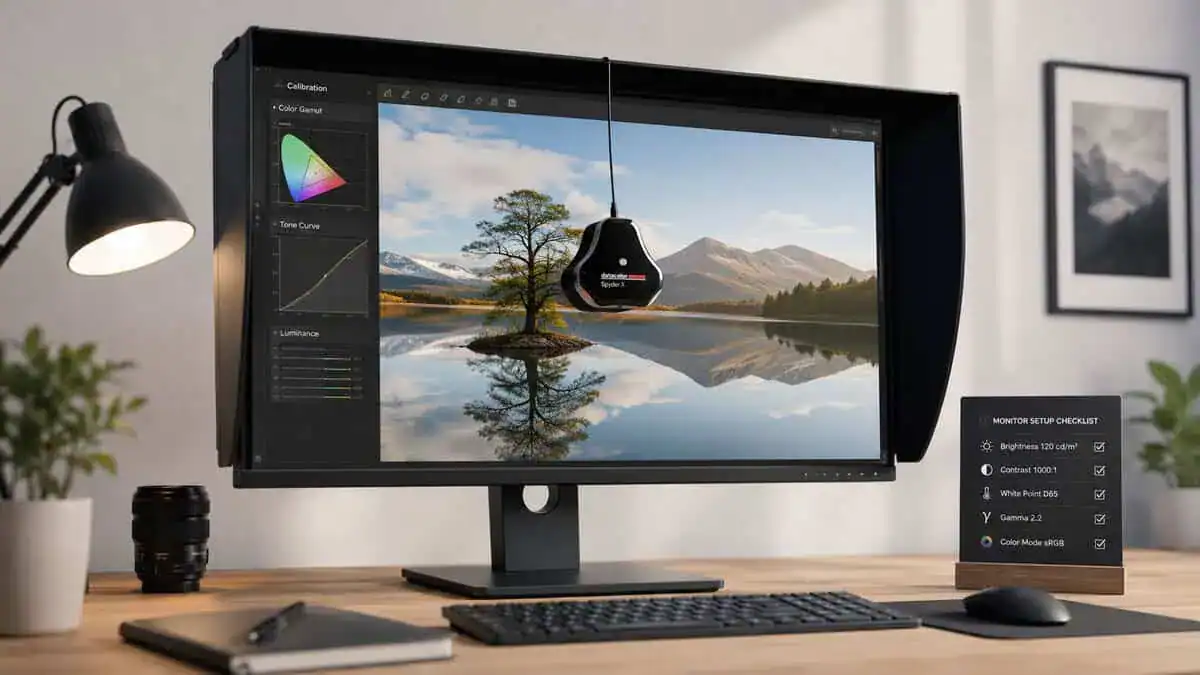
Even a good monitor can look bad in Tarkov if you leave everything at default. Factory settings often push the wrong things. You want clear separation, controlled brightness, and enough color punch to make movement easier to pick out without turning the image into neon sludge.
Start with the monitor itself
Use the monitor’s own menu before changing game filters.
- Pick the fastest usable response mode. Not the most aggressive one if it creates ugly overshoot.
- Turn off fake image processing. Extra sharpening or contrast tricks often hurt more than they help.
- Set brightness for your room. A dark room and a bright room need different settings.
- Use a stable refresh setting. Make sure the monitor is operating at its intended high-refresh mode.
If you’re tweaking settings and the game still feels delayed, work through the common causes of input lag before blaming the panel.
Then tune the GPU control panel and PostFX
For many players, a small bump to digital color intensity helps enemies stand out from muddy environments. Don’t overdo it. If foliage and clothing start looking exaggerated, back it down.
In-game PostFX should follow the same rule. Use it to improve separation, not to create a cartoon image. A good baseline is modest brightness correction, a slight saturation increase, some clarity, and restrained sharpening. Tarkov punishes extremes. If you push everything hard, you’ll crush detail in one part of the image while blowing out another.
Lower your expectations for “magic settings.” Good calibration helps, but it won’t replace a panel with poor contrast or weak motion handling.
Don’t ignore eye strain
If you play long raids at night, comfort matters almost as much as visibility. Bright monitors, HUD elements, and long sessions can leave your eyes cooked by the end of the night. If that’s a recurring problem, it’s worth looking at ways to improve sleep with blue light glasses so the monitor upgrade doesn’t wreck the rest of your routine.
A durable monitor helps here too. Stable tilt adjustment, a stand that lets you position the screen properly, and predictable brightness behavior all matter during long sessions. That’s not glamorous, but it’s part of buying smarter.
Building out the rest of your Escape from Tarkov setup? Our gaming setup builder fills every slot from monitor to mousepad, and if you play more than one game, it finds the gear our guides recommend across all of them.
Frequently Asked Questions About Tarkov Monitors
Is a curved monitor better for Tarkov?
Sometimes for immersion, not usually for performance. A curve can make single-player games and MMOs feel more enveloping, but Tarkov is mostly about reading angles and tiny bits of movement. Flat panels feel more predictable when scanning windows, door frames, and long sight lines.
Should I pick IPS or VA for Tarkov?
It depends on what bothers you more. If dark interiors and shadow-heavy scenes are your main problem, VA usually makes more sense because contrast is part of visibility in Tarkov. If you care more about cleaner motion and fast swings, IPS is often the safer pick. For a deeper breakdown, see our guide on IPS vs VA for gaming.
Is 4K worth it for Tarkov?
For many budget-conscious players, no. Tarkov already puts heavy pressure on your system, and a 4K monitor only makes sense if the rest of the PC is strong enough that the resolution increase doesn’t drag the experience down. Generally, 1440p high refresh is the better balance.
Is 1080p still fine for Tarkov?
Yes, especially if your hardware is modest. A good 1080p high-refresh monitor like the AOC 24G51F2 can be the right buy if it keeps your frame rate healthy and your total setup balanced, better than buying a higher-resolution display your PC can’t support comfortably.
Does build quality really matter on a budget monitor?
Yes. Weak stands wobble, bad controls are annoying, and flimsy shells age badly. If you use the monitor for FPS games, MMO grinding, streaming, and daily desktop tasks, durability matters more than one flashy feature on the box.
A monitor is only one slot in your loadout. Round out the setup with the best mouse for Tarkov and the best keyboard for Tarkov so the rest of your gear keeps up with what you can finally see. The mousepad guide for Tarkov sizes the desk under both.
If you want more practical gear advice like this, Budget Loadout focuses on the stuff that improves your setup without pushing you into wasteful upgrades. It’s a good place to compare value-focused gaming and streaming gear when you want better performance per dollar, not more marketing.
Related Articles