You know the feeling. The raid is slow, your bag is half full, and then everything snaps into motion. You spot a player first, but your crosshair feels loose on the initial adjustment. You survive the fight anyway, rush the body, start dragging gear, miss a click on a mag, and die to the second set of footsteps.
That’s why the best mouse for Tarkov isn’t just an FPS mouse. It has to handle two different jobs without getting in your way. It needs to stay precise when you’re clearing angles, then stay fast and predictable when you’re sorting loot, moving meds, and managing a cluttered inventory under pressure.
A lot of mouse advice misses that. It treats Tarkov like any other shooter. That’s wrong. Tarkov punishes bad gear choices in small, annoying ways until those mistakes become lost kits and lost roubles.
- Featherlight 50g body cuts fatigue across long raids
- 8K polling and the optical sensor track flawlessly
- Crisp Gen-4 optical switches resist double-click issues
- Costs noticeably more than the value and budget picks
- Minimal extras: no RGB and few side buttons
- Wireless means occasional charging between sessions
- Reliable LIGHTSPEED wireless with low latency
- Long battery life from a single AA cell
- Compact, proven shape that suits most grips
- Heavier than ultralight rivals at around 99g
- Older HERO sensor trails the newest flagships on paper
- No weight tuning or RGB personalization
- Very light 53g shell for quick flicks and holds
- Fast 8000 Hz wired polling, no battery to manage
- Crisp clicks and a capable sensor for the tier
- Wired-only, so cable routing matters a bit more
- Fewer programmable buttons than premium rivals
- Understated design with no RGB flourishes
Picks and availability last verified: October 19, 2026
- Weight matters most for Tarkov: a 50–55g mouse makes constant micro-corrections and long holds far less tiring.
- Wireless is fine: modern LIGHTSPEED and HyperWave links carry no meaningful latency penalty versus wired.
- Premium: the Razer Viper V4 Pro gives the highest ceiling at 50g with 8K polling.
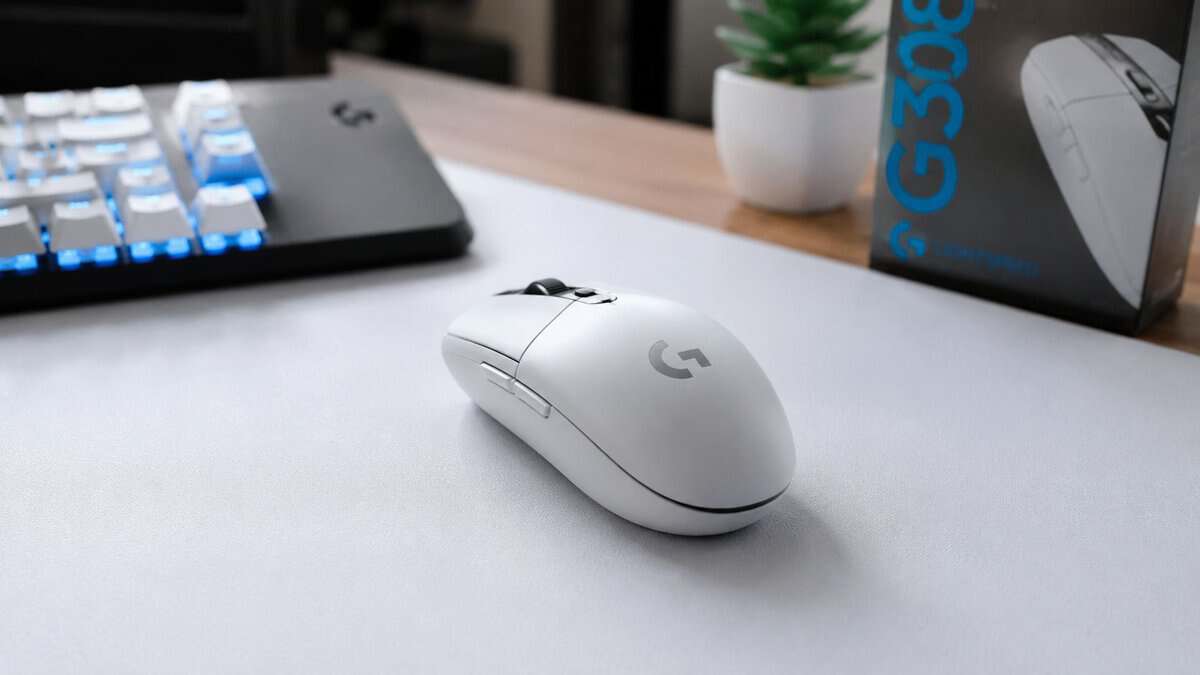
- Value: the Logitech G305 LIGHTSPEED covers the fundamentals, accurate sensor and long AA battery, for most players.
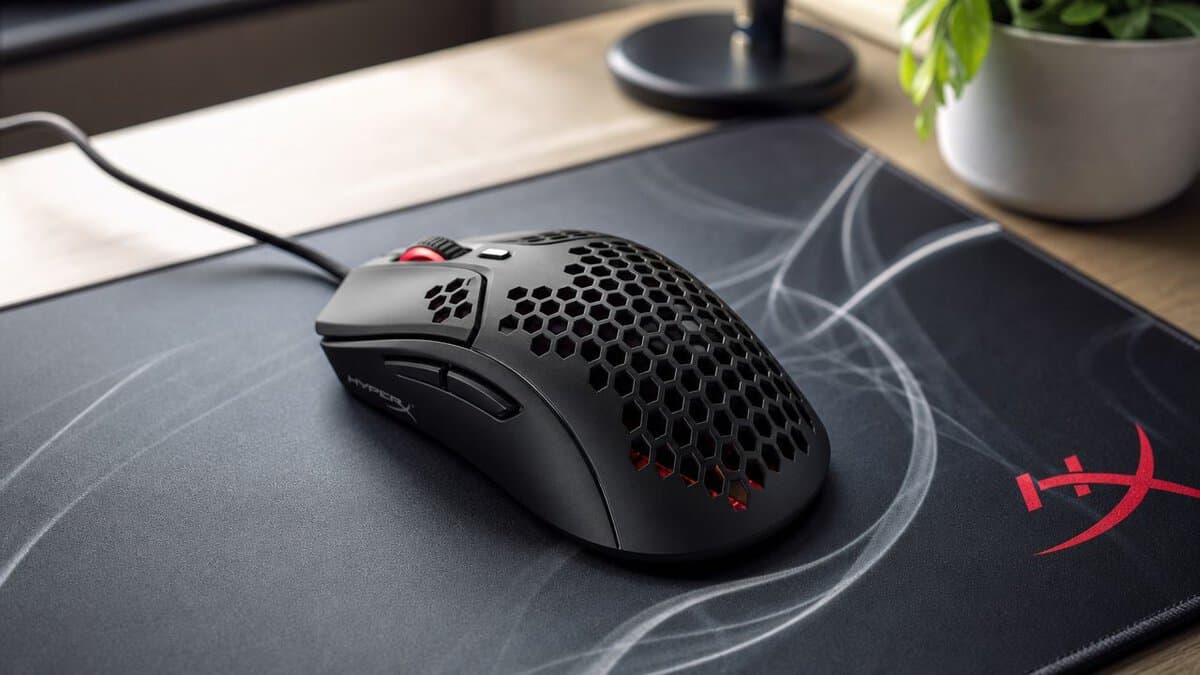
- Budget: the HyperX Pulsefire Haste 2 is a 53g wired upgrade that easily beats any office mouse.
Table of Contents
Your Mouse Is Costing You Roubles
A bad mouse rarely ruins a raid in one obvious moment. It leaks value all raid long.
The first leak is aim. Not raw tracking in a sterile benchmark. Real Tarkov aim. The kind where you shoulder peek, pull down through recoil, then need a tiny correction before the other player reaches cover. If the mouse feels heavy, unstable, or inconsistent on lift-off and reset, you fight your own hand before you fight the target.
The second leak is inventory speed. Tarkov asks more from a mouse than most shooters do. You’re dragging items, splitting ammo, swapping rigs, sorting meds, and trying not to leave profit on the floor while the clock keeps moving.
I’ve seen plenty of players blame servers, desync, or fatigue when the actual issue was simpler. Their mouse was too bulky for fast micro-adjustments, too cramped for long sessions, or had side buttons placed badly enough that every hotkey use felt awkward. If you’re also dealing with sluggish system response, fix that before judging the mouse. This guide on reducing input lag on your setup is worth checking.
Practical rule: In Tarkov, the mouse that helps you loot cleanly and aim predictably is more useful than a mouse built only to win spec-sheet arguments.
What actually matters in raid
Three things separate a good Tarkov mouse from a waste of money:
- Reliable control: Your cursor needs to stop exactly where you expect during slow peeks and short bursts.
- Low fatigue: Long raids and stash management punish heavy mice more than people admit.
- Useful buttons: Extra controls only help if they’re easy to hit without shifting your grip.
That’s the lens for every pick below. Not hype. Not novelty. Just what improves looting, aiming, and survival.
What Specs Matter for a Tarkov Mouse
Spec sheets sell extremes. Tarkov rewards control over long raids, clean inventory work, and aim that stays predictable when a quiet loot run turns into a 2-second fight.
The short version is simple. Prioritize low weight, a reliable optical sensor, 1000 Hz polling, a shape you can hold for hours, and a few well-placed buttons. Ignore bloated DPI numbers and gimmicks that sound good on a box but do nothing once you are dragging meds between slots or tracking a shoulder peek through a doorway. Our mouse DPI test shows what your current mouse really sends.
Weight affects more than aim
Weight shows up everywhere in Tarkov. You feel it while holding a slow angle, correcting onto a head at medium range, dragging items between containers, and resetting your hand during long stash sessions.
For most players, lighter is better as long as the shell still feels solid in hand. A mouse that glides easily reduces the small repeated effort Tarkov creates over and over. That matters because this game mixes tense downtime with sudden fights. Fatigue accumulates, then shows up when you need one clean adjustment.
What usually works best:
- A lightweight shell: Easier to control across a full raid and less tiring during inventory management
- Balanced weight distribution: A mouse should not feel nose-heavy or awkward in the rear
- Good feet and glide: Low weight helps less if the mouse drags across the pad
What usually causes problems:
- Bulky shells built around extra features: They slow down micro-corrections and make long sessions worse
- Ultra-light mice with poor build quality: Flex, creaks, and sloppy clicks are not worth the grams saved
Sensor behavior matters more than headline numbers
Tarkov does not reward absurd sensitivity. It rewards a sensor that tracks the same way every time.
Set angle snapping off. Any feature that smooths or corrects your motion gets in the way when you are making tiny aim corrections around cover. You want the cursor to go where your hand goes, especially in a game where one missed shot can end a raid.
Polling rate also matters, but this is straightforward. 1000 Hz is the normal target now and gives consistent mouse updates without turning setup into a science project. Sensor type is easy too. A modern optical sensor is the safe choice for this game. If you want the technical difference, Budget Loadout explains optical vs laser mouse sensors in plain terms.
Buttons should help you play faster, not make the mouse worse
For Tarkov, typical FPS advice no longer holds true. You are not only aiming. You are healing under pressure, working inventory fast, dropping items, using voice comms, and managing binds that save time when the raid gets messy.
A couple of side buttons go a long way. More can help, but only if you can press them without changing your grip or squeezing the shell. I have used mice loaded with extra inputs that looked useful on paper and felt terrible in raid because the buttons were too small, too soft, or placed where my thumb kept hitting them by mistake.
A practical layout looks like this:
- Two easy side buttons: Good for meds, discard, push-to-talk, or another high-frequency action
- A scroll click that feels firm: Useful, but only if it does not misfire
- Extra buttons only when placement is clean: More inputs are not automatically better in Tarkov
Shape decides whether the mouse still feels good three hours later
Shape is the spec that players ignore until it starts causing problems.
A bad shape shows up during the boring parts first. Your hand shifts while looting. Your wrist gets irritated during stash sorting. Your thumb has to reach for buttons. Later, that same discomfort hurts aim consistency because your grip is never quite settled. A good shape lets you hold the mouse the same way while looting, clearing rooms, and taking short fights. That consistency matters more in Tarkov than in faster shooters where every engagement is constant motion.
Wireless or wired comes down to budget and execution. Wireless is great if the weight stays low and the connection is stable. Wired still works fine if the cable is flexible and does not fight your movement. Either way, the mouse should disappear in use. If you keep noticing the cable, the shell, or the buttons, it is the wrong mouse for this game.
The Best Tarkov Mice in 2026: Our Top Picks
If you want the short version, these are the three categories that make sense for most players. One premium option if you want top-end performance, one value option that gets the important things right, and one budget pick that still feels like a real upgrade.
2026 Tarkov Mouse Recommendations
| Model | Tier | Key Feature | Best For |
|---|---|---|---|
| Razer Viper V4 Pro | Premium | Top-end wireless FPS performance with strong build quality | Competitive players who want the highest ceiling |
| Logitech G305 LIGHTSPEED | Value | Reliable wireless performance and proven everyday usability | Most Tarkov players who want smart value |
| HyperX Pulsefire Haste 2 | Budget | Lightweight feel without premium pricing | Players upgrading from a basic mouse |
If you’re comparing lower-cost options more broadly, Budget Loadout also keeps a separate roundup of the best gaming mice under $50. For Tarkov specifically, I’d still judge every option by the same three questions: does it aim cleanly, does it loot fast, and will it hold up?
How these picks break down
The premium pick is for the player who doesn’t want to wonder whether hardware is the limiter.
The value pick is the one I’d recommend first to many. It avoids flashy nonsense and covers the basics well.
The budget pick is honest about its compromises. That matters. Cheap gear is only useful when the trade-offs stay predictable.
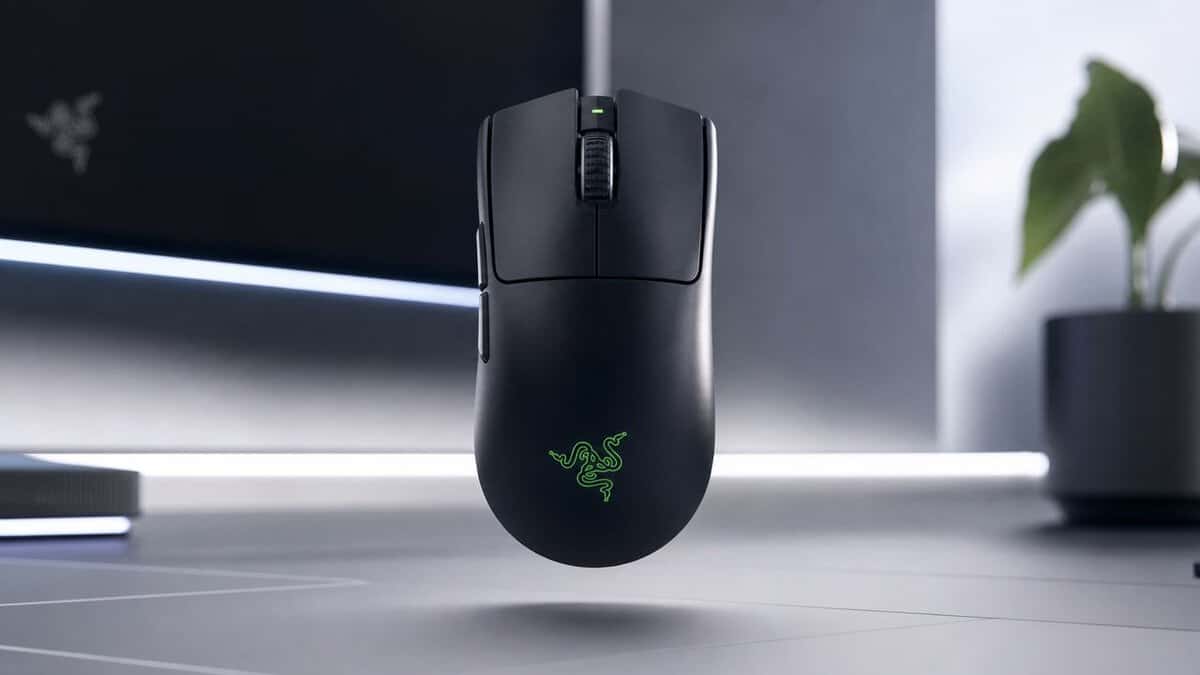
Premium Pick: Razer Viper V4 Pro
You feel this kind of mouse in the moments Tarkov punishes sloppy input. You clear a dark hallway, stop on a pixel angle, hear a step, then snap from looting mode to a fight that lasts two seconds. A premium mouse earns its keep there, not on the box.
The Razer Viper V4 Pro fits Tarkov because the game asks for three different jobs from one mouse. It has to stay steady during slow holds, react cleanly in short, violent fights, and never feel clumsy when you are dragging gear through your stash after raid. This model gets those parts right with a light body, sharp click feel, and a shape that stays out of the way instead of forcing your hand into one grip.
Why it fits Tarkov so well
Tarkov is not constant tracking and flick spam. A lot of your success comes from tiny corrections. Holding a right-hand peek. Pulling down just enough on a short burst. Resetting your mouse during a long fight without lifting half your forearm off the desk.
That is where a lightweight, well-balanced shell matters. Less drag helps with repeated lift-offs. Clean clicks matter when you are firing semi-auto weapons fast and need each press to feel identical. A stable shape matters during long sessions because Tarkov has plenty of downtime between bursts of panic, and an awkward mouse gets more annoying the longer you play.
Inventory work matters too. People skip that point because it sounds boring, but Tarkov is full of dragging, sorting, inspecting, and quick stash decisions under pressure. A mouse that feels precise in motion and consistent on click does make that part faster.
Where the money goes
You are paying for refinement, not magic.
In practice, that usually means:
- Lower weight: easier stop-start control during peeks and quick corrections
- More consistent clicks: better for tap firing, spam clicking menus, and repeated stash work
- Tighter shell and buttons: less flex, less wobble, fewer little annoyances over time
- Better overall wireless execution: fewer excuses to stay on an older wired mouse
The main trade-offs are predictable. Price is the obvious one. Shape is the other. Safe ambidextrous designs work for a lot of players, but they are not universal. If you prefer a large ergonomic shell that fills the palm, this style can feel too flat even if the performance is excellent.
That is also why I would not tell every Tarkov player to buy in at the premium tier. If you are still figuring out your grip, sensitivity, or whether you even prefer lightweight mice, start cheaper. Budget Loadout has a useful guide to the best wireless mouse under $50 if you want to test the category before spending flagship money.
Who should skip it
Skip it if your current mouse already tracks well and your main problems are settings, posture, or inconsistent aim habits. Tarkov punishes bad setup harder than it rewards expensive hardware.
Buy this kind of mouse if you already know what shape works for you, play enough to notice build quality, and want cleaner input across aiming, looting, and long raid sessions. That is the case for the Viper V4 Pro. It is expensive, but at least the money goes into things you can feel.
Best Value Pick: Logitech G305 LIGHTSPEED
A lot of Tarkov players spend premium money chasing better aim, then lose time every raid to a mouse that is merely good enough. The value tier matters because Tarkov is not only about first-shot precision. It is also about drag-looting fast, sorting a packed stash, and handling sudden close-range fights after ten quiet minutes of listening.
That is why the G305 still holds up. It covers the parts that affect raids: dependable wireless response, consistent tracking, and a compact shape that stays out of the way. You are not paying extra for boutique materials or the last bit of weight reduction.
Why it remains such a strong buy
The G305 works because it gets the fundamentals right. In Tarkov, that means your cursor feels predictable while managing inventory, and your aim does not fall apart when a slow raid suddenly turns into a ten-second scramble.
I have always liked this mouse for players who want wireless without paying flagship prices. It is responsive enough for point firing, taps, and quick corrections, and the simple shape usually adapts well if you switch between aiming and long stash sessions on the same setup.
The other reason it keeps making sense is that its compromises are easy to understand.
The real trade-offs
Weight is the obvious one. Compared with newer lightweight options, the G305 feels denser, and that shows up most during long sessions. Repeated resets, quick horizontal checks, and fine micro-adjustments take a bit more effort. In Tarkov, that matters less than it does in a pure arena shooter, but experienced players will still feel it.
Battery setup is the other trade-off. Some players are fine with it because battery life is strong and the mouse stays reliable. Others will immediately notice that replaceable-battery designs add heft and shift the balance. Whether that bothers you depends on how sensitive you are to rear weight during flicks and loot-heavy play.
The button layout stays practical. Two side buttons are enough for a lot of Tarkov binds, especially if you keep your mouse inputs focused on high-frequency actions instead of trying to cram half your controls onto your thumb. That simpler layout also helps avoid accidental presses during tense peeks.
Durability is where the value argument gets stronger. This is the kind of mouse people keep using for years, not because it is flashy, but because it keeps doing the job. If you want more options in the same price range, Budget Loadout also has a guide to the wireless mice under $50 worth considering.
Good value means paying for the parts you can feel in raid, not for features that look impressive on a spec sheet.
Best fit
The G305 fits Tarkov players who want reliable wireless performance, a familiar compact shell, and clear trade-offs instead of surprises. It is a strong choice for someone who wants one mouse for raids, stash management, and general PC use without overspending.
If you already know you prefer the lightest possible mouse, this is not that. If you want a wireless mouse that handles Tarkov well and does not waste your budget, it still earns its spot.
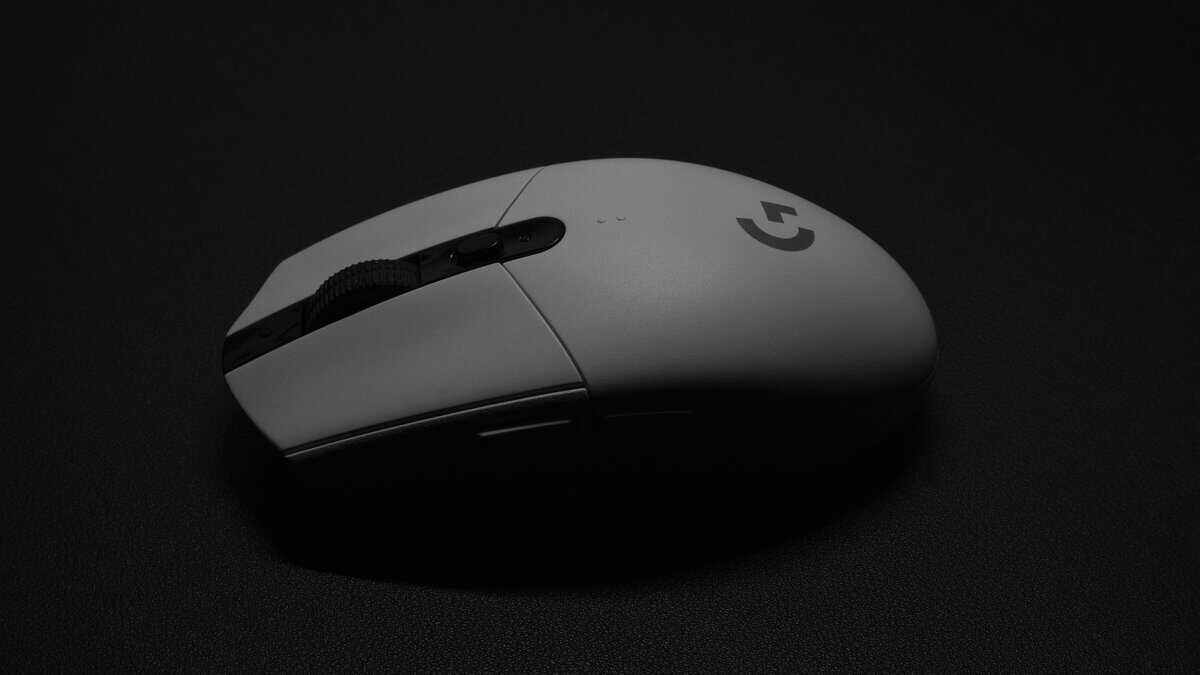
Best Budget Pick: HyperX Pulsefire Haste 2
If your current mouse is a generic office mouse, an old brick from another era, or something with sloppy clicks and a stiff cable, the Pulsefire Haste 2 is the kind of budget upgrade you’ll notice immediately.
The reason is not luxury. It’s usability. A lighter shell changes how easy it is to make small aim corrections and how little effort it takes to move through Tarkov’s inventory screens for hours without your hand feeling dragged down.
What makes it a good budget option
This mouse has the right priorities for someone entering the lightweight category.
It focuses on:
- Low-effort movement: Easier swipes, easier resets, easier drag-looting.
- Simple shape: Usually easier to adapt to than bulky budget mice with too many gimmicks.
- Usable cable behavior: A good wired mouse can still feel clean if the cable doesn’t constantly tug.
That last point matters more than people expect. Cheap wired mice often fail because the cable feels worse than the shell.
Where it gives ground
This is still a budget mouse, and it should be judged like one.
You may notice:
- Less premium shell feel: Some budget shells feel hollow compared with more expensive mice.
- More modest finish quality: That doesn’t always hurt performance, but it can affect long-term feel.
- Wired limitations: Even a good cable isn’t the same as having no cable at all.
Build quality and durability are where you need to be realistic. A budget mouse can perform well and still feel less substantial in hand. That doesn’t make it bad. It just means you’re paying for function first.
Who should buy it
The Pulsefire Haste 2 makes sense for a newer Tarkov player, a student building a setup carefully, or anyone who wants a genuine gaming mouse without stepping into premium pricing. It’s also a reasonable fit if you split time between Tarkov and general FPS gaming and don’t care about extras beyond clean movement and dependable clicks.
If your budget is tight but you still want something built for actual play instead of spreadsheet marketing, this is the right kind of compromise.
Calibrating Your Mouse for Tarkov Success
Buying the right mouse helps. Setting it up properly is what turns that purchase into cleaner raids.
A Tarkov-focused aim guide recommends using a sensitivity low enough that a single swipe can still produce a 180-degree turn, then testing it in offline raids for recoil control and target tracking instead of trusting spec sheets alone, as explained in this Tarkov sensitivity guide. That’s a useful starting point because it ties your settings to what happens in raid.
Start with the hardware settings
Keep this part simple.
- Set DPI to 800 or 1600: Both fit the practical range covered earlier.
- Use 1000 Hz polling: That’s the standard baseline for competitive play.
- Disable angle snapping: You want direct input.
- Turn off mouse acceleration in your system settings: Extra processing makes your aim less predictable.
A large surface also helps. If you’re trying to make low-sensitivity aiming work on a cramped pad, you’re creating a problem before the raid even starts. If you need one, this guide to choosing a gaming mouse pad is a good companion purchase.
Find your actual Tarkov sensitivity
Don’t start by chasing someone else’s settings.
Use this process:
- Load an offline raid: Remove the pressure of losing gear.
- Set a baseline: Make one comfortable swipe equal roughly a 180.
- Test recoil control: Fire in short bursts and full-auto.
- Track moving targets: Watch for overcorrection and shaky stops.
- Adjust slowly: Small changes beat full resets.
Your settings are wrong if you can turn fast but can’t stop on target, or if you can aim precisely but can’t clear your back without lifting three times.
Bind for survival, not for theory
This part gets ignored too often.
Good binds are the ones you’ll use under stress without thinking. If your side buttons are easy to hit, assign actions that save time or reduce finger travel. If they’re awkward, keep them for lower-priority tasks and leave critical actions elsewhere. Don’t force a complicated setup just because the mouse technically allows it.
The best mouse for Tarkov still needs a good pad, a stable sensitivity, and sensible binds. Once those are in place, the hardware starts pulling its weight.
A mouse is one piece of the raid. Our picks for the budget monitor for Tarkov, the headset that hears footsteps first, and the keyboard picks for Tarkov cover the rest of the desk. The mousepad guide for Tarkov covers the surface that low sensitivity turns into a desk-space problem.
Building out the rest of your Escape from Tarkov setup? Our gaming setup builder fills every slot from monitor to mousepad, and if you play more than one game, it finds the gear our guides recommend across all of them.
Tarkov Mouse FAQ
Quick answers to the most common questions about choosing the best mouse for Tarkov.
Is a wireless mouse okay for Tarkov?
Yes. Modern wireless mice like the Razer Viper V4 Pro and Logitech G305 use low-latency links (LIGHTSPEED, HyperWave) with no noticeable input delay versus wired. The only real trade-off is occasional charging or a battery swap.
How much should I spend on the best mouse for Tarkov?
Most players are well served in the budget-to-mid range. A reliable wireless mouse covers the fundamentals, while premium models mainly add lower weight and higher polling rates. Spend up only if you want the absolute performance ceiling.
Does mouse weight really matter in Tarkov?
It does. Tarkov rewards small, controlled corrections during holds and looting, and a lighter mouse (50–55g) reduces fatigue across long raids. It will not fix your aim, but it makes consistent input easier to sustain.
What DPI and polling rate should I use for Tarkov?
Most players land between 400 and 1600 DPI and tune sensitivity in-game. A higher polling rate keeps cursor reporting smooth (1000 Hz is plenty; 4K–8K is a bonus), but it matters far less than weight, sensor consistency, and a comfortable shape.
If you’re building a better setup without overspending, Budget Loadout publishes practical gear guides for mice, pads, streaming accessories, and other upgrades that improve play without turning every purchase into a premium one.
Related Articles