Finding the best wireless mouse under $50 means making smart trade-offs, not chasing flagship specs. You’re probably in the same spot many users find themselves in with budget peripherals. You want to cut the cable, keep the desk cleaner, and still have a mouse that doesn’t feel delayed, cheap, or worn out after a few months. You also don’t want to overpay for a logo when what you really need is solid tracking, decent battery life, and a shape you can use for hours.
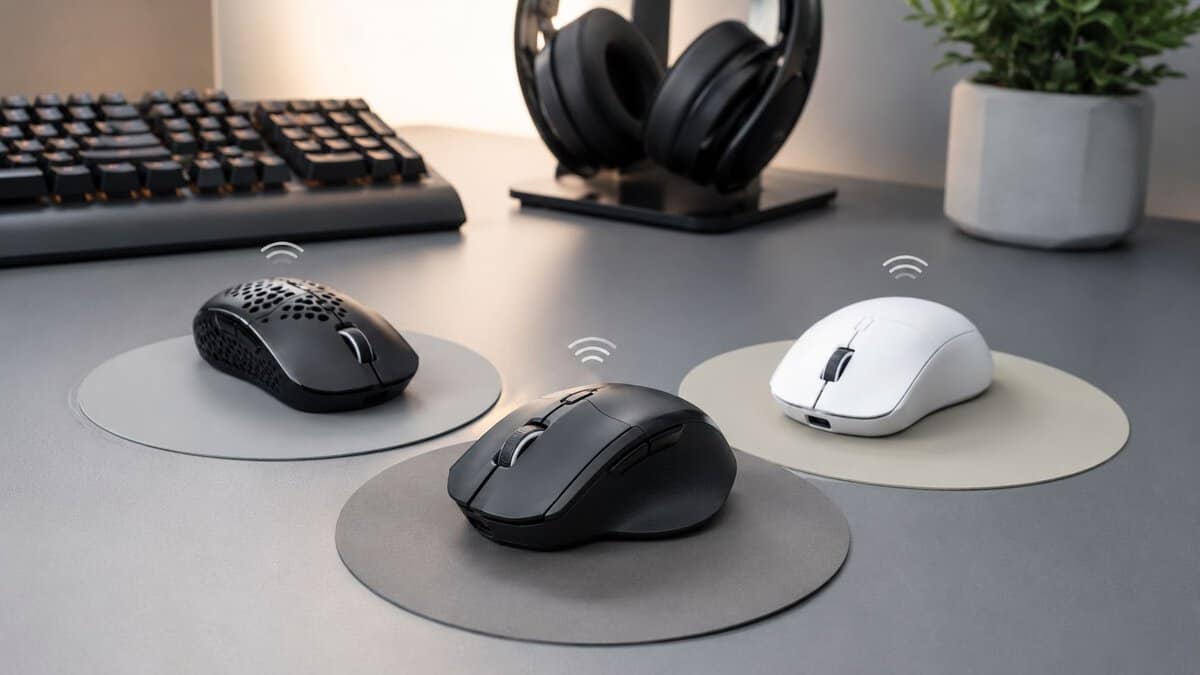
That’s where the current market is a lot better than it used to be. A few years back, “budget wireless gaming mouse” usually meant compromise first, gaming second. Now the better picks under this price ceiling can handle actual play, not just spreadsheets and web browsing. The hard part isn’t finding any wireless mouse under $50. It’s finding the one with the right sacrifices for your games, grip style, and daily use.
- Proven HERO sensor tracks cleanly at any sensible DPI
- LIGHTSPEED 2.4GHz feels lag-free for fast-paced play
- Months of battery from one AA, plus onboard profile memory
- AA-battery design adds a little weight versus rechargeable rivals
- Six buttons keep it light on extras for heavy macro users
- No RGB or charging dock, by design
- Ultra-light compact body rewards quick flicks and resets
- Dual 2.4GHz and Bluetooth covers gaming and travel
- Crisp optical sensor and mechanical switches for the price
- Compact shape can feel small for larger palm-grip hands
- Runs on a swappable AA rather than onboard charging
- Few side buttons compared with MMO-focused mice
- 12-button thumb grid handles MMO rotations and stream macros
- Long ~70-hour battery with wired and wireless modes
- High-DPI optical sensor stays accurate for the price
- Heavier multi-button shell is less suited to twitch FPS aim
- Button-dense layout takes a short while to learn
- Larger footprint than minimalist FPS mice
Picks and availability last verified: October 19, 2026
- Under $50, you’re choosing which compromise to accept: sensor, weight, shape, or buttons: not whether to compromise at all.
- The Logitech G305 is the safe all-rounder: a proven HERO sensor and lag-free LIGHTSPEED wireless that suit almost any game.
- For FPS, the sub-60g Razer Orochi V2 prioritizes flick speed and portability over a palm-filling body.
- For MMOs and streaming, the Redragon M901P’s 12-button thumb grid does more than shaving grams ever could.
- Choose 2.4GHz wireless over Bluetooth for gaming, and treat Bluetooth as a convenience mode for laptops and work.
Table of Contents
Finding a Great Wireless Gaming Mouse Under $50 Is Possible
Wireless used to be the upgrade you paid extra for. Now there are plenty of solid wireless gaming mice under $50, so brands no longer compete on “wireless or not.” They compete on shape, sensor quality, button layout and battery trade-offs, and those are the differences this guide sorts out.
That shift is why budget wireless isn’t automatically a bad idea anymore. If you’ve been debating the usual wired vs wireless gaming mouse question, the old answer was simple: go wired if you care about performance. That’s not as true now, especially if you stay realistic about what $50 buys. If you can stretch past that ceiling, our best wireless gaming mouse guide matches four picks to palm, claw and fingertip grips.
Here’s the honest version. Under $50, you’re still making trade-offs. You might get better battery life but a heavier shell. You might get a lighter shape for FPS but fewer buttons and less comfort for work. You might get more features, but weaker software or more average build refinement.
Practical rule: In this range, chase the strongest core performance for your use case, not the longest spec sheet.
The right pick depends on whether you mostly play FPS games, live in MMOs, stream and need extra shortcuts, or just want one mouse that can do all of it without annoying you. That’s where most buying guides fall short. They list specs. They don’t tell you what those specs mean for you in daily use.
This guide does. It focuses on what works, what doesn’t, and what you’re giving up each time you choose lower weight, more buttons, or longer battery life.
What to Look For in a Budget Wireless Mouse
Not set on going wireless? Our roundup of the best gaming mouse under $50 includes great wired options too.
Before looking at specific models, get the buying priorities straight. Too many budget mice try to sell you on inflated DPI numbers or cosmetic extras. That stuff looks good on a box and matters a lot less once your hand is on the mouse.
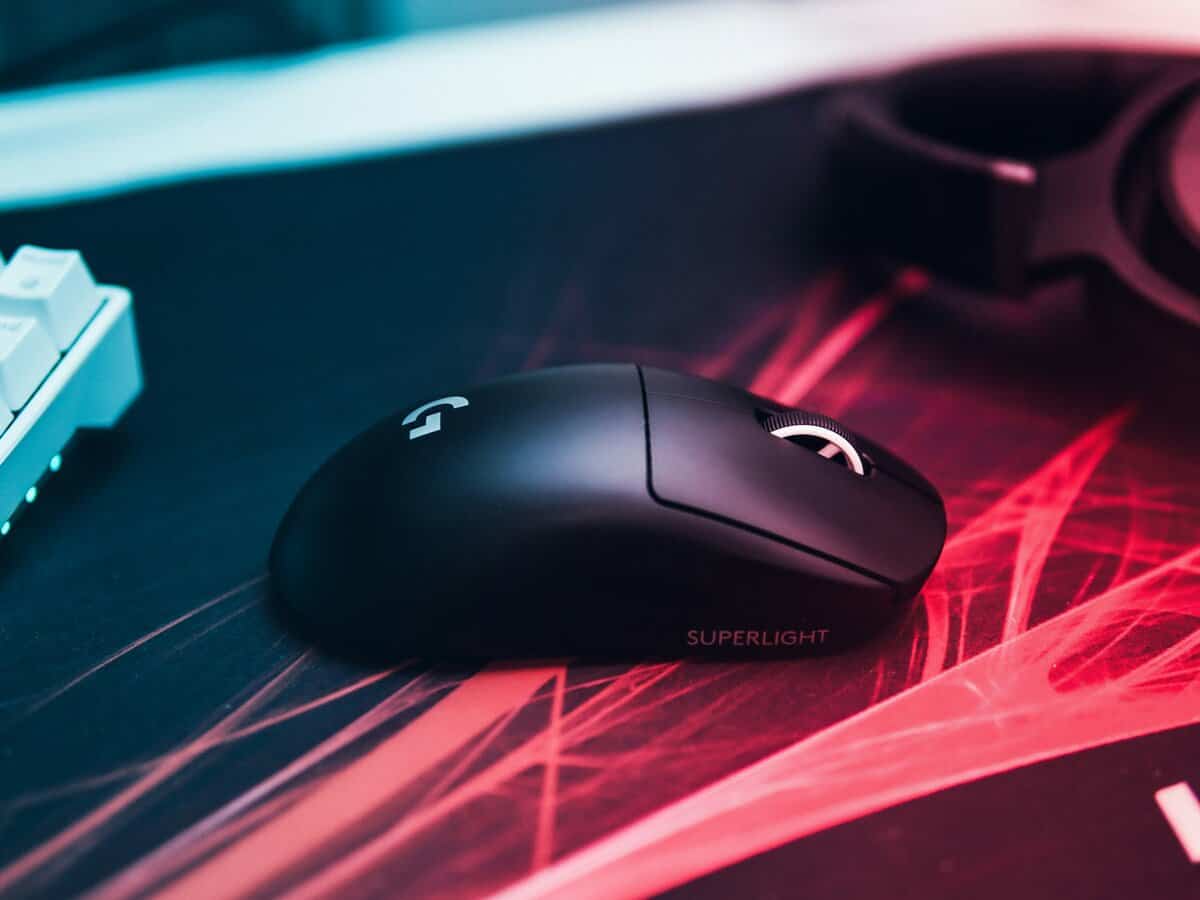
Independent reviews of wireless mice keep landing on the same conclusion: shape and features matter more than DPI alone. RTINGS calls out ergonomic design and scroll behavior as key differentiators in its best wireless mouse guide. In plain terms, a comfortable mouse with stable tracking beats a flashy one with a huge DPI claim every time.
Sensor and tracking
A budget mouse doesn’t need the biggest sensor number on the market. It needs to track consistently when you make fast swipes, small corrections, and repeated lift-offs.
For gaming, look for a sensor that feels predictable. If a mouse tracks cleanly and doesn’t spin out during fast movement, that’s what matters. A lower headline spec with good implementation is better than a higher spec that feels unstable. If you want a deeper breakdown of the hardware differences, this guide on optical vs laser mouse sensors is worth reading before you buy.
Red flags are easier to spot in use than on paper:
- Skipping or jitter: Cursor movement looks shaky at normal settings.
- Poor lift behavior: The cursor keeps moving too much when you reposition.
- Inconsistent feel: Small aim adjustments don’t match your hand input.
Latency and connectivity
For gaming, 2.4 GHz wireless is usually the mode you want. It’s the low-friction option for responsiveness and consistency. Bluetooth is fine for work, travel, or casual use, but it’s usually not my first choice for shooters.
Tri-mode mice can be useful if you move between devices. A dongle mode for gaming and Bluetooth for a laptop is a practical combo. That’s also why combo products can make sense for mixed work setups. If you need something more office-friendly than game-focused, a wireless keyboard and mouse set set can be a better fit than forcing a gaming mouse into every role.
Buy the connection type for your main use, not the backup use. If you game every night, prioritize dongle performance first.
Shape and build quality
The design often proves to be the downfall for many cheap mice. A bad shape makes even a capable sensor feel worse than it is. If the hump fights your grip or the sides don’t give you control, the mouse never feels right.
Build quality matters too, especially under $50. Check for:
- Shell rigidity: If the sides flex too easily, durability is a concern.
- Button feel: Main clicks should feel clear, not mushy or loose.
- Scroll wheel control: A sloppy wheel gets annoying fast in both games and work.
A plain shell with solid construction beats a flashy shell with creaks and wobble.
Battery life in real use
Battery life is one of the biggest practical trade-offs in this category. Some mice stay lighter by using replaceable batteries. Others go rechargeable but add weight, charging downtime, or weaker endurance.
For mixed office and gaming use, battery behavior matters more than people admit. You don’t want a mouse that feels great in a short match but becomes a chore during a week of work, travel, and evening sessions. Comfort, portability, and long battery life still matter a lot in broader buyer guidance, which is why the trade-off often comes down to what annoys you less: charging more often, or carrying extra weight.
Our Top Wireless Gaming Mice Under $50 for 2026
A cheap wireless gaming mouse only sounds simple until you start comparing them. One model cuts weight but gives you a smaller shell. Another adds side buttons and battery life, then turns into a brick for fast shooters. Under $50, the right pick usually comes down to one question. Which compromise annoys you least?
That is how this shortlist was built. These picks are here because each one solves a different problem well enough to justify what it gives up.
Top Wireless Mice Under $50 at a Glance
| Model | Best For | Sensor | Weight | Key Trade-Off |
|---|---|---|---|---|
| Logitech G305 LIGHTSPEED | All-around value | HERO sensor | Heavier because of AA battery design | Reliable and durable, but not especially light |
| Razer Orochi V2 | FPS gaming | Optical sensor | Lightweight-focused compact design | Great agility, but small for palm grip users |
| Redragon M901P | MMO and streaming | Optical sensor | Heavier multi-button shell | Strong macro utility, less ideal for twitch aiming |
The fourth category matters because it shows where the budget market is splitting. Some mice chase lower weight and stronger raw sensor performance. Others spend the budget on extra buttons, bigger shells, RGB, or multi-device features. In actual use, that means a speed-first mouse will usually feel better in shooters, while a feature-heavy one makes more sense for MMOs, work macros, or streaming controls.
I have tested enough budget mice to know the pattern stays the same. The best cheap option is rarely the one with the longest spec sheet. It is the one whose weaknesses line up with things you do not care much about.
If you also want something for travel, office use, or tablet pairing, Budget Loadout’s guide to the best Bluetooth mouse options helps separate gaming-first picks from general wireless mice.
Here is the quick read. The G305 is the safe choice if you want stable performance and can live with extra weight. The Orochi V2 makes more sense if quick movement matters more than hand-filling comfort. The M901P is the trade for players who want a lot of buttons and do not expect a heavy mouse to feel sharp in fast aim duels.
That is the buying logic under $50. You are not shopping for perfection. You are choosing the flaw you can tolerate in exchange for the feature you care about most.
Best Overall Value: Logitech G305 LIGHTSPEED
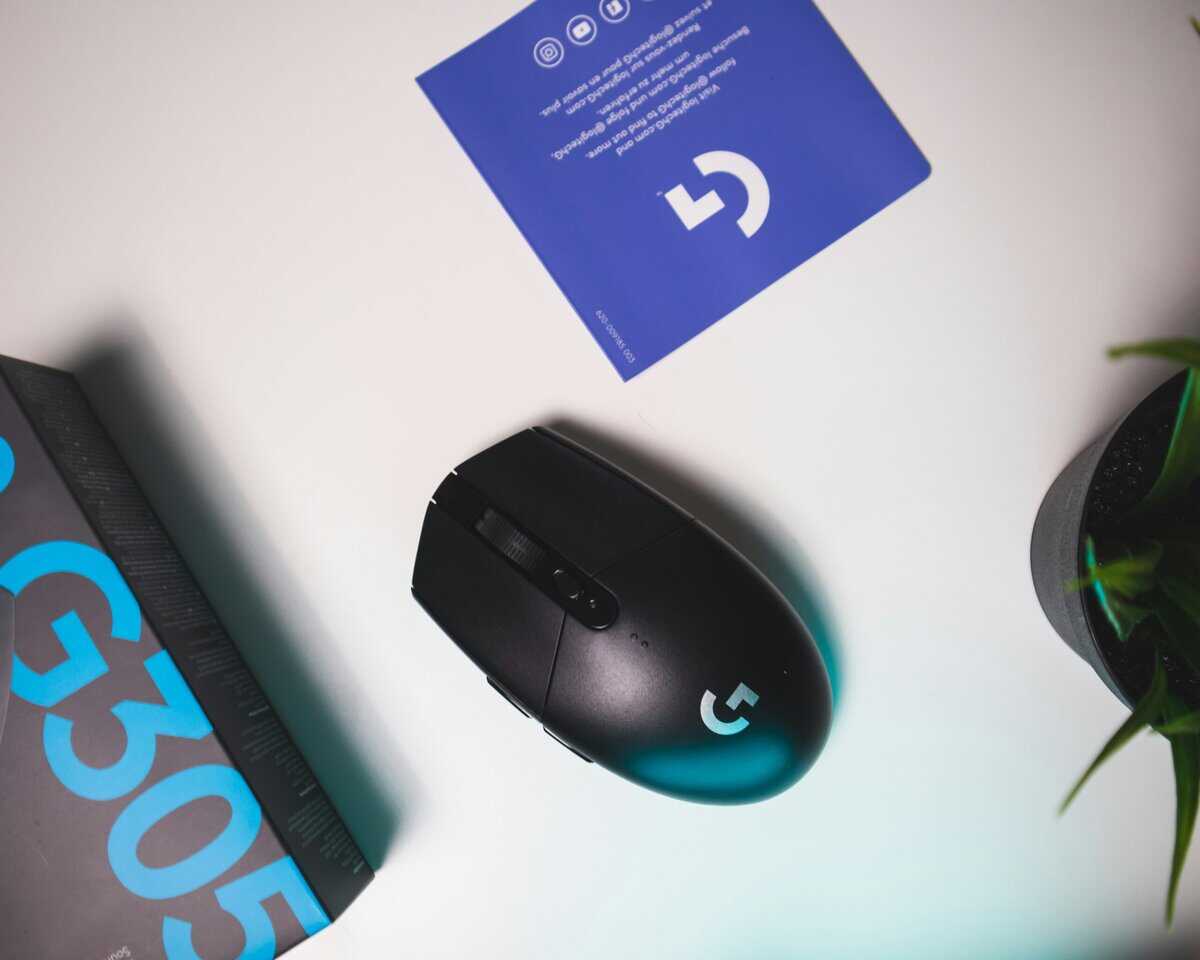
The G305 stays relevant because it gets the basics right. It doesn’t try to look fancy, and that’s part of why it keeps showing up in value discussions. You get dependable wireless performance, a proven sensor, and a shell that usually holds up well over time.
It earns spots beyond this list too, most recently as the top pick in our best mouse for Wardogs guide for the new large-scale shooter.
Why it still works
The biggest strength here is consistency. The HERO sensor is the kind of sensor you stop thinking about, which is exactly what you want. Tracking feels stable, clicks are crisp enough for everyday play, and the wireless connection has the kind of reliability that makes the mouse easy to trust.
Its shape also helps. The G305 has a simple, compact body that works for a lot of grip styles, especially claw and relaxed fingertip. It’s not a sculpted ergonomic shell, but it’s neutral enough that many users can adapt to it quickly.
That’s why it’s the easiest recommendation for someone who wants one mouse for everything:
- General gaming: It handles shooters, action games, and most casual genres without drama.
- Everyday desktop use: The shape and button layout are straightforward.
- Long-term ownership: The build is usually sturdier than many no-name budget options.
A plain mouse that works every day is worth more than a flashy one you start fighting after a week.
The trade-offs you feel
The G305’s biggest downside is weight. The AA battery setup makes it feel heavier than newer lightweight-focused models, and you notice that most in fast shooters or long aim-heavy sessions. It’s still usable for FPS. It just won’t feel as agile as a mouse built around shaving grams.
The second trade-off is personality. This mouse is functional, not exciting. The design is basic, the shape is safe rather than specialized, and it doesn’t give you the “ultra-light competitive” feel some players want.
Build quality is one of the reasons to buy it, though there are still things to check for after purchase:
Where it earns the money
- Button durability: Main clicks tend to feel more established than the random mush you get from weaker budget shells.
- Shell integrity: The body generally feels solid rather than hollow.
- Support confidence: Established models are easier to troubleshoot, replace parts for, or understand through wider user experience.
If you want the safest all-round wireless gaming mouse under this budget, this is still hard to argue against. It isn’t the fastest. It isn’t the lightest. It’s the one I’d hand to someone who wants value without gambling on weird compromises.
Best for FPS Gaming: Razer Orochi V2
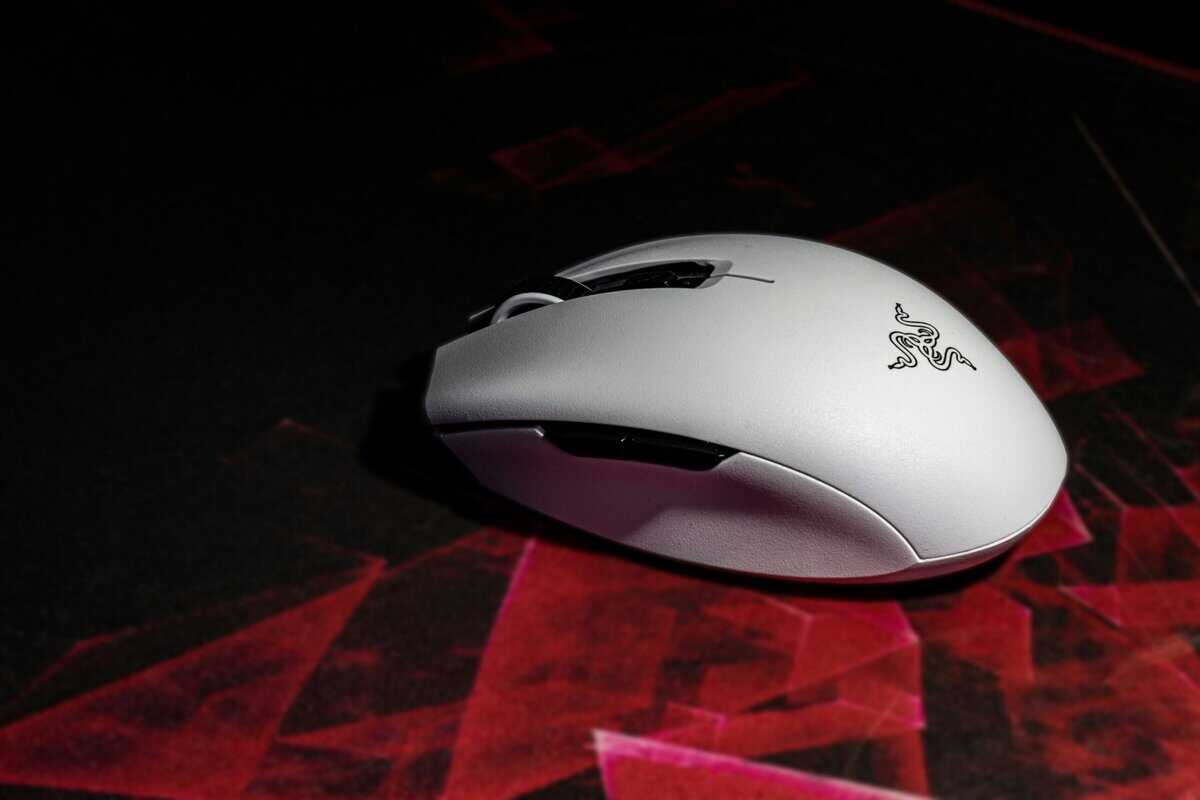
You flick to a second angle, stop on a head, then have to reset fast for the next peek. That is the kind of moment where the Orochi V2 makes sense. It feels built for players who care more about quick hand movement and clean micro-corrections than a fuller shape or extra features.
Why it works for FPS
At this price, you usually pick between comfort, battery convenience, feature count, and raw handling. The Orochi V2 puts handling first. The smaller shell and lighter feel make it easier to start and stop cleanly, which matters more in shooters than a long feature list ever will.
That shows up most with claw and fingertip grip. The mouse gives you less bulk to move around, so repeated adjustments feel quicker and lift-offs feel less annoying during low-sens play. If your main games are tactical shooters, the same priorities come up in this guide to the best budget mouse for Valorant.
The trade-offs you actually feel
This mouse gives up some broad comfort to get that speed. If you palm grip, or you want one mouse for work, browsing, and long casual sessions, the shape can feel too short and too narrow. I would not call it uncomfortable for everyone. I would call it selective.
The battery choice is part of that trade too. Replaceable batteries are practical and can help you manage weight depending on what you install, but rechargeable mice are easier to live with day to day. Some buyers want less downtime. Others would rather keep a spare battery nearby and avoid charging cables entirely.
Where it earns the money
The Orochi V2 earns its spot by feeling responsive where FPS players notice it:
- Fast direction changes: Easier to control during flicks, resets, and short tracking corrections.
- Compact shell: Better suited to claw and fingertip users than large-hand palm grip players.
- Focused design: You are paying for aiming feel first, not for a pile of extras you may never use.
That kind of narrow specialization is the right call for a shooter mouse. For streaming or mixed setups, other priorities matter more, especially if you need to understand video bitrate settings and manage a broader desk workflow around gaming.
Who should buy it
Pick this one if your main goal is better FPS movement under a tight budget. Skip it if you want a safer all-purpose shape.
The trade is simple. You lose some comfort range and some convenience. In return, you get a mouse that feels quicker in the exact moments that decide aim fights.
Best for MMO & Streaming: Redragon M901P
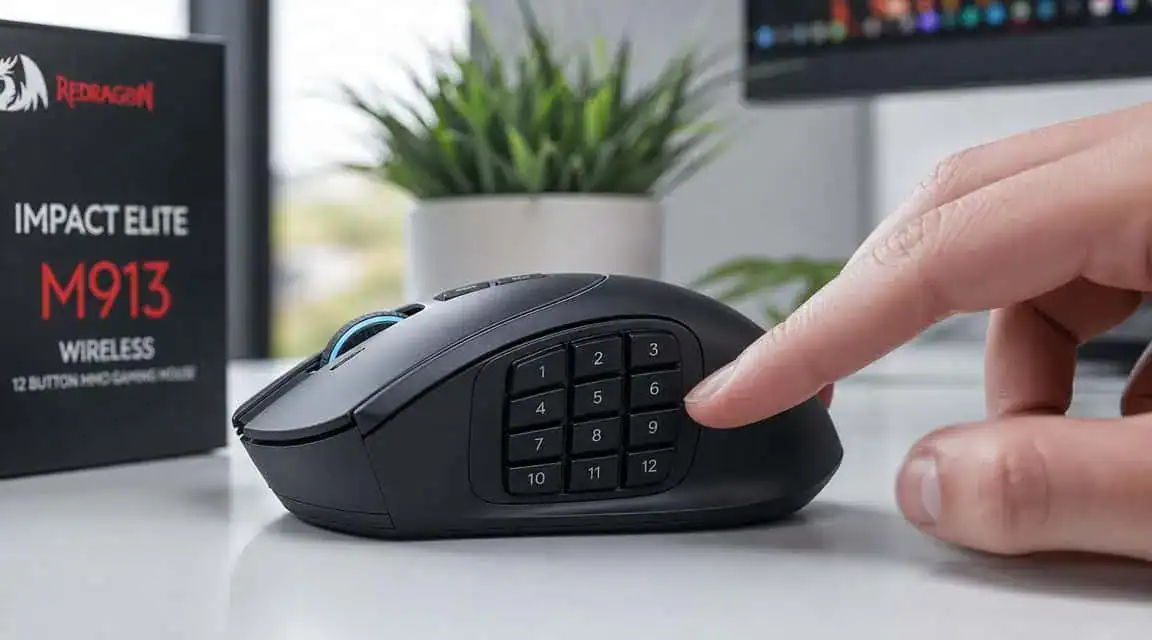
The M901P solves a different problem. It’s not trying to win on pure speed. It wins by giving you more control points on the mouse itself, which is a much bigger deal for MMOs, streaming shortcuts, and work-heavy setups than spec-sheet bragging rights.
Where extra buttons actually matter
A 12-button side grid changes how you use the mouse. In an MMO, it lets you map abilities, rotations, consumables, and utility actions directly to your thumb. For streaming, those buttons can handle scene changes, push-to-talk, mute toggles, clip markers, or macro chains that would otherwise clutter your keyboard.
That makes this kind of mouse useful beyond games. For people who work from home, edit, or manage live broadcasts, extra buttons often matter more than shaving a bit of sensor responsiveness. Broader buyer guidance keeps emphasizing practical concerns like comfort and battery life over raw performance, which fits the kind of dual-use logic behind this wireless mouse buying advice from Tom’s Hardware.
If you’re building a setup around shortcut-heavy games or workflows, a dedicated 12-button mouse guide helps narrow down whether this form factor is worth it for you.
The trade-offs are obvious, and that’s fine
This is a heavier mouse. You will feel that immediately if you’re coming from a lighter FPS design. Fast flicks take more effort, and the shell is built around support and function rather than raw agility.
That doesn’t make it bad. It makes it specialized.
For MMO sessions and streaming, the upside is clear:
- Button access: More commands stay under your thumb.
- Palm support: The shape is usually better for longer sessions than tiny compact mice.
- Productivity crossover: Macros can pull double duty for editing, streaming, and general desktop work.
More buttons beat less weight when your game or workflow depends on shortcuts.
Build quality and dual-use value
On mice like this, build quality is mostly about whether the side buttons stay usable and distinct over time. If the grid feels muddy or cramped, the whole design falls apart. The M901P makes sense when you want function first and can accept that it won’t feel as nimble as an FPS-first option.
This is also the kind of mouse that helps simplify a beginner stream setup. If you’re assigning commands across your gear, it also helps to video bitrate settings so your hotkeys and scene changes support a stable stream instead of just adding clutter.
The M901P isn’t for everyone, and that’s exactly why it deserves a place here. For MMO players, streamers, and macro-heavy users, extra buttons and all-day comfort can be the better value than chasing lighter weight.
If wired is fine and the budget is tighter, see the cheapest gaming mice worth buying.
Answering Your Budget Wireless Mouse Questions
A few buying questions always come up at the end. The answers are usually simpler than the marketing makes them sound.
Is Bluetooth good enough for gaming?
For casual play, sure. For competitive gaming, I’d still choose 2.4 GHz wireless first. Bluetooth is better treated as a convenience mode for laptops, tablets, or work devices.
If a mouse offers both, use the dongle for games and Bluetooth for everything else. That’s the practical setup.
How much does weight matter if I’m not a serious player?
Less than shape. That’s the short answer.
A lighter mouse helps most in FPS games and low-sensitivity aiming, but if you’re not grinding shooters every day, comfort and button layout usually matter more. A mouse that fits your hand well will feel better longer than a lighter one with a shape you never fully like.
How long should a sub-$50 wireless mouse last?
That depends mostly on build quality, switch feel over time, scroll-wheel consistency, and how hard you are on your gear. A well-built budget mouse can last years. A weak one can feel worn out fast even if the sensor is fine.
Check these early:
- Click consistency: Do both main buttons feel even?
- Shell creak: Any flex or rattle out of the box is a bad sign.
- Wheel stability: If the wheel already feels loose, don’t expect it to improve.
Can one mouse handle both work and gaming?
Yes, if you choose based on use pattern instead of buying blind. An all-around model works best if your day is split between browsing, office work, and several different game genres. A lightweight FPS mouse is better if gaming is the priority. A 12-button model makes more sense if your work and play both benefit from macros
If you’re comparing more value-focused gaming gear and want the same no-hype approach, check out Budget Loadout for practical guides on mice, keyboards, streaming accessories, and other setup upgrades that prioritize performance per dollar.
Related Articles