The best budget mini-LED monitor for fast 1440p play is the AOC Q27G4SLM, with 1,152 dimming zones and a 320Hz refresh rate on a 27-inch panel. A budget mini-LED is worth buying when it has at least 576 zones to keep the glow around bright objects small. Some cheap models still ship with fewer than 100 zones, which is why we check the count before anything else.
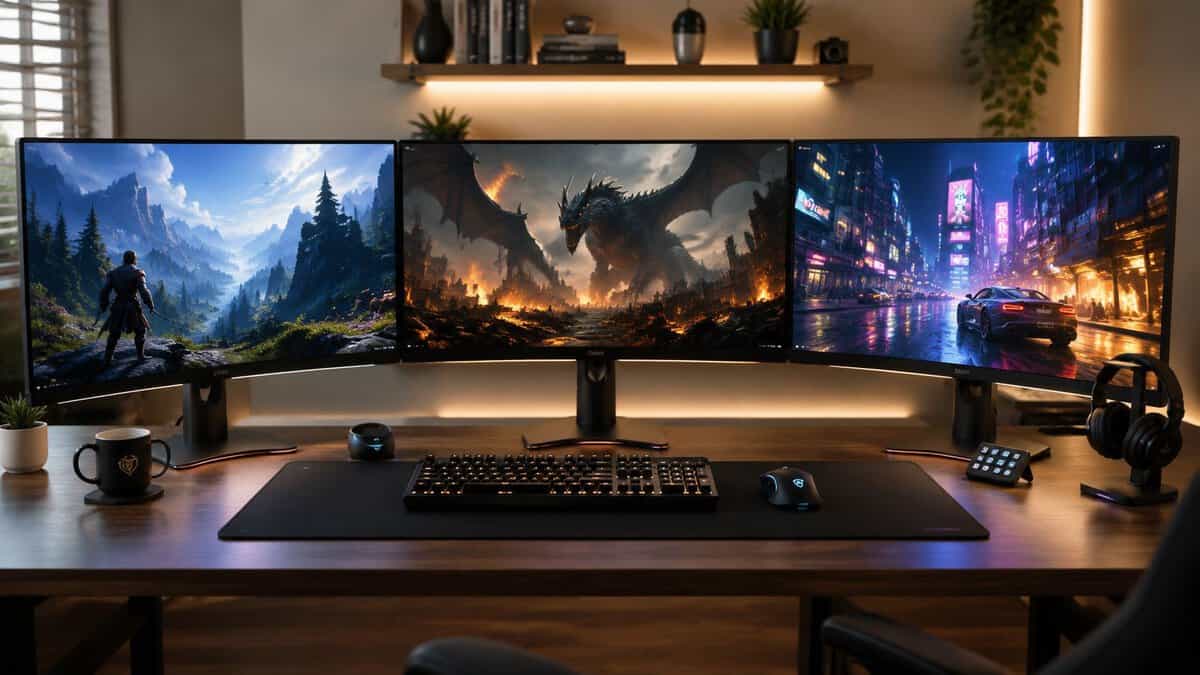
We picked four mini-LED monitors with 576 or more zones each. They cover fast 1440p play, 4K at 27 and 32 inches and the lowest cost of entry.
A 27-inch 1440p mini-LED with 1,152 dimming zones and a 320Hz refresh rate over HDMI 2.1 or DisplayPort. It puts the zone count of pricier mini-LEDs into the budget tier.
- 1,152 zones keep blooming tight around small bright objects
- 320Hz over HDMI 2.1 or DisplayPort 1.4 for fast shooters
- Stand adjusts for height, tilt, swivel and pivot
- Comes in white, which may not suit a dark setup
- Newer model with a shorter owner track record
- Filling 320Hz in demanding games takes a strong GPU
A 27-inch 4K mini-LED with 1,152 dimming zones and two HDMI 2.1 ports. Its dual mode switches to 1080p at 320Hz when you want speed over sharpness.
- Sharp 4K detail on a desk-friendly 27-inch screen
- Two HDMI 2.1 ports for 4K at 120Hz from a PS5 or Xbox Series X
- Dual mode adds 320Hz at 1080p for shooters
- 4K at high frame rates asks a lot of a PC’s GPU
- The 1080p mode looks softer than native 4K
- Newer model with a smaller review base
The biggest screen here, a flat 31.5-inch 4K panel with 1,152 dimming zones and up to 1,000 nits. It suits single-player games and MMOs played from a little farther back.
- Flat 31.5-inch 4K panel for immersive single-player and MMO play
- Same 1,152 zones and DisplayHDR 1000 as the 27-inch Acer
- Two HDMI 2.1 ports plus built-in speakers
- 4K at high refresh needs a powerful GPU
- 32 inches can feel large for fast competitive play
- Costs more than the 27-inch picks
The lowest-cost pick here with more than 500 dimming zones. It adds USB-C with 90W charging, a KVM switch, speakers and a fully adjustable stand.
- 576 zones and HDR1000 at the lowest cost of entry here
- USB-C with 90W power and a built-in KVM for a laptop
- Stand adjusts for height, tilt, swivel and pivot
- Half the zones of the other picks and more visible blooming
- HDMI 2.0 ports top out at 144Hz
- VA panel gives up some viewing angle for contrast
Picks and availability last verified: November 23, 2026
- Check the dimming-zone count first. We set 576 zones as the floor and 1,152 now shows up on several budget models.
- A DisplayHDR 1000 or 1400 label requires 2D local dimming, while the 400 and 600 tiers don’t.
- Pick 1440p for a mid-range GPU and high refresh rates. Save 4K for a high-end card or a console.
- A PS5 or Xbox Series X needs HDMI 2.1 on the monitor for 4K at 120Hz.
- Budget mini-LED still blooms a little around bright objects. Treat it as a big HDR upgrade over IPS that stops short of OLED.
Table of Contents
What Is a Mini-LED Monitor?
A mini-LED monitor is an LCD lit from behind by thousands of very small LEDs, grouped into dimming zones that brighten or dim on their own. Bright parts of the picture get more light and dark parts get less. Local dimming gives a mini-LED much deeper blacks and brighter HDR highlights than a regular edge-lit IPS or VA monitor.
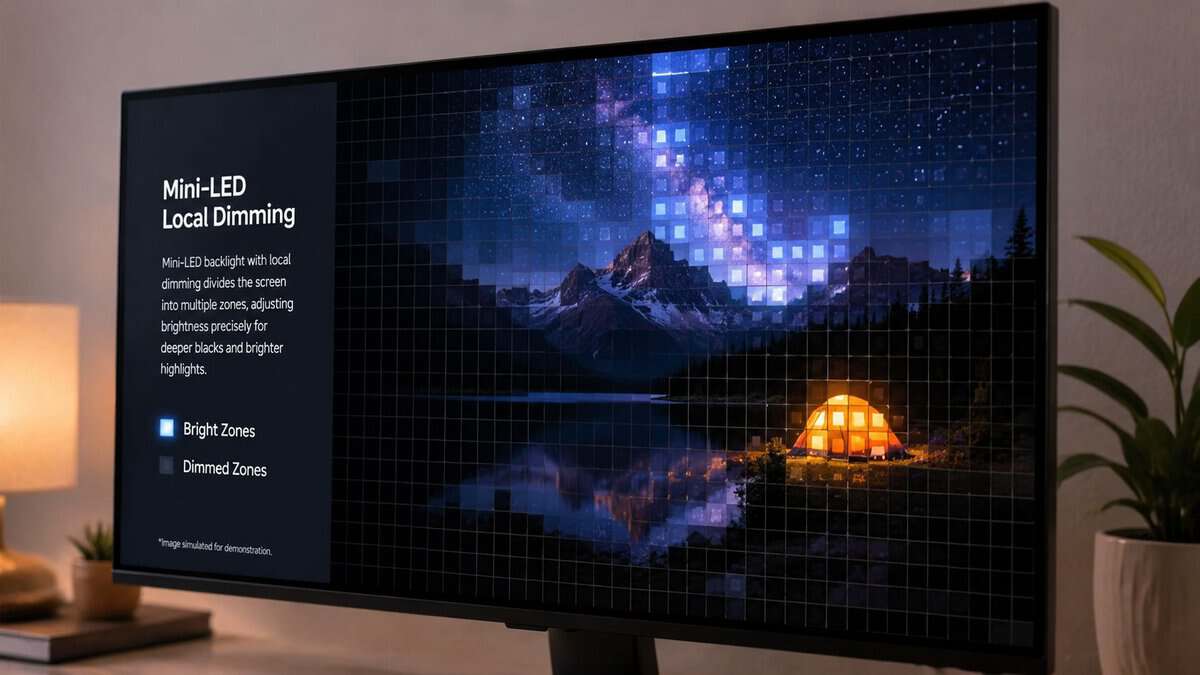
Each zone covers a patch of pixels, which means a zone can’t light a single star without lighting some of the sky around it. Blooming is the faint glow a mini-LED shows around bright objects on dark backgrounds. More zones make each patch smaller and the glow tighter. Check the zone count first on any mini-LED spec sheet.
Mini-LED vs OLED and IPS for Gaming
Mini-LED sits between a standard IPS monitor and an OLED for gaming. Against IPS, a mini-LED adds real local dimming. Dark scenes look dark instead of gray and HDR highlights get much brighter. We compare those two panel types in our OLED vs IPS guide.
Against OLED, a mini-LED gives up per-pixel contrast because an OLED lights each pixel by itself. A mini-LED gets brighter across the whole screen and carries no burn-in risk from static HUDs. Budget mini-LEDs use an IPS or VA panel underneath. We explain that trade in our IPS vs VA for gaming guide.
What to Expect from a Budget Mini-LED Display
A budget mini-LED display depends on its dimming zones, its HDR brightness and how well its processing handles both. Zone counts in this price range run from under 100 to more than 1,000. Read the zone count on each listing before you trust the mini-LED label.
How Many Dimming Zones a Budget Mini-LED Needs
A budget mini-LED needs at least 576 dimming zones on a 27-inch screen before we recommend it. At 1,152 zones, blooming shrinks to a faint halo around small bright objects like crosshairs and subtitles.
Monitors with fewer than 100 zones light big blocks of the screen at once and can look patchier in dark scenes than a good monitor with dimming off. Around 300 zones is a real step up, but haloing still shows around white text and HUD elements. At 576 zones you’ll mainly notice blooming on star fields and fireworks. Three of our four picks have 1,152.
Skip a mini-LED monitor if
- The listing doesn’t state a dimming-zone count at all.
- The zone count is under 300 on a 27-inch or larger screen.
- The HDR label is DisplayHDR 400 or 600, neither of which requires 2D local dimming.
- You mostly play fast shooters in a bright room and never turn on HDR.
What DisplayHDR 1000 and 1400 Mean on the Box
DisplayHDR 1000 and DisplayHDR 1400 are VESA certification tiers that require 2D local dimming and a peak brightness of at least 1,000 or 1,400 nits on a small highlight. VESA’s DisplayHDR performance criteria also set a full-screen floor of 500 nits for the 1000 tier and 700 nits for the 1400 tier.
VESA sets far lower bars for DisplayHDR 400 and 600. DisplayHDR 400 can pass on higher native panel contrast with no local dimming at all and DisplayHDR 600 needs only 1D local dimming.
All four of our picks are rated HDR1000. A DisplayHDR 1400 panel gets brighter still, which helps in a bright room.
Processing and Local Dimming Modes
A mini-LED’s processing controls how fast its zones react and how its overdrive handles motion. Budget models often offer more than one local dimming mode. A stronger mode gives deeper blacks but can make small bright objects pulse or bloom as the zones switch, while a lighter mode looks calmer on the desktop. HDR, local dimming, adaptive sync and overdrive don’t always play nicely together on cheaper models. Try each mode in the games you play most before you settle on one.
VA-based mini-LEDs can also leave dark trails in fast scenes with lots of shadow. That matters more in shooters than in MMOs and story games.
1440p or 4K Mini-LED Monitor: Which Fits Your GPU?
A 1440p mini-LED monitor suits a mid-range graphics card, while a 4K mini-LED needs a high-end card to hold high frame rates in new games. 4K pushes 2.25 times the pixels of 1440p. The same card loses a big share of its frame rate when you step up.
27-Inch 1440p Mini-LED Monitors
A 27-inch 1440p mini-LED monitor is the easiest format to drive at high frame rates while still looking sharp from a normal desk distance. Two of our picks use it, with the AOC Q27G4SLM at 320Hz for fast shooters and the KTC M27T20 at 165Hz for the lowest cost of entry. We go deeper on the resolution trade in our 1440p vs 4K gaming guide.
If you want a brighter 1440p panel for HDR movies and sunlit single-player games, the KTC M27T6 is rated DisplayHDR 1400 with 1,152 zones on an HVA panel. It costs more than the AOC Q27G4SLM and tops out at 180Hz, which matters more in fast shooters than in story games.
4K Mini-LED Monitors at 27 and 32 Inches
A 4K mini-LED monitor at 27 inches packs the sharpest picture into a normal desk footprint, while a 32-inch 4K model trades a little sharpness for a bigger, more immersive screen. Both of our Acer picks run 4K at up to 160Hz and share the same 1,152-zone backlight.
Both Acers also have a dual mode that drops the resolution to 1080p and raises the refresh rate to 320Hz. That mode suits fast shooters on a card that can’t push 4K at high frame rates. The picture looks softer at 1080p than at native 4K, but you switch modes without changing monitors.
Here’s which pick fits which kind of player and what each one gives up.
| If You… | Our Pick | Why It Fits | What You Give Up |
|---|---|---|---|
| Play fast shooters on a 1440p-class GPU | AOC Q27G4SLM | 320Hz and 1,152 zones at 1440p | White finish and a newer listing |
| Want 4K detail or play on a PS5 or Xbox Series X | Acer Nitro XV275K | 4K at 160Hz with two HDMI 2.1 ports | Needs a high-end GPU for 4K on a PC |
| Sit back for single-player games and want a big screen | Acer Nitro XV325QK | Flat 31.5-inch 4K panel with 1,152 zones | Large for some desks and for fast competitive play |
| Want the lowest cost of entry with USB-C | KTC M27T20 | 576 zones, 90W USB-C and a full stand | More blooming than the 1,152-zone picks |
Top Budget Mini-LED Gaming Monitors at a Glance
All four picks are 1440p or 4K mini-LED gaming monitors with 576 or more dimming zones and an HDR1000 rating. Here are the key specs side by side.
| Monitor | Size | Resolution | Panel | Max Refresh | Dimming Zones | HDR Rating | HDMI | Best For |
|---|---|---|---|---|---|---|---|---|
| AOC Q27G4SLM | 27 in | 2560 x 1440 | IPS | 320Hz | 1,152 | DisplayHDR 1000 | HDMI 2.1 | Fast 1440p play |
| Acer Nitro XV275K | 27 in | 3840 x 2160 | IPS | 160Hz (320Hz at 1080p) | 1,152 | DisplayHDR 1000 | 2 x HDMI 2.1 | 4K and consoles |
| Acer Nitro XV325QK | 31.5 in | 3840 x 2160 | IPS | 160Hz (320Hz at 1080p) | 1,152 | DisplayHDR 1000 | 2 x HDMI 2.1 | Big-screen immersion |
| KTC M27T20 | 27 in | 2560 x 1440 | VA | 165Hz | 576 | HDR1000 | 2 x HDMI 2.0 | Lowest cost of entry |
How We Picked the Best Budget Mini-LED Monitor for 2026
We picked the best budget mini-LED monitor for 2026 by setting a floor of 576 dimming zones and an HDR1000 rating. We looked at 29 mini-LED monitors on Amazon and compared the ones that cleared that floor on refresh rate, resolution, ports, stand and value.
Specs on this page come from each monitor’s listing, brand spec pages and published reviews.
Get our free Budget Gaming Setup Checklist
Plus one email every Thursday on what changed for budget gaming gear.
No spam. Unsubscribe any time. Privacy
Best Overall Value AOC Q27G4SLM
The AOC Q27G4SLM is our best overall value pick because it pairs 1,152 dimming zones with a 320Hz refresh rate on a 27-inch 1440p IPS panel. It reaches 320Hz over HDMI 2.1 or DisplayPort 1.4 and carries a DisplayHDR 1000 certification.
Why the AOC Q27G4SLM Is the Best Value
The AOC Q27G4SLM is the best value because it puts 1,152 zones and a 320Hz panel into the same price class as older budget mini-LEDs with only a few hundred zones. AOC lists 700 nits of HDR brightness and 1,200 nits at peak.
The AOC Q27G4SLM brings 1,152 dimming zones to a white 27-inch 1440p monitor.
Where the AOC Q27G4SLM Works Best as a Mini-LED Gaming Monitor
The AOC Q27G4SLM works best for players who split their time between fast shooters and HDR single-player games. The 320Hz panel keeps motion clear in ranked matches and the 1,152-zone backlight gives night scenes, spell effects and neon cities real depth.
The stand adjusts for height, tilt, swivel and pivot. You can set the screen where you want it without buying a monitor arm.
Trade-Offs of the AOC Q27G4SLM
The AOC Q27G4SLM’s main trade-off is its white finish. A white monitor stands out on a dark desk, which some players will like and others won’t. It’s also a newer model with a shorter track record than long-running budget mini-LEDs.
Filling 320Hz in demanding new games takes a high-end GPU. On a mid-range card you’ll reach it mainly in esports titles.
Best 27-Inch 4K Pick Acer Nitro XV275K
The Acer Nitro XV275K is our best 27-inch 4K pick because it brings a 1,152-zone mini-LED backlight to a 3840 x 2160 IPS panel at 160Hz. Acer rates it DisplayHDR 1000 with up to 1,000 nits and gives it two HDMI 2.1 ports and two DisplayPort inputs.
The Acer Nitro XV275K fits 4K and 1,152 dimming zones into a standard 27-inch desk footprint.
What 4K Adds on a 27-Inch Screen
4K on a 27-inch screen adds sharper text, finer detail in distant scenery and room for more windows on the desktop. The XV275K’s dual mode drops to 1080p at 320Hz when you want raw speed in a shooter.
Acer lists a 0.5ms gray-to-gray response time, 97% DCI-P3 color coverage and AMD FreeSync Premium. With two HDMI 2.1 ports, the XV275K can keep a PS5 and an Xbox Series X plugged in at once with a PC on DisplayPort.
Downsides of the Acer Nitro XV275K
The Acer Nitro XV275K’s main downside is GPU load because 4K at high frame rates takes a high-end card in new games. On a mid-range card you’ll lean on upscaling or the 1080p mode.
Like any 1,152-zone mini-LED, the XV275K still shows a faint halo around small bright objects on dark backgrounds. It’s also a newer model with a smaller owner base than older 4K monitors.
Best for 4K and Immersive Gaming Acer Nitro XV325QK
The Acer Nitro XV325QK is our pick for 4K and immersive gaming because it’s a flat 31.5-inch 4K panel with the same 1,152-zone backlight as the 27-inch Acer. It runs 4K at 160Hz or 1080p at 320Hz and is rated DisplayHDR 1000 with up to 1,000 nits.
Why a 31.5-Inch Screen Feels More Immersive
A 31.5-inch screen like the XV325QK’s makes open-world games, MMOs and story-driven single-player games feel more immersive. Cities at night, sunlit vistas and spell effects fill more of your view and UI-heavy MMO layouts get more room.
The Acer Nitro XV325QK is the only 32-inch 4K mini-LED among our four picks.
Both Acers have two HDMI 2.1 ports, two DisplayPort inputs and an ergonomic stand. The XV325QK also has built-in speakers.
Who Should Skip the Acer Nitro XV325QK
Skip the Acer Nitro XV325QK if you mostly play twitch shooters, your desk is shallow or your GPU already works hard at 1440p. A 32-inch screen sits wide in your view at close range, which makes it harder to track a whole map at a glance.
Buy the XV325QK if you want a big HDR picture for single-player games and have the GPU to drive 4K.
Cheapest Mini-LED Worth Buying KTC M27T20
The KTC M27T20 is the cheapest mini-LED worth buying on our list because it clears 500 dimming zones for the lowest cost of entry. It’s a 27-inch 1440p VA monitor with 576 zones, a 165Hz refresh rate and an HDR1000 rating.
The KTC M27T20 adds USB-C with 90W charging, a KVM switch and speakers to a 576-zone mini-LED.
Why 576 Zones Is the Floor
We set 576 zones as the floor because monitors with about half that count show more haloing around HUD elements and white text. The KTC M27T20 still blooms a little around fireworks and star fields, while its VA panel’s higher native contrast keeps the space between lit zones darker.
The M27T20 runs 165Hz over DisplayPort while its two HDMI 2.0 ports top out at 144Hz. Its USB-C port carries video and 90W of power, which lets one cable run the screen from a laptop and charge it.
Who Should Spend More Than the KTC M27T20
Fast-shooter players and anyone who wants cleaner HDR highlights should spend more than the KTC M27T20. The AOC Q27G4SLM doubles the zone count and nearly doubles the refresh rate, while the Acers add 4K.
Stay with the M27T20 if it shares a desk with a work laptop. Its KVM switch lets one keyboard and mouse control both machines.
Quick Setup and Optimization Checklist
A quick setup pass gets a mini-LED monitor much closer to its best picture than the default settings do. Run through this list the first time you plug it in.
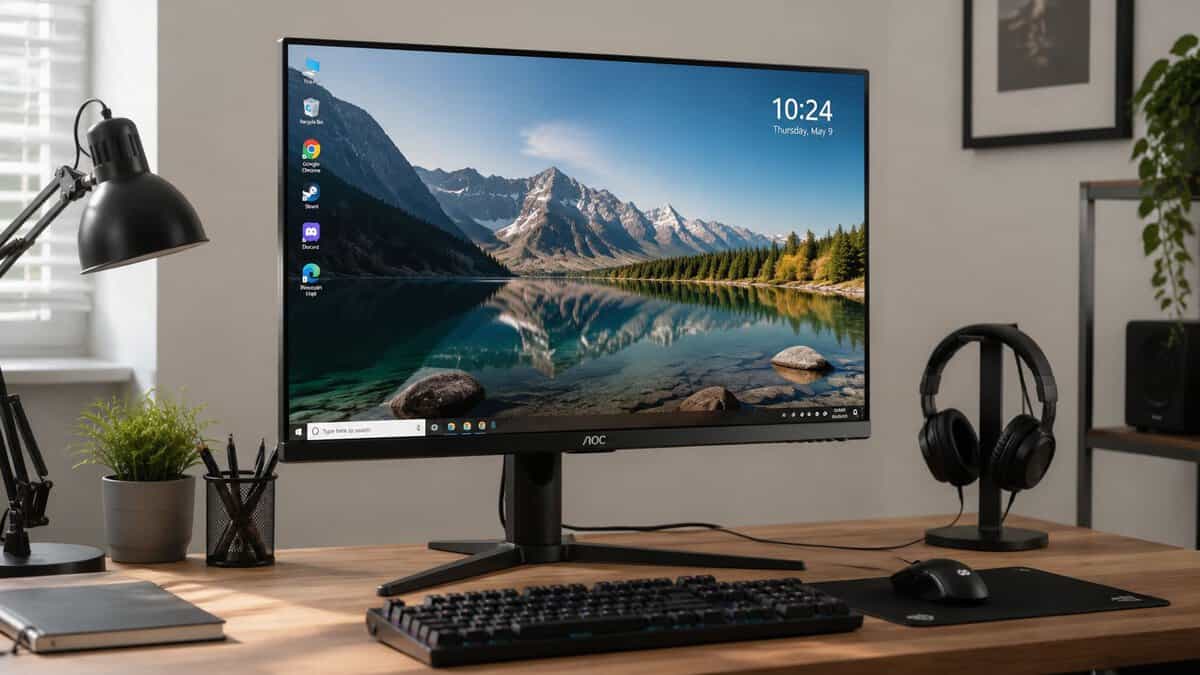
- Connect a PC over DisplayPort or HDMI 2.1 so the monitor can reach its full refresh rate.
- Set the refresh rate by hand in Windows and in your GPU control panel. A new monitor can start at 60Hz out of the box.
- Turn on adaptive sync. AMD describes on its FreeSync page how the monitor’s refresh rate syncs to your graphics card and how low framerate compensation repeats frames when the frame rate drops below the monitor’s minimum.
- Try each local dimming mode in a dark game and on the desktop before you settle on one.
- Turn on HDR in Windows for HDR games and video. Switch back to SDR for browsing if it looks cleaner to you.
- Raise overdrive one step at a time. Too low leaves blur and too high adds bright trails behind moving objects.
Using a Mini-LED Monitor With PS5 and Xbox
A mini-LED monitor works with a PS5 or Xbox Series X over HDMI. For 4K at 120Hz, both the console and the monitor need HDMI 2.1.
Both Acer picks have two HDMI 2.1 ports for 4K at 120Hz from a console. The AOC Q27G4SLM also has HDMI 2.1, but as a 1440p monitor it shows a console picture at 1440p rather than 4K. The KTC M27T20 is 1440p as well and its HDMI 2.0 ports top out at 144Hz. We explain what the newer port adds for consoles in our HDMI 2.1 monitor guide.
If you can stretch the budget for per-pixel contrast with no blooming at all, we rank the next step up in our best OLED gaming monitor guide.
Frequently Asked Questions
Quick answers on dimming zones, blooming, OLED and consoles.
Is a budget mini-LED monitor worth it over a regular IPS?
Yes, a budget mini-LED monitor is worth it over a regular IPS if you play HDR games or watch HDR video. Local dimming gives much deeper dark areas and brighter highlights than an edge-lit IPS panel. Stick to models with 576 or more dimming zones. Fewer zones bring more blooming around bright objects.
How many dimming zones does a budget mini-LED need?
A budget mini-LED needs about 576 dimming zones on a 27-inch screen for local dimming to hold up in dark scenes. Models with 1,152 zones, like the AOC Q27G4SLM and both Acer Nitro picks, keep blooming tighter still. Monitors with fewer than 100 zones light large blocks of the screen at once.
Will a budget mini-LED monitor still have blooming?
Yes, a budget mini-LED monitor still shows some blooming, a faint glow around bright objects on dark backgrounds. More dimming zones shrink the glow without removing it. It shows most on star fields, fireworks, white subtitles and crosshairs. If you want no blooming at all, pick an OLED, which lights each pixel by itself.
Is mini-LED better than OLED for gaming?
Mini-LED is better than OLED for gaming in bright rooms and for players worried about burn-in, while OLED is better for per-pixel contrast with no blooming. A mini-LED gets brighter across the whole screen and often costs less at the same size. An OLED shows perfect blacks and responds faster.
What is the cheapest mini-LED monitor worth buying?
The KTC M27T20 is the cheapest mini-LED monitor worth buying on our list. It has 576 dimming zones, a 165Hz 1440p VA panel, an HDR1000 rating and USB-C with 90W of power. Cheaper mini-LED monitors exist, but some cut the zone count to a few hundred or fewer, which brings back obvious blooming.
Can you use a mini-LED monitor with a PS5?
Yes, you can use a mini-LED monitor with a PS5 over HDMI. For 4K at 120Hz the monitor needs 4K resolution and an HDMI 2.1 port, which both Acer Nitro picks have. The 1440p AOC Q27G4SLM and KTC M27T20 connect to a PS5 too but show a 1440p picture rather than 4K.
If you want more straight buying advice for value-focused gaming gear, Budget Loadout is built for exactly that. It cuts through marketing, highlights the trade-offs that actually matter, and helps you spend where the upgrade is real.
Related Articles