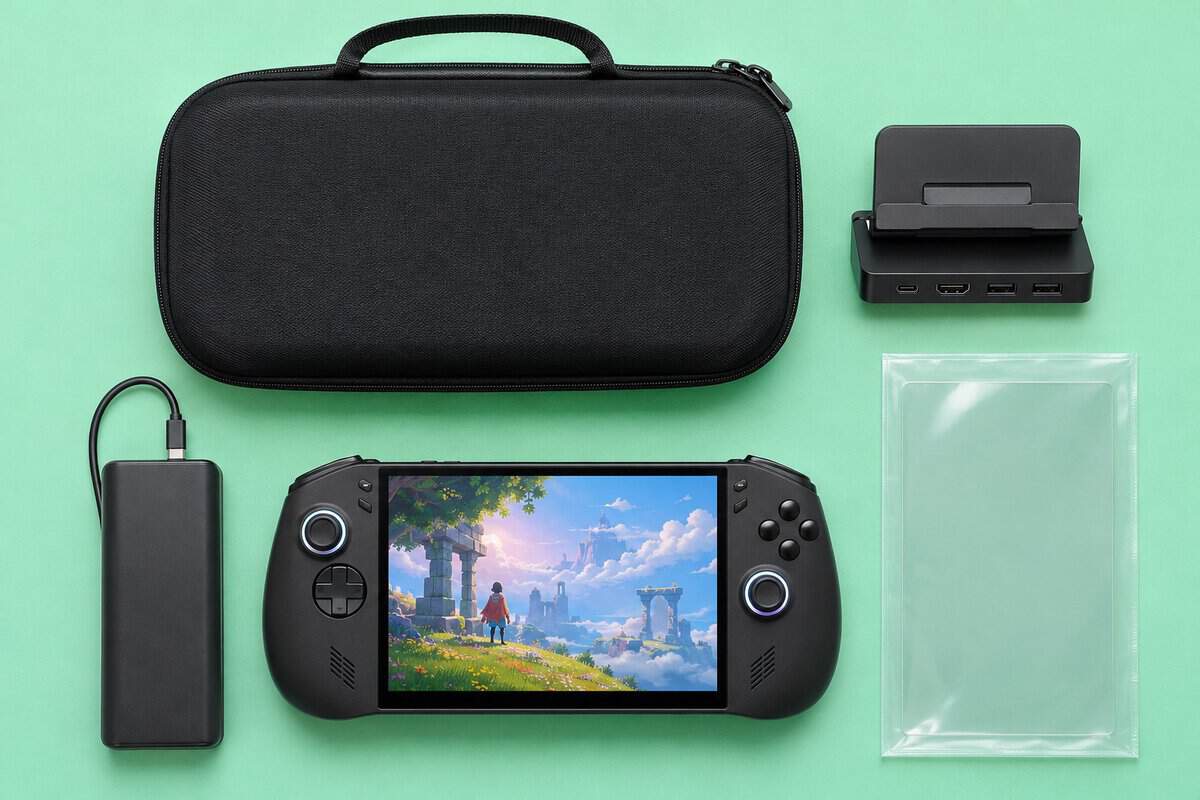
The best Legion Go accessories are a hard case, a USB-C dock, a 20,000mAh power bank and screen glass cut for your exact model. One question decides most of the list. Which Legion Go do you own, the Go 2, the Go S or the original?
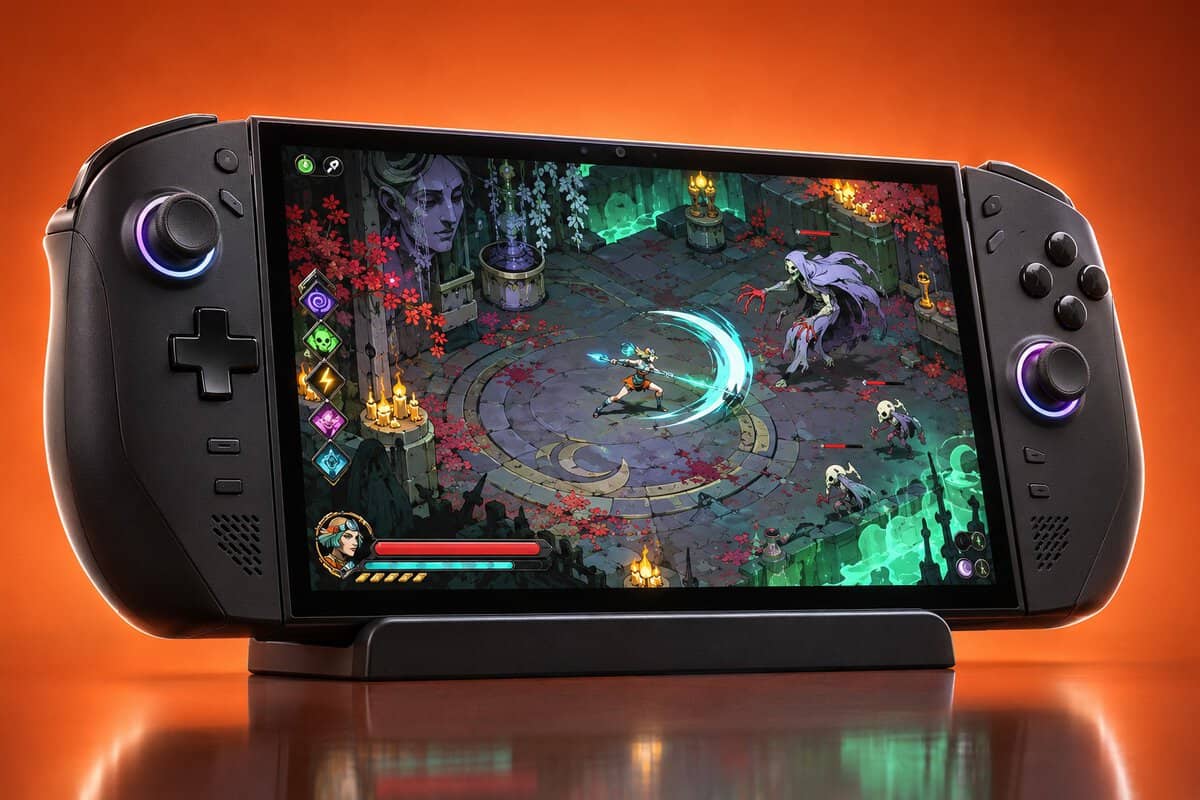
The three models share a name but not a screen size or a box. We checked every pick below against the models its maker names.
The one hard case here whose maker lists all three Legion Go models. The JSAUX case adds upper and lower storage for cables and earbuds.
- JSAUX lists all three Legion Go models
- Soft lining guards the screen
- Carry by handle or shoulder strap
- Bulkier than a slim sleeve
- No published size or weight
- Go 2 already ships with a bag
A folding USB-C dock that puts a Legion Go on a TV with wired Ethernet. UGREEN names the Legion Go and Go S and asks for a 100W charger with them.
- Gigabit Ethernet for online play
- Three USB data ports for pads
- Foldable aluminum and PC+ABS stand
- UGREEN does not name the Go 2
- Wants a 100W PD charger
- 4K@120Hz is above Go 2 output
A 20,000mAh bank with its own USB-C cable, so a Legion Go charges with nothing extra in the bag. One device gets up to 65W.
- 65W to one device over USB-C
- Built-in cable rated for 10,000 bends
- Anker says it is airline approved
- 15.5 oz adds weight to a bag
- Shares 87W when three devices charge
- No watt-hour figure published
Two sheets of 9H glass cut for the Legion Go 2’s 8.8-inch OLED, with a frame that lines each one up. JSAUX says the glass fits no other model.
- Guiding frame for straight placement
- Two sheets and two tool kits
- Thin 0.33 mm glass keeps touch quick
- Fits the Legion Go 2 only
- Clear finish, not matte
- Frame must sit firmly before use
- Buy screen glass by model, because Legion Go 2 glass is sold as Go 2 only.
- The Legion Go 2 ships with a carry bag, and Lenovo lists no bundled accessories for the Go S.
- UGREEN asks for a 100W USB-C PD charger when its dock runs a Legion Go or Go S.
- Lenovo lists the Go 2’s USB-C video at up to 4K@60Hz, so a dock’s 4K@120Hz rating is headroom.
- Power banks fly in carry-on bags only, and the FAA caps each lithium-ion battery at 100Wh unless the airline approves more.
Table of Contents
The Kit: Four Accessories and the Models They Fit
The kit is the JSAUX carrying case, the UGREEN 6-in-1 dock, the Anker 20K power bank and the JSAUX Go 2 screen protector. The table shows which Legion Go models each maker names.
| Accessory | Type | Legion Go Models Named | Headline Spec | Ports or Storage | Power | Size or Thickness | In the Box | Best For |
|---|---|---|---|---|---|---|---|---|
| JSAUX Carrying Case | Hard travel case | Go, Go S and Go 2 | Oxford fabric shell, EVA interior | Upper and lower storage, Velcro strap | None | Not published | Case, handle, shoulder strap | Carrying the console with its cables |
| UGREEN 6-in-1 Dock | USB-C dock and stand | Go and Go S | HDMI 2.1 up to 4K@120Hz | 2x USB-A, 1x USB-C, Gigabit Ethernet | 100W in, up to 85W to the handheld | Foldable stand | Not listed by UGREEN | Playing on a TV or monitor |
| Anker Power Bank 20K 87W | Power bank | None named (USB-C PD) | 20,000mAh | Built-in USB-C cable, 1x USB-C, 1x USB-A | 87W total, 65W to one device | 6.2 x 2.9 x 1.0 in, 15.5 oz | Power bank, welcome guide | Long sessions and flights |
| JSAUX Legion Go 2 Screen Protector | Tempered glass | Go 2 only | 9H glass for the 8.8-inch screen | None | None | 0.33 mm | 2 sheets, 2 tool kits, guiding frame, removal card | Guarding the Go 2’s OLED |
JSAUX Carrying Case: Best Case for All Three Models
The JSAUX Carrying Case for Legion Go, Go S and Go 2 is the case to buy if you want one answer for every Legion Go. JSAUX names the Legion Go, Go S and Go 2 on the listing.
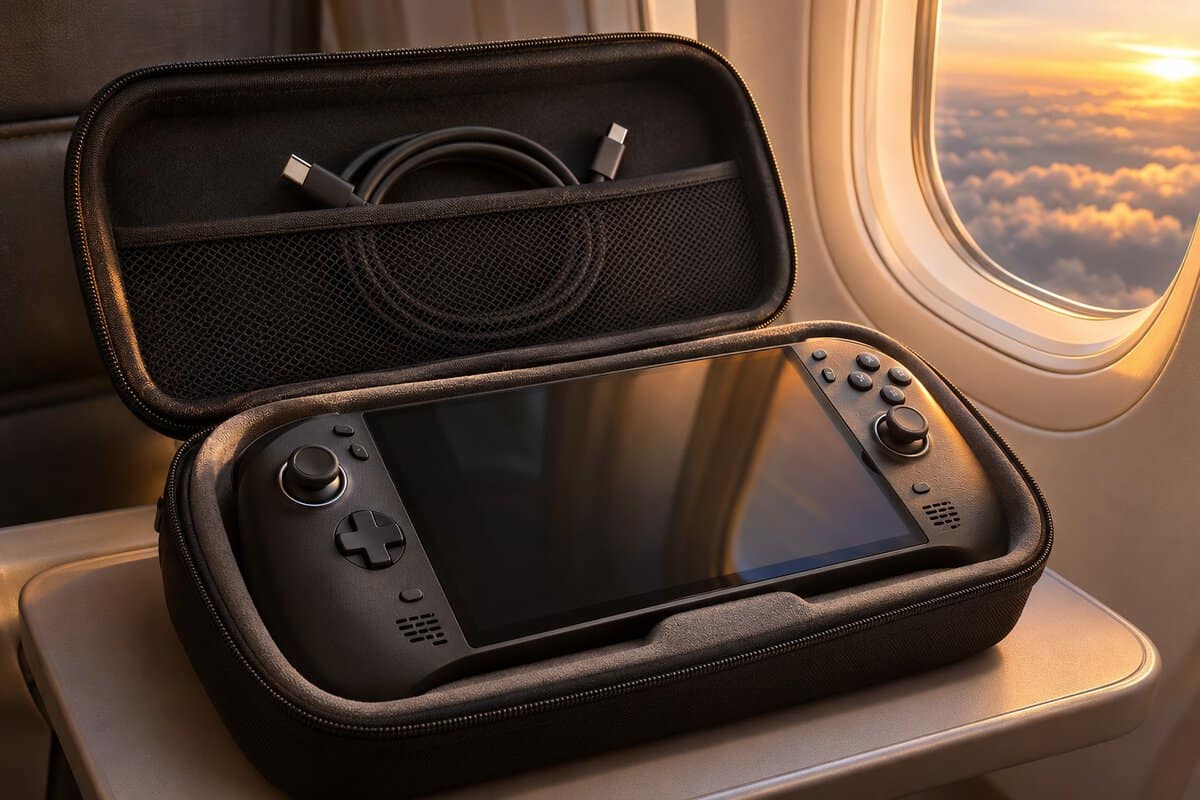
The JSAUX case has a water-resistant Oxford fabric shell over a shock-absorbing EVA interior. A soft lining sits against the screen and a Velcro strap keeps the console from shifting. Upper and lower storage holds cables and earbuds.
One case that names all three Legion Go models saves you from guessing which version a listing means.
The JSAUX case is bigger than a slim sleeve, and the listing gives no size or weight. Legion Go 2 owners already get a carry bag from Lenovo. The case earns its place there only when you want room for cables and earbuds too.
UGREEN 6-in-1 Dock: Best Dock for TV Play
The UGREEN 6-in-1 Dock is the TV pick, with two caveats. UGREEN lists the Legion Go and Go S but not the Go 2, and it asks for a 100W charger with both.
The UGREEN dock’s HDMI 2.1 port runs up to 4K@120Hz with VRR. Two USB-A ports and one USB-C port carry data at 5Gbps for controllers and drives. A Gigabit Ethernet port gives you a wired connection for online play.
One USB-C cable and a dock turn a Legion Go into a living room console.
Power comes in through a 100W PD port and the dock passes up to 85W to the handheld. The foldable stand is aluminum alloy and PC+ABS and packs small for travel. Our best Steam Deck dock guide compares more docks that list Legion support.
Anker 20K Power Bank: Best for Long Sessions
The Anker Power Bank 20K 87W is the bank to buy if you play away from the wall for hours.
The Anker’s 20,000mAh capacity and built-in USB-C cable mean no separate charging cable goes in the bag.
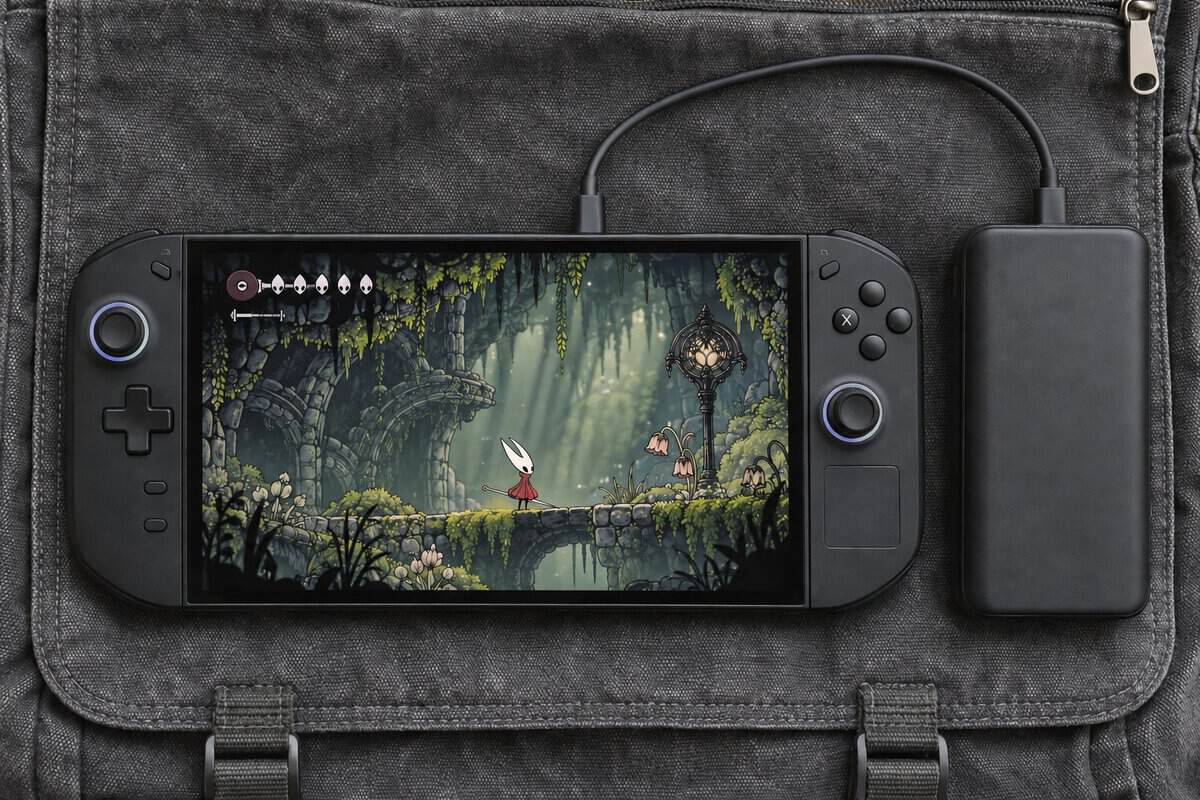
The Anker bank sends up to 65W to one device, the same rating as the adapter Lenovo lists for the Go 2 and Go S. A USB-C port and a USB-A port sit beside the built-in cable for a phone or earbuds.
A power bank with its own cable is one less thing to forget on the way out the door.
Anker splits 87W across three devices and says the bank refills in 1.5 hours from a 65W charger.
JSAUX Legion Go 2 Screen Protector: Best Glass for the Go 2
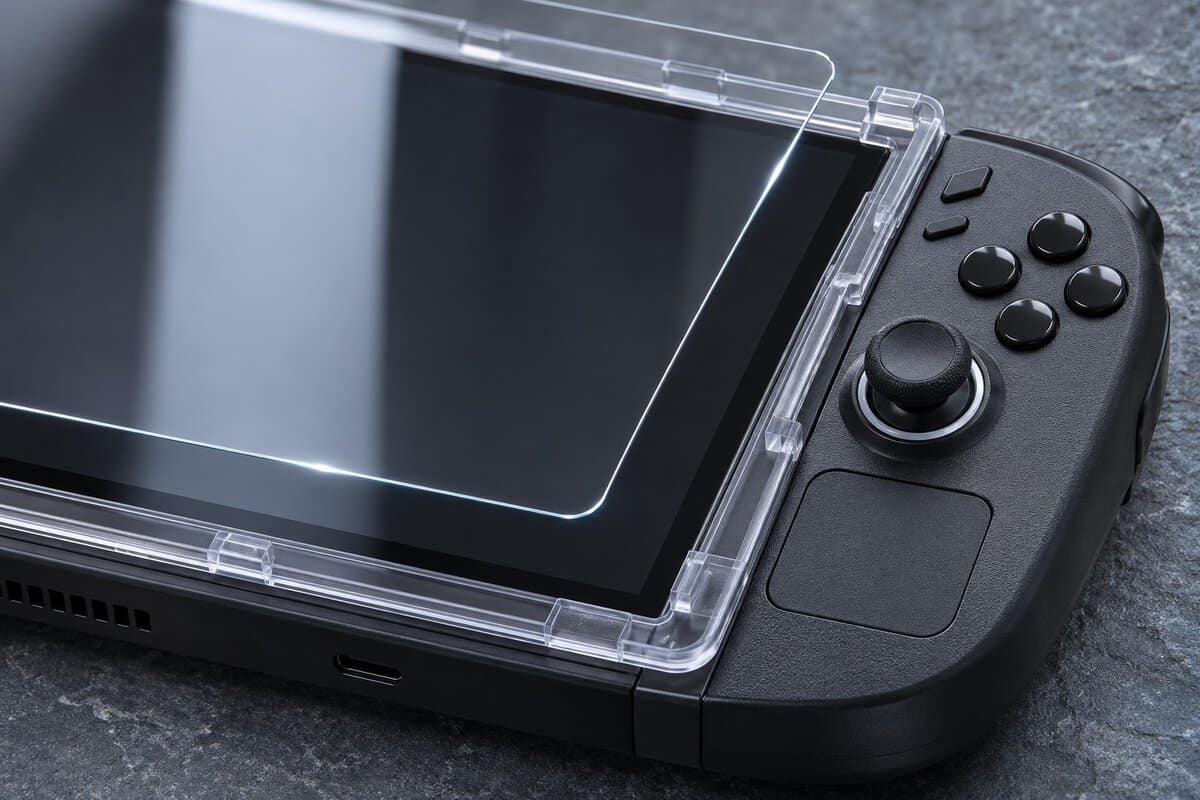
The JSAUX 2-Pack Ultra HD Screen Protector for Legion Go 2 is the glass to buy for a Legion Go 2 and only a Legion Go 2. JSAUX cuts both sheets for the Go 2’s 8.8-inch screen and says they fit no other model.
Each JSAUX sheet is 9H tempered glass at 0.33 mm, with an oleophobic coating against fingerprints. The box holds two sheets and two tool kits plus a guiding frame that lines the glass up with the screen.
Two sheets and a frame turn a nervous one-shot job into a job with a spare.
The JSAUX glass has a clear finish, not matte. If you own a Go S or an original Legion Go, use the glass in the screen section below.
What Already Ships in the Go 2 and Go S Boxes
The Legion Go 2 box includes a carry bag, and the Legion Go S box includes no accessories at all. The bag in the Go 2 box decides which Legion Go owners need to buy a case first.
The Legion Go 2 Ships With a Carry Bag
The Legion Go 2 comes with a carry bag that has a built-in controller dock. Lenovo’s Legion Go 2 spec sheet lists the bag plus a controller protecting cover for FPS mode as bundled accessories.
The Go 2 also has a flip-out stand, which Lenovo pitches for sharing the gamepad in multiplayer games. With a bag and a stand covered, a Go 2 owner’s first buy is usually glass or a dock.
The Legion Go S Ships With Nothing Extra
The Legion Go S ships with no bundled accessories, according to Lenovo’s Go S spec sheet, and Notebookcheck notes it has no kickstand.
A Go S owner needs a case before the first trip. The JSAUX case names the Go S alongside the other two models.
When a Second Case Still Earns Its Place
A second case is worth buying for a Legion Go 2 when you carry more than the console. The JSAUX case adds upper and lower storage for cables and earbuds. A shell is a different job, since it stays on while you play. Our best Steam Deck case guide explains the difference with Steam Deck picks.
Screen Glass That Looks the Same Size but Is Not
Legion Go screen glass is cut for one model, even when two listings print the same screen size. Buy glass that names your exact model.
Choosing the Best Legion Go Accessories by Screen Size
Choosing the best Legion Go accessories by screen size matters only for glass and tight-fitting shells. The Legion Go 2 has an 8.8-inch OLED with Gorilla Glass 3. The Legion Go S has an 8-inch IPS screen. Docks and power banks connect over USB-C and ignore screen size.
Legion Go 2 Accessories and the 8.8-Inch Trap
Legion Go 2 accessories for the screen are sold as Go 2 only, even though original Legion Go glass is also listed at 8.8 inches. Spigen sells its GlasTR EZ Fit as 8.8-inch glass for the original Legion Go. JSAUX lists its Go 2 glass at 8.8 inches too and still says it fits no other model.
Search glass listings by model name instead of screen size. Read the compatibility line before the glass goes in your cart.
The 8-Inch Legion Go S Needs Its Own Protector
The Legion Go S needs glass made for its 8-inch screen. The Lenovo Legion Go S Screen Protector is Lenovo’s own 9H glass at 0.45 mm, cut for the Go S and sold with a set of application tools. For the original Legion Go, the Spigen GlasTR EZ Fit uses an auto-align tray and adds an anti-shatter film.
Our Steam Deck vs ROG Ally comparison covers the other handhelds the Go S competes with. If you end up with an Ally instead, our best ROG Ally accessories guide picks the case, dock and power bank for each ASUS model.
Docking a Legion Go to a TV or Monitor
Docking a Legion Go to a TV takes a USB-C dock with HDMI and a charger strong enough for both. The Legion Go 2 and the Go S each have two USB4 ports that carry video.
What Lenovo Lists for Video Out
Lenovo lists the Legion Go 2’s USB-C video at up to 4K@60Hz, with support for two external monitors. Both of the Go 2’s USB4 ports carry 40Gbps data, USB PD 3.0 and DisplayPort 1.4. The Go S has the same pair of USB4 ports with PD 3.0 and DisplayPort 1.4.
On a Go 2, a dock’s 4K@120Hz rating is headroom above that 4K@60Hz limit.
The Charger a Dock Needs
The UGREEN dock needs a separate 100W USB-C PD charger, which UGREEN asks for on Legion models so the dock can pass 65W to the console and still run its own ports. Lenovo lists a 65W USB-C adapter for the Go 2 and the Go S, and some regions ship with no adapter at all.
Two USB4 Ports and What Else They Run
The two USB4 ports on a Legion Go 2 or Go S can run more than a dock. USB4 carries 40Gbps, enough for fast external drives and some external graphics enclosures. Our guide to the external GPU covers that setup in detail.
Power for a Long Session Away From the Wall
A long Legion Go session away from the wall needs a power bank with enough output for the handheld, not just a big capacity number. The Anker bank’s 65W single-device output matches the adapter Lenovo lists for the Go 2 and Go S.
What a 20K Bank Means Against a 74Wh Battery
A 20,000mAh bank is a large top-up for a Legion Go, not a set number of refills, because power banks quote milliamp-hours and Lenovo quotes watt-hours. The Legion Go 2 has a 74Wh battery and the Go S has a 55.5Wh battery.
Some energy is also lost as heat while a bank charges a handheld. Lenovo says the Go 2 can Rapid Charge up to 50% in 30 minutes.
Flying With a Legion Go Power Bank
A Legion Go power bank has to fly in your carry-on bag. The FAA’s lithium battery guidance says spare lithium-ion batteries, including power banks, “must be carried in carry-on baggage only.” The FAA also says lithium-ion batteries “are limited to a rating of 100 watt hours (Wh) per battery.”
Anker describes its 20,000mAh bank as approved for airline travel. Some airlines set stricter limits, so check yours before you fly.
A Kickstand for the Legion Go S
The Lenovo Legion Go 65W 12800 Power Bank adds a stand the Go S lacks, though Lenovo’s listing names only the Legion Go and Notebookcheck says it was designed for the Go and Go S. The bank snaps magnetically onto the back of a Legion Go with an iron plate from the box. Lenovo’s bank has a built-in stand that props the handheld up while its USB-C cable charges it.
Lenovo rates the bank at 65W to match the Legion Go’s stock adapter. The listing never mentions the Go 2, so Go 2 owners should stick with the Anker bank.
Storage Is the Accessory to Price-Check
Storage is the Legion Go upgrade to price-check before you buy, and the choice is between a microSD card and a bigger SSD. The Legion Go 2 and the Go S both have a microSD card reader and one M.2 2280 slot that Lenovo fills with a shorter M.2 2242 drive.
MicroSD Card or a Bigger SSD
A microSD card is the easy upgrade and a bigger SSD is the fast one. A card like the SanDisk Extreme 512GB microSD slides into the reader in seconds and suits older or smaller games. An internal SSD swap means opening the console, but games load faster from it. Either upgrade works on Windows or SteamOS.
Price a Large Card Against an SSD
A large microSD card can cost more than anything else on this list, so price it against a larger internal SSD first. Our SD card for Steam Deck guide covers the card speed classes that matter on a handheld.
One Accessory List for Three Legion Go Models
The JSAUX case lists every Legion Go, and the Anker bank charges any of them over USB-C. The dock names the Go and Go S, and the glass changes for each model. Each grip connector is sold for one Legion Go model’s controllers, so grips stayed off the list.
| Accessory | Legion Go 2 | Legion Go S | Original Legion Go | Worth Knowing |
|---|---|---|---|---|
| JSAUX Carrying Case | Listed by JSAUX | Listed by JSAUX | Listed by JSAUX | The Go 2 box already has a carry bag |
| UGREEN 6-in-1 Dock | Not named by UGREEN | Listed by UGREEN | Listed by UGREEN | Needs a 100W USB-C PD charger |
| Anker Power Bank 20K 87W | Charges over USB-C | Charges over USB-C | Charges over USB-C | 65W to one device, 87W shared |
| JSAUX Legion Go 2 Screen Protector | Listed by JSAUX | Use the Lenovo Legion Go S Screen Protector | Use the Spigen GlasTR EZ Fit | JSAUX says Go 2 only |
Start with the part your model is missing. A Go S owner needs a case first, and a Go 2 owner usually needs glass or a dock.
Frequently Asked Questions
Quick answers on fitting accessories to each Legion Go model.
Do Steam Deck accessories work with a Legion Go?
Steam Deck docks and chargers often work with a Legion Go, but Steam Deck cases and screen glass do not fit. Docks and chargers connect over USB-C, and UGREEN’s 6-in-1 dock names the Legion Go and Go S next to the Steam Deck. Cases and glass are cut to one console’s shape, so buy those for your exact Legion Go model.
Does the Legion Go 2 come with a case?
Yes, the Legion Go 2 comes with a carry bag. Lenovo’s spec sheet lists a carry bag with a controller dock and a controller protecting cover for FPS mode as bundled accessories. The Legion Go S lists no bundled accessories, so Go S owners start with no case at all and should buy one before the first trip.
Can you use a 100W charger with a Legion Go?
Yes, a 100W USB-C PD charger works with a Legion Go. USB Power Delivery lets the charger and the handheld agree on how much power to send, so a bigger charger does not force extra watts into the console. Lenovo lists a 65W adapter for the Go 2 and Go S, and UGREEN asks for 100W when its dock sits in between.
Do Legion Go S accessories fit the Legion Go 2?
Some Legion Go S accessories fit the Legion Go 2 and some do not. Chargers, power banks and microSD cards carry over between models. Cases fit only when the maker lists both, as JSAUX does with its carrying case. Screen glass never carries over, because the Go S has an 8-inch screen and the Go 2 has an 8.8-inch one.
Can you take a Legion Go power bank on a plane?
Yes, a Legion Go power bank can fly in your carry-on bag. The FAA requires spare lithium-ion batteries and power banks to travel in carry-on baggage only and limits each to 100 watt hours. Anker describes its 20,000mAh bank as approved for airline travel. Check your airline too, since some set stricter limits on power banks.
Looking for more budget gaming gear? Check out Budget Loadout for the latest reviews and recommendations.
Related Articles