Most advice on the best TV for PS5 gets the buying order backward. It starts with the biggest panel, the flashiest HDR label, or the highest number printed on a box. That’s how budget-conscious gamers end up paying for features their platform can’t use, or worse, skipping the boring stuff that affects daily play like build quality, reflection handling, and whether the TV keeps performing after months of long sessions.
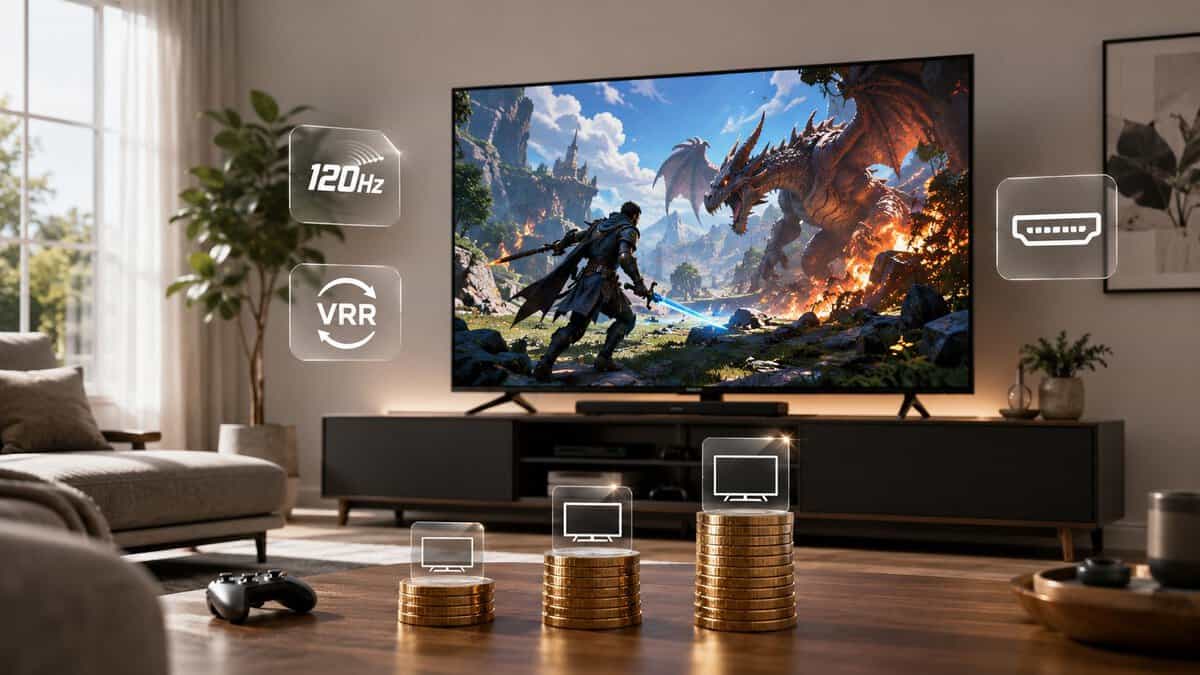
A good gaming TV isn’t the one with the longest spec list. It’s the one that fits your platform, your room, and the kinds of games you play. A player grinding competitive FPS matches has different needs than someone bouncing between MMO raids, couch co-op, and streaming shows at night. The right value pick changes with that context.
The other problem is durability. Plenty of budget models look fine on a retail wall and feel flimsy once you get them home. Loose stands, creaky plastic backs, weak anti-glare coatings, and limited port layouts matter more than people admit. If you want value, you should care about how a TV is built just as much as what it displays.
- Mini-LED backlight at an entry-tier price
- 144Hz VRR and ALLM cover current consoles and PC
- Large review base for a current-generation model
- Brightness trails the mid-tier Mini-LED sets
- Built-in speakers are serviceable, not impressive
- Google TV interface takes setup taming
- Native 165Hz is the highest refresh on this list
- Brightness holds up in sunlit living rooms
- HDMI 2.1 gaming features with VRR, ALLM, and Game Bar
- Smaller review base than the other two picks
- Off-angle viewing washes out faster than OLED
- Aggressive picture defaults need calibration
- OLED contrast and response the LED picks cannot match
- Four HDMI 2.1 ports handle consoles plus a PC at once
- 48-inch size doubles as a desk display for PC players
- Costs the most on this list
- Dimmer than Mini-LED rivals in bright rooms
- Static HUDs over years carry a burn-in consideration
- The TCL 55QM6K is the entry point that still delivers Mini-LED contrast, 144Hz VRR, and ALLM
- The Hisense 55U7SG is the mid-range sweet spot: native 165Hz and brightness that survives daylight rooms
- The LG C4 48-inch OLED is the budget-premium endgame, with four HDMI 2.1 ports and a desk-friendly size
- VRR, ALLM, and real HDMI 2.1 bandwidth matter more for gaming than resolution marketing
- Buy the size your seating distance supports; an overgrown panel wastes money you could spend on the tier above
Table of Contents
Your Search for the Best TV for PS5 Ends Here
If you’re hunting for the best gaming TV, ignore the usual “more is better” pitch. Value comes from matching features to your platform, not blindly buying the highest-tier screen you can stretch to afford.
For some players, that means a cheaper model with VRR and ALLM is enough. For others, cutting corners on refresh rate or HDMI bandwidth creates annoyances you’ll notice every day. The trick is knowing which compromises are harmless and which ones will bug you from the first week.
Here’s the short version. If you play fast shooters on current consoles, prioritize responsive gaming features and enough modern ports. If you play mostly Switch titles, picture quality and viewing comfort matter more than chasing features the console won’t fully exploit. If you game on PC, you need to be far pickier about refresh rate behavior and supported resolutions.
That’s also why the old monitor-versus-TV debate still matters. If you’re deciding where a large-screen setup makes sense, this guide on gaming monitor vs TV differences is worth reading before you buy.
Top Gaming TV Picks for 2026 At a Glance
| Category | Model | Key Feature | Best For |
|---|---|---|---|
| Entry-level value | TCL 55QM6K | Mini-LED with 120Hz panel, 144Hz VRR, and ALLM | PS5 and Series X players who want real gaming features at the lowest price |
| Mid-range sweet spot | Hisense 55U7SG | Native 165Hz Mini-LED with high brightness | Mixed console and PC play in bright rooms |
| Budget premium | LG C4 48-Inch OLED | OLED evo panel, 144Hz, four HDMI 2.1 ports | The endgame picture for dark-room and desk-sized setups |
What value actually looks like
A value-first buy doesn’t mean buying the cheapest TV on the shelf. It means paying for the features that change your experience and skipping the ones that mostly look good in marketing copy.
Practical rule: Buy for the platform you use most, not the one you might buy later.
That mindset keeps you from overspending on high-end PC features when you mainly use a console, or settling for a bargain TV that turns into a headache once you connect a desktop and expect proper high-refresh output.
The models in the table above work because each one makes sense for a different kind of gamer. None is perfect. That’s the point. The best gaming TV for value is usually the one with the fewest painful compromises for your setup.
Key Gaming TV Specs That Actually Matter for Value
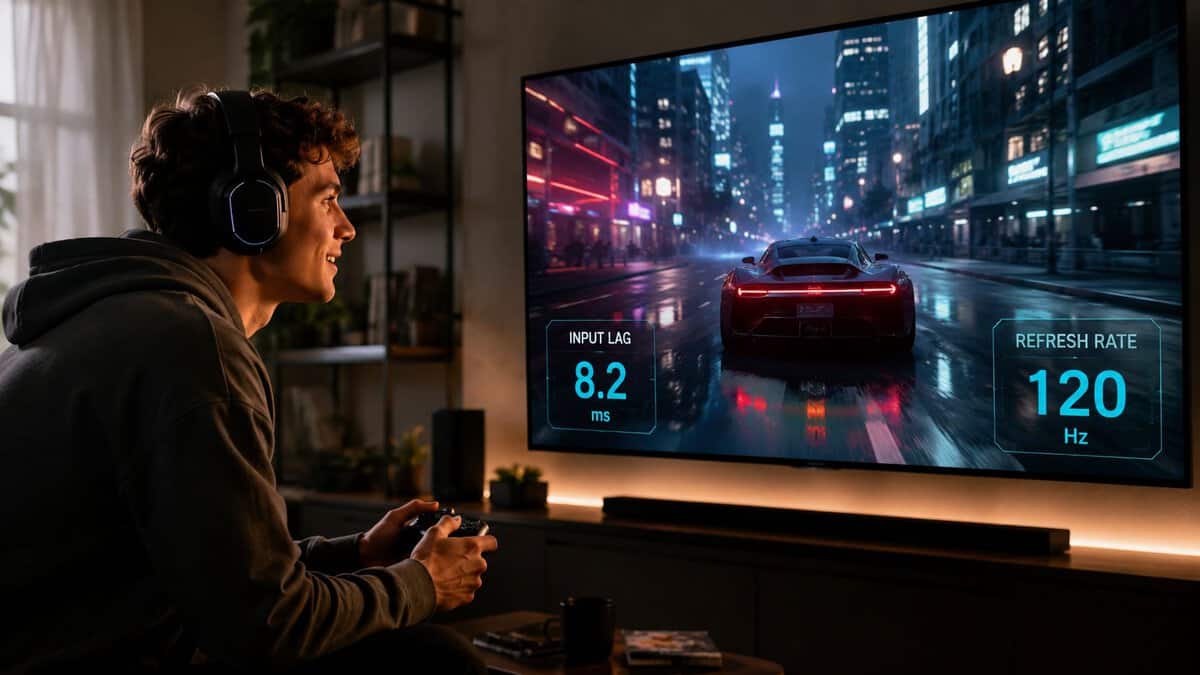
Cheap TVs love to win on paper. A lot of them lose the moment you plug in a console, switch inputs a few times, and try to live with them for two or three years.
For value, I focus on the small group of specs that change the experience every day. Everything else is secondary.
Refresh rate and the native number
Native refresh rate matters because it affects both motion clarity and how many frames your TV can display without tricks. Ignore inflated labels that rely on motion interpolation or vague “effective” ratings. Those numbers are for store signage, not gaming.
A 120Hz panel is the practical target for PS5, Xbox Series X, and any PC setup that aims above 60 fps. A 144Hz panel can be worth paying for if you use a gaming PC and plan to push high frame rates, but it is not where most budget buyers should spend extra money. For a Switch-focused setup, native 120Hz is far less important than good image processing, decent input response, and a clean picture from lower-end source material.
Port bandwidth matters too. A TV can advertise high refresh support and still limit what you can use at full resolution. If you need a clearer breakdown, this guide to HDMI 2.0 vs 2.1 for gaming explains where the real limitations show up.
VRR and ALLM
These are the value features I miss immediately when a budget TV leaves them out. Both features are part of the HDMI 2.1 specification, which is why the port version matters more than the marketing name on the box.
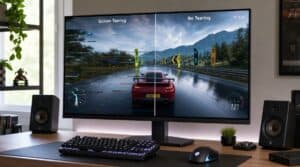
- VRR reduces tearing and makes uneven frame pacing less distracting.
- ALLM switches the TV into game mode automatically, which saves menu digging and prevents the TV from getting stuck in a slower picture preset.
VRR matters most for PS5, Xbox Series X, and PC. Those platforms benefit when frame rate swings under heavier scenes. Switch owners can treat VRR as a bonus, not a priority, because the hardware rarely pushes the kind of output that makes VRR a major buying factor.
ALLM sounds minor until you share a TV with other people or bounce between games, streaming apps, and media boxes. Then it becomes a quality-of-life feature that keeps the TV feeling predictable.
Input lag and game mode behavior
Manufacturers bury this part because it is harder to market than brightness or contrast. It matters more.
A good budget gaming TV needs a reliable game mode with low input lag and no weird side effects. Some sets cut latency well but dim the image too much, crush shadow detail, or disable picture controls you may want to keep. Others apply game mode inconsistently across inputs, which gets old fast if you use more than one system.
Platform trade-offs start to separate smart buys from spec-sheet bait. Console players can tolerate more compromises than PC players. Desktop use exposes blurry text handling, shaky chroma support, and inconsistent refresh behavior much faster.
Panel type, brightness, and room use
Panel type should match the room first, then the wishlist.
OLED still gives the best dark-room contrast and the cleanest pixel response, but budget shoppers need to be honest about use. If the TV runs long daily sessions, sits in a bright room, or doubles as an all-day YouTube and sports screen, a good LED or QLED-style set is often the safer value play. You give up some black-level performance, but you usually get higher brightness for the money and fewer long-term worries.
Bright-room gaming changes the equation more than people expect. Reflections can ruin a strong-looking panel, and weak full-screen brightness makes daytime play look flat. If you game with sunlight in the room, anti-glare performance and sustained brightness are often more important than perfect black levels.
Build quality and long-term value
This part gets ignored in budget roundups. It should not.
A TV that flexes when you lift it, wobbles on its stand, runs hot, or ships with a sluggish remote is harder to live with even if the picture is decent. I put real weight on chassis rigidity, venting, port placement, and menu speed because those are the things that keep bothering you after the honeymoon period. Budget TVs that cut corners here tend to age badly.
Connection layout matters too, especially if the TV handles gaming and streaming in the same space. If you are planning devices and cable runs, this guide to best TV connections for streaming is useful.
The short version is simple. Pay for native refresh rate, solid VRR and ALLM support, low-lag game mode, and a panel that suits your room. Then check whether the TV feels well built enough to survive daily use. That mix gets better value than chasing premium features your platform will never use.
Choosing the Right TV for Your Gaming Platform
A lot of “best gaming TV” advice treats every platform the same. That is how buyers overspend on features they never use and miss the weaknesses that will annoy them every day.
PS5 and Xbox Series X
For PS5 and Xbox Series X, the smart budget buy is usually the TV that gets the basics right every time. You want clean 4K 120 support, low input lag in game mode, VRR that does not cause obvious flicker, and enough HDMI bandwidth for the devices you own. A two-port setup can become irritating fast if one port is tied up by eARC and another by your console.
If you are still deciding which console deserves priority in your setup, this comparison of PS5 vs Xbox Series X is a useful starting point.
The trade-off is simple. Console players can give up PC-style extras like very high refresh rates above 120Hz, ultra-fine chroma handling for desktop use, and niche resolution modes. What they should keep is stable performance. I would take a well-built TV with dependable 4K 120 and a fast interface over a cheaper set with flaky VRR and random handshake issues every time the console switches modes.
PC gaming on a TV
PC puts more pressure on a TV than a console does. It exposes weak motion handling, poor text clarity, broken VRR ranges, and HDMI quirks that are easy to miss in a streaming demo.
Platform-specific compromise matters most. If the TV is for couch gaming first, it can be fine to give up 144Hz support and focus on clean 4K 120 with good VRR behavior. If the same screen will pull monitor duty for shooters, MMOs, or desktop work, resolution support and text rendering matter a lot more. A budget TV that only looks good in one preset or gets soft with PC input is a bad value even if the box says “gaming.”
I also put more weight on physical quality for PC use. You plug and unplug more gear, swap settings more often, and notice sluggish menus faster. If you are mounting the set in a desk-adjacent space or game room, local Bayside TV installation costs can help you budget the setup properly.
A TV that feels fine with a console can feel annoying within an hour on a PC.
Nintendo Switch and lighter-duty play
Switch buyers should be more ruthless about what to skip. The platform does not reward paying extra for premium HDMI features the way a PS5, Xbox, or gaming PC can.
Spend on the stuff you will see in every session. Good upscaling, decent motion at 60Hz, strong color, and a panel that still looks acceptable from the side matter more for party games and shared-room play. Families also put more wear on a TV than solo players do, so stand stability, chassis strength, and remote responsiveness matter more here than spec-sheet bragging rights.
For a Switch-first setup, the best value usually comes from accepting the ceiling of the hardware. Do not pay a premium for features your platform cannot meaningfully use. Pay for a TV that looks good with sub-4K content, survives daily use, and does not become a hassle six months in.
Sizing, Room Fit, and Build Quality
A cheap gaming TV stops being a bargain fast if it overwhelms the room, looks washed out from your usual seat, or starts flexing the first time you move it. Size and build quality decide whether a TV feels good for three years or annoying after three weeks.
Get the size right for how you sit
Start with seating distance, then work backward. Players who sit close for competitive shooters, action games, or desk-adjacent console setups usually do better with a more restrained size because the whole screen stays in view. Players on a couch, especially in shared spaces, can justify going bigger if they are using the set for split-screen, movies, and casual co-op.
UI scale matters more than sales-floor wow factor. Small text, minimaps, inventory grids, and subtitles can look worse on the wrong size in the wrong room, even if the panel itself is decent.
Platform matters here too. A Switch setup in a family room benefits from a size that several people can watch comfortably from different seats. A PS5 setup in a darker room can prioritize center-seat immersion. A PC-connected TV needs enough pixel density and a sensible viewing distance so text does not become tiring.
Bright room, dark room, and off-angle play
Room lighting changes what you should pay for. In a bright room, strong reflection control and enough brightness to cut through daytime glare matter more than chasing premium black levels you will rarely appreciate. In a darker room, better contrast and cleaner shadow detail are easier to notice during actual play.
Side-angle performance gets ignored in a lot of gaming TV advice, but it matters for couches, party games, and any room where not everyone sits dead center. Budget sets with stronger side-angle color and contrast retention usually cost more, so value depends on who is using the TV. Solo players can save money by accepting narrower sweet spots. Families and local multiplayer players usually should not.
If you want a quick panel-type primer before buying, this guide on OLED vs IPS differences explains the visual trade-offs in plain language.
Build quality is part of value
At this stage, many budget TVs reveal their weaknesses.
Two TVs can look similar on a spec sheet and feel completely different in person. One has a stand that wobbles every time someone walks past the cabinet. The other has firmer feet, cleaner port access, a back panel that does not flex during setup, and buttons and a remote that still work properly after a year of daily use.
Check these points before buying if you can:
- Stand stability: Wide feet or a rigid center stand reduce wobble and matter a lot in homes with kids, pets, or light furniture.
- Chassis rigidity: A back panel with less flex is easier to mount and usually holds up better after moves or cable changes.
- Port access: Side-facing ports are better for players who rotate between consoles, handheld docks, and a PC.
- Remote and onboard controls: Cheap remotes and laggy physical buttons become a daily irritation, especially on a main living room TV.
- Ventilation and finish quality: Better assembly, cleaner seams, and decent heat handling are small signs that a budget set was not built to the absolute minimum.
Mounting changes the math a bit. If the TV is going on the wall, slimness matters less than mount compatibility, weight, and how much the rear shell flexes during installation. Before buying the panel, bracket, and labor separately, check local Bayside TV installation costs so the full setup stays inside budget.
Best Value Gaming TVs in 2026 by Budget Tier
Price matters, but platform fit matters more. A cheap TV that matches your console can feel smarter than an overpriced set loaded with features you will never use.
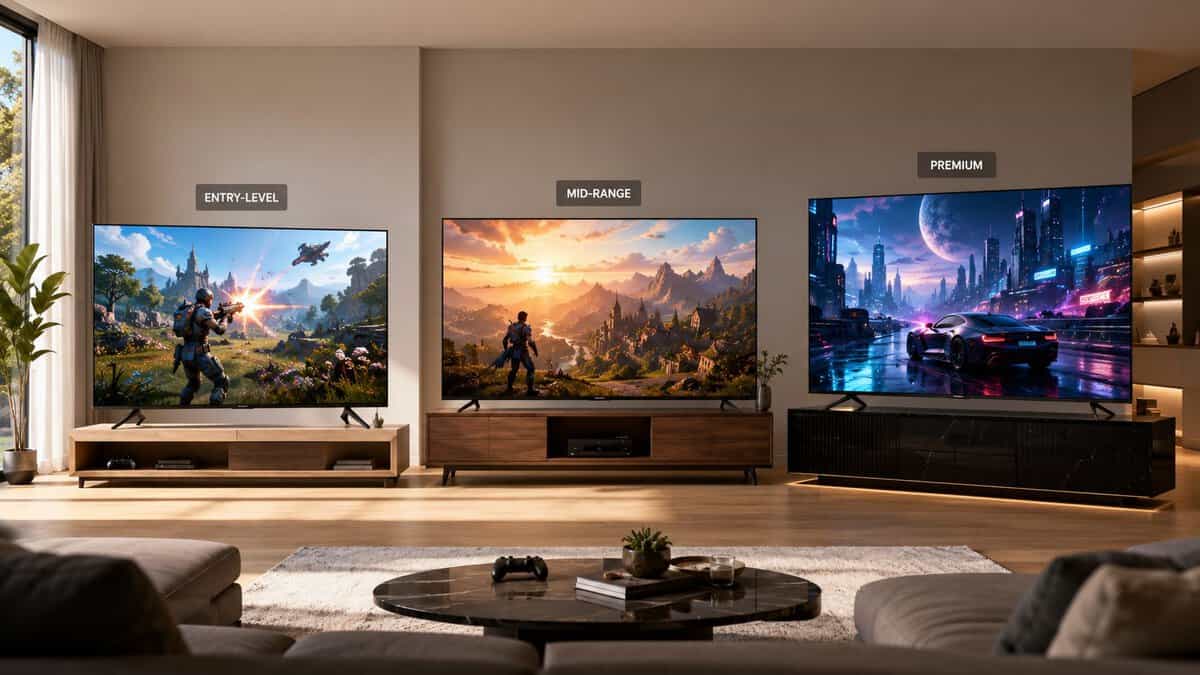
Entry-Level Value: TCL 55QM6K
The TCL 55QM6K fits the buyer who wants low input delay, modern gaming support, and a price that still leaves room in the budget for a headset or an extra controller. It covers the basics that affect play, including VRR and ALLM, without pretending to be more than it is.
This tier makes the most sense for PS5 and Xbox Series S players on a strict budget, and for Switch owners who gain more from decent motion handling and low lag than from expensive high-refresh features. On Switch, paying extra for advanced panel tech usually gives poor return because the console will not push the TV hard enough to justify it. On PS5, the compromise is clearer. You can get responsive gameplay and 4K output, but you should expect weaker brightness, less convincing HDR, and fewer high-end extras.
I also like this tier for dorm rooms, bedrooms, and second setups where the TV will see regular use but not serve as the main screen for every device in the house.
Mid-Range Sweet Spot: Hisense 55U7SG
The Hisense 55U7SG is where value gets real for players who use one TV for everything. This is the tier where PS5 owners start getting the features they will notice, better motion, better contrast control, and fewer annoying compromises in daily use. For PC players, this is also the first tier that can make high refresh gaming worth pursuing, assuming the TV handles 120 Hz or above cleanly and does not bury key options in a messy menu.
For a lot of buyers, this is the correct stopping point.
The reason is simple. Mid-range sets usually hold up better over time. Port quality tends to be better. The stand and chassis are often more confidence-inspiring. Menus are less sluggish. If you swap between console and PC, or regularly troubleshoot responsiveness, a TV in this class is less likely to fight you. If input response still feels off after setup, work through these input lag fixes for gaming setups before blaming the panel.
This tier is strongest for players who want one main TV that can handle single-player games, shooters, streaming, and sports without feeling cheap in any one area.
Spend into the mid-range if you want fewer daily annoyances, not just a prettier spec sheet.
Budget Premium: LG C4 48-Inch OLED
The LG C4 48-inch OLED suits buyers who know they will use the extras. The big advantages are practical ones. A very high refresh ceiling matters for PC gaming. Four HDMI 2.1 ports matter if you keep a console, a second console, a PC, and a streaming box connected at the same time. A matte screen coating matters in bright rooms where reflections can ruin daytime play.
This tier is not the automatic answer for everyone. It is the right fit for players with a mixed-platform setup, especially anyone bouncing between PC, PS5, and media use on the same display. It is also the tier where paying more can get you better long-term satisfaction, assuming the rest of your setup can use the extra headroom.
The main sacrifice is obvious. You are spending far more for gains that Switch players will barely notice and many console-only players will only notice part of the time. If your library is mostly slower single-player games and your room is light-controlled, a strong mid-range set is often the better buy.
Which tier makes the most sense
Use the platform first, then the price.
- Choose entry-level value for Switch, Series S, or budget PS5 setups where low lag matters more than premium picture quality.
- Choose mid-range sweet spot for PS5 owners who want a better all-around TV and for PC players who want high refresh support without overspending.
- Choose budget premium for mixed-platform players who need more HDMI 2.1 ports, better bright-room performance, and higher refresh headroom for PC use.
Bad value usually comes from buying the wrong tier for the hardware you use. A budget TV can be the smart pick. It just has to match the platform, the room, and how long you expect to live with its weak points.
Quick Setup and Calibration for Best Performance
A new TV can underperform badly with default settings. Out of the box, many sets prioritize showroom brightness and heavy image processing. That’s the opposite of what you want for gaming.
Start with the gaming settings
First, turn on Game Mode. If your TV supports ALLM, make sure it’s enabled so the set switches properly when you launch a console. This reduces the extra processing that adds delay between your input and what you see on screen.
If controls still feel off, work through these input lag fixes for gaming setups. Sometimes the problem is a buried picture setting, not the TV itself.
Then clean up the picture
Use a simple pass instead of obsessing over calibration charts.
- Lower fake enhancement features: Turn down motion smoothing, edge enhancement, and excessive noise reduction.
- Set brightness for your room: In a bright room, raise it enough to fight glare. In a darker room, don’t overdo it or blacks start looking gray.
- Pick a warmer color tone if available: This usually looks more natural for games and streaming than the cold blue-heavy default.
- Check your console or PC output: Confirm you’re running the resolution and refresh rate you expect.
Don’t ignore physical setup
Cable strain, cramped cabinets, and unstable stands can create problems later. Leave enough space around ports, especially if you switch devices often. If the stand feels shaky, fix that before the first accidental bump does it for you.
A clean setup doesn’t just look better. It protects the TV and makes everyday use less annoying.
Your Final Gaming TV Buying Checklist
The best gaming TV isn’t the one with the most features. It’s the one that fits your actual platform, room, and habits without wasting money on the wrong priorities.
Ask yourself these before you buy
- Primary platform: Is this TV mainly for PS5 or Xbox, PC, or Switch?
- Game type: Do you mostly play FPS games, slower single-player titles, MMOs, or local multiplayer?
- Room lighting: Will you play mostly in daylight, at night, or both?
- Screen position: Will people watch or play from side angles?
- Connectivity: Do you need room for multiple consoles and streaming gear?
- Build quality: Does the stand look stable, the chassis feel solid, and the ports seem practical to access?
- Longevity: Will this still suit your setup if your gaming habits shift a bit over time?
The final value test
Before you hit buy, ask one blunt question. What am I giving up, and will I notice it?
If the answer is “a feature my platform won’t use,” you’re probably making a smart value decision. If the answer is “smoother motion, cleaner gameplay, better durability, or easier daily use,” you may be cutting too far.
Buy the TV you’ll enjoy for years, not the one that only looked good on a comparison chart.
Frequently Asked Questions
Quick answers to the gaming TV questions buyers ask most.
Is a gaming TV better than a gaming monitor?
They serve different setups. A TV wins for couch play: bigger screen, better HDR punch, and one display for games and movies. A monitor still wins for desk-distance competitive play, where higher refresh ceilings and smaller sizes keep everything in view. Plenty of players end up with the 48-inch OLED class precisely because it straddles both.
Do I really need 120Hz for console gaming?
For PS5 and Xbox Series X, yes, it is worth prioritizing. A growing library of games offers 120Hz performance modes, and a 120Hz panel with VRR also smooths the 40 to 60 FPS range that most big releases actually run at. On a Switch or older console, 60Hz is genuinely fine.
What do VRR and ALLM actually do?
VRR (variable refresh rate) syncs the screen to the console’s frame output, killing tearing and judder when frame rates fluctuate. ALLM (auto low latency mode) switches the TV into game mode automatically when a console signal appears. Both live in the HDMI 2.1 spec and both matter more than resolution marketing.
Should I worry about OLED burn-in for gaming?
Less than the internet suggests. Modern OLED panels ship with pixel-shift and refresh routines, and varied play habits make uneven wear unlikely. The honest caution: if one game with a bright static HUD runs many hours a day for years, a Mini-LED pick is the lower-stress choice.
Can I use a gaming TV as a PC monitor?
Yes, and the 48-inch OLED class is popular for exactly that. Check three things: a true HDMI 2.1 port for 4K at 120Hz or more, a game mode that drops input lag, and enough desk depth to sit comfortably. Text clarity also improves if you enable the TV’s PC or 4:4:4 chroma mode.
If you want more no-nonsense advice on gaming gear that delivers real performance without wasted spending, Budget Loadout is a solid place to keep researching. It’s built for players who care about value, durability, and smart trade-offs across their whole setup.
Related Articles