In Arc Raiders a bad headset does not cost you a round, it costs you everything in your backpack. Miss the footsteps of a raider rounding a corner, or talk straight over the whine of an ARC machine you should have heard, and the loot from a whole raid stays topside without you. That is why the best headset for Arc Raiders has two jobs: tell you what is moving nearby, and let you decide exactly who hears your voice.
That second job is the part most headset guides skip. Proximity chat carries your voice to raiders outside your squad, so a fast way to mute matters as much as clean audio. The three picks below split cleanly: a wireless all-rounder, a long-battery wireless set for console and PC, and a light wired option for tight budgets.
The most complete headset here for how Arc Raiders plays. Detailed drivers keep movement around you easy to place, and the boom mic slides away when you raid alone.
- Mic retracts fully into the earcup
- Bluetooth 5.3 alongside the 2.4GHz dongle
- Up to 60 hours per charge
- Xbox players need the Nova 5X
- Game presets live in a companion app
- Costs more than the wired budget pick
Built for players who stack raid after raid. The battery is rated for up to 80 hours, and the flip-up mic mutes the moment a stranger’s voice appears nearby.
- Up to 80 hours per charge
- Flip-to-mute is fast and physical
- Glasses-friendly memory foam cushions
- Xbox owners need the Xbox version
- Boom mic flips but does not detach
- Deeper EQ needs the Swarm II app
The cheapest way into a proper raid headset on PC. It is light, the mic mutes when you swing it up, and DTS Headphone:X activation comes in the box.
- Light 0.60 lb frame
- Swivel-to-mute boom mic
- DTS Headphone:X activation included
- HyperX labels it for PC
- Cable always runs to the desk
- Mic swivels but does not detach
- Proximity chat in Arc Raiders lets raiders outside your squad hear you, so a fast physical mute matters as much as sound quality.
- Topside you are listening for three things: ARC machines, other raiders on the move, and the noise you make yourself.
- Solo raiders should shop for listening and muting first, while full trios need a mic that keeps room noise out of callouts.
- Wireless headsets come in console versions, so match the box to your system before you buy rather than after.
- Leave virtual surround off at first, let the game’s stereo mix do the work, and only add a spatial layer if your ears prefer it.
Table of Contents
Three Headsets Worth Taking Topside
Start with the Mute column. Every pick here has drivers good enough to place a footstep, so the choice comes down to how each one connects, how long it lasts, and how quickly it takes your voice out of the raid.
| Headset | Connection | Driver | Frequency Response | Mic | Mute | Battery | Software | Platforms |
|---|---|---|---|---|---|---|---|---|
| SteelSeries Arctis Nova 5 Wireless | 2.4GHz USB-C dongle + Bluetooth 5.3 | 40mm neodymium | 20Hz-22kHz | Retractable ClearCast 2.X | Retract or on-ear button | Up to 60 hours | Nova 5 Companion App presets, 360° spatial audio support | PC, PS5, PS4, Switch, mobile (Xbox: Nova 5X) |
| Turtle Beach Stealth 600 Gen 3 | 2.4GHz + Bluetooth 5.2 | 50mm Nanoclear | Not listed by maker | AI noise reduction | Flip-to-mute | Up to 80 hours | Swarm II 10-band EQ, Superhuman Hearing | PS5, PS4, PC, mobile (Xbox version sold separately) |
| HyperX Cloud Stinger 2 | 3.5mm wired, PC splitter | 50mm | 10Hz-28kHz | Bi-directional, noise-cancelling | Swivel-to-mute | None needed | DTS Headphone:X | PC |
Two of the three are wireless, which is a deliberate call for this game. Raids run long, many players sit on a couch with a controller, and a cable across the room is a nuisance there. The wired Cloud Stinger 2 is the pick for a PC player at a desk who wants the lowest cost of entry.
Why the Arctis Nova 5 Is the Best Headset for Arc Raiders
The SteelSeries Arctis Nova 5 Wireless wins because it handles both halves of an Arc Raiders session without asking you to compromise on either. Its 40mm neodymium drivers cover 20Hz to 22kHz, which leaves room for the low rumble of a machine and the sharp scuff of a boot on the same stage.
The mic is the detail that sets it apart. SteelSeries calls it the ClearCast 2.X, and it is fully retractable, so on a solo night it disappears into the earcup and there is nothing hanging in front of your mouth to forget about. Slide it out when your duo logs on.
A mic you can put away is the safest mic in a game where strangers are listening.
It connects through a small 2.4GHz USB-C dongle and adds Bluetooth 5.3, with a quick-switch button between them. That pairing matters more here than on a paper spec sheet, and it comes up again in the duo section below. SteelSeries rates the battery at up to 60 hours, and a 15-minute charge buys about six hours.
The companion app carries 100+ game audio presets plus support for 360° spatial audio, so there is room to tune it later. What you give up is Xbox support: this box works with PC, PlayStation, Switch and mobile, while Xbox players need the SteelSeries Arctis Nova 5X Wireless, its Xbox twin.
Turtle Beach Stealth 600 Gen 3
The Turtle Beach Stealth 600 Gen 3 takes the long-raids slot for one reason: Turtle Beach rates it for up to 80 hours on a charge. If you play most nights, that means charging it every week or two instead of watching a battery icon while you wait for extraction.
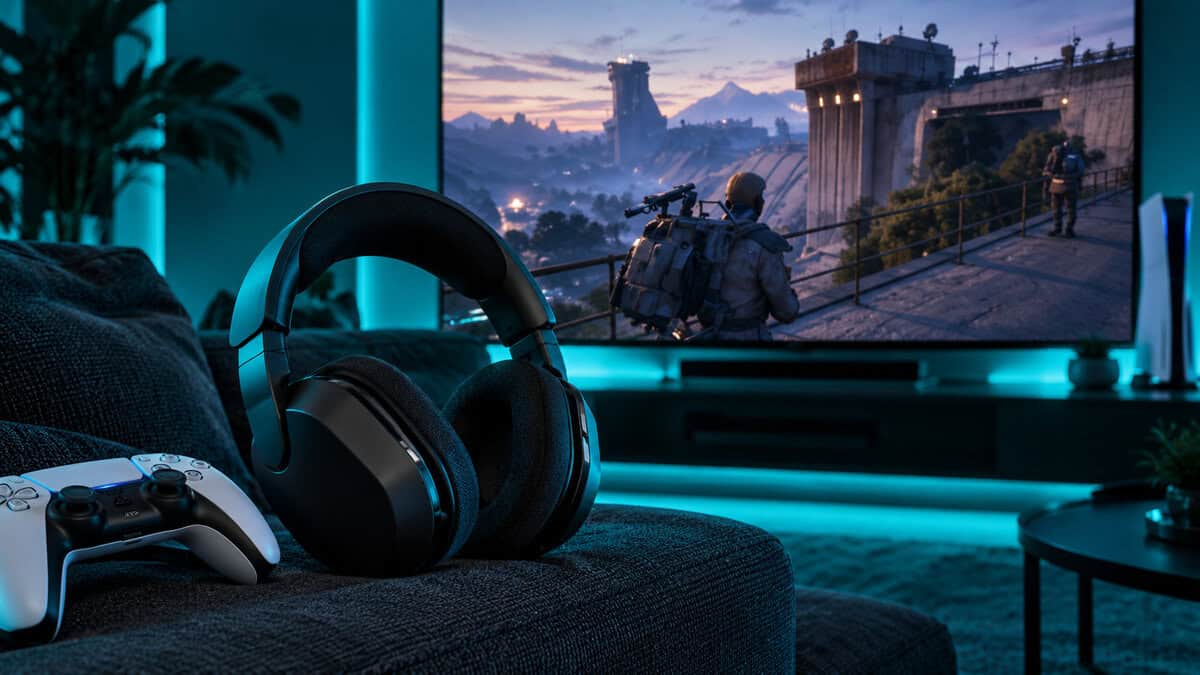
Its mic uses the simplest mute there is. Flip the boom up and it goes silent, which Turtle Beach calls flip-to-mute, and the mic runs AI-based noise reduction when it is down. When a stranger’s voice drifts in over proximity chat, your hand is already where it needs to be.
The 50mm Nanoclear drivers match the Stinger 2 for size, and the Swarm II app adds a 10-band EQ plus a Superhuman Hearing mode meant to bring quiet sounds forward. Memory foam cushions are shaped to leave room for glasses, which helps over a long session.
Eighty hours of battery turns charging into a weekly chore instead of a mid-raid panic.
The tradeoff is the version split. This box is the PS5 and PC model, so an Xbox player should buy the Turtle Beach Stealth 600 Gen 3 for Xbox instead. The boom also flips rather than detaches, and deeper EQ changes mean opening Swarm II.
HyperX Cloud Stinger 2
Start with the catch: HyperX lists the HyperX Cloud Stinger 2 for PC, and it runs on a 3.5mm cable with a PC splitter. If you play on a console, the budget answer is the Turtle Beach Recon 70 instead, covered in the platform section below.
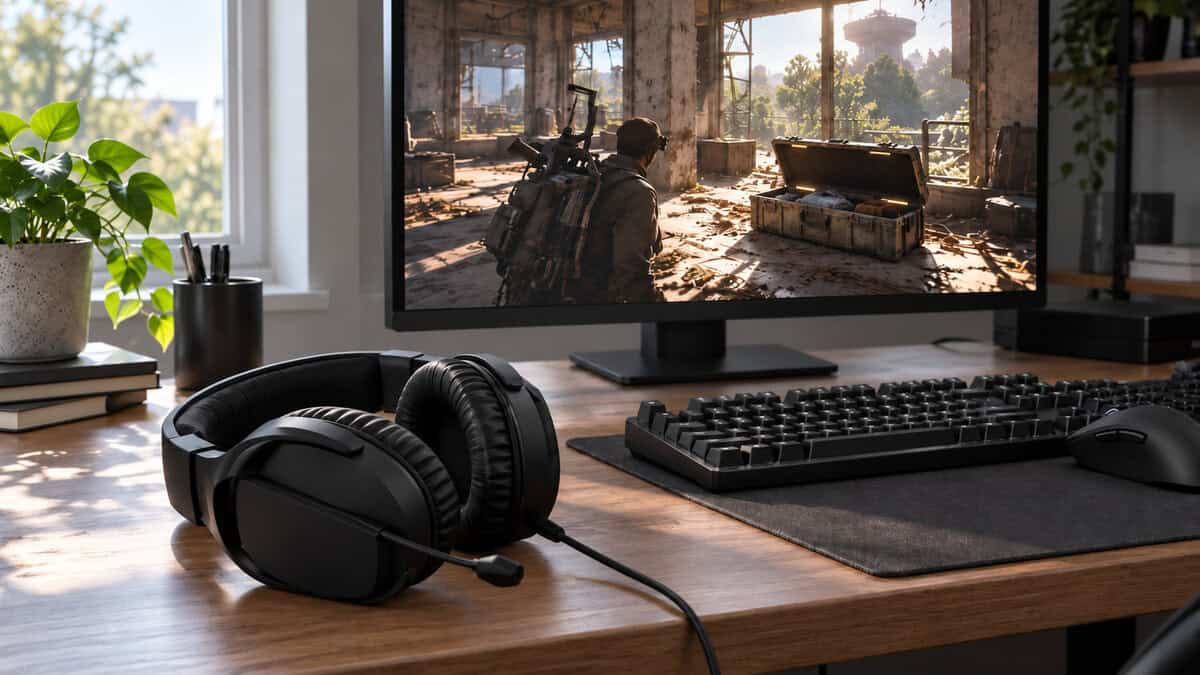
For a PC raider on a tight budget, the Stinger 2 does the important things well. It weighs 0.60 lb, so it stays comfortable across back-to-back raids, and its 50mm drivers cover a stated 10Hz to 28kHz, the widest range listed in this guide.
The mic is a bi-directional noise-cancelling boom with swivel-to-mute: swing it up and you are silent. Like the Stealth 600, that makes muting a physical motion you can do without looking. HyperX also includes DTS Headphone:X activation, which is there if you want to experiment with spatial audio later.
A cable does have one upside in a game about long sessions. It never runs flat, and it keeps the price well below both wireless picks.
What You Are Listening For Topside
Arc Raiders puts a lot of information into sound. Most of it falls into three groups, and a good headset makes each one easier to separate from the others.
ARC Machines Before They Spot You
The ARC announce themselves long before they are in view. Engines, rotors and mechanical footfalls tend to sit low and carry far, so you often hear a machine’s rough direction well before you can see it. The goal is to hear that sound early enough to change your route.
A headset with a controlled low end helps here. If bass swamps everything, a distant machine turns into a vague hum instead of a sound with a direction. Keep bass-boost presets off and let the drivers do their job.
Other Raiders on the Move
Other players are the bigger threat, and they are quieter. Footsteps, a door, a zipline, a reload behind a wall: these are mid and high sounds that are easy to lose under music or explosions. This is where clean mids and good stereo separation earn their keep.
Volume discipline matters as much as hardware. If gunfire makes you flinch, the quiet cues are being buried too. Many players drop the music slider low for this reason, then set master volume so a distant firefight is clear without being loud.
The raider who hears the other squad first usually decides whether there is a fight at all.
Your Own Noise
Everything you do makes sound too. Sprinting, looting a container and swapping gear all carry, and other raiders are listening for exactly that. A headset that lets you hear your own footsteps clearly also teaches you when you are being loud, which is half of moving quietly.
Raiding Solo
Playing alone changes what a headset is for. With no squad to talk to, you spend most of the raid listening, and your mic only matters when you decide to use it on a stranger.
Open Mic or Push to Talk
Embark’s Arc Raiders help page on in-game communication explains that voice chat lives under Settings, Audio, Voice Chat, where you choose Open Microphone or Push to Talk, and that you can pick the same settings separately for proximity voice chat. For a solo raider, push to talk on proximity is the safe default: nothing leaves your mic unless you mean it.
Why a Physical Mute Beats a Menu
Settings are not always enough. A controller in your hands, a family member walking in, a cough at the wrong moment: all of it can leak. That is why every pick here has a physical mute. The Nova 5 mic retracts, the Stealth 600 mic flips up, and the Stinger 2 mic swivels. If you raid solo, favor whichever motion you will actually remember under pressure.
Solo players get the most from the listening side, so comfort and clarity come first. The Nova 5 and the Stinger 2 both suit this style, and the Stinger 2 is the one to pick if you are on PC and rarely say a word.
Raiding as a Duo
A duo adds one voice to coordinate with, which is usually a friend on party chat. That shifts the priority toward a mic that sounds natural over a long evening and a headset you can wear through several raids in a row.
Party Chat and Proximity Together
In a duo you are often on two channels: your partner on party chat and whoever is nearby on proximity. Embark’s help page notes that you can enable Raider Voice (Beta) for both or only for proximity chat, which shows how separately the game treats the two. Set proximity to push to talk and leave party chat open, and you can talk freely to your partner without broadcasting to the map.
A Phone Call Without Leaving the Raid
This is where the Nova 5’s Bluetooth earns its place. If your duo partner is on a Discord call on your phone rather than in-game, the Nova 5 can carry the game over its dongle and the phone over Bluetooth 5.3, switching with a button. The Stealth 600 offers a similar quick-switch over Bluetooth 5.2.
Comfort matters more in a duo than it sounds. Pairs tend to queue again straight after an extraction, so the headset stays on for hours. Glasses wearers should look hard at the Stealth 600’s glasses-friendly cushions.
Running a Full Trio
Three raiders means three voices on top of game audio, and that is where mic clarity pays off. A callout that has to be repeated in the middle of a firefight is a callout that failed.
Keeping Callouts Short
Good trio comms are brief: direction, distance, what it is. “Raider, left building, top floor” is enough. A mic that removes background noise helps those short phrases land on the first try, which is why the Stealth 600’s AI-based noise reduction and the Stinger 2’s noise-cancelling boom suit busy households.
Mic position matters as much as the mic. Keep the boom about two fingers from the corner of your mouth and slightly off to the side, so breath does not hit it directly.
Let the Ping Do the Talking
The game’s ping system cuts the need to talk at all. Embark lists middle mouse on PC and R1 or RT on PlayStation and Xbox by default, and you can ping objects, locations, ARC and other players. In a trio, a ping plus two words is often faster than a full sentence, and it leaks nothing to raiders nearby.
In a trio, the best callout is often a ping and two words.
Talking to Strangers Without Giving Yourself Away
Proximity chat is the most unusual part of Arc Raiders audio. Embark describes it as a way to talk to raiders outside your squad and to persuade them to become allies. That makes your voice a tool, and like any tool it can be used at the wrong moment.
When a Truce Is Worth Offering
A short, calm offer can turn a tense standoff into a shared extraction. It works best when both sides already know where the other is, so speaking gives away nothing new. Keep it brief, and keep your hand near the mute once you have said it.
When Silence Is the Better Play
If the other raider has not spotted you, speaking is the same as firing a flare. Stay muted, move, and let the headset do the listening. This is where a physical mute beats open mic every time: flip, swivel or retract the boom and you know you are silent.
Raider Voice (Beta), in the audio settings, lets you make your voice sound deeper or brighter, and you can enable it only for proximity chat. It changes how you sound, not whether you are heard, so treat it as a style choice rather than cover.
Fixing Echo and a Dead Mic
Echo usually means your own game audio is reaching your mic. On a headset that is rarely the cause, so check that Windows or your console is not also using a webcam or TV mic as its input, and that no one else in the room is on speakers. Lowering headset volume a notch can help too.
If the mic seems dead, confirm Enable Voice Chat is on, then check the Microphone Mode: on push to talk nothing sends until you press the key. After that, make sure the headset is the selected input on your system, and that its physical mute is not engaged. A flipped-up boom is the most common silent mic of all.
PS5 and Xbox Versions Are Not Interchangeable
Wireless console headsets are sold in versions, and the box you buy decides which system it works with. This is the most common expensive mistake in this category, so it is worth being precise.
Picking the Right Box
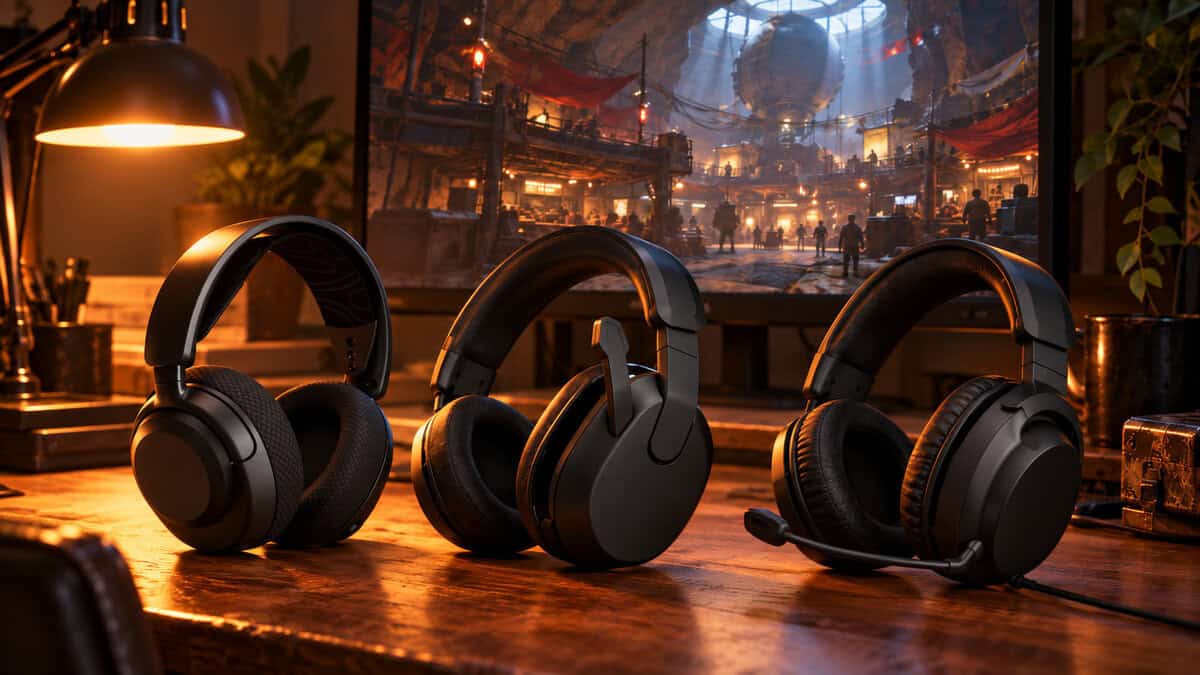
For the Nova 5, PC and PlayStation players buy the standard Arctis Nova 5 Wireless, and Xbox players buy the Nova 5X. For the Stealth 600, the PS5 and PC model is the card pick, and Xbox players buy the Xbox version. The Xbox box of the Stealth 600 also works with PlayStation and PC, so it suits a household with both consoles.
If you play on PC with a USB headset in mind rather than a 3.5mm one, the Razer Kraken V4 X is a wired USB alternative that skips the splitter.
The 3.5mm Fallback
A wired 3.5mm headset plugged into your controller avoids version problems entirely. The Turtle Beach Recon 70 is the console-friendly budget option here: a wired multiplatform headset with a flip-to-mute mic that works across PlayStation, Xbox, Switch and PC through the headset jack. If the Stinger 2’s PC label rules it out, start there.
Surround Settings on PS5 and PC
On PS5, headphone 3D audio is a system setting, and PlayStation’s guide to setting up 3D audio on PS5 walks through turning it on and adjusting it for your ears. On PC, Windows spatial sound and headset add-ons like DTS Headphone:X are separate layers.
Our advice for Arc Raiders is simple: leave virtual surround off and let the game’s stereo mix do the work, then judge by ear. Play a few raids that way, then try one spatial layer at a time. Keep it only if you place footsteps more reliably than before, and never stack two spatial layers at once.
Your Queue Decides the Headset
Find the row that sounds like how you play.
| Headset | How You Queue | Why It Fits |
|---|---|---|
| SteelSeries Arctis Nova 5 Wireless | Duo or trio on PC or PlayStation, voice on Discord or party chat, phone nearby | Retractable mic for solo nights, Bluetooth for a call on the phone, long battery |
| Turtle Beach Stealth 600 Gen 3 | Long sessions on PS5 or PC (Xbox players buy the Xbox version) | Up to 80 hours per charge and a flip-to-mute mic you can find without looking |
| HyperX Cloud Stinger 2 | Solo PC raider on a budget who mostly listens | Light, wired, and muted with one swing of the boom |
A headset is one part of the kit. Our Arc Raiders monitor guide covers spotting movement at range, the Arc Raiders mouse picks handle aim, and the Arc Raiders keyboard roundup covers movement and looting binds. If you are still torn on cables, our wired vs wireless gaming headset comparison goes deeper, and the best wireless gaming headset guide widens the field beyond one game.
Frequently Asked Questions
Quick answers about headsets, voice chat and audio in Arc Raiders.
Does Arc Raiders have proximity chat?
Yes. Embark’s help center says proximity voice chat lets you talk to raiders outside your squad, including to persuade them to become allies. You can set it to open mic or push to talk separately from your squad chat.
Can enemies hear me in Arc Raiders?
Raiders near you can hear you over proximity chat if it is enabled and your mic is sending. Setting proximity to push to talk and using your headset’s physical mute keeps your voice out of the raid until you choose to speak.
Should I use virtual surround in Arc Raiders?
Start with it off and let the game’s stereo mix do the work, then judge by ear. If you want to try PS5 3D audio, Windows spatial sound or DTS Headphone:X, add one layer at a time and keep it only if footsteps get easier to place.
Why is my headset mic echoing or not working in Arc Raiders?
Echo usually means game audio is reaching a mic, often a webcam or TV mic selected as the input, or speakers in the room. A dead mic is usually voice chat disabled, push to talk without the key pressed, the wrong input device, or the headset’s own mute engaged.
Is a wired or wireless headset better for Arc Raiders?
Wireless suits couch play and long sessions, as long as the battery lasts and you buy the right console version. Wired is lighter, cheaper and never runs flat, which makes it the easy choice for a PC player at a desk.
Looking for more budget gaming gear? Check out Budget Loadout for the latest reviews and recommendations.
Related Articles