If you’re trying to enjoy Marvel Rivals on an old office display, you’re probably fighting your monitor as much as the enemy team. Fast heroes, crowded ability effects, quick vertical movement, and sudden close-range duels punish slow screens hard. Missed tracking often isn’t just bad aim. It’s blur, ghosting, and delay stacked on top of each other.
The best budget monitor for Marvel Rivals isn’t the cheapest panel with a gaming sticker on the box. It’s the one that matches your GPU, gives you clean motion, and doesn’t waste money on specs you can’t use. For most players, that means choosing carefully between a 1080p high-frame-rate setup and a 1440p higher-clarity setup, then making sure the panel itself is good enough to keep up.
- Sharp 1440p resolution paired with a fast 240Hz refresh
- Vivid IPS color that flatters Marvel Rivals’ art style
- G-Sync Compatible for tear-free team fights
- Needs a capable GPU to push 240fps at 1440p
- Height adjustment requires a separate VESA arm
- HDR is entry-level rather than true HDR
- 1080p is easy for budget GPUs to run at high frame rates
- 200Hz IPS feels dramatically smoother than a 60Hz display
- Compact 24-inch size keeps the whole fight in view
- 1080p looks softer than 1440p on a larger desk
- Stand offers tilt adjustment only
- No built-in speakers
- Native 240Hz Fast IPS for exceptionally clean motion
- Esports-friendly 24.5-inch competitive form factor
- 99% sRGB keeps colors accurate out of the box
- 1080p trades sharpness for raw speed
- Priced close to sharper 1440p options
- Extra display features add menu complexity
- For most players, a 1440p 240Hz IPS panel like the AOC Q27G41ZE is the sweet spot of sharpness and speed for Marvel Rivals.
- On a budget or mid-range GPU, a 1080p high-refresh IPS monitor keeps frame rates high where it matters most.
- Refresh rate and low response time matter more than resolution for competitive hero-shooter play.
- IPS panels suit Marvel Rivals’ colorful art better than budget VA or TN alternatives.
- Skip marketing extras like fake HDR and aggressive curves; prioritize a fast panel and Adaptive Sync.
Table of Contents
Choosing Your Monitor for Marvel Rivals
Marvel Rivals is the kind of game that exposes weak hardware choices quickly. On a slow display, heroes smear across the screen during strafes, ability effects blend together, and target tracking feels less precise than it should. A lot of players blame the game or their mechanics first. Sometimes the monitor is the problem.
That’s why buying by marketing terms usually goes wrong. Fancy contrast labels, vague motion claims, and overloaded spec sheets don’t matter much if the panel can’t deliver clean motion in a real match. For a hero shooter, the basics matter more: refresh rate, response behavior, panel type, and the right resolution for your GPU.
Practical rule: If your PC can’t feed the monitor enough frames, paying extra for resolution or ultra-high refresh stops being a performance upgrade and turns into a spec-sheet purchase.
Budget also needs context. A good budget gaming monitor isn’t bargain-bin junk. It’s the screen that gives you the most useful performance for the money and holds up over time. That means checking stand stability, port layout, panel consistency, and whether the chassis feels built for daily use instead of just looking aggressive on a product page.
A smart shortlist for Marvel Rivals looks like this:
Pure performance pick: A 1080p, 144Hz-class IPS monitor for players on common mid-range hardware.
Balanced upgrade pick: A 1440p monitor around the mid-high refresh range for better clarity without going overboard.
Stretch pick: A faster 1440p panel for players who notice motion improvements and have the GPU headroom to support it.
That split matters more than brand loyalty. Buy for your actual system, not for what sounds best in a vacuum.
What Monitor Specs Actually Matter for Competitive Play
A lot of budget monitor advice falls apart once you match it to the GPU running Marvel Rivals. A 1440p panel can look like the smarter buy on paper, but if your system spends fights bouncing around lower frame rates, the extra sharpness does less for you than cleaner motion at 1080p.

Refresh rate and why 60Hz feels bad fast
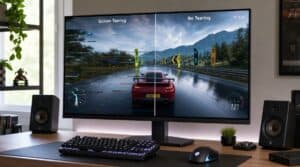
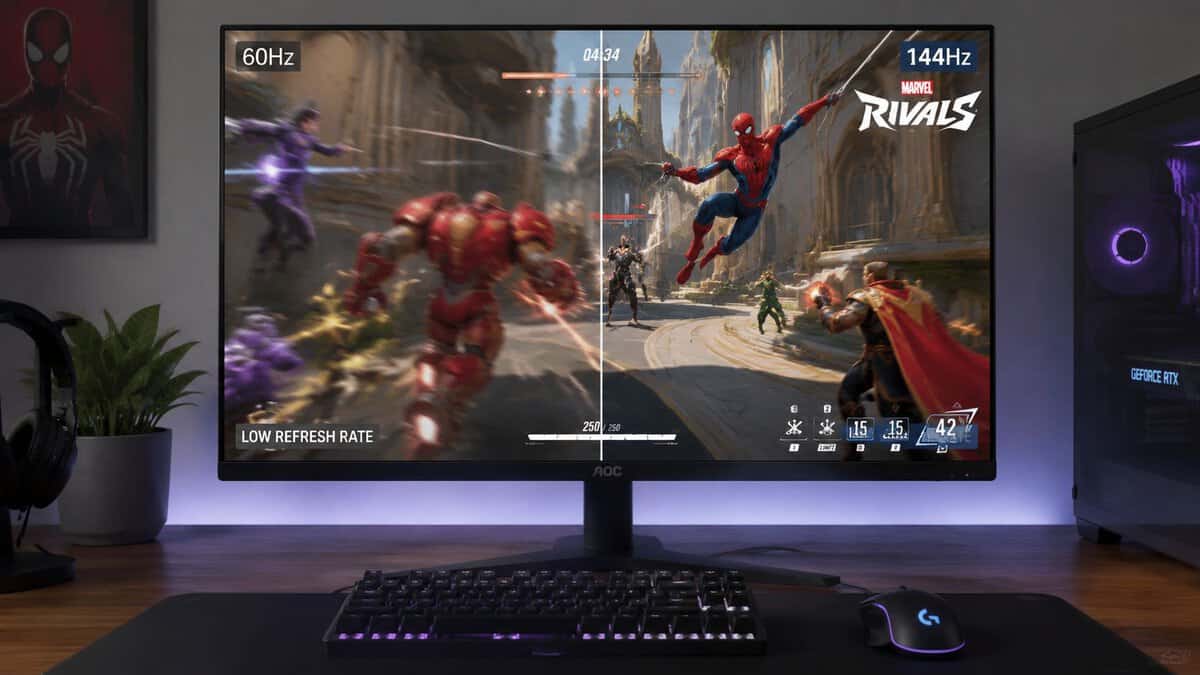
Marvel Rivals rewards target tracking, quick flicks, and fast camera correction. Refresh rate affects all three, and pushing it higher also cuts the motion blur that smears fast action. The jump from 60Hz to 144Hz is still the biggest upgrade for competitive play because it makes motion easier to read and reduces the sluggish feel that throws off aim.
Past 144Hz, gains get smaller and more dependent on your hardware. If you’re on a budget GPU, a stable 120 to 144 FPS at 1080p is usually more useful than buying a 180Hz or 240Hz monitor you cannot feed consistently.
That matters even more in a hero shooter than in slower games.
If you also post clips from your matches, the display you use for editing can affect how you frame vertical and horizontal highlights. A quick reference on best aspect ratios for social platforms helps if you’re cutting gameplay for multiple formats.
Response time and panel behavior
Refresh rate is only half the story. Pixel response decides whether motion looks clean or smeared. Cheap panels often advertise an aggressive response time figure that only shows up in an unusable overdrive mode with obvious inverse ghosting.
For budget Marvel Rivals setups, IPS is usually the safer pick because motion is more predictable across a wide range of scenes. VA can still be fine for mixed use, especially if you want stronger contrast for single-player games, but some budget VA panels show dark smearing that is hard to ignore in fast indoor fights or night-heavy maps. If you want the panel trade-offs spelled out clearly, read this guide on IPS vs VA for gaming.
A clean 144Hz monitor beats a messy 165Hz one every time.
Resolution and the real GPU trade-off
Resolution is where buyers waste money most often. For Marvel Rivals, 1080p gives common budget and lower mid-range GPUs more room to hold the frame rates that make high refresh worthwhile. That includes the kind of systems many players use, such as older xx50 or xx60 class cards, entry RTX cards, and budget Radeon builds.
1440p still has a place. On a stronger GPU, it makes enemy outlines, ability effects, and distant targets look clearer, especially on a 27-inch screen. The catch is simple. If your frame rate drops enough during heavy team fights, you lose the smoothness and input feel that helped you win duels in the first place.
For a lot of players, the better competitive setup is 24-inch 1080p with stronger frame consistency, not a larger 1440p panel that pushes the GPU too hard.
Adaptive Sync and the specs you can ignore
Adaptive Sync is worth having because budget systems do not always hold one locked frame rate. It reduces tearing and keeps motion from looking rough when your performance shifts during ult-heavy fights. Check that it works properly over the input you plan to use, usually DisplayPort, and do not assume every budget monitor handles this equally well.
Several specs matter far less than product pages suggest. Entry-level HDR labels are often marketing fluff. Extreme contrast claims do not tell you how the panel behaves in motion. Built-in speakers are rarely good enough to influence the purchase.
Put your money into the specs you will notice in every match: a refresh rate your GPU can realistically support, good response behavior, the right panel type, and a resolution that fits your hardware instead of fighting it.
Our Top Budget Monitor Picks for 2026
Queue into a match on a budget GPU and the monitor choice gets real fast. A 1440p panel can look cleaner in the practice range, then feel worse the moment a crowded team fight drags frame rate down. For Marvel Rivals, the smart budget picks fall into three lanes: 24-inch 1080p for the highest practical frame rate, 27-inch 1440p for the best balance, and a faster-refresh 1440p option for players whose system can feed it.
That split matters more than brand names. On lower-cost hardware, the wrong monitor can leave performance on the table every single match.
2026 Best Budget Monitors for Marvel Rivals
| Monitor | Resolution & Size | Refresh | Panel | Best For |
|---|---|---|---|---|
| AOC 24G42HE | 1080p, 24″ | 200Hz | IPS | Entry / weaker GPUs |
| AOC Q27G41ZE | 1440p, 27″ | 240Hz | IPS | Best overall value |
| ASUS TUF VG259QM5A | 1080p, 24.5″ | 240Hz | Fast IPS | Competitive / max FPS |
Which lane fits your setup
The 24-inch 1080p class is still the safest buy for competitive value. If you are on an older xx50 or xx60 class card, an entry RTX build, or a budget Radeon system, this tier usually gives you the best shot at keeping frame delivery consistent during chaotic fights. That matters more than extra pixels in a hero shooter.
The 27-inch 1440p class is where budget monitors start to feel better for mixed use. Text looks cleaner, targets at distance are easier to read, and the screen is nicer for daily desktop work. The trade-off is simple. Your GPU has to carry more load, so this tier makes sense only if your system can stay fast enough in real matches, not just in lighter scenes.
Then there is the stretch option. A budget-friendly 1440p panel above 165Hz can be a smart purchase if your hardware already pushes high frame rates, or if you know a GPU upgrade is coming soon. If neither is true, you are paying for refresh headroom you will rarely use.
A good rule is to buy around the PC you have now, not the one you might build later.
If you want more examples in this price range, our guide to the best gaming monitors under $200 is a useful place to compare what you get as you move between 1080p and 1440p tiers.
Build quality still deserves a quick check before you click buy. Budget panels often save money on the stand, OSD buttons, tilt range, and motion tuning before they cut the headline refresh spec. A shaky stand or poor overdrive tuning will bother you every time you play, while a flashy spec on the box will not fix either problem.
Best Entry-Level Pick: The 1080p Frame Rate King
For a lot of players, the smartest answer is still a 1080p high-refresh IPS monitor like the AOC 24G42HE. Not because it’s flashy. Because it lines up with how budget and mid-range systems perform in a fast shooter.
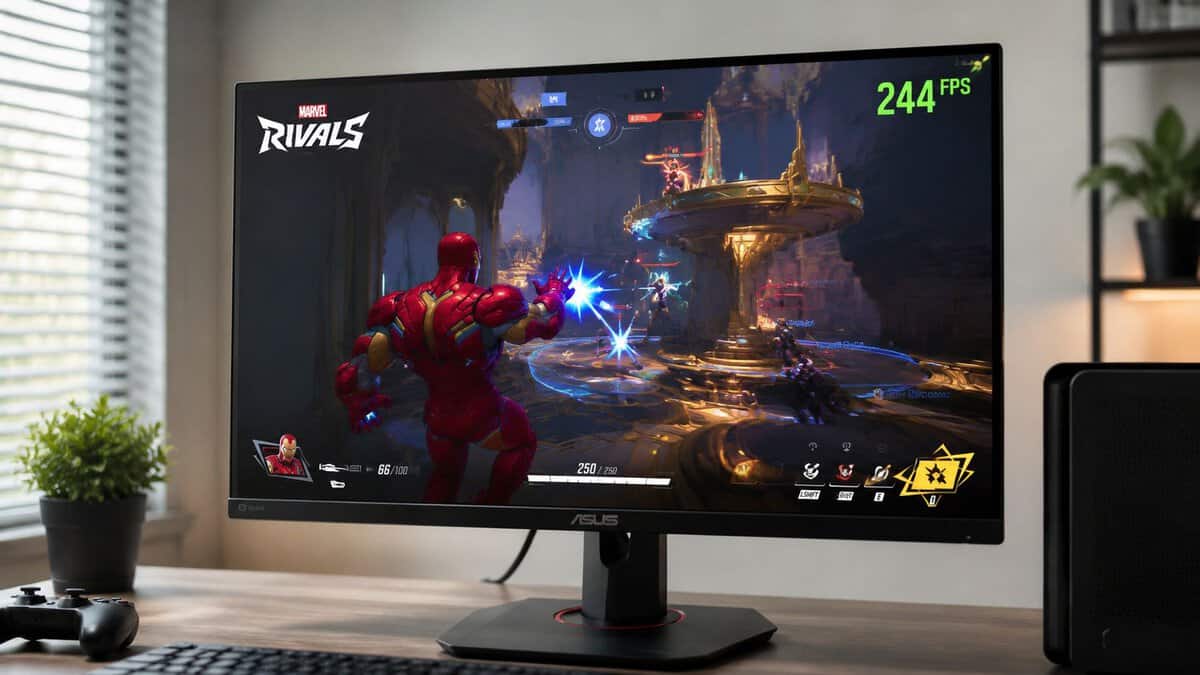
Why this tier works so well
At this level, you’re making a practical trade. You give up some sharpness compared with 1440p, but you make it easier for your PC to deliver the kind of frame rate that keeps Marvel Rivals feeling crisp and controlled. In a competitive match, that’s often the better bargain.
A good 24-inch 1080p IPS panel also keeps pixel density reasonable. It won’t look as refined as 1440p, but it doesn’t fall apart either. On a desk at normal viewing distance, it still looks clean enough for daily gaming, casual streaming, and even general work.
What you gain and what you don’t
The big wins here are straightforward:
Higher practical frame rate: Easier for common gaming PCs to run well in real matches.
Cleaner motion for the money: High refresh plus a decent IPS panel does more for aim than extra pixels do.
Usually lower buying risk: This category is mature, so there are fewer weird compromises than in bargain large-format displays.
There are trade-offs too.
Less visual sharpness: UI and distant detail won’t look as crisp as 1440p.
Basic build quality on some models: Stands can be simpler, plastics thinner, and menu systems clunky.
Less room for immersion: If you want a larger screen for single-player games, videos, or multitasking, this class can feel modest.
If you’re shopping in this lane, a broader roundup of gaming monitors under 200 can help you spot models that keep the right priorities.
Who should buy this
This is the right pick if your main goal is to win more duels, track targets better, and avoid wasting money on a resolution your current hardware won’t fully support. It’s also a good fit if you play other competitive games, where motion clarity matters more than cinematic image quality.
For MMO players, it’s fine but not ideal. For streamers who want one screen that also handles chat, editing, and general browsing with more workspace, 1440p starts making a stronger case. But for raw Marvel Rivals value, 1080p high refresh is still hard to beat.
Best Value Upgrade: The 1440p Sweet Spot
A 1440p monitor like the AOC Q27G41ZE makes sense when your PC can hold up in the fights that determine matches. You load into Marvel Rivals, abilities start filling the screen, and suddenly the difference between a stable 120 to 165 fps and a messy drop into lower frame rates matters more than a spec sheet ever will. That is why this tier is a value upgrade for the right system, not an automatic upgrade for every budget build.
The target buyer here is using a mainstream GPU and wants a sharper image without giving up the fast feel that makes a hero shooter easier to play. On cards that already run Marvel Rivals well at 1080p, 1440p usually costs enough performance that you need to be honest about your priorities. If you care more about cleaner visuals, better desktop space, and a monitor that also feels good outside games, 1440p is a smart step up. If your system is already struggling to stay smooth in team fights, 1080p still gives you the better competitive result.
A good budget option in this class is usually a 27-inch or 32-inch 1440p panel with refresh high enough to keep input response snappy. The panel type matters too. IPS tends to give you better motion handling and viewing consistency, while VA often trades some pixel response for stronger contrast. In Marvel Rivals, I usually prefer the cleaner motion behavior over deeper blacks, especially if the goal is easier tracking during fast camera swings.
A major benefit is not just sharper scenery. It is readability. Health bars, effects, outlines, and UI elements look more defined, which helps on larger screens and during longer sessions. For players who split time between Marvel Rivals, general browsing, work, and other games, that extra pixel density is easier to appreciate every day than another small bump in refresh rate.
There is a catch. Resolution raises the GPU load every second you play. On common budget hardware, 1440p can turn a high-refresh experience into a variable one, and variable frame delivery feels worse than many buyers expect. A steady lower frame rate is easier to play on than constant swings, so this tier works best if your system can stay consistently above the point where motion still feels clean.
Screen size changes the value equation too. At 27 inches, 1440p looks sharp and keeps the whole image easy to scan from a normal desk distance. At 32 inches, the added size helps immersion and readability, but desk depth starts to matter more. Sit too close and you end up moving your eyes more than you should in a competitive match. For buyers comparing sizes, this guide to choosing a budget 1440p gaming monitor gives useful context.
Pay attention to the boring stuff before you buy. Stand stability, height adjustment, ghosting control, and whether adaptive sync works cleanly with your setup will affect your experience more than a flashy marketing label. In this price range, I would take a well-tuned 1440p 165Hz monitor with a solid stand over a bigger panel with weaker motion performance every time.
For Marvel Rivals specifically, this is the sweet spot for players who want one monitor that can still compete. You get better image clarity and more room for everything else you do on the PC, but only if your GPU has enough headroom to keep the match feeling fast when the screen gets chaotic.
The High-Refresh Budget Pick: Pushing Past 165Hz
If your system already runs Marvel Rivals well, the ASUS TUF VG259QM5A is the one to stretch for. Its 24.5-inch 1080p Fast IPS panel runs natively at 240Hz with a 0.3ms response, so frames land the instant your GPU produces them — exactly the edge a fast hero shooter rewards.
A lot of players hit this tier after one frustrating pattern. Marvel Rivals feels good in lighter fights, then turns messy in team pushes because frame rate drops and motion clarity falls off right when target tracking matters most. A budget high-refresh monitor can help, but only if it matches what your GPU can hold in a real match.
For this slot, the smart buy is usually a 1440p display with a higher-than-average refresh rate, not a random panel picked for the biggest number on the box. On common budget GPUs, that extra refresh headroom only pays off if you can stay close enough to it to keep motion looking clean. If your system spends most of the match far below the panel ceiling, you paid for margin you rarely use.
The benefit is real. It is also narrower than many buyers expect.
Marvel Rivals rewards fast camera control, quick target swaps, and better visual stability during ability spam. If you already run the game at high frame rates with reduced settings, moving past 165Hz can make strafing and crosshair correction look a bit cleaner. The gain is easier to notice at 1080p, where budget cards have a better shot at feeding the monitor properly. At 1440p, this class makes more sense for players who have already tested their settings and know they can keep performance high enough to justify it.
That is why this tier is less about raw panel speed and more about fit. Some players should buy it. Some should stay with a better-tuned 165Hz option and spend the difference elsewhere.
A higher-refresh budget monitor above 165Hz makes sense if your setup looks like this:
Your GPU already keeps Marvel Rivals running at high frame rates in the settings you use
You play aggressively enough to notice small gains in motion clarity during flicks and tracking
You want extra headroom without jumping into overpriced territory
You are choosing between two similarly built monitors, and one gives you more refresh without major compromises elsewhere
Where people get this wrong is simple. They chase 180Hz or 200Hz, then ignore pixel response tuning, stand quality, brightness consistency, and whether adaptive sync behaves properly. In actual play, a balanced panel with cleaner motion handling is the better competitive tool than a cheaper high-number panel with smeary overdrive or weak build quality.
If you are trying to decide whether the jump is meaningful for your setup, this breakdown of 144Hz vs 240Hz for real-world gaming use is the right comparison to read before spending more.
One more practical point. Online shooters punish inconsistent systems from multiple angles. A fast monitor helps with visual response, but unstable latency still makes fights feel off, so your connection quality matters too. If you are sorting out the full setup, including match stability, this guide to the best internet for gaming is worth reading.
For Marvel Rivals on a budget, this tier is a selective upgrade. Buy it when your card can drive it, your settings are already dialed in, and the monitor is good beyond the refresh spec alone. Otherwise, a stronger 165Hz class display is usually the smarter purchase.
How to Set Up Your Monitor for a Competitive Edge
A new monitor doesn’t help much if it’s left on the wrong settings. Plenty of players buy a high-refresh display, plug it in, and keep running it at a lower refresh without realizing it.
The setup checklist that matters
Start with these basics:
Set the monitor to its maximum refresh rate in Windows. Don’t assume it does this automatically.
Enable Adaptive Sync in the monitor menu and your GPU control panel. This usually gives you smoother results than relying on VSync.
Test the overdrive setting. The best mode is usually the one that reduces blur without adding ugly inverse trails.
Use the right cable. A bad cable choice can limit available refresh options.
Tune in-game settings for clarity. Keep the image readable. Don’t bury enemy outlines and effects under unnecessary visual extras.
If input delay still feels off after setup, this guide on how to fix input lag covers the usual causes clearly.
Extra gains outside the monitor menu
Marvel Rivals is online, so display tuning isn’t the whole story. A stable connection matters just as much as a fast screen once the match starts. If you’re also troubleshooting network consistency, this guide to the best internet for gaming is a useful companion read.
One more practical adjustment is color tuning. You don’t need cartoonishly oversaturated settings, but a modest bump in visibility can help characters stand out from busy backgrounds. Test changes in an actual match, not just on the desktop.
Set up the monitor first, then judge the monitor. A lot of “bad panel” complaints are really bad default settings.
The best budget monitor for Marvel Rivals is the one that gives you smooth motion, enough clarity for your screen size, and performance your GPU can sustain. For many players, that’s still a 1080p high-refresh IPS display. For others, 1440p is the smarter long-term value. The right answer depends less on hype and more on honest system matching.
Frequently Asked Questions
Still deciding on the best budget monitor for Marvel Rivals? These are the questions players ask most before they buy.
What refresh rate do I need for Marvel Rivals?
Aim for at least 144Hz, and 200–240Hz if your budget and GPU allow. Marvel Rivals is fast and ability-heavy, so a higher refresh rate makes tracking targets and reacting to dives noticeably easier than it is on a 60Hz display.
Is 1080p or 1440p better for Marvel Rivals?
1080p is easier to run at very high frame rates on budget GPUs, which suits competitive play. 1440p looks sharper and shows off the game’s colorful art, but you need a stronger card to hold a high frame rate. The AOC Q27G41ZE makes 1440p affordable at a true 240Hz.
Do I need an IPS panel?
For Marvel Rivals, IPS is the best budget choice. It delivers the wide viewing angles and vivid color the game’s hero art relies on, with fast modern response times that keep motion clean — advantages a cheap VA or TN panel cannot fully match.
Will a high-refresh monitor improve my aim?
It helps. A higher refresh rate shows more up-to-date frames, so fast-moving targets are easier to track and your inputs feel more immediate. It will not replace practice, but it removes a hardware disadvantage in close fights.
What size monitor is best for competitive play?
Most competitive players prefer 24 to 24.5 inches at 1080p, or 27 inches at 1440p. Smaller screens keep the whole scene in your field of view, while 27-inch 1440p balances immersion with a sharper image.
If you want more no-nonsense gear advice like this, visit Budget Loadout. It’s built for gamers who want solid performance, better buying decisions, and fewer upgrades they regret.
Related Articles