Every part in your PC makes heat, but only one part decides where that heat goes. The best airflow PC case is the cheapest cooling upgrade you can buy, because it raises the ceiling for every cooler, fan, and graphics card you ever put inside it. A great CPU cooler in a choked case is a fast engine in a sealed garage.
Three verified cases below, each with a mesh front and real fans in the box, then the airflow knowledge that makes the choice obvious.
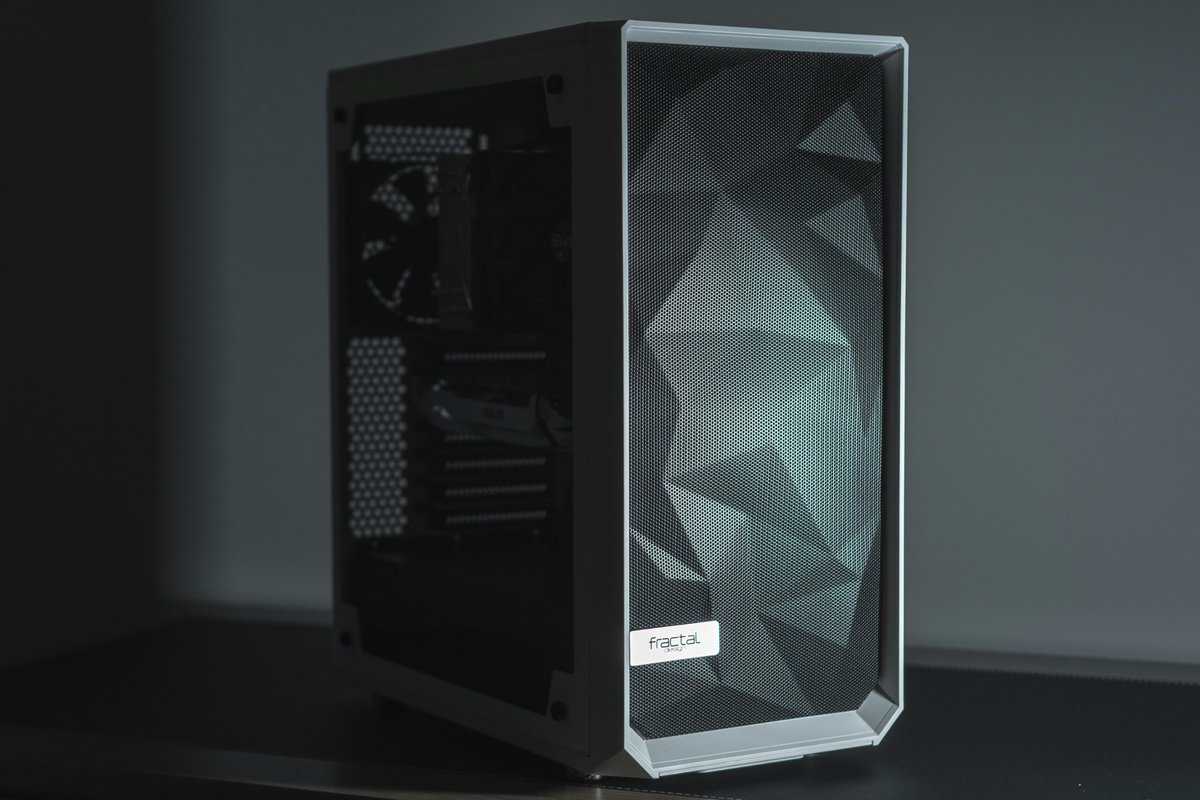
The case that resets what budget airflow means. Four PWM fans out of the box, two of them feeding the graphics card directly from the floor, behind a mesh front that actually breathes.
- Four PWM fans included with two aimed at the GPU
- Full mesh front backed by a fine dust filter
- Fits a 360mm radiator up top for AIO builds
- Compact frame keeps cable room modest behind the tray
- Bottom intakes ask for regular filter cleaning
- Understated look if you want a light show
The cheapest way into a mesh-front build without inheriting a fanless shell. The cable channels make it the easiest first build here, and the open front keeps a midrange graphics card comfortable.
- Mesh front flows well even with modest fans
- Cable channels genuinely simplify a first build
- Compact footprint still swallows full-size graphics cards
- Only two fans included so hot builds want a third
- No RGB out of the box next to the Corsair
- Top radiator clearance is tighter than the Lian Li
The mainstream pick with the biggest owner base on this list. Three ARGB fans preinstalled, a modular frame built to be upgraded, and the airflow-first front panel Corsair made famous.
- Three ARGB PWM fans included and ready to sync
- Modular panels make future upgrades painless
- Huge owner base means every question is already answered
- Costs the most of the three picks here
- ARGB control wants a free motherboard header
- Bigger footprint than the NZXT on a tight desk
- An airflow-first case beats fan upgrades because the front panel sets the ceiling every cooler works under
- A mesh front with a dust filter is the single most important spec on the sheet
- Count the included fans before comparing cases because buying three fans separately erases a bargain
- Run more intake than exhaust so dust enters through filters instead of every crack
- Check GPU length and radiator support against your parts list before you fall for a look
Table of Contents
One Component Sets the Temperature for All the Others
Coolers get the credit and cases get the blame, usually in that order and usually months apart. A tower cooler can only work with the air the case hands it. When the front panel starves, every component downstream runs warmer, fans spin louder, and a graphics card starts trimming its own clocks on summer afternoons.
The reverse is also true, and it is the cheap trick of PC building. Move the same parts into a case that breathes and idle temperatures drop, fan curves calm down, and the thermal headroom you thought required new hardware turns out to have been trapped behind a solid front panel. If your CPU already runs hotter than the ranges in our normal CPU temperature guide, audit the case before the cooler.
Airflow is not a feature on the spec sheet. It is the budget every other cooling decision spends from.
None of this requires exotic hardware. The three cases below prove the point at prices that leave room in the build for the parts that actually render frames.
Three Cases That Breathe at Budget Money
All three were verified in stock this week, and they split the decision cleanly: the Lian Li Lancool 207 for maximum airflow per dollar, the NZXT H5 Flow for the lowest entry price, and the Corsair 4000D RS ARGB when you want lighting and upgrade room in the same frame.
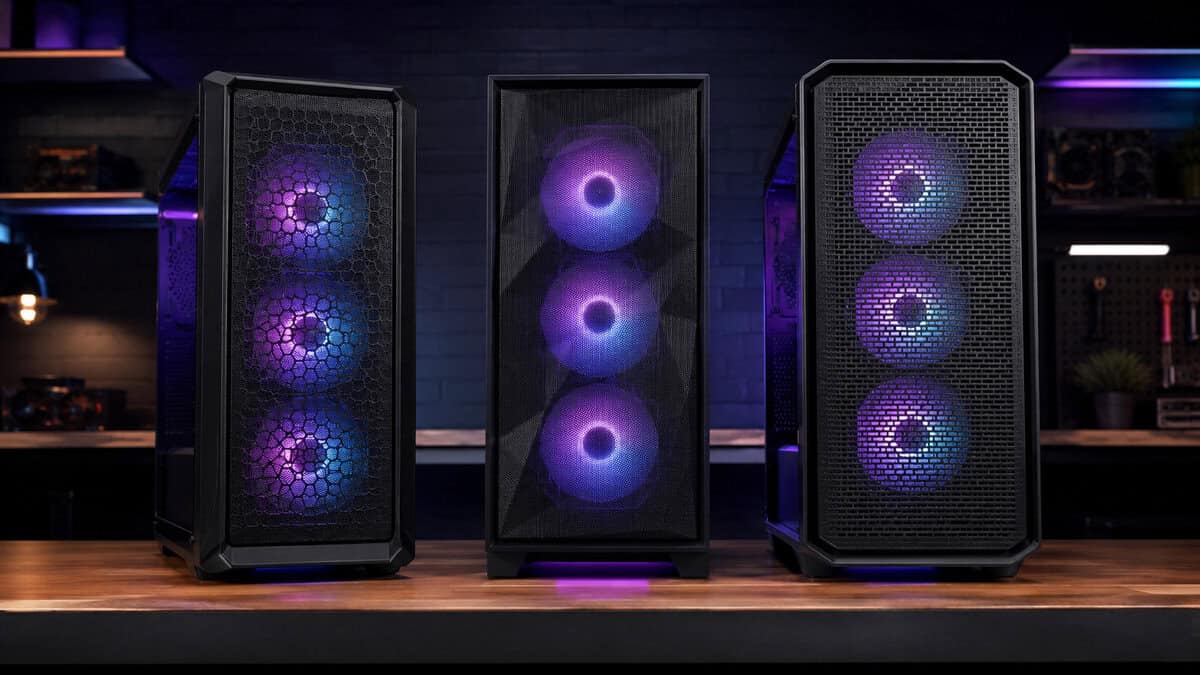
Lian Li Lancool 207
The Lian Li Lancool 207 is the current answer to the question this article asks. You get four PWM fans preinstalled, and the layout is smarter than the count: two 140mm fans feed the mesh front while two 120mm fans in the floor blow directly into the graphics card fans.
Most budget cases cool the case. The Lancool 207 cools the GPU on purpose.
That floor intake matters more every year as graphics cards grow. A modern GPU recycles the air sitting under it, and the 207 makes that air fresh instead of pre-heated. The mesh front carries a fine filter, the top takes a 360mm radiator if you go the AIO route, and the whole package undercuts cases that include a single fan.
The honest tradeoffs are packaging. The frame is compact, so cable space behind the tray rewards patience, and floor intakes mean the bottom filter earns a monthly cleaning. Neither changes the verdict.
NZXT H5 Flow
The NZXT H5 Flow is the pick when the budget is genuinely tight and the priority is not inheriting problems. The full mesh front does the heavy lifting, and NZXT’s cable channels turn first-build wiring from a wrestling match into a routing exercise.
It ships with two fans, which is enough for a midrange build with a sensible curve. If you later add a third, the front has the room, and our RGB case fans roundup covers inexpensive options that would also add the lighting this case skips.
The compact footprint is the quiet win. It fits full-size graphics cards while taking less desk than the Corsair, which makes it the default for small rooms. The limit is ambition: a heavily overclocked build with a thick top radiator outgrows it faster than the other two.
Corsair 4000D RS ARGB
The Corsair 4000D RS ARGB is what happens when the most popular airflow case of the last generation gets rebuilt as a modular platform. Three ARGB PWM fans come preinstalled behind the high-airflow front, and the panels come off without tools when the build evolves.
The owner base is a real feature. This frame is common enough that every compatibility question, radiator quirk, and cable trick has an answer online already. For a first scratch build that you intend to upgrade for years, that maturity is worth paying for.
You pay in size and sockets. It is the largest case here, and the ARGB fans want a spare motherboard header to earn their keep. If lighting means nothing to you, the Lancool 207 delivers more airflow hardware for less.
Side by side, the split looks like this.
| Case | Fans included | Best for |
|---|---|---|
| Lian Li Lancool 207 | 4 PWM with 2 GPU floor intakes | Maximum airflow per dollar |
| NZXT H5 Flow | 2 | Tight budgets and first builds |
| Corsair 4000D RS ARGB | 3 ARGB PWM | RGB builds with upgrade plans |
Follow the Air Through the Case
Airflow decisions get easier when you stop thinking about fans and start following the air. It enters at the front, does its work in the middle, and leaves at the top and rear. Each leg has one rule that matters.
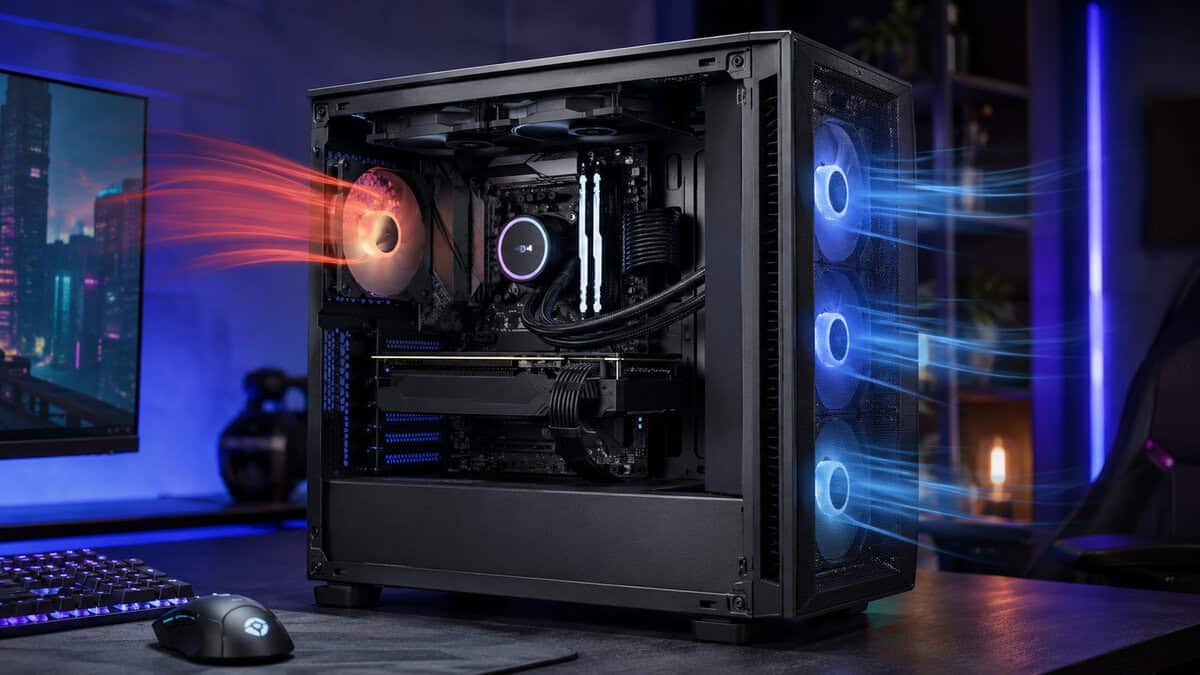
Intake Is Won at the Front Panel
Intake is where cases are won and lost, because the front panel is the one restriction you cannot remove. Fan makers publish the physics plainly, and Noctua’s airflow fundamentals guide is the reference worth reading: unobstructed intake feeding front-to-back flow is the configuration everything else approximates. A mesh panel with a filter behind it gets you most of the way before a single fan choice.
The Middle Is About Clearance
Once air is inside, the enemy is obstruction. A drive cage in the airstream, a wall of unmanaged cables, or a power supply shroud pressed against the GPU all tax flow you already paid for. This is why our PC cable management guide is secretly a cooling article: routing cables behind the tray is free airflow.
Exhaust Is the Easy Part
Hot air wants to leave. One rear exhaust fan handles most builds, a top-rear second helps heavy ones, and running slightly more intake than exhaust keeps positive pressure so dust enters through filters instead of every seam. If your temperatures are fine, resist adding exhaust for its own sake; every extra fan is noise.
Spend five minutes in the BIOS fan page once the build boots. The default curve on most boards is tuned for worst-case hardware, and flattening the low end so fans idle gently until real load arrives is the difference between a PC you hear and one you forget is on.
What Makes the Best Airflow PC Case Worth Buying
Strip away the marketing renders and the best airflow PC case comes down to a short checklist. Every item on it is visible in product photos if you know where to look.
Mesh Density and Dust Filters
Not all mesh is equal. Fine metal mesh that doubles as a filter breathes better than dense decorative perforation punched into a solid panel. Look for a front that is mostly open area, with a removable filter you can rinse. If the case photo shows a glass front and the listing still says airflow, believe the photo.
Filters belong on every intake and nowhere else. A filtered exhaust is pure restriction, since dust does not fight its way in against outgoing air.
Fan Mounts and Sizes
Bigger fans move the same air slower and quieter, so a front that takes 140mm fans beats one limited to 120mm at equal cost. Count usable mounts too: floor mounts near the GPU, like the Lancool 207 uses, are worth more than a third top mount that mostly recirculates CPU exhaust. PWM control on four pins beats fixed-voltage three-pin spinning at one speed forever.
Signs Your Current Case Is the Problem
Three symptoms point at the case rather than the cooler. Temperatures that are fine at idle but climb steadily through a long session mean heat is pooling faster than it leaves. A GPU that runs hot while the CPU stays cool means the card is starved where it sits. And if opening the side panel drops temperatures noticeably, the case has just confessed. Any of the three says a better cooler would be treating the symptom.
Included Fans Are the Hidden Price Tag
Two cases at the same price are rarely the same price. One ships with a single rear fan, the other with three or four PWM units already mounted and wired. Decent fans cost real money each, so the second case can be meaningfully cheaper the moment the build powers on.
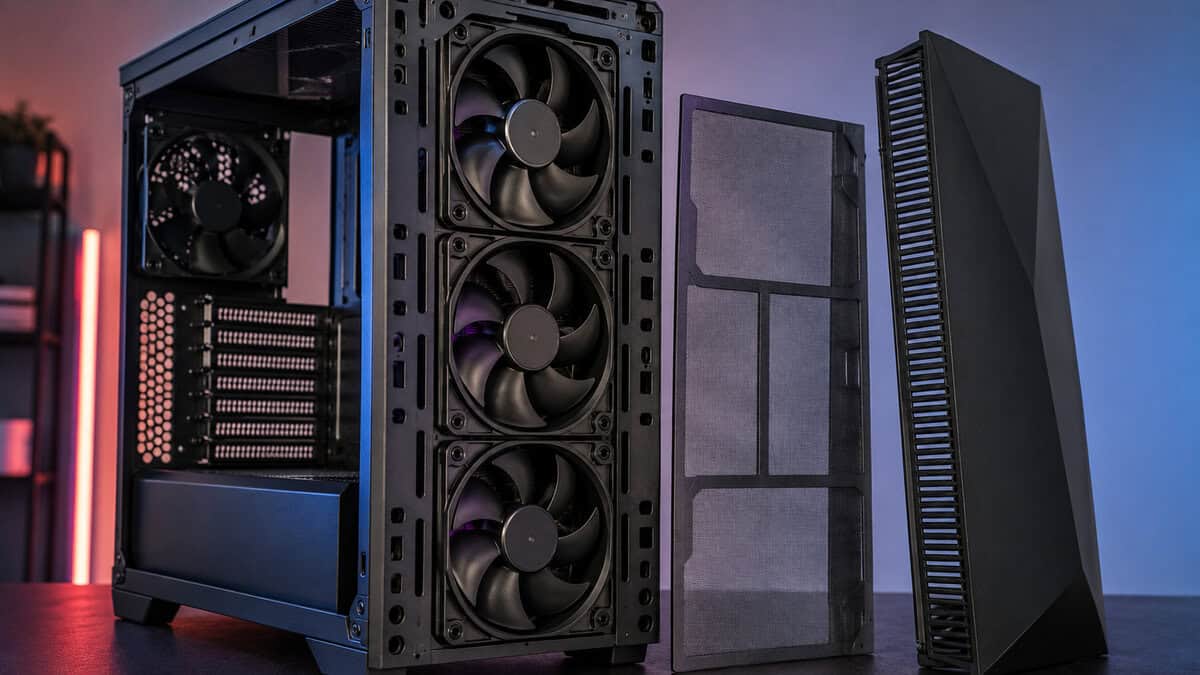
A bare case is not a bargain. It is a case with its cooling sold separately.
Count fans first, then check what they are. Corsair’s own guide on how many fans a PC should have lands where most builders do: a front pair plus rear exhaust as the working minimum. If the included hardware already covers that, the sticker price is the whole price. That math is exactly how the Lancool 207 wins its slot, and why the H5 Flow’s two fans are the honest cost of its lower entry price.
One quality tell costs nothing to check: whether the included fans are PWM. Four-pin fans follow a temperature curve, spinning near silence at the desktop and ramping only under load. Fixed-speed fans drone at one volume forever, and replacing them later quietly refunds the bargain.
There is a comfort dividend hiding in this section too. Because an airflow case removes the intake restriction, every fan in the system reaches target temperatures at lower speeds. The same build that whines in a choked chassis can be nearly silent behind mesh, with no silent-case foam involved. Airflow and quiet are not opposites; below the extremes, airflow is how budget builds get quiet.
Glass Fronts Look Better Than They Breathe
The panoramic aquarium build is everywhere right now, and it photographs beautifully. Physically, a sealed glass front turns intake fans into decoration. Air crawls in through thin side channels, pressure drops, and the components inside pay for the view.
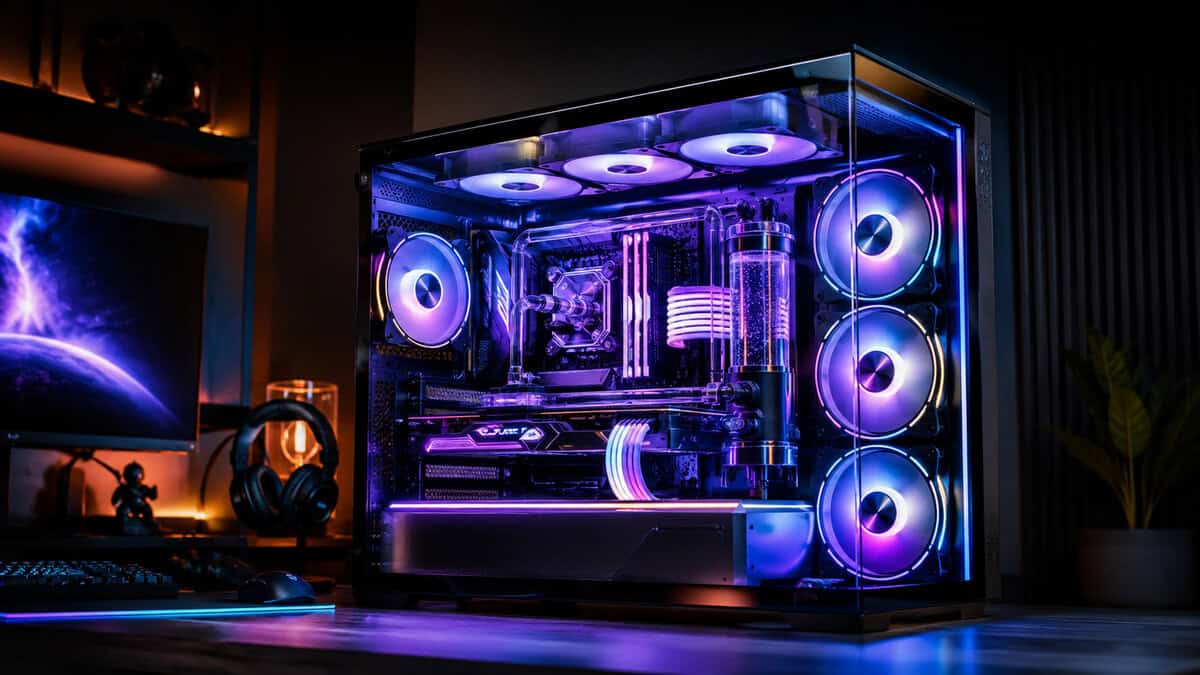
If you love the look, compromise where it is cheap. Glass on the side panel shows off the build without blocking a single intake. Save the sealed-front showcases for builds with undemanding hardware, and give a gaming PC the mesh. Our budget case buying guide covers the broader style landscape; this article exists because the airflow answer is narrower.
One more trap: fan count on glass-front cases flatters the spec sheet. Six preinstalled fans fighting a sealed panel can still move less air than three behind mesh. Geometry beats arithmetic.
Match the Case to the Build You Actually Have
The last check is fit, and it takes five minutes with your parts list open.
Radiators Change the Plan
If an AIO is in your future, buy the case for that future now. A 360mm radiator wants a top mount with clearance above the motherboard, and moving it to the front turns your best intake into warm exhaust for the GPU. Both the Lancool 207 and the 4000D RS handle a top 360 cleanly; see our budget AIO cooler roundup for what belongs in that mount.
Small Cases Need Smarter Airflow
Compact builds concentrate heat, which makes airflow discipline more important, not less. In a smaller frame like the H5 Flow, keep the front unobstructed, take the cable channels seriously, and let the GPU breathe from below if the case allows it. A tidy compact build with three fans routinely out-cools a sloppy full tower with six. For a micro-ATX board, our micro-ATX case picks include one that ships with six fans already installed. If you go smaller still, into a mini-ITX case, the power supply changes size too, and our SFX PSU guide covers that choice.
And whichever way you go, place the finished PC where the case can do its job. Pushed into a closed desk cubby, even the best airflow PC case recirculates its own exhaust. Six inches of clearance at the front and rear costs nothing and shows up on every temperature readout.
What Better Airflow Cannot Fix
A case swap moves whole-system temperatures, but some problems live closer to the silicon. Dried thermal paste between a years-old cooler and the CPU keeps its hotspot no matter how much fresh air arrives. A factory-aggressive GPU voltage curve wastes watts the case then has to carry away; our guide to undervolting your GPU attacks that at the source and pairs beautifully with a mesh front. And a hot room is a hot room, since no case cools below ambient.
Set expectations accordingly. The right order of operations is airflow first because it is cheap and universal, then paste and undervolting for the component-level stubborn spots, then bigger coolers only for the heat that remains. Most budget builds never need the third step once the first two are done.
Frequently Asked Questions
Quick answers to what builders ask most before choosing an airflow case.
How many fans does an airflow case need?
Three is the honest baseline: two front intakes and one rear exhaust. More fans let each one spin slower for the same airflow, which means less noise. Past five or six, most budget builds are buying sound effects rather than temperature drops.
Is a mesh front really that much cooler than glass?
Yes, and it is usually the single biggest thermal difference between two otherwise similar cases. A solid or glass front forces fans to pull air through narrow side slots, which costs pressure before the air even enters. Mesh removes that toll entirely.
Do airflow cases get dustier inside?
They move more air, so they meet more dust, but filters and pressure balance decide where it settles. Keep intakes filtered, run slightly more intake than exhaust, and clean the front filter monthly. That routine keeps a mesh case cleaner than an unfiltered solid one.
Will these cases fit a full-size graphics card?
All three picks clear modern full-size cards comfortably. Always compare the case’s published GPU clearance against your specific card’s length anyway, since flagship cards with oversized coolers keep growing past old assumptions.
Should I replace the included fans?
Not at first. The stock PWM fans on these picks are competent, and the case decides more of your temperatures than the fan brand does. Upgrade later if noise at load bothers you, or if you add a radiator and want its fans matched.
Looking for more budget gaming gear? Check out Budget Loadout for the latest reviews and recommendations.
Related Articles