You’re probably looking at a 49-inch ultrawide for one of two reasons. Either you’re tired of the seam down the middle of a dual-monitor setup, or you want one screen that can handle gaming, chat, browser windows, and stream controls without turning your desk into cable clutter. This guide is about finding the best 49 inch monitor you can actually justify.
That’s a fair goal. The problem is that “budget” gets weird fast in this category. A cheap regular gaming monitor can still be decent. A cheap 49-inch monitor can end up feeling like an oversized compromise, especially if the panel is too soft for desktop use or the stand feels flimsy enough to wobble every time you move the desk.
For most buyers, the best budget 49-inch monitor isn’t the absolute cheapest model. It’s the one that lands at the point where the bigger screen improves gaming and streaming instead of just eating desk space and GPU headroom. That means paying attention to resolution, panel behavior, stand quality, and whether the screen makes sense compared with two separate displays.
- Full 5120×1440 resolution at a value-tier price
- Largest review base among budget 49-inch panels
- 165Hz overclock with FreeSync and G-Sync support
- VA contrast is strong but HDR is basic
- Stand is functional rather than premium
- Lesser-known brand compared with Samsung
- Half the pixels of DQHD, so mid-range GPUs cope easily
- 144Hz keeps fast games smooth at this tier
- Lighter GPU load than DQHD panels
- 3840×1080 is half the pixels of DQHD, so text is softer
- Now priced above the higher-resolution CRUA
- Less suited to productivity and fine detail work
- 240Hz DQHD on a QD-OLED panel with 0.03ms response
- Per-pixel contrast that LCD ultrawides cannot match
- Samsung warranty and firmware support
- Costs the most on this list by a clear margin
- Ratings run lower than the value picks
- 240Hz DQHD demands a powerful GPU to exploit
Picks and availability last verified: October 19, 2026
- The CRUA 49-inch DQHD is the value sweet spot: full 5120×1440 and 165Hz without the name-brand premium
- The INNOCN 49-inch 144Hz is the easiest of the three to drive, trading resolution for the full 32:9 width
- The Samsung Odyssey G93SC QD-OLED is the ceiling buy: 240Hz and real HDR when its price dips
- Resolution decides how premium a 49-inch panel feels: DQHD for sharpness, DFHD only if width is the whole point
- Skip the spec-sheet extras and prioritize panel resolution, refresh rate, and stand stability
Table of Contents
The 49-Inch Dream on a Realistic Budget
A 49-inch ultrawide looks like the clean answer to everything. One panel. No center bezel. Wide field of view in games. Enough room to keep a game, chat, browser, and stream controls visible at once. The catch is simple. This is still a premium monitor class, even when you shop for value.
The actual floor matters. True 49-inch ultrawides start well above impulse-buy territory, and stronger gaming or workstation-focused models climb steeply from there. That pricing exists because these 32:9 panels at 5120 x 1440 are physically larger and more complex to make than smaller ultrawides.
So if your budget mindset is “I just want the cheapest way into 49 inches,” stop there for a second. In this category, budget is relative. It means finding the point where the trade-offs still make sense.
What budget should mean here
A smart budget buy should do three things well:
- Hold up in actual gaming: It needs enough refresh rate and decent motion handling for FPS games, not just a large panel.
- Stay usable for desktop work: Text can’t look muddy if you plan to browse, edit, stream, or multitask on it.
- Feel sturdy enough to keep: Build quality matters more on a monitor this wide because weak stands, flexy plastics, and poor tilt adjustment get annoying fast.
Practical rule: If a 49-inch monitor saves money by cutting the experience down to “big but blurry,” it isn’t value. It’s just expensive disappointment.
That’s why the best budget 49-inch monitor usually sits at the lower edge of the premium tier, not below it.
What Specs Matter for a Budget 49-Inch Monitor
If you’re trying to stretch your money, ignore the flashy extras first. The important stuff is boring on paper and obvious in daily use.
Resolution decides whether the screen feels premium
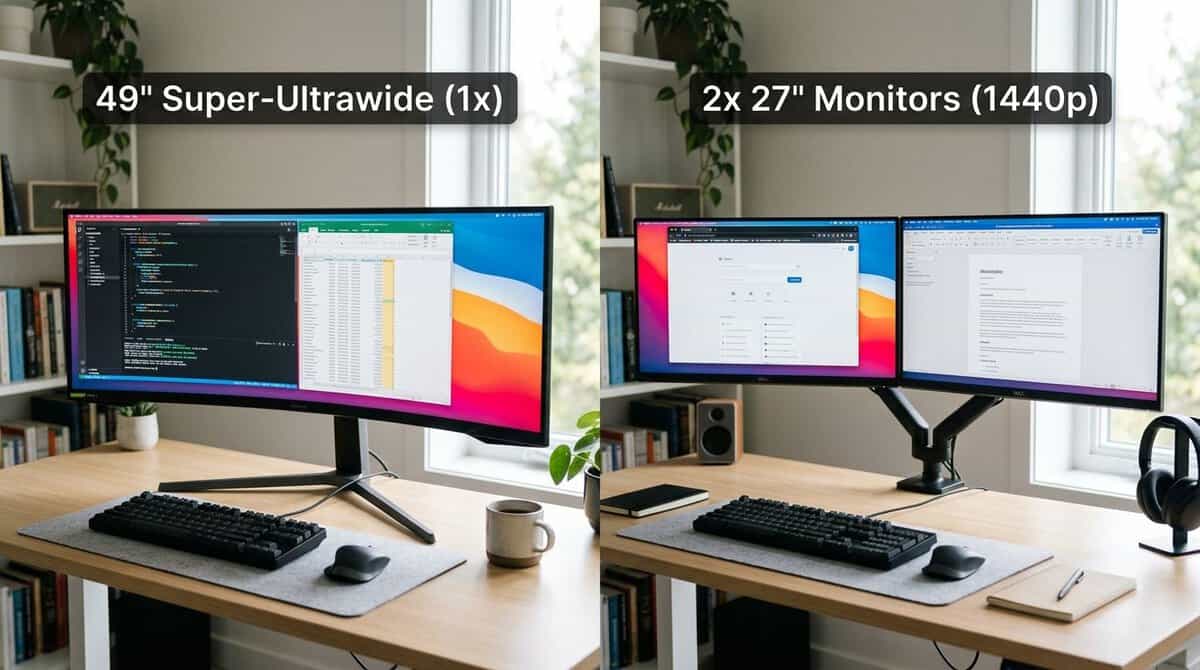
The single biggest line you shouldn’t cross is resolution. KTC’s resolution guide for 49-inch ultrawides identifies 5120 x 1440 as the practical standard for a 49-inch monitor in 2026. It delivers about 7.4 million pixels and works as a sweet spot for sharpness, graphics load, and multitasking. It also replaces two 27-inch 1440p displays side by side, without the bezel gap.
That matters because the cheaper compromise is 3840 x 1080, which comes in at about 4.1 million pixels. On a panel this large, that lower resolution can leave text looking softer and vertical workspace feeling cramped.
For gaming, that lower resolution isn’t always a disaster. For mixed use, it’s where many budget buys start to feel wrong.
Refresh rate sweet spot and panel choice
On a value-first 49-inch monitor, I’d treat 120Hz or 144Hz as the sweet spot. That’s where smooth gameplay and cost usually balance out. Going higher can be nice, but it shouldn’t come before good resolution and solid build quality.
Panel type also matters. Most lower-cost 49-inch displays lean VA, and that’s not automatically bad. VA usually gives you deeper contrast, which looks good in RPGs, MMOs, and darker games. The downside is that dark-scene transitions can be slower, and some panels need tuning to look their best.
If you’re comparing panel behavior, this breakdown of IPS vs VA for gaming is useful for understanding the trade-off in plain language.
Specs that matter less than people think
A few features sound bigger than they play:
- Entry-level HDR badges: They often look better on the box than on the screen.
- Extra gaming presets: Most end up ignored after the first week.
- USB extras you won’t use: Nice to have, but not a reason to choose a weaker panel.
Sharpness, motion, contrast, and stand quality do more for your daily experience than decorative features ever will.
When you’re shopping for the best budget 49-inch monitor, buy the panel first and the extras second.
Best 49 Inch Monitor Picks for 2026
A budget 49-inch monitor only makes sense if it clears a pretty specific value line. It needs to give you enough width, enough smoothness, and enough day-to-day usability that it beats two decent separate screens. If it misses that mark, you are paying extra for size and giving up too much sharpness, flexibility, or build quality.
That is why I would sort this category into three buying lanes instead of chasing one “cheap winner.” The smart buy for one setup can be the wrong compromise for another.
| Monitor | Best For | What You Give Up | Our Take |
|---|---|---|---|
| CRUA 49-Inch DQHD | The full 5120×1440 experience at a value price | Brand-name polish and HDR punch | The sweet spot for most buyers, with the biggest review base in the tier |
| INNOCN 49-Inch 144Hz | The easiest 32:9 panel to drive | Resolution: 3840×1080 is half the pixels of DQHD | Only for buyers who want the width more than the sharpness |
| Samsung Odyssey G93SC QD-OLED | 240Hz, DisplayHDR 1000, and name-brand support | The budget framing: it costs the most here | The ceiling buy that makes sense on discount |
Overall Value Pick: CRUA 49-Inch DQHD
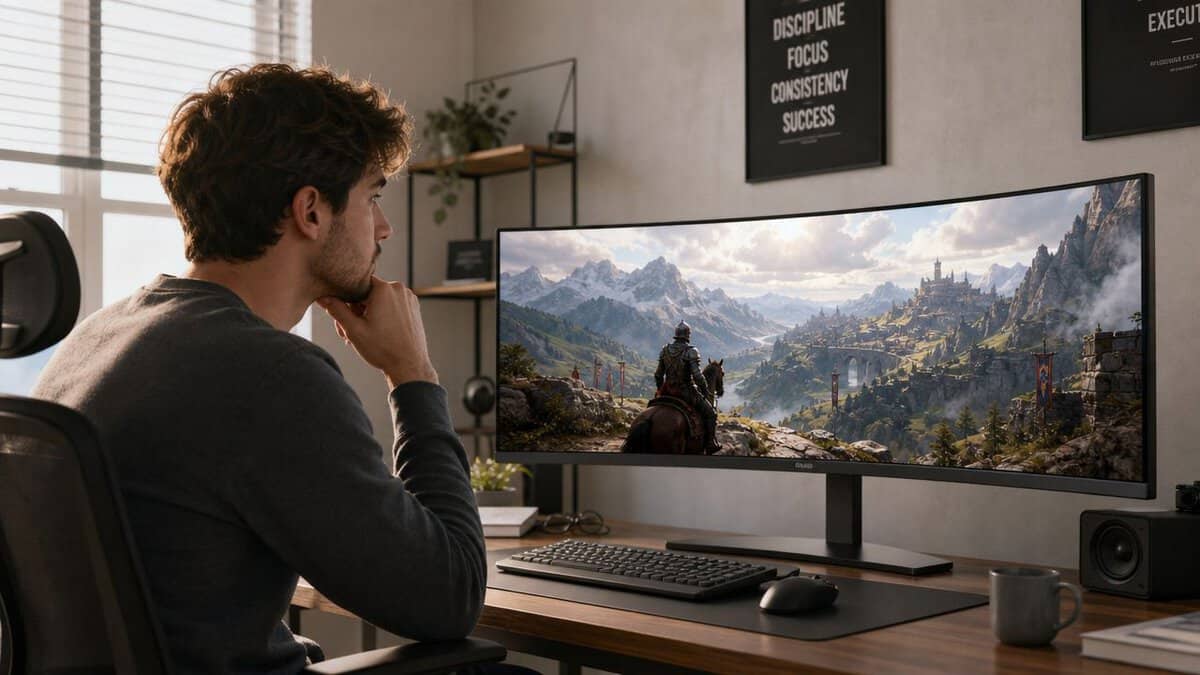
The best budget option is usually the one that does not cut the wrong corners, and the CRUA 49-inch DQHD is that pick here. For a 49-inch panel, that means you should prioritize a dual-1440p class resolution, a refresh rate in the 120Hz to 144Hz range, decent stand stability, and a curve that makes the width easier to use.
This is the tier where a 49-inch ultrawide starts to feel like a smart purchase instead of a novelty. Games look wide and immersive. Multitasking works without the center split of dual monitors. Text and UI still look sharp enough that work, browsing, Discord, and stream controls do not feel compromised every day.
The catch is simple. Once pricing climbs too close to premium territory, the “budget” label stops mattering. At that point, you are no longer getting a value-first giant monitor. You are paying near full price for a reduced-feature version of a better screen.
Lowest Realistic Entry Point: INNOCN 49-Inch 144Hz
There is a lower tier that gets you into the 49-inch format for less, usually by dropping resolution and accepting looser panel quality. The INNOCN 49-inch 144Hz is the one worth trusting in that tier, and I only recommend it to buyers who know exactly why they want it.
For racing games, MMOs, and slower single-player titles, the giant field of view can still be fun. For spreadsheets, editing timelines, lots of browser tabs, and any setup where text clarity matters for hours at a time, this is usually where the compromise starts to feel cheap instead of clever.
Watch for these warning signs:
- Lower pixel density that makes desktop use feel softer than it should
- Basic stands that wobble under the weight of the panel
- VA tuning that looks good in some scenes and messy in darker motion
- Sparse quality-of-life features like weak OSD controls or limited ports
If you are still deciding whether a wider display in general makes more sense than a giant super-ultrawide, this guide to the best budget ultrawide monitor is a useful comparison point.
Buy this class for scale and immersion. Do not buy it expecting the clean desktop feel of two 27-inch 1440p screens.
Budget Ceiling Buy: Samsung Odyssey G9
The top end of “budget” is where things get tricky. A stronger 49-inch panel can be a good buy if it drops low enough in price, but that only works when the discount is big enough to justify skipping newer or better-built options above it. The Samsung Odyssey G93SC QD-OLED is exactly that case when its price dips, bringing a 240Hz panel and VESA DisplayHDR 1000 certification with it.
I usually tell people to be careful here. This tier often looks attractive because it fixes some of the common budget complaints. Motion is cleaner. Build quality is better. The overall experience feels more finished. But if the cost lands too close to premium territory, the value argument falls apart fast.
That is the threshold that matters most in this category. A budget 49-inch monitor is a smart buy when it clearly beats a dual-monitor setup for your specific use and does it without obvious daily annoyances. If it cannot do that, saving money with two separate displays is often the better call.
Real-World Use Cases and Performance Trade-offs
A spec sheet tells you what a monitor can do. It doesn’t tell you how it feels after a few long nights of gaming, Discord, and trying to keep stream windows under control.
FPS gaming and fast motion
In fast shooters, a budget 49-inch VA panel can be good, but not perfect. The width is useful for immersion, and higher refresh rates help a lot, but this is also where slower dark-scene transitions become noticeable. If you mainly play competitive FPS titles, the screen can feel wide and engaging, yet not always as clean in motion as a stronger panel class.
That doesn’t mean it’s a bad choice. It means you should buy it for a mix of speed and immersion, not for pure esports focus.
MMO and single-player immersion
49-inch ultrawides make the strongest case when used in MMOs, RPGs, racing games, and large open-world titles. The extra width feels natural instead of gimmicky. Side UI panels, maps, and party windows fit more comfortably, and the bezel-free presentation is a real upgrade over two separate screens.
A curved panel helps too. This overview of curved vs flat monitors for gaming does a good job explaining why wide curved displays usually feel more coherent in actual play.
Streaming and content creation
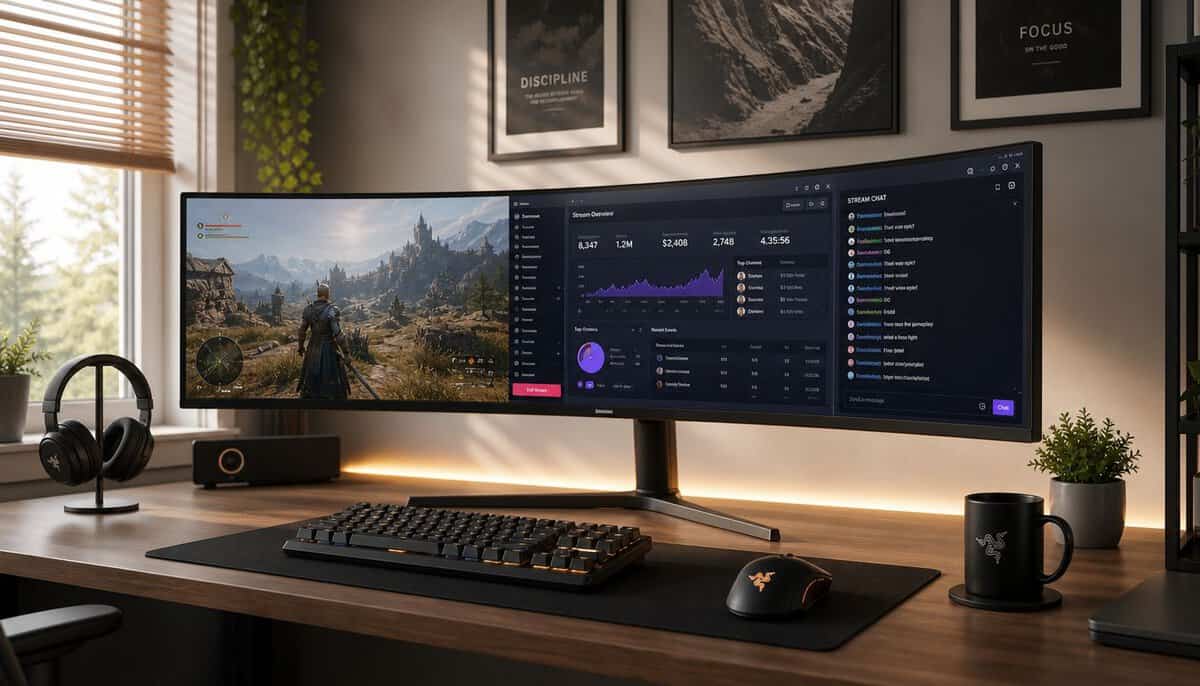
For streaming, a 49-inch panel can simplify the desk. You can keep the game centered, park chat and stream controls to the side, and still have room for a browser or notes. That use case gets more convincing when the screen also has decent color coverage and fast response.
This video-backed spec reference describes a 49-inch curved ultrawide with a 1500R curve, 1ms response time, 126% sRGB, and 98% DCI-P3 coverage. Those are the kinds of specs that make one large screen practical for both gaming and stream-side tasks. The same reference also notes the familiar VA trade-off: higher contrast, but slower dark transitions.
A budget 49-inch works best when you use the whole canvas. If you only full-screen one game and nothing else, the value drops.
The Dual Monitor Alternative: Is It Smarter?
For a lot of people, this is the key decision. Not “Which 49-inch should I buy?” but “Should I buy one at all?”
The answer is messier than it looks. Buyers keep comparing a 49-inch ultrawide against a cheaper dual-27-inch setup, and current price trends still leave true budget 49-inch options above that value sweet spot.
When the 49-inch setup is the smarter buy
A single 49-inch monitor makes more sense if you care most about:
- No center bezel: Better for racing, flight, MMOs, and wide cinematic games
- Cleaner desk layout: One panel, fewer mounts, fewer cables
- One continuous workspace: Easier to drag windows around without crossing a gap
If that’s your priority, the premium can be worth it.
When dual monitors are the better call
Dual displays are often the smarter move if you care most about flexibility. Separate screens are easier to arrange, easier to replace one at a time, and often easier to live with if you split gaming and productivity use evenly.
This guide on how to set up dual monitors is worth reading if you’re leaning that way, because setup quality matters a lot more than people think.
If your budget is tight and your use is half gaming, half everyday desktop work, dual monitors are often the safer choice. The 49-inch route wins when you specifically want the seamless ultrawide experience.
My rule is simple. Buy the 49-inch because you want one giant canvas. Don’t buy it just because it looks more premium on a desk.
Setup and Calibration Tips for Your Ultrawide
A 49-inch monitor can feel awkward on day one if you treat it like a normal display. A few small setup changes fix most of that.
Start with layout and connection
Use window-zoning tools so the screen behaves like multiple work areas instead of one giant empty rectangle. That makes gaming plus chat, browser, or stream controls much easier to manage.
Connection choice also matters. If you’re unsure which cable standard makes more sense for your setup, this guide to DisplayPort vs HDMI for gaming covers the practical differences clearly.
Do a basic visual check right away
Before you settle in, do three quick checks:
- Look for dead pixels: Open a few solid-color backgrounds and scan the panel.
- Check edge uniformity: Dark scenes can reveal distracting bleed or glow.
- Adjust brightness first, color second: Many monitors ship too bright. Lowering brightness usually improves comfort faster than digging through advanced color menus.
If the monitor has a weak stand, consider a sturdier mounting solution early. On a screen this wide, wobble gets old fast.
A super-ultrawide suits flight sims well, and our best flight stick guide covers the controls to go with it.
Frequently Asked Questions
Do most games support 32:9 properly?
A lot of modern games do, but support isn’t universal. Some games handle the width well. Others add black bars, crop menus strangely, or need manual tweaking. If you mainly play newer immersive titles, you’ll usually have a better time than someone jumping between older games and competitive titles with limited ultrawide support.
Is a budget 49-inch good for FPS gaming?
It can be, with the right expectations. You’ll get smooth play and a wide view on a good high-refresh model, but panel behavior matters. If your top priority is absolute motion clarity over everything else, a smaller performance-focused screen can still be the sharper tool.
Is a 49-inch monitor good for streaming?
Yes, if you use the screen space. It’s useful when you want your game, chat, alerts, and control windows visible on one panel. If you only stream casually and don’t manage multiple windows often, the size can be overkill.
Should I worry about durability on cheaper 49-inch monitors?
Yes. More than with smaller displays. The panel is wider, heavier, and more dependent on a stable stand and solid chassis. Check for flex, wobble, and overall housing quality early. If a model feels flimsy out of the box, that usually won’t improve with time.
Is the best 49 inch monitor better than dual screens?
Only if you want a fully integrated experience badly enough to pay for it. If value and flexibility matter more, dual displays are often the more sensible buy. If immersion and a clean single-screen layout matter more, a 49-inch ultrawide can absolutely be worth it.
If you’re building a gaming or streaming setup and want gear advice that cuts through spec-sheet noise, Budget Loadout is worth bookmarking. It focuses on the stuff that improves your setup for the money, with straightforward recommendations, practical trade-offs, and value-first guides for gamers who don’t want to overspend.
Related Articles