You’re probably hunting for the best gaming speakers because your current audio setup is doing one of three things. It’s crushing your ears after long sessions in a headset, it’s making every game sound flat through weak monitor speakers, or it’s filling your desk with something loud but not practical.
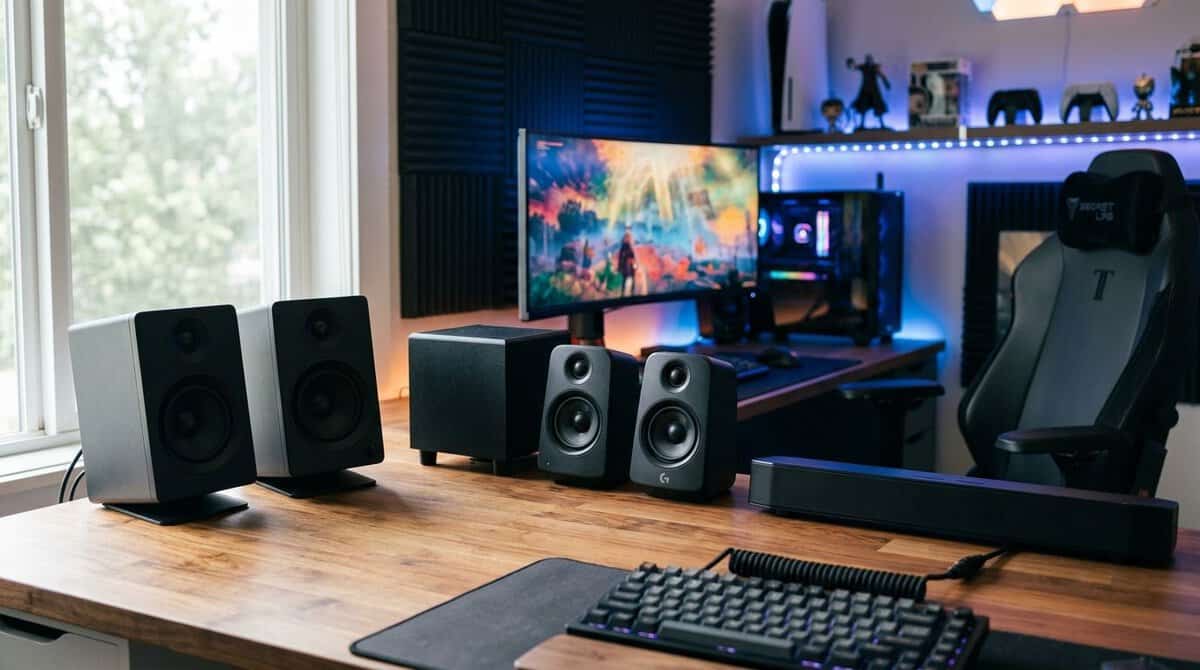
That’s where most gaming speaker advice goes wrong. It pushes raw power, giant subwoofers, and RGB lighting, then skips the part that matters most: how the speakers sound at your desk, in your room, for the games you play.
The best gaming speakers aren’t the cheapest boxes that make noise. They’re the sets that give you the most usable sound for the money, hold up over time, and fit your setup without creating new problems. For some players, that means a simple stereo pair that handles dialogue and footsteps cleanly. For others, it means a compact 2.1 system that adds weight to MMOs and single-player games without turning every explosion into mud.
Here’s the quick comparison that matters before you buy.
| Setup Type | Best For | Desk Footprint | Typical Cost | Primary Trade-Off |
|---|---|---|---|---|
| 2.0 stereo pair | FPS, MMOs, streaming, small desks | Small to moderate | Low to mid | Less bass impact |
| 2.1 speakers | General gaming, cinematic single-player, mixed use | Moderate to large | Budget to mid | More cables and more placement sensitivity |
| Soundbar | Tight desks, simple console or PC setups | Small | Low to mid | Weaker stereo separation |
| Premium near-field pair | Competitive play, detailed audio, long sessions | Moderate | Higher | Costs more, needs proper placement |
- Huge upgrade over built-in monitor sound
- USB-powered with a single-cable setup
- Tiny footprint fits any desk
- No Bluetooth or optical input
- Limited low-end without a subwoofer
- Volume knob doubles as the only control
- Balanced tuning without bloated bass
- Bluetooth plus wired inputs
- Solid cabinet build for the tier
- No remote control
- Bass is modest without a sub
- Rear-mounted controls take adjusting to
- Accurate near-field sound with real tuning controls
- Less fatiguing over long gaming sessions
- Front headphone jack and aux input
- Needs proper placement to shine
- No Bluetooth on this model
- Studio look rather than gamer aesthetics
- Balanced tuning that keeps directional cues clear
- Bluetooth multipoint for two devices at once
- Volume dial and power button on the speaker
- Enthusiast pricing
- No USB or optical input
- Small cabinets keep bass light
- The Creative Pebble V2 is the easiest entry upgrade: USB-powered 2.0 sound that beats any monitor’s built-in audio.
- The Edifier R33BT is the value sweet spot, adding wood cabinets, Bluetooth, and balanced tuning for everyday gaming and media.
- Step to the PreSonus Eris 3.5 studio pair for long sessions; near-field accuracy reduces listening fatigue over hours.
- The Audio-Technica AT-SP3X is the competitive pick, with balanced full-range tuning and Bluetooth multipoint.
- Match the setup to your desk first: 2.0 for most players, 2.1 only if you want rumble, and placement matters more than EQ.
Table of Contents
Moving Beyond the Headset
A headset is easy. It isolates noise, gives you private audio, and usually works without much setup. It also gets tiring. Long sessions can leave your ears hot, your head sore, and your in-game sound feeling cramped instead of open.
Good speakers fix a different problem than headphones do. They make your setup more comfortable, let your room breathe, and create a wider sound image that feels more natural during long MMO grinds, story-heavy games, or casual streaming. If you still want a headset for ranked nights, that’s fine. A lot of players end up using both.
What speakers do better
Speakers make more sense when you want:
- Less fatigue during long sessions
- Better room presence for open-world games, racing games, and co-op
- Easier switching between gaming, music, and video
- A shared setup that works for streaming or hanging out in voice chat
If you’re still deciding between open headphones and speakers, it’s worth checking this guide to budget audiophile headphones because the trade-off is mostly comfort, isolation, and space.
Practical rule: Buy speakers to improve comfort and room sound. Don’t buy them just because the box says “gaming.”
What to ignore
A lot of gaming speakers lean hard on flashy features. RGB can look fine. A huge power number can sound impressive. Neither tells you whether the speakers will stay clear at desk distance, whether voices will cut through effects, or whether the build will survive years of daily use.
The smart move is simple. Focus on performance per dollar, not gimmicks. Look at how the speakers fit your desk, how sturdy the enclosures feel, how flexible the connections are, and whether the sound profile matches what you play.
That matters more than chasing the loudest setup in the room.
Speaker Specs That Actually Matter
A spec sheet can save you money, or push you into the wrong setup.
The common mistake is buying speakers built to throw sound across a room when the actual use case is a chair parked two or three feet from the screen. At desk distance, raw output matters less than control. Clear mids, clean bass, low noise, and usable connections decide whether a speaker helps in games or just sounds loud.
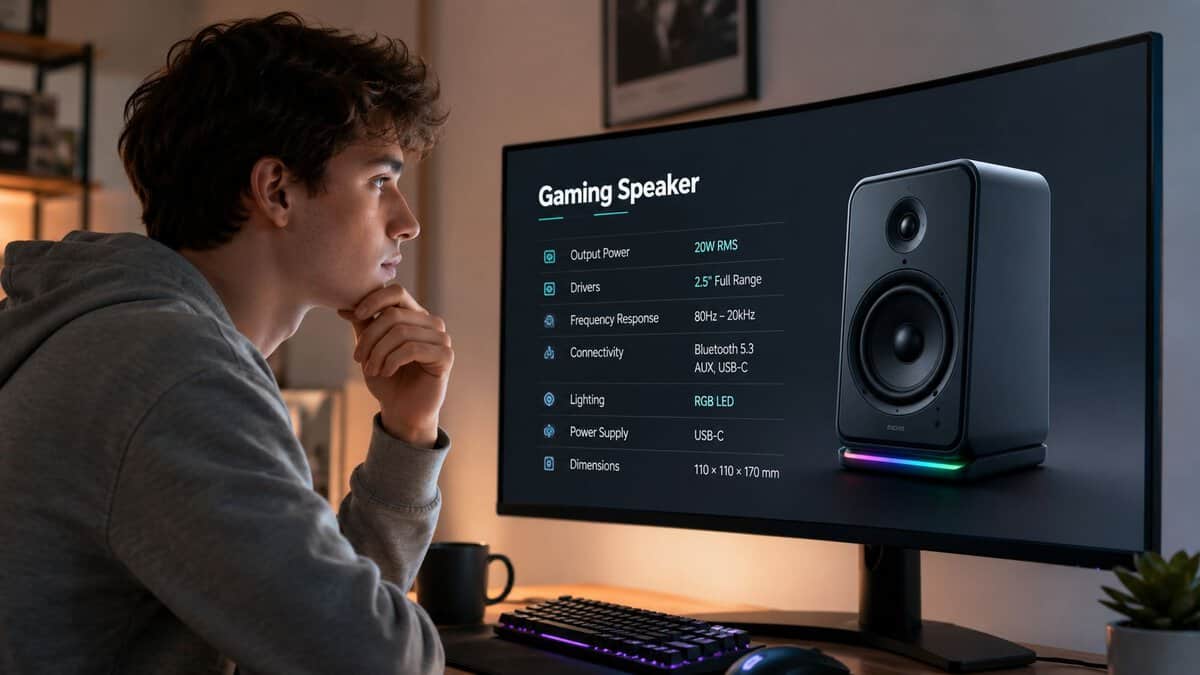
Power and volume
Ignore giant watt numbers unless you also know how and where the speakers will be used. Many desktop speaker boxes advertise big peak power figures because they look impressive on a store page. Peak numbers say very little about how the system sounds during a normal session.
For near-field gaming, the better question is simple. Does the speaker stay clean at the volume you use? A modest speaker with decent tuning will beat an overpowered set that gets boomy, harsh, or muddy on a small desk. Budget buyers usually get better value from controlled output than from room-shaking bass they cannot place properly.
Drivers and tuning
Driver size matters, but tuning matters more.
A larger woofer can produce more low end, but that only helps if the cabinet and crossover are doing their job. In cheap systems, bigger drivers often mean loose bass and recessed mids. That is a bad trade if you play shooters, strategy games, or anything with important voice lines.
Different game types expose different weaknesses fast:
- FPS games need clear mids and treble so footsteps, reloads, and directional cues stay distinct
- RPGs and MMOs benefit from some bass weight and ambience, but not at the cost of muddy dialogue
- Voice chat, videos, and streams sound better on speakers that keep speech forward instead of burying it under low-end boost
If you want a quick explanation for why too much bass can make game audio less useful, these LesFM audio mastering tips explain how cutting low-end clutter improves clarity.
Frequency response and stereo image
Frequency response is one of the easiest specs to misuse. A wide published range looks good, but cheap speakers often cannot reproduce that range evenly. The result is familiar. Hollow mids, one-note bass, sharp highs, or all three.
Stereo image matters more for desktop gaming than many marketing pages admit. Good speakers should spread sounds across the desk in a believable way, with enough left-right separation to keep effects, dialogue, and environmental detail from piling into the center. That matters more than virtual surround modes on budget gear.
A simple rule works here. If explosions sound huge but footsteps blur together, the speaker is tuned for spectacle, not useful game audio.
Connectivity and latency
Connection type changes day-to-day usability more than many specs do. Wired options are still the safer pick for PC gaming because they avoid the delay and connection quirks that can show up over Bluetooth. USB is convenient. A 3.5mm input gives you broad compatibility. Optical can help on some mixed-device setups, but it is less common in budget desktop speakers.
Source quality also matters. If motherboard audio has hiss, weak output, or poor volume control, adding a budget DAC for gaming and desktop audio can clean up the signal more than a minor speaker upgrade.
Build quality and controls
This part gets overlooked until something starts failing.
A budget speaker does not need fancy materials, but it should sit firmly on the desk, use knobs that do not feel loose, and avoid thin captive cables that are one chair-wheel accident away from killing a channel. Front-mounted volume and headphone controls are also worth more than flashy lighting for most players. Daily use decides value.
The best spec sheet is the one that matches your room, your desk, and the games you play. For a budget setup, that usually means choosing balance over excess.
Speaker Setups Explained 2.0 vs 2.1 vs Soundbars
You clear a room in a shooter, hear the gunfire, and still miss the flank because the soundstage on your desk setup is doing you no favors. That usually starts with the wrong speaker format, not the wrong brand.
For a desktop gaming setup, the best value comes from matching the speaker type to your distance from the screen, the games you play, and how much space you have. A lot of players overspend on bigger, bass-heavier systems built to fill a room, then place them two feet from their face and wonder why everything sounds bloated. Near-field listening changes the rules.
Gaming Speaker Setup Comparison
| Setup Type | Best For | Desk Footprint | Typical Cost | Primary Trade-Off |
|---|---|---|---|---|
| 2.0 | FPS, streaming, compact desks | Small | Low to mid | Less bass impact |
| 2.1 | Mixed gaming, movies, MMOs | Medium | Low to mid | Harder placement, more cables |
| Soundbar | Minimalist setups, under-monitor placement | Small | Low to mid | Weaker stereo imaging |
2.0 stereo pair
A 2.0 setup is the smart default for most budget PC players.
Two separate speakers give you left-right separation without adding a subwoofer that can overwhelm a small desk area. In actual use, that often means cleaner footsteps, clearer dialogue, and less low-end boom masking the details you need in shooters, MOBAs, and story games with busy voice tracks. If your desk is against a wall in a bedroom or dorm, 2.0 also tends to behave better at lower volumes.
The trade-off is simple. You lose some rumble. Explosions and engine noise have less physical weight, and action games feel less cinematic. For many players, that is a fair trade because the money goes toward cleaner mids and better everyday usability instead of a cheap sub that adds more mud than impact.
2.1 system
A 2.1 setup makes sense if you play a lot of single-player action games, racing games, or anything where low-end effects add to the experience.
Done well, the subwoofer fills in the bottom end that small desktop speakers cannot reach on their own. Done poorly, it turns into the weak point of the whole system. Budget subs are often tuned to sound impressive for five minutes on a store shelf, not balanced for a desk where you sit close to the satellites. That is why some low-cost 2.1 kits sound bigger at first, then get tiring fast.
Placement matters more here than buyers expect. Put the sub in a bad spot under the desk and bass can get loose, one-note, and distracting. You also pay a desk-space tax in a different form. More wires, more power bricks, and another box to fit into an already crowded setup. If you want maximum performance per dollar, 2.1 is worth it only when you care about bass and have room to place the sub sensibly.
Soundbar
A soundbar is the convenience pick.
It works best when separate speakers are awkward, such as ultra-small desks, console setups at a monitor, or clean minimalist builds where cable clutter matters almost as much as sound quality. Installation is easy, and the footprint is hard to beat.
The compromise is positional accuracy. Because the left and right drivers sit much closer together than they do on a true stereo pair, imaging usually feels flatter. In competitive games, that matters. For casual gaming, videos, and general desktop use, a decent soundbar can still be a practical choice. It just should not be mistaken for the best value if pure gaming performance is the goal.
If you are building around a console or a mixed PC-and-TV desk, check this guide on HDMI 2.0 vs 2.1 for gaming setups so your display and audio choices fit the same setup.
Top Budget Gaming Speaker Recommendations for 2026
You sit down for a late-night match, fire up the game, and your monitor speakers flatten everything into a blur of dialogue, gunfire, and menu noise. A good budget speaker upgrade fixes that fast, but only if you buy for your desk and your games instead of chasing the biggest box at the lowest price.
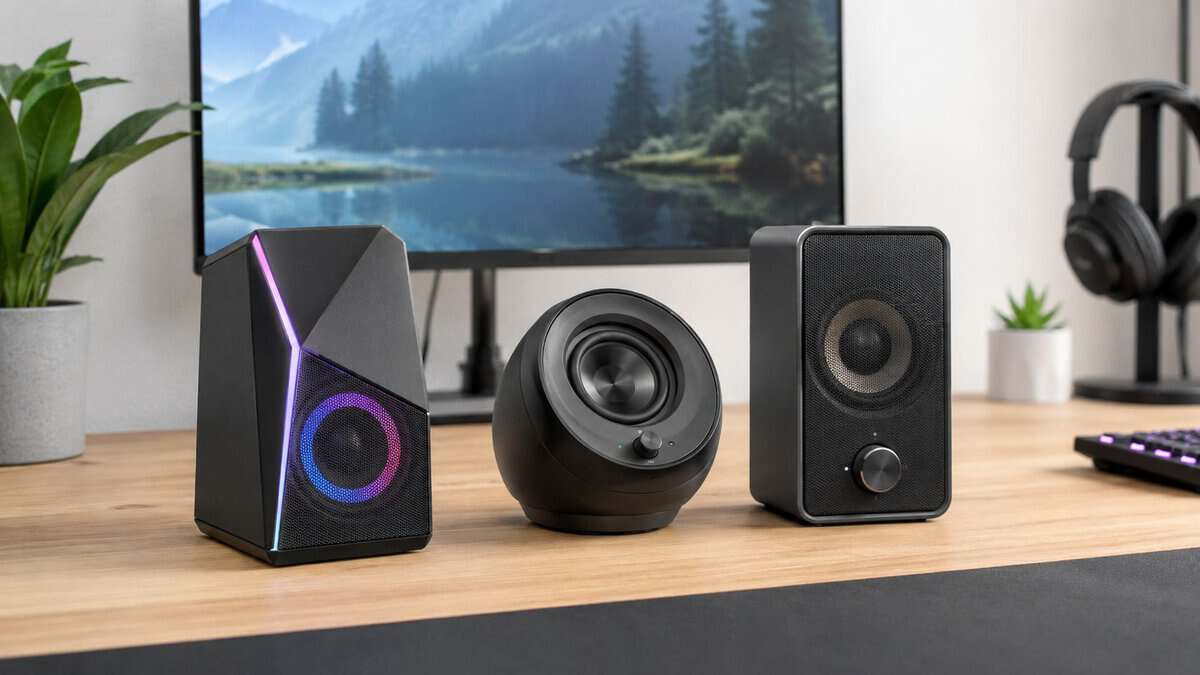
A long list of random picks does not help much here. The better approach is to buy by budget tier and use case, because the right choice for a cramped dorm desk is different from the right choice for a wider setup where you play story-heavy games and want fuller sound.
Best Entry-Level Value: Creative Pebble V2
The smart buy at the bottom end is a small USB-powered 2.0 set, and the Creative Pebble V2 is the one to get.
This category works because it solves the biggest problem first. Built-in monitor audio is usually thin, harsh, and weak at normal desktop distance. A basic near-field 2.0 pair gives cleaner voices, clearer effects, and better stereo separation without taking over the desk or adding a subwoofer you do not have room to place well.
It fits players who want a simple upgrade for:
- MMOs and casual games where dialogue, music, and ambient sound matter more than deep bass
- General desktop use like streams, videos, Discord, and everyday browsing
- Shared rooms or apartments where keeping volume moderate matters
The trade-off is obvious. Bass stays limited, and that is fine. At this price, a speaker that stays clear in the mids is a better value than one that tries to fake low end and ends up muddy.
Best Low-Budget All-Around: Edifier R33BT
If you can spend a little more, look for a compact powered 2.0 desktop set like the Edifier R33BT, with a real volume knob, solid cabinet construction, and a tuning style that does not exaggerate bass.
This is the tier where budget speakers start feeling less disposable. Day-to-day use gets better. You usually get cleaner treble, less cabinet rattle, and a more balanced sound at normal gaming volume. For a lot of players, this is the value sweet spot because the jump from very cheap speakers to decent entry-level powered speakers is easier to hear than the jump from decent to premium.
This range makes the most sense for:
- Mixed-use desks used for gaming, music, YouTube, and work
- Players who want stereo speakers without RGB gimmicks
- Budget-conscious buyers who would rather pay once for something usable than replace junk a year later
For competitive shooters, this tier is serviceable if the speakers are placed well. For RPGs, MMOs, racing games, and everyday media, it is often the best performance-per-dollar buy in the whole category.
Cheap speakers usually miss in one of two ways. They sound thin, or they push bloated bass that smears everything else. The better budget sets stay controlled and do the simple things well.
Best Mid-Range for Long Sessions: PreSonus Eris 3.5
In the step-up bracket, the target changes. At that point, do not pay extra for “gaming” branding. Buy a pair of compact powered studio-style speakers like the PreSonus Eris 3.5, sized for near-field listening.
That is where sound quality starts improving in ways you notice over hours, not just in the first five minutes. You get better separation, less listening fatigue, and more natural dialogue and effects. Long sessions matter here. A speaker that sounds flashy at first can get tiring fast if the treble is sharp or the bass is loose.
This price band is a strong fit for:
- Variety gamers who jump between shooters, strategy games, and story-driven titles
- Streamers or creators who want one speaker setup for games and media work
- Players with a wider desk who can place left and right speakers properly
The main trade-off is size and setup discipline. Bigger cabinets often sound better, but only if your desk can handle them. If the speakers crowd your monitor, sit too low, or end up jammed against a wall, you lose part of the benefit you paid for.
Best High-End for Competitive Play: Audio-Technica AT-SP3X
If accurate imaging matters more than chest-thumping bass, the best upgrade path is a near-field focused 2.0 pair with better drivers and cleaner tuning, and the Audio-Technica AT-SP3X is a strong pick at the lower end of the enthusiast range.
This is the point where spending more can make sense for competitive players. Good stereo imaging helps more than extra low-end rumble on a desk. Footsteps, reloads, and directional cues come through with more shape when the speakers stay controlled and the stereo image holds together at close range.
This tier is worth considering if you:
- Play a lot of FPS games and want precise left-right positioning from speakers
- Sit close to your monitor and can place the speakers symmetrically
- Care more about clarity and control than raw loudness
It is still easy to waste money here. Buying oversized far-field speakers for a small desk is one of the most common mistakes I see. They can be excellent in a room and underwhelming at arm’s length if the desk forces bad placement. For desktop gaming, fit matters as much as price.
The short version
Use this framework instead of chasing brand names:
- Entry level. Buy the Creative Pebble V2 if you just need to beat monitor audio
- Step up. Buy the Edifier R33BT if you want the best value for everyday gaming and media
- Mid-range. Buy the PreSonus Eris 3.5 studio pair if your desk has space and you want a real upgrade
- Enthusiast. Step to the Audio-Technica AT-SP3X only if you care about near-field accuracy, long-session comfort, and proper placement
If you are still deciding between speakers, a headset, or another upgrade path, this guide to budget gaming audio options for different setups will help you choose the right category first.
Optimizing Your Setup for Better Sound
You launch a match, crank the volume, and the speakers still sound flat or muddy. In most desk setups, placement is the problem before the speakers are.
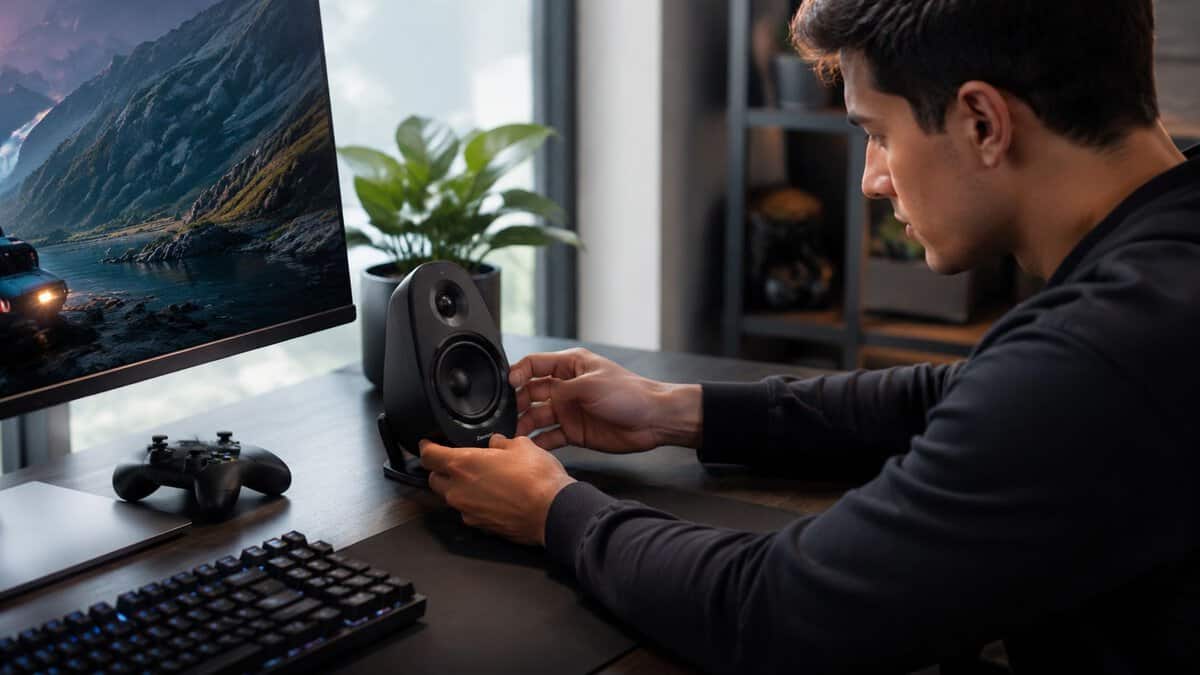
A lot of speaker guides miss the same point. They recommend sets that make sense across a room, then drop them onto a desk where you sit an arm’s length away. That usually leads to bloated bass, weak imaging, and money wasted on output you will never use. Desktop gaming is near-field listening. Set the speakers up for that distance and even a modest pair can sound better than a bigger, pricier set placed badly.
Start with placement, not EQ
The first job is building a clean stereo image. Put the left and right speakers at roughly equal distance from your head and keep them as symmetrical as your desk allows. If one is jammed behind a monitor and the other has open space, footsteps and directional cues get vague fast.
A good starting point:
- Place both speakers level with your seating position
- Toe them in slightly so they aim toward your ears
- Keep some space from the back wall if bass starts sounding thick or one-note
- Get the tweeters near ear height with small stands, pads, or even sturdy desk risers
I have tested cheap speakers that sounded surprisingly focused once they were angled correctly. I have also tested expensive sets that never came together because the desk forced bad placement. Fit and positioning matter more than spec-sheet bragging.
Control the desk before blaming the speakers
Desks color sound more than buyers expect. A hollow desk can add boom and smear detail. A glossy surface can bounce highs back at you and make voices sound sharper than they should.
Two simple fixes help a lot. Move the speakers closer to the front edge of the desk so sound is not reflecting off a large slab of wood before it reaches you. Then add isolation pads or compact stands if the desk vibrates when bass hits. Those are low-cost upgrades with a better return than chasing a slightly better driver on paper.
Match the setup to how you actually play
For competitive shooters, keep bass under control and protect stereo balance. You want reloads, footsteps, and directional movement to stay clear at low to moderate volume.
For single-player games, racing, or movies, a little more low-end weight can be fun, but there is still no reason to let a subwoofer dominate a small room. On a desk, too much bass usually means less detail, not more immersion. Budget buyers get better value from a balanced setup than from a speaker system trying too hard to sound huge.
Clean up the source signal
Physical setup does most of the work, but software and routing still matter. Check that Windows, your console, or your audio app is sending stereo output if you are using a 2.0 or 2.1 set. Disable random sound enhancements if dialogue starts sounding phasey or distant.
If you run a mic, console audio, and PC audio through the same desk, a simple audio mixer for PC gaming and streaming makes level control much easier and cuts down on constant cable swapping.
Small adjustments that pay off
- Pull the speakers forward if the desk surface is causing reflections
- Widen them carefully until the center image feels solid, not hollow
- Turn the subwoofer down before you turn the mains up
- Recheck left-right balance after moving your monitor or changing desk layout
None of this is complicated. Most of it is free. For desktop gaming, setup quality usually decides whether your speakers sound like a smart budget pick or a bad purchase.
Quick Troubleshooting and Maintenance
Even good speakers act up sometimes. Most problems are simple, and fixing them early helps preserve both sound quality and lifespan.
Quick fixes for common problems
- Buzzing or humming usually points to a cable, power issue, or noisy source. Reseat every connection, try another outlet, and separate audio cables from power bricks if possible.
- One speaker goes silent when a cable loosens, balance settings shift, or a connector starts failing. Swap channels and inputs first. If the silence follows the cable, the cable is the issue.
- Crackling on PC often comes from driver conflicts, output switching, or a bad port. Restart the audio device, check output settings, and test another port before assuming the speaker is broken.
Basic maintenance that extends life
Dust buildup won’t kill a speaker overnight, but it doesn’t help. Wipe cabinets and grilles gently with a dry microfiber cloth. Don’t press into exposed driver material, and don’t spray cleaner directly onto the speaker.
Build quality determines how well a set ages, but user habits matter too. Keep drinks away from the desk edge, avoid yanking cables during cleanup, and use surge protection if your area has unreliable power.
Good speakers don’t need constant maintenance. They need a stable desk, clean power, and someone who doesn’t treat cables like pull tabs.
If a set starts sounding worse over time, check placement and software settings before replacing it. A moved desk, a shifted subwoofer level, or a Windows output change causes more “speaker problems” than is commonly understood.
Short on desk space for two speakers? Our best gaming soundbar guide covers single-bar options for a desk or a TV.
Frequently Asked Questions
Quick answers to the questions that come up most when choosing gaming speakers.
Are speakers or a headset better for gaming?
Both have a place. A headset wins for competitive voice chat, late-night sessions, and precise positional audio on a budget. Speakers win for comfort over long sessions, shared rooms, and immersion in story-driven games. Many players keep both and switch depending on the game and time of day.
Should I get a 2.0 or 2.1 speaker setup for gaming?
For most desks, a good 2.0 pair like the Edifier R33BT is the smarter buy. It keeps the budget in two quality speakers instead of splitting it with a subwoofer. Go 2.1 only if you genuinely want low-end rumble for explosions and cinematic games and you have floor space for the sub.
Are studio monitors good for gaming?
Yes, especially at a desk. Studio monitors like the PreSonus Eris 3.5 are tuned for accurate near-field listening, which means cleaner separation, more natural dialogue, and less listening fatigue over long sessions. They lack gaming styling and RGB, but the sound quality per dollar is hard to beat.
Do I need a DAC or sound card for gaming speakers?
Usually not to start. Powered speakers plug straight into your motherboard audio or USB, and that is fine for most setups. If you hear hiss or want a cleaner source later, an affordable external DAC is a worthwhile add-on, and some higher-end powered speakers already include a good DAC built in.
How should I position gaming speakers on my desk?
Aim the tweeters at ear height and angle both speakers toward your listening position, forming a rough triangle with your head. Keep them clear of walls if you can, and add small foam pads or stands to cut desk resonance. Placement improves clarity more than any EQ preset.
If you’re building a better setup without wasting money, Budget Loadout is a solid place to keep narrowing your options. The focus stays where it should: practical upgrades, honest trade-offs, and gear that delivers real value for gamers and streamers.
Related Articles