You’ve probably done this already. You watch HDR gameplay clips online, see those bright neon signs, deep shadows, and punchy highlights, then open a few monitor tabs and realize mini-LED prices climb fast. At that point, “budget” starts to feel meaningless.
That’s the gap most buyers are stuck in. You don’t want the absolute cheapest screen with a mini-LED sticker slapped on the box. You want the point where a mini-LED monitor stops feeling like a compromised experiment and starts feeling like a real upgrade over a strong IPS or VA gaming display.
That value threshold is what matters. The best budget mini-LED monitor isn’t the lowest-priced option. It’s the one that gives you clearly better HDR, better contrast, and enough gaming performance to justify replacing a good non-mini-LED panel in the first place.
- 1,152 dimming zones tame blooming far better than cheaper mini-LEDs
- HDR1400 peak brightness makes highlights genuinely pop
- 180Hz on a sharp, GPU-friendly 1440p panel
- Value-brand name without big-retailer support
- HVA viewing angles trail premium IPS slightly
- Mini-LED haloing is reduced, not eliminated
- Large 31.5-inch 4K panel is immersive for single-player and MMO
- VESA DisplayHDR 1000 with strong local dimming at 4K
- 160Hz and HDMI 2.1 for modern high-refresh 4K
- 4K at high refresh needs a powerful, costly GPU
- Smaller review base than the 27-inch picks
- 32 inches can feel large for fast competitive play
- Established brand with a 3-year zero-bright-dot warranty
- Huge, consistent owner base for peace of mind
- Sharp 1440p 180Hz panel suited to competitive play
- 336 zones means more visible blooming than the value pick
- HDR1000 peak trails the brighter alternatives
- Single HDMI port limits multi-device setups
- Dimming zones matter more than peak nits: more zones means less blooming and cleaner HDR contrast.
- The KTC M27T6 is the value champion: 1,152 zones and HDR1400 at the lowest price of the three.
- The AOC Q27G3XMN trades zones for a trusted brand name and a 3-year zero-bright-dot warranty.
- The Acer Nitro XV325QK is the immersive pick: a 31.5-inch 4K canvas, but only if your GPU can drive 4K.
- Budget mini-LED still haloes a little; treat it as a big HDR upgrade over IPS, not an OLED replacement.
Table of Contents
The Allure of Mini-LED Without the Premium Price
A lot of gamers hit the same wall. They see what good HDR can do in darker games, open-world titles, and moody story-driven shooters, then get discouraged when flagship mini-LED monitors land well above what feels reasonable for a monitor.
That’s fair. Mini-LED can look great, but not every model earns its price. Some give you a real jump in contrast and highlight control. Others mostly give you a spec sheet and a lot of blooming.
The smart move is finding the tier where mini-LED becomes a visible upgrade, not just a feature checkbox. That usually means ignoring the marketing race for the biggest number and focusing on whether the display outperforms a good traditional panel in day-to-day gaming. If you’re still weighing panel tech in general, this breakdown of OLED vs IPS is worth reading first.
For budget-conscious gamers, that’s the whole game. You’re not buying bragging rights. You’re buying a monitor that makes HDR single-player games look better, still holds up in FPS matches, and doesn’t feel flimsy after a few months on the desk.
What to Expect from a Budget Mini-LED Display
Mini-LED sounds simple on paper. In practice, budget models live or die based on three things: dimming zones, brightness behavior, and processing quality.
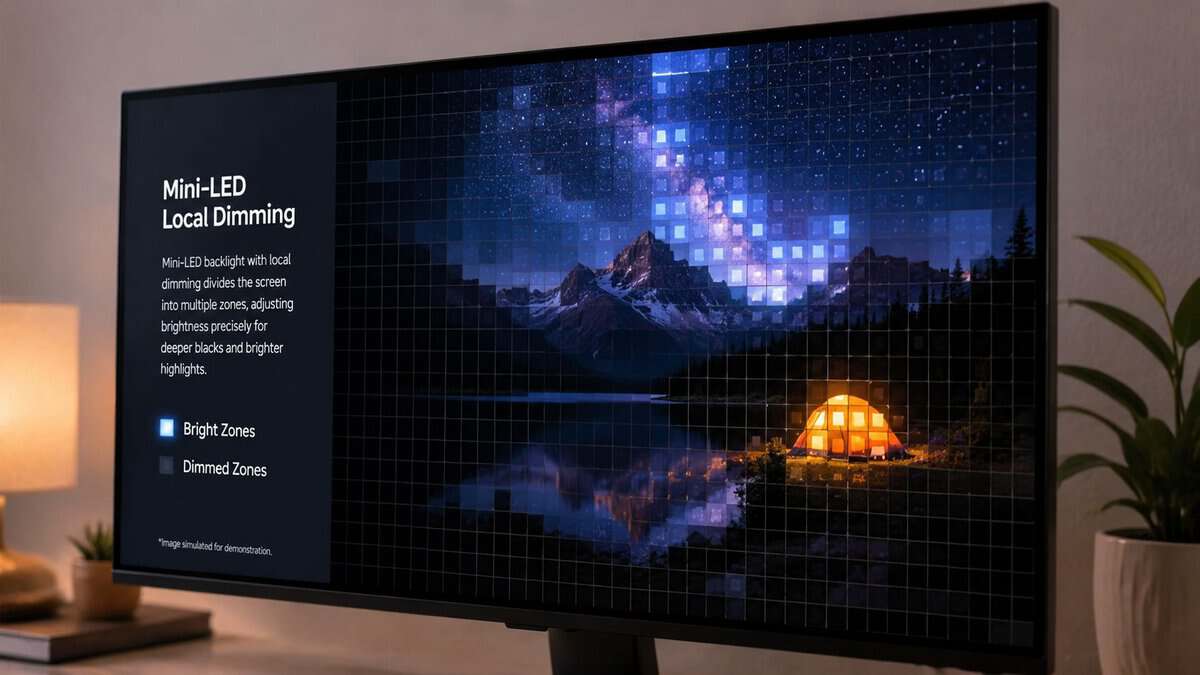
Think of local dimming as a grid of spotlights
A mini-LED monitor uses a backlight split into zones. Each zone can brighten or dim depending on what’s on screen. The easiest way to picture it is a ceiling full of small spotlights behind the panel.
If the grid is coarse, one bright HUD element or subtitle can light up a bigger patch of the screen than it should. That creates blooming, the faint glow around bright objects on dark backgrounds. More zones usually means better control, but zone count alone doesn’t guarantee clean results.
A budget mini-LED can still look excellent in real games if the zone layout and tuning are competent. That’s why some cheaper models feel noticeably better than standard IPS or VA panels, while others still look messy in dark scenes. If you’re comparing older panel types, this guide on IPS vs VA for gaming helps frame what mini-LED is improving and what it still can’t fully fix.
Practical rule: Buy based on visible control in dark scenes, not the headline number on the box.
Brightness matters, but sustained brightness matters more
A lot of budget mini-LED monitors advertise eye-catching HDR brightness. The problem is that some only hit their best output in brief flashes or tiny highlight windows. That looks good in marketing and less impressive in an actual game session.
What you want is a monitor that can hold bright highlights without crushing the rest of the image or constantly shifting the screen’s overall brightness. In racing games, open-world RPGs, and bright daytime maps, stable HDR matters more than one flashy peak moment.
This is also where room lighting matters. In a darker room, even a modestly bright mini-LED can feel dramatic because the contrast is doing more of the work. In a bright room, weaker local dimming and uneven brightness stand out faster.
Processing is the part buyers overlook
Budget mini-LED monitors often cut corners in dimming algorithms and pixel response tuning. That’s what decides whether the monitor feels polished or annoying.
Watch for these trade-offs:
- Blooming in UI-heavy games: Menus, subtitles, minimaps, and white crosshairs can expose weak dimming control fast.
- Smearing in dark transitions: Some panels, especially VA-based ones, can leave dark trails in fast scenes.
- Mode weirdness: HDR, local dimming, adaptive sync, and overdrive don’t always play nicely together on cheaper models.
- Input feel changes: Some monitors look great in HDR movie scenes but feel less consistent when you switch to fast multiplayer matches.
A budget mini-LED should still be judged by what you play. For FPS gaming, response consistency matters more than cinematic contrast. For MMOs and story-heavy games, the opposite is often true. For streaming, you also want decent color and stable brightness so your setup doesn’t look washed out on camera.
Top Budget Mini-LED Monitors at a Glance
These are the value picks that make the most sense right now. One hits the broadest sweet spot for most players, one is the better fit for gamers chasing immersion, and one is the most sensible entry point if you want real HDR without overspending. If console support matters to you, it also helps to understand what a good HDMI 2.1 monitor adds.
How We Picked the Best Budget Mini-LED Monitor for 2026
| Model | Size/Resolution | Refresh Rate | Dimming Zones | Best For |
|---|---|---|---|---|
| KTC M27T6 | 27-inch / 1440p | 180Hz | 1152 | Best overall value |
| Acer Nitro XV325QK | 31.5-inch / 4K | 160Hz | Not disclosed | Immersive single-player and MMO gaming |
| AOC Q27G3XMN | 27-inch / 1440p | 180Hz | 336 | Trusted big-brand QHD pick |
Best 1440p Mini-LED Monitor KTC M27T6
The KTC M27T6 is where budget mini-LED starts making real sense for most PC gamers. It doesn’t try to win every category. It just gets the important ones right enough that the overall package feels smarter than chasing a cheaper compromise or paying a lot more for features many people won’t fully use.
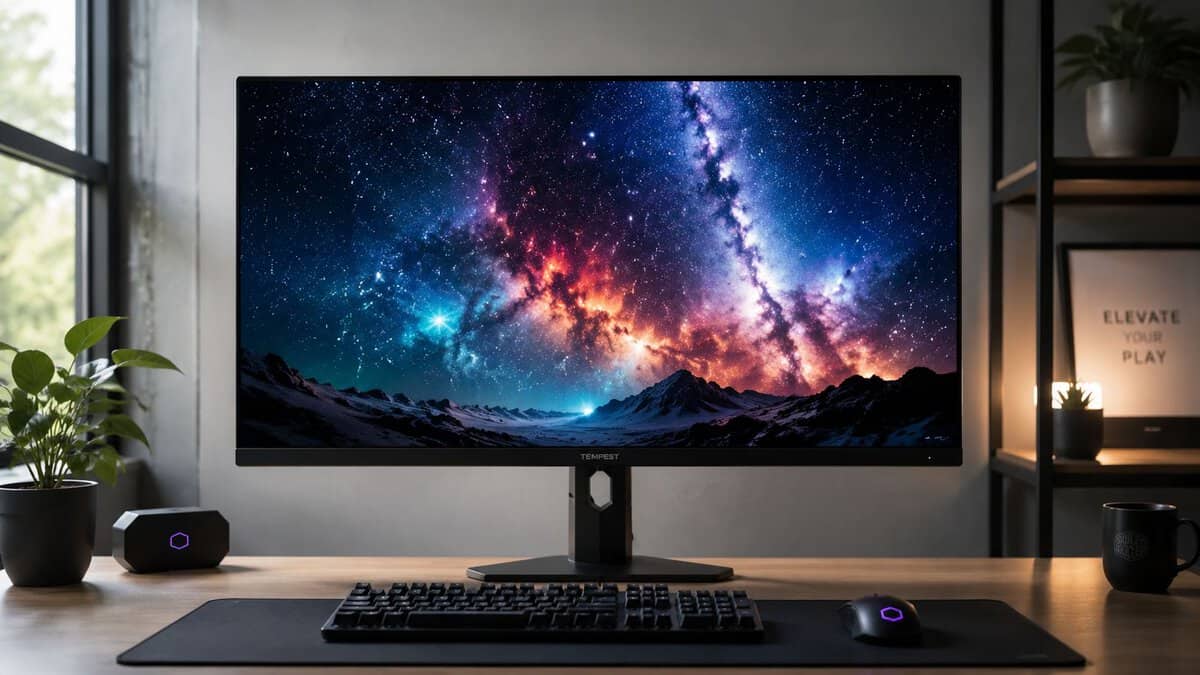
Why it clears the value threshold
The big reason this model stands out is balance. Its local dimming is strong enough to make HDR feel meaningfully better than a normal gaming IPS monitor, but the screen still lives in the practical sweet spot for actual use.
A 27-inch 1440p panel is still one of the easiest monitor formats to recommend. It looks sharp, keeps GPU demands reasonable, and works well across competitive games, MMOs, and general desktop use. You don’t need a top-end graphics card just to feel like you’re using the monitor properly.
Its refresh rate is also in the right place. Fast enough for shooters, responsive enough for everyday multiplayer, and not so aggressive that the panel tuning falls apart trying to chase a bigger spec number.
The KTC M27T6’s strongest trick is that it behaves like a gaming monitor first and a mini-LED experiment second.
Where this mini-LED gaming monitor works best
For mixed-use gaming, this is the best fit of the three.
- FPS gaming: Good motion handling and a comfortable resolution for high frame rates.
- MMO and RPG play: Local dimming adds real depth to darker zones, spell effects, and night scenes.
- Streaming and side work: Color looks solid enough that the screen doesn’t feel one-dimensional outside games.
That versatility matters. A lot of buyers aren’t using one monitor for one genre. They’re bouncing between ranked matches, Discord, YouTube, OBS, and a long single-player game at night.
The trade-offs you need to accept
This isn’t a luxury monitor. The chassis is plain, mostly plastic, and clearly built to hit a price target. The good news is that it’s still sturdy enough for daily use, and the stand adjustments are useful instead of decorative. Height, tilt, and pivot support make it easier to dial in comfort without needing an arm on day one.
The bigger catch is firmware. This model has had a reputation for needing updates to smooth out behavior, and that matters because mini-LED monitors rely heavily on software tuning. If you buy it, update it. Don’t judge it on out-of-box behavior alone.
If you want one answer to “what’s the best budget mini-LED monitor for most gamers,” this is it. It’s the point where mini-LED starts feeling like a sensible upgrade instead of an expensive curiosity.
Best 4K Mini-LED Monitor Acer Nitro XV325QK
The Acer Nitro XV325QK is what you buy when the KTC pick feels a little too practical. This is the model for players who care more about visual impact, screen space, and stronger HDR presentation than shaving every last bit of motion blur out of a competitive match.
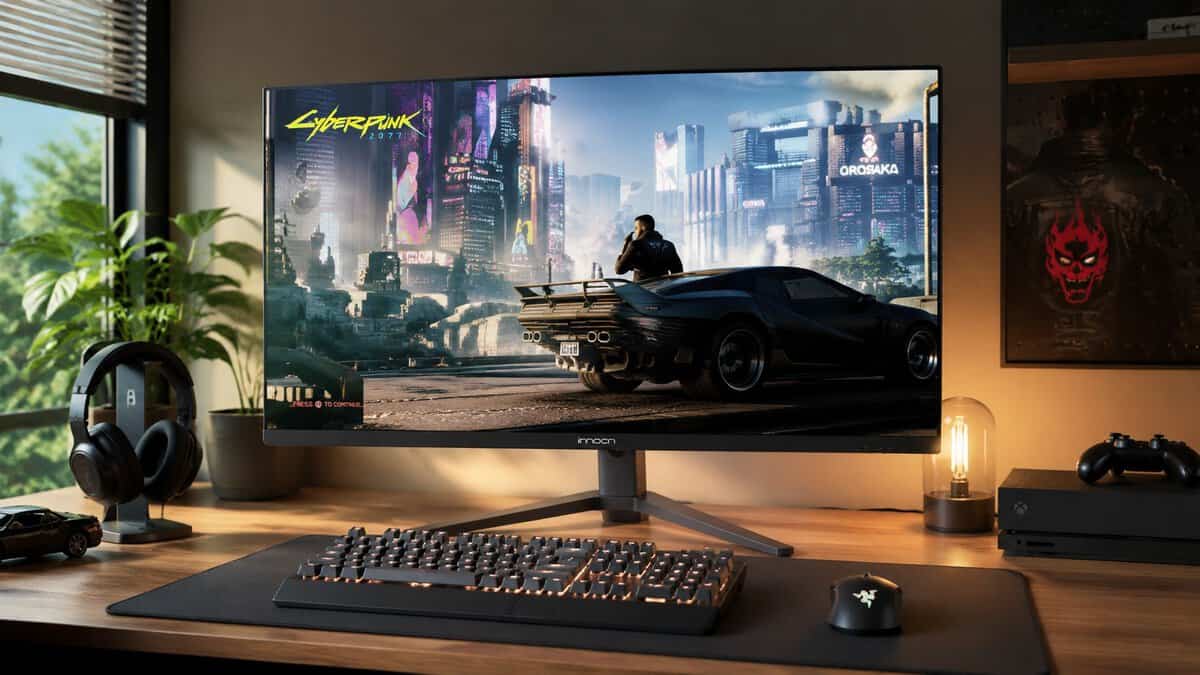
What the extra spend actually buys
Compared with the KTC M27T6, the step up here is easy to see. You’re getting a larger 4K panel, more local dimming control, and brighter HDR that lands harder in the right content.
That changes the experience in ways spec sheets don’t fully capture. Large open-world games look more layered. Cities at night, sunlit vistas, magic effects, and detailed armor textures all gain presence. In MMOs, the extra screen space is also useful for UI-heavy layouts.
If your setup sits a little farther back from the desk, or you prefer a more cinematic presentation, the 31.5-inch size is a major part of the appeal. Some players will still prefer a flat panel at this size, while others may wonder if they’d be better off going curved. This comparison of curved vs flat monitor for gaming helps sort that out.
If the KTC M27T6 is the sensible daily driver, the XV325QK is the one you buy because you want your games to look bigger, deeper, and more dramatic.
Where it gives ground
The catch is simple. A 4K high-refresh mini-LED monitor asks more from everything around it.
First, you need enough GPU power to justify it. If your system already struggles at 1440p, this monitor won’t magically improve your experience. You’ll either lower settings, use scaling more aggressively, or fail to use the panel the way you hoped.
Second, it isn’t the sharpest choice for competitive FPS players. It’s still good, but not the kind of display I’d pick primarily for sweat-heavy multiplayer. The smaller 1440p option feels more focused and easier to drive at consistently high frame rates.
Build quality and who should skip it
Build quality is acceptable, not refined. The materials lean functional, and that’s common in this part of the market. Most of the money clearly went into the panel and backlight rather than the shell. That’s a fair trade if you care about image first, but don’t expect premium fit and finish.
Skip this one if your main games are twitch shooters, your desk is shallow, or your GPU is midrange and already working hard. Buy it if your priority is immersion and you want a best budget mini-LED monitor that looks like a real visual upgrade over even very good standard LCD gaming displays.
Best Major-Brand Pick AOC Q27G3XMN
The AOC Q27G3XMN is the easiest mini-LED recommendation for someone who wants in without stretching to the more polished options. It makes visible compromises, but they’re mostly the right compromises.
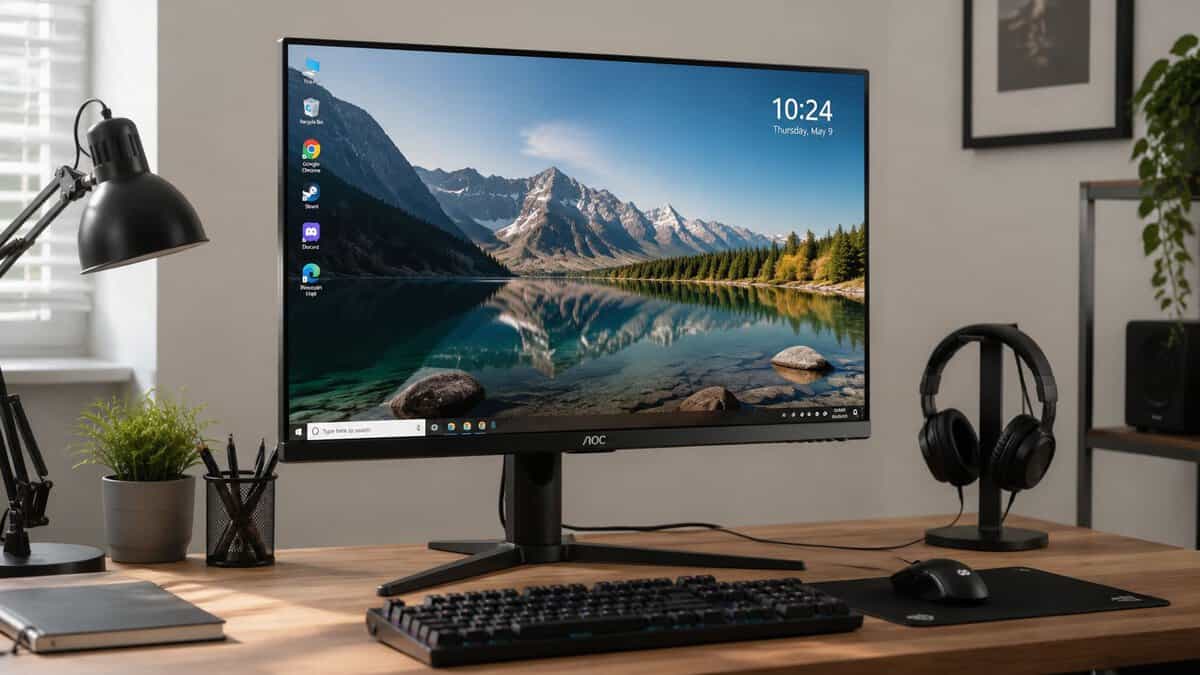
Why the brand name earns its place
A lot of budget buyers don’t need the cleanest implementation of mini-LED. They need a monitor that shows them why HDR and local dimming are worth caring about in the first place.
That’s where this AOC works. It delivers the core benefit: better perceived contrast and more dramatic highlights than the average non-mini-LED gaming screen in its class. If you’re coming from an older 1080p SDR monitor, the upgrade won’t be subtle.
For many players, that’s enough. You load into a dark game, torches and spell effects pop harder, and black levels stop looking flat and gray. That’s the moment mini-LED starts making sense.
The compromises are real
This monitor uses a VA panel, and that tells you a lot about the trade-off profile. Native contrast tends to help dark scenes, but response behavior in dark transitions can be less clean. In fast motion, especially in dim game environments, some users will notice smearing.
Blooming is also more visible here than on the stronger picks above. Small bright HUD elements on black backgrounds can expose the limits of the dimming system quickly. If you’re extremely sensitive to haloing, this won’t be the monitor that changes your mind.
- Good fit: Upgrading from an older SDR display, playing mixed genres, wanting HDR impact on a tighter budget.
- Less ideal: Hyper-competitive FPS players, buyers obsessed with perfect motion clarity, or anyone expecting premium-grade dimming behavior.
- Build quality: Basic plastic construction, but stable enough for normal desk use and not obviously flimsy.
You buy the Q27G3XMN when you want the mini-LED experience, not mini-LED perfection.
Who should buy it
This is the best entry point for the cautious buyer. Maybe you’ve never owned an HDR monitor. Maybe you don’t want to commit to the higher tier until you know you’ll appreciate it. Maybe your budget has room for value, but not for experimentation.
In those cases, the AOC makes a strong argument. It still feels like a real gaming monitor. The refresh rate is strong, the image has punch, and the durability is in line with what I expect from a budget-focused display that’s trying to spend money in the right place.
If your goal is to buy the best budget mini-LED monitor that gets you into genuine HDR gaming without pretending to be premium, this is the honest pick.
Quick Setup and Optimization Checklist
A mini-LED monitor can look underwhelming if you leave it on default settings. Spend a few minutes dialing it in and you’ll get much closer to the experience you paid for.
- Use the right cable: Make sure you’re on the connection that supports your target refresh rate and features. A bad cable or older port choice can lock you out of high refresh or HDR.
- Set the refresh rate manually: Check your operating system and GPU control panel. Don’t assume the monitor is running at its maximum setting out of the box.
- Turn on adaptive sync: Screen tearing ruins the point of a nice panel.
- Test local dimming modes: One setting often looks best for games, while another may look cleaner on the desktop.
- Enable HDR only when it helps: Some monitors look better in SDR for browsing and better in HDR for games and video.
- Tune overdrive carefully: Too low feels blurry, too high can create artifacts.
- Check input response: If your controls feel off, work through this guide on how to fix input lag.
- Verify system activity if you game on Apple hardware: Background load can affect smoothness more than people realize, so this checking Mac activity guide is useful for spotting hidden performance drains.
A few minutes here can save you weeks of thinking the monitor is the problem when the settings are.
If you can stretch the budget for perfect blacks, see our best OLED gaming monitor guide.
Frequently Asked Questions
Quick answers to the questions that come up most when shopping for the best budget mini-LED monitor.
Is a budget mini-LED monitor worth it over a regular IPS?
Yes, if you want real HDR. Mini-LED local dimming produces far brighter highlights and deeper dark areas than a standard edge-lit IPS, the single biggest visual upgrade at this price. The tradeoff is some blooming around bright objects.
What are dimming zones, and how many do I need?
Zones are independently controlled backlight clusters; more zones means finer control and less blooming. For a budget mini-LED, around 1,000+ zones (like the KTC M27T6 here) noticeably outperforms models with only a few hundred.
Will a budget mini-LED monitor still have blooming?
Some, yes. Even good budget models show a faint halo around bright objects on dark backgrounds. More zones reduce it but do not eliminate it. Treat budget mini-LED as a big step up from IPS, not an OLED replacement.
Do I need a powerful GPU for these?
For the 27-inch 1440p picks, a mid-range card is plenty. The 31.5-inch 4K Acer Nitro XV325QK needs a stronger GPU to drive 4K at high refresh rates.
Is mini-LED better than OLED for gaming?
They have different strengths. Mini-LED gets much brighter (better for bright rooms and HDR highlights) with no burn-in risk, while OLED has perfect per-pixel contrast and no blooming. At budget prices, mini-LED delivers more brightness per dollar.
What is the cheapest mini-LED monitor worth buying?
Among our picks the KTC M27T6 is the cheapest and also the best value: 1,152 dimming zones and HDR1400 at the lowest price of the three. Cheaper mini-LED monitors do exist, but they usually cut the zone count so far that blooming and uneven backlighting undo the point of the technology.
If you want more straight buying advice for value-focused gaming gear, Budget Loadout is built for exactly that. It cuts through marketing, highlights the trade-offs that actually matter, and helps you spend where the upgrade is real.
Related Articles