The headset matters more in WoW than in most shooters, and the reason is the people. A raid lives or dies on voice chat. The best headset for WoW keeps your callouts clear and stays comfortable past the fourth hour of pulls.

Footsteps and gunshot direction matter less here. What counts is a mic your raid leader can hear over the boss music and cushions you forget you are wearing. A good mute light helps too, so you never wonder whether the guild heard that sigh.
That holds for modern raids, Classic realms and Blizzard’s new Forever release alike. The four picks below run from a light wired budget set to a wireless headset rated for weeks of raid nights per charge.
A wired headset with a detachable noise-cancelling mic and a clear mute light. The dongle fits a USB-C or USB-A port.
- Mute light on the mic shows when you are muted
- Detachable mic for solo questing nights
- USB-C and USB-A dongle plus a 3.5mm plug
- A cable stays on your desk
- Heavier than the Razer pick
- Mic pickup is uni-directional rather than cardioid
A wireless headset HyperX rates for up to 300 hours per charge. It can go weeks of raid nights between charges.
- Up to 300 hours per charge in HyperX’s rating
- Mic certified by Discord and TeamSpeak
- Aluminum frame with memory foam cushions
- PC only, so it will not follow you to a console
- Rated a little lower by buyers than the others
- A full charge takes about 4.5 hours
The cheapest headset here and lighter than both HyperX picks. It has a bendable cardioid mic and one simple 3.5mm plug.
- At 240 g it is light on your head for long nights
- Cardioid mic favors your voice over the room
- One 3.5mm plug works on PC, Mac and consoles
- The mic is fixed and does not detach
- No mute light is listed
- A 3.5mm plug may need a splitter on some desktops
A wireless headset that mixes a Bluetooth phone call into your game audio. It has the highest buyer rating here and costs the most.
- Bluetooth and 2.4GHz at the same time
- Retractable mic with a red mute light
- A 15-minute charge gives about 6 hours
- The priciest pick of the four
- Smallest review base on the list
- Shorter battery rating than the Cloud Alpha Wireless
Picks and availability last verified: November 9, 2026
- In WoW the mic matters as much as the sound, because raids run on voice chat.
- A visible mute light saves you from talking to the raid while muted.
- Light weight and soft cushions count for more than any audio spec by the fourth hour.
- A wired headset never runs flat, and a long-battery wireless set rarely does.
- If your Discord runs on your phone, pick a headset that mixes Bluetooth with the game.
Table of Contents
Headsets That Last Through a Full WoW Raid
Each headset here handles voice chat well and stays comfortable over a long session. They split by connection, battery and how the mic works. Here is how the four line up before the details.
| Headset | Connection | Battery | Drivers | Mic | Mute Light | Cushions | Platforms | Best For |
|---|---|---|---|---|---|---|---|---|
| HyperX Cloud III | Wired 3.5mm plus USB-C and USB-A dongle | None needed | 53mm | Detachable 10mm, uni-directional | Yes | Memory foam and leatherette | PC, PS5, PS4, Xbox Series X and S | Most WoW players |
| HyperX Cloud Alpha Wireless | 2.4GHz wireless | Up to 300 h | 50mm dual-chamber | Detachable, bi-directional | LED indicator | Memory foam | PC | Long raid nights |
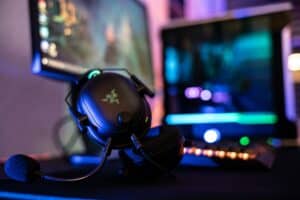
| Razer BlackShark V2 X | Wired 3.5mm | None needed | 50mm TriForce | Bendable cardioid, fixed | Not listed | Memory foam | PC, Mac, consoles, Steam Deck | Budget raiders |
| SteelSeries Arctis Nova 7P | 2.4GHz plus simultaneous Bluetooth | 38 h | Not listed | Retractable, AI noise-cancelling | Yes (red) | AirWeave memory foam | PC, PS4, PS5, Switch | Discord on your phone |
HyperX Cloud III
The HyperX Cloud III is the headset we would hand to most WoW players. It pairs 53mm drivers with a detachable 10mm noise-cancelling mic that carries an LED mute light. That light earns its place on a raid night. You can see at a glance whether the guild can hear you.
HyperX gives the Cloud III three ways to connect. A 3.5mm plug works on its own, and a USB dongle comes with both USB-C and USB-A ends. That covers a front-panel jack, a laptop or a crowded tower with only one free port.
A mute light you can see beats a mute button you have to remember.
The mic pickup is uni-directional, so it favors the voice in front of it over the fan noise behind it. Pull the mic off for a quiet night of questing and the Cloud III works as a plain pair of headphones. Memory foam and leatherette cushions sit on the ear cups. HyperX backs it with a two-year warranty.
The tradeoff is the cable. A wired headset never needs a charge, but it does tie you to the desk. The Cloud III is also a little heavier than the Razer pick, which some players notice by the end of a long night.
HyperX Cloud Alpha Wireless
The HyperX Cloud Alpha Wireless is the pick for raiders who never want to think about a battery. HyperX rates it for up to 300 hours per charge, measured at 50 percent volume. A guild that raids several nights a week should get weeks out of one charge at moderate volume.

The mic is detachable and certified by Discord and TeamSpeak, with an LED that shows its status. HyperX pairs it with 50mm dual-chamber drivers and an aluminum frame. The 2.4GHz connection reaches up to 20 meters, so stepping away from the desk during a wipe does not cut you off.
Three hundred hours means the battery is the last thing on your mind before a pull.
The Cloud Alpha Wireless works with PC only. If you also play on a console, look at the Nova 7P instead. It has the lowest buyer rating of the four, though the review base behind it is large. A full charge takes about four and a half hours, so plug it in overnight when it does run low. If you are still weighing a cable against a battery, our wired vs wireless gaming headset guide covers the tradeoff in more depth.
Razer BlackShark V2 X
The Razer BlackShark V2 X is the budget pick and a light one. It weighs 240 g, which makes it lighter than both HyperX picks. Memory foam cushions and closed-back cups help it seal out room noise.

Razer fits it with TriForce 50mm drivers and a HyperClear cardioid mic. A cardioid pattern picks up sound from the front and rejects much of what comes from behind it. That means more of your voice and less of your keyboard reaches the raid.
The single 3.5mm plug works on PC and Mac as well as consoles and the Steam Deck. Some desktops have separate mic and headphone jacks, so check the back of your PC before you plug in.
The mic bends but does not detach, and Razer does not list a mute light. You will need to check your mute status in Discord or in the game. For players who raid now and then and want a light headset with a clear mic, those tradeoffs are easy to live with.
SteelSeries Arctis Nova 7P
The SteelSeries Arctis Nova 7P is the step-up pick for players whose voice chat lives on a phone. It runs 2.4GHz and Bluetooth at the same time. You hear WoW from the USB-C dongle and a phone call or a phone-side Discord over Bluetooth, mixed together in one headset.
SteelSeries rates the battery at 38 hours, and a 15-minute charge gives about 6 hours. That covers a full raid even if you forgot to charge it the night before. The mic retracts into the earcup when you are not using it and shows a red light when muted.
One headset for the game on your PC and the call on your phone keeps your desk simple.
The Nova 7P also works with PS4, PS5 and Switch. That suits a player who splits time between WoW and console games. It uses AirWeave memory foam cushions. SteelSeries also adds 360 Spatial Audio.
This is the priciest of the four and has the smallest review base, though its buyer rating is the highest here. Its battery rating is also far shorter than the Cloud Alpha Wireless. If your voice chat already runs on the PC, the Bluetooth mixing goes unused and the HyperX picks cost less.
A Raid Night From the First Pull to the Last Wipe
A WoW raid night has a rhythm, and each stage asks something different of a headset. Walking through one shows which features help and which ones never come up.
Forming Up in Voice Chat Before the Pull
A raid night starts in voice chat before anyone pulls a boss. The raid leader explains the fight, assigns jobs and asks who is ready. This is where a clear mic matters most, because the leader needs to hear every yes and every question.
Join the channel a few minutes early and say a few words. Ask someone how you sound. It is far easier to fix a quiet mic or a buzzing cable now than in the middle of a pull.
Boss Warnings You Hear Before You See
Some WoW encounters play a sound cue before a big attack lands. Hearing the warning early gives you a moment to move or press a defensive. A headset that keeps the game clear while voice chat runs on top helps you catch those cues.
Balance the two in your settings. Turn voice chat up enough to hear calls and leave the game loud enough to catch warnings. Players who bind defensive cooldowns to the thumb buttons of a 12-button mouse can react to a warning without moving their left hand off the movement keys.
The Fourth Hour on Your Ears
Comfort decides how a headset feels late in the night. A headset that seemed fine for an hour can press on your glasses or warm your ears by the fourth. By then the weight on your head and the feel of the cushions are what you notice.
The BlackShark V2 X is lighter than both HyperX picks. The HyperX models use memory foam, and the Nova 7P uses AirWeave memory foam. If you wear glasses, a softer cushion helps the arms sit without pressure points.
Charging Between Lockouts
Battery planning depends on the connection. A wired headset like the Cloud III or the BlackShark V2 X never needs a charge at all. The Cloud Alpha Wireless lasts long enough that you can charge it once and forget it for weeks.
The Nova 7P needs a little more care. Charge it between sessions, and lean on the quick charge on the nights you forget.
Your Mic Is Part of the Raid
A headset mic does more work in WoW than in most games. Your guild hears it for hours, and a bad one makes every callout harder to follow. A few settings and habits make even a budget mic sound much better.

Callouts a Raid Leader Can Actually Hear
Mic position is the first fix. Set the boom about two finger widths from the corner of your mouth, slightly off to the side so your breathing does not hit it. A cardioid or uni-directional mic like the BlackShark V2 X or the Cloud III favors sound from the front. Pointing it at your mouth matters.
Discord’s voice troubleshooting guide walks through choosing the right input device and its voice processing options, including Noise Suppression and Echo Cancellation. Turn those on if your raid hears your fan, your keyboard or the game leaking back through your mic. Push-to-talk also helps by keeping the channel quiet when you are not speaking.
Mic features often matter more than drivers in a raid. Our guide to gaming headset features explains which ones change what your raid hears.
The Best Headset for WoW Keeps Your Mute Status Obvious
The best headset for WoW makes it easy to tell when you are muted. Talking to a raid while muted or muttering at a wipe while live are both easy to do. A light on the mic or the earcup solves both at a glance.
The Cloud III and the Nova 7P both show a mute light, and the Cloud Alpha Wireless mic carries an LED. The BlackShark V2 X has no light listed, so pin Discord’s mute icon where you can see it or bind a mute key you trust.
From Classic Realms to Modern Raids and the Forever Release
World of Warcraft now runs in several versions at once. Modern WoW, Classic realms and Blizzard’s new Forever release each give a headset a slightly different job.
Quiet Questing in the Original Continents
The Forever release sets you in the original continents, and Classic realms keep that older pace. Both bring long stretches of solo questing. Music and ambient sound carry those hours more than voice chat does. A comfortable headset with the mic detached or retracted suits that kind of night.
Leveling with friends brings voice chat back. A detachable or retractable mic means you can switch between the two without swapping headsets.
Busy Modern Encounters
Modern raids and Mythic+ dungeons pack a lot of sound into a short time. Spell effects, boss lines and teammates all compete for your attention. Here a clean mic and a clear mix of game and voice matter most.
The Cloud Alpha Wireless and the Nova 7P both offer spatial audio as a nice extra. It is not essential for WoW, because boss mechanics usually show on screen too.
Volume and Your Hearing Over Long Sessions
Long WoW sessions mean hours of sound close to your ears. The NIDCD explains that long or repeated exposure to loud sound can cause noise-induced hearing loss. It also notes that the hair cells this damages do not grow back. The same page calls it the only type of hearing loss that is completely preventable.
The page adds that the louder the sound, the less time it takes to cause harm. A simple habit of our own is to keep the game low enough that you could still hear someone speak in the room. Turn voice chat up before you turn the whole headset up, since the calls are usually what you are straining to hear.
Breaks help your ears as much as your back. Slip the headset off between pulls or during a long wipe recovery. A headset stand gives it a home on the desk, so it is easy to take off and pick up again.
Pairing a Headset With Your WoW Keyboard and Mouse
A headset is one part of a WoW desk. The keyboard and mouse carry your binds, and the headset has to fit around them without crowding your ports or your hands.
Keeping the Mute Key Within Reach
A mute key or push-to-talk key needs a home your hand can find without looking. A mouse side button or a macro key makes a good home for it. Our best keyboard for WoW guide covers boards with spare macro keys that suit this job.
One Dongle or Two on a Crowded PC
Wireless headsets, wireless mice and some keyboards all want a USB port. A crowded tower can run out fast. Plug the headset dongle into a front port or an extension cable so it sits close to you.
The Cloud III dongle takes one port. The BlackShark V2 X needs none because it uses the 3.5mm jack. The Nova 7P dongle uses USB-C and comes with a USB-A adapter. That helps on older PCs.
Which WoW Headset Fits Your Raid’s Voice Setup
Where your voice chat runs decides the pick more than any spec. Find the row that sounds like your raid night.

| Where Your Raid’s Voice Lives | Headset | Why It Fits | What You Give Up |
|---|---|---|---|
| Discord on the PC, long nights | HyperX Cloud Alpha Wireless | Rated for up to 300 hours per charge | Lowest rating of the four |
| Discord or in-game voice at a wired desk | HyperX Cloud III | Detachable mic with a mute light | A cable on the desk |
| A casual guild with voice now and then | Razer BlackShark V2 X | Light and the most affordable | The mic does not detach |
| Discord on your phone with the game on the PC | SteelSeries Arctis Nova 7P | Bluetooth mixes in beside the game | Priciest and fewest reviews |
If two rows sound like you, let the battery decide. Stay wired if the cable never bothers you, and go wireless if you wander off during every wipe.
Frequently Asked Questions
Quick answers on picking a headset for WoW.
Do I need surround sound for WoW?
No. WoW boss mechanics usually show on screen too, so a good stereo headset covers raids well. Spatial audio is a nice extra on headsets that have it, but the mic and comfort matter more.
Is wired or wireless better for WoW raiding?
Both work. A wired headset never needs a charge and suits a player who stays at the desk. A wireless headset with a long battery lets you get up during a wipe without unplugging anything.
Can I use headphones with no mic for WoW?
Yes for solo play. For raids you will want a mic so you can answer the raid leader. A headset with a detachable or retractable mic gives you both in one device.
Can I use one headset for Discord on my phone and WoW on my PC?
Yes, if the headset mixes Bluetooth with its wireless dongle. A headset that does both at once lets you hear the game from the PC and a call or Discord from your phone together.
Does WoW’s built-in voice chat work with any headset?
Any headset your PC recognizes should work with WoW voice chat or Discord. Set it as both the input and the output device, then check your levels before a raid.
Looking for more budget gaming gear? Check out Budget Loadout for the latest reviews and recommendations.
Related Articles