The WiFi chip in a desktop is usually an afterthought, when the motherboard includes one at all. That is why the best WiFi adapter for PC setups is often a bigger upgrade than a new router: the router was never the weak link, the receiver was. Your phone holds a stream two rooms away while your desktop drops packets, and the difference is the radio, not the network.
The fix does not need to be expensive, and the right answer starts at your desk rather than a spec sheet. If you want the problem gone in two minutes, a USB stick with a real antenna does it. If the tower never moves and you want the ceiling, a PCIe card with relocatable antennas ends the conversation for good.
The default answer for a desktop that just needs reliable WiFi back. The high-gain antenna holds a usable 5GHz signal through a wall or two, and setup is plug-in-and-go on Windows.
- High-gain antenna angles toward the router for a steadier signal
- USB 3.0 keeps the 5GHz band from being capped by the port
- Massive install base means drivers and fixes are easy to find
- WiFi 5 tech, so no 6GHz band or WiFi 6 efficiency gains
- Single antenna cannot match a PCIe card at longer range
- Sticks out of the rear port where the case can shadow it
The stick to buy when your router is already WiFi 6 and you want the desktop to speak the same language. OFDMA and WPA3 come along without opening the case.
- Brings WiFi 6 efficiency to any desktop with a free USB port
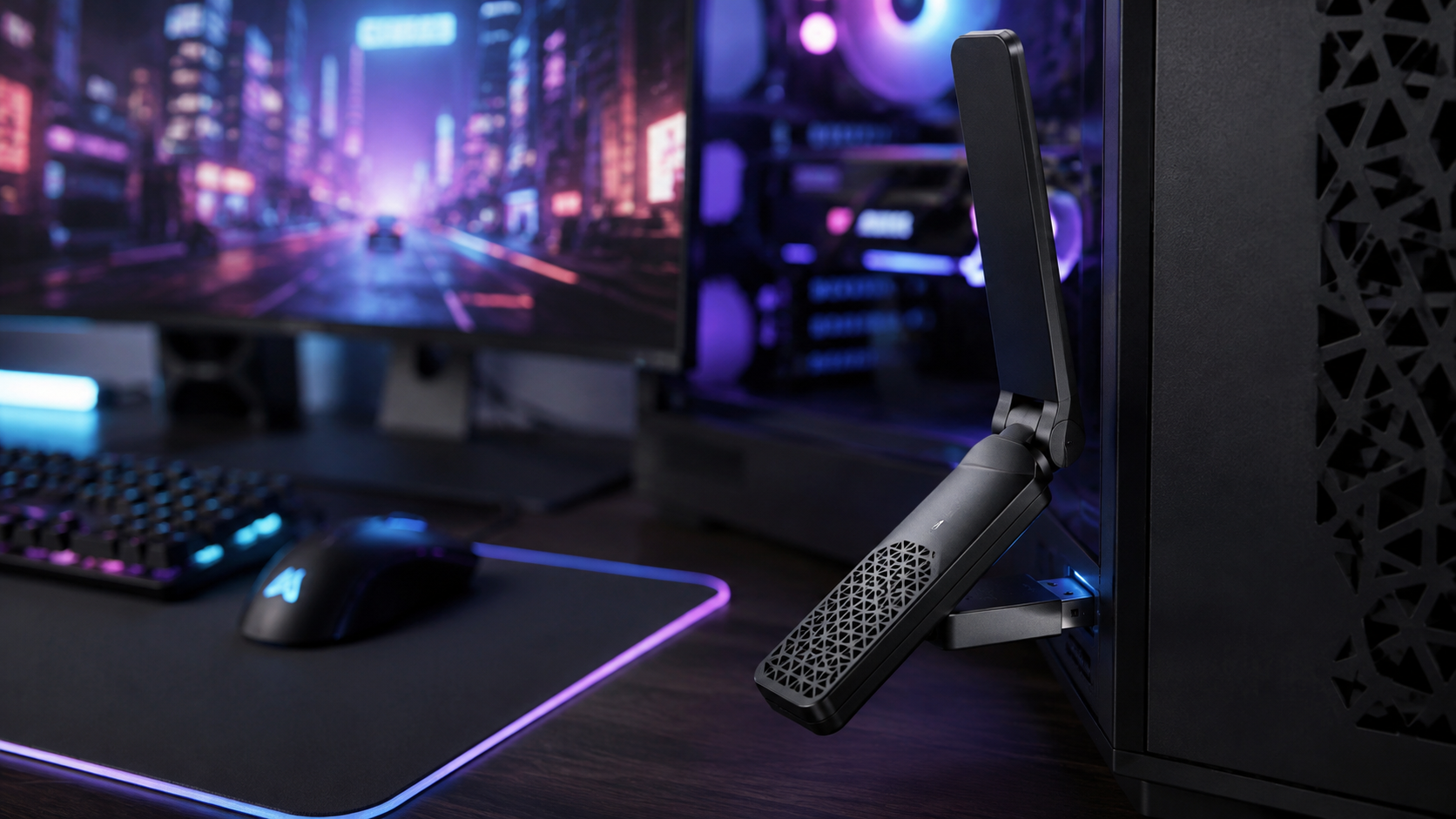
- Foldable antenna design aims at the router instead of the floor
- WPA3 support future-proofs the security side of the connection
- Costs close to PCIe territory without PCIe antenna flexibility
- Review history is still building on the current listing
- Gains over WiFi 5 shrink if your router is older than the stick
The desktop-first answer. The Intel AX210 module reaches the clean 6GHz band, the magnetic antenna base climbs out from behind the case, and Bluetooth for controllers and headsets rides along free.
- 6GHz band sidesteps the congestion that slows 2.4GHz and 5GHz
- Magnetic antenna base relocates above the desk for a clear path
- Adds Bluetooth to a desktop alongside the WiFi upgrade
- Install means opening the case and finding a USB header for Bluetooth
- 6GHz band only shines when paired with a WiFi 6E router
- Overkill for a desktop that sits one room from the router
- A USB adapter fixes a desktop’s WiFi in two minutes; a PCIe card fixes it for good
- Match the adapter to your router’s generation; WiFi 6 on the stick does nothing for a WiFi 5 router
- Antenna position beats spec-sheet numbers; get the antenna out from behind the case
- Plug USB adapters into a USB 3.0 port; a USB 2.0 port caps the 5GHz band before the WiFi does
- If the desktop sits a cable-run from the router, skip the adapter and use Ethernet
Table of Contents
Why Your Desktop’s WiFi Is Worse Than Your Phone’s
Phone makers fight for every drop of signal because a phone lives on WiFi. Desktop motherboard makers mostly do not bother, and the boards that do include WiFi often hide the antenna behind a steel case wall, which is about the worst place a radio can live.
So the desktop gets blamed, then the router gets replaced, and the stutter survives both. The actual problem is that the receiving end of the link was never built to compete with a phone’s antenna design.
Upgrade the radio that is actually failing, not the one that is easiest to blame.
A dedicated adapter fixes this directly. It moves the antenna somewhere useful, upgrades the radio generation, and costs a fraction of a new router. If your download speed is fine a meter from the router and terrible at your desk, an adapter is almost certainly your fix.
How We Chose the Best WiFi Adapter for PC
Three filters shaped this list. First, signal hold beats peak speed: a benchmark burst means nothing if the link drops during a ranked match. Antenna design and band access decide this, which is why every pick here has a real, positionable antenna rather than a nub.
Second, current-generation value. The best WiFi adapter for PC money right now sits across WiFi 5, WiFi 6, and WiFi 6E, and each pick represents the point where its generation stops being a tax and starts being a bargain.
Third, boring dependability. Every pick comes from an established networking brand with drivers that survive a Windows update, because the no-name sticks that flood search results tend to pair rebadged chipsets with driver support that ends the day you buy them.
The Three Picks In Depth
TP-Link Archer T3U Plus
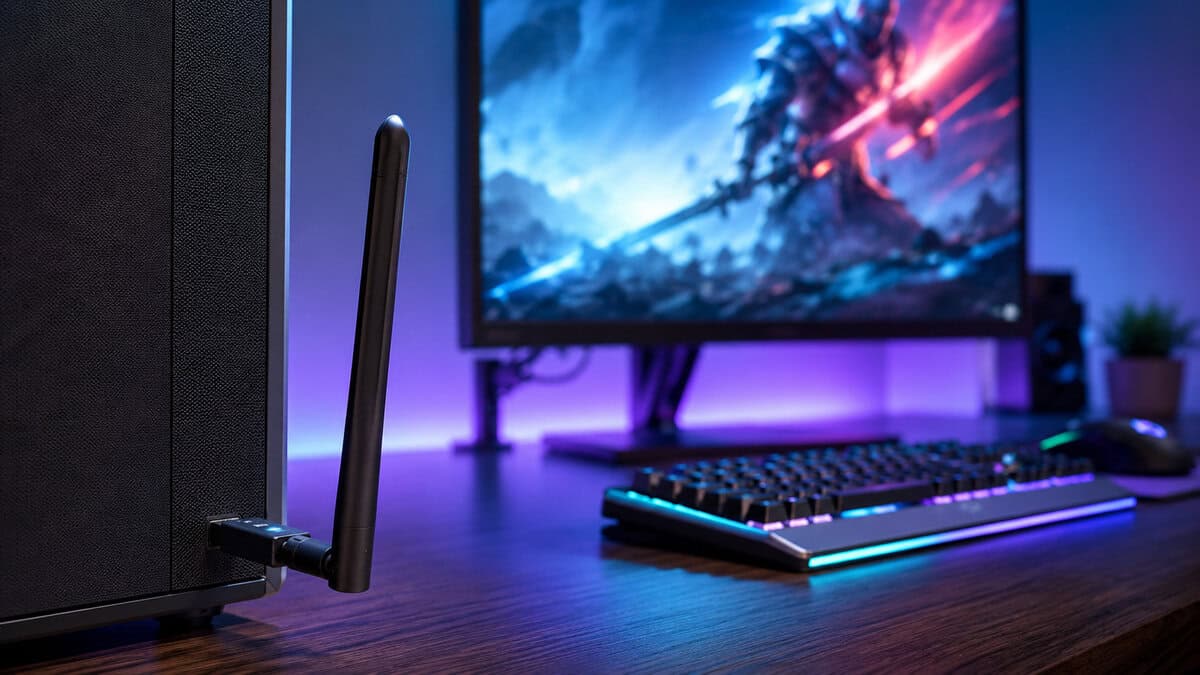
The Archer T3U Plus is the pick for the largest group of readers: a desktop that used to be fine on WiFi and slowly was not. It is an AC1300 dual-band stick with a tall high-gain antenna that pivots to face the router, and that antenna is the entire story.
At this price the antenna is the product, and this is the best one in its class.
Aim it correctly and the 5GHz band holds through a wall or two, which covers most apartments and a lot of houses. The USB 3.0 connector matters more than it looks: cheaper sticks ship USB 2.0 and quietly cap what the 5GHz band can deliver.
The honest tradeoff is generation. This is WiFi 5 hardware, so there is no 6GHz access and none of the WiFi 6 traffic-management gains. If your router is WiFi 5 anyway, you give up nothing. If you have already moved to a WiFi 6 router, spend up to one of the two picks below.
It is also the right spare to keep in a drawer. When a motherboard’s WiFi dies or a second PC needs a connection for a weekend, a proven stick that installs in a minute keeps earning its keep long after the main desktop moves to something faster.
Netgear Nighthawk A7500
The Nighthawk A7500 exists for one situation: your router is WiFi 6, your desktop is not, and opening the case is off the table. It is an AX1800 stick with a foldable high-gain antenna and WPA3, which brings the desktop up to the router’s language without a screwdriver.
If the router already speaks WiFi 6, stop making your desktop the translator.
WiFi 6 pays off most in busy homes. Features like OFDMA are about sharing crowded airtime cleanly, so the gains show up when the household is streaming while you play, not in an empty-house speed test.
Two things keep it from the top slot. It costs close to PCIe-card money, and its current Amazon listing is newer than the product line, so the review history is still short. Netgear’s name and the returns window carry that risk, but it is worth naming.
The A7500 also travels well. It is bus-powered and folds flat, so it moves between a desktop and a laptop without ceremony, which suits a household where the gaming PC is not the only machine fighting for bandwidth.
Gigabyte GC-WBAX210
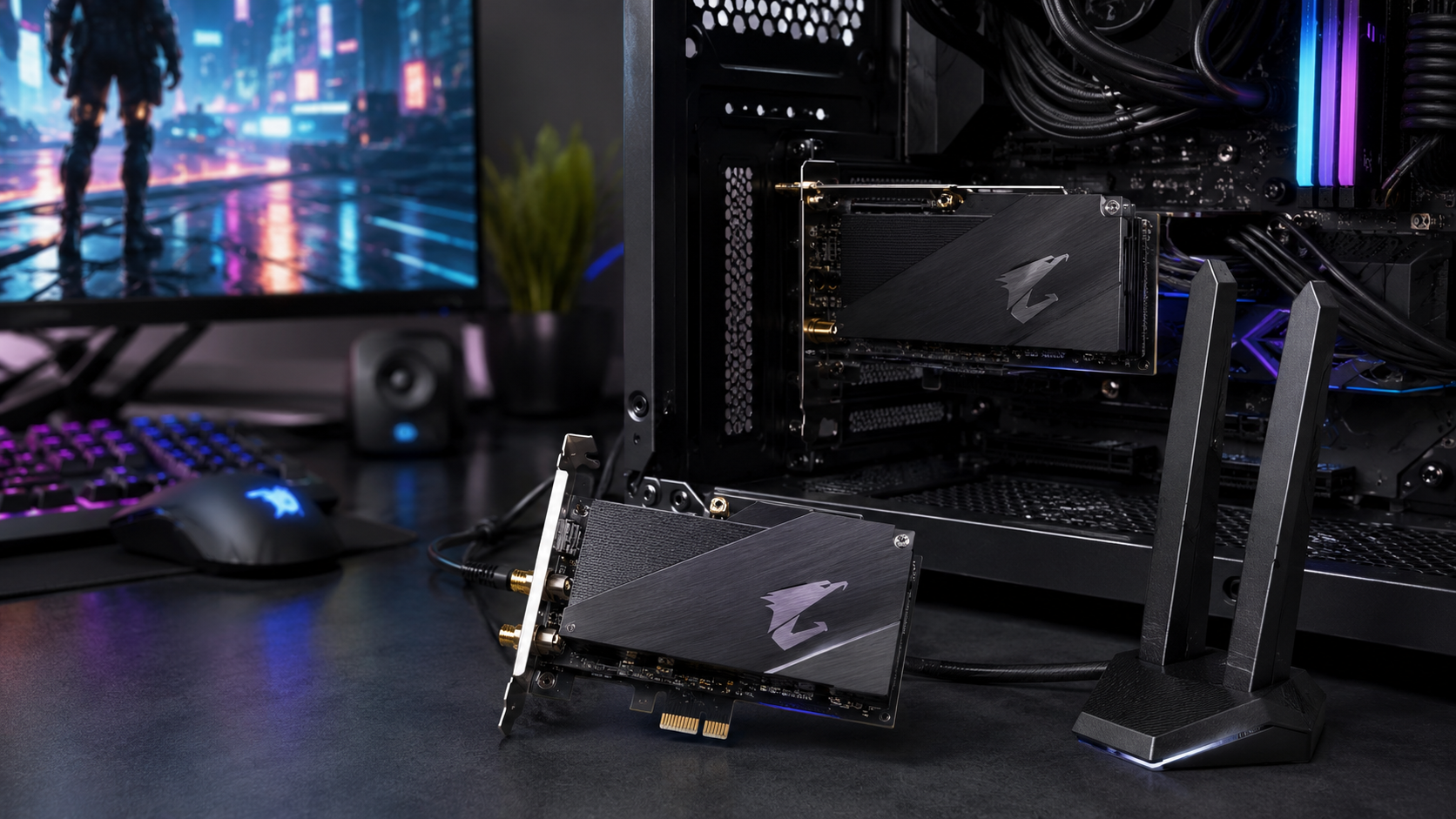
The GC-WBAX210 is what you buy when the desktop is staying put and you want the ceiling. It is a PCIe card built on Intel’s AX210 module, which means WiFi 6E and its 6GHz band, plus Bluetooth for controllers and headsets through a motherboard USB header.
The magnetic antenna base is the quiet superpower: the antenna goes where the signal is, not where the case is.
The 6GHz band is the closest thing consumer WiFi has to a private lane. Nothing legacy lives there, so a 6E router and this card can hold a link in an apartment block where 2.4GHz is a war zone. The included antenna base connects by cable and sits magnetically on top of the case, above the desk clutter.
The tradeoffs are physical. You need a free PCIe slot, a spare USB header for the Bluetooth side, and ten minutes inside the case. And without a 6E router the card runs as a very good WiFi 6 adapter, which is fine, but the A7500 does that without the screwdriver.
One practical note on the Bluetooth side: the header cable is what powers it. If your motherboard’s USB 2.0 headers are already taken by front-panel ports and RGB controllers, a cheap header splitter solves it, and the WiFi half works either way.
Head-to-Head: The Specs That Matter
Spec sheets for adapters bury the three answers that actually decide the purchase: what slot it uses, what generation it speaks, and where the antenna can physically go.
| Adapter | Interface | WiFi Generation | Antenna | Best For |
|---|---|---|---|---|
| TP-Link Archer T3U Plus | USB 3.0 | WiFi 5 (AC1300) | High-gain, pivoting | Getting reliable WiFi back cheaply |
| Netgear Nighthawk A7500 | USB 3.0 | WiFi 6 (AX1800) | Foldable high-gain | Matching a WiFi 6 router, no tools |
| Gigabyte GC-WBAX210 | PCIe + USB header | WiFi 6E (AX210) | External magnetic base | The permanent desktop fix |
USB or PCIe: Which Slot Wins on Your Desk
USB wins on friction. Two minutes, no tools, and it moves to the next PC when you upgrade. If you rent, relocate often, or share the desktop with a laptop workflow, the stick is the sane choice.
PCIe wins on physics. A card gets antennas that detach and relocate, a steadier power supply than a USB port, and better heat behavior over long sessions. Once the antenna base sits above the desk with sightline toward the router, the difference on the margin of a weak signal is not subtle.
USB is the adapter you install in two minutes; PCIe is the one you never think about again.
The tiebreaker is honesty about your own tolerance. If you will never open the case, the best PCIe card on paper is a worse purchase than a USB stick you actually plug in today.
Setup Mistakes That Waste a Good Adapter
Most one-star adapter reviews describe an installation problem. The hardware in this guide is solid; the ten minutes around the install decide whether it performs like the spec sheet or like the review section.
Grab the current driver from the brand’s download page before you plug anything in. Windows will happily install a generic driver that runs at half speed, and the disc in the box is usually a year stale. Five minutes here prevents the classic day-one disappointment.
Then confirm which band you actually joined. Routers broadcast 2.4GHz and 5GHz under one network name, and Windows sometimes latches onto the slower, longer-range band. If your speed looks capped, force the 5GHz network in the adapter settings or split the band names in the router.
A budget adapter installed carefully beats an expensive one plugged in blind.
Kill USB power saving next. Windows suspends idle USB devices to save a few watts, and a suspended WiFi adapter drops mid-session, then reconnects like nothing happened. In Device Manager, open the adapter’s Power Management tab and untick the option that lets the computer turn it off. That single checkbox fixes more adapter complaints than any driver update.
Aim the antenna last. A pivoting antenna wants to sit broadside to the router rather than pointed at it, and vertical usually beats horizontal in a multi-floor home. Small rotations move the signal meter more than most people expect.
WiFi 5 vs 6 vs 6E: When the Upgrade Pays
An adapter can only speak the newest generation your router also speaks. WiFi 6 features on the stick do nothing against a WiFi 5 router, which is why the T3U Plus remains the right buy for a huge number of homes.
WiFi 6 earns its price in crowded households, where its traffic management keeps your game responsive while the TV streams. WiFi 6E earns its price in crowded neighborhoods, because the 6GHz band is empty of legacy devices. The Wi-Fi Alliance certification program is the standards body behind those generation labels, and certified gear is why a Netgear stick and a TP-Link router negotiate cleanly.
For gaming specifically, generation upgrades buy stability more than speed. A WiFi 6 link under load holds its latency flatter while other devices hammer the network, which is the difference between a spike you feel in a gunfight and one you never notice. Raw download numbers barely move at typical desk distances.
The practical rule: match the adapter to the router you own today, not the router you might buy. Upgrading both at once is a router purchase decision first, and our budget gaming router guide covers that side. If that new router is a Wi-Fi 7 model, our WiFi 7 router guide covers the budget picks.
When to Skip an Adapter Entirely
If an Ethernet cable can physically reach your desk, run it and stop reading. Wired beats every adapter in this guide on latency, jitter, and consistency, and the WiFi or Ethernet comparison shows how one-sided that fight is for competitive play.
If the desk is far from the router and WiFi is weak for every device there, not just the desktop, the problem is coverage rather than the receiver. That is the job of a WiFi extender or a mesh system, and an adapter alone will not dig the signal out of a dead zone. Our mesh WiFi system guide covers the kits that put an Ethernet port in the room the desk is in.
Powerline adapters are the middle path nobody remembers: Ethernet over the electrical wiring, no drilling, no WiFi variables at all. Results vary with the age of the wiring, but in a rental where running a cable is impossible, powerline plus a short patch lead can beat every antenna in this guide.
The adapter is the right tool for the middle case, which happens to be the most common one: decent signal in the room, weak radio in the tower.
Need Bluetooth as well? Our Bluetooth adapter for PC guide covers the small dongles that add it.
Frequently Asked Questions
Quick answers to the questions desktop owners ask before buying a WiFi adapter.
Is a USB WiFi adapter good enough for gaming?
Yes, if the signal in the room is decent. A USB 3.0 adapter with a real antenna holds a stable link for online play through a wall or two. What it cannot do is rescue a genuine dead zone, and for ranked play on a weak signal a PCIe card with a repositioned antenna is the safer buy.
Do I need a WiFi 6 adapter if my router is WiFi 5?
No. An adapter can only use the newest generation your router also speaks, so WiFi 6 hardware adds nothing against a WiFi 5 router. Buy the cheaper WiFi 5 stick now, or buy WiFi 6 only if a router upgrade is genuinely planned.
Are PCIe WiFi cards faster than USB adapters?
Usually, but not because of the slot bandwidth. The real advantages are antenna placement, since PCIe cards ship external antennas you can move above the desk, plus steadier power and better heat behavior over long sessions. On a strong signal the two feel identical.
Why does my USB WiFi adapter keep disconnecting?
The usual causes are a USB 2.0 port choking a 5GHz link, USB power-saving settings switching the port off, or the adapter sitting in a rear port shadowed by the metal case. Move it to a USB 3.0 port, disable USB selective suspend, and use a short extension to get it clear of the tower.
Does a WiFi adapter also add Bluetooth to a PC?
USB WiFi sticks almost never do; they are WiFi-only. Many PCIe cards do, including our PCIe pick, by wiring a header cable to the motherboard. If you want controllers and wireless headsets on a desktop, that combination is the cleanest route.
Building or upgrading the rest of the desk? Budget Loadout covers budget gaming gear that earns its slot, from monitors to mice, without the marketing tax.
Related Articles