A weak WiFi signal is a primary cause of lag spikes and disconnects that can cost you a competitive match. For a gamer looking for value, the best WiFi extender for gaming must deliver low latency and a stable connection without the high price tag of premium networking gear.
- Gigabit Ethernet port for a stable wired connection to your gaming setup
- OneMesh compatibility creates a seamless roaming network with TP-Link routers
- Compact wall-plug design keeps it discreet and out of the way
- Single Ethernet port may not suit setups with multiple wired devices
- Performance depends on router placement and home layout
- Wall-plug form factor limits positioning options compared to desktop units
- WiFi 7 support with multi-link operation for lower latency gaming sessions
- 2.5G Ethernet port exceeds Gigabit speeds for wired connections
- Wall-plug form factor is compact and does not block adjacent outlets
- Requires a WiFi 7 router to fully leverage its capabilities
- Higher price point compared to WiFi 6 alternatives
- Newer product with a smaller track record compared to established models
- Affordable entry point for WiFi 6 range extension
- Gigabit Ethernet port for a reliable wired backup connection
- Simple setup through the TP-Link Tether app
- Lower throughput ceiling may limit performance in congested networks
- Single-band extension on 5GHz means less flexibility than dual-band models
- No mesh compatibility limits seamless roaming between router and extender
Picks and availability last verified: October 12, 2026
- Low latency (ping) matters far more than raw speed for gaming, aim for stable sub-20ms
- A WiFi extender with a Gigabit Ethernet port lets you hardwire your console or PC for wired-like stability
- WiFi 6 is the minimum standard for gaming extenders in 2026; WiFi 7 adds better traffic management under load
- Place the extender halfway between your router and gaming setup for optimal signal strength
- A single quality extender beats an expensive mesh system if you only need to fix one dead zone
Table of Contents
Why Your WiFi Signal Is Costing You Matches
When your WiFi signal is weak, your gaming device struggles to maintain a connection. This creates high ping and packet loss, the technical culprits behind in-game stuttering and delayed reactions. If your router leaves you with frustrating dead zones, learning how to extend WiFi range is the first step toward a more stable gaming experience.
This guide will focus on the technical specifications that impact gameplay, not just marketing claims. We will help you find a suitable extender that improves your connection without requiring you to overspend, focusing on latency and stability over raw download speeds.
What This Guide Covers
This guide provides direct, actionable advice to help you build a more reliable gaming network. You will learn how to:
- Identify Critical Features: We will cover what matters for gaming, such as WiFi 6, MU-MIMO, and why a Gigabit Ethernet port is an essential feature for creating a stable, wired-like connection.
- Compare Value-Focused Models: We will provide direct comparisons with specific recommendations for different gaming scenarios, including fast-paced FPS, MMOs, and streaming. If you are interested in broadcasting gameplay, our guide on how to start streaming on Twitch has additional tips.
- Understand Real-World Tradeoffs: We will analyze the practical differences between budget and premium models, including build quality, durability, and performance.
The objective is not just to boost a signal; it is to create a stable, low-latency connection. An extender with a direct Ethernet port offers a practical compromise between wireless convenience and wired stability.
The Specs That Impact Your Ping
Not all WiFi extenders are suitable for gaming. When performance is measured in milliseconds, you must look past the advertised speed numbers and focus on the technology that directly impacts in-game responsiveness.
The most important metric for a gamer is latency (ping), not throughput (speed). Latency is the time it takes for your command to travel to the game server and return. High latency causes input lag, whereas high throughput is primarily useful for downloading large game files faster.
For responsive gameplay in an FPS or MMO, a low and stable latency under 20ms is more critical than raw bandwidth. A good extender prioritizes a stable connection to minimize ping spikes.
Key Technologies for a Stable Connection
To find the best WiFi extender for gaming, look for these specific features. They help ensure your game data receives priority, even on a busy home network.
- Dual-Band vs. Tri-Band: A dual-band extender operates on the 2.4GHz and 5GHz frequencies. A tri-band model adds a second 5GHz or a 6GHz band, which can function as a dedicated backhaul to the router, reducing congestion and improving stability.
- MU-MIMO and Beamforming: MU-MIMO (Multi-User, Multiple Input, Multiple Output) allows the extender to communicate with multiple devices simultaneously rather than sequentially. Beamforming then directs the WiFi signal toward your console or PC, strengthening that specific connection.
- Gigabit Ethernet Port: This is an essential feature. It allows you to run a short Ethernet cable directly from the extender to your gaming device. This setup provides the stability of a wired connection, effectively mitigating wireless-related latency.
Understanding high-end options can provide useful context. A full-mesh system like the Eero Pro 6e mesh system can cost three to four times more than a single extender while solving a different problem entirely. If you only need to fix one dead zone, an extender gives you better value per dollar. If you are building out a full streaming setup, a capture card handles the video side while an extender handles the network side. They solve different problems. If that different problem is yours, our mesh WiFi system guide covers three kits that cost far less than the Pro tier.
Comparing Top WiFi Extenders for Gaming Value
Selecting a WiFi extender for gaming involves balancing modern features with a sensible price. Our selections focus on models that deliver strong real-world value for budget-conscious gamers.
This means prioritizing low-latency technology like WiFi 6 and essential hardware like Gigabit Ethernet ports over expensive, non-essential features. Our comparison is direct, examining speed, build quality, and any performance trade-offs. The goal is to identify the most practical options for your money.
Value-Focused WiFi Extender Comparison for Gaming (2026)
The table below outlines our top recommendations for establishing a stable gaming connection without running Ethernet cables throughout your home. Each model is chosen to solve a specific problem, from cutting through interference in a crowded apartment to covering dead zones in a larger house.
| Model | WiFi Standard | Max Throughput (5GHz) | Key Gaming Feature | Best Use Case |
|---|---|---|---|---|
| TP-Link RE615X | WiFi 6 (AX1800) | 1,201 Mbps | Gigabit Ethernet Port & OneMesh | Best Overall Value. Ideal for gamers needing a stable wired connection to their console/PC in a dead zone. |
| NETGEAR EXS25 | WiFi 7 (BE5000) | 4,804 Mbps | 2.5G Ethernet Port & WiFi 7 | Future-Proof Performance. For gamers who want next-gen WiFi 7 speeds and a faster-than-Gigabit wired connection. |
| TP-Link RE500X | WiFi 6 (AX1500) | 1,201 Mbps | Budget-Friendly WiFi 6 | Entry-Level Upgrade. Good for boosting signal in a single room on a tight budget without sacrificing a wired port. |
This table provides the specifications, but the following sections explain the real-world experience of using them.
Which Extender Is Right for Your Setup?
The TP-Link RE615X offers a strong balance of features for most gamers. Its WiFi 6 standard and capable 5GHz performance are sufficient for competitive FPS gaming where low latency is critical. The build is a dense, sturdy plastic that feels durable, and its OneMesh capability is a useful feature if you own a compatible TP-Link router. The main trade-off is its single Ethernet port, which is sufficient for one gaming device but limits a larger wired setup. This extender is a practical choice for most FPS and MMO gamers.
In contrast, the NETGEAR EXS25 brings WiFi 7 to the table at a reasonable price. Its compact wall-plug design is a major improvement over the bulky desktop form factor of older Nighthawk extenders, and it still packs serious performance into a smaller footprint. The standout feature is its 2.5 Gigabit Ethernet port, which actually delivers faster wired speeds than a standard Gigabit connection. For a gamer who wants to hardwire a single device, that one port is more useful than four slower ones. The trade-off is coverage. At 1,500 square feet, it covers less ground than the RE615X, so it works best when you have a specific dead zone to fix rather than a whole floor to blanket.
The most practical way to use any of these extenders is to place it halfway between your router and your gaming setup, then run an Ethernet cable from the extender to your device. This single step eliminates the latency and instability of a purely wireless connection.
Finally, the TP-Link RE500X provides an accessible entry point to WiFi 6. While its speeds are lower and its plastic construction feels less substantial than the RE615X, it delivers two essential features for a budget gamer: the stability of WiFi 6 and a Gigabit Ethernet port. It is a functional, no-frills solution for MMOs or casual gaming where peak speed is not the primary concern. Its durability is adequate for its price point.
Best Overall Value: TP-Link RE615X
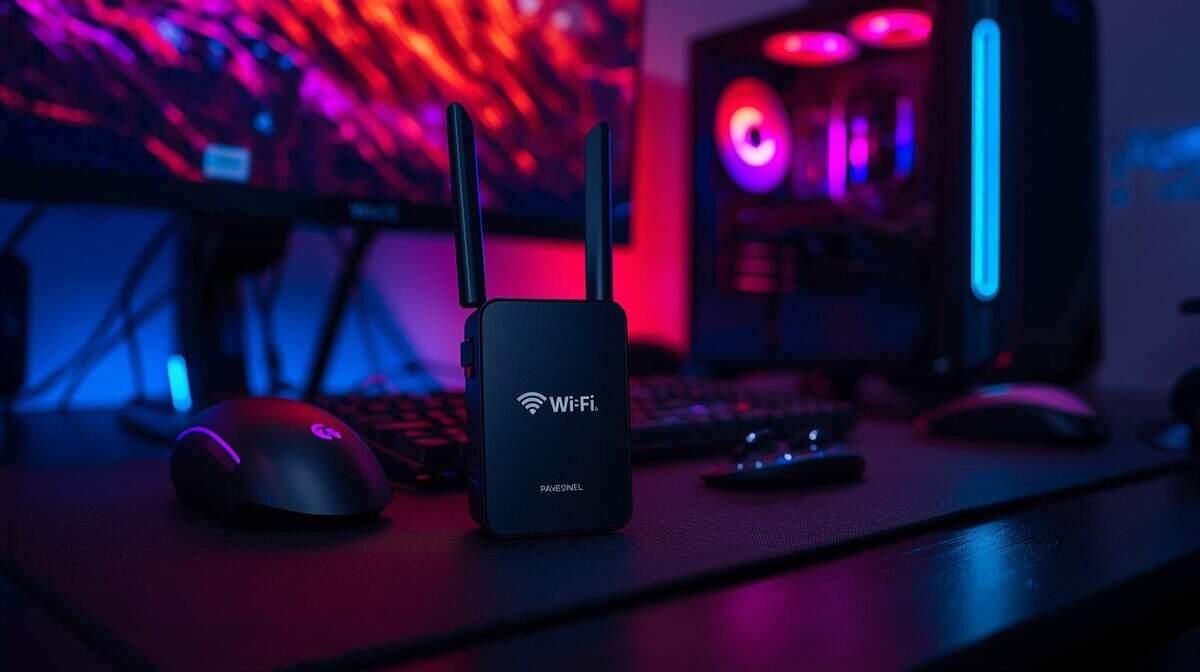
The TP-Link RE615X is our top value pick because it delivers essential gaming features without costly extras. For its price, it provides core WiFi 6 technology and a solid build quality that is a noticeable improvement over cheaper, flimsier alternatives. Its construction feels durable and capable of lasting.
Its performance is sufficient for competitive gaming, supporting a combined speed of 3,000Mbps. More importantly, it allocates a significant 2,400Mbps to the crucial 5GHz band. This is ample bandwidth for lag-free sessions in fast-paced shooters like Apex Legends or Overwatch 2, as well as for stable streaming sessions.
Performance and Key Features
The single most important feature is the Gigabit Ethernet port. This allows you to connect your console or PC directly to the extender, creating a stable, wired-like connection that avoids common wireless issues like interference and ping spikes. For any serious gamer using an extender, this configuration is highly recommended.
The most effective way to use the RE615X is to place it halfway between your router and gaming area, then run an Ethernet cable from its port to your device. This strategy provides the stability of a wired connection with the flexibility of a wireless extender.
For users already in the TP-Link ecosystem, the OneMesh compatibility is a useful bonus, enabling the creation of a more unified network with a compatible router. The RE615X also covers over 1,500 square feet, and its MU-MIMO technology efficiently manages traffic for multiple devices without causing your game to stutter. To see how its performance metrics compare to other networking hardware, you can review benchmarks in this analysis of the best gaming routers.
Best for Future-Proof Performance: NETGEAR EXS25
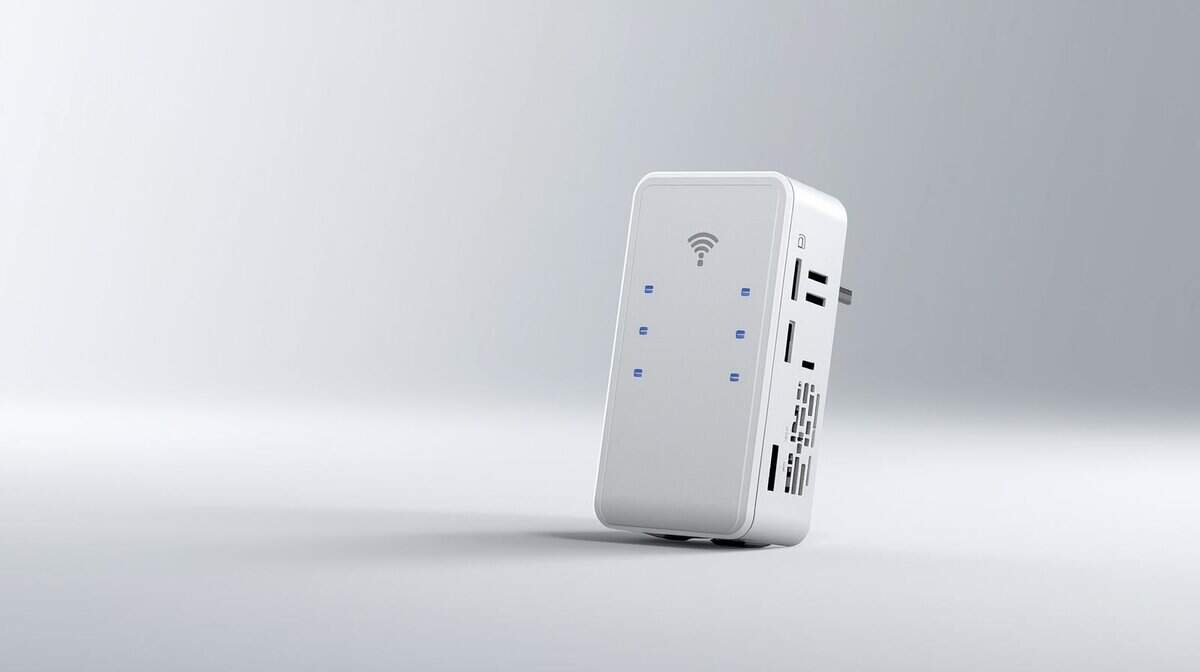
If you want the latest networking technology without waiting for prices to drop, the NETGEAR EXS25 is the pick. It runs WiFi 7, which means better traffic management, lower latency under load, and backward compatibility with all your existing WiFi 5 and WiFi 6 devices. The wall-plug design keeps it compact and out of the way compared to older desktop-style Nighthawk extenders.
The build quality is solid for a wall-plug unit, with three internal antennas and a clean design that does not block adjacent outlets the way some competitors do. At around $150, it sits between the budget RE500X and what you would spend on a full mesh system, making it a practical middle ground for gamers who want current technology without overspending.
Performance in Demanding Scenarios
The EXS25 delivers theoretical speeds up to 5,000 Mbps across its dual bands, with strong 5GHz performance for gaming. WiFi 7 introduces Multi-Link Operation, which allows devices to send and receive data across multiple frequency bands simultaneously. In practice, this means more consistent speeds when your network is under heavy use from streaming, downloads, and gaming happening at the same time.
Its single 2.5 Gigabit Ethernet port is the real selling point for gamers. That port delivers two and a half times the wired speed of a standard Gigabit connection, which matters if you have a fast internet plan and want to eliminate every possible bottleneck between your device and the game server. Plug your PC or console directly into this port and you get the lowest-latency connection an extender can provide.
The main trade-off is coverage. At 1,500 square feet, the EXS25 covers less area than some premium alternatives. It also supports WPA3 security, which is a meaningful upgrade if your router supports it. For a gamer who needs to fix one dead zone with the best available technology, this extender delivers without the premium price tag of a full mesh overhaul.
Frequently Asked Questions About Gaming Extenders
You’ve reviewed the options, but practical questions remain about optimizing an extender for gaming. Here are answers to common queries.
Will a WiFi Extender Actually Lower My Ping?
Not directly. An extender’s primary function is to improve signal strength, not inherently lower your base latency.
However, if your high ping is caused by an unstable signal that leads to packet loss, an extender can help. By creating a stronger, more reliable link to your router, it stabilizes the connection, which in turn can reduce and steady your ping. The main trade-off is that any extender adds a small amount of latency because it has to re-broadcast the signal.
If your ping is high even when you are next to the router, an extender will not fix the problem. A direct Ethernet connection always provides the lowest latency. An extender with a Gigabit Ethernet port is a practical way to achieve that wired connection where you need it.
Is a Mesh System Better Than an Extender for Gaming?
This depends on your home size and budget. A mesh WiFi system is designed for seamless, whole-home coverage and is a good solution for large houses with multiple dead zones. The nodes work together to create a single, unified network.
The trade-off is the cost; mesh systems are significantly more expensive than a single extender. For a budget-conscious gamer in a smaller home or apartment who only needs to fix a weak signal in one or two rooms, a quality WiFi 6 extender offers better performance for the price.
What Is the Best Place to Put My WiFi Extender?
Placement is crucial. Position the extender approximately halfway between your main router and the area with the weak signal.
Too Close to Router: This will not extend the signal’s range effectively.
Too Far from Router: Placing it in the dead zone means it receives a poor signal to begin with, resulting in a slow extended network.
Most modern extenders have a signal strength indicator light to help you find the optimal location during setup. Look for a spot where the light is solid blue or green. If you are also a streamer, you can learn more about optimizing your entire setup in our guide on the best OBS settings for streaming.
At Budget Loadout, we believe a great gaming setup shouldn’t break the bank. Explore our guides and reviews for more hype-free recommendations on affordable gear that delivers real performance. Check out the rest of our content at Budget Loadout.
Related Articles