A 4K 120Hz screen needs a certified Ultra High Speed HDMI cable in the right length or you can end up stuck at 60Hz. The best HDMI 2.1 cable for 4K 120Hz gaming has Ultra High Speed printed on its jacket and a certification label on the package that you can scan. You don’t need to pay extra for a fancier connector.
If your PS5, Xbox Series X or Switch 2 still has the cable it came with, try that one first. We picked three certified cables at 6.6, 10 and 15 feet for anyone who needs a replacement or more reach. If the 120Hz option is missing even with the right cable, we also cover the TV and console settings to check.
The Cable Matters cable suits a typical desk or TV stand. It’s officially certified, has a braided jacket and lists eARC for soundbars at a budget-friendly cost.
- Certification is named in the product title
- Braided jacket at a budget-friendly cost
- Lists eARC for Atmos soundbars
- 6.6 feet may not reach across a room
- No in-wall rating listed
- Costs more than the longer Amazon Basics
The 10-foot Amazon Basics cable is the cheapest of our three picks. It’s certified for 4K at 120Hz and has a simple PVC jacket.
- Cheapest pick with 10 feet of reach
- Lists 4K 120Hz by name
- Flexible PVC jacket with gold-plated connectors
- PVC jacket has no braiding
- Lists ARC without naming eARC
- No in-wall rating listed
The 15-foot Monoprice cable is certified at 48Gbps and has a braided jacket. It’s rated CL2 for in-wall use and suits a TV or projector across the room.
- 15 feet of certified 48Gbps reach
- CL2 rating for in-wall runs
- Lists both eARC and VRR
- Costs the most of our three picks
- Leaves extra slack at a desk
- No 4K 240Hz mode listed
- Buy a certified Ultra High Speed HDMI cable for 4K at 120Hz. Ultra High Speed cables carry up to 48Gbps.
- Each length is certified separately so check the label for the length you’re buying.
- The PS5, Xbox Series X and Switch 2 come with a suitable cable. Buy a new one for more reach or as a replacement.
- A receiver, soundbar or wrong TV port can block 4K 120Hz even when the cable is fine.
- The Switch 2 tops out at 4K 60fps on a TV and reaches 120fps at 1080p or 1440p.
Table of Contents
Ultra High Speed Certification on HDMI Cables
Ultra High Speed is the official name of the HDMI cable type made for HDMI 2.1 features. An Ultra High Speed HDMI cable carries up to 48Gbps, which is enough for 4K at 120Hz and 8K at 60Hz. The HDMI Licensing Administrator also lists variable refresh rate (VRR), auto low latency mode (ALLM), dynamic HDR and eARC among the features this cable type supports.
You’ll often see 8K or HDMI 2.1 first on a product page, but look for the words Ultra High Speed along with certified. A Premium High Speed cable is certified for up to 18Gbps and 4K at 60Hz. An older High Speed cable is rated for 10.2Gbps. We explain when that extra bandwidth matters for your games in our HDMI 2.0 vs 2.1 comparison.
The Name on the Jacket and the QR Label
A certified cable has Ultra High Speed printed on its jacket and a certification label on its package. You can scan the label with a normal QR code app on your phone. The result shows the brand, model and length so you can match it to the cable in your hand.
Scan the label when the package arrives and before you route the cable behind furniture. If there’s no label or the scan shows a different length, send the cable back. The licensing group warns that counterfeit cables exist.
Certification for Each Cable Length
Every length of an Ultra High Speed cable has to be tested and certified on its own. You can’t assume a brand’s 15-foot cable is certified because its 6-foot version is. Electrical performance changes with length.
If you’re shopping on a product page with a length menu, pick your length first and then look for the certification wording again.
HDMI 2.1 Cable Needs for Consoles and Gaming PCs
The PS5, Xbox Series X and a gaming PC with an HDMI 2.1 output can all use an Ultra High Speed cable for 4K at 120Hz. Your screen also needs to support that mode and the game has to offer it. A new cable can’t add 120Hz to a 60Hz TV.
PS5 and Xbox Series X at 4K 120Hz
The PS5 and Xbox Series X both come with a cable that can handle 4K at 120Hz. Sony recommends the HDMI 2.1 cable from the PS5 box and Microsoft lists an Ultra High Speed HDMI cable in the Series X box.
Buy a replacement if you lost the original, it’s damaged or it won’t reach. If you bought your console used, look at the printing on the jacket since it may have been swapped.
Switch 2 at 120fps
The Switch 2 supports 120fps at 1080p or 1440p on a compatible TV in supported games. Nintendo caps the Switch 2’s 4K output at 60fps so an HDMI 2.1 cable won’t unlock 4K at 120fps on that console. If your picture doesn’t look right, you can find the TV output settings in our Switch 2 dock guide.
The Switch 2 comes with an Ultra High Speed HDMI cable and Nintendo says you need that cable type for TV mode. The HDMI cable from the original Switch can’t be used for it. Buy another Ultra High Speed cable if you need more reach or a replacement.
Gaming PCs on HDMI
A gaming PC should have its HDMI cable plugged into the graphics card. The HDMI port on the motherboard uses the processor’s integrated graphics so you could lose both performance and display modes there.
Check the HDMI version on your graphics card and your monitor before you buy. Cable Matters lists its cable for 4K at 240Hz, but you only get that mode when the card and the screen both support it.
Certified HDMI 2.1 Cables for Short and Long Runs
Our three certified HDMI 2.1 cables are a 6.6-foot Cable Matters for short runs, a 10-foot Amazon Basics for the lowest cost and a 15-foot Monoprice for longer runs. The Cable Matters, Amazon Basics and Monoprice cables are all rated for 48Gbps and 8K at 60Hz.
| Cable | Length | Bandwidth | Audio Return Listed | Jacket | In-Wall Rating |
|---|---|---|---|---|---|
| Cable Matters 8K HDMI | 6.6 ft | 48Gbps | eARC | Braided | Not listed |
| Amazon Basics Ultra High Speed | 10 ft | 48Gbps | ARC | Round PVC | Not listed |
| Monoprice 8K Certified Braided | 15 ft | 48Gbps | eARC | Braided | CL2 |
Cable Matters 8K HDMI Cable
The Cable Matters 8K HDMI Cable is our top pick because it pairs clear certification wording with a braided jacket and eARC at a budget-friendly cost. Cable Matters puts Ultra High Speed HDMI Certified at the front of the product name, which makes it simple to tell apart from the brand’s slower cables.
The Cable Matters 8K cable is the one we’d buy for a console or PC within six feet of the screen.
The Cable Matters 8K cable is rated for 48Gbps, 8K at 60Hz and 4K at 240Hz. Cable Matters also lists HDCP 2.2, 12-bit color, 4:4:4 color and Dolby Vision. The 4K 120Hz mode that console players want is part of the Ultra High Speed spec so you’re covered there too. The cable also works with HDMI 2.0 gear.
At 6.6 feet it suits a TV stand or a desk and not much more. If your console sits off to the side in a cabinet, measure before you order. Cable Matters doesn’t list an in-wall rating so keep this one out in the open.
Amazon Basics Ultra High Speed HDMI 2.1 Cable
The Amazon Basics Ultra High Speed HDMI 2.1 Cable is our budget pick, though you give up braiding and it names only ARC for audio return. If you’re feeding a Dolby Atmos soundbar over eARC, buy one of the other two picks so the feature is stated up front.

The Amazon Basics cable gives you 10 certified feet for less than either of our other picks.
The Amazon Basics cable is certified Ultra High Speed with 48Gbps of bandwidth and lists both 4K at 120Hz and 8K at 60Hz.
The extra reach over a typical 6-foot cord helps when the tower sits on the floor or the console lives on a lower shelf. Its round PVC jacket is flexible and the connectors are gold-plated.
Monoprice 8K Certified Braided HDMI Cable
The Monoprice 8K Certified Braided HDMI Cable is our pick for a longer run because it’s certified at 15 feet and rated CL2 for use inside walls. Monoprice says the cable was certified by an HDMI authorized testing center.
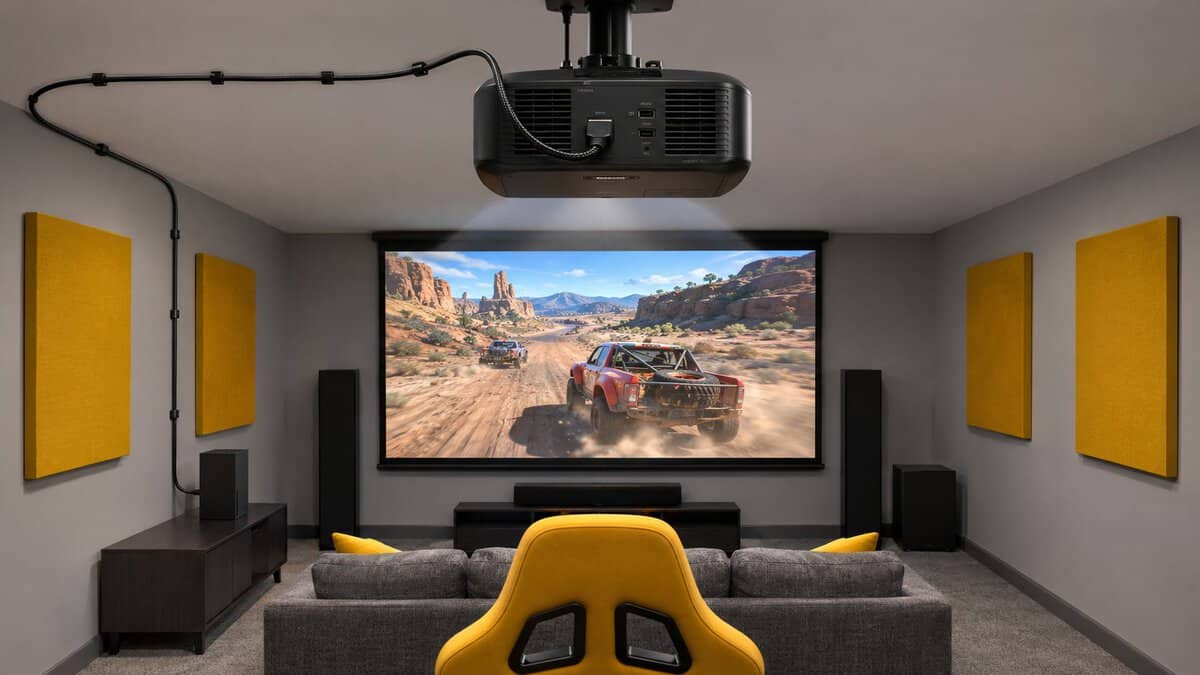
Monoprice rates the 15-foot cable for 48Gbps, 4K at 120Hz and 8K at 60Hz. The Monoprice cable also lists eARC, VRR and Quick Media Switching, which can remove the brief black screen when a video changes frame rate on supported devices. The extra length helps if you have a projector on a shelf or a TV on the far wall.
The Monoprice costs the most of our picks and is longer than a desk needs. It makes sense if you need the 15-foot reach or plan to run it inside a wall.
The Monoprice cable is the pick for a TV across the room or a cable hidden inside the wall.
The CL2 rating covers fire safety for in-wall wiring. Your local building code still applies so ask an electrician if you aren’t sure about the route. Confirm you get 4K at 120Hz before the cable goes behind drywall.
Get our free Budget Gaming Setup Checklist
Plus one email every Thursday on what changed for budget gaming gear.
No spam. Unsubscribe any time. Privacy
HDMI Cable Length for a Desk or TV
Buy the shortest certified HDMI cable that reaches without pulling on either port. About 6 feet suits a typical desk or TV stand, 10 feet handles a tower on the floor and 15 feet gets across a smaller room. If you’re still choosing the screen, you can find sets that support 4K at 120Hz in our best TV for PS5 guide.
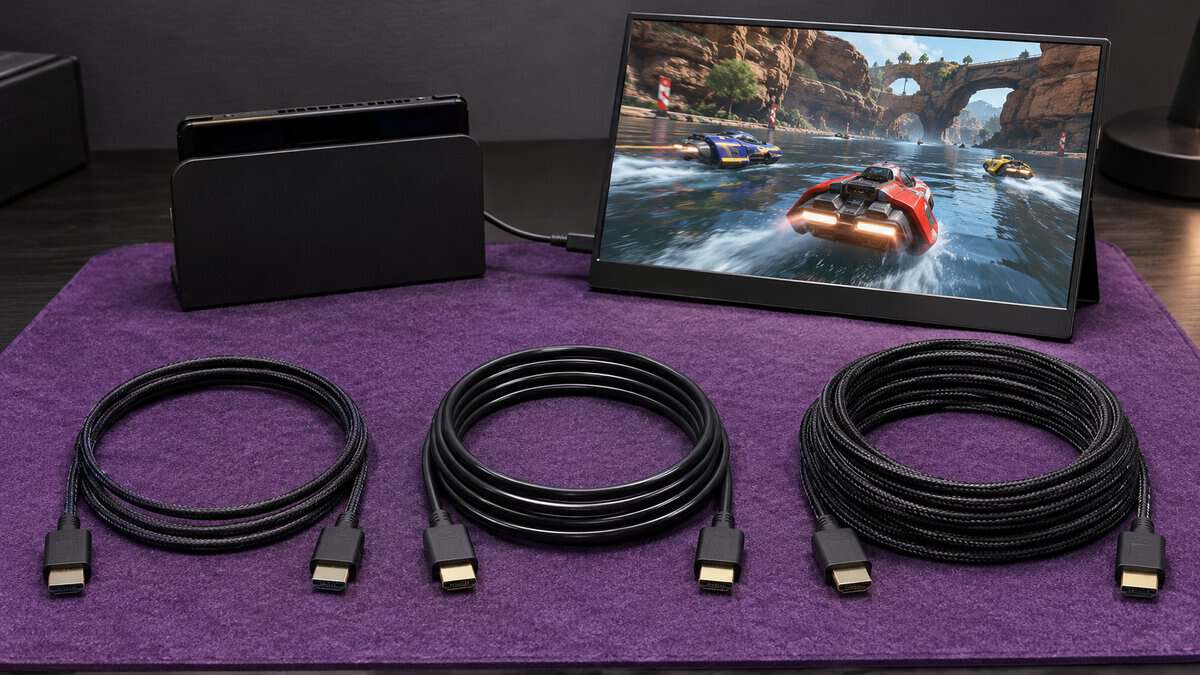
Follow the route the cable will really take when you measure. Going down the back of a desk, along the baseboard and up to a wall-mounted TV adds several feet over the straight-line distance. Leave a little slack at both ends.
Choosing the Best HDMI 2.1 Cable by Length
The best HDMI 2.1 cable by length is the Cable Matters for 6.6 feet, the Amazon Basics for 10 feet and the Monoprice for 15 feet. Pick by the distance you measured first and then by whether you need braiding, eARC or an in-wall rating.
| Your Setup | Cable | Why It Fits | What You Give Up |
|---|---|---|---|
| Console or PC beside the screen | Cable Matters 8K HDMI | Braided with eARC listed | Less reach than the other two |
| A little more reach on a tight budget | Amazon Basics Ultra High Speed | 10 feet for the least money | No braiding and only ARC is listed |
| TV across the room or cable in a wall | Monoprice 8K Certified Braided | 15 feet with a CL2 rating | Costs the most and has too much slack for a desk |
Runs Longer Than 15 Feet
Runs longer than 15 feet need a cable that is certified at that exact length. Monoprice sells the same braided line in 20 and 25 feet. A certified active optical HDMI cable is another option for long distances. Some of those only work in one direction so read both plugs before you pull one through a wall.
Buy one cable that’s certified for the whole run if your current one is too short. Certification is done per length so two shorter certified cables joined by a coupler haven’t been certified as one longer cable.
HDMI 2.1 Through a Soundbar or Receiver
A soundbar or receiver between your console and TV can limit 4K at 120Hz even with a certified HDMI 2.1 cable. The video has to pass through that device so its ports need to support the same mode. Sony suggests connecting the PS5 straight to the TV when you’re troubleshooting.

The simplest layout is console to TV with a second cable from the TV’s ARC or eARC port down to the soundbar. We picked bars for both desks and TVs in our best gaming soundbar guide.
ARC vs eARC on the Cable Listing
eARC is the newer version of Audio Return Channel and can send Dolby Atmos at full quality from the TV to a soundbar.
Cable Matters and Monoprice name eARC for their cables. Amazon Basics names only ARC, though the Ultra High Speed spec includes eARC. If your soundbar is a basic stereo model, ARC is plenty. If you paid for an Atmos bar with eARC, pick the Cable Matters or the Monoprice so the feature is named on the listing.
How to Get a Missing 4K 120Hz Option Back
To get a missing 4K 120Hz option back, check the TV, the cable, the port and the console settings in that order. Sony’s PS5 resolution guide has a troubleshooting list for a blank screen or a signal that drops to 1080p at 120Hz. The first seven steps below follow that list and the last one uses the 120Hz Output setting described in the same guide.
- Confirm that your TV supports 4K at 120Hz.
- Update the TV to its latest firmware.
- Use the cable from the console box or a certified Ultra High Speed cable.
- Connect the PS5 straight to the TV with no receiver or soundbar in between.
- Move the cable to an HDMI 2.1 port and turn on any setting the TV needs for that port.
- Set Resolution to Automatic or 2160p in the PS5’s Video Output menu.
- Set Video Transfer Rate to Automatic.
- Turn on 120Hz Output and start a game that supports 120Hz.
TV Ports and Picture Settings
Some TVs support 4K at 120Hz on only some of their HDMI ports. Look for a 120Hz or 4K120 mark beside the port or find the port list in the TV manual. Some sets also keep the full-bandwidth mode switched off until you enable it for that input.
A desk setup works the same way. The monitor needs an HDMI 2.1 input that accepts the mode and some models ask you to turn it on in the on-screen menu. You can find screens that take 4K 120Hz from a console in our best HDMI 2.1 monitor guide.
PS5 Video Output Settings
You’ll find the PS5’s 4K 120Hz controls in the Video Output menu under Screen and Video in Settings. You can see the current output signal there along with what the connected screen reports for resolution, VRR and HDR.
Look at Video Transfer Rate if you changed it to fix flickering in the past. Sony says the -1 and -2 settings both limit 4K 120Hz output. If you only get a stable picture on one of those settings, try another certified cable and another port before you blame the console.
HDMI 2.2 and Ultra96 Cables for Gaming
You don’t need an HDMI 2.2 Ultra96 cable for a PS5, Xbox Series X or Switch 2. Ultra96 cables carry up to 96Gbps for HDMI 2.2 features such as uncompressed full-chroma 4K at 240Hz. An Ultra High Speed cable has enough bandwidth for all three consoles.
An Ultra96 cable could make sense later if you buy both a graphics card and a display with HDMI 2.2. An Ultra High Speed cable is enough until you own that hardware.
When Your Current HDMI Cable Is Enough
Your current HDMI cable is enough if you already get the resolution, refresh rate and HDR you expect. Sony says older HDMI cables can be used with a PS5. A Premium High Speed cable is certified for 4K at 60Hz, but Nintendo says you need an Ultra High Speed cable for Switch 2 TV mode.
An Ultra High Speed cable also works with older HDMI gear at the modes that gear supports. Cable Matters and Monoprice both list backward compatibility for their cables.
Replace the cable when you move to a 120Hz screen and the mode won’t show up, when the picture sparkles or cuts out or when you need a different length.
Frequently Asked Questions
Here are quick answers on buying and using an HDMI 2.1 cable for gaming.
Does the PS5 come with an HDMI 2.1 cable?
Yes, the PS5 comes with an HDMI 2.1 cable and Sony recommends using it for the console’s high-performance features. If you lost it or need more reach, buy a certified Ultra High Speed HDMI cable. Sony says older HDMI cables can be used too. An older cable may not carry 4K at 120Hz.
Are all HDMI 2.1 cables the same?
No, HDMI 2.1 cables differ in certification, length, jacket and in-wall rating. A cable certified as Ultra High Speed has passed testing for 48Gbps at that specific length. Two certified cables of the same length should show the same picture so you can choose between them on reach, build and cost.
Does an HDMI 2.1 cable make a difference for gaming?
An HDMI 2.1 cable makes a difference when your console or PC, screen and game all support a mode that needs the bandwidth, such as 4K at 120Hz. It won’t make a 60Hz TV faster or add frames to a game. A Premium High Speed cable can carry 4K at 60Hz, but Nintendo says you need an Ultra High Speed cable for Switch 2 TV mode.
Is HDMI 2.1 outdated?
No, HDMI 2.1 is still the right target for current consoles and 4K 120Hz screens. HDMI 2.2 and its 96Gbps Ultra96 cable are newer, but the PS5, Xbox Series X and Switch 2 don’t need them. A certified Ultra High Speed cable covers the display modes those consoles support.
Which HDMI 2.1 cable should I buy for a soundbar?
Buy the Cable Matters 8K HDMI cable for a soundbar within about six feet or the Monoprice 15-foot cable for a longer run. Cable Matters and Monoprice both list eARC for Dolby Atmos. Certified Ultra High Speed cables support eARC by spec, but Amazon Basics lists only ARC for its cable.
Related Articles