A flight stick is one of the few peripherals where the cheapest option reliably turns into the most expensive one. Buy the wrong best flight stick and you are not just living with a vague, mushy centre, you are buying a second stick within the year once the drift sets in. If you care about total cost of ownership over the next 12 to 24 months, the smarter buy is usually the one with better sensors, a sturdier base, and enough controls to keep you from replacing it too soon.
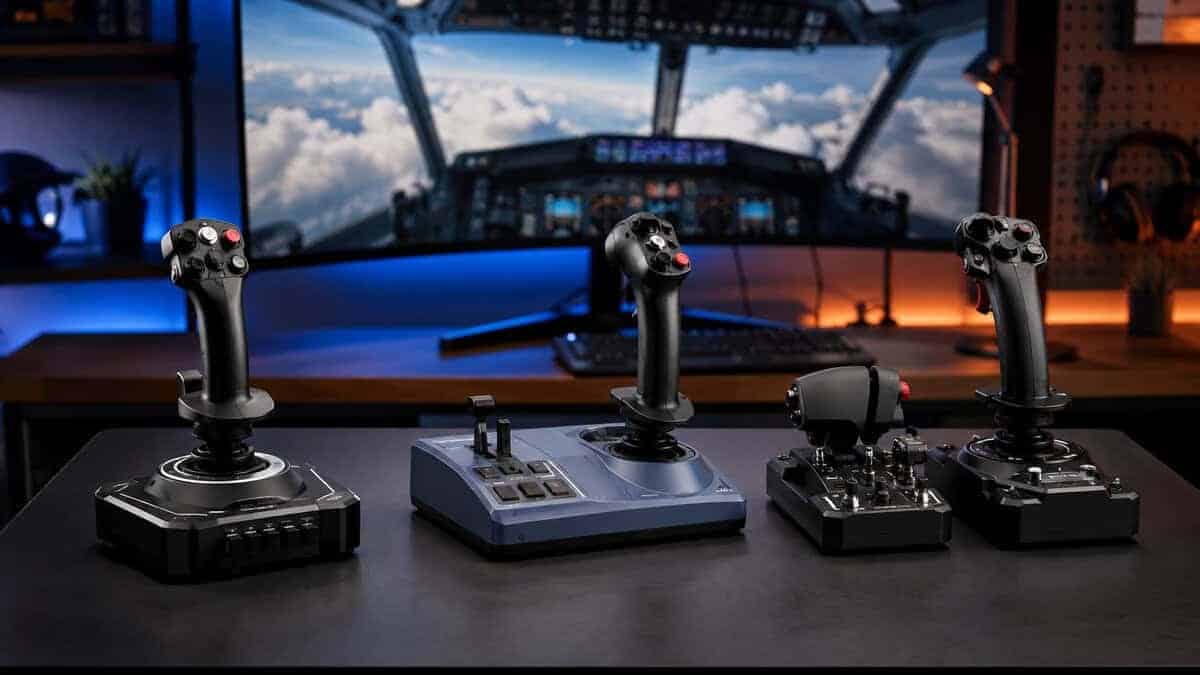
The stick that makes the drift argument for you. Its magnetic sensors have no wiper to wear down, so the centre stays where it should after the hours pile up, and the ambidextrous shell means left-handers are not stuck buying a compromise.
- Contactless magnetic sensors sidestep the wear that kills potentiometer sticks
- Ambidextrous shell suits left-handed pilots without a separate model
- Twist rudder means no pedals needed to get flying
- PC only, so console pilots need to look elsewhere
- No throttle in the box, unlike the HOTAS bundles
- Base is light enough to need a clamp or a grippy desk mat
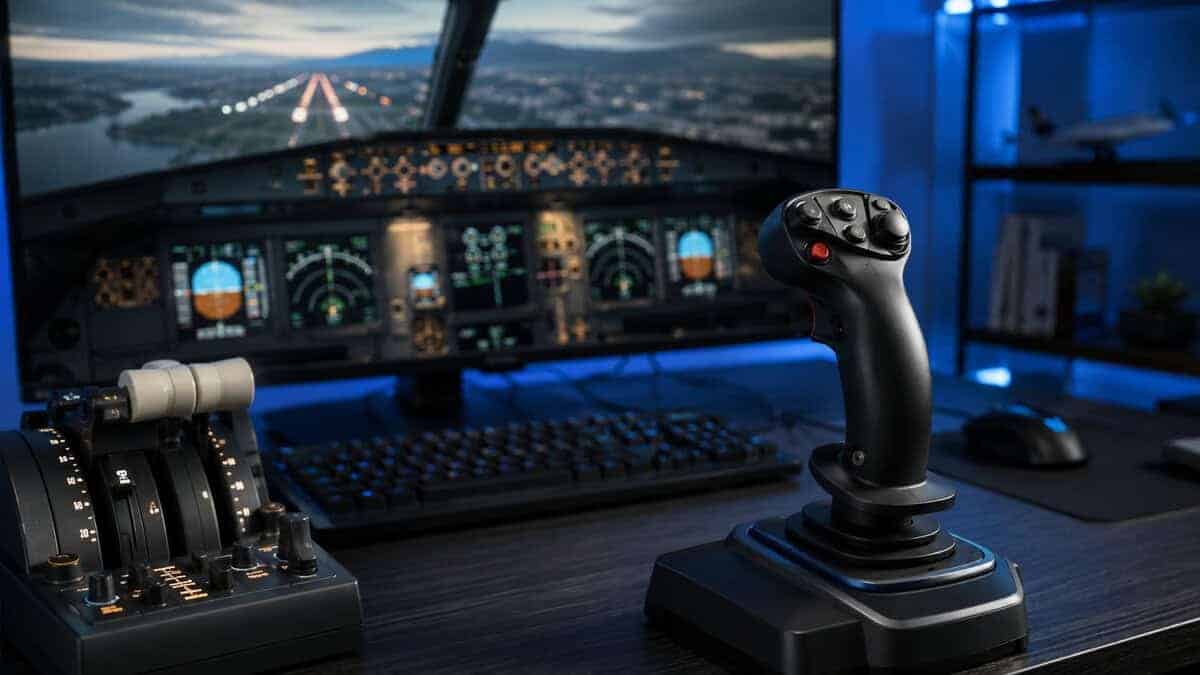
If your flying happens in an airliner cockpit rather than a dogfight, this is the closer match. The 1:1 Airbus sidestick shape puts the controls where the aircraft expects them, and the integrated throttle keeps a second purchase off the desk for a while.
- Sidestick geometry mirrors the real A320 layout
- Hall effect sensor on the primary axes resists drift
- Built-in throttle and thrust reverser cover airliner basics
- Airbus-specific ergonomics feel less natural for combat sims
- Right-handed sidestick placement will not suit every desk
- Fewer axes than a full HOTAS if you fly complex military aircraft
The default answer for console pilots, and the only pick here that lands a throttle in the box. The two halves detach so you can spread them to shoulder width or pull them together on a cramped desk.
- Works on Xbox and PC, where most sticks are PC only
- Throttle included rather than sold separately
- Largest review base of any stick in this guide
- Potentiometer sensors, so it lacks the drift resistance of the Hall effect picks
- Mostly plastic construction compared with metal-based rivals
- Detached halves need desk depth to sit properly
Picks and availability last verified: November 2, 2026
- Sensor type matters more than button count: Hall effect resists the drift that eventually ruins potentiometer sticks
- A cheap stick that needs replacing in a year costs more than a midrange one you keep for several
- Check platform before anything else, since most flight sticks are PC only and will not work on Xbox
- A twist rudder axis lets you fly properly without buying pedals straight away
- Buy in stages: stick first, then throttle, then pedals, rather than one oversized upfront purchase
Table of Contents
Why the Cheapest Flight Stick Often Costs More
The cheapest flight stick often looks like the smart move until you use it regularly. The problem is wear, not just price. Potentiometer-based sticks can show noticeable drift after about 2 to 3 years of daily use, while Hall effect models can exceed 5 years under similar conditions, and Hall effect sensors are widely described as lasting up to 5x longer than standard potentiometers, according to a 2026 buyer’s guide from Turtle Beach, which also recommends avoiding potentiometers if you use a stick for more than 5 hours per week Turtle Beach buyer’s guide. That matters because the cheapest stick is rarely cheap once you count replacement cycles.
A low sticker price also hides the upgrade chain. The first weak point is usually the sensor, then the spring feel, then the lack of controls that forces you into a fuller setup anyway. If you fly, play space combat, or bind a lot of functions for FPS gaming, MMO profiles, or streaming scene control, a cramped button layout can become its own hidden cost.
Practical rule: if a stick feels fine on day one but gives you no room to grow, it’s usually a temporary purchase, not a value purchase.
The market has already shifted toward the middle. The midrange is where durability, precision, and future-proofing start to line up. That lines up with what many sim players already feel in practice. The entry tier can work, but only if you accept earlier wear, fewer controls, and a shorter useful life.
For readers building a broader setup, it helps to compare flight-sticks the same way you’d compare a wheel for racing games. Our gaming steering wheel guide takes the same ownership-first approach. The point is the same here: a slightly better base often saves money later because you’re not replacing a bargain model the moment you get serious.
Key Features That Actually Matter
The most important spec is the sensor, and it isn’t close. Hall effect sensing uses magnets instead of physical contact points, so it resists wear far better than a standard potentiometer. In practical terms, that means less drift, more consistent centering, and fewer sessions where you blame your flying before realizing the stick has started to fail. For long-term value, that matters more than decorative metal panels or flashy software skins.
Build quality is not cosmetic
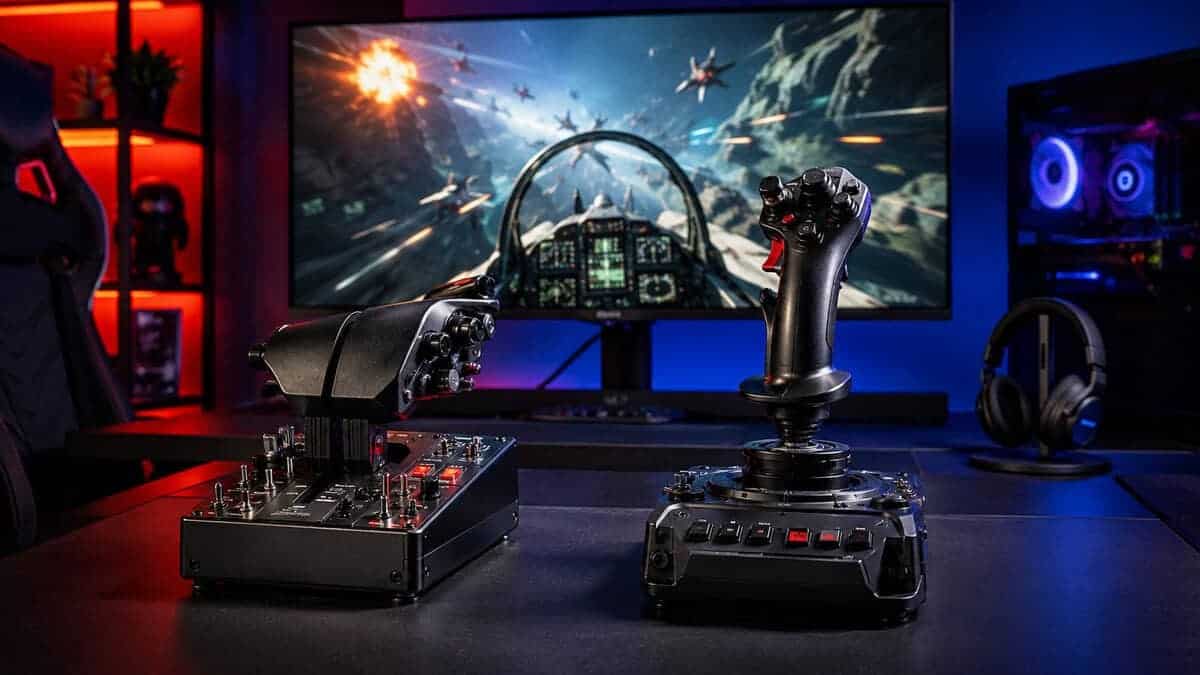
A heavier base improves stability because the stick fights your hand less during small corrections. The Thrustmaster HOTAS Warthog is a clear example, with a heavy over-6-lb metal unit, 19 action buttons, an 8-way POV hat, and H.E.A.R.T Hall Effect magnetic sensors with 16-bit resolution that are explicitly positioned for precision that won’t decrease over time Thrustmaster HOTAS Warthog. That kind of construction matters when you’re trimming an approach or holding a steady bank in a sim. It’s not just premium for show, it helps the stick stay planted.
Not every buyer needs a tank. But if a base flexes, slides, or feels hollow, you’ll notice it in fine control more than you expect. The same goes for the grip materials and the resistance curve. A lighter stick can still be useful, but only if the rest of the design supports control instead of fighting it.
Controls should match your actual use
A dense button layout sounds good until you have too many controls you never touch. What matters is whether the stick gives you enough inputs for your main games without forcing awkward keyboard reaches. For shared setups, ambidextrous design can matter more than raw control count because it lets more than one person use the same stick comfortably.
For budget-minded buyers, the Thrustmaster TCA Sidestick Airbus Edition is a good example of practical layout over spec bloat, with 17 mappable buttons, an integrated throttle with thrust reverser, and a 1:1 A320 sidestick shape. That’s the kind of layout that works for a lot of players without pushing them into a cockpit-style control cluster they won’t use.
If your setup also leans into fighting games or other controller-heavy genres, you’ll want similar discipline about what matters and what doesn’t. Our best controller for fighting games guide uses the same idea, buy for inputs you’ll use, not for marketing density.
Flight Stick Picks for Every Budget
Cheap sticks look attractive on paper, but the cost shows up later. If you fly often, a low-end stick with a basic potentiometer can start to feel loose, drift, or wear in a way that pushes you toward replacement sooner than you expected. A better purchase is the one that holds its centering, keeps its inputs consistent, and avoids sending you back into the market for an upgrade after a few months of use.
For value buyers, the right pick depends on how long you plan to keep it and how many functions you need on the stick itself. A sim pilot who flies a few evenings a week has very different needs from someone building a cockpit-like desk for daily use, or from a streamer who wants extra buttons for scene changes and quick mic toggles.
| Model | Sensor Type | Controls | Platform | Best For |
|---|---|---|---|---|
| Thrustmaster T16000M FCS | H.E.A.R.T Hall effect | 16 buttons, 8-way hat, twist rudder | PC | All-round sim and space combat |
| Thrustmaster TCA Sidestick Airbus | Hall effect | 17 buttons, built-in throttle and reverser | PC | Airliner flying in flight sims |
| Thrustmaster T-Flight Hotas One | Potentiometer | 14 buttons, throttle included | Xbox and PC | Console pilots who want a throttle in the box |
The Thrustmaster TCA Sidestick Airbus Edition makes more sense for budget-conscious buyers who want a clean, useful control layout. The 1:1 Airbus sidestick shape puts the controls where the aircraft expects them, and the integrated throttle keeps the footprint manageable. It is the kind of stick that can handle casual flight sessions and general PC use without feeling bloated, which matters if you care more about long-term value than box-fresh feature lists.
Hall effect sticks deserve a closer look if you plan to keep the hardware for a while. The sensor choice matters because it reduces drift risk and usually holds a steadier feel over time than a cheap potentiometer design. That does not automatically make every Hall effect stick a good buy, but it does shift the cost equation in your favor when the alternative is replacing worn parts or replacing the whole stick.
If you also use console hardware in the same room, the best Xbox Series X accessories guide is worth a look for ecosystem planning. A flight stick does not exist in isolation, and the rest of the setup should match how you play.
Real-World Performance Across Different Games and Platforms
A good flight stick should earn its place in more than one game. In a deep sim, you notice sensor smoothness, centering stability, and whether the grip holds up during long sessions. In space combat, quick access to hat switches and buttons matters more because you’re juggling targeting, thrusters, and weapon groups while still making small corrections.
For Microsoft Flight Simulator 2024, the best sticks are the ones that let you fine-tune approaches without fighting drift or soft centering. That’s where Hall effect sensing pays off over time. The same benefit carries into DCS-style flying, where precision inputs matter on every approach, every hover, and every landing. In more arcade-leaning space games, a control-rich setup can help, but only if the stick stays readable under pressure.
The stick that works in one genre but gets annoying in another usually fails on layout, not on raw precision.
Platform support is another place where buyers get burned. Microsoft’s own hardware guidance makes it clear that console compatibility is device-specific, and some sticks are built around Xbox and PC ecosystems rather than universal cross-platform use Microsoft Flight Simulator hardware guidance. That matters if you want one controller across PC and console without switching profiles, losing features, or discovering that half the bindings don’t carry over cleanly.
Streaming setups add a different angle. Extra buttons can be useful for scene switching, mute toggles, or quick app shortcuts, but a dense layout only helps if the software is stable and the stick is easy to reach. That’s where practical, midrange hardware tends to beat bargain gear, because reliability matters more than having the highest advertised button count.
Setup and Tuning Tips for Maximum Performance
A flight stick can feel bad for reasons that have nothing to do with the hardware itself. Dead zones, response curves, and sloppy button mapping often create the impression of lag or drift when the core issue is configuration. Start by calibrating the stick in Windows, then test the center point and full range of motion before changing anything else in your sim.
Set the stick up for how you play
Map the functions you use most often to the easiest-to-reach buttons. That usually means trim, look controls, gear, flaps, weapon select, or camera functions close to your thumb and index finger. If you stream or multitask, reserve a couple of easy presses for app switches or mute controls so you’re not stretching for the keyboard in the middle of a session.
A good mapping setup should reduce strain, not show off how many buttons the grip has. If you need to look down every few minutes to remember where something is, the mapping is too busy. Keep the important controls consistent across games so muscle memory carries over.
Fix drift before it spreads
If the stick starts to drift, don’t jump straight to blaming the game. Recalibrate first, then check whether the dead zone is too tight for the hardware’s current condition. If the problem keeps returning, wear is probably the culprit, especially on older potentiometer-based sticks.
Software support matters too. Some sticks rely more heavily on proprietary drivers and profile tools, while others are closer to plug-and-play. Either way, update firmware when the manufacturer provides it, because old firmware can leave you chasing problems that are already fixed. If you also deal with general PC responsiveness, our guide to fixing input lag covers the basics that affect every controller on the desk.
The broader system should be tuned as well. A stick can’t compensate for a badly configured machine, so check power settings, background apps, and game-specific input options if the controls feel inconsistent. Our Windows 11 gaming optimization guide is a useful companion if the whole setup feels sluggish.
Bottom line: the best tuning change is usually boring. Clean calibration, sensible bindings, and current firmware beat random sensitivity tweaks every time.
HOTAS or Single Stick: Making the Right Choice
The right flight stick is the one that survives your real use case without forcing an early replacement. If you fly often, prioritize Hall effect sensing and a solid base. If you want lots of bindings, make sure you’ll use them, because control density only pays off when it matches your games. If you split time between PC and console, verify compatibility before you buy, since support is still device-specific.
A simple way to decide: choose Hall effect if you care most about long-term value, choose a midrange control-rich stick if you map a lot of functions, and choose a lighter budget model only if you’re testing the hobby or flying occasionally. Once you start using the stick for more than a few hours a week, the cheap option stops being cheap very quickly.
If you outgrow the stick, add accessories in this order: throttle support, then rudder pedals, then a fuller HOTAS-style setup. That path keeps spending aligned with actual needs instead of forcing a one-shot upgrade that overshoots your budget. The best value comes from buying enough stick for today, with a clear path for tomorrow.
Flight sims are also one of the best uses for VR, and our budget VR headsets for PC guide covers the affordable options.
Flight Stick Questions Answered
A few things come up again and again once people start shopping for a stick. Here are the short answers.
Do I really need Hall effect sensors, or is a potentiometer stick fine?
Potentiometer sticks work well on day one. The difference shows up over time, because a potentiometer relies on a physical wiper dragging across a track, and that contact slowly wears. That wear is what produces the drifting centre and twitchy inputs people complain about after a year or two.
Hall effect sensors read a magnetic field instead, with nothing touching anything, so there is no wear surface to degrade. If you fly regularly, that is the single feature most worth paying up for.
Will a flight stick work on Xbox or PlayStation?
Most will not. The majority of flight sticks are PC only, because console flight sims require officially licensed hardware to be recognised.
On Xbox, look specifically for a licensed model such as the T-Flight Hotas One. PlayStation support is thinner still, so always confirm the platform on the listing before buying rather than assuming a USB connector means it will work.
Do I need rudder pedals as well?
Not to start. Most sticks include a twist rudder axis, where rotating the grip controls yaw, and that is enough to fly properly and land without drama.
Pedals give you finer control and free your hand from the twisting motion, which matters most for crosswind landings and for combat manoeuvring. Treat them as a later upgrade once you know the hobby has stuck.
What causes flight stick drift, and can I fix it?
Drift usually means the stick no longer reports true centre, so your aircraft rolls or pitches with your hand off the controls. On potentiometer sticks it is typically wear or dust in the sensor track.
Start with a deadzone adjustment in the game or in the manufacturer software, which masks small errors. Recalibrating often helps too. If drift keeps returning after calibration, the sensor itself is degrading and no software setting will genuinely fix it.
Is a full HOTAS better than a single flight stick?
A HOTAS pairs a stick with a separate throttle unit, which lets you manage power without taking your hand off the controls. For flight sims and space sims with a lot of systems to manage, it is a real ergonomic gain.
If you mostly fly casually or your desk is short on space, a single stick with an integrated throttle lever covers the basics for less money and less clutter. Buying a stick first and adding a throttle later is a perfectly sensible path.
If you want more value-first gear advice like this, visit Budget Loadout for practical picks that focus on durability, comfort, and long-term cost instead of hype. You’ll find straightforward guides that help you spend less on dead-end purchases and more on hardware that lasts.
Related Articles