You’re probably in the same spot most first-time PC VR buyers hit. You want something good enough to enjoy shooters, social games, sims, and the occasional long weekend session, but every headset choice seems to come with a catch. One is cheap but awkward to connect. Another looks great on paper but needs extra accessories. A third seems like the safe option until you realize wireless PC VR depends on more than just the headset.
That’s why the best budget VR headset for PC usually isn’t the one with the lowest sticker price. It’s the one that gives you the fewest bad surprises after purchase.
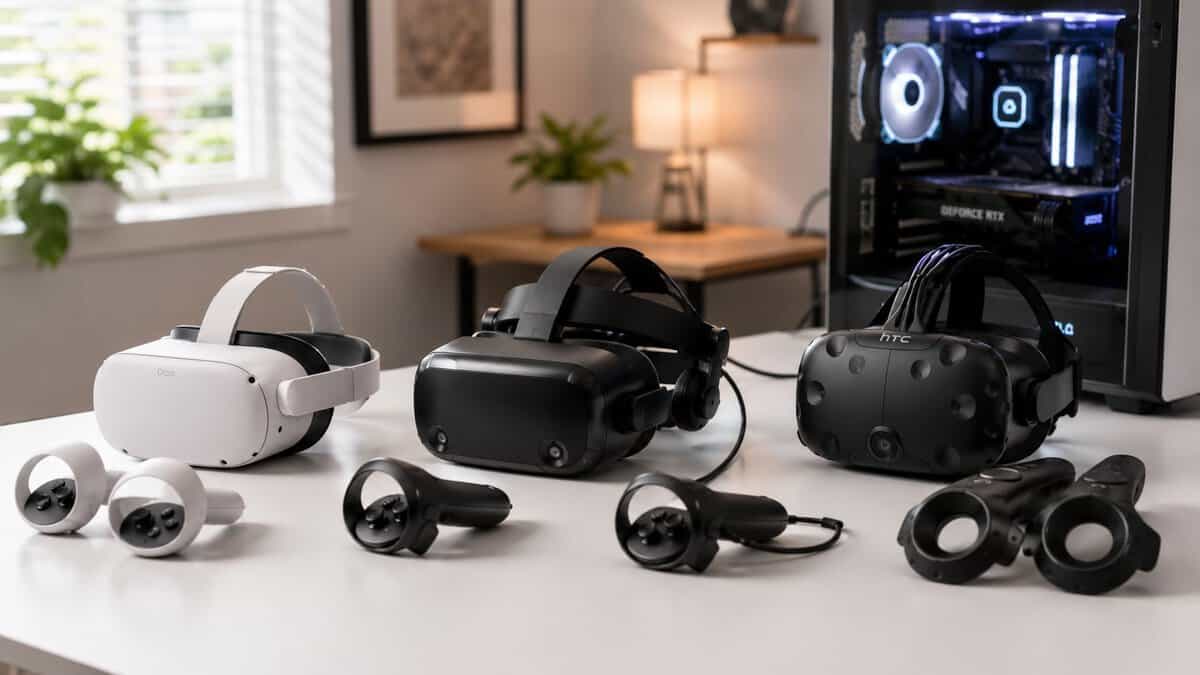
I look at VR gear through friction-adjusted value. That means the headset price matters, but so do the parts product pages gloss over. Connection method, controller reliability, comfort during long sessions, software hassle, and whether your PC is ready to run the thing all matter just as much. If your system still needs work before VR makes sense, start with a practical guide on how to build a gaming PC.
- Lowest-friction entry into PC VR
- Full standalone plus wired or wireless PCVR
- Huge game library and active support
- Fresnel lenses look slightly softer at the edges
- 128GB base storage fills up fast
- Best PCVR needs a Link cable or strong Wi-Fi
- Sharp pancake lenses, clearer PCVR image
- Double the graphics power and 512GB storage
- Best wired and wireless PCVR at this tier
- Costs noticeably more than the 3S
- Still benefits from a Link cable
- Overkill for casual standalone-only players
- For new, budget PC VR in 2026 the realistic picks are the Meta Quest 3S and Quest 3, both run standalone and connect to your PC over Quest Link.
- The Quest 3S is the lowest-cost, lowest-friction entry; the Quest 3 adds sharper pancake lenses and more storage for detail-heavy games.
- A dedicated tethered PC VR headset costs far more new, so a Quest plus a Link cable is the value path for most budget builders.
- Budget the hidden costs: a good USB 3.0 Link cable keeps wired PCVR low-latency, and strong Wi-Fi 6 handles wireless Air Link.
- Used headsets can stretch a budget further, but factor in worn batteries, scratched lenses, and controller drift before buying.
Table of Contents
Getting into PC VR Without Breaking the Bank
“Budget” in VR is slippery. In regular PC gear, budget usually means a clear price bracket. In VR, budget often means “lowest pain for the money you’re willing to spend.”
That’s an important distinction because a cheap headset can become expensive fast. You might need a better strap because the stock fit is bad. You might need stronger wireless performance because streaming stutters. You might need a specific video output on your graphics card. You might even find that the headset is fine, but the controller tracking ruins the games you want to play.
Practical rule: Buy for your real use case, not the marketing category.
For PC gamers, that usually splits into three camps:
- You want the easiest entry point: You care about simple setup, broad game access, and the option to play without wires.
- You want the sharpest PC image for the money: You mostly play seated games, care about visual clarity, and don’t mind older hardware.
- You want the absolute cheapest path in: You’ll accept compromises if the headset gets you into SteamVR without spending more than necessary.
Durability matters too, especially in budget buys. A headset can be a good value and still feel flimsy. Controllers can creak, straps can wear out, and face padding can age badly. Build quality isn’t just about luxury. It affects whether the headset still feels usable after months of regular sessions.
A good budget choice should survive normal gaming without feeling disposable. It should also match your tolerance for setup work. Some people enjoy troubleshooting. Most just want to put the headset on and play.
Understanding the Tiers of Budget PC VR in 2026
A lot of first-time buyers hit the same wall. The headset price looks manageable, then the true costs show up after checkout. A budget VR tier only makes sense if you count the friction too.
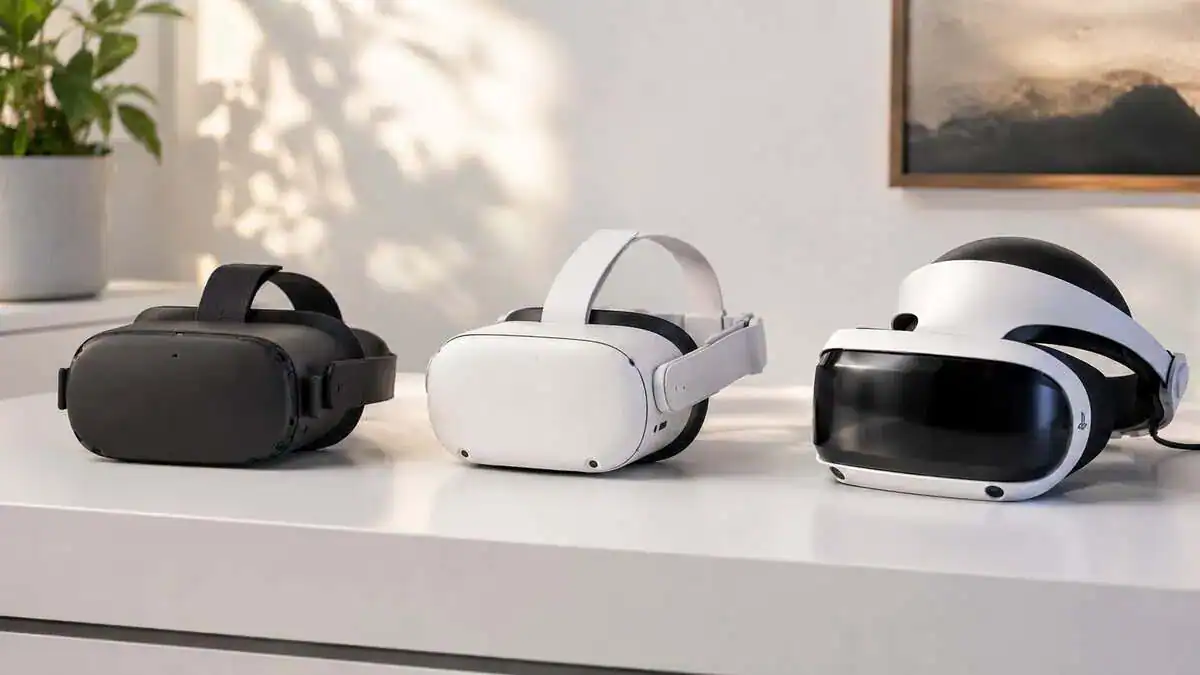
In 2026, budget PC VR splits into three practical tiers. The cheapest used standalone headsets get you in for the least money, but they also bring the highest risk of worn batteries, scratched lenses, weak straps, and mystery controller drift. New budget standalone models cost more upfront, but they usually save time, accessory money, and troubleshooting. Used dedicated PC VR headsets sit in the middle in a strange way. They can deliver better native PC image quality for the money, but only if you accept older hardware quirks and a narrower comfort zone for game types.
Ultra-budget used headsets
This tier is for buyers who care about price first and are willing to inspect hardware carefully. The upside is obvious. You can get into PC VR for very little money if you find a clean unit locally.
The catch is friction-adjusted value. Older standalone headsets often need extra spending before they feel decent to use for PC VR. A better head strap, replacement face foam, a cable for wired play, or a stronger router for wireless streaming can erase the savings fast. If the battery is tired or the lenses are marked up, the “deal” gets worse every time you put it on.
This tier works best for tinkerers, not for buyers who want a dependable first headset.
Modern wireless entry point
A current budget standalone headset is usually the safest buy for most PC gamers. You get active software support, fewer surprises, and a much lower chance of inheriting somebody else’s hardware problems. That matters more than the sticker price suggests.
The main reason this tier wins is reduced setup friction. You can start with standalone play, add PC VR later, and avoid some of the compatibility issues that come with aging dedicated gear. You still need to respect the hidden requirements. Wireless PC VR depends heavily on network quality, and wired streaming still asks more from your system than many product pages admit. If you’re unsure whether your rig is ready, check your GPU against a guide to the best budget graphics card before you buy a headset.
For many buyers, paying more for a current budget model is cheaper in the long run because it cuts down on workarounds.
Dedicated PC VR value picks
Used dedicated PC VR headsets are where value gets interesting. If your priority is seated play and sharp native PC visuals, an older tethered headset can beat a cheap standalone on pure image quality per dollar. That is the strongest argument for this tier.
It also comes with the biggest asterisk. Setup can be less forgiving, replacement parts can be harder to find, and controller tracking is often less appealing for fast room-scale games than for sims or cockpit play. I usually point clarity-first buyers toward this tier only if they already know what they play. Flight sims, racing sims, and slower seated games make the trade-off easier to justify. Full-room VR and hassle-free setup do not.
A low purchase price matters. A headset that fits your games, your PC, and your patience matters more.
The Top Budget PC VR Contenders Compared
For a new headset on a budget, two picks do almost all the work: the Meta Quest 3S for the cheapest, lowest-friction way in, and the Meta Quest 3 when you want sharper lenses and more storage. Both are standalone headsets that stream PC VR over Quest Link, so you are never locked into a tethered setup.
A cheap headset can save you money at checkout and still waste your weekend. The comparison is not new versus used. It is how much friction you are buying along with the headset.
That matters more in PC VR than in almost any other PC gaming upgrade. A newer wireless entry point usually costs more up front but asks less from you on day one. A used dedicated PC headset can deliver better native PC image quality for the money, but only if you are willing to deal with older cables, setup quirks, and a smaller margin for error. If you are still sorting out monitor and headset outputs on your GPU, it helps to understand DisplayPort vs HDMI for gaming before you buy.
Here is the practical breakdown.
| Specification | Meta Quest 3S | Meta Quest 3 |
|---|---|---|
| Best for | Lowest-cost entry into PC VR | Sharpest visuals and more storage |
| Lenses | Fresnel | Pancake, sharper edge to edge |
| Storage | 128GB | 512GB |
| PC VR connection | Quest Link cable or Air Link | Quest Link cable or Air Link |
| Main drawback | Softer edges, storage fills fast | Costs noticeably more |
Modern wireless entry point
This is the safest recommendation for most first-time PC VR buyers.
You are paying for fewer headaches as much as for the headset itself. Setup is usually easier, software support is current, replacement accessories are easier to get, and you can start with standalone play if your PC is not fully ready yet. That flexibility has real value.
The compromise is the connection path. Your PC has to render the game, then compress and send it to the headset. If your network is inconsistent or your USB setup is flaky, image quality and latency can suffer. For slower games, social VR, rhythm games, and general use, that trade-off is often fine. For sim players who stare at gauges, mirrors, and small text, it is less convincing.
I usually recommend this category to buyers who want VR to be used often, not tuned endlessly.
Dedicated PC VR value pick
This is the best value only for the right buyer. For seated PC gaming, it can still be the smartest place to spend less.
A native tethered headset cuts out the extra streaming layer, which means cleaner image delivery and fewer variables between your GPU and your eyes. That shows up most clearly in racing sims, flight sims, and other games where distant detail and cockpit text matter. If image clarity is your priority, a good used unit in this category can beat a cheap new wireless headset on raw PC presentation.
The catch is ownership friction. Used dedicated gear often comes with the usual old-hardware problems. Cable wear, missing parts, harder-to-find replacements, and fussier setup. Controller tracking is also less appealing for active room-scale games, especially if you play fast shooters or anything that asks for wide arm movement.
I would buy this category for a sim rig. I would not put it at the top of the list for a first VR setup in a living room.
Ultra-budget used option
This category works best as a test purchase. It answers one question cheaply. Do you want to keep playing PC VR after the novelty wears off?
That makes it useful, but only when the price is low enough to justify the compromises. Older used wireless headsets can still handle PC VR, and they often have a large accessory market, familiar setup guides, and enough community knowledge to get you running. That is the upside.
The downside is wear. Straps flatten out. Face foam gets rough. Controllers may have drift, sticky buttons, or battery door issues. Lenses can carry scratches that photos conveniently hide. By the time you replace the uncomfortable parts, the bargain can disappear.
This tier makes sense for careful local deals, not blind auction buys.
The best budget VR headset for PC, ranked
- Modern wireless entry point for the best balance of price, support, and low-friction PC VR
- Dedicated PC VR value pick for seated play and sharper native visuals
- Ultra-budget used option only when the used price is low enough to leave room for fixes and accessories
Your PC Build and the Hidden Costs of Connection
For wired PC VR, the cable matters more than most buyers expect. A long, high-speed USB 3.0 cable like the UGREEN VR Link Cable keeps latency low and doubles as a fast-charging cable, without paying for the pricier first-party option. If you prefer wireless, a strong Wi-Fi 6 router on a 5 GHz connection makes Air Link smooth enough for most games.
A cheap headset stops being cheap the minute it fights your PC.
That is the part first-time buyers miss. Two headsets can land in roughly the same budget range, but one asks for a clean GPU output, the right cable, and patience with older software, while the other asks for a good router, a charging habit, and tolerance for compression. Price matters. Friction matters more.
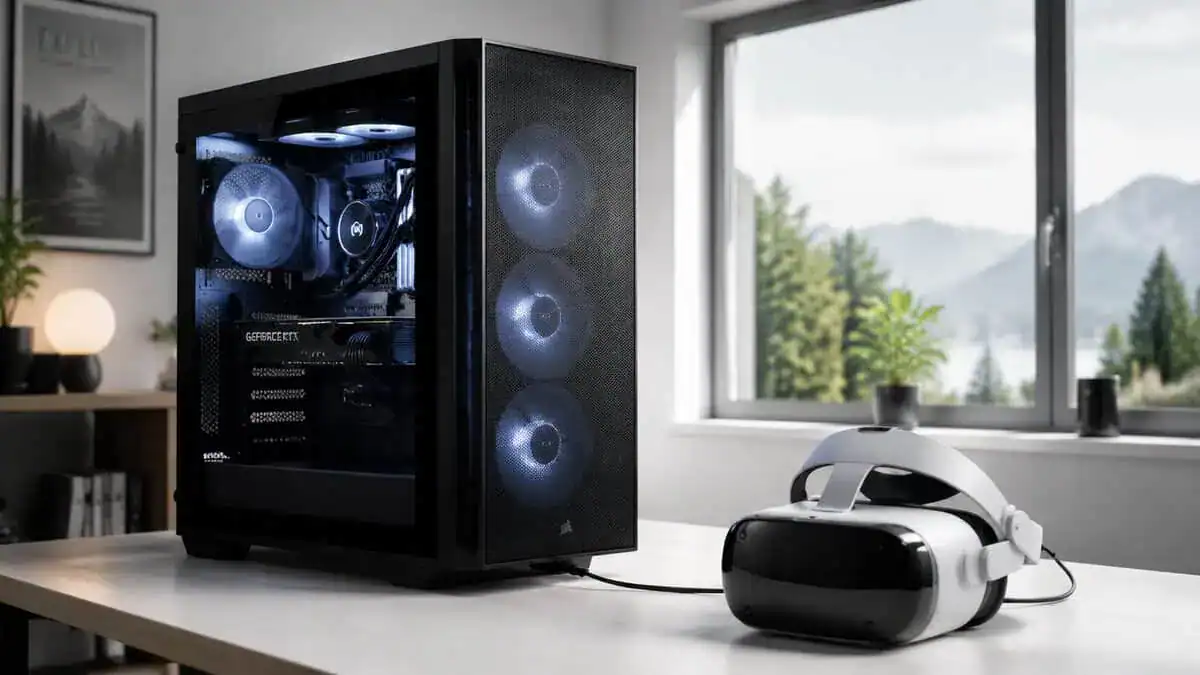
Native tethering versus PC streaming
A dedicated PC VR headset with DisplayPort usually gives you the cleaner signal path. Your PC renders the frame and sends it straight to the headset. Fewer moving parts usually means fewer weird problems.
A standalone headset used for PC VR adds another layer. Your PC still renders the game, then it compresses the video and sends it over a cable or your network. That extra step can look fine in slower games and still bother you in dark scenes, fast motion, or text-heavy menus. I have seen budget buyers blame the headset when the bigger problem was a crowded Wi-Fi setup or weak router placement.
If you are still sorting out ports on your graphics card, this guide to DisplayPort vs HDMI for gaming will save you from buying the wrong adapter and finding out too late that your headset is picky.
What actually adds cost
The hidden bill usually shows up in small pieces, not one painful checkout screen.
- GPU headroom: A PC that feels fine on a monitor can fall apart in VR, especially once you raise render resolution.
- Ports and adapters: Older dedicated headsets often expect a specific connection. Cheap adapters are a gamble.
- Router quality: Wireless PC VR can be excellent, but only if your network is stable and your play space is set up for it.
- Comfort fixes: Replacement straps, facial interfaces, and longer cables can erase part of the savings fast.
- Setup time: Used PC VR gear often costs less cash and more patience.
That last point matters more than spec sheets suggest. A used dedicated headset can be a great value for someone with a desktop GPU, the right outputs, and a seated setup for sims. For that buyer, the sharper native image and direct connection can outweigh the age and hassle. For a first-time VR buyer with a midrange PC, average home Wi-Fi, and no interest in troubleshooting driver oddities on a weeknight, a newer standalone headset often delivers better friction-adjusted value even if the sticker price is higher.
Ask a harder question than “Will it run?” Ask whether it will run well enough, often enough, that you will keep using it after the first weekend.
That is why your PC build changes the recommendation. A tidy, VR-ready desktop makes older dedicated hardware more appealing. A less predictable setup pushes the value toward newer hardware with better support, fewer missing parts, and less setup drama.
Performance Across Different Games and Use Cases
A headset can look like a bargain on a spec sheet and still be the wrong buy for the games you play. Performance in PC VR is not just frame rate or panel sharpness. It is how often the headset gets out of your way. For a seated rig, the VR headset guide for sim racing runs the same two picks against what a race actually asks for.
Fast shooters and active room-scale games
For shooters, rhythm games, and anything built around quick turns, the modern wireless option usually gives better friction-adjusted value. Freedom from a cable sounds like a small quality-of-life perk until you play for an hour and realize you stopped thinking about your feet, your spin direction, and where the wire ended up.
That freedom has a cost. Wireless PC VR lives or dies on local network quality, not your internet plan. A weak router, a crowded room, or a PC connected the wrong way can turn a good headset into a stuttery one. If you are planning to stream your PC to a headset, read this guide on whether Wi-Fi or Ethernet is better for gaming setups before you buy around that feature.
The dedicated PC-tethered headset still works for room-scale, but it asks more from the user. Cable management matters. Tracking quirks matter more once you start moving aggressively. Used hardware also tends to show its age fastest in this category because controllers take the abuse.
MMOs, social VR, and long sessions
Long sessions expose the stuff product pages barely mention. Face pressure. Heat. Controller battery life. Whether the strap starts annoying you after 45 minutes.
The older used standalone can still do this job well enough if the price is right and the headset is clean, complete, and comfortable on your face. I would only call it a smart buy if you already know you are okay with older ergonomics and a little setup compromise. Cheap VR that feels annoying to wear does not stay cheap for long once you start buying straps and replacement padding.
The dedicated PC-tethered headset makes more sense here for seated social use, virtual desktop use, or slower exploration games where image clarity matters more than moving around the room. If your sessions involve constant standing, reaching, and turning, the modern wireless option is usually easier to live with.
Sims, racing, and flight
Cockpit games change the value equation.
For racing and flight sims, the dedicated PC-tethered headset often punches above its used price because direct PC image quality matters more here than cable freedom. You spend your time reading gauges, spotting braking points, checking mirrors, and looking into the distance. A cleaner image helps every minute of the session.
The trade-off is setup friction and long-term support risk. If you mainly play seated sims and your PC already matches the headset’s connection needs, that trade can be worth it. If your desktop needs adapters, your play area changes often, or you switch between sim games and active VR, the modern wireless option is usually the safer buy even if the raw image is not as clean.
In cockpit games, clarity often beats mobility. In room-scale action games, mobility usually wins.
Streaming and content capture
For streaming, consistency matters more than headline specs. The headset that reconnects quickly, behaves predictably, and lets you switch use cases without a fight tends to get used more.
That favors the modern wireless option for most budget buyers. It is usually better for mixed content, casual showcases, fitness, and variety streams where you do not want every session to start with troubleshooting. The dedicated PC-tethered headset is more of a specialist pick. It makes the strongest case when your content is built around seated simulation and you are willing to accept extra setup work in exchange for sharper PC visuals.
How to Find Real Value in Used Markets and Accessories
A cheap listing can turn into an expensive VR purchase fast.
The key comparison is not just used versus new. It is friction-adjusted value. A used DisplayPort headset can still be the smarter PC VR buy if you care about sharp native image quality, mostly play seated, and already have the right ports and enough patience for older hardware quirks. A new wireless headset usually costs more up front, but it saves time, cuts setup drama, and often needs fewer problem-solving sessions to stay usable week to week.
That difference matters more than the sticker price.
What to inspect before buying used
Used VR hardware has a few parts that decide whether the deal is good or a headache. If any of these are worn out, the savings disappear quickly.
Check these before you hand over money:
- Lenses: Scratches, haze, sun damage, and aggressive cleaning marks are much more distracting in a headset than on a monitor.
- Controllers: Test stick drift, trigger feel, tracking stability, battery doors, and battery contacts.
- Cable condition: On tethered headsets, a flaky cable is one of the fastest ways to turn a bargain into e-waste.
- Facial interface and strap: Flattened foam, loose adjustments, and cracked plastic all affect comfort more than buyers expect.
- Replacement parts: Make sure missing pieces can still be bought at a sane price. Some older headsets are cheap because one broken part is hard to replace.
If possible, ask the seller to show the headset working in a game, not just powered on in a menu.
Accessories that change the real price
Accessories are part of the purchase price, not a bonus category you figure out later. That is where a lot of budget buyers get caught. The cheap headset often needs another round of spending before it becomes comfortable enough to use regularly.
The common extra costs are predictable:
- A better head strap: Stock straps are often the first thing people replace.
- A fresh face pad: Sometimes for comfort, sometimes for hygiene, sometimes both.
- Prescription inserts or a glasses workaround: This affects comfort and image clarity every session.
- Cable routing: Tethered VR feels much better with a basic overhead plan or a cleaner route around your desk. Good PC cable management for VR setups prevents a lot of the annoyance people blame on the headset itself.
- A stronger home network setup: Wireless PC VR lives or dies on router placement and signal quality.
A clean used bundle with upgraded comfort parts is often worth more than the lowest-priced bare headset.
One more practical tip. If you are buying second-hand through eBay, learn how to get cashback on eBay before you check out. That small saving can cover a replacement face pad or part of a strap upgrade, which is exactly the kind of hidden cost that decides whether a budget VR buy still feels like good value after the first week.
Final Verdict: Which Budget VR Headset Should You Buy
In practical terms, the Meta Quest 3S is the budget PC VR pick for most people: the easiest setup and the lowest cost into SteamVR. Step up to the Meta Quest 3 only if sharper pancake lenses and extra storage are worth the jump.
A cheap headset can save you money on day one and waste your time every weekend after that. For PC VR, the better buy is usually the one with the lowest friction after setup, not the one with the lowest listing price.
For most buyers, the safest pick is a newer budget standalone that can also connect to a PC. It usually costs more up front than older used PC-only hardware, but the trade-off is easier setup, fewer compatibility headaches, better controller support, and a much lower chance that you spend your first night troubleshooting instead of playing.
A used dedicated PC headset still makes sense for a specific type of buyer. If you mainly play seated sims, care more about image sharpness than convenience, and do not mind dealing with older cables, tracking quirks, and replacement parts, used dedicated gear can still be the stronger value. The price can look excellent. The friction is real.
Older used standalone models only make sense when the deal is clean, complete, and cheap enough to leave room for comfort upgrades. If the strap is worn out, the face pad needs replacing, and you still need a better wireless setup, the bargain usually disappears fast.
My practical rule is simple. Buy the newer all-rounder if you want PC VR with the fewest setup fights. Buy used dedicated hardware if you know exactly why you want it and you are happy to accept the maintenance that comes with it. Skip ultra-cheap listings that only look good before you add the missing parts.
If you’re buying used, it’s worth learning how to get cashback on eBay so a second-hand headset deal remains a deal after fees and accessories.
The best budget VR headset for PC is the one you will keep using after the novelty wears off, because it fits your PC, your games, and your tolerance for hassle.
Frequently Asked Questions
Quick answers to common questions about the best budget VR headset for PC.
Can the Meta Quest 3S do PC VR?
Yes. The Quest 3S is a standalone headset, but it connects to a gaming PC over Quest Link, either with a USB-C cable or wirelessly through Air Link, to play SteamVR and other PCVR titles. You get standalone games and PC VR from one headset.
Do I need a powerful PC for budget VR?
For PCVR you want a reasonably modern GPU, ideally an RTX 3060 or better, plus a spare USB 3.0 port for a Link cable or strong Wi-Fi for wireless. Lighter SteamVR games run on less, but demanding titles reward more GPU power.
Is a wired or wireless connection better for PC VR?
Wired over a good USB 3.0 Link cable is the most consistent, lowest-latency option. Wireless Air Link is more convenient and works well on a strong 5 GHz Wi-Fi 6 network, but it is more sensitive to interference. Many players keep a cable as a backup.
Should I buy a used VR headset to save money?
You can, but weigh the risks. Used standalone headsets often have worn batteries, scratched lenses, weak straps, or controller drift, and older PC-tethered headsets bring setup quirks. A new Quest 3S usually costs more upfront but saves time and accessory money.
Is the Quest 3 worth it over the Quest 3S for PC VR?
If image clarity matters, yes. The Quest 3 uses sharper pancake lenses, has double the graphics power, and ships with 512GB of storage. For casual play or the tightest budget, the 3S delivers the same easy PCVR streaming for less.
If you’re building a gaming setup piece by piece and want fewer bad buys, Budget Loadout is worth bookmarking. It’s built for gamers who care about value, durability, and practical performance instead of flashy spec sheets.
Related Articles