The wrong power supply in a small build does not fail quietly. It fails with the case half assembled, when the unit will not slide into its bay, the graphics card plug presses against the side panel, or the cables turn out to be twice as long as the space they have to hide in. An SFX PSU is the fix for the first problem, and choosing the right one fixes the other two.
Three units are worth buying without paying flagship money, and each SFX PSU here earns its place for a different reason. One is the default for most small builds, one is the lowest sensible price, and one trades a little extra length for a bigger and quieter fan. After the picks, this guide walks through the three fits that decide whether a unit works in your build: the case, the graphics card, and the cables.
The default for a small build. A standard SFX body, an angled graphics card plug that clears tight side panels, an ATX bracket in the box, and a long warranty.
- Angled 12V-2×6 plug suits narrow cases
- SFX-to-ATX bracket included
- Ten-year warranty and deep owner record
- No fan-off mode listed at light loads
- Short cables limit use in big cases
- Gold efficiency where rivals offer Platinum
The lowest price from a brand worth trusting. Current ATX 3.1 design, a slim graphics card plug built for tight clearances, and a fan that stays off at light loads.
- Lowest cost of the three picks
- Fan stays off at light loads
- Slim 12V-2×6 plug clears graphics cards
- Newer model with a short owner record
- ATX bracket not listed in the box
- Straight plug needs more side clearance
The quiet one. A longer SFX-L body makes room for a 120mm fan and Platinum efficiency, as long as your case has the extra length to spare.
- 120mm fan with a fan-off mode
- Platinum efficiency means less waste heat
- ATX bracket and ten-year warranty
- SFX-L length does not fit every case
- Most expensive pick here
- ATX 3.0 rather than the newer 3.1
- SFX and SFX-L are different sizes. They share a width and height, but SFX-L is longer, and some small cases only have room for true SFX.
- A 750W unit covers most single graphics card builds. Check the wattage your card maker recommends before paying for more.
- Look for ATX 3.0 or 3.1 with a native 12V-2×6 cable. It replaces a bulky adapter in a case that has no room for one.
- Short, fully modular cables are an advantage in a small case. Never reuse modular cables from a different power supply.
- If your case takes a full-size ATX unit, buy one. It costs less for the same wattage and runs quieter.
Table of Contents
The Short List
All three picks deliver 750W, use fully modular cables, and carry ten-year warranties. They differ in body length, fan size, efficiency, and how the graphics card cable is shaped. The spec sheet comes first, then each pick explains who it suits.
| Pick | Wattage | Form factor | Size (mm) | Efficiency | ATX standard | Graphics card cable | Fan | Fan-off mode | Warranty |
|---|---|---|---|---|---|---|---|---|---|
| Cooler Master V750 SFX Gold | 750W | SFX | 125 x 63.5 x 100 | 80 Plus Gold | ATX 3.1 | 12V-2×6 with 90-degree plug | 92mm FDB | Not listed | 10 years |
| Lian Li SP750 V2 | 750W | SFX | 125 x 63.5 x 100 | 80 Plus Gold | ATX 3.1 | Native 12V-2×6 with slim plug | 92mm FDB | Yes | 10 years |
| ASUS ROG Loki SFX-L 750W Platinum | 750W | SFX-L | 125 x 63.5 x 125 | 80 Plus Platinum | ATX 3.0 | 16-pin rated up to 600W | 120mm PWM | Yes | 10 years |
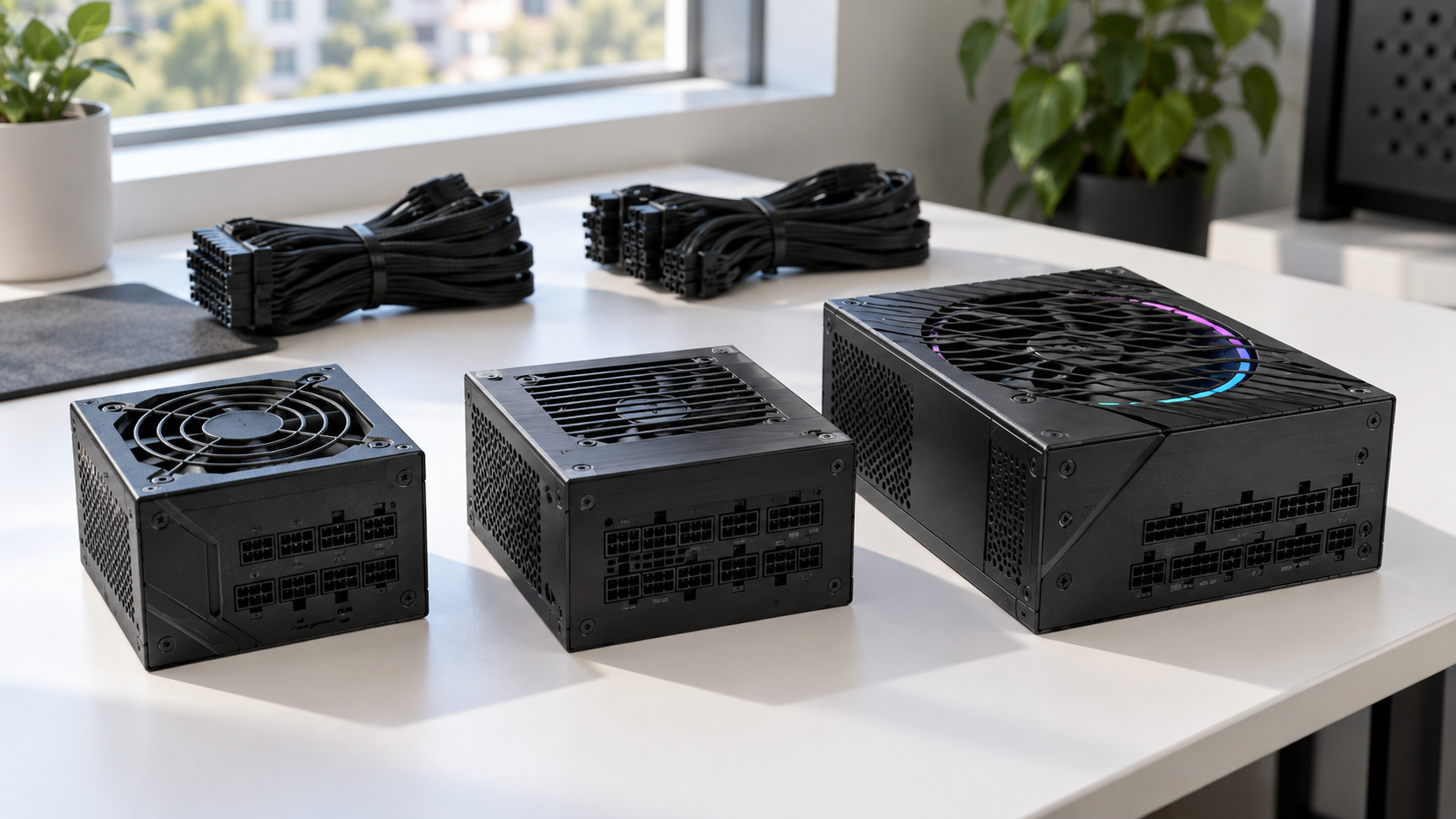
Cooler Master V750 SFX Gold: The Default SFX PSU
The Cooler Master V750 SFX Gold is the pick for most people because it gets the small-case details right. It is a true SFX body, so it fits any case with an SFX bay. The current version meets ATX 3.1, and its 12V-2×6 graphics card cable ends in a 90-degree plug. In a narrow case, that bend is the difference between a side panel that closes and one that presses on the cable.
It also covers the older connections a build might still need: four 6+2-pin graphics card plugs, two CPU power plugs, and eight SATA connectors. An SFX-to-ATX bracket comes in the box, so the unit can move into a bigger case later. Cooler Master backs it for ten years, and it has the longest owner record of any unit near its price.
In a small case, the shape of one plug matters more than the last few points of efficiency.
The tradeoffs are modest. Cooler Master does not list a fan-off mode, so expect the fan to turn at idle. The cables are cut short on purpose, which the listing itself notes may call for extensions in a larger case. If your graphics card asks for more than 750W, the Cooler Master V850 SFX Gold is the same design with more headroom.
Lian Li SP750 V2: The Lowest Sensible Price
The Lian Li SP750 V2 is the least you should pay for an SFX PSU. Cheaper SFX PSU options fill every search page, but they come from names with no track record, and a power supply is the one part that can take other parts with it when it fails. Lian Li is an established name in small cases, and this unit comes from that side of its catalog.
On paper it gives up nothing to the Cooler Master. It is a true SFX body with Gold efficiency, ATX 3.1, Japanese capacitors, and ten years of coverage. Its native 12V-2×6 cable uses a slim connector that Lian Li shaped to avoid pressing on the graphics card, with two-tone housings that show when the plug is fully seated. The 92mm fan has a zero RPM mode, so it stays off while the system idles or handles light work.
What you give up is history. The V2 is a recent release with far fewer owner reviews than the Cooler Master. Its graphics card plug is straight rather than angled, so check the gap between your card’s power socket and the side panel. Lian Li also does not list an ATX bracket in the box, which only matters if you plan to move it to a full-size case.
ASUS ROG Loki SFX-L 750W Platinum: The Quiet One
The ASUS ROG Loki SFX-L 750W Platinum is for the builder who cares most about noise. Its body is 25 mm longer than a true SFX PSU, and ASUS uses the space for a 120mm fan where the other two picks have 92mm fans. A bigger fan moves the same air at a lower speed. The unit carries a Lambda A noise certification, and its 0dB mode keeps the fan still until the load climbs.
SFX-L buys you a bigger fan. It also buys you a fit check the other two picks do not need.
It is also the only Platinum unit of the three, which means slightly less waste heat inside a small case. The 16-pin graphics card cable is rated up to 600W, an ATX adapter bracket is included, and the warranty runs ten years.
The tradeoffs are price and fit. It costs the most of the three, it follows ATX 3.0 rather than the newer 3.1, and the longer body rules it out of cases built tightly around true SFX. If you want Platinum efficiency in a true SFX body and can spend more, the Corsair SF750 is the premium choice, with ATX 3.1 support and compact Micro-Fit modular connectors.
Fit One: The Case
The first fit is physical. Small cases are designed around one power supply size, and the spec page for your case names it. If it says SFX, you need SFX. If it says SFX or SFX-L, you have a choice. If it says ATX, skip to the section on when a small unit is the wrong buy.
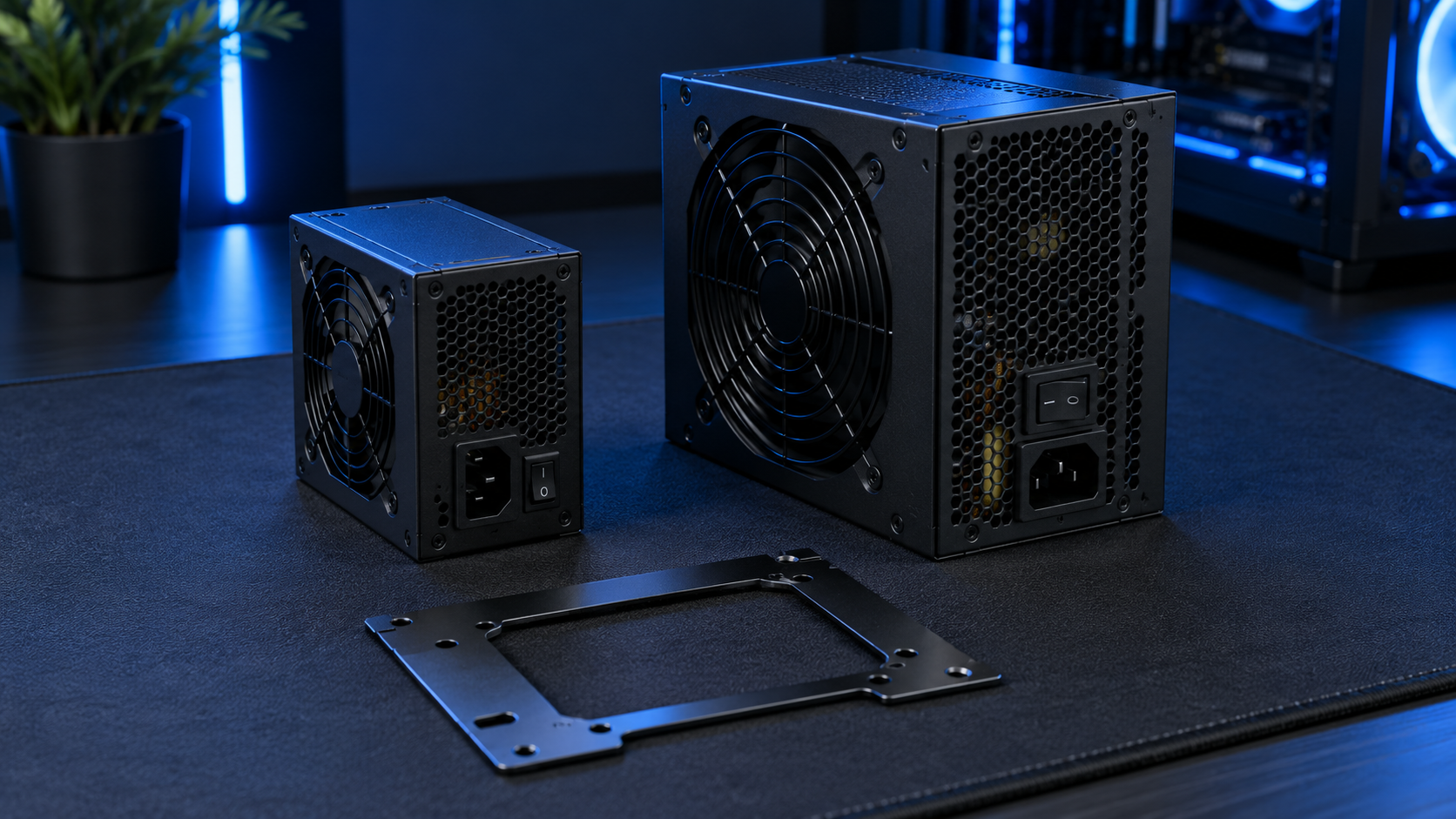
SFX vs SFX-L vs ATX in Millimeters
A standard ATX power supply is 150 mm wide and 86 mm tall, and most are 140 mm deep or longer. An SFX PSU is 125 mm wide, 63.5 mm tall, and 100 mm deep. SFX-L keeps the same width and height and stretches the depth, usually to 130 mm. The Loki is a little shorter than that at 125 mm.
That extra length is the whole question with SFX-L. Many small cases list support for both sizes. Some of the smallest, especially the sandwich-style cases where the graphics card sits behind the motherboard, are built tightly around the 100 mm depth. In those, a longer unit either will not mount or leaves no room for the cables to bend.
The Bracket Only Works One Way
An SFX-to-ATX bracket is a metal plate that lets a small power supply bolt into a full-size bay. It works in one direction only. You can put an SFX PSU in an ATX case, and some builders do it on purpose to free up room for cables, which is a preference and not a need. You cannot put an ATX unit in an SFX case, because there is nowhere for the extra size to go.
The Cooler Master and the Loki both include the bracket. If you are choosing parts for a case you have not bought yet, our guide to the best airflow PC cases covers full-size options that take a standard ATX unit and cost less to fill.
Fit Two: The Graphics Card
The second fit is electrical. The graphics card is the hungriest part in a gaming build, and it decides both how many watts you need and which cable has to reach it.
How Much Wattage a Small Build Needs
Every graphics card maker publishes a recommended power supply wattage on the card’s product page. Use that number. As a rough map, mid-range cards ask for 550W to 650W, upper-mid cards ask for 750W, and the most powerful cards ask for 850W or more.
That is why every SFX PSU in this guide is a 750W unit. It covers the cards that make sense in a small case, with headroom to spare, and it is where SFX pricing is most reasonable. If your card calls for 850W, the Thermaltake Toughpower SFX 850W is a Platinum-rated ATX 3.1 unit with a seven-year warranty.
Buy the wattage your graphics card asks for. Extra watts you never draw are just extra money in a small metal box.
The 12V-2×6 Plug and Why the Angle Matters
Current graphics cards take power through a single compact connector called 12V-2×6, an update of the earlier 12VHPWR plug. It can carry up to 600W through one cable. Intel’s ATX Version 3 design guide defines the connector and also requires the power supply to ride out the brief power spikes that modern cards produce. A unit labeled ATX 3.0 or 3.1 is built for both.
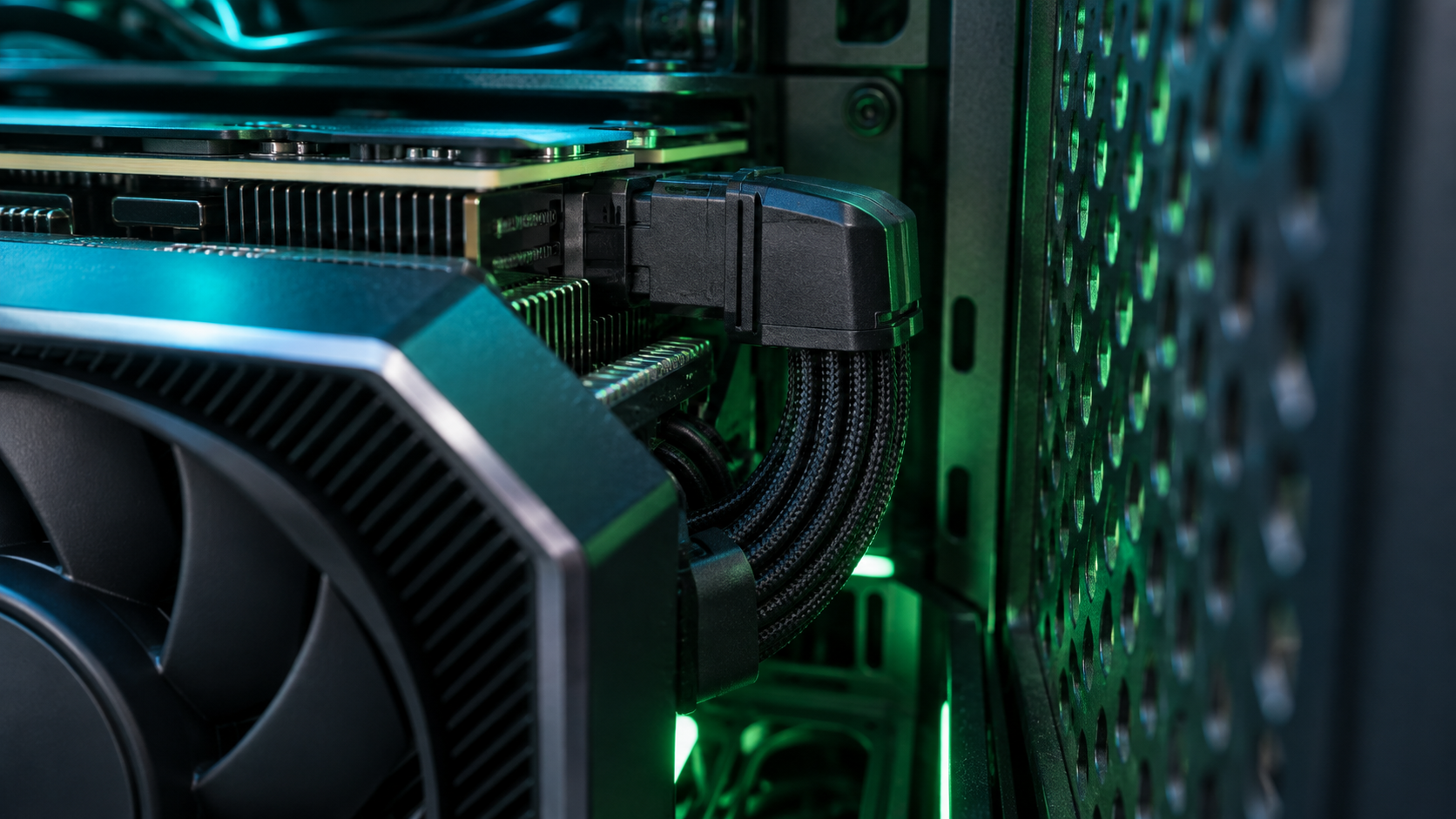
An older power supply can feed these cards through an adapter that joins two or three 8-pin plugs. In a small case that adapter is a thick bundle with nowhere to go. A native cable is one slim run from the power supply to the card.
The plug needs room too. It should sit fully seated with no sharp bend right behind the connector. In a case where the side panel sits close to the card, a straight plug may not leave enough space, which is where the Cooler Master’s 90-degree end helps. Measure from your card’s power socket to the panel before you choose.
Fit Three: The Cables
The third fit is the one people forget. A power supply is a box plus a bundle of cables, and in a small case the bundle is the harder part to place.
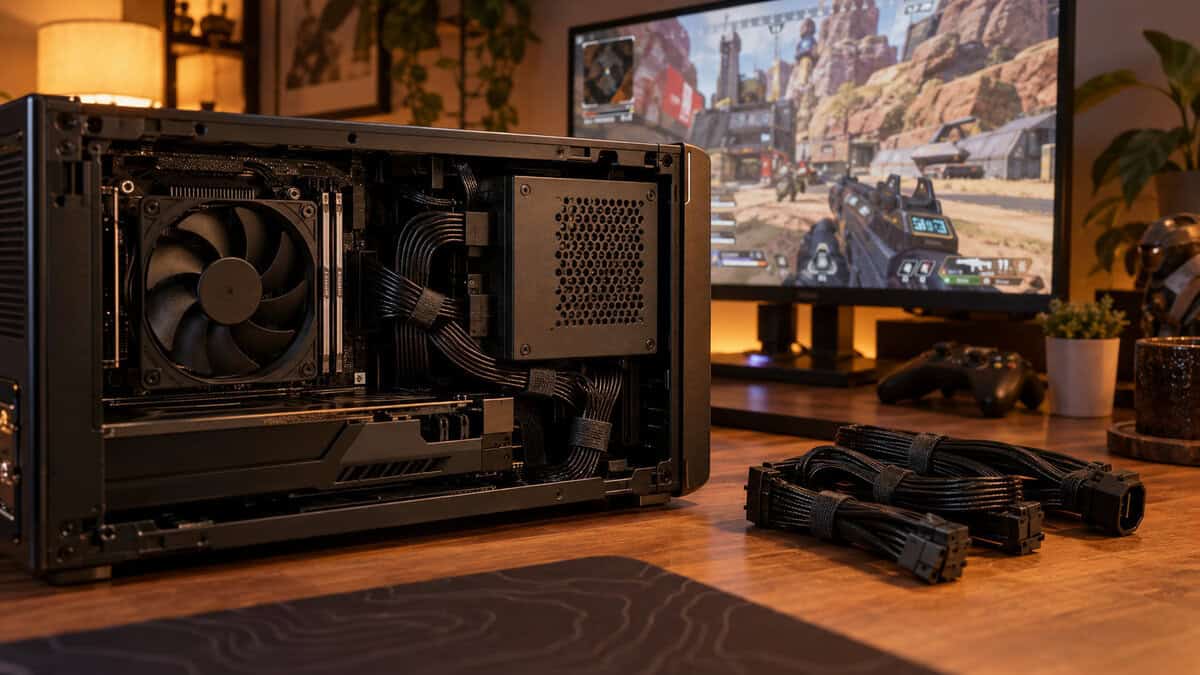
Short Cables Are a Feature
An SFX PSU ships with shorter cables than an ATX unit, and that is deliberate. Short cables mean less slack blocking the little airflow the case has. The flip side is that a short cable set may not reach in a mid tower, which matters if you plan to reuse the unit later with a bracket.
Fully modular is not optional at this size. It means every cable detaches, so you connect only what the build uses. Every unit in this guide is fully modular. Our PC cable management guide covers routing and tie-down habits that apply at any case size.
Never Mix Modular Cables
The plugs on the power supply end of modular cables look alike across brands, and even across models from one brand. The wiring behind them is not standardized. A cable from a different unit can fit the socket and send the wrong voltage down the wrong wire, which can destroy a drive or a motherboard the instant the system powers on.
Use only the cables that came in the box with your unit. If you want custom-length cables for a cleaner build, order a set made for your exact model. When you replace a power supply, remove the old cables along with it.
A modular cable that fits the socket is not proof that it belongs there.
Noise in a Small Box
A small case sits on the desk, close to your ears, with fewer panels between you and the fans. The power supply is one of those fans.
Fan Size Sets the Floor
A true SFX body has room for a 92mm fan at most. SFX-L exists largely to fit a 120mm fan. A larger fan can move the same amount of air while spinning slower, and slower means quieter. If silence is the priority and your case has the length, that is the argument for the Loki.
A fan-off mode, which brands call zero RPM or 0dB, stops the fan when the load is light. During browsing, video, and desktop work, the power supply makes no sound. The Lian Li and the Loki both have it. Under a gaming load every unit spins its fan, and by then the graphics card fans are usually louder than anything the power supply adds.
Which Way the Fan Faces
Most small cases mount the power supply so its fan faces a vented panel and pulls in fresh outside air. Check your case manual for the intended direction, and keep that vent clear. A power supply that breathes warm air from inside the case runs its fan faster and louder.
The rest of the build matters as much. A low-profile processor cooler working hard in a tight space is often the loudest part of a small PC. Our budget CPU cooler guide includes compact options worth pairing with any of these units.
Gold or Platinum in a Small Case
The 80 Plus label describes how much of the electricity pulled from the wall reaches your parts and how much is lost as heat. CLEAResult, the organization that runs the program, lays out each tier in its guide to 80 Plus ratings. Gold is the sensible baseline for a gaming build. Platinum is one step more efficient.
The saving on a power bill between the two is small. In a small case, the better reason to care is heat. Every watt a power supply wastes becomes warmth inside a box that has little airflow to remove it, and warmth makes every fan in the case work harder. A Platinum unit wastes a little less, so it adds a little less.
In a big tower, efficiency is about the power bill. In a small case, it is about heat.
What the Label Does Not Tell You
An efficiency badge is not a quality rating. It says nothing about how well a unit holds its voltages steady, how it handles sudden load changes, or how long it will last. A well-built Gold unit is a better buy than a poorly built Platinum one. Look to the warranty length and the maker’s track record for those.
That is why both Gold picks rank ahead of the Platinum one here. Treat Platinum as a bonus when the price gap is small, not as the reason to choose an SFX PSU. The SilverStone SX700-G is another Gold SFX option from a brand that has built small power supplies for years, though its listing does not mention a native 12V-2×6 cable, so it suits builds with graphics cards that use 8-pin plugs.
When an SFX PSU Is the Wrong Buy
An SFX PSU costs more than a full-size unit at the same wattage. That premium is worth paying only when the case requires it.
If Your Case Takes ATX
Plenty of compact cases, including many micro-ATX cases and some larger mini-ITX ones, accept a standard ATX power supply. If yours does, buy ATX. You get the same wattage for less money, a larger fan that runs quieter, and a much wider choice of models. Check the maximum power supply length in the case specs, since compact cases often cap it.
Our 750W and 850W power supply guides cover the full-size picks.
If You Want Small Without Building
A small-form-factor build is the most demanding kind of PC build. If what you want is a tiny, quiet computer for esports and older games, and the building is not part of the appeal, a ready-made mini PC gets there with no parts to match. Our mini PC gaming guide explains what those machines run and where they fall short. Pair one with an SFX supply and an open dock, and our external GPU guide shows how to add a desktop graphics card later.
Which Unit for Which Build
If the spec sheet left you between two units, this table sorts them by the build you are planning. One row per pick, read across.
| Pick | Best for this build | Case fit | Graphics card plug | Noise at idle | Skip it if |
|---|---|---|---|---|---|
| Cooler Master V750 SFX Gold | A narrow case where the side panel sits close to the card | Any SFX bay, ATX bay with the included bracket | Angled 90 degrees | Fan keeps turning | You want a silent desktop at idle |
| Lian Li SP750 V2 | A first small build on the tightest budget | Any SFX bay | Straight with a slim body | Fan off at light loads | Your panel leaves no room for a straight plug |
| ASUS ROG Loki SFX-L 750W Platinum | A desk build where quiet matters most | SFX-L bays only, ATX bay with the included bracket | Straight 16-pin | Fan off at light loads | Your case lists SFX only |
Frequently Asked Questions
The questions that come up most before buying an SFX PSU.
What is an SFX PSU?
It is a small power supply built to the SFX size standard: 125 mm wide, 63.5 mm tall, and 100 mm deep. It does the same job as a full-size ATX unit with the same connectors, in a body small enough for mini-ITX and other small-form-factor cases.
What is the difference between SFX and SFX-L?
SFX-L has the same width and height as SFX but a longer body, usually 125 to 130 mm deep against 100 mm. The extra length makes room for a larger and quieter 120mm fan. Not every SFX case has space for it, so check your case specs first.
Can I use an SFX PSU in an ATX case?
Yes, with an SFX-to-ATX bracket, which some units include in the box. The bracket lets the smaller unit bolt into a full-size bay. Check that the shorter SFX cables can reach your motherboard and graphics card, because they are cut for small cases.
Is 750W enough for a small gaming PC?
For most single graphics card builds, yes. Check the recommended power supply wattage on your graphics card’s product page. Mid-range and upper-mid cards ask for 750W or less. Only the most powerful cards call for 850W or more.
Are SFX power supplies louder than ATX?
They can be. A true SFX body fits a 92mm fan at most, which has to spin faster than the 120mm or larger fans in ATX units to move the same air. A fan-off mode keeps an SFX PSU silent at light loads, and an SFX-L unit with a 120mm fan closes most of the gap.
Looking for more budget gaming gear? Check out Budget Loadout for the latest reviews and recommendations.
Related Articles