Buy the wrong mesh kit and you find out on a Friday night, when the console in the back bedroom drops to two bars while the router blinks happily forty feet away. The best mesh WiFi system for a gaming home is not the one with the biggest speed badge on the box. It is the one whose satellites carry real Ethernet ports, hold a steady link back to the router, and land in the rooms where the games are actually played.
Three systems clear that bar at budget money. One is the all-rounder with three ports on every node, one is the two-node answer for a smaller place, and one brings Wi-Fi 7 and 2.5G ports for a fast internet plan. The sections below are organized by the shape of your home, because the floor plan decides the kit more than any spec does.
The system to buy when a console and a PC both need a cable at the far end of the house. Three gigabit ports on every node and coverage to spare.
- Three gigabit ports on every node
- Three nodes cover most two-story homes
- Wired backhaul works out of the box
- No 2.5G port for multi-gig plans
- Dual-band only so no 6GHz lane
- App setup requires a TP-Link account
The right kit for an apartment or a single-story home with one dead zone. Two nodes, two ports each, and the highest rating in the field.
- Cheapest Wi-Fi 6 mesh worth owning
- Two nodes are enough for most apartments
- Adds a third Deco later if needed
- Two ports per node fills up fast
- Slower 5GHz radio than the X55
- Two nodes strain in a large two-story
The pick for a multi-gig plan and a Wi-Fi 7 phone or laptop. Two 2.5G ports on each node and the simplest setup of the three.
- 2.5G ports on both nodes
- Wi-Fi 7 multi-link for newer devices
- Fastest setup of the three
- Only two ports per node
- Two nodes for the money of three Decos
- Advanced features sit behind a subscription
Picks and availability last verified: November 2, 2026
- The floor plan picks the kit. A long single-story house, a two-story house, and an apartment with concrete walls each want a different node count and placement.
- For gaming, the Ethernet ports on the satellite matter more than the speed badge. A console cabled to a node stops competing with every phone in the house for airtime.
- One Ethernet run between the router node and a satellite turns wireless backhaul into wired backhaul, and it is the single biggest upgrade a mesh can get.
- Wi-Fi 6 is still the value sweet spot. Dual-band Wi-Fi 7 kits earn their price through 2.5G ports and multi-link on new devices, not through raw range.
- Place the second node halfway to the dead zone, not in it. A satellite sitting in a dead zone has nothing to relay.
Table of Contents
Why Your Router Cannot Reach the Back Bedroom
A single router is a lamp. Its signal gets weaker with every wall it passes through, and drywall, tile, a refrigerator, and a staircase all take a bite. By the time it reaches the far bedroom it is a whisper, and a whisper is exactly what a console cannot work with. The game does not need much bandwidth. It needs a link that does not hiccup, and a weak link hiccups constantly.
A mesh system replaces the lamp with two or three lamps that talk to each other. Every node broadcasts the same network name, your devices hand off between them as you walk, and the far bedroom gets a strong signal from the node in the hallway instead of a weak one from the router by the front door. The Wi-Fi Alliance describes this shape in its overview of alternative network topologies, and the takeaway is simple: coverage is a placement problem before it is a speed problem.
What the Best Mesh WiFi System Changes for a Gamer
For a gamer the mesh does two jobs, and only one of them is wireless. The first is moving the strong signal into the room where you play. The second is putting an Ethernet port in that room, so the console or the desktop plugs into the satellite by cable and leaves the wireless airtime to the phones. That second job is why this guide weighs ports per node as heavily as coverage. A satellite with one port is a reason to buy a switch. A satellite with three is a small wired network in the back of the house.
Extender vs Mesh
An extender repeats the router’s signal on the same radio, which means it listens and talks in turns and hands your devices a second network name to juggle. It is the cheapest fix and the one that produces the most “why is my ping spiking” threads. Our WiFi extender guide covers where an extender still makes sense, which is one dead room on a tight budget. Two dead rooms, a second floor, or a console that needs a cable is mesh territory.
A mesh is not faster Wi-Fi. It is Wi-Fi that shows up in the room you are in.
Three Systems Worth the Money
Three systems, ranked on ports per node first, coverage per dollar second, and how much the app gets in your way third. The spec sheet comes first, then each pick explains what its numbers do in a real house.
| Pick | Wi-Fi standard | Bands | Rated speed | Nodes and coverage | Ethernet ports per node | Fastest port | Backhaul | Best for |
|---|---|---|---|---|---|---|---|---|
| TP-Link Deco X55 | Wi-Fi 6 | 2.4GHz + 5GHz | AX3000 | 3 nodes, up to 6,500 sq ft | 3 | 1 Gbps | Wireless or Ethernet | Two-story homes with a console and a PC on cable |
| TP-Link Deco X20 | Wi-Fi 6 | 2.4GHz + 5GHz | AX1800 | 2 nodes, up to 4,000 sq ft | 2 | 1 Gbps | Wireless or Ethernet | Apartments and single-story homes with one dead zone |
| Amazon eero 7 | Wi-Fi 7 | 2.4GHz + 5GHz | Plans up to 2.5 Gbps | 2 nodes, up to 4,000 sq ft | 2 | 2.5 Gbps | Wireless or Ethernet | Multi-gig plans and Wi-Fi 7 devices |
TP-Link Deco X55: Three Ports on Every Node
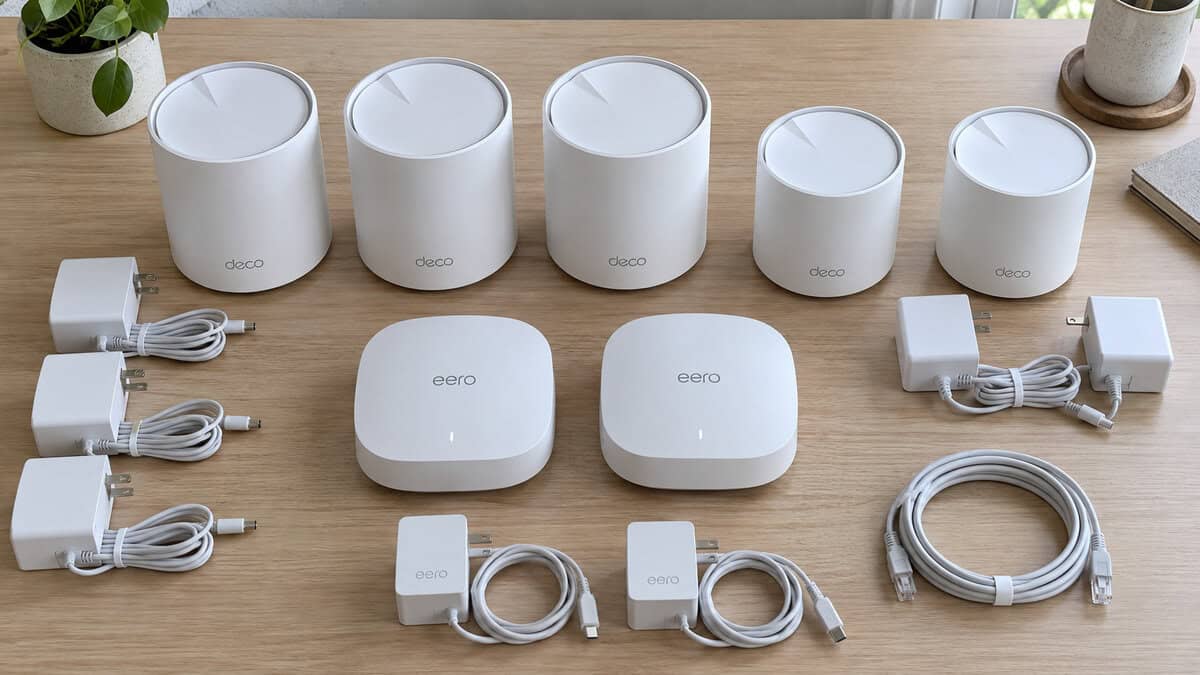
The TP-Link Deco X55 wins this guide on one line of its spec sheet: three gigabit Ethernet ports on every node. Plant a satellite next to the TV and the console, the streaming box, and a spare PC all plug straight in. Plant another in the office and the desktop gets a cable without a switch. The AX3000 radios are a proper Wi-Fi 6 pair, with a fast 5GHz band that carries the backhaul to the router node while the 2.4GHz band mops up the doorbells and smart plugs.
Three ports on a satellite is the difference between a mesh that covers the house and a mesh that wires it.
What you give up is the top end. There is no 2.5G port, so a multi-gig internet plan tops out at gigabit through this kit, and there is no 6GHz band for the handful of laptops that could use one. Setup runs through the Deco app and a TP-Link account, which is quick but not optional. If three nodes is more than the house needs, the same Deco X55 sells as a two-pack, and if you want to spend less on a smaller place, the X20 below is the same app with a lighter radio.
TP-Link Deco X20: The Two-Node Answer for Smaller Homes
The TP-Link Deco X20 is the kit for the apartment with one bad room or the single-story house where the router lives at the wrong end. Two nodes, two gigabit ports on each, and the highest rating of anything in this field. The AX1800 radios are a step down from the X55 on the 5GHz band, which matters less than it sounds when the second node sits twenty feet from the first and the console is on a cable.
The tradeoffs are about growth. Two ports per node means a console and a PC fill the satellite, and a third device needs a switch. Two nodes cover a large two-story house only if the router node sits centrally, which it rarely does. The good news is that Deco units mix, so a third X20 or an X55 joins the same network later without starting over. The older TP-Link Deco S4 three-pack is the cheaper Wi-Fi 5 version of this idea, with a huge review pool and slower radios, and it is the pick only if every device in the house is old.
Amazon eero 7: Wi-Fi 7 With 2.5G Ports
The Amazon eero 7 is the upgrade slot, and it earns it through ports rather than range. Each node carries two auto-sensing 2.5 GbE ports, so a multi-gig internet plan arrives at full speed and a PC with a 2.5G network card gets all of it by cable. Wi-Fi 7 brings multi-link operation, which lets a new phone or laptop hold both bands at once and ride out interference on one of them. The eero app is the simplest of the three, and the units are small enough to disappear on a shelf.
Dual-band Wi-Fi 7 is a ports upgrade first and a radio upgrade second. Buy it for the 2.5G jacks, not for the number on the box.
You pay for it twice. The two-pack costs more than three Decos while covering less floor, and the deeper parental controls and threat blocking sit behind eero’s subscription. Two ports per node also means a busy TV cabinet still wants a switch. If you want Wi-Fi 7 with three nodes, the TP-Link Deco BE25 three-pack matches the 2.5G ports for less money with a smaller review pool, and the Amazon eero 6+ three-pack is the Wi-Fi 6 version of the same app.
The Long House
A single-story ranch with the modem in the garage at one end and the bedrooms at the other is the classic mesh case, and the easiest one to get wrong. The instinct is to put the satellite in the dead bedroom. That satellite then has nothing to relay, because it is sitting in the same weak signal the bedroom already had.
Where the Second Node Goes
Put the second node about halfway between the router and the dead zone, in a spot where a phone still shows a strong signal from the router. That node gets a clean backhaul and re-broadcasts it into the far rooms at full strength. In a long house that usually means the hallway or the living room, out in the open rather than inside a cabinet. A two-node kit like the Deco X20 solves a long single-story house cleanly. A three-node kit like the Deco X55 lets the third unit sit by the console at the far end with ports to spare.
Height helps. A node on a shelf at chest level beats one on the floor behind a couch, and a node behind a metal appliance underperforms for no obvious reason. If the router itself is the bottleneck, our gaming router guide covers when a single stronger router beats a mesh in a smaller footprint.
The Two-Story Problem
Floors are worse than walls. A signal punching through a floor meets joists, subfloor, ducts, and whatever is under the carpet, and the room directly above the router is often weaker than the room next to it. Two-story homes are where three-node kits earn their keep and where node placement stops being intuitive.
Stairs Beat Ceilings
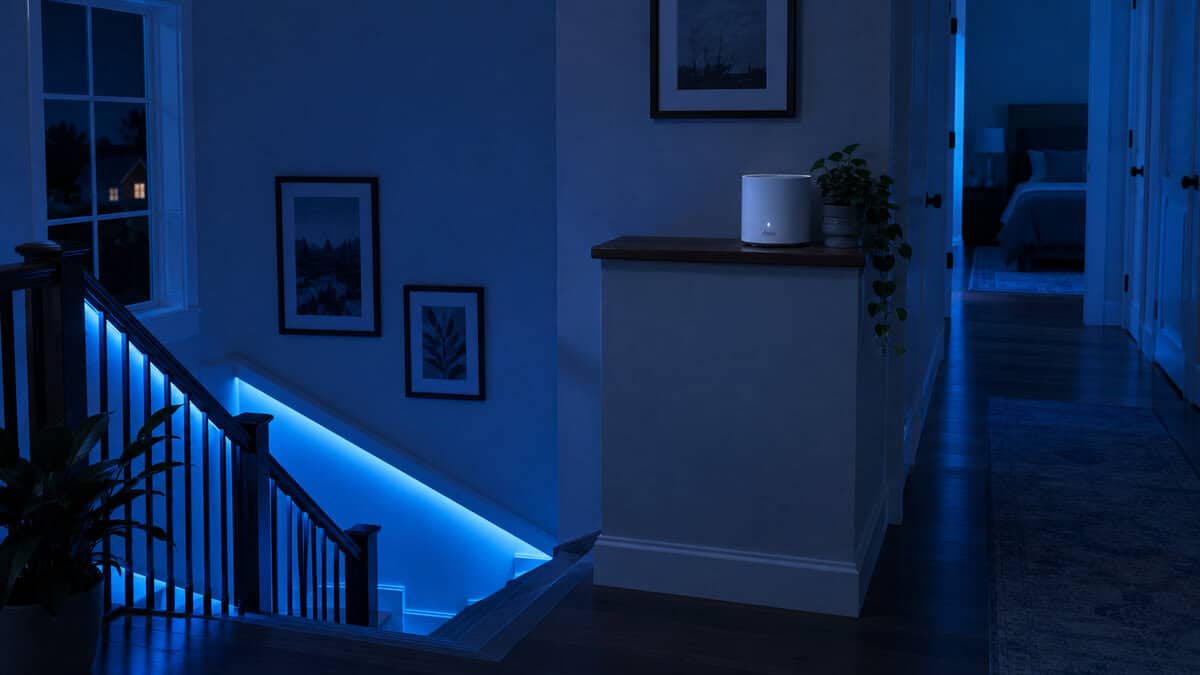
The stairwell is the open channel between floors, so a node at the top of the stairs or on a landing gets a far better backhaul than one in a bedroom directly above the router. From there the upstairs node covers the bedrooms, and a third node can sit downstairs wherever the console lives. With the Deco X55 that gives a two-story home three ports at the TV and three more upstairs. With a two-node kit, put the satellite on the landing and accept a weak far corner. Our WiFi or Ethernet for gaming guide explains why the cabled port at that node is still the better connection for the console than any wireless client.
Put the node where the signal is, not where the problem is. The dead zone is the last place a satellite belongs.
The Apartment With Concrete Walls
Apartments break the usual rules in two directions. The footprint is small, so the coverage numbers on the box are irrelevant. The walls are often concrete or block, which eat signal faster than anything in a wood-frame house, and the neighbors’ networks crowd the same channels. Range is not the problem. Getting through one specific wall is.
When Two Nodes Beat Three
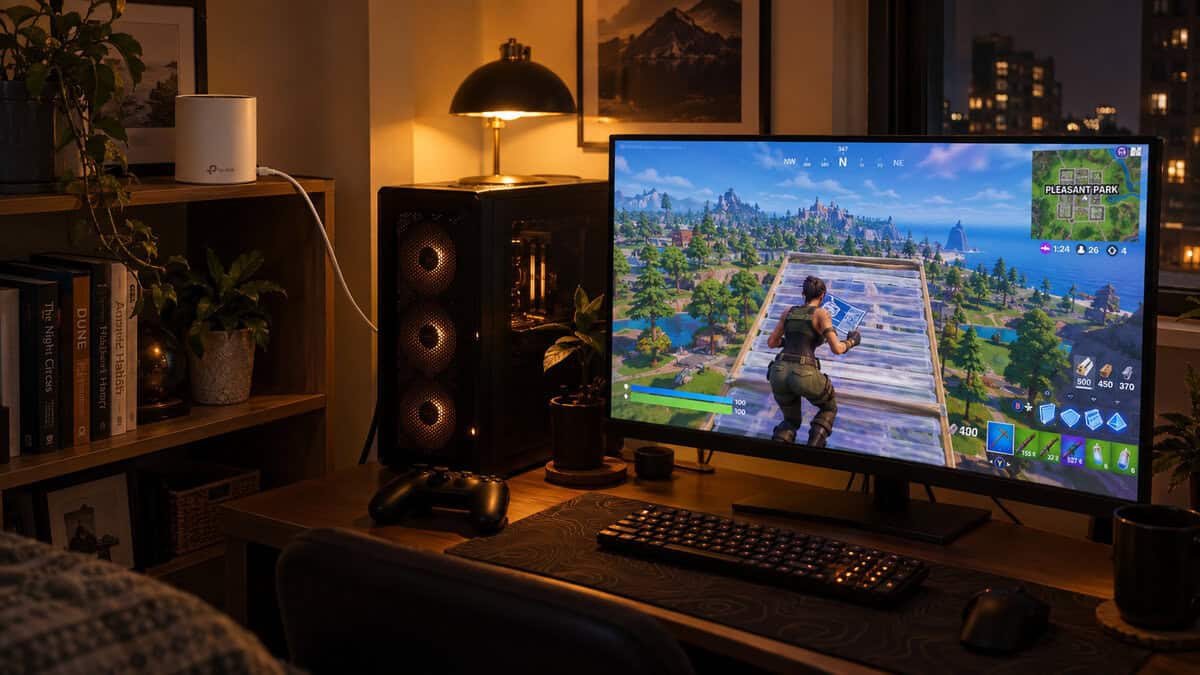
In an apartment a third node mostly adds interference. Two nodes placed on either side of the worst wall, with the satellite as close to the router as the wall allows, fix most layouts. The Deco X20 is the honest recommendation here because it costs the least and its two ports cover a console and a PC. The eero 7 two-pack is the same shape with 2.5G ports and multi-link, which matters if the building’s internet plan is genuinely fast. Crowded channels are also where Wi-Fi 6 earns its keep over the older Deco S4, since its scheduling copes better with a dozen neighboring networks on the same frequencies.
One habit fixes more apartment problems than any hardware: leave the mesh on its automatic channel setting and let it move away from the neighbors. Manual channel picks that worked in a house are usually wrong in a building.
The Cable Nobody Runs
Every mesh kit in this guide moves its own traffic between nodes over the air, which is called wireless backhaul. It works, and it is also the reason a satellite’s speed drops the farther it sits from the router. Every one of these kits also accepts an Ethernet cable between nodes instead, called wired backhaul, and almost nobody uses it.
One Ethernet Run Doubles What a Mesh Can Do
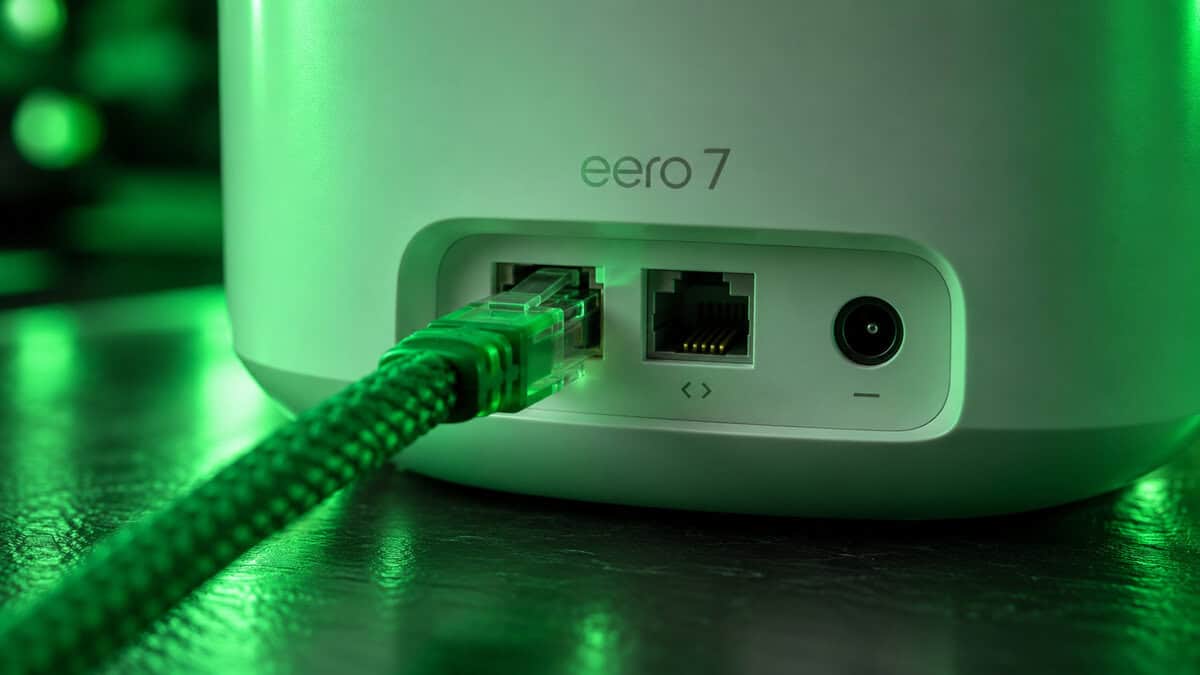
Run one cable from the router node to the satellite, through the attic, along a baseboard, or across a crawlspace, and that satellite no longer spends half its radio talking to the router. Every device attached to it gets the full pipe, its Ethernet ports carry full gigabit, and the node can sit anywhere the cable reaches, including deep inside a dead zone where wireless backhaul would have failed. The Deco X55 and Deco X20 detect the cable and switch over on their own. The eero 7 does the same and uses its 2.5G ports for the run.
If running a cable is not an option, the next best thing is putting the satellite where the router’s signal is still strong, as the placement sections above describe, and cabling the console to that satellite. A flat Ethernet cable along a baseboard costs less than any node in this guide and is the highest-value purchase in home networking. Our guide on how to get better ping goes further into what a cable fixes that no setting can.
Wired backhaul is the mesh feature nobody uses and the one that makes the whole kit work like it did in the ad.
The Ports Are the Gaming Feature
Online games use very little bandwidth. The FCC’s own broadband speed guide lists a game console among the lightest loads in a household, well below a single 4K stream. What a game needs is a connection that does not wobble, and wireless clients wobble when a phone starts a download in the next room. A cable from the console to a satellite’s Ethernet port takes the game off that contest. The satellite still has to reach the router, but that is one link with no competition.
That is why ports per node ranks above coverage in this guide. The Deco X55 gives you three at every node. The Deco X20 and eero 7 give you two, and the eero’s are 2.5G. For a PC that connects wirelessly anyway, the card in the tower matters as much as the mesh, and our WiFi adapter guide covers the Wi-Fi 6 and 6E cards that make the most of a good node nearby.
What Wi-Fi 7 Changes and What It Does Not
Wi-Fi 7 adds multi-link operation, so a compatible device can use two bands at once and shift traffic when one gets noisy, and it allows wider channels on the 6GHz band. The dual-band kits here, the eero 7 and the Deco BE25, have no 6GHz radio, so the widest channels are off the table. What they do have is 2.5G ports and multi-link, a real benefit for a new phone or laptop and nothing at all for a console on Ethernet. The NETGEAR Orbi 370 is the other budget Wi-Fi 7 mesh you will see, and it lost this slot to the eero on rating and to the Decos on ports. Range does not improve with Wi-Fi 7. If a single router already covers your home, our WiFi 7 router guide ranks the standalone options.
The Right Mesh for Your Floor Plan
If the spec sheet left you between two kits, this table settles it by the shape of the home. One row per pick, read across.
| Pick | Home shape | Internet plan up to | Console or PC by cable | Setup effort | Skip it if |
|---|---|---|---|---|---|
| TP-Link Deco X55 | Two-story or large single-story | 1 Gbps | Three devices per node without a switch | Deco app, TP-Link account required | You pay for a multi-gig plan |
| TP-Link Deco X20 | Apartment or single-story with one dead zone | 1 Gbps | Two devices per node | Deco app, same account | The house has a second floor and a far corner |
| Amazon eero 7 | Apartment or single-story with a fast plan | 2.5 Gbps | Two devices per node at 2.5G | eero app, simplest of the three | You need three nodes or three ports |
Frequently Asked Questions
The questions that come up most when choosing a mesh kit for a home where the games matter.
Is a mesh WiFi system good for gaming?
Yes, with one condition: cable the console or PC to the nearest node’s Ethernet port. A mesh moves a strong signal into the room, and the cable takes the game off the wireless contest with every other device in the house. A console connecting wirelessly to a satellite still works, but the cabled version is the steady one.
Does a mesh system add latency compared to a single router?
A little on wireless backhaul, because the satellite has to relay to the router over the air. In practice a strong satellite link beats a weak direct link to a distant router every time. Running an Ethernet cable between nodes, called wired backhaul, removes the relay penalty entirely, and all three picks here support it.
How many mesh nodes do I need?
Two for an apartment or a single-story home with one dead zone. Three for a two-story home or a long house with the router at one end. More than three is rarely useful outside very large homes, and in an apartment a third node mostly adds interference. The Deco X55 and X20 mix, so you can start with two and add one later.
Is Wi-Fi 7 worth it for a mesh system?
For the ports, yes. Dual-band Wi-Fi 7 kits like the eero 7 and Deco BE25 bring 2.5G Ethernet ports and multi-link operation for new devices. They do not have a 6GHz radio, so the widest Wi-Fi 7 channels are not included, and range does not improve. If your internet plan is gigabit or slower and your devices are a few years old, a Wi-Fi 6 kit like the Deco X55 is the better buy.
Where should I place the satellite node?
About halfway between the router and the dead zone, in a spot where a phone still shows a strong signal from the router, out in the open and off the floor. In a two-story home the top of the stairs or a landing beats a bedroom directly above the router. Never put the satellite in the dead zone itself, because it will have nothing to relay.
Looking for more budget gaming gear? Check out Budget Loadout for the latest reviews and recommendations.
Related Articles