A wall-sized screen used to mean accepting laggy, washed-out gameplay, and for years that kept projectors out of serious gaming setups. That has changed. The best gaming projector today pairs real game modes and low input lag with brightness that survives a normal living room, and the price of entry has dropped far enough that a projector now competes directly with a big TV.
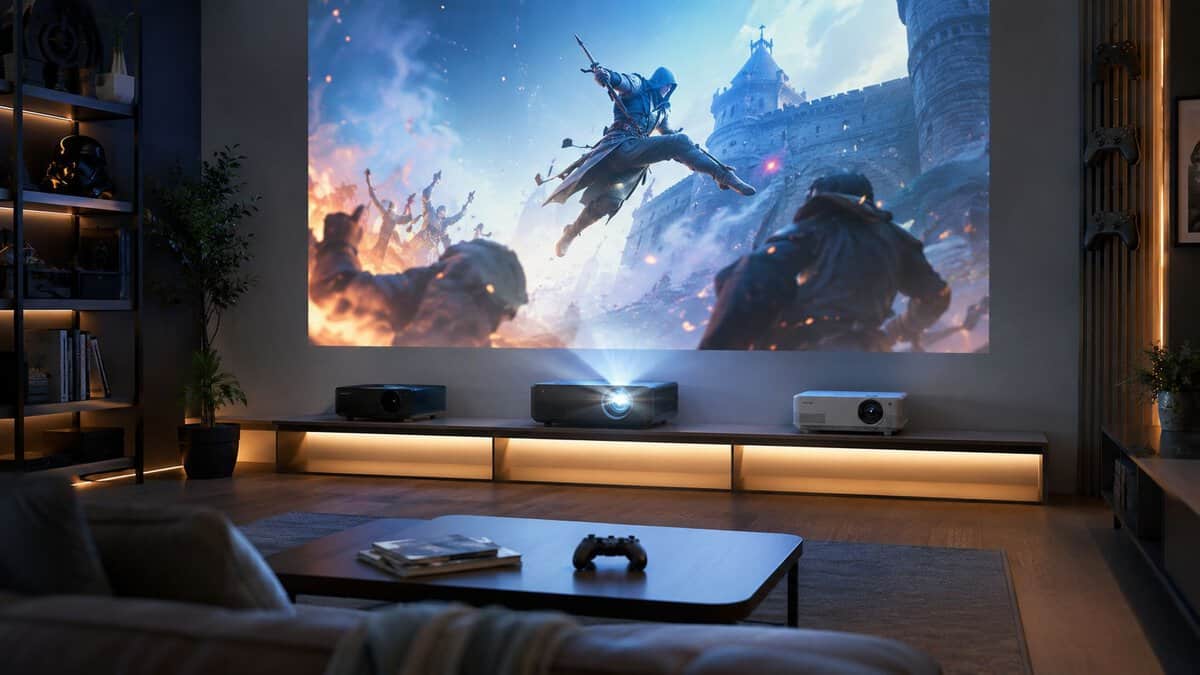
- Bright 3700-lumen image for real rooms
- 16ms lag with 120Hz support, rare at this price
- Dual HDMI and optical zoom for easier placement
- 1080p only, with no 4K input support
- Lamp-based, so it needs eventual replacement
- Built-in speaker is a backup, not a sound system
- 4K movies and 240Hz competitive mode in one unit
- Roughly 4ms input lag in game mode
- Proven listing sold by Amazon
- Modest 1.1x zoom needs placement planning
- HDR is entry-level on a DLP like this
- Fan noise in high brightness mode
- Short throw works in tighter spaces
- 4LED source lasts with no lamp swaps
- Fast 240Hz mode with genuinely low lag
- Flagship price
- 2200 lumens wants a dim room
- Overkill for casual couch sessions
Picks and availability last verified: October 26, 2026
- Input lag decides whether a projector can game: aim for a dedicated game mode and stay under 20ms for casual play, under 10ms for fast titles.
- The ViewSonic PX700HDH is the budget floor worth standing on, with 3700 lumens and a 16ms, 120Hz-capable panel most cheap projectors skip.
- The ViewSonic PX701-4K is the value sweet spot: 4K for cinematic play plus a 240Hz low-lag 1080p mode for shooters.
- The BenQ X500i earns its flagship price with a short-throw true 4K image and a maintenance-free 4LED light source.
- Skip heavy keystone correction: placing the projector square to the wall preserves both sharpness and input precision.
Table of Contents
Why a Gaming Projector Is a Viable Choice in 2026
A lot of gamers still treat projectors as slow, dim boxes that belong in a movie setup, not next to a console or gaming PC. That old reputation no longer fits the category. Current models are built around gaming-first priorities, with 120 Hz support, low input lag, and brightness that can hold up in a real room instead of only looking good in a pitch-black basement.
That matters because modern consoles and PCs are built to use higher refresh modes, HDR, and bigger displays without turning the experience into a compromise. A projector that cannot stay responsive at 120 Hz is the wrong pick for fast shooters, but a projector that keeps latency low and brightness usable can work very well for couch gaming, racing games, story-driven RPGs, and mixed-use setups. The screen size is not the problem. Choosing a model with the wrong balance of specs is.
Practical rule: if your room is not dark, brightness stops being a bonus feature and becomes part of the gaming experience.
Budget tier matters here more than spec-sheet bragging rights. A cheaper 1080p/120 Hz projector can be the smarter buy for many console gamers because it gives you the response time and smooth motion you feel, without forcing you to pay for a compromised 4K model that looks better on paper than it does in play. If you want the broader display trade-offs, this display comparison guide helps frame how a projector stacks up against a TV or monitor in a living-room setup.
A console player in a shared living room has different needs from a PC player chasing the lowest possible latency. A budget buyer should care less about chasing the biggest spec number and more about whether the projector feels quick, bright, and consistent every night. That is the core value proposition in 2026.
The Core Specs That Matter for Gaming
Input Lag
Input lag is the spec that decides whether a projector feels responsive or sluggish. For gaming, below 16 ms is a strong target, and anything under 33 ms is still very good by projector standards Projector Reviews buyer’s guide. In an FPS, lower lag keeps aiming tied to your thumb instead of showing up a beat late. In an MMO or single-player RPG, you can live with a little more delay, but you still notice the difference when menus, camera movement, and combat inputs stay sharp.
Refresh Rate
Refresh rate matters most once the screen gets busy. 120 Hz is the practical baseline for serious gaming, and 240 Hz only starts to matter if you care about very smooth motion at lower resolutions or you spend a lot of time in competitive shooters. A projector that tops out at 60 Hz can still work for slower games, but it will not match the motion clarity you get when tracking fast targets or snapping between turns.
Brightness
Brightness is where a lot of projector buyers get misled. A projector can look strong in a dark room and wash out fast in a living room with lamps, windows, or daytime light. General guidance puts 1,500 ANSI lumens as the minimum floor, with more than 1,500 lumens helping HDR and mixed lighting, while brighter living-room setups often need 2500-3000 ANSI lumens or more to avoid washout Projector Reviews buyer’s guide BenQ gaming projector guidance. That is the difference between a projector that looks fine in a spec sheet and one that still holds up when someone turns on the lights.
Resolution and Throw Distance
Resolution matters, but it should not be the first thing you optimize unless the room and budget already support it. A lot of gaming-projector value sits in pixel-shifted 4K or a 1080p mode with high refresh, because many buyers get more real gameplay value from speed than from extra pixels. For console players especially, a cheaper 1080p/120 Hz model often makes more sense than a pricier 4K unit that gives up motion clarity or input responsiveness. If you want a clearer breakdown of the signal side, this HDMI 2.0 vs 2.1 guide explains why the connection matters for high-refresh gaming.
Throw distance matters just as much. The wrong projector can force awkward placement, heavy keystone correction, and a less stable image. Measure the room first, then match the projector to the space instead of trying to fix a poor fit later.
Light Source and Build Quality
Lamp and laser projectors are not just about image quality, they also affect durability and ownership feel. Laser models usually make more sense if you want lower maintenance and a more modern long-term setup, while lamp models can still be strong value if you are buying carefully. Build quality matters here too, because gaming sessions mean heat, fan noise, repeated power cycles, and frequent input switching. A projector that feels solid and stays consistent is worth more than one that looks good on paper but feels flimsy in daily use.
| Pick | Best for | Key gaming specs | Trade-off |
|---|---|---|---|
| ViewSonic PX700HDH | Budget big-screen play | 1080p, 3700 lumens, 16ms and 120Hz | 1080p ceiling, no 4K input |
| ViewSonic PX701-4K | Overall value | 4K at 60Hz, 240Hz at 1080p, ~4.2ms | Modest zoom range needs placement planning |
| BenQ X500i | Competitive and premium rooms | True 4K short throw, 4LED, 240Hz at 1080p | Flagship price |
Best Gaming Projector for Overall Value
A living room setup changes fast once the controller is in your hands. One night it is a couch co-op session, the next it is a shooter where every frame and every millisecond of delay matters. The best overall value for most gamers is the ViewSonic PX701-4K, because it lands in the part of the market where performance is strong enough for serious play without forcing you to pay for features you may never use. It gives you 1080p at 240 Hz for fast sessions and 4K at 60 Hz for slower, more cinematic play, with measured input lag as low as 2.7 ms at 1080p/240 Hz and 10 ms at 4K/60 Hz.
That blend matters more than a glossy spec sheet. For FPS gaming, the low latency is particularly advantageous, because aim adjustments feel immediate and the screen stops getting in the way of muscle memory. For racing games, the 240 Hz mode keeps motion cleaner, while 4K at 60 Hz still gives the extra detail that helps story games, open-world titles, and local multiplayer feel more like a proper entertainment setup. The result is a projector that works for mixed use without forcing every player into the same style of game.
The trade-off is simple. This is a premium purchase, and a pure 60 FPS console player will not get full use out of the high-refresh side of the spec. Build quality still matters here, because a projector in this range should feel like a long-term part of the room, not something you replace the moment a new console arrives. If you spend more, it should be because the extra headroom changes how you play, not because the box sounds impressive.
If your main games are shooters, fighters, or racing titles, this level of performance makes sense. If you mostly play slower console games, a cheaper 1080p, 120 Hz model is often the better buy, because it gives you the gaming features that actually matter without paying for unused headroom.
For anyone already fighting delay in a setup, start with the basics before blaming the projector. A quick pass through input lag troubleshooting can rule out cable, console, and settings problems before you spend more on hardware.
Best High-Performance Projector for Competitive Gaming
A high-performance gaming projector only makes sense when the rest of your setup can keep up. If you play competitive shooters, fighters, or fast racing games on a capable PC, the spec that matters most is low latency paired with a high refresh mode. That is exactly the BenQ X500i profile: a true 4K short-throw gaming projector with a 4LED light source, 240Hz support at 1080p, and latency low enough for reaction-heavy play. The point is not to chase a flashy resolution label, it is to keep the image from getting in the way of your inputs.
For that job, a model in the upper gaming tier with 2.7 ms input lag at 1080p/240 Hz and 10 ms at 4K/60 Hz sits in the right place. Those numbers are the difference between a projector that feels responsive and one that always feels a little behind your hands expert coverage of measured performance. The 240 Hz mode gives cleaner motion and tighter tracking in fast scenes, while the 4K mode keeps enough detail for slower games and split-screen play without turning the projector into a one-note esports box.
That extra speed comes with a clear trade-off. If your main platform is a console that spends most of its time at 60 FPS, a premium high-refresh projector leaves performance on the table. You are paying for headroom you may never use, and that money can be better spent on brightness, placement flexibility, or better audio if your games are not demanding enough to justify the jump. This is the part buyers skip too often, then wonder why the expensive model does not feel twice as good.
The better budget move for many console players is still a solid 1080p, 120 Hz projector, because that tier gives you the gaming features that truly change how the game feels. A cheaper model with lower lag and decent motion handling is often the smarter buy than a pricier unit that looks better on a spec sheet but delivers little extra in real play. Fast response matters, but only when your games can properly use it.
For anyone still sorting out delay problems in a setup, a quick pass through this lag-fix guide can help separate projector limits from cable, console, and settings issues before you spend more money.
A projector at this level should be bought for one reason, competitive feel. If you mostly play single-player adventures, co-op nights, or slower genres, the value drops fast. If your sessions are built around ranked matches and speed matters more than cinema-style polish, then higher-end gaming models earn their keep.
Best Budget Projector That Is Actually Good for Gaming
The budget sweet spot is not the cheapest projector you can find. It is the cheapest projector that does not ruin the experience. The ViewSonic PX700HDH is that projector: 1080p, 3700 ANSI lumens that hold up with some ambient light, and 16ms input latency with 120Hz support that keeps lag in check well beyond casual and couch play. A smart target is a model built like a lower-cost gaming projector should be, with enough brightness, acceptable lag, and a picture that holds up in a dark or dim room. market buying guide points to the kind of range that tends to make sense for value-focused buyers, with features such as pixel-shifted 4K, 1,500–2,500 lumens, 10–20 ms input lag, and 120 Hz refresh rates.
That matters because budget buyers usually do not need perfection, they need responsiveness and durability. A decent 1080p gaming projector can be the smarter buy if you mostly play on console, sit far enough back that pixel density is not the main issue, and care more about big-screen feel than chasing the highest refresh mode. For MMO nights, couch co-op, and streaming, the practical value often comes from a projector that is stable, bright enough, and not annoyingly laggy. A well-built lower-tier model beats an ultra-cheap office projector every time.
The compromise is real. You give up some image refinement, and you may not get the same contrast or premium chassis feel you would see in a higher-end unit. That is fine, as long as the projector still covers the basics. What you should avoid is a bargain-bin model with vague gaming claims, weak brightness, and sloppy processing, because that is how people end up with a large image that feels delayed and looks washed out.
My cutoff: if a projector cannot feel responsive in a shooter and cannot stay visible in a normal room, it is not a gaming projector, it is just a projector with marketing copy.
For buyers trying to keep spending sane, it also helps to compare the projector against a solid monitor budget first. This budget gaming monitor guide is a useful reality check if you are torn between screen size and pure responsiveness.
A lot of projector buyers get misled here. A cheaper 1080p, 120 Hz model is often the better console choice than a pricier unit that advertises 4K but cuts corners on lag, brightness, or motion handling. For a living room setup, value is best found in how cleanly the image holds during play, not from a spec sheet that looks impressive from a distance.
If your setup has a lot of ambient light, the budget story changes fast. At that point, brightness and placement matter more than chasing extra resolution, and it can be smarter to save money on the projector and spend it on better blackout control, a proper screen, or external audio. For players who mostly want fast, comfortable couch gaming without paying for features they will barely use, the lower tier is often the better buy.
Projector Setup Tips and Gaming FAQs
Start with placement before you touch picture settings. Put the projector where it can fill the screen naturally, because heavy keystone correction is a shortcut that often makes the image less clean and can hurt the sense of precision. A proper screen is best, but a good painted wall can still work if you’re prioritizing value and are realistic about how much image quality you’re giving up. Then enable game mode, trim extra processing, and check that the signal path matches the frame rate you intend to use.
| Game Genre | Recommended Input Lag | Ideal Refresh Rate | Key Feature |
|---|---|---|---|
| Competitive FPS | Under 16 ms | 120 Hz or higher | Lowest possible latency |
| Racing games | Under 20 ms | 120 Hz | Smooth motion and brightness |
| MMO | Under 20 ms | 60 Hz to 120 Hz | Large image and color stability |
| Story-driven RPG | Under 33 ms | 60 Hz | Contrast and image size |
| Streaming and couch play | Under 20 ms | 60 Hz to 120 Hz | Room-friendly brightness |
If you’re building a bigger entertainment zone, it’s worth looking at this game room setup reference for layout ideas that help a projector feel intentional instead of improvised. Audio matters too, especially if the projector’s built-in speakers are thin or underpowered. If you’re not running external sound yet, a practical speaker guide is the next upgrade I’d consider after image setup.
Frequently Asked Questions
What input lag do I need on a gaming projector?
Under 20ms feels fine for casual and couch games, while fast shooters and fighting games benefit from staying under 10ms. Always enable the projector’s game mode, since standard picture modes often add 50ms or more of processing delay that no amount of hardware can claw back.
Do I need a projector screen, or is a wall fine?
A proper screen gives the sharpest, brightest image, but a smooth wall painted in a neutral white or gray works surprisingly well for the price of a paint can. Avoid textured walls, and skip heavy keystone correction by placing the projector square to the surface.
How many lumens does a gaming projector need?
For a dark room, 2000 to 2500 lumens is plenty. If you play with some ambient light, look for 3000 lumens or more, like the 3700-lumen ViewSonic PX700HDH. Brightness matters more for daytime and living-room use than resolution does.
Is 1080p or 4K better for projector gaming?
At typical projection sizes, 4K is noticeably sharper for slow, cinematic games, but competitive players often prefer running 1080p at 240Hz where supported. The ideal setup is a 4K projector with a high-refresh 1080p game mode, which is exactly what the ViewSonic PX701-4K and BenQ X500i offer.
Can a projector handle 120Hz on PS5 and Xbox Series X?
Only if both the projector and its HDMI input support it. Many gaming projectors accept 120Hz at 1080p, but consoles also need the matching output mode enabled. Check the spec sheet for HDMI 2.0 bandwidth or better and a listed 120Hz mode before buying for console use.
If you want more hype-free gaming gear advice built around value, durability, and real performance, visit Budget Loadout.
Related Articles