Most PSU advice online pushes the same message: buy the highest-tier unit you can afford and stop asking questions. That sounds safe, but it often leads gamers to spend too much on a part that should be judged by reliability, protections, connector support, and long-term value, not badge prestige.
For a lot of gaming PCs, the best 850W PSU isn’t the most expensive model on the shelf. It’s the one that gives you stable power, good build quality, modern cable support, and enough headroom for upgrades without stealing budget from the parts that move frame rates. That matters even more if you play FPS games at high refresh rates, sink hours into MMOs, or game and stream on the same system.
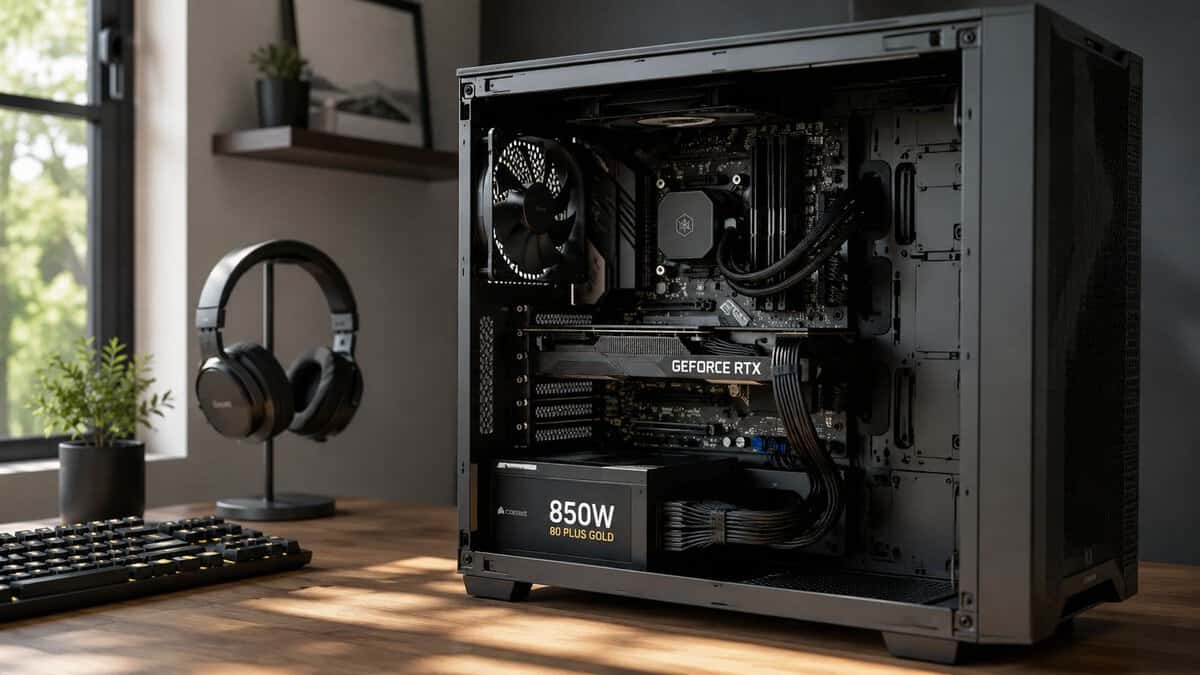
A value-first approach makes more sense. The common “A-tier only” assumption ignores the fact that a well-chosen B-tier unit can be the smarter buy for a mid-range build. A reputable Gold-rated 850W PSU from a solid B-tier line delivers the vast majority of an A-tier unit’s real-world performance, and for most gamers that saved money is better spent elsewhere in the build.
If your build is moving beyond a mainstream GPU, it’s also worth seeing where a larger wattage class starts making sense in this guide to the best 1000W power supply.
- Native 12V-2×6 for modern RTX cards
- Quiet, low-noise design
- Trusted brand with a long track record
- Not the cheapest option here
- Gold, not Platinum, efficiency
- No flashy extras
- Platinum efficiency at a budget price
- Native 12V-2×6 cable included
- Ten-year warranty
- Newer brand than Corsair or NZXT
- Smaller owner base so far
- Fewer premium cosmetic touches
- Full 600W native 12V-2×6
- Platinum efficiency runs cool
- Zero RPM silent mode
- Priced above the budget pick
- Overkill for modest builds
- Fewer reviews than the Corsair
- Semi-passive fan for near-silent use
- Full ATX 3.1 and PCIe 5.1 support
- Refined build from a silence specialist
- A small premium over value picks
- Gold, not Platinum, efficiency
- Fan tuning matters most at idle
- Match the connector to your GPU: an ATX 3.1 unit with a native 12V-2×6 cable powers current RTX cards without a messy adapter.
- 80 Plus Gold (or the Cybenetics equivalent) is the sensible efficiency floor: cooler and quieter without paying the Platinum premium.
- Do not skip the protections: OCP, OVP, OPP, and SCP are what stand between a power fault and dead components.
- Fully modular is worth it: you run only the cables you need, which improves airflow and cable management.
- 850W is the sweet spot for a strong single-GPU rig with headroom for spikes; go higher only for dual-GPU or heavy overclocking.
Table of Contents
Why the ‘Best’ 850W PSU Is Not the Most Expensive One
The best 850W PSU is the one that fits the system you’re building. Not the one that wins the loudest argument in a forum thread.
A lot of builders treat power supplies like luxury watches. They assume the higher-priced model must be the responsible choice. In practice, that thinking breaks down fast when the rest of the build is value-conscious. If you’re putting together a balanced gaming PC, every dollar you overspend on the PSU is a dollar that doesn’t go toward the GPU, CPU cooling, storage, or a better monitor.
What matters more than brand prestige
For gaming, the power supply has one job. It needs to deliver clean, stable power for long sessions, handle load changes without drama, and keep doing that for years. That means the shortlist should revolve around:
- Safety protections: You want proper protection circuits, not a fancy label.
- Modern compatibility: Native support for newer power standards matters if you’re using a current graphics card.
- Build quality: Better internal components and a sensible fan profile usually age better.
- Reasonable headroom: Enough room for transient spikes and upgrades, without paying for excess you won’t use.
Practical rule: Don’t buy PSU status. Buy PSU fit.
There’s also a difference between cheap and budget. Cheap cuts corners. Budget means picking the lowest price that still clears the bar for safety, durability, and connector support. That’s why some B-tier units deserve more attention than they get. They often hit the point where real-world gaming performance and stability are fully adequate, while the savings can improve the rest of the build.
Where the expensive route still makes sense
There are good reasons to pay more. If you’re running a higher-end GPU, planning heavier overclocking, or you care about quieter operation under load, a pricier unit can earn its keep. But that’s a use case decision, not a rule for everyone.
The mistake is assuming every 850W buyer needs the same answer. They don’t. A first-time builder with a sensible single-GPU setup should care more about proven reliability and modern standards than chasing a premium label.
When an 850W PSU Is the Right Choice
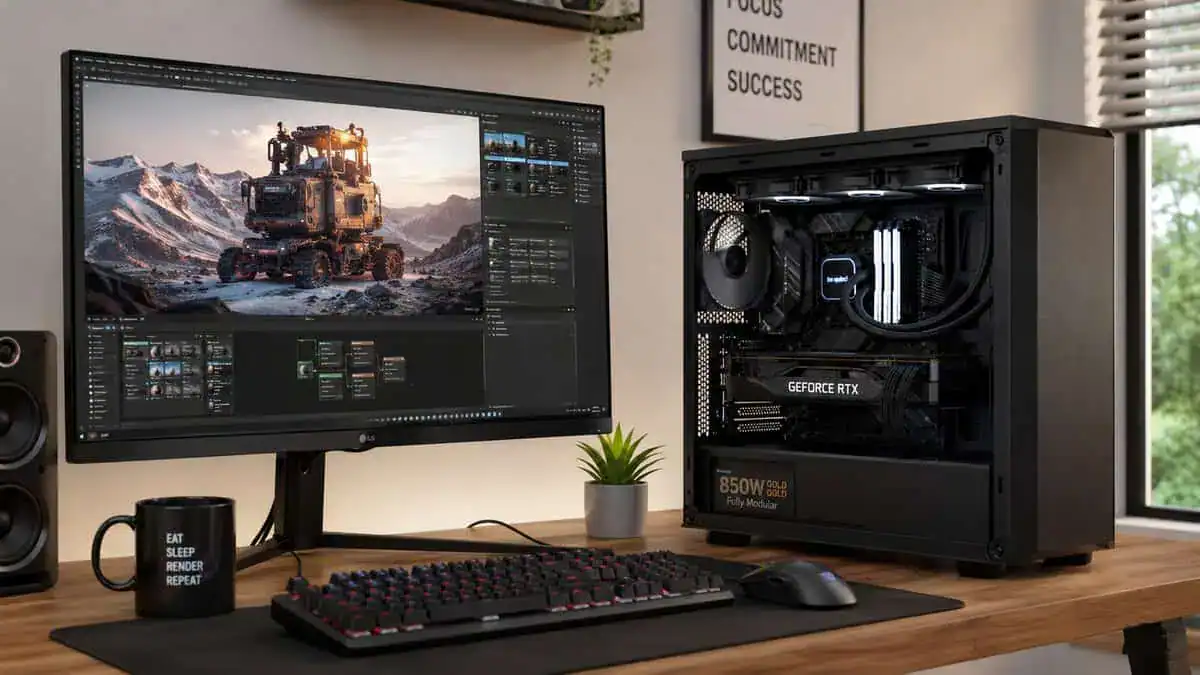
When building a gaming PC today, 850W is the practical sweet spot. One gaming hardware guide notes that for most single-GPU gaming builds in 2026, an 850W PSU is the common sweet spot and is more than enough for modern CPUs and high-end GPUs during heavy sessions, while leaving upgrade room without pushing the unit to its limits.
That lines up with what works in actual gaming rigs. If you’re pairing a modern mid-range or upper-tier CPU with a single graphics card, 850W usually gives you the breathing room you want without paying for wattage you probably won’t touch.
Builds where 850W makes sense
An 850W unit is a strong fit for a few common setups:
- FPS gaming systems: If you’re chasing high frame rates in competitive shooters, you may pair a strong CPU with a capable GPU and fast memory. That kind of build benefits from headroom, especially if you tune power limits or boost behavior.
- MMO and multitasking rigs: MMOs often run alongside chat apps, browsers, add-ons, and recording software. Power use stays more varied over long sessions, and a PSU with some breathing room is easier on the whole system.
- Gaming plus streaming: Encoding, more storage, more USB devices, and longer sustained sessions all make a stable 850W platform attractive.
- Upgrade-minded mid-range builds: If you don’t want to replace the PSU on your next GPU upgrade, 850W is a comfortable place to land.
If you’re still deciding on the graphics side of the build, this roundup of the best mid-range GPU options can help you balance power needs against actual gaming performance.
When 850W is more than you need
Not every PC needs this much power. If you’re building around a lower-draw GPU, not streaming, and not planning major upgrades, you may be better served by a lower wattage class. A PSU isn’t “better” just because the number on the box is larger.
Buy for the system you’ll run, plus sensible upgrade room. Don’t buy for a hypothetical build you may never assemble.
A quick decision check
Ask yourself three things:
- Will this be a single-GPU gaming PC for several years?
- Will I stream, record, or run heavier background tasks while gaming?
- Do I want room for a stronger GPU later without replacing the PSU?
If most of those answers are yes, an 850W model is usually the right move. It’s a category that fits a wide range of real gaming setups without drifting into overkill.
PSU Specs That Actually Matter for Gaming
Spec sheets make PSUs look more complicated than they are. Once you strip away the marketing language, a few items matter a lot, and the rest are secondary.
Efficiency and why Gold is the floor
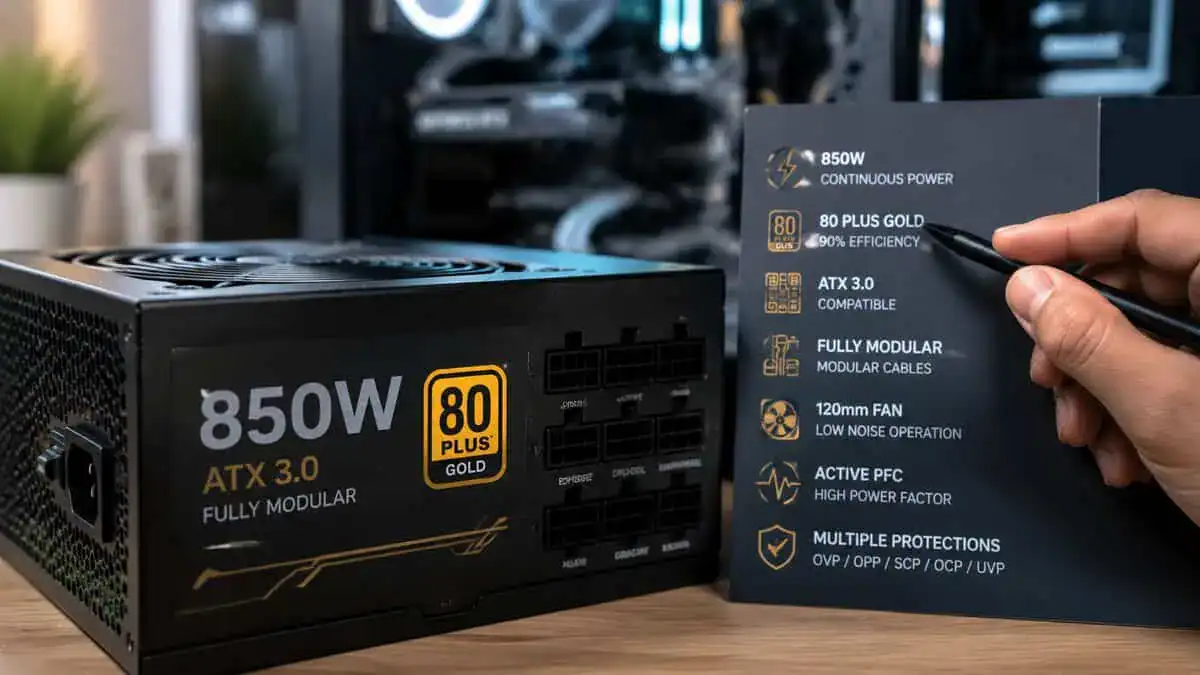
Efficiency tells you how much wall power gets turned into usable power for your PC instead of wasted as heat. For gaming builds, 80 Plus Gold should be the minimum floor if you want a stable unit worth trusting. One gaming PSU guide specifically notes that OCP, OVP, OTP, and SCP are essential protections, and that 80 Plus Gold certification should be treated as the minimum acceptable floor for stable units (reference on required PSU protections and Gold efficiency floor).
That doesn’t mean Gold magically guarantees quality. It doesn’t. But if a unit doesn’t even clear that bar, I’d keep moving.
The protections you should not skip
These acronyms matter more than RGB, badge design, or flashy packaging.
- OCP: Over Current Protection
- OVP: Over Voltage Protection
- OTP: Over Temperature Protection
- SCP: Short Circuit Protection
If a PSU lacks proper protection details, treat that as a warning sign. Your graphics card, motherboard, and storage are too expensive to risk on vague product pages.
A good PSU is boring in the best way. It powers the system, stays stable, and never becomes the reason a build fails.
ATX 3.0, ATX 3.1, and PCIe 5.x
For gamers using newer GPUs, modern standards are more than box-checking. ATX 3.0 and newer revisions are built around the behavior of current graphics cards, especially sudden load shifts. PCIe 5.0 and PCIe 5.1 support also matters because it affects connector readiness for newer GPUs and can reduce the mess of adapter-heavy setups.
If you’re building fresh, I’d rather buy a current-standard unit once than save a little now and replace it sooner.
Modularity and cable quality
Full modularity doesn’t improve frame rates, but it does improve the build experience. One fit check comes first: these are full-size ATX units, and a small-form-factor case needs the picks in our SFX PSU guide.
Here’s what each type means in practice:
- Fully modular: Best for neat builds, easier upgrades, easier cable routing.
- Semi-modular: Fine if you want to save a bit and don’t mind a few fixed cables.
- Non-modular: Usually only worth it at the very low end, and even then I’m cautious.
For first-time builders, modular units are easier to live with. Better cable layout improves airflow and reduces frustration during assembly. If you plan to clean up the build or swap parts later, modular cables make that much easier. If you’re tuning temperatures after the build is finished, this guide on how to undervolt your GPU pairs well with a sensible PSU choice.
Build quality that actually lasts
Durability usually comes down to things you don’t see in a glamor shot:
- Internal component quality
- Fan behavior under load
- Connector fit and cable flexibility
- Overall assembly consistency
- Warranty support
A durable PSU tends to have less drama over time. That matters if you play long MMO sessions, stream for hours, or run your PC daily for both work and gaming.
Marketing fluff is easy to spot. If the product page spends more time talking about style than protections, standards, and warranty coverage, that’s not a great sign.
The Best 850W PSUs for Gamers in 2026
The best 850W PSU for gaming is rarely the priciest one on the shelf. For most builds, the smart buy is a well-made Gold unit with modern protections, a long warranty, and the right cable support for your GPU. That usually lands in the value or upper-midrange bracket, not the halo tier people argue about in forums.
That matters because PSU money competes with parts that change your actual experience. If spending less on the power supply lets you step up your GPU, add more SSD space, or buy a better case for airflow, that is often the better build decision.
850W PSU Recommendation Matrix 2026
| Pick type | Best fit | Efficiency target | Modularity | Modern GPU support | Warranty target |
|---|---|---|---|---|---|
| Value-focused ATX 3.x unit | Mid-range gaming builds that still want upgrade room | 80 Plus Gold class or equivalent real-world efficiency | Fully modular preferred | Native 12V-2×6 or 12VHPWR support, ATX 3.0 or newer preferred | 7 to 10 years |
| Balanced mainstream unit | Most gaming PCs with a strong CPU and upper-midrange GPU | Gold class | Fully modular | ATX 3.x support preferred, PCIe 5.x cable support helpful | 7 to 10 years |
| Quiet premium unit | Builders who care about lower fan noise and nicer cable quality | Gold or better | Fully modular | Native support for current high-draw GPUs | 10 years |
| Budget older-platform unit | Systems using proven 8-pin GPU connections and no near-term GPU jump | Gold class | Semi-modular or fully modular | Older standard support can be fine if the build does not need new GPU cabling | 5 to 7 years |
| High-transient-ready unit | High-end gaming or gaming plus streaming builds with spikier GPU power behavior | Gold class with good transient handling | Fully modular | ATX 3.0 or newer, native high-power GPU cable support | 10 years |
A table like this is more useful than a pile of model names because it matches the PSU to the job.
Best Budget ATX-Ready Value: MONTECH Century II 850W
The MONTECH Century II 850W is the value pick that does not cut the corners that matter. It is fully modular, carries an 80 Plus Gold and Cybenetics Platinum rating, and ships with a native 12V-2×6 cable, so a current RTX card plugs in without an adapter.
The reason it leads the budget tier is the warranty. A ten-year cover on a Gold-rated ATX 3.1 unit at this price is unusual, and it signals the kind of long-term confidence you normally pay more for.
If you want modern GPU readiness and real efficiency without stretching the build budget, start here.
Best Overall for Balanced Builds: Corsair RM850e (2025)
The Corsair RM850e (2025) is the one most gamers should default to. It pairs a native 12V-2×6 cable and full ATX 3.1 and PCIe 5.1 compliance with Corsair’s low-noise design and a huge base of satisfied owners.
It is not the flashiest unit on the list, and that is the point. It runs quiet, handles a strong CPU and an upper-midrange GPU with headroom to spare, and comes from a brand with a long service record.
For a balanced gaming PC that you want to set up once and forget about, this is the safe, sensible choice.
Best for Modern GPU Compatibility: NZXT C850 Gold Core
If your build centers on a power-hungry current GPU, the NZXT C850 Gold Core is the most future-ready pick here. It delivers a full 600W native 12V-2×6 connector, ATX 3.1 compliance, and a Cybenetics Platinum efficiency rating.
The higher efficiency tier means less waste heat and a quieter fan curve, and the Zero RPM mode keeps the unit silent under light loads. That combination suits a high-end card that spikes hard during gaming.
When GPU compatibility and transient handling are the priority, this is the unit built for it.
Quiet Premium Choice: be quiet! Pure Power 13 M 850W
For the quietest build, the be quiet! Pure Power 13 M 850W lives up to the brand name. Its semi-passive 120mm fan stays off under light and medium loads, so the PSU is effectively silent for most gaming sessions.
It still checks the modern boxes: 80 Plus Gold, ATX 3.1, and PCIe 5.1 support for current GPUs. You pay a small premium over the value picks, but the payoff is a near-silent unit from a company that specializes in silence.
If noise is the thing you notice most, this is the one worth the extra.
Build Examples Matching a PSU to Your Rig
PSU sizing gets overcomplicated fast. For a lot of gaming PCs, the smartest 850W buy is not the fanciest unit on a tier list. It is the one that gives you safe power delivery, the right cables, and enough headroom to avoid replacing it at your next GPU upgrade.
Mid-range power build
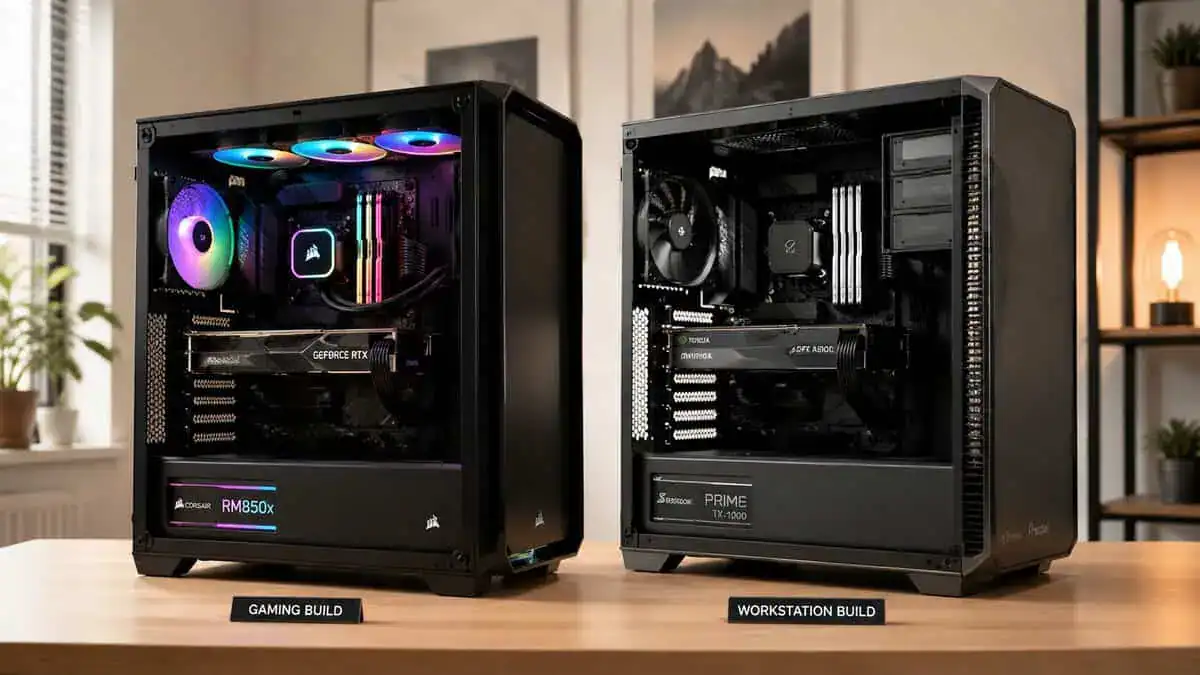
Start with a common gaming setup. A Ryzen 5 or Core i5 class CPU, an RTX 4070 class GPU, two SSDs, and a handful of case fans. This kind of rig does not need an overpriced flagship PSU to run well for years.
A good B-tier or value-focused Gold unit fits this build nicely. The job here is stable power, basic protection circuits that are implemented well, reasonable fan noise, and modular cables that do not fight you during installation. Spending an extra chunk of the budget for a premium label often makes less sense than putting that money into the GPU, storage, or a better monitor.
That is the part many first-time builders miss.
An 850W PSU in this build is less about current draw and more about upgrade flexibility. It leaves room for a stronger graphics card later without pushing the unit hard every time you game. If you are putting the whole system together from scratch, this step-by-step guide on how to build a gaming PC helps tie the part choices together.
High-end gaming and streaming build
Move up to a system with a Ryzen 7 or Core i7 class CPU, a higher-draw GPU, more storage, capture or streaming workloads, and a desk full of USB devices. Here, 850W stops looking generous and starts looking appropriate.
This is also where the cheap end of the market becomes harder to defend. Transient GPU spikes, longer gaming sessions, and heavier mixed workloads reward a PSU with better internal design, tighter voltage regulation, and current power connectors. You do not need to chase the most expensive A-tier model if a well-reviewed B-tier unit already covers those needs, but you should be pickier than you would be for a lighter gaming box.
For a creator-leaning gaming system, I would rather buy a solid mainstream 850W unit with modern cable support and a long warranty than pay extra for branding or tiny efficiency differences you will never notice on your power bill.
Which type fits each build
- Mid-range gaming build: Buy for value, proven safety protections, and enough headroom for the next GPU.
- Gaming plus streaming build: Pay more attention to cable support, cooling behavior, and platform quality under sustained load.
- Gaming and creator mix: Favor long-term reliability and warranty coverage over flashy features.
The practical takeaway is simple. Match the PSU to the stress your system will create. A sensible 850W B-tier unit is often the better buy for real-world gaming builds, and the money saved can go toward parts you will feel every day. For a broader look at planning a complete setup, these comprehensive gaming computer insights are also useful.
Installation and Safety Best Practices
A good PSU can still become a problem if it’s installed carelessly. Most expensive mistakes here are avoidable.
Rules that are not optional
- Never reuse modular cables from another PSU. Even if the plugs look identical, the pinout may not be.
- Give the PSU proper airflow. Don’t choke the fan with carpet, dust, or a packed bottom filter.
- Seat every connector fully. GPU power cables and motherboard power leads should click in cleanly.
- Route cables with intention. Sharp bends and unnecessary tension make future maintenance worse.
- Clean dust before it becomes a layer. Dust buildup traps heat and hurts long-term durability.
One of the easiest ways to avoid airflow and connector headaches is to spend a little time on cable routing. This guide to PC cable management is worth reading before the side panel goes back on.
What to check after the first boot
Listen for odd fan behavior. Check that the system stays stable during a longer gaming session. If the PC shuts down under load, don’t guess. Recheck cable seating, GPU power connections, and your component power requirements before assuming the PSU is defective.
Loose power connections cause more trouble than most first-time builders expect.
If you want a broader overview of how a desktop should be selected and assembled as a complete system, these comprehensive gaming computer insights are a useful companion read because they frame the PSU as one part of an overall balanced build.
A power supply cannot ride out a power cut, which is the job of a battery backup. See our best UPS for a gaming PC guide.
Common 850W PSU Questions Answered
Quick answers to the questions gamers ask most before choosing an 850W PSU.
Is it bad to have a PSU that’s too powerful for my build?
Usually, no. A PSU doesn’t force extra power into the system. Your parts draw what they need. The main issue is value. If you buy far more wattage than your build will ever use, you’re often spending money that would help more elsewhere.
Can I reuse the cables from my old modular power supply?
No. Treat modular PSU cables as model-specific unless the manufacturer clearly says otherwise for that exact unit family. Similar-looking connectors can be wired differently. Using the wrong cable can damage components.
How do I know if my current PSU may be failing?
Watch for shutdowns during gaming, random restarts, burning smells, clicking, unusual fan noise, or instability that appears only under heavier load. Any of those signs deserves attention. Don’t keep stress-testing a system that’s already warning you.
A reliable PSU upgrade is one of the least flashy purchases in a gaming PC, but it’s one of the few that protects every other part in the case.
Is 850W enough for a high-end GPU like an RTX 5080?
For a single high-end GPU such as an RTX 5080 paired with a mainstream or high-end CPU, 850W is the comfortable sweet spot. An ATX 3.1 unit is designed to absorb the short power spikes modern GPUs produce, so a quality 850W PSU handles them without tripping. Step up to 1000W or more only for the most extreme cards, dual-GPU setups, or heavy overclocking.
If you want more practical, value-first gear advice without the usual hype, visit Budget Loadout. It’s built for gamers and streamers who want solid performance, honest tradeoffs, and fewer wasted purchases.
Related Articles