You’re probably here because your PC is no longer the cheap part of your setup. The GPU alone costs enough to make a power flicker feel personal, and the usual “budget UPS” picks you see around the web look suspiciously small for a machine that can pull serious power under load.
That suspicion is justified.
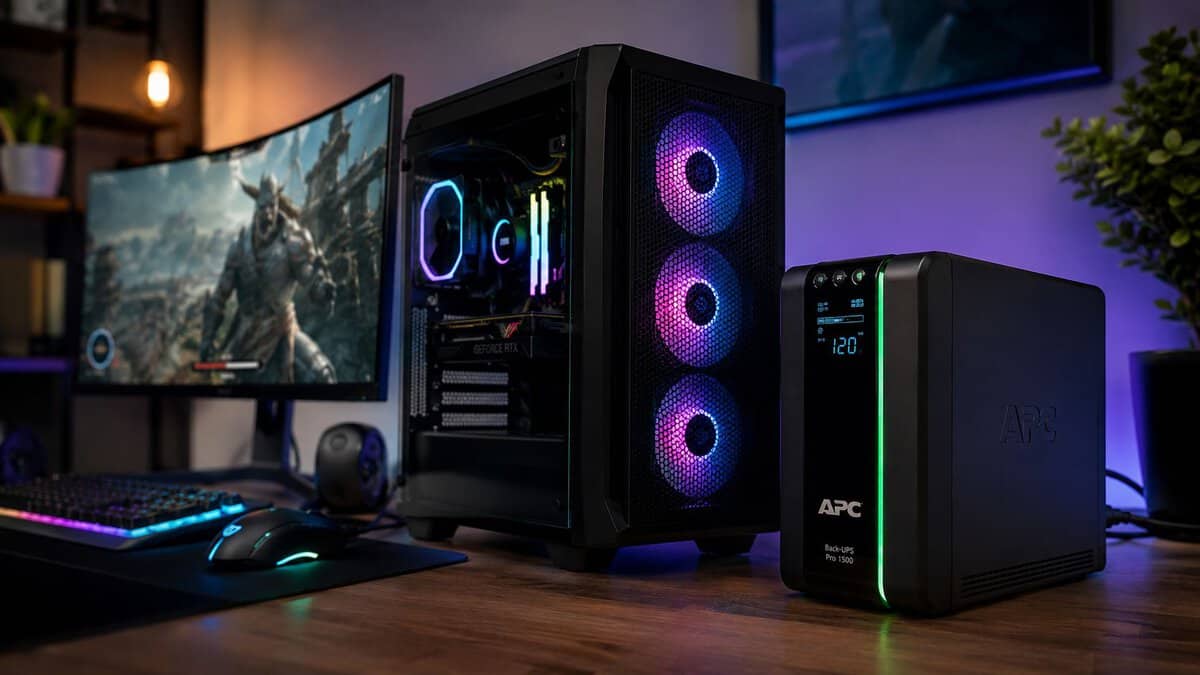
A lot of gaming UPS advice still points people toward entry-level units that were fine for old office desktops, not modern rigs with hungry graphics cards, high-refresh monitors, and a router you need to keep online long enough to finish a match or shut down cleanly. The result is predictable. You buy a low-cost unit, the lights dip, the UPS clicks over, and your gaming PC drops anyway because the unit never had the wattage to support your build.
The best UPS for a gaming PC isn’t the cheapest box with battery backup. It’s the one with enough real output, the right waveform for a modern PSU, and decent build quality so it still works when you need it years from now.
- Pure sine wave suits active-PFC gaming PSUs
- Ample 1000W capacity for strong rigs
- Huge, long-running owner track record
- Bulkier than entry units
- More capacity than a modest build needs
- Battery is a wear item over years
- Pure sine wave at a lower entry point
- Right-sized for mid-range builds
- AVR plus a clear status display
- 600W ceiling limits heavy rigs
- Shorter runtime than 1500VA units
- Fewer outlets than the larger models
- Pure sine wave with USB-C charging
- User-replaceable battery for longevity
- Enough outlets for PC and network gear
- Pricier than the CyberPower units
- More than a solo gamer needs
- 900W is below the CP1500’s ceiling
- Get pure sine wave output: modern gaming PSUs use active PFC, and a simulated-sine UPS can stutter or shut down on the switch to battery.
- Size by wattage, not just VA: pick a unit whose watt rating comfortably exceeds your rig’s real draw so you get usable runtime.
- AVR matters as much as runtime: it fixes the small brownouts and surges that cause most crashes without draining the battery.
- A UPS is not just a surge protector: it adds battery backup for a clean shutdown, plus AVR and surge protection in one box.
- Buy for your build: a mid-range rig is fine on a 1000VA unit, while stronger or streaming setups want 1500VA and more outlets.
Table of Contents
That Power Flicker Just Cost You the Match
You’re in a ranked match. Final circle, one clean shot, then the room blinks once and your screen goes black. Not a storm. Not a full outage. Just a short power flicker that lasts long enough to reboot your PC and kick you out.
That’s the kind of outage that catches gamers off guard, because it feels too small to matter until it does. A basic surge strip won’t hold your system up through that moment. Your PC just loses power, Windows shuts down badly, and if the timing is ugly enough, you can end up with corrupted files instead of just a lost match.
That gets worse if you were streaming, recording, patching a game, or writing to a drive during the drop. If you ever end up dealing with a dead drive or corrupted data after a bad shutdown, a professional data recovery service can be worth knowing about before you’re in panic mode.
Practical rule: A UPS for gaming isn’t about playing through a long blackout. It’s about surviving the short, annoying power events that actually happen.
The primary buying mistake isn’t skipping a UPS (uninterruptible power supply) entirely. It’s buying one that looks affordable but can’t handle your system once the GPU starts pulling hard. That mismatch is where most frustration comes from.
A good unit gives you a clean handoff when power drops, enough runtime to save your game or finish a round if the outage is brief, and protection from the kind of unstable wall power that slowly beats up expensive hardware. It also keeps your modem and router alive if you plug them into the battery side, which matters a lot more for online games than people think.
Why Your Gaming PC Needs a UPS, Not Just a Surge Protector
A surge protector and a UPS solve different problems. Treating them like the same thing is where many gaming setups go wrong.
A surge protector is mostly there for large voltage spikes. That matters, but it doesn’t help with the stuff gamers deal with more often: short outages, voltage dips, unstable power, and the kind of brief interruption that resets a PC even though the lights come back right away. Your match is still gone. Your system still shut off badly.
What a surge protector can’t do
A surge strip doesn’t provide backup power. It also doesn’t step in to keep your PC fed with stable output when wall power gets messy for a moment. That means your PSU has to absorb more of the problem, and sensitive parts like your motherboard, GPU, and storage still live through the shutdown event.
If you want broader home-level protection for appliances and electronics, this guide on how to protect your home from power surges is useful background. But whole-home surge protection and a gaming UPS do different jobs. One doesn’t replace the other.
What a UPS actually adds
A UPS sits between the wall and your gaming gear. When utility power dips or cuts out, it switches over and gives your system enough time to keep running briefly instead of crashing immediately. For gaming, that changes everything.
It also adds power conditioning. That matters if your room gets brownouts, your building wiring is inconsistent, or you stream and can’t afford random resets on your main machine. If you’re already planning a more demanding setup like a dedicated creator build, this streaming PC build guide is a good reminder that the PC itself isn’t the only part that needs planning.
A UPS protects your session, your storage, and your shutdown process. A surge protector only handles one slice of the problem.
Build quality matters here too. Cheap units often save money in the wrong places: weaker batteries, flimsier outlets, noisy fans, rough software, or low real wattage that makes the label look better than the experience. For a gaming rig, reliability is the whole point. If the unit fails the one time you need it, the bargain wasn’t a bargain.
UPS Specs That Actually Matter for Gaming
The spec sheet is where a lot of gamers get misled. A cheap UPS can look fine on paper because the VA number sounds big, but its actual watt rating is often too low for a modern gaming rig with a power-hungry GPU. That mismatch is why so many “budget” UPS picks work for an office PC and fall over on a gaming desktop.
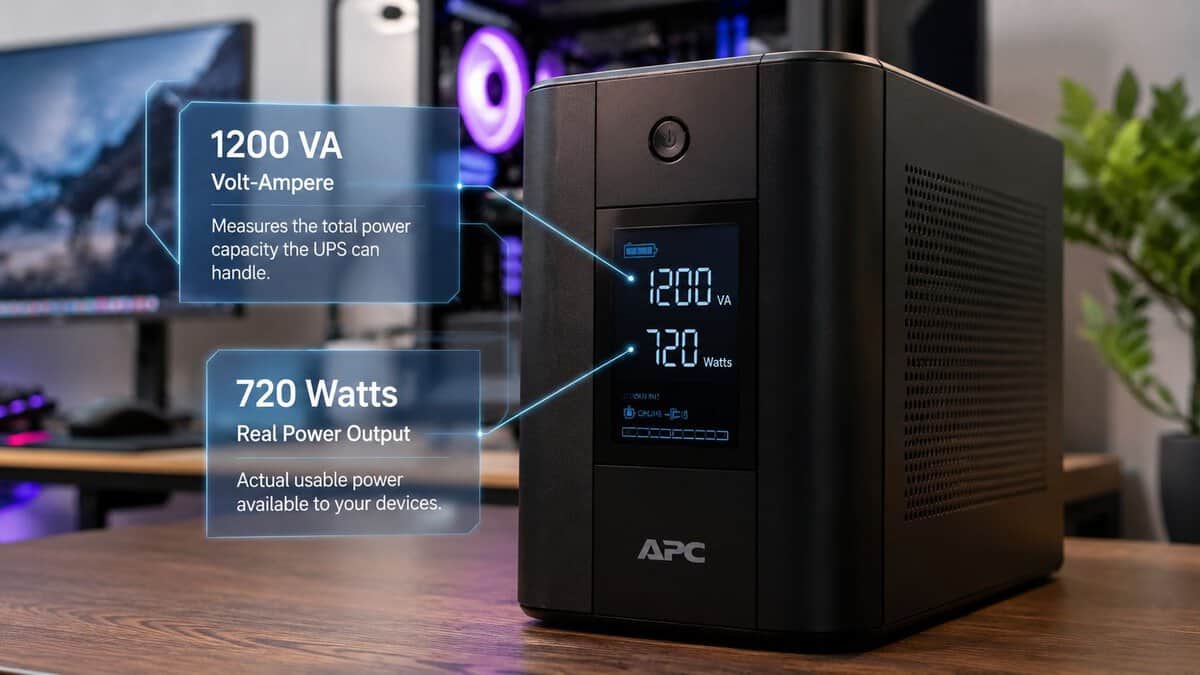
VA and watts are not the same thing
Start with watts. Always.
VA describes apparent power. Watts describe the true power the UPS can deliver to your gear. For a gaming PC, that is the number that decides whether the system stays on during an outage or drops the moment battery mode kicks in.
This is the mistake I see most often. A builder spends good money on a strong GPU, a decent PSU, and a high-refresh monitor, then pairs it with an entry-level UPS that has a respectable VA label but weak real output. If the UPS cannot support your actual gaming load, the battery backup feature is mostly theoretical.
A good rule is simple:
- Check the UPS watt rating first: It needs to cover the PC and the few devices that really matter.
- Use VA as a secondary spec: It helps compare units, but it should not drive the purchase.
- Leave margin: A UPS running near its ceiling is more likely to complain, shut down, or give you poor runtime.
If you are still planning your parts list, a solid guide to building a gaming PC helps you estimate how demanding the full system will be before you buy backup power for it.
Output waveform matters more than many guides admit
Many gaming PCs use power supplies with active PFC. Those PSUs generally behave best on utility power or on a UPS with pure sine wave output. Simulated sine wave models can still work, especially on lower-power systems, but they are a gamble with more sensitive or higher-draw hardware.
That does not mean every gamer needs to pay extra for the fanciest unit on the shelf. It does mean a pure sine wave UPS is the safer buy for a mid-range or high-end build, especially if the system already has a quality PSU and a GPU that can spike under load. Cheap UPS guides often skip this because simulated sine wave units are cheaper and easier to recommend in a roundup.
AVR helps with the power problems you get most often
Blackouts get attention. Voltage dips and dirty wall power are more common.
Automatic Voltage Regulation, or AVR, corrects smaller overvoltage and undervoltage events without switching to battery every time. That matters for battery life, and it matters for stability if your room, apartment, or older house gets frequent fluctuations. Eaton explains that AVR helps maintain usable output during voltage swings without immediately draining the battery in its overview of how UPS systems regulate and protect connected equipment.
For gaming, AVR is one of the best value features because it solves a real problem without forcing you into a much more expensive class of UPS.
Transfer time and runtime need a reality check
Transfer time is the handoff from wall power to battery. Modern line-interactive UPS units are usually fast enough for a gaming PC, but this still matters more on systems with less tolerant power supplies.
Runtime matters too, but not in the way marketing suggests. A UPS for gaming is usually there to keep the PC alive long enough to save work, exit cleanly, and avoid a hard shutdown. It is not there to let you play through a long outage on a desktop with a big GPU. The higher the load, the faster runtime disappears.
That is why wattage comes first. A lower-capacity UPS with clean output and enough real power is more useful than a cheap oversized-looking box that advertises battery backup but cannot carry your system once the lights go out.
Focus on the short list that actually affects the result
Ignore flashy software and inflated marketing language. For a gaming setup, these are the specs worth paying for:
- Real watt output: The first filter, because your GPU and monitor draw watts, not marketing points.
- Pure sine wave output: A safer match for many modern PSUs, especially in stronger builds.
- AVR: Better handling of brownouts and less unnecessary battery use.
- Battery-backed outlet count: Enough for the PC, main display, and network gear if needed.
- Build quality and replacement battery support: A UPS is only a good value if it still works a few years from now.
A gaming UPS does not need every premium feature. It does need enough real power for the build sitting under your desk. That is the part too many buyers miss.
How to Calculate the Right UPS Size for Your Build
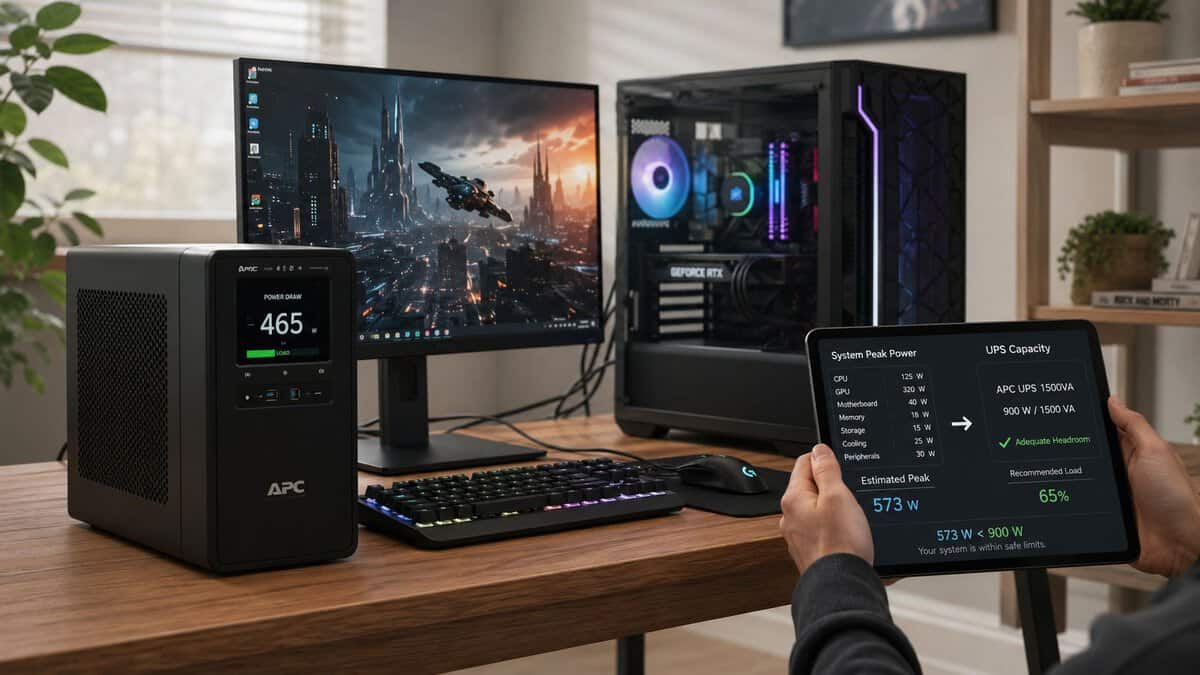
Most bad UPS purchases happen because people size for the PC they think they have, not the load they run. Gaming load changes. A desktop that idles on the menu can pull much harder once the GPU is under pressure in an FPS, a big MMO raid, or a stream session with background apps open.
Start with what must stay on
Don’t begin with every device on your desk. Start with the essentials you need the UPS to support during an outage.
For most gamers, that means:
- The PC itself
- One main monitor
- Modem and router if you want internet to stay up
- Nothing else unless it’s necessary
A second monitor is optional. Speakers are optional. RGB lights are optional. Battery runtime gets eaten fast when you protect things that don’t matter in the moment.
Use a simple sizing method
A practical method is to total the expected power draw of your core gear, then leave breathing room so the UPS isn’t operating at the edge.
- PC draw: Think about gaming load, not idle desktop use.
- Display draw: Add the monitor you use.
- Network gear: Include modem and router if online access matters.
- Headroom: Leave margin so the unit isn’t stressed every time your GPU spikes.
The threshold high-end builders shouldn’t ignore
For high-end gaming PCs with 1200W power supplies, a UPS with a minimum rating of 1500VA/1400W is required for stable operation during power fluctuations, while lower ratings like 650VA only provide about 7 minutes of runtime at peak load and are unsuitable for demanding rigs, according to PC Gamer’s UPS guidance.
That doesn’t mean every PC with a big PSU always pulls that much. It does mean you shouldn’t assume a small consumer UPS is “good enough” just because the machine boots fine on wall power.
If your rig is built around a high-end GPU, don’t shop UPS units like you’re protecting an office PC.
Three real-world sizing mindsets
Here’s the no-nonsense version:
| Setup style | UPS buying mindset |
|---|---|
| Single-monitor 1080p or 1440p gaming PC | Buy for the PC, one display, and clean shutdown time |
| High-end AAA gaming build | Prioritize wattage and pure sine wave compatibility |
| Gaming plus streaming | Size for the PC, monitor, and network gear first, then add overhead |
The biggest mistake is buying for average use instead of worst realistic use. A UPS only proves itself during stress. That’s exactly why undersized models disappoint.
Best Value UPS Recommendations for Gamers in 2026
Value doesn’t mean bottom-shelf. In this category, value means buying enough UPS for the system you own, with durability and electrical behavior that won’t become a problem later.
That’s why I don’t recommend starting with tiny entry-level boxes for modern gaming PCs. The mismatch is too common, and it’s exactly what leaves people thinking UPS units are useless when the actual issue was bad sizing.
A reliable UPS for a gaming PC is an affordable upgrade rather than a premium one, which keeps solid protection realistic for budget-conscious buyers who still care about quality.
Best for Mid-Range Builds: CyberPower CP1000PFCLCD
The CyberPower CP1000PFCLCD is the right starting point for a mainstream gaming rig. It puts out pure sine wave power at 1000VA/600W, which is exactly what an active-PFC gaming power supply wants, and its AVR quietly corrects the small brownouts and surges that cause most mid-game crashes.
Who it suits:
- Single-monitor FPS and MMO players: enough runtime to ride out a flicker or shut down cleanly, without paying for capacity you will not use.
- Mainstream GPUs: comfortable headroom for a build pulling up to roughly 400 to 500 watts at the wall.
- First-time UPS buyers: a proven, widely reviewed unit that avoids the simulated-sine trap.
If your rig is modest and you mainly want protection plus a safe shutdown window, this is the sensible pick.
Best for Stronger Rigs: CyberPower CP1500PFCLCD
The CyberPower CP1500PFCLCD is the one most gaming builds should default to. It delivers pure sine wave power at 1500VA/1000W with AVR and twelve outlets, backed by one of the largest owner track records of any consumer UPS. That mix of clean output, real headroom, and proven reliability is why it is our overall pick.
Who it suits:
- High-refresh, high-wattage rigs: capacity for a strong CPU and GPU plus a monitor without running the UPS near its ceiling.
- Anyone who wants margin: more runtime for a calm, deliberate shutdown when the power drops.
- Set-and-forget owners: AVR and a clear LCD readout make daily use simple.
If you are unsure which to buy, start here. It fits the widest range of gaming PCs.
Best for Gaming and Streaming: APC BR1500MS2
The APC BR1500MS2 Back-UPS Pro suits a desk that has to keep more than the tower alive. It runs pure sine wave at 1500VA/900W, adds USB-C charging for a phone or stream deck, and uses a user-replaceable battery so the unit lasts through several battery cycles instead of being disposable.
Who it suits:
- Streamers: keeps the PC, monitor, and network gear running long enough to end a stream gracefully instead of vanishing mid-broadcast.
- Multi-device desks: extra outlets and USB-C for the peripherals a creator setup piles on.
- Long-term owners: the swappable battery means one purchase can serve for years.
It runs pricier than the CyberPower units, but the extra outlets, USB-C, and serviceable battery earn their place on a streaming desk.
What I would skip
I’d skip undersized units marketed mainly on low price if they’re clearly aimed at light office gear. They’re tempting, but the value falls apart when a modern GPU hits them harder than expected.
I’d also skip units with weak build quality, cramped outlet spacing, or vague power labeling. A UPS sits unremarked for long stretches, so it’s easy to forget that durability matters. Then a bad battery, loose socket, or cheap transfer behavior shows up on the only day the unit must earn its keep.
Setup and Maintenance for Long-Term Reliability
A UPS isn’t hard to live with, but it does need basic setup and occasional attention. If you skip that, you can own a perfectly good unit and still have it fail you when the power drops.
First-day setup that matters
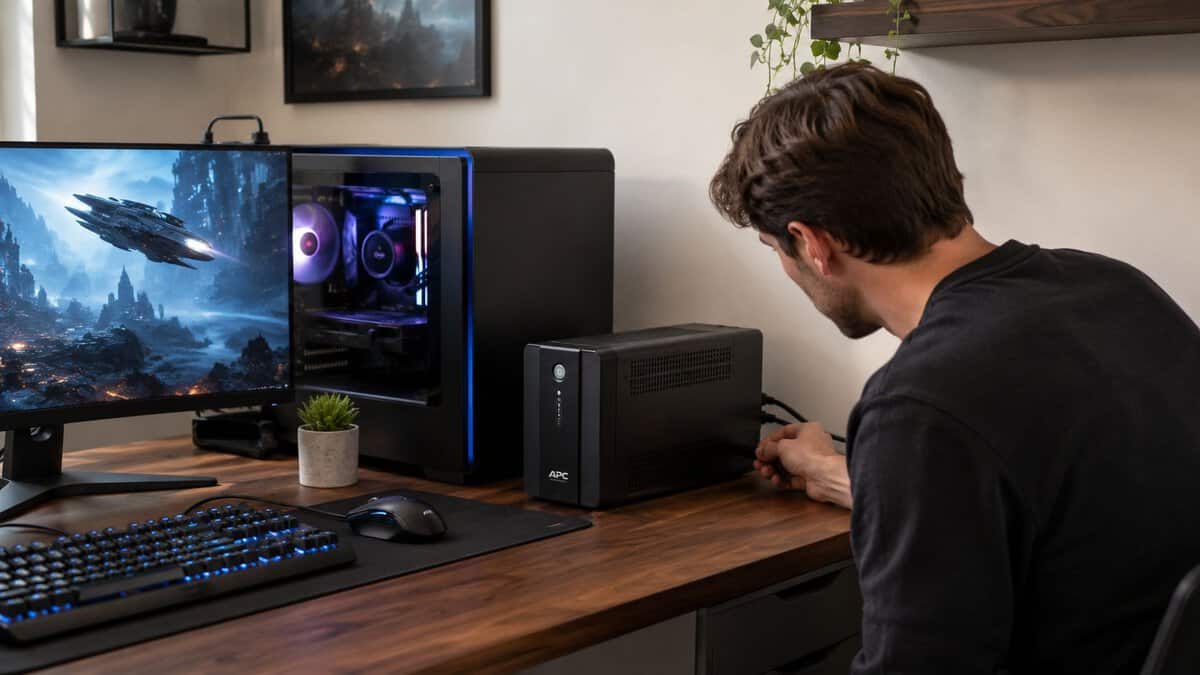
Give a new UPS a full initial charge before you trust it with your gaming system. That first step gets ignored a lot, and it’s one of the easiest ways to create a bad first impression.
Then check the rear outlets carefully. Most UPS units split them into two groups:
- Battery backup plus surge protection: Use these for the PC, main monitor, modem, and router.
- Surge-only outlets: Use these for non-critical accessories that don’t need battery runtime.
Don’t plug a laser printer into the battery-backed side. Don’t plug another power strip into it either. Both can create problems the UPS wasn’t meant to handle.
Why AVR helps with battery life
Reputable line-interactive UPS models with Automatic Voltage Regulation, such as the CyberPower CP1500PFCLCD, correct brownouts and surges instantly without draining the battery, while also offering a 3-year warranty and connected-equipment protection, based on this product discussion of AVR and durability.
That’s one reason line-interactive models are such a sensible value for gamers. They don’t treat every small voltage issue like a full outage.
If your setup area is messy, this PC cable management guide is worth a look. Cleaner cable routing makes it easier to separate battery-backed gear from surge-only gear and avoid accidental mistakes later.
Ongoing care is simple
You don’t need a maintenance ritual. Just stay aware.
- Test it periodically: Use the self-test or manual test function if your model includes one.
- Watch for battery warnings: Beeping patterns or battery alerts usually mean it’s time to pay attention.
- Keep vents clear: Heat is never your friend with backup power gear.
- Replace the battery before failure sneaks up on you: Don’t wait until the next outage reveals the battery is done.
A UPS that never gets tested is just a heavy power strip with a battery you hope still works.
Frequently Asked Questions About Gaming UPS Systems
A gaming UPS should answer one practical question first: will it keep your PC stable long enough to save your work, exit your game, and shut down cleanly when the power drops? If the unit cannot handle your actual load, the rest of the feature list does not matter.
Will a UPS noticeably raise my electric bill?
Usually, no. A UPS draws some power while charging and monitoring the line, but for a gaming setup, that cost is small compared with the value of protecting a PC, monitor, and storage from dirty shutdowns.
The bigger money mistake is buying a unit that is too small, then replacing it after the first outage exposes the problem.
How loud is a UPS?
In normal operation, many consumer UPS units stay fairly quiet. You may still hear relay clicks during voltage correction, and some higher-load models use a fan that becomes noticeable in a quiet room.
Battery mode is different. Beeping is common, and fan noise can increase if the unit is carrying a heavy gaming load. If your desk setup is noise-sensitive, check whether the alarm can be muted and leave enough airflow around the enclosure.
Can I plug a power strip into a UPS?
Use the wall outlet for the UPS, then plug your gear directly into the UPS.
Chaining a standard power strip or surge protector onto the battery-backed outlets can create load and protection issues the unit was not designed to manage. If you need more battery-backed ports, buy a larger UPS with the right outlet count. Keep low-priority accessories off the battery side.
How long does the battery last before replacement?
UPS batteries are wear items. Heat, frequent outages, and constant heavy loads shorten their life.
Plan on replacing the battery at some point instead of treating the UPS like a one-time purchase. If you run an aggressively tuned system, that matters even more, because a power event leaves less room for instability. This CPU overclocking guide is a useful reminder that extra performance usually comes with tighter stability margins.
Why do so many “budget” UPS picks fail with gaming PCs?
Because many of them are sized for office PCs, not modern gaming hardware.
A lot of cheap recommendations still center on low-wattage units that look fine on paper because the VA number sounds decent. The problem is the watt rating. A gaming PC with a power-hungry GPU can spike hard enough to overload an underpowered UPS even if the average draw seemed safe during a casual estimate. That is why gamers get burned by bargain models. The unit does its job right up until the moment the rig asks for real power.
This is the mistake I see most often. Buyers focus on price and battery runtime, then ignore whether the UPS can support the GPU and monitor together during a transfer to battery power.
What should I do with the old battery?
Do not throw it in the trash. UPS batteries need proper recycling or disposal.
If you are replacing one, use a service that handles responsible ion battery disposal and similar battery recycling practices safely.
The right UPS for a gaming PC is sized for your real wattage, has enough headroom for transient spikes, and comes from a product line with replacement batteries you can still buy a few years later. That usually costs more than the cheapest box on the shelf. It also saves you from buying a fake bargain that folds the first time your GPU gets hungry.
Building out the rest of your setup? Budget Loadout covers the gear that protects your rig and your budget, from power supplies to full battlestation guides.
Related Articles