You notice the problem most when the round gets tense. You flick for a shot, your monitor twitches, and the desk gives just enough wobble to throw off your aim. Or you settle in for an MMO grind, only to realize your shoulders and lower back are doing more work than your hands.
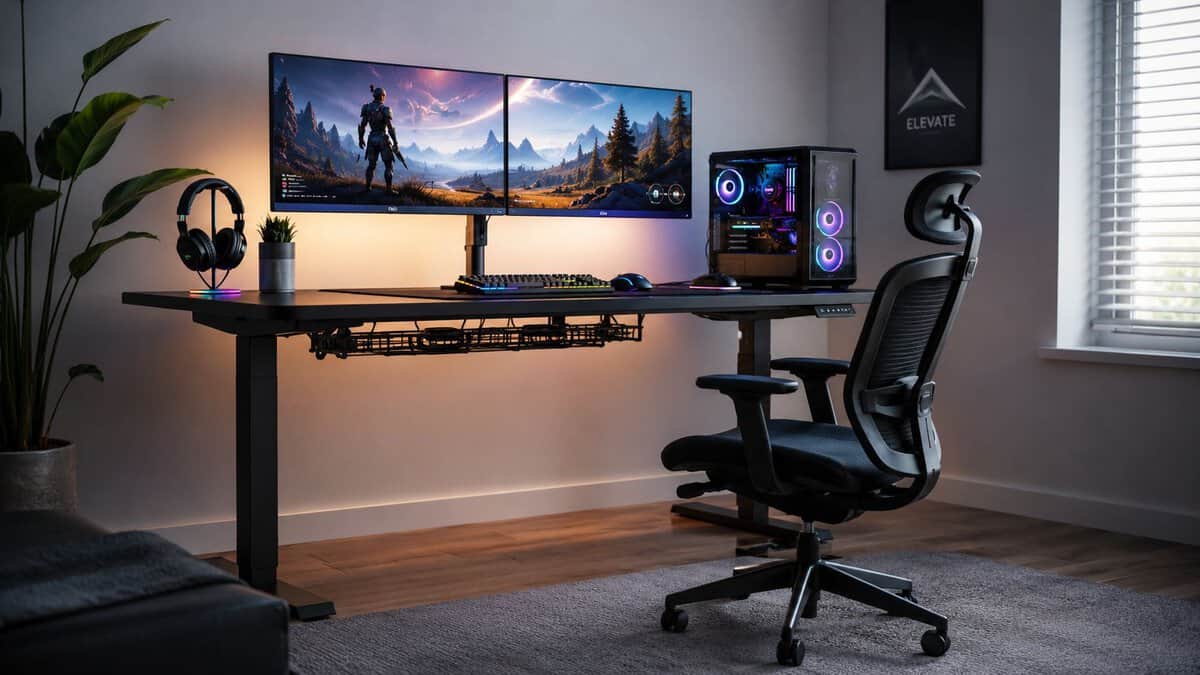
That’s usually the point where gamers start looking for the best standing desk for gaming. Not because standing desks are trendy, but because a weak desk becomes the worst part of an otherwise solid setup. If you’re trying to buy once and avoid regret, frame stability and motor quality matter more than flashy extras.
- Gaming-first features built in (monitor shelf, outlets, LED)
- Memory presets make sit/stand switching effortless
- Surface sized right for a one or two-monitor rig
- Single motor is best suited to lighter setups
- Built-in shelf is less flexible than a separate monitor arm
- Extra hardware means a longer assembly
- Huge, consistently positive owner base
- Smooth electric height adjustment for the money
- Leaves budget free for the gear that matters most
- Single-motor lift is happier with lighter loads
- Splice-board top rather than a one-piece surface
- Not ideal for a heavy triple-monitor arm
- Dual motors lift more smoothly and steadily
- Big 55 by 28 in top fits dual monitors and low-sens swipes
- Higher 220 lb capacity for heavier gear
- Costs more than the single-motor options
- Larger footprint needs more room
- Heavier to assemble and reposition
- Frame stability and motor quality matter far more than flashy extras: a wobbly desk ruins an otherwise great setup.
- GTPLAYER is the most gaming-first pick, bundling a monitor stand, power outlets, and height presets into one frame.
- FEZIBO is the lowest-risk budget entry: a massive owner base and smooth electric adjustment for single-monitor rigs.
- FlexiSpot E3 is the upgrade: dual motors, a 220 lb ceiling, and a 55 by 28 in top for multi-monitor setups that will grow.
- Match the desk to your real load and surface needs for the next few years, then add a monitor arm to reclaim desktop space.
Table of Contents
Why Your Gaming Setup Needs a Stable Standing Desk
A bad gaming desk doesn’t fail all at once. It fails in small ways. The frame shifts when you lean in. The desktop flexes under a monitor arm. The lift feels shaky at standing height. None of that sounds dramatic until you’re in a ranked match, streaming for hours, or trying to keep a triple-monitor setup from feeling like it’s mounted on a folding table.
That’s why I treat a standing desk as core hardware, not furniture. A stable desk protects mouse precision, keeps heavy gear planted, and gives you a setup that works for sitting, standing, grinding, editing clips, or jumping into Discord between matches. If you’re still using a cheap fixed desk, it’s worth comparing what a purpose-built setup changes in practice with a proper gaming desk guide.
The category is growing for a reason. More PC gamers are folding ergonomic, height-adjustable furniture into their setups every year, with standing desks moving from niche to mainstream as players look to cut back and shoulder strain during long sessions, as covered in Evodesk’s standing gamer desk market summary.
Practical rule: If your desk moves when you move, it’s not good enough for serious gaming.
Value matters here. Budget-conscious buyers don’t need the cheapest desk. They need a desk that avoids the expensive mistakes, weak legs, noisy motors, short warranties, and tops that feel fine on day one but get annoying fast.
Key Specs That Matter for a Gaming Standing Desk
Most spec sheets bury the stuff that affects gameplay. Ignore LED strips, cup holders, and marketing names for steel. Start with the parts that decide whether the desk stays planted when your match gets frantic.
Stability comes first
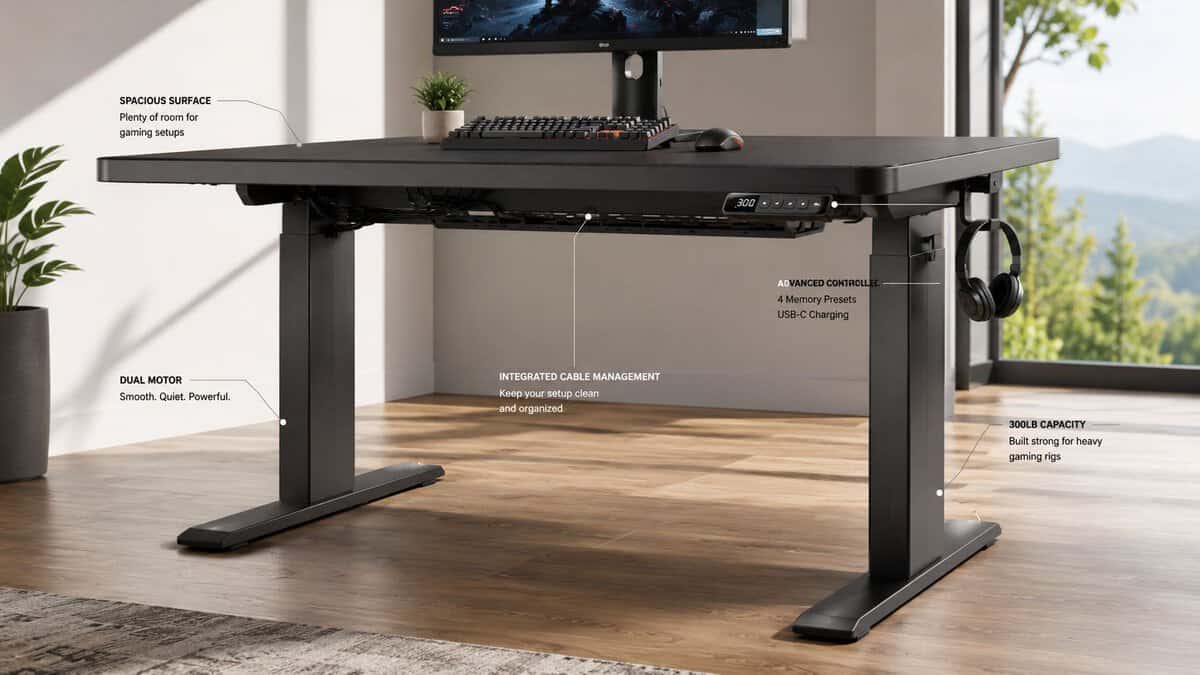
For gaming, frame rigidity is the first filter. If the desk shakes, everything else is secondary. That matters even more if you use a high-refresh display. Ergonomic studies show that standing desks with lower frame rigidity can introduce 0.3–0.8mm of vibration during movement, which aligns with perceptible screen jitter on 144Hz+ monitors, degrading visual clarity during fast-paced gaming, as noted in Blacklyte’s breakdown of standing gaming desk pros and cons.
That sounds tiny until you play on a fast panel. Small movement becomes visible. Visible movement becomes distraction. In shooters, distraction becomes missed input.
What usually works better:
- T-frame designs: These tend to feel more centered and planted under heavier loads.
- Reinforced steel legs: Thicker steel and better weld quality help more than cosmetic panels.
- Dual support structure: Extra bracing reduces side-to-side sway, especially at standing height.
- Leveling feet: Small floor imperfections can make a decent desk feel worse than it is.
What usually disappoints:
- Thin frames with long tops: The wider the desktop, the more a weak frame gets exposed.
- Single-column designs with minimal bracing: Fine for light office use, not ideal for gaming rigs.
- Marketing-heavy “gaming” desks: If the frame spec is vague, assume it’s hiding something.
Motor quality affects daily use
A standing desk that feels clunky won’t get used properly. Good motors should lift evenly, stop cleanly, and avoid that strained sound you hear when a desk is close to its limit.
For gamers, dual motors are usually the safer bet if the setup includes multiple monitors, speakers, a mounted mic arm, or a desktop PC on the surface. Smooth travel matters because jerky motion puts stress on the frame and whatever’s clamped to it.
Desk height also has to match your body, not some generic preset. Dial in your standing height so your elbows rest at roughly 90 degrees and the top of your monitor sits near eye level, then fine-tune chair and monitor-arm position from there.
A standing desk should disappear once it’s dialed in. If you keep noticing the mechanism, the wobble, or the noise, something’s off.
Weight capacity and surface size aren’t just numbers
Weight capacity matters because gaming setups add up fast. Two monitors, one arm, speakers, DAC, keyboard, mouse bungee, mic, camera, and maybe the PC on top. A desk that barely supports your load on paper often feels worse in real use because motors and frame tolerances are under more stress.
Surface size depends on what you play:
- FPS players: Prioritize mouse space and side-to-side stability over decorative accessories.
- MMO and strategy players: More room helps with secondary displays, macro pads, and a cleaner layout.
- Streamers: Depth matters. You need space for monitor arms, lighting spill, audio gear, and a comfortable reach zone.
A lot of clean setups come down to planning before you buy. If you’re still sketching layouts, these gaming desk setup ideas are helpful for figuring out whether you need a wider top, more depth, or just better accessory placement.
Read the spec sheet like a skeptic
Use this quick checklist before buying:
- Look for the frame type first. If the brand hides the leg design, that’s a red flag.
- Check whether the desktop size matches your actual use case. Don’t buy compact if you know you’ll add a second monitor soon.
- Treat accessory bundles as extra, not value. The frame and motor are the value.
- Watch for vague weight claims. Strong capacity is good, but how the desk behaves at standing height matters more than the headline number.
The Best Standing Desks for Gaming in 2026
The fastest way to narrow this down is to separate desks by value type. One desk can be the best overall value. Another can make sense for a tighter budget. A third earns its price because the frame and surface are built for heavier setups.
The market gives you a wide spread to work with. Models built around cold-formed steel T-frames with dual support beams have come to dominate the gaming desk space, precisely because that construction is what keeps a heavy multi-monitor rig from shaking. That stability is the trait worth chasing on any budget, and all three picks below are buyable right now on Amazon.
How We Picked the Best Standing Desk for Gaming
Each pick has to clear three bars: a stable, electric height-adjustable frame, a surface big enough for a real gaming layout, and honest value for the money. Here is how the three desks line up before we get into the details.
| Desk Model | Surface Size | Stability | Best For |
|---|---|---|---|
| GTPLAYER Standing Gaming Desk | 48 × 24 in | Good | Gaming-first features, FPS & streaming |
| FEZIBO Electric Standing Desk | 48 × 24 in | Good (lighter rigs) | Tightest budgets, single-monitor |
| FlexiSpot E3 Dual-Motor | 55 × 28 in | Very good | Big multi-monitor rigs, long-term builds |
GTPLAYER Electric Standing Desk: Built for gaming first
If you want a desk that was actually designed around gaming rather than retrofitted from an office product, the GTPLAYER Electric Standing Desk is the most on-theme pick here. It ships with a raised monitor stand, built-in power outlets, LED accenting, and memory-preset height buttons, so a full battlestation comes together without a pile of separate accessories.
The 48 by 24-inch surface comfortably holds a monitor-plus-peripherals layout, and the gaming-focused extras quietly save you the money you would otherwise spend bolting on a power strip and a riser. It runs on a single-motor frame, so it is happiest with a normal one or two-monitor rig rather than a wall of glass, which, for most players, is exactly the setup.
What works: You get a gaming-first feature set (monitor shelf, outlets, height presets) in one box, instead of buying a bare office desk and accessorizing it up to the same price.
FEZIBO Electric Standing Desk: The value starting point
When the budget is the hard constraint, the FEZIBO 48×24 Electric Standing Desk is the safe default. It is one of the most-reviewed budget standing desks on the market, and the feedback is consistent: smooth electric height adjustment and a stable-enough frame for a typical single-monitor gaming or work setup.
You are getting a single-motor lift and a splice-board top rather than a one-piece premium surface, so it is not the desk for a heavy triple-monitor arm. But for a clean sit-stand setup that holds steady under everyday use, it is hard to argue with, and it leaves room in the budget for the parts that actually touch your hands.
What works: A massive owner base and dependable electric adjustment make this the lowest-risk way into a standing setup without gambling on an unknown frame.
FlexiSpot E3: The upgrade that earns it
If you can stretch the budget, the FlexiSpot E3 is the one that feels built to outlast a couple of GPU upgrades. FlexiSpot is the frame brand a lot of desk reviewers benchmark against, and the E3 pairs a dual-motor lift with a 220-pound capacity and a larger 55 by 28-inch top.
That extra width is the real gaming argument: it swallows a dual-monitor arm and a full keyboard-and-mouse sweep for low-sens players without feeling cramped. The dual-motor lift also raises and lowers more smoothly and steadily than the single-motor budget frames: exactly what you want when there is expensive gear riding on top.
What works: Dual motors, a higher weight ceiling, and a genuinely big surface make this the pick if your setup is going to grow rather than shrink.
Quick buying advice by budget tier
- Tight budget: Stick to smaller or lighter setups. Don’t overload a value frame and expect premium stability.
- Mid-range: This is usually the sweet spot. You can get solid motors, a better frame, and room to grow.
- Premium: Worth it if your desk carries expensive gear and you care about zero nonsense over years of use. If you want a true showpiece at this tier, E-WIN’s Bravon full-metal sit-to-stand desk pushes into premium territory with a steel-heavy frame and built-in RGB: overkill for most, but the kind of build that shrugs off a fully loaded battlestation for years.
If you plan to mount displays instead of using stock monitor stands, a solid monitor arm guide helps you avoid pairing a good desk with a bad mount.
Use Case Showdown: Which Desk Is Right for You
A desk can be technically good and still wrong for how you play. The right choice changes if your evening is built around ranked shooters, MMO raids, or streaming with a lot of hardware on the surface.
And if a corner layout matters more to you than standing, our L-shaped gaming desk picks cover budget corner desks in three sizes at fixed height.
For competitive FPS players
FPS players need the least movement from the desk and monitor stack. That’s the whole game. If the frame shifts when you plant your forearm, or the mounted monitor reacts to every keypress and mouse swipe, you’ll feel it immediately.
The FlexiSpot E3 fits this use case best. Its larger 55 by 28-inch surface gives low-sens players room for full-arm swipes, while the dual-motor frame keeps the desk steady when a tense round turns frantic: the exact moment a wobbly desk throws off a flick.
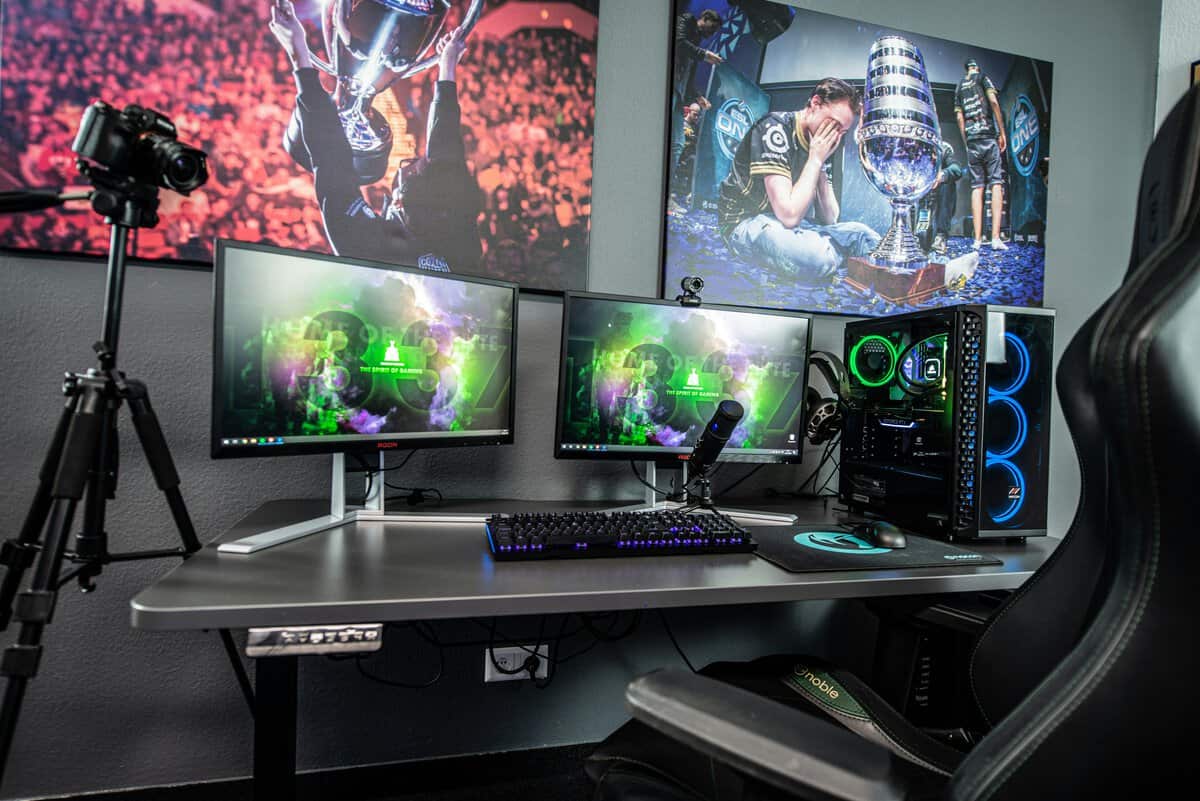
That large surface also helps low-sensitivity players who need real mouse room without crowding the keyboard into an awkward angle. If you pair a desk like this with the right seat height and arm support, your posture gets easier to maintain too. That’s where a practical comparison between a gaming chair and office chair can help complete the setup.
For MMO, RPG, and strategy players
This group usually benefits most from space and organization. You might have a primary display, a second screen for guides or chat, a keypad, notebook, controller dock, and maybe a drink or audio control nearby. Stability still matters, but surface layout matters almost as much because these setups stay “busy” all the time.
Look for:
- Wider desktops: More room for permanent gear placement.
- Deeper tops: Easier monitor positioning without pushing peripherals to the edge.
- Strong rear edge support: Important if you’re clamping one or two heavy arms.
A value desk can work well here if the load is distributed carefully. But if the setup keeps growing, a stronger frame usually pays off sooner than expected.
For streamers and hybrid creator setups
Streaming setups punish weak desks because every extra arm adds strain. Mic boom, key light mount, camera, interface, maybe a laptop stand. Even if the total weight is manageable, poor rigidity shows up as shake and sag.
Here’s the practical breakdown:
- If your gear lives on the desk full time: Buy up a tier.
- If you change height often during the day: Prioritize motor smoothness and consistent stops.
- If cables already annoy you: Built-in cable management becomes a real quality-of-life feature, not a bonus.
The more clamps and arms you add, the more the desk frame matters. Accessory-heavy setups expose weak desks fast.
Understanding Budget Desk Trade-Offs
Budget is where most buying mistakes happen. People chase the lowest entry price, then end up replacing the desk after dealing with wobble, a struggling motor, or a top that doesn’t inspire much confidence once the setup gets heavier.
What cheaper desks usually cut first
The compromises tend to show up in predictable places:
- Frame thickness: Less steel, less rigidity, more movement at standing height.
- Motor refinement: Rougher starts and stops, more noise, less confidence over time.
- Desktop quality: Thinner tops can feel hollow and less secure with clamped accessories.
- Warranty coverage: Shorter protection usually tells you how the maker sees the product.
That last point matters. A 10-year warranty is widely recognized as a solid benchmark for standing desk quality, which is why I treat warranty length as a useful signal of frame and motor confidence, based on this Reddit discussion on standing desk quality benchmarks.
What spending more actually buys
More money should buy one of three things. Better stability, better durability, or better usability. If it doesn’t, skip it.
In practical terms, the jump from entry-level to mid-range often gets you the biggest upgrade. The desk feels more planted, the motor feels less strained, and you stop worrying every time you add weight. That’s the difference between “cheap” and “value.”
The smart budget mindset
Don’t ask whether a desk is affordable in isolation. Ask whether it will still feel like a good purchase after months of gaming, adjusting height, and adding gear.
A budget-conscious gamer is usually better off buying a simpler desk with a stronger frame than a flashy desk loaded with extras. Stability ages well. RGB trim and gimmicks don’t.
Pro Setup Tips and Essential Accessories
A good desk only solves half the problem. The setup around it decides whether it stays clean, comfortable, and easy to live with.
Start with cable management
Height-adjustable desks punish sloppy wiring. If cables are too tight, they snag when the desk rises. If they hang loose, they turn into a mess under your knees and behind your monitor arms.
Use this simple checklist:
- Mount the power strip under the desk: One moving power source is easier to manage than several dangling ones.
- Leave service slack: Give cables enough length for full height travel without tension.
- Bundle by function: Group monitor, audio, and charging cables separately so troubleshooting stays easy.
If you want a cleaner method for routing everything from the desktop to the floor, this PC cable management guide covers the basics well.
Add the accessories that create space
The best add-ons are the ones that free room and reduce clutter. Monitor arms are high on that list. Under-desk hooks for headphones or controllers also help because they keep the work surface clear without forcing you to buy a larger desktop.
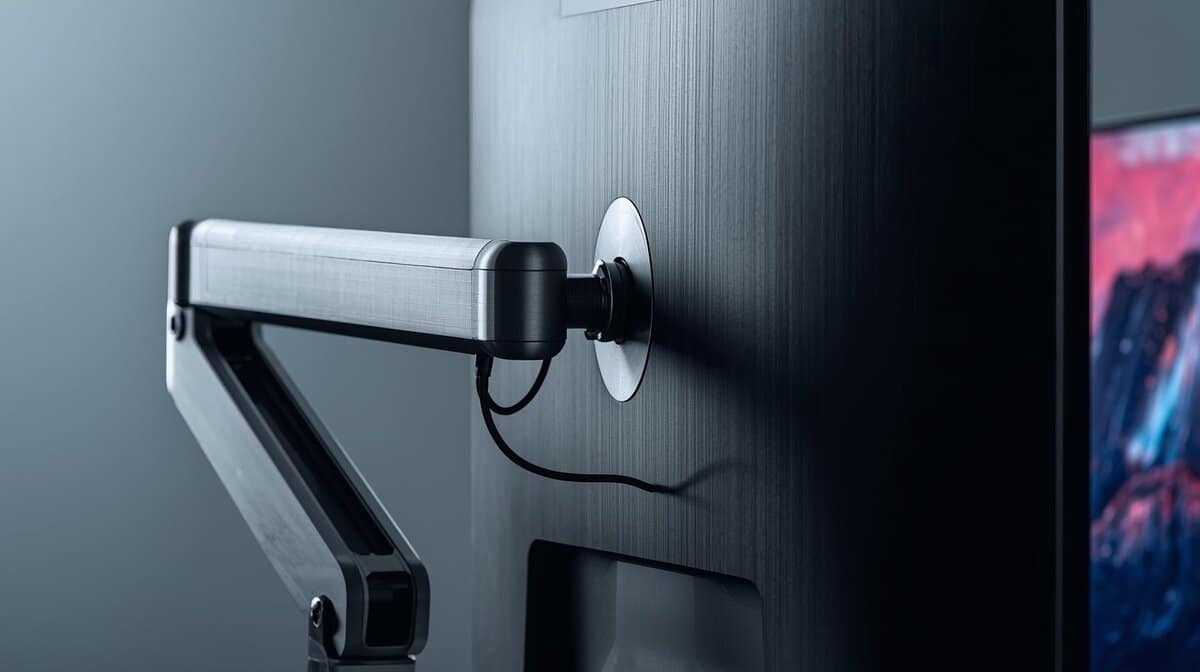
If a monitor arm is on your list, the Sunaofe modular monitor arm is a clean match for a standing setup. It reclaims the entire desktop footprint a monitor stand eats up, and its modular design scales from a single screen to a dual-monitor layout as your rig grows.
If you need an unusual size, finish, or room-specific design, it’s worth looking at Lucas Furniture custom desks just to understand what layout options matter before you buy a standard model.
Clean setups aren’t about having less gear. They’re about giving every piece of gear a fixed place.
Protect the desk so it lasts
Wipe the surface regularly. Recheck bolts after assembly settles. Don’t ignore new motor noises or slight rocking that wasn’t there before. Most standing desk problems start small and stay fixable if you catch them early.
Common Questions About Gaming Standing Desks
A few quick answers to the questions that come up most when choosing the best standing desk for gaming.
Are standing desk motors loud enough to get picked up by a stream mic?
Some are. Better ones tend to sound more controlled and less harsh. If you stream often, raise or lower the desk between segments instead of during quiet live moments.
Can a gaming standing desk hold a heavy dual-monitor arm?
Usually yes, if the frame is solid and the desktop supports clamps well. The main issue is not just total weight, it is how much rotational force the arm puts on the back edge of the desk.
Should you stand the whole time during long gaming sessions?
No. Alternating positions works better than locking into one. Your body does best when you switch before discomfort builds, not after.
Is the best standing desk for gaming always the most expensive one?
No. The best one is the desk that gives you enough stability, enough surface, and a motor system you will not hate using. For many gamers that is a mid-range desk with a stronger frame, not the cheapest option and not the flashiest one.
If you’re building a setup that needs to stay stable without wasting money, Budget Loadout is worth bookmarking. It focuses on the gear that actually improves gaming and streaming, with clear advice on value, durability, and the trade-offs that matter before you buy.
Related Articles