Finding the best budget monitor for Apex Legends requires a clear focus on two specs: a high refresh rate (144Hz or more) and a low response time (under 4ms GtG). “Budget” is relative, but capable 1080p and 1440p monitors that offer a tangible competitive edge are more accessible than ever. This guide is about identifying true value, not just the lowest price tag, to ensure your upgrade is durable and impactful.
- Mini LED backlighting with HDR 1000 provides stunning contrast and color depth
- 1440p 180Hz with 1ms response keeps gameplay smooth and responsive
- Adaptive Sync eliminates screen tearing without input lag penalty
- 180Hz is fast but falls short of 240Hz for players chasing maximum smoothness
- Mini LED can exhibit subtle blooming in very dark scenes
- Limited to HDMI 2.0, so full 180Hz requires DisplayPort
- 240Hz refresh rate delivers the smoothest motion for tracking fast-moving targets
- HDMI 2.1 support makes it future-proof for next-gen consoles at 1440p
- G-Sync and FreeSync Premium compatibility ensures tear-free gameplay on any GPU
- HDR 400 certification is modest compared to the AOC’s HDR 1000
- IPS panel has slightly less contrast than Mini LED in dark environments
- A 1440p 27-inch panel is the sweet spot for Apex: sharp enough to spot distant enemies without needing an expensive GPU to drive it.
- Response time matters more than raw refresh rate in Apex, where split-second target acquisition decides gunfights.
- The AOC Q27G3XMN is the standout value pick, pairing a fast 1440p panel with strong contrast for spotting enemies in shadowy corners.
- The LG 27GR83Q-B Ultragear steps up motion clarity for players chasing the smoothest possible aim.
- Prioritize a VA or IPS panel with adaptive sync so fast strafing and ziplines stay tear-free on a budget GPU.
Table of Contents
Why Your Monitor is a Key Factor in Apex Legends
In a game where milliseconds determine the outcome, your monitor is a critical piece of hardware. When facing an enemy squad in World’s Edge, the difference between landing your shots and returning to the lobby often comes down to how smoothly you can track a moving target. A high-performance monitor provides a measurable advantage here.
Apex Legends is one of the most popular battle royale games, and in its competitive environment, every edge counts. A monitor with a 144Hz+ refresh rate displays more visual information per second. In practical terms, this translates to:
- Smoother visuals, making it easier to track fast-moving opponents.
- A more responsive feel, as the delay between your mouse movement and the on-screen action is reduced.
- Clearer images in chaotic firefights with less motion blur.
How Premium Features Became Affordable
The gaming monitor market has shifted significantly. A few years ago, shipments of high-refresh-rate monitors (over 100Hz) grew by 105% in 2020, flooding the market with options. That expansion pushed once-premium features into budget-friendly price brackets. This guide will help you navigate the options to find a monitor that delivers the best performance and build quality for your money.
Our objective is to find a monitor that offers genuine value. We will focus on the specifications that directly improve your performance in Apex Legends, helping you make an informed decision without succumbing to marketing hype.
Our recommendations are based on a simple philosophy: finding the intersection of price, performance, and build quality. Let’s analyze the specifications that matter and how to match them to your PC and your budget.
Translating Monitor Specs Into Apex Legends Performance

A monitor’s spec sheet can be a wall of technical jargon. To make a smart purchase, you must know which numbers translate into a real advantage in the arena. This is about converting specs on a box into better performance when you’re armor-swapping mid-fight.
The most critical spec is refresh rate, measured in Hertz (Hz). For a fast-paced game like Apex, 144Hz is the minimum for competitive play. It refreshes the image 144 times per second, making fast-moving targets substantially smoother and easier to track compared to a standard 60Hz screen.
Many budget monitors now offer 165Hz or 180Hz. While not a transformative leap from 144Hz, this small increase adds a perceptible degree of extra clarity during rapid 180-degree turns, providing a slight but real advantage when snapping onto an enemy.
Response Time and Motion Clarity
Next is response time. This spec is responsible for reducing visual noise like ghosting and motion blur when you’re sliding, wall-jumping, or looting at high speed. A low response time is non-negotiable. You will see two different measurements:
- GtG (Gray-to-Gray): This measures how fast a pixel can change from one shade of gray to another. A low GtG time, ideally 1ms, is what keeps moving targets sharp and clear. This is the more important metric.
- MPRT (Moving Picture Response Time): This measures perceived blur, often achieved by strobing the backlight. While a 1ms MPRT can look good, it frequently reduces brightness and can cause flickering.
For Apex Legends, prioritize a low GtG response time. This directly combats the motion blur that can make or break a close-quarters fight, ensuring an enemy’s outline remains crisp and trackable.
Panel Types and Resolution Trade-Offs
The monitor’s panel technology determines its color reproduction, contrast, and viewing angles. On budget monitors, you will almost always find either an IPS or a VA panel. Each comes with clear trade-offs. For a full breakdown, see our analysis of IPS vs. VA panels for gaming.
IPS (In-Plane Switching) vs. VA (Vertical Alignment)
| Feature | IPS Panels | VA Panels |
|---|---|---|
| Colors | More vibrant and accurate colors. | Good colors, but less saturated than IPS. |
| Contrast | Lower contrast; blacks can appear grayish. | Superior contrast, providing deep blacks. |
| Use Case | Ideal for FPS gaming and content creation. | Better for cinematic games or dark scenes. |
| Weakness | Can have “IPS glow” (light bleed) in dark corners. | Can suffer from “black smearing” in motion. |
Finally, you must choose a resolution. For a budget build, the choice is between 1080p (1920×1080) or 1440p (2560×1440). 1080p is far easier for a budget GPU to run at high frame rates, making it the practical choice if raw performance is your sole objective. 1440p offers a much sharper image but requires a more powerful graphics card to maintain over 144 FPS.
Regardless of your choice, ensure the monitor has Adaptive Sync (FreeSync or G-Sync Compatible). This feature synchronizes the monitor’s refresh rate with your GPU’s frame output, eliminating screen tearing and ensuring smooth gameplay.
Top Budget Monitors for Apex Legends Compared
This section compares the top contenders for the best budget monitor for Apex Legends. We will be direct about the trade-offs. In the sub-$300 category, every monitor makes a compromise. The key is to select one that sacrifices a feature you don’t need for one that directly helps you win fights.
We are focusing on monitors that deliver real value, not just a low price. That means scrutinizing their in-game performance, build quality, and long-term durability. Let’s compare a few of the best models to see where they excel and where they cut corners.
2026 Budget Monitor Showdown for Apex Legends
Here is a direct comparison of our top recommended budget monitors, highlighting key specs and the real-world trade-offs for playing Apex Legends.
| Model | Size & Resolution | Refresh Rate | Panel Type | Best For | Key Trade-off |
|---|---|---|---|---|---|
| AOC Q27G3XMN | 27″ 1440p | 180Hz | VA (Mini-LED) | Immersive visuals & HDR performance. | Minor black smearing in fast-paced scenes. |
| LG 27GR83Q-B | 27″ 1440p | 240Hz | Fast IPS | Pure motion clarity & competitive FPS. | Weaker contrast; blacks appear gray. |
This table clarifies the choice: do you want superior contrast and immersion, or do you require the absolute cleanest motion possible? Both are strong options, but they serve different priorities.
The Value King: AOC Q27G3XMN
The AOC Q27G3XMN is a standout recommendation because it brought Mini-LED technology to a price point accessible to budget gamers. This feature, typically found in more expensive displays, gives this monitor contrast and HDR performance that no other monitor in its class can match.
It’s a 27-inch 1440p VA panel running at 180Hz. For Apex Legends, this means a sharp, detailed image combined with the fluid motion required for competitive play.
Performance and Trade-offs
The deep blacks and bright highlights create an immersive experience. Practically, this makes spotting enemies in dark corners of maps like World’s Edge easier. However, being a VA panel, it can exhibit some minor black smearing during very fast camera movements. This is not a deal-breaker for most, but if you are highly sensitive to ghosting, an IPS alternative may be preferable. The build quality is solid, with a sturdy stand offering height, tilt, and swivel adjustments, useful for ergonomics during long sessions.
Key Takeaway: The AOC Q27G3XMN is for the gamer who wants an impressive visual experience alongside competitive speed. Its HDR is unmatched at this price, making it a great all-rounder for Apex and cinematic single-player titles.
The Speed Demon: LG 27GR83Q-B
If raw speed and motion clarity are your absolute top priorities, the LG 27GR83Q-B is an exceptional choice. This monitor features a 27-inch 1440p “Fast IPS” panel with a 240Hz refresh rate and a legitimately quick GtG response time. This is the monitor for the pure FPS player who values clean tracking and precise flicks.
Performance and Trade-offs
In Apex Legends, the Fast IPS panel ensures that rapid 180-degree turns and tracking a jump-padding Octane are exceptionally clean, with virtually no ghosting or blur. The colors are also vibrant and accurate, making it a good fit for streamers who need their game to look good for an audience. The main trade-off is contrast. Like most IPS panels, its blacks will look more like dark gray, especially in a dimly lit room. Its HDR performance is also negligible.
- Build Quality: The 27GR83Q-B has a functional but plastic-heavy construction. The stand is stable but only offers tilt adjustment, making a VESA monitor arm a worthwhile investment for optimal positioning.
- Use Case: This is the best budget monitor for Apex Legends players who prioritize responsive, blur-free gameplay above all else. Its performance characteristics are what players seek in tactical shooters; if you also play Valorant, our guide on the best budget monitors for that game may be useful.
Ultimately, choosing between these two depends on what you value more: the stunning contrast of the AOC’s Mini-LED panel or the raw motion clarity of the LG’s Fast IPS.
Choosing the Right Monitor for Your Gaming Style
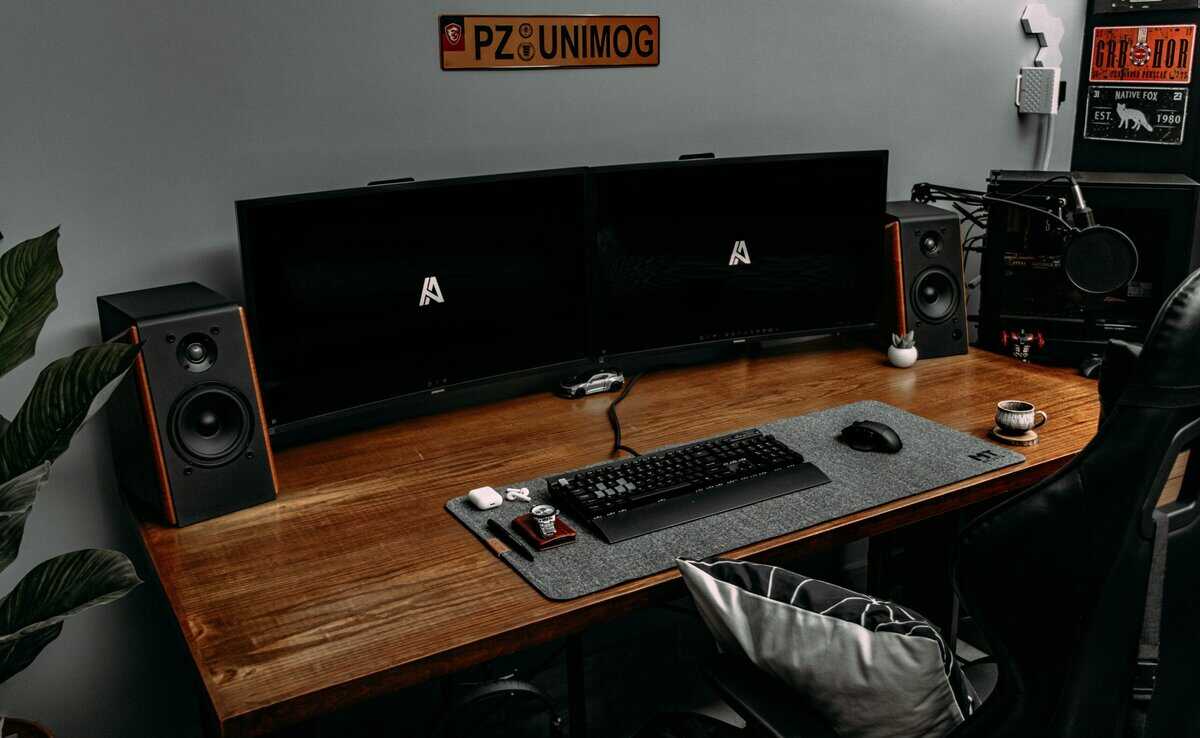
The best monitor for you depends on how you play and what else you do at your desk. A good display should enhance more than just one game. Here are specific recommendations for different types of gamers, matching the right features to actual needs.
For the Dedicated FPS Competitor
If your main goal is to climb the ranks in Apex Legends, your focus should be singular: raw speed. You need the highest refresh rate and lowest response time available within your budget to maximize motion clarity and reduce input lag.
- Priority: Highest refresh rate (165Hz+) and a 1ms GtG response time.
- Panel Type: A “Fast IPS” panel is the ideal choice. It delivers the pixel response needed to eliminate ghosting when tracking fast-strafing targets.
- The Trade-off: You will sacrifice contrast and meaningful HDR performance. Blacks will look grayish, but your competitive capability will be maximized.
For pure competitors, visual flair is secondary. A monitor that provides the cleanest, most responsive image for tracking a strafing target is the correct investment. It’s not about how good the game looks; it’s about how well you can play it.
For the MMO Player and All-Around Gamer
If you play a variety of games, including MMOs like World of Warcraft or cinematic single-player titles alongside Apex, you need a more balanced monitor. Visual immersion becomes as important as speed.
- Priority: A blend of good refresh rate (144Hz+), strong contrast, and vibrant colors.
- Panel Type: A VA panel is often the better choice here. Its deep blacks make fantasy worlds and dark game environments feel more atmospheric.
- Build Quality: A sturdy, adjustable stand is important for comfort during long gaming sessions, whether you’re raiding or grinding ranked matches.
For the Aspiring Content Creator / Streamer
If you plan to stream or record gameplay, you must balance speed with visual quality. Your monitor needs to feel responsive to you while also making your game look good for your viewers. Color accuracy becomes a significant factor.
- Priority: A smart balance of a 144Hz+ refresh rate and strong color performance.
- Panel Type: An IPS panel is non-negotiable. Its superior color accuracy and wider viewing angles ensure your stream’s output is vibrant and consistent.
- The Trade-off: You will give up the deep blacks of a VA panel, which is a small price to pay for accurate color representation for your audience. For a wider look at versatile displays, check out our guide on the best budget gaming monitor for general use.
Final Verdict: Our Top Value Picks for 2026
After analyzing the specs and trade-offs, here are our clear recommendations. These are the monitors that provide a genuine competitive edge for Apex Legends without being prohibitively expensive. Our picks focus on the intersection of price, performance, and build quality, with each aimed at a specific type of player.
Best Overall Value Monitor
For most players, the AOC Q27G3XMN is our top pick for best overall value. It is an almost unbeatable package at its price, combining a 27-inch 1440p screen, a fast 180Hz refresh rate, and Mini-LED technology. You get the speed required for Apex and a visual experience that enhances every other game. The build quality is solid, the stand is adjustable, and the performance is excellent. While any VA panel has a slight risk of minor black smearing, the phenomenal contrast is worth that small trade-off. This monitor is a durable and versatile investment.
Maximum Performance Pick
If your sole objective is the cleanest motion clarity for a pure competitive advantage, then the LG 27GR83Q-B is your monitor. It is built for the dedicated FPS player who prioritizes speed above all else. Its 240Hz Fast IPS panel delivers extremely low response times, practically eliminating ghosting and blur. The trade-off is weaker contrast and nonexistent HDR. The build is functional but plasticky; you are buying this monitor for its panel, not a premium feel. This is the best budget monitor for Apex Legends if raw, uncompromised speed is your demand.
Final Takeaway: Your choice depends on your priorities. Do you want the immersive, high-contrast visuals of the AOC, or the pure, unadulterated speed of the LG? Both are excellent, but they are built for different users.
For the rest of the desk, we also cover budget mouse picks for Apex Legends, budget keyboards for Apex Legends and mousepads for Apex Legends. To hear the fights on that screen as clearly as you see them, our pick of the best headset for Apex Legends covers wired, wireless and open-back options.
Common Questions About Budget Apex Monitors
When shopping for a budget monitor, a few key questions consistently arise. Answering them correctly is the difference between a frustrating purchase and a real competitive upgrade.
Is 1440p Worth It for Apex Legends on a Budget GPU?
This depends on your specific graphics card and priorities. If you are running a modern budget GPU like an RTX 4060 or RX 7600, then yes, 1440p is absolutely worth it. These cards are powerful enough to push well over 100 FPS in Apex at 1440p with optimized settings.
However, if your GPU is older or a true entry-level card, sticking with 1080p is the smarter choice. For a game as fast as Apex, a high, stable frame rate is always more important than a higher resolution.
On a budget, use performance-boosting technology. NVIDIA’s DLSS and AMD’s FSR allow your GPU to render the game at a lower resolution and then intelligently upscale it to 1440p, providing a massive FPS boost with a minimal impact on visual quality.
Ultimately, 1440p offers a sharper image that can make spotting distant enemies easier. If your GPU can handle it, it’s a clear upgrade. If not, a high-refresh 1080p monitor remains the standard for pure performance on a tight budget.
Is a Curved Monitor Better for Apex Legends?
Curved monitors are marketed as more “immersive,” but for a twitch shooter like Apex, they are a mixed bag. The curve is intended to wrap around your peripheral vision, but it can introduce image distortion. This can make straight lines, like the edge of a building, appear slightly warped. Many competitive players find this disorienting and prefer the predictable geometry of a flat monitor.
Immersion: Curved screens can feel more engaging, especially on larger ultrawide displays.
Competitive Integrity: Flat screens offer zero distortion. Every sightline is exactly as intended.
For most Apex players, a flat monitor is the safer, more practical choice. Unless you have prior experience and prefer a curved screen, it is better to allocate your budget toward specs like refresh rate and response time.
How Important Is HDR for a Competitive Game Like Apex?
HDR (High Dynamic Range) can make games look stunning, but for a competitive title like Apex Legends, its value is minimal. In Apex, the primary goals are performance and target visibility. While HDR can make the world look more realistic, it often does so at the cost of a few frames per second and can sometimes make it harder to spot enemies by creating deeper shadows. Competitive players are known for turning graphics settings down to make enemies more visible, not up.
On a budget, your money is better spent on a higher refresh rate and a faster response time. Consider HDR a “nice-to-have” luxury, not a necessity. If you find a monitor like the AOC Q27G3XMN that delivers good HDR as a bonus, that’s great. But it should not be prioritized over core performance specs.
For more budget gaming gear guides, tips, and recommendations, check out Budget Loadout, your go-to resource for gaming on a budget.
Related Articles