AR glasses turn a Steam Deck, Switch 2 or PS5 into a giant screen you wear like sunglasses. The best AR glasses for gaming all do that well so check first that your device can send them a picture. A Steam Deck plugs straight in. A Switch 2 needs a dock and a PS5 needs an HDMI adapter.
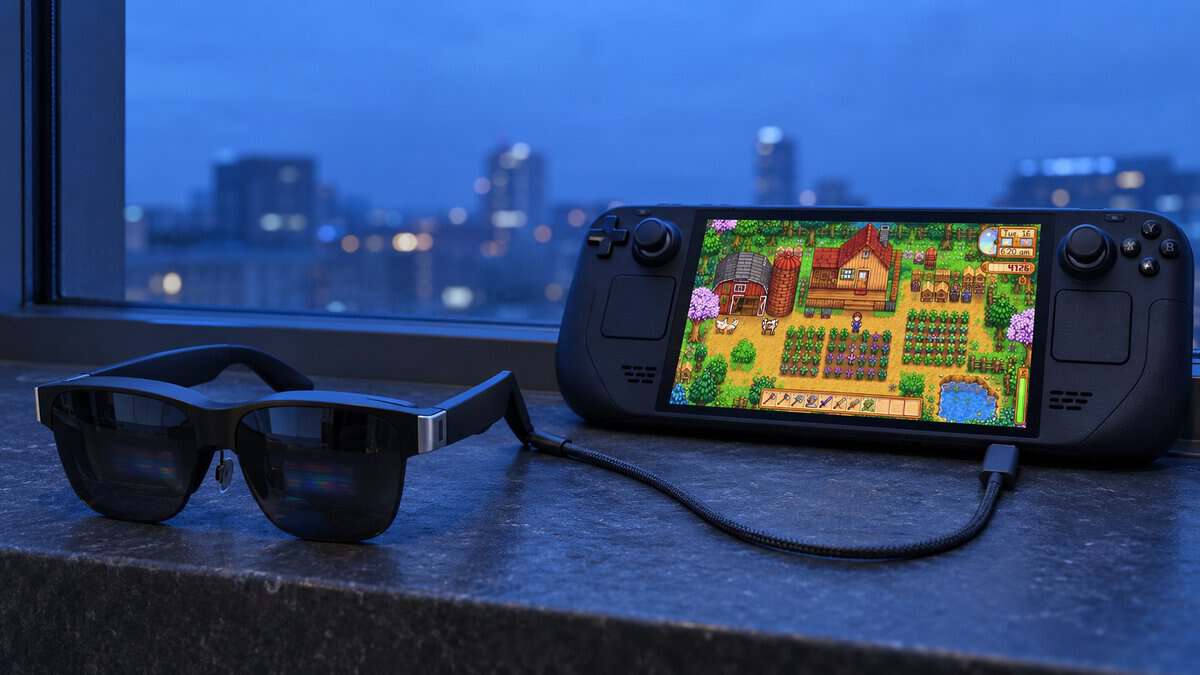
We picked three pairs and most sections below name the one that wins a single factor like Switch 2 support or head tracking.
A Full HD micro-OLED pair with HDR10 and a 1,200-nit rating that costs less than the XREAL. Its screen follows your head, which suits a couch or a bed more than a bumpy commute.
- HDR10 on a micro-OLED panel
- Quad speakers tuned by Bang & Olufsen
- Plug and play on USB-C video devices
- Screen follows your head with no anchor mode
- Prescriptions need separate inserts
- Narrowest view here at 46°
The lightest pair here at 63 g, with dials in the frame that correct nearsighted vision down to -5.0D. Pinning the screen in place runs through VITURE’s free SpaceWalker app.
- Built-in diopter dials to -5.0D
- Lightest of the three at 63 g
- Highest brightness rating here
- Screen anchoring needs the SpaceWalker app
- Switch 2 needs a VITURE dock or adapter
- Dials cover nearsighted vision only
The XREAL 1S is the only pair here that pins the screen in place on its own. XREAL’s X1 chip runs its Anchor, Follow and Ultra-wide modes. The XREAL 1S costs more than the other two.
- Native 3DoF with no app to install
- Automatic lens dimming
- Sound by Bose
- Lowest brightness rating here at 700 nits
- Heaviest of the three at 82 g
- Costs more than the other two picks
Picks and availability last verified: November 23, 2026
- A Steam Deck, a ROG Ally or an iPhone 15 or later drives AR glasses with one cable because each sends DisplayPort video over USB-C.
- Every pair needs a dock or adapter for a Switch 2 and an HDMI adapter for a PS5 or Xbox.
- Only the XREAL 1S pins the screen in place on its own. The VITURE Pro 2 does it through an app and the RayNeo Air 4 Pro screen follows your head.
- The VITURE Pro 2 corrects nearsighted vision to -5.0D with built-in dials, while the RayNeo and XREAL pairs use prescription inserts.
- All three pairs run at up to 120Hz, but the device you plug in sets the limit (the Steam Deck OLED’s own screen tops out at 90Hz).
Table of Contents
Plugging AR Glasses Into a Handheld Console or PC
AR glasses plug into any device that sends video out of its USB-C port so check yours before you buy. Handheld PCs and recent iPhones send it directly. The VITURE Pro 2 wins on connection because VITURE names its own docks and adapters for the Switch 2, the PS5 and the Xbox. A Switch 2 needs a dock in the middle and a PS5 or Xbox needs an HDMI adapter.
Check three things on your device before you order
- Your device’s USB-C port has to support DisplayPort Alt Mode. The Steam Deck, every ROG Ally model and the iPhone 15 and later all do.
- Charging a Steam Deck while you play needs a hub or dock because the glasses take its only USB-C port.
- A Switch 2 needs its dock for TV video, while a PS5 or Xbox sends video over HDMI only.
Steam Deck and ROG Ally Plug Straight In
A Steam Deck or ROG Ally drives the RayNeo, VITURE and XREAL pairs straight from its USB-C port with no adapter. Valve lists the Steam Deck’s port with DisplayPort 1.4 Alt Mode and ASUS lists DisplayPort on the USB-C ports of every Ally model. VESA’s DisplayPort Alt Mode spec is the standard that carries that video over USB-C. VESA even names AR and VR displays among its uses.
The glasses take the Steam Deck’s only USB-C port so you need a hub to charge while you play. The XREAL Hub adds a 45W charging port between the two. XREAL names the Steam Deck, the ROG Ally and the Switch on its listing.
Nintendo Switch 2 Needs a Dock in the Middle
A Switch 2 needs a dock or adapter between the console and any pair of AR glasses. Nintendo’s TV mode support page says Switch 2 TV video runs through the dock with the AC adapter plugged into it. VITURE says the same for its glasses and lists a VITURE dock or adapter as the way to connect the Pro 2 to a Switch or Switch 2.
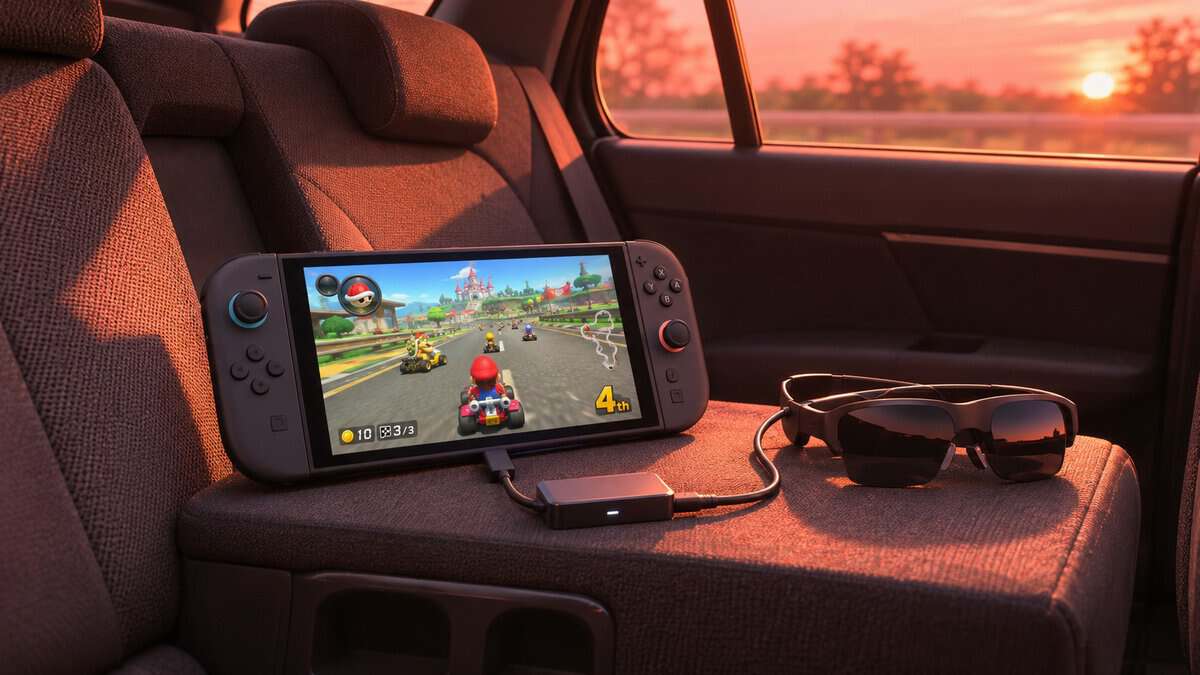
The VITURE Mobile Dock Mini is the compact option. VITURE lists the Switch 2 and Switch, up to 120Hz in 2D and 65W pass-through charging. VITURE also says the Switch 2’s high-performance mode only runs while the Mini is charging so keep a charger in the bag.
VITURE says the Mini works with other display glasses too, but it names no XREAL or RayNeo model. Treat the XREAL 1S on it as unconfirmed until one of the two brands lists it. Our Switch 2 dock guide covers the TV side of the same console.
PS5 and Xbox Over HDMI Plus Phones and Cloud Gaming
A PS5 or Xbox Series X|S needs an HDMI adapter to reach AR glasses because both consoles send video over HDMI only. VITURE sells its own HDMI adapter for PS5 and Xbox play, while RayNeo sells one that names both consoles. Plan on an HDMI adapter for the XREAL 1S as well.
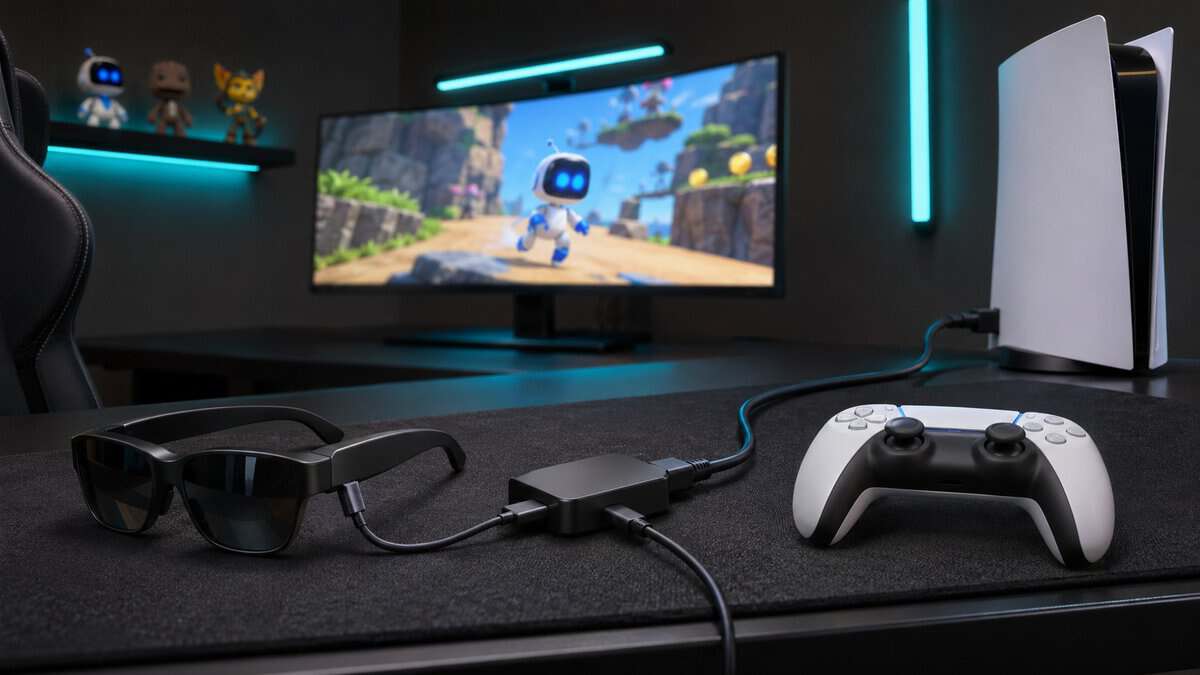
Phones are simpler because an iPhone 15 or later sends video over USB-C and all three listings name it. A cloud gaming app on an iPhone 15 or later is an easy way to try AR glasses with games you already own. Android phones vary so check that yours supports video out over USB-C before you count on it.
Here’s what each pair needs to connect to each device.
| Device | RayNeo Air 4 Pro | VITURE Pro 2 | XREAL 1S |
|---|---|---|---|
| Steam Deck and ROG Ally | Direct over USB-C | Direct over USB-C | Direct over USB-C |
| Nintendo Switch 2 | Needs a dock | Needs a VITURE dock or adapter | Needs a dock (VITURE’s Mini not confirmed) |
| PS5 and Xbox Series X|S | Needs an HDMI adapter | Needs an HDMI adapter cable or dock | Needs an HDMI adapter |
| iPhone 15 and later | Direct over USB-C | Direct over USB-C | Direct over USB-C |
A Screen That Stays Put for Travel and Motion
The XREAL 1S wins on head tracking because it is the only pick that pins the screen in place on its own. The XREAL 1S’s X1 chip runs native 3DoF tracking so the picture can stay where you put it while your head moves.
Anchor Mode vs Follow Mode
Anchor mode holds the virtual screen at one spot in front of you, while follow mode keeps it locked to your face wherever you look. XREAL lists Anchor, Follow and Ultra-wide modes on the 1S. The VITURE Pro 2 anchors a screen through VITURE’s free SpaceWalker app on a phone or computer so check that the app runs on the device you plug into. RayNeo lists follow mode as the Air 4 Pro’s tracking so its screen moves with your head.
A pinned screen matters most in motion. On a bus or a plane a screen glued to your face moves with every bump and glance, which some players find unsettling. A pinned screen is the strongest reason to pick the XREAL 1S if you get motion sick easily.
When a Screen That Follows Your Head Is Fine
A screen that follows your head is fine when you sit still and look straight ahead, like on a couch or propped up in bed. The RayNeo Air 4 Pro makes sense for couch and bed play since follow mode needs no app and no setup.
Our best Steam Deck accessories guide covers the grips, cases and docks for that kind of couch setup.
Refresh Rate and Latency in Fast Games
The RayNeo, VITURE and XREAL pairs all run at up to 120Hz so no pair wins on refresh rate. The device you plug into sets the limit, while XREAL publishes a 3ms motion-to-photon latency figure for the 1S.
Getting 120Hz From the Best AR Glasses for Gaming
A pair of 120Hz glasses only shows 120 frames a second when the source sends them. Valve lists the Steam Deck OLED’s own screen at up to 90Hz, while its USB-C port supports up to 4K at 120Hz out. Demanding games on a handheld chip often run below that anyway so the headroom helps lighter games most.
Docks have their own limits too. VITURE lists the Mobile Dock Mini at up to 1920 x 1200 and 120Hz in 2D and says the result depends on both the source and the glasses.
Latency in Shooters vs Story Games
Latency matters more in a shooter than in a story game because lag shows up as aim that trails your thumbs. XREAL quotes 3ms motion-to-photon latency for the 1S, which is the time between a head movement and the updated picture. The 3ms figure comes from XREAL, while RayNeo’s and VITURE’s spec pages list no comparable number.
For a slow RPG on a train, any of the three pairs is fast enough.
For competitive shooters at a desk, a monitor still makes more sense. A high refresh panel from our best portable monitor guide sits in your eyeline with no head movement in the chain at all.
Get our free Budget Gaming Setup Checklist
Plus one email every Thursday on what changed for budget gaming gear.
No spam. Unsubscribe any time. Privacy
Brightness and Dimming for Playing in Bad Light
The RayNeo Air 4 Pro is the pick for HDR content and the VITURE Pro 2 carries the highest brightness rating. The XREAL 1S dims its own lenses.
HDR10 on a Pair of Glasses
HDR10 on the RayNeo Air 4 Pro means it can show high dynamic range content when your source sends it. RayNeo lists HDR10, a 200,000:1 contrast ratio and up to 1,200 nits for the pair. VITURE rates the Pro 2 at 1,600 nits of peak perceived brightness and XREAL rates the 1S at 700 nits peak.
Each maker measures brightness its own way so treat the three nit ratings as a rough guide.
Blocking the Light on a Plane or Train
The XREAL 1S suits bright light on a plane or train, with automatic transparency dimming that XREAL says you can also set by hand. VITURE lists 5% optical transmittance for the Pro 2 so its lenses already pass very little outside light.
RayNeo’s product page lists no lens dimming for the Air 4 Pro. A window seat with the shade down helps that pair most.
Prescription Lenses and Weight on Your Nose
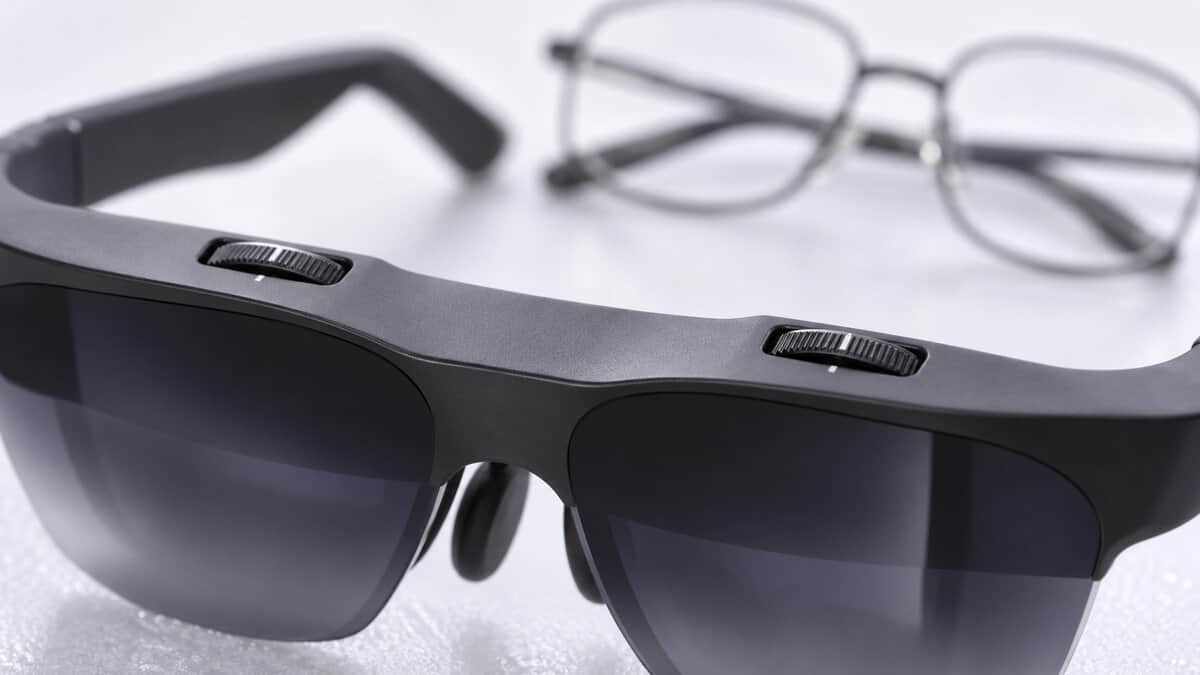
The VITURE Pro 2 wins for glasses wearers because it corrects nearsighted vision with dials built into the frame. The VITURE Pro 2 is also the lightest of the three at 63 g.
Built-In Diopters vs Prescription Inserts
Built-in diopters let you dial in your own correction, while inserts are custom lenses that clip behind the glasses. The VITURE Pro 2’s dials reach -5.0D for nearsighted eyes and VITURE also sells a prescription lens frame for the pair. RayNeo points Air 4 Pro buyers to its partner Lensology for custom inserts. XREAL offers prescription lenses for the 1S through its own lens page.
Inserts are the route if you are farsighted, have astigmatism or need more than -5.0D. VITURE describes its dials as myopia adjustment, which covers nearsighted eyes only.
Weight and Comfort Over Long Sessions
The makers list the VITURE Pro 2 at 63 g, the RayNeo Air 4 Pro at 76 g and the XREAL 1S at 82 g. Weight sits on your nose and ears so a few grams show up over a long session. VITURE also suggests 3 to 4 hours of wear at a time for the Pro 2.
The VITURE Pro 2 weighs 19 g less than the XREAL 1S.
For blue light glasses instead of a display, see our best gaming glasses guide.
The Three Pairs in Detail
The RayNeo Air 4 Pro, the VITURE Pro 2 and the XREAL 1S each win a different factor in this guide. The RayNeo is the value pick and the VITURE suits glasses wearers. The XREAL holds the screen still for handheld play.
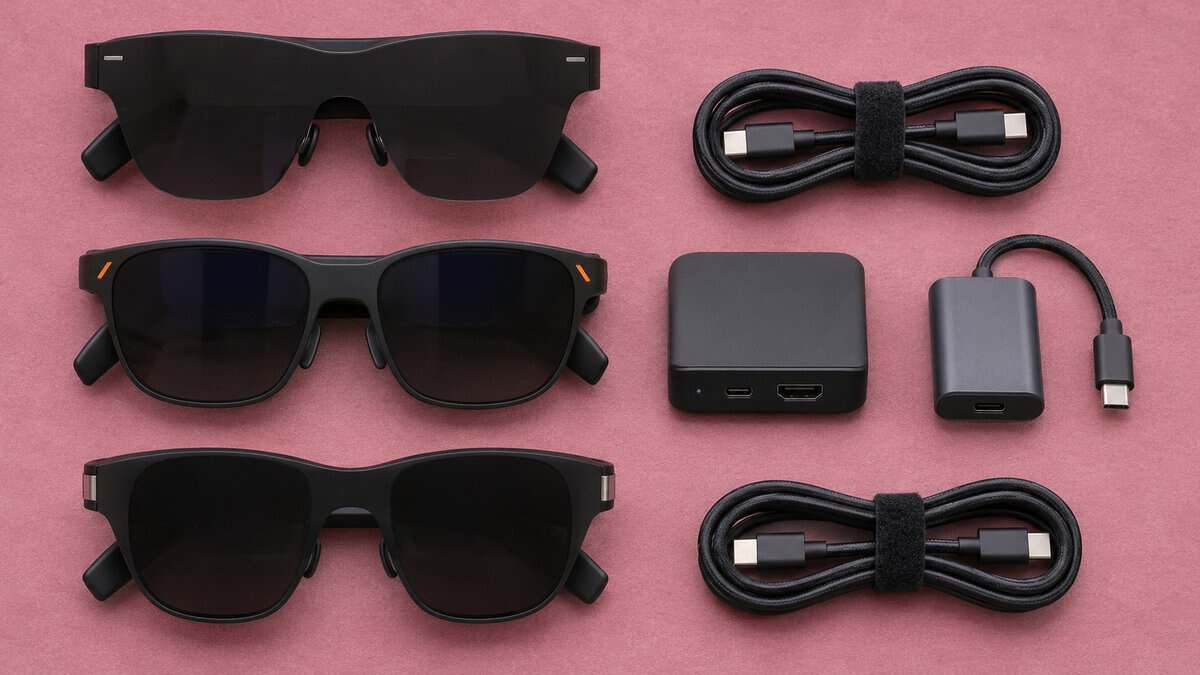
RayNeo Air 4 Pro: Best Value
The RayNeo Air 4 Pro is the pair to buy if you mostly play sitting still and want HDR10 and a bright picture for less than the XREAL. RayNeo lists a Full HD micro-OLED display at up to 120Hz, a 46° field of view and a 201-inch virtual screen.
Follow mode and HDR10 make the Air 4 Pro better for the couch than for a commute.
The RayNeo’s quad speakers are tuned by Bang & Olufsen and the pair weighs 76 g. The Air 4 Pro’s tradeoffs are the screen that follows your head, inserts for any prescription and the narrowest view of the three.
VITURE Pro 2: Best for Glasses Wearers
The VITURE Pro 2 is the pair to buy if you wear glasses for nearsightedness. The VITURE Pro 2’s dials correct down to -5.0D and it is the lightest pick here at 63 g. VITURE lists Sony micro-OLED panels at 1920 x 1080 per eye and up to 120Hz, with a 50° field of view and a 146-inch virtual screen.
The VITURE Pro 2’s dials mean a nearsighted player can skip the lens insert.
Screen anchoring on the VITURE runs through the SpaceWalker app and a Switch 2 needs one of VITURE’s own docks or adapters.
XREAL 1S: Best for Handheld PCs
The XREAL 1S is the pair to buy for a Steam Deck or ROG Ally on the move. The XREAL 1S’s X1 chip runs native 3DoF with Anchor, Follow and Ultra-wide modes. XREAL lists a 1200p display at 120Hz with 3ms motion-to-photon latency. XREAL’s Amazon listing gives the 1S the widest field of view of the three at 52° and a virtual screen of up to 500 inches.
On a plane a screen that stays put helps more than a brighter one.
The XREAL’s lenses dim on their own and its sound is by Bose. The XREAL 1S is the heaviest pair at 82 g, carries the lowest brightness rating at 700 nits and costs more than the other two.
Here are the specs each maker lists for its pair.
| Product | Field of View | Resolution | Refresh Rate | Claimed Brightness | Built-In Head Tracking | Prescription | Weight | Best For |
|---|---|---|---|---|---|---|---|---|
| RayNeo Air 4 Pro | 46° | Full HD | Up to 120Hz | 1,200 nits with HDR10 | Follow mode only | Lensology inserts | 76 g | Couch and bed play |
| VITURE Pro 2 | 50° | 1920 x 1080 per eye | Up to 120Hz | 1,600 nits (peak perceived) | 3DoF through the SpaceWalker app | Dials to -5.0D | 63 g | Glasses wearers |
| XREAL 1S | 52° | 1200p | 120Hz | 700 nits (peak) | Native 3DoF (Anchor, Follow, Ultra-wide) | Prescription lenses from XREAL | 82 g | Handheld PCs and travel |
When a Portable Monitor or VR Headset Is the Better Buy
A portable monitor or a VR headset is the better buy when you mostly game at a desk or want full immersion. AR glasses make the most sense when you travel or don’t have room for a monitor.
Skip AR glasses if
- You game at a desk most of the time, where a monitor needs nothing on your face.
- You want room-scale VR games, which need a headset that tracks where you move in the room.
- Your only console is a Switch 2 and you do not want to buy a dock for it.
- A screen that follows your head makes you queasy and the XREAL is more than you want to spend.
A portable monitor still wins for local co-op since two players can see one screen.
A VR headset is a different purchase altogether because it tracks where you move as well as where you look. Our best budget VR headset for PC guide covers that path.
Frequently Asked Questions
Quick answers on AR glasses, docks and prescriptions.
Are AR glasses better than VR for gaming?
AR glasses are better for playing normal games on a big private screen, while VR is better for games built for full immersion. Display glasses like the XREAL 1S show your handheld or console picture on a virtual screen while you can still see the room. A VR headset blocks the room and tracks your movement. AI glasses are a third type, built around a camera and an assistant.
Are AR glasses safe for your eyes over long sessions?
AR glasses can be worn for long sessions if you follow the maker’s guidance and take breaks. VITURE suggests 3 to 4 hours of wear at a time for the Pro 2. Set the brightness to suit the room and stop if your eyes feel strained or you feel dizzy. Ask an eye doctor first if you have an eye condition.
Do AR glasses work with a Switch 2 without a dock?
No, a Switch 2 needs a dock or adapter between the console and AR glasses. Nintendo routes TV mode video through the Switch 2 dock and VITURE lists one of its own docks or adapters for the Pro 2. The compact VITURE Mobile Dock Mini lists 65W pass-through so the console charges while you play.
Can you wear AR glasses over prescription glasses?
No, not comfortably. Display glasses like the VITURE Pro 2 sit on your nose like a pair of sunglasses. Glasses wearers use built-in correction or inserts instead. The VITURE Pro 2 has dials down to -5.0D for nearsighted eyes. RayNeo points Air 4 Pro buyers to Lensology inserts and XREAL offers prescription lenses for the 1S.
Which pair is best for a Steam Deck on a plane?
The XREAL 1S is the best pair for a Steam Deck on a plane because it anchors the screen in place and dims its own lenses. It plugs straight into the Steam Deck’s USB-C port. Add the XREAL Hub if you want to charge the Deck while you play since the glasses take its only USB-C port.
Looking for more budget gaming gear? Check out Budget Loadout for the latest reviews and recommendations.
Related Articles