Most PS5 accessory advice gets one thing wrong. It treats official gear as the safe choice and everything else as a compromise.
That’s not how this works.
Some official accessories are worth buying because they solve a real pain point cleanly and last. Others charge a premium for convenience you can get elsewhere. On the flip side, some third-party gear is excellent, especially when it fixes durability problems Sony still hasn’t solved. Some of it is junk that looks good in a product grid and turns into e-waste after a few months.
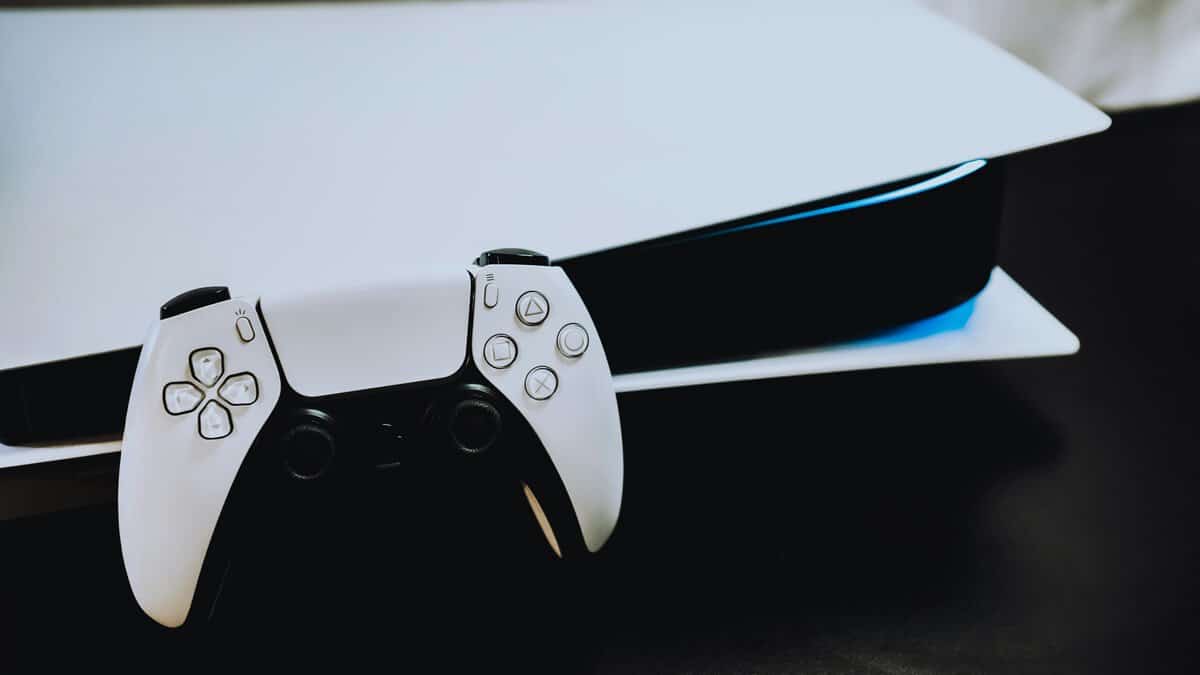
The best ps5 accessories aren’t the flashiest ones. They’re the upgrades that remove friction every time you play. More storage so you stop deleting games. A charging dock so your second controller is ready. A headset that gives you usable directional audio in FPS matches and clear chat without sounding thin. A controller upgrade that fits your play style instead of chasing a “pro” label.
If you like tracking the broader PlayStation ecosystem, that brand profile is a useful quick reference for the company behind the platform, but the buying decision still comes down to something simpler. Does the accessory improve daily use enough to justify the money?
That’s the standard here. Not cheapest. Not premium for the sake of it. Value, durability, and whether the feature matters once the novelty wears off.
- Officially licensed for PS5
- Optimized heatsink included
- Up to 7,300 MB/s Gen 4 speed
- Pricier than non-heatsink options
- Not the cheapest Gen 4 drive
- 1TB fills faster than a 2TB drive
- Officially licensed with a two-year warranty
- Dual-pad charging
- Clears desk cables
- Charges DualSense only (not Edge)
- Needs its own outlet
- Swappable stick modules extend its life
- Mappable back buttons and trigger stops
- Quick-swap control profiles
- Overkill for casual players
- Costs far more than a standard DualSense
- No battery to manage
- DTS Spatial Audio
- Comfortable for long sessions
- Wired only
- No ANC
- Cheaper than the official PS5 HD Camera
- Works on PC, Mac, PS5 as USB cam
- Reliable auto light correction
- Not native to PS5 streaming features
- No 4K
Picks and availability last verified: October 12, 2026
- Storage is the single highest-value PS5 upgrade, an NVMe with a heatsink ends the install-delete loop forever.
- Skip the premium charging gimmicks; the licensed PowerA Twin Charging Station is the cleanest fix for dead-controller moments.
- A mid-range wired headset beats an overpriced “esports” one; directional audio and mic clarity matter more than branding.
- A dual-purpose 1080p webcam outvalues the official PS HD Camera for most streamers because it also handles work calls and Discord.
Table of Contents
Your PS5 Is Great But Its Accessories Are Better
The PS5 itself isn’t the problem. The friction around it is.
You feel it when the internal drive fills up, when a controller dies mid-session, when TV speakers blur footsteps together, or when a “premium” accessory adds cost without solving anything important. That’s why accessories matter more than often realized.
A good accessory changes routine use. A bad one just adds clutter.
Practical rule: Buy accessories that fix a repeated annoyance, not accessories that look impressive on a spec sheet.
The value sweet spot usually sits in the middle of the market. That’s where you get most of the actual benefit without paying for bragging rights. For PS5 owners, that often means a certified SSD instead of the fastest-numbered SSD on the box, a reliable charging station instead of random charging pucks, and a headset with balanced tuning instead of overpriced “esports” branding.
Here’s the simple test I use:
- Fixes a daily problem: More space, less downtime, better communication, cleaner setup.
- Holds up physically: Build quality matters more than extra LEDs or gimmicks.
- Doesn’t overpay for wasted features: If the console can’t use the extra performance, skip it.
- Fits your games: FPS, MMO-style grinding, streaming, and story games all reward different gear.
That’s how you build a setup that feels better every week, not just on unboxing day.
How to Choose PS5 Accessories That Are Worth Your Money
Buying smart starts with ignoring marketing language.
On PS5, the best accessories usually win because they meet the console’s needs cleanly. Not because they pile on extra features. If you want strong value, focus on compatibility, durability, and whether the upgrade changes actual play.
Top Budget PS5 Accessories at a Glance (2026)
| Category | Top Value Pick | Price Tier | Best For |
|---|---|---|---|
| Storage | WD_BLACK SN850P 1TB | Mid-range | Players rotating large PS5 installs |
| Charging | PowerA Twin Charging Station | Budget to mid-range | Two-controller households |
| Pro controller | Sony DualSense Edge | Premium | Competitive FPS players |
| Standard controller setup | DualSense + Charging Station | Mid-range overall | Most PS5 owners |
| Headset | HyperX Cloud III | Mid-range | FPS, party chat, immersive single-player |
| Streaming camera | Logitech C920x | Budget | Beginner streamers and work calls |
What matters by category
For storage, specs only matter up to the point where the PS5 can use them. Sony’s compatibility standard requires PCIe 4.0 and read speeds of at least 5,500 MB/s. Past that, you need to care more about whether the drive is compatible, whether it has proper cooling, and whether installation is painless.
For controllers, don’t confuse features with value. Haptics and adaptive triggers are a real part of the PS5 experience in first-party games. Back buttons and trigger stops matter more in shooters. Replaceable modules matter if you’re tired of drift and don’t want to bin a whole controller when one part wears out.
For headsets, the main decision is simpler than brands make it sound:
- Wired: Better if you want reliability, zero charging hassle, and lower long-term frustration.
- Wireless: Better if cable management matters more to you and you play from the couch.
- FPS tuning: Stronger positional cues, footsteps, reloads, and enemy movement.
- Story-game tuning: Fuller low end, wider feel, more cinematic presentation.
Features you can usually skip
A lot of accessories sell “premium” features that don’t meaningfully improve PS5 play.
- Extra speed headroom on unsupported SSDs: If the console can’t use it, don’t fund it.
- Controller cosmetics: Shell swaps and RGB don’t fix ergonomics or durability.
- Single-purpose streaming gear too early: New streamers usually need flexible gear, not niche gear.
- Cheap wireless docks from unknown brands: They can work, but charging reliability is where bargain shopping often backfires.
Buy for the bottleneck. If storage is the pain, fix storage first. If you play ranked shooters every night, audio or controls may matter more.
That mindset saves money because it keeps you from upgrading the wrong thing.
Solve Your Biggest PS5 Problem with a Storage Upgrade
If your PS5 keeps running out of space, no cosmetic add-on is going to matter more than fixing that first.
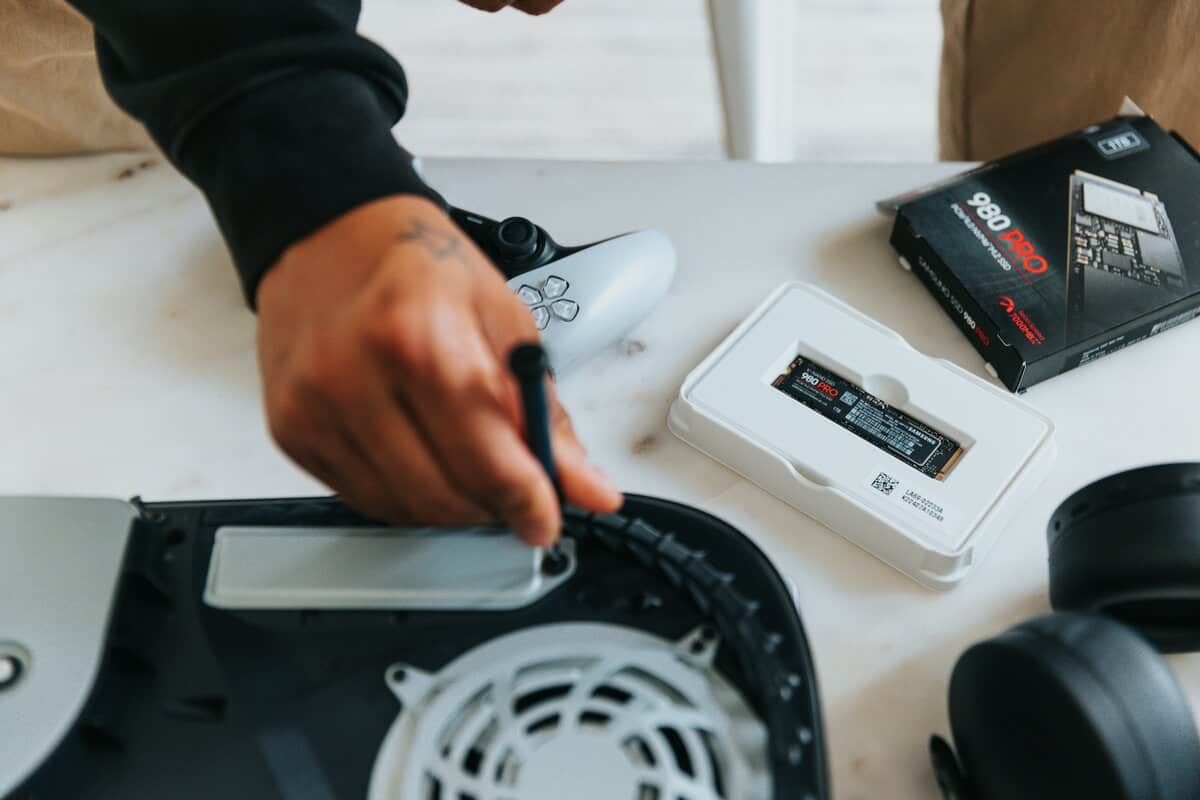
For a lot of players, storage is the highest-value upgrade because it removes a weekly irritation. Less deleting. Less reinstalling. Less staring at progress bars when you just want to play.
The smart pick, not the flashy pick
The best SSD buy generally sits in the middle of the market, not at the top.
The WD_BLACK SN850P 1TB is a good example. It is an officially licensed M.2 SSD for PlayStation 5, it fits the console properly, and it addresses a common challenge for most owners. They want more fast space for their library without paying extra for spec-sheet bragging rights. The 1TB link here is the entry capacity; larger versions up to 4TB exist if your library is bigger. The included heatsink matters too. It saves time, avoids compatibility mistakes, and makes this feel like a straightforward upgrade instead of a mini project.
That is the sweet spot. A solid mid-range PS5-ready drive usually gives you nearly all the practical benefit of a premium model for a much more reasonable price.
Why premium SSD specs often don’t matter on PS5
A common pitfall awaits buyers.
Tom’s Guide points to the baseline the PS5 needs: a PCIe 4.0 drive with at least 5,500 MB/s read speed. More important, it also notes that some faster-rated drives can be capped when used on PS5, which means paying extra for headline speed can be wasted money on this console (Tom’s Guide PS5 accessories guide).
So skip the desktop-PC mindset. On PS5, once a drive clears the console’s requirements and has a proper heatsink, spending more often buys smaller gains than the marketing suggests.
Don’t buy an SSD for the number on the box. Buy it for how the PS5 uses it.
If you want a broader comparison before you choose, this guide to the best SSD for gaming is useful for matching capacity and price to your library.
Installation is easier than people think
A lot of people put this off because opening the PS5 sounds risky. It is much closer to basic maintenance than a serious hardware mod.
Remove the panel, access the M.2 slot, install the drive, and let the console format it. If you buy a model with the heatsink already attached, the process gets even simpler.
If you want to see the process before buying, this walkthrough helps:
Who should buy storage first
Storage should be your first PS5 upgrade if any of these sound familiar:
- You keep a few giant multiplayer games installed: One bloated shooter can eat a painful chunk of your free space.
- You jump between long single-player games and online staples: Reinstalling old favorites gets old fast.
- You share the console with other people: The base drive feels cramped much sooner.
- You want the least glamorous upgrade that saves the most hassle: More storage does that immediately.
This is not the accessory that looks best in a photo. It is the one that saves the most time per dollar for the average PS5 owner.
The Best PS5 Headsets for Competitive and Immersive Audio
A headset changes more than just sound. It changes how well you react, how clearly you communicate, and how much detail you catch in games that TV speakers flatten.
That matters most in two kinds of play. Ranked shooters, where hearing direction cleanly can save a round. Long single-player sessions, where music, ambient effects, and dialogue need separation instead of turning into background mush.
Wired versus wireless is a lifestyle choice
People love debating this like one side is objectively better. It isn’t.
Wired headsets like the HyperX Cloud III usually make more sense if you care about consistency and don’t want another battery to manage. They’re often the better long-term value because fewer charging parts means fewer failure points.
Wireless headsets make sense if you play on a couch, move around a lot, or hate cable drag. The trade-off is simple. You’re paying for convenience, and convenience only has value if it improves how you play.
For most buyers, the sweet spot is a mid-range gaming headset with:
- Clear positional audio: Useful for FPS and co-op callouts.
- A mic that doesn’t sound hollow: Party chat and Discord matter.
- Good clamp and padding: Comfort becomes a build-quality issue during long sessions.
- A durable frame: Hinges and adjustment rails are where cheap sets usually fail first.
One headset doesn’t excel at everything
The best ps5 accessories always involve trade-offs, and headsets are a perfect example.
An FPS-focused tuning profile can make footsteps easier to pick out, but it can also sound thinner for cinematic games. A more immersive headset can make single-player games richer, but it may push bass too hard and blur fine audio detail in competitive matches.
That’s why I usually tell people to buy versatile first and specialized later.
A good all-round headset beats a “competitive” headset you hate wearing after an hour.
If you’re weighing categories and fit before narrowing to a model, this roundup of top gaming headsets is a useful next step.
What cheap earbuds and TV speakers get wrong
They’re fine for casual play. They fall apart once communication or detail matters.
TV speakers bounce sound around the room and often bury quiet directional cues. Cheap earbuds can be sharp, cramped, and poor at voice pickup. Both options usually make MMO-style social play, raids, or squad shooters more annoying because chat intelligibility drops first.
For team games, headset durability also matters more than people think. Ear pads wear out. Cables fray. Plastic yokes crack. A headset that survives normal use is better value than one with a stronger spec sheet and weaker joints.
If you mainly play FPS, buy for direction and mic clarity. If you mostly play story games, buy for comfort and fuller sound. If you do both, stay in the middle and avoid over-specialized tuning.
Controller Upgrades From Practical to Pro
Premium controllers get too much hype. For a lot of PS5 owners, the best controller upgrade is a charger, not a pro pad with parts they will never use.
That sounds unglamorous, but it is the right starting point. Controller accessories fall into two buckets. One fixes everyday friction. The other targets a specific competitive advantage. The mistake is paying for the second before solving the first.
The practical upgrade most people should buy first
The officially licensed PowerA Twin Charging Station is now the easiest recommendation in this category; Sony’s own dock spends much of the year out of stock. We compare the whole field in our PS5 controller charging station guide.
The appeal is simple. It keeps two controllers topped up, clears cable clutter, and removes the low-grade annoyance of hunting for a USB-C cable every few sessions. An Accio PS5 accessories report notes typical DualSense battery life and the convenience of the official dock’s charging cycle. That aligns with a key advantage of purchasing it: You stop thinking about battery management.
I recommend a licensed dock over bargain-bin alternatives for one reason. Reliability.
Cheap charging stands often miss on the details that matter long term. Alignment gets finicky. Contact points wear down. Plastic shells creak or loosen. You save a little upfront, then deal with daily annoyance for the next year. In this category, the official option usually hits the value sweet spot. It costs more than the cheapest no-name dock, but not enough to justify gambling on weaker build quality. If a dock is more than you want to give, a long charging cable is one of the PS5 picks in our stocking stuffers for gamers list.
When a pro controller makes sense
A pro controller is worth considering only if your main games reward the extra inputs and tuning.
For single-player games, the standard DualSense is still hard to beat because it gives you the features that make PS5 games feel like PS5 games. For shooters, fighting games, and other high-repetition competitive play, back buttons, shorter trigger travel, and replaceable parts can justify the spend.
The Sony DualSense Edge is a good example of that trade-off. Sony’s own pro controller adds two sets of mappable back buttons, swappable stick modules, adjustable trigger lengths, and control profiles you can swap mid-session, while keeping the haptics and adaptive triggers of the standard DualSense. The catch is cost: it runs far more than a standard pad, so the extras need to earn their place.
That matters more than spec-sheet comparisons suggest.
- For FPS players: extra remapping and modular parts can be useful.
- For players worried about stick wear: replaceable modules are a real durability advantage.
- For story-focused players: the standard DualSense already has the same haptics and adaptive triggers, so the extra spend buys little.
- For mixed-use players: the premium often feels too steep for what you gain.
The value sweet spot most buyers should stick to
The smart buy is usually the middle path, not the full pro setup.
A standard DualSense plus the official charging dock covers what many PS5 owners need at a much better performance-per-dollar ratio than jumping straight to a premium controller. You get full feature support, better day-to-day convenience, and none of the weird compromises that come with niche competitive pads. Buying for someone else? Our gifts for gamers guide pairs a spare DualSense with a twin charging station and covers PC, Xbox and Switch 2 owners too.
I usually tell people to buy a pro controller only after they can name the problem it solves. Missed slide cancels. Needing rear buttons. Burning through sticks. Wanting trigger stops for shooters. If the answer is vague, skip it.
If you plan to stream or route console gameplay through a PC setup later, it also helps to understand what a capture card does and when you need one before overspending on controller gear.
The simple upgrade path is still the best one:
- Keep a standard DualSense for full PS5 feature support.
- Add the official charging dock for convenience and cleaner daily use.
- Buy a pro controller only if your main games make the extra features pay off.
That gets you most of the practical benefit for far less money, and avoids one of the most common PS5 accessory mistakes. Buying “pro” gear that looks impressive and adds very little to how you play.
Essential Add-Ons for Streamers and Power Users
Most PS5 accessory roundups are too narrow. They assume every add-on has to be gaming-only.
That’s a mistake, especially if you stream, work from the same desk, or want gear that earns its place outside console sessions. In this category, dual-purpose gear usually delivers better value than official single-purpose accessories.
Skip the overpriced single-use camera setup
This is one of the clearest examples. Accessory guides often overlook dual-purpose gear. For instance, many beginner streamers can use a third-party 1080p USB webcam like the Logitech C920x that costs 1/3 the price of the official PS5 camera and serves for both streaming and work calls, providing significantly better overall value (PopSci accessory roundup).
That’s exactly the kind of trade-off budget-conscious buyers should care about.
A flexible webcam does more than one job. It handles beginner Twitch or YouTube streams, Discord calls, online classes, and work meetings. An official camera built mainly around one ecosystem is harder to justify if you’re building a setup piece by piece.
Power-user gear that earns desk space
If you’re trying to stream more seriously, a capture card matters more than people realize because it gives you cleaner control over overlays, scenes, and recording workflows. If you’re new to the category, this explainer on what is a capture card will save you from buying the wrong thing too early.
A few add-ons tend to be worth it for mixed gaming and desk use:
- USB webcam: Better value when it works for both PS5 streaming and everyday calls.
- Capture card: Useful once you want more control than the console’s native tools give you.
- USB hub: Helps manage charging, audio gear, and small desktop accessories.
- Stand or organizer: Worth it if it improves layout and keeps peripherals from becoming cable pileups. If you want the console standing upright, Sony’s own PlayStation Vertical Stand fits the original PS5, the Slim and the Pro, and the Slim and Pro don’t include one in the box.
What to avoid in this category
This is the category where people waste money on “creator” branding.
Don’t rush into niche accessories until you’ve hit the limits of the gear you already use. A clean, flexible setup usually beats a shelf full of single-purpose gadgets. For a beginner streamer, the best upgrade is often the one that helps with gaming and work at the same time.
That’s the difference between buying accessories and building a useful setup.
Building Your Perfect PS5 Loadout on a Budget
The best ps5 accessories aren’t the ones with the longest feature list. They’re the ones that remove the most friction per dollar.
For most players, that starts with storage. Running out of room is a constant annoyance, and a good SSD fixes it at the root. After that, audio usually gives the next biggest upgrade because it improves both competitive play and immersion. Those two categories do more for everyday use than most cosmetic or novelty add-ons ever will.
Controller upgrades are more personal. A charging dock makes sense for almost everyone. A pro controller only makes sense if your games justify the trade-offs. Streaming accessories are the same. Dual-purpose gear usually beats ecosystem-locked gear when you’re trying to stretch your budget.
The pattern is simple. Buy the upgrade that solves a repeated problem. Favor build quality over marketing. Skip premium features the PS5 can’t fully use. That’s how you end up with a setup that feels better months later, not just one that looked good in a shopping cart.
Still choosing the console itself? See our PS5 Pro vs PS5 comparison.
Frequently Asked Questions
What’s the single best PS5 accessory to buy first?
An NVMe SSD with a heatsink, 1TB or larger. It ends the delete-reinstall cycle that almost every PS5 owner runs into within the first year, and it is the one upgrade that changes how you use the console every single session.
Is the DualSense Edge worth the price?
Only for competitive players who actually use back paddles and custom stick modules. For most PS5 owners, a standard DualSense plus an official charging station gives you most of the quality-of-life benefit at a fraction of the cost.
Wired or wireless gaming headset for PS5?
Wired is cheaper, more reliable, and has no battery to manage. Wireless is worth it only if you move around a lot or hate cable drag. For directional audio quality at a given price, wired wins almost every time.
If you want more practical, hype-free gear advice, Budget Loadout is built for exactly that. It helps gamers and streamers find the performance-per-dollar sweet spot, understand the trade-offs, and avoid wasting money on accessories that don’t hold up.
Related Articles