The height printed on a low-profile cooler’s box is only half of whether it fits. The best low-profile CPU cooler for your build is the one whose whole stack, heatsink plus fan, slides under your case’s cooler limit while its footprint stays clear of the memory beside the socket. Miss either one and the side panel won’t close, or the fan ends up sitting on a RAM stick.
The four picks below are sorted by height, from 37 mm to 67 mm, one for each common clearance band in slim and mini-ITX cases. After the cards, the guide covers how to read a case’s cooler limit, what the heat ratings on these coolers really mean, and when a tower or an AIO is the better buy.
The slimmest pick here at 37 mm, with a footprint Noctua says clears RAM and PCIe slots on AM5 boards. A quiet 92 mm fan and NT-H1 paste come in the box.
- Fits under a 40 mm case limit
- Full RAM and PCIe clearance on AM5
- Quietest rated fan of the four
- The priciest of the four picks
- AM5 only; Intel builds need the NH-L9i-17xx
- Made for CPUs with moderate heat loads
The cheapest pick and a 47 mm middle ground for slim cases that can’t take a 120 mm fan stack. Four direct-touch heatpipes sit under the smallest footprint of the four.
- Cheapest of the four picks
- Compact 94 x 94 mm footprint
- Current Intel and AMD sockets listed
- Loudest rated fan here at full speed
- 92 mm fan moves less air than 120 mm
- Lower TDP rating than the IS-55
A full 120 mm fan and a 150 W rating in a 57 mm stack that slides under a 61 mm case limit. It also has the deepest owner review base here.
- Highest published TDP rating here
- Fits under a 61 mm case limit
- 120 mm fan tops out at 2,000 rpm
- 120 mm footprint can overhang RAM
- Too tall for sub-50 mm slim cases
- Pricier than the Thermalright pick
Six heatpipes and a copper base under a 120 mm fan, for cases with 70 mm or more of clearance. It costs less than the IS-55 and adds ARGB lighting.
- Six heatpipes, the most of the four
- Quieter rated fan than the IS-55
- ARGB lighting for windowed builds
- Thin owner review base so far
- No published TDP rating
- Widest footprint over the RAM slots
Picks and availability last verified: October 19, 2026
- Pick a low-profile CPU cooler by your case’s cooler-height limit first, then by how much heat your CPU puts out.
- A cooler’s listed height is the whole stack: heatsink plus fan, from the CPU to the top of the fan.
- Coolers with 120 mm fans can overhang the RAM slots on small boards, so check how tall your memory is.
- Cooler makers rate heat capacity their own way: ID-COOLING in watts, Noctua with its NSPR score, and Thermalright not at all for the X67.
- If your case takes a tall tower cooler or a radiator, a tower or an AIO is worth a look before a low-profile cooler.
Table of Contents
Sorting Coolers by the Space Above the Socket
A low-profile CPU cooler is chosen from the top down. Your case lists a maximum CPU cooler height, and that one number rules out every cooler taller than it. The four picks here sit in four bands, 10 mm apart, so find your case’s limit and read the band it falls into.
Slim Cases Under 50 mm
Slim cases with a cooler limit under 50 mm are the HTPC and console-style boxes that lie flat under a TV. The Noctua NH-L9a-AM5 at 37 mm is the only pick here that clears them with margin, using a 23 mm heatsink and a 14 mm fan. On an Intel board, Noctua’s 37 mm Intel version is the NH-L9i-17xx.
The 50 to 59 mm Middle Ground
Cases with a cooler limit between 50 and 59 mm have room for more fin area but not for a 120 mm fan stack. The ID-COOLING IS-40-XT fits this band at 47 mm, with a 92 mm fan, four heatpipes and a compact 94 x 94 mm footprint.
Mini-ITX Cases Around 60 mm
Mini-ITX cases with a cooler limit around 60 mm are where the ID-COOLING IS-55 earns its Best Overall badge. The SilverStone SG13, a budget mini-ITX case, lists a 61 mm CPU cooler limit, and the IS-55 stands 57 mm tall with a full 120 mm fan. Our mini-ITX case guide lists the cooler limit of each case it covers, so you can match the two before buying either.
Room for 70 mm or More
Cases with 70 mm or more of cooler room can take the tallest low-profile designs. The NZXT H2 Flow lists a 75 mm CPU cooler limit, which clears the Thermalright AXP120-X67 at 67 mm. The extra height buys a taller fin stack and more heatpipes, not a bigger fan.
Slim Coolers That Earn the Slot
The four slim CPU coolers in this guide cover the range from 37 mm to 67 mm, and the spec table lines up the figures from each maker’s spec page that decide fit.
| Cooler | Total Height | Footprint | Heatpipes | Fan | Max Fan Speed | Max Noise | Rated TDP / NSPR | Sockets |
|---|---|---|---|---|---|---|---|---|
| Noctua NH-L9a-AM5 | 37 mm | 114 x 92 mm | 2 x 6 mm | 92 x 14 mm | 2,500 rpm | 23.6 dB(A) | NSPR 61 | AM5 |
| ID-COOLING IS-40-XT | 47 mm | 94 x 94 mm | 4 x 6 mm | 92 x 15 mm | 2,800 rpm | 35.2 dB(A) | 95 W | LGA1851/1700, AM5/AM4 |
| ID-COOLING IS-55 | 57 mm | 120 x 120 mm | 5 x 6 mm | 120 x 15 mm | 2,000 rpm | 31.2 dB(A) | 150 W | LGA1851/1700, AM5/AM4 |
| Thermalright AXP120-X67 | 67 mm | 123.5 x 120 mm | 6 x 6 mm | 120 x 15 mm | 1,800 rpm | 26.1 dB(A) | Not published | LGA1851/1700, AM5/AM4 |
Noctua NH-L9a-AM5
The Noctua NH-L9a-AM5 is the cooler for cases where every millimeter counts. It stands 37 mm tall in total, a 23 mm heatsink under a 14 mm NF-A9x14 fan, and Noctua says its footprint guarantees 100% RAM and PCIe compatibility on ITX, micro-ATX and ATX AM5 motherboards.
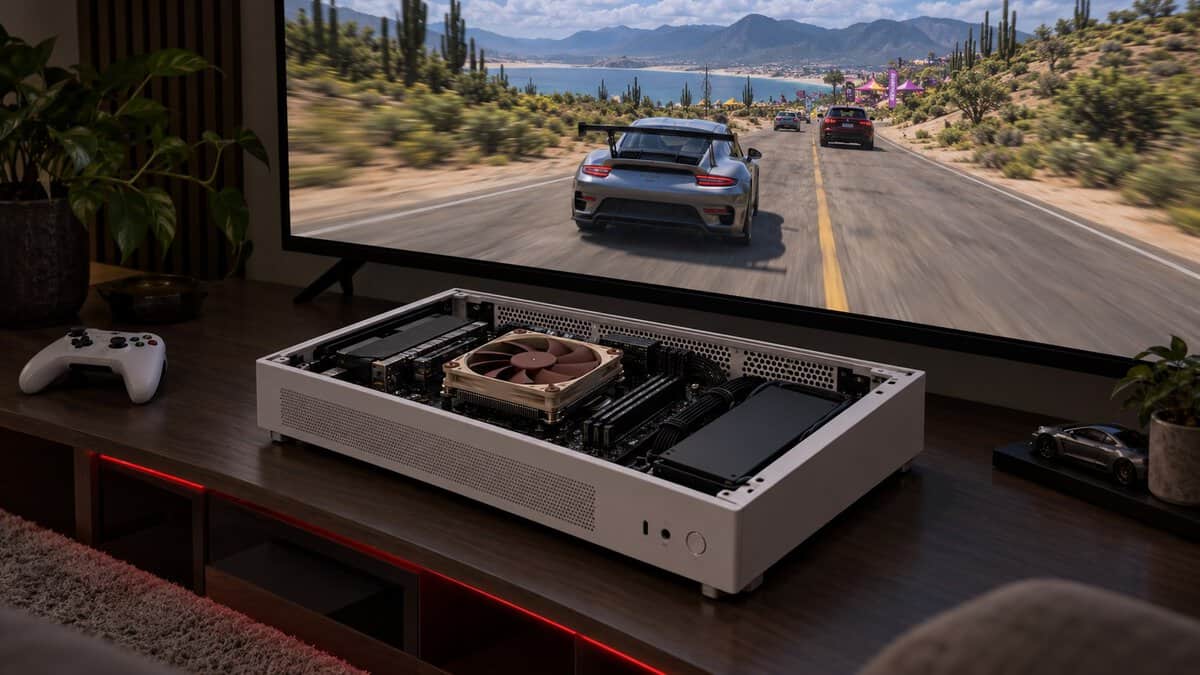
The NH-L9a-AM5 is the one cooler here that fits under a 40 mm limit.
The 92 mm fan runs up to 2,500 rpm and is rated at 23.6 dB(A), the lowest rated figure of the four. The box adds a Low-Noise Adaptor, Noctua’s NT-H1 thermal paste and the SecuFirm2 AM5 mounting kit, backed by a 6-year warranty.
Intel builders need Noctua’s Intel version, the Noctua NH-L9i-17xx, which is also 37 mm tall, with mounting for LGA1851 and LGA1700.
The tradeoffs are price and heat. The NH-L9a-AM5 is the priciest of the four picks, and Noctua pitches it at Ryzen processors with a moderate heat load. Noctua rates it NSPR 61 rather than in watts, a number that can’t be lined up against the other three.
ID-COOLING IS-40-XT
The ID-COOLING IS-40-XT is the budget way into a slim case. It stands 47 mm tall on a 94 x 94 mm footprint, with four 6 mm heatpipes that touch the CPU directly and a 92 x 92 x 15 mm PWM fan on top.
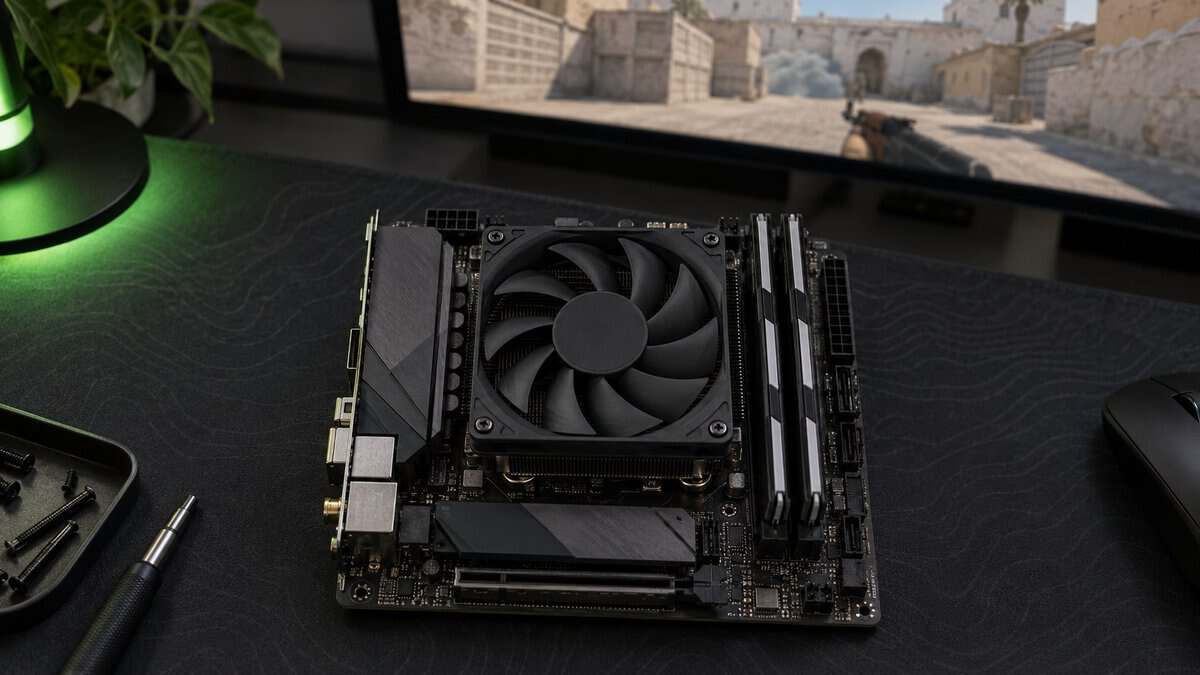
ID-COOLING rates it at 95 W TDP and lists support for Intel LGA1851, LGA1700 and older sockets plus AMD AM5 and AM4. It weighs 290 g, the lightest of the four.
The IS-40-XT is the cheapest way to get four heatpipes into a slim case.
The fan is where it gives ground. It spins from 800 to 2,800 rpm and is rated from 14 to 35.2 dB(A), the loudest top figure in this group, so a sensible fan curve matters more here than on the 120 mm picks.
ID-COOLING IS-55
The ID-COOLING IS-55 is a strong first pick for a mini-ITX build. It packs a full 120 x 120 x 15 mm fan, five 6 mm heatpipes and a copper base into a 57 mm stack, and ID-COOLING rates it at 150 W TDP, the highest published rating of the four.
The IS-55 puts a 120 mm fan under a 60 mm case limit.
Its fan runs from 500 to 2,000 rpm on a hydraulic bearing, moves up to 54.6 CFM and is rated at 31.2 dB(A) at full speed. The whole cooler weighs 450 g and supports Intel LGA1851, LGA1700 and older sockets plus AMD AM5 and AM4.
The catch is the footprint. At 120 x 120 mm, the IS-55 reaches out over the area beside the socket, where the RAM slots sit on many small boards, so standard-height memory is the safe choice under it. If your kit lacks paste or you want a better one, our best thermal paste guide covers the options.
Thermalright AXP120-X67
The Thermalright AXP120-X67 is the tallest and most heavily built pick. Its 52 mm heatsink and 15 mm fan add up to 67 mm, and that height pays for six 6 mm heatpipes on a nickel-plated C1100 copper base, the most heatpipes of the four.
The 120 mm fan runs at up to 1,800 rpm, moves up to 59 CFM and is rated at 26.1 dB(A), a lower rated figure than the IS-55’s fan. This Black ARGB version also lights up, which suits a windowed case, and it costs less than the IS-55.
The X67 trades height for the most heatpipes in a slim cooler here.
Two caveats keep it from the top spot. Thermalright publishes no TDP rating for it, and this listing has far fewer owner reviews than the other three. Its 123.5 x 120 mm footprint is also the widest here, and Thermalright’s spec page asks builders to leave clearance for tall memory modules.
The Height on the Box Is Only Half the Fit
A low-profile CPU cooler’s listed height and a case’s cooler limit only line up when nothing else gets in the way. The cooler’s figure is its whole stack, from the base that sits on the CPU to the top of the fan. The case’s figure is the tallest cooler it can take, so check how the case maker describes it.
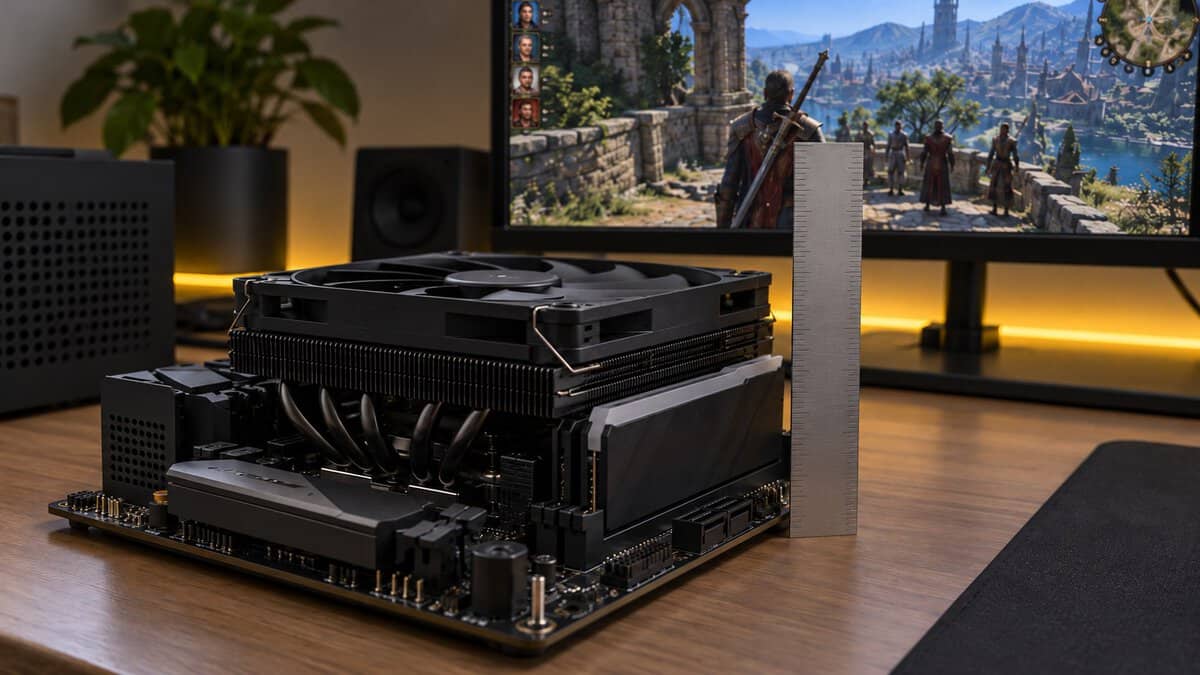
The stack is what you are fitting, not the heatsink. Swap in a thicker fan and it grows: Noctua includes screws for 92 x 92 x 25 mm fans, but a 25 mm fan on its 23 mm heatsink makes a 48 mm stack, too tall for a case with under 40 mm to spare. A fan mounted on the side panel above the CPU also takes its depth out of the same space.
RAM Under the Fan
RAM clearance is a separate check from height, and box heights don’t show it at all. A cooler with a 120 mm fan is wider than the socket area on small boards, so its fan can hang over the nearest memory slot, where tall heatspreaders or RGB light bars hit it before the cooler seats.
Noctua states full RAM compatibility for the NH-L9a-AM5 on AM5 boards, and the IS-40-XT has the smallest footprint of the four at 94 x 94 mm. For the X67, Thermalright’s spec page asks you to leave clearance for tall memory modules, and the same caution makes sense under the IS-55’s 120 mm fan.
Measuring for the Best Low-Profile CPU Cooler
Measuring for the best low-profile CPU cooler starts with your case’s spec sheet, not a ruler. Find the maximum CPU cooler height and check whether it changes with a side fan, a radiator or a different power supply position, since some small cases list more than one figure.
Then compare that limit with each cooler’s total height and leave a few millimeters of margin rather than matching it exactly. Last, check the footprint against your board and your RAM height.
How Much Heat a Slim Cooler Can Take
A slim cooler’s heat rating tells you roughly which CPUs it suits, but these four ratings can’t be compared one for one: ID-COOLING publishes TDP figures, Noctua publishes NSPR scores, and Thermalright publishes nothing for the X67.
What a TDP Rating Promises
A processor’s TDP is a power target, not a promise about every moment of a game. Intel’s support article on Thermal Design Power in Intel processors says “The purpose of defining TDP is to provide system designers/integrators with a power target in order to help with proper thermal solution selection.” It also notes that turbo speeds can exceed the maximum TDP, but only for a limited time, and that 12th Gen and later Intel chips call the figure Processor Base Power.
That CPU figure is what you compare with a cooler’s own rating. Look up your processor’s figure on intel.com or amd.com and pick a cooler rated with headroom above it, since a cooler running at its limit in a small case has little left for turbo bursts.
If temperatures still look high after a cooler swap, our normal CPU temp guide covers what idle and gaming readings to expect.
Why Noctua Rates Coolers per CPU
Noctua rates its coolers with NSPR instead of watts. Noctua says its Standardised Performance Rating “is a platform-independent classification system that allows customers to assess and compare the efficiency of Noctua CPU coolers at a glance”, combined with CPU-specific recommendations for turbo and overclocking headroom.
The NH-L9a-AM5 scores NSPR 61. That score compares Noctua coolers with each other, not with ID-COOLING’s watt ratings, so the useful check is Noctua’s compatibility list for your exact processor.
92 mm or 120 mm: The Fan Sets the Noise
A low-profile cooler’s noise comes from its fan, and fan size matters most: a larger fan can move the same air at a lower speed, and slower blades are quieter.
The rated figures show the pattern. The IS-40-XT’s 92 mm fan tops out at 2,800 rpm and 35.2 dB(A), while the IS-55’s 120 mm fan stops at 2,000 rpm and 31.2 dB(A), and the X67’s at 1,800 rpm and 26.1 dB(A). The Noctua is the exception, with a 92 mm fan rated at 23.6 dB(A) at 2,500 rpm.
Treat those numbers as a rough guide. Each maker measures its own fans, and a rated maximum only applies at full speed. All four coolers use 4-pin PWM fans, so a gentle fan curve in the BIOS can hold them low at idle.
Where a Tower or AIO Beats a Slim Cooler
A low-profile CPU cooler is a fix for a height limit, so when your case has no tight limit, a different cooler type usually does the job better.
A Tower Fits After All
A tower cooler fits in some small cases. The Cooler Master NR200 is a mini-ITX case, yet it lists a 155 mm CPU cooler limit, room for an ordinary single-tower cooler. If your case is in that range, our best budget CPU cooler guide covers tower coolers that fit.
The Case Has a Radiator Mount
A radiator mount opens up liquid cooling, which moves the heat away from the socket entirely. The NZXT H2 Flow takes a front 280 mm radiator, and even the SG13 takes a front 120 or 140 mm one. The tradeoff is tubing to route in a small space; our best AIO cooler guide covers the options.
Cooler Picks by Case Clearance
The right slim cooler comes from your case’s cooler-height limit first and your CPU second. Find your limit in the left column.
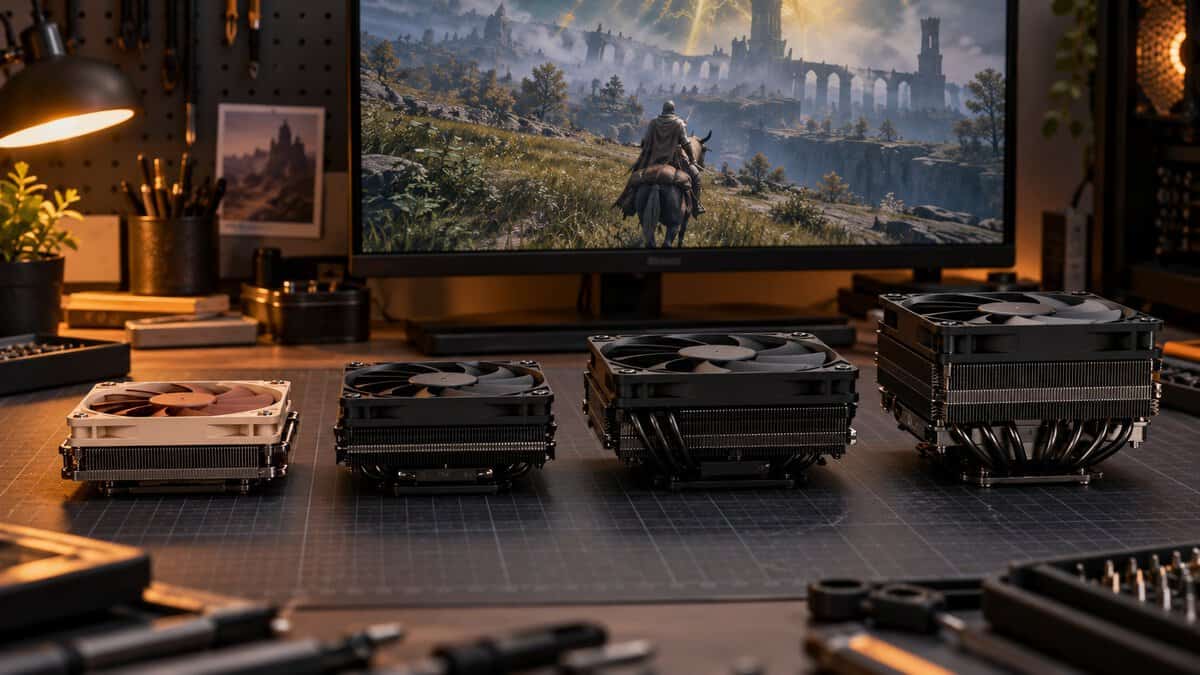
| Your Case’s Cooler Limit | The Pick | Height | Why It Fits |
|---|---|---|---|
| Under 50 mm (slim HTPC and console-style cases) | Noctua NH-L9a-AM5 (Intel: NH-L9i-17xx) | 37 mm | The only pick that clears with margin, plus full RAM and PCIe clearance |
| 50 to 59 mm | ID-COOLING IS-40-XT | 47 mm | 92 mm fan and a 95 W rating on a small footprint |
| 60 to 69 mm (SilverStone SG13: 61 mm) | ID-COOLING IS-55 | 57 mm | 120 mm fan and a 150 W rating with a few mm to spare |
| 70 mm and up (NZXT H2 Flow: 75 mm) | Thermalright AXP120-X67 | 67 mm | Six heatpipes under a 120 mm fan |
If your case clears 60 mm, start with the IS-55. Drop lower only when the limit forces it, and step up to the X67 when there is room and your memory sits low.
Frequently Asked Questions
Quick answers about choosing a low-profile CPU cooler.
Will a low-profile CPU cooler fit over tall RAM?
It depends on the footprint more than the height. Noctua states full RAM compatibility for the NH-L9a-AM5 on AM5 boards, and the ID-COOLING IS-40-XT has a compact 94 x 94 mm footprint. Coolers with 120 mm fans can hang over the nearest RAM slot, so pair them with standard-height memory.
Can a low-profile CPU cooler handle a high-end CPU?
A slim cooler suits CPUs with a moderate heat load best. Compare the cooler’s TDP rating, or Noctua’s per-CPU list, with your processor’s own figure on intel.com or amd.com, and leave headroom. For the hottest chips, a tower or an AIO is safer if your case fits one.
Do low-profile CPU coolers come with thermal paste?
Some do. The Noctua NH-L9a-AM5 ships with NT-H1 paste, and Thermalright’s AXP120-X67 listing says paste is included. ID-COOLING’s IS-40-XT listing names only the heatsink, fan and mounting hardware in the box, so keep a tube of paste on hand.
Is a low-profile cooler louder than a tower cooler?
It can be under heavy load. A slim cooler has less fin area than a tower, so its fan may need to spin faster to move the same heat. A gentle fan curve in the BIOS keeps it quiet at idle and in lighter games.
What is the best low-profile CPU cooler for a mini-ITX case?
For mini-ITX cases with a cooler limit around 60 mm, the ID-COOLING IS-55 is the best low-profile CPU cooler: a 120 mm fan and a 150 W rating in a 57 mm stack. Slimmer cases need the 47 mm IS-40-XT or the 37 mm Noctua.
Looking for more budget gaming gear? Check out Budget Loadout for the latest reviews and recommendations.
Related Articles