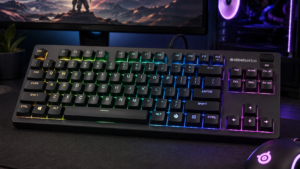
A lot of League of Legends keyboard advice is borrowed from shooters, and a MOBA asks a keyboard for something different. The best keyboard for League of Legends is the one that makes Q, W, E, R, D and F land exactly when you mean them to, keeps the F-row camera keys within reach, and stays comfortable through a long ranked night.
How much shooter features like rapid trigger help depends on one setting that keyboard guides rarely mention, your cast mode. The four keyboards below run from a budget tenkeyless board to a pro Hall-effect board, and all of them keep a full function row.
Adjustable actuation and release on every key, wireless play and a full F row, for about what a standard mechanical board costs. The release setting suits quick cast with indicator.
- Per-key actuation and release from 0.1 mm
- 8,000 Hz polling wired and on 2.4 GHz
- Double-shot PBT shine-through keycaps
- Software takes time to learn
- Plastic case under the gasket mount
- Bluetooth drops to 125 Hz
The cheapest board here, with PBT keycaps that resist the shine from constant ability presses and a tactile bump that confirms each cast. A simple, no-tuning board for normal cast.
- PBT keycaps resist wear and shine
- Tactile bump confirms each press
- Windows key lock on the FN layer
- White backlight only
- Fixed actuation point
- 6-key rollover, not N-key
The biggest review base on this list and a full aluminum body. A classic linear board for players who want it to work every match without tuning software.
- Full aircraft-grade aluminum body
- N-key rollover with Game Mode
- Three onboard profiles
- Fixed 1.8 mm actuation point
- Keycap material not listed
- No wireless option
The pro-lineage pick, from Logitech G, the most common keyboard brand on pro-usage lists for League. Per-key tuning plus KEYCONTROL layers for multi-action keys, at more than double the next price.
- Per-key actuation and rapid trigger
- KEYCONTROL multi-action layers on every key
- Adjust actuation on the fly with FN
- Costs far more than the other picks
- Plastic enclosure at this tier
- Full tuning needs G HUB
- Keep a dedicated function row, since F1 to F5 jump the camera to you and your allies.
- Your cast setting decides whether the key press, the key release or a mouse click fires the ability.
- Adjustable release helps quick cast with indicator most, and matters little on normal cast.
- A tenkeyless board leaves more room for wide mouse movements than a full-size one.
- Lock the Windows key before ranked, so a stray press never drops you to the desktop.
Table of Contents
The Shortlist for Summoner’s Rift
The four League of Legends keyboards below split into two camps. Two use fixed mechanical switches that need no tuning, and two use Hall-effect magnetic switches whose actuation you can set key by key.
| Keyboard | Layout | Switch | Actuation | Connection | Keycaps | Body | Size and Weight | Standout Control |
|---|---|---|---|---|---|---|---|---|
| Epomaker G84 HE | 84 keys, F row kept | Hall-effect magnetic, hot-swappable | 0.1 to 3.3 mm, adjustable, rapid trigger | 2.4 GHz, Bluetooth, USB-C (8,000 Hz wired and 2.4 GHz) | Double-shot PBT, shine-through | Gasket mount, ABS case | 347 x 146 x 42 mm, 1 kg | SOCD and DKS (up to 4 actions per key) |
| Logitech G413 TKL SE | Tenkeyless | Tactile mechanical | Fixed | Wired | PBT | Brushed aluminum-magnesium top case | 650 g | FN media keys and Windows lock |
| HyperX Alloy Origins Core | 87-key TKL | HyperX Red linear | Fixed, 1.8 mm | Wired, detachable USB-C | Not listed | Full aluminum | 360 x 132.5 x 34.5 mm, 900 g | NGENUITY macros and Game Mode |
| Logitech G Pro X TKL Rapid | Tenkeyless | Magnetic analog Hall-effect | Per-key adjustable, rapid trigger, 35 g force | Wired, detachable USB-C (1 ms report rate) | Not listed | Plastic enclosure | 357 x 150 x 38 mm | KEYCONTROL layers and volume roller |
Epomaker G84 HE
The Epomaker G84 HE is the best keyboard for most League players because it brings adjustable Hall-effect switches down to a price close to an ordinary mechanical board. Epomaker lists actuation and release adjustable from 0.1 to 3.3 mm in 0.01 mm steps, set per key, plus rapid trigger.
The release setting is the part that matters for League. On quick cast with indicator, the ability fires when the key comes back up, and the Epomaker G84 HE lets you set exactly where that happens.
A release point you can set is a cast point you can set.
The Epomaker G84 HE uses a compact 84-key layout that keeps a full function row, so F1 to F5 stay one press away. It runs on 2.4 GHz wireless, Bluetooth or a USB-C cable, and Epomaker rates it at 8,000 Hz polling wired and on 2.4 GHz, with an 8,000 mAh battery split across two cells.
The tradeoff is setup time, since the actuation, release, SOCD and DKS options live in Epomaker’s software. The case is ABS plastic, and Bluetooth drops polling to 125 Hz, so ranked games belong on the 2.4 GHz receiver.
Logitech G413 TKL SE
The Logitech G413 TKL SE is the budget pick and the simplest board on the list. It pairs tactile mechanical switches with PBT keycaps, which Logitech pitches as heat- and wear-resistant, so Q and W keep their texture through long-term ranked play.
The tactile bump helps on normal cast, where a key press only brings up the range indicator and your click does the rest. The top case is brushed aluminum-magnesium alloy, and the board weighs 650 g.
A tactile bump tells your finger the spell is armed.
The Logitech G413 TKL SE is a tenkeyless board, which drops the number pad and gives your mouse more room. Our guide to TKL keyboards covers what else that size changes. The FN layer holds media controls and a Windows key lock.
The tradeoffs come with the price. The backlight is white only, the switches have a fixed actuation point, and the cable is attached. Logitech lists 6-key rollover, which covers a combo of four abilities and two summoner spells at once.
HyperX Alloy Origins Core
The HyperX Alloy Origins Core is the most proven board on this list, with the largest review base of the four. HyperX builds it with a full aircraft-grade aluminum body and HyperX Red linear switches rated for 80 million keystrokes, with 1.8 mm actuation and 3.8 mm of total travel.
Linear switches suit players who want a smooth press with no bump, especially on quick cast, where the press itself fires the ability. The HyperX Alloy Origins Core also lists N-key rollover, Game Mode and three onboard profiles, so your saved profiles travel with the keyboard.
No tuning, no software, the same press every game.
The HyperX Alloy Origins Core has a detachable USB-C cable, but its actuation point is fixed, so you cannot set a shallow release for quick cast with indicator. HyperX does not list the keycap material, and at 900 g it is a heavy, planted board with no wireless option.
Logitech G Pro X TKL Rapid
The Logitech G Pro X TKL Rapid is the upgrade pick for competitive players. It uses magnetic analog Hall-effect switches with rapid trigger and a 35 g actuation force, and Logitech G HUB sets the actuation point and sensitivity key by key.
Its standout feature for League is KEYCONTROL, which Logitech describes as building multi-action combos across multiple layers on every key. That can put item actives and ward hotkeys on layers without moving your hand from Q, W, E and R. FN modes change actuation on the fly with no software open.
Built from the Pro line that shows up on League pros’ desks.
Pro-usage trackers such as ProSettings list Logitech G as the most common keyboard brand among League pros, and the G Pro X TKL Rapid appears on its most-used list. The Logitech G Pro X TKL Rapid adds a volume roller, media buttons and a detachable USB-C cable.
The catch is price. The Logitech G Pro X TKL Rapid costs more than double the next pick, the enclosure is plastic, and the deeper per-key features need G HUB.
League’s Three Cast Modes Decide the Switch
League of Legends lets you choose how each ability fires, and that choice changes what a keyboard switch needs to do. Normal cast, quick cast and quick cast with indicator move the cast between the mouse click, the key press and the key release.
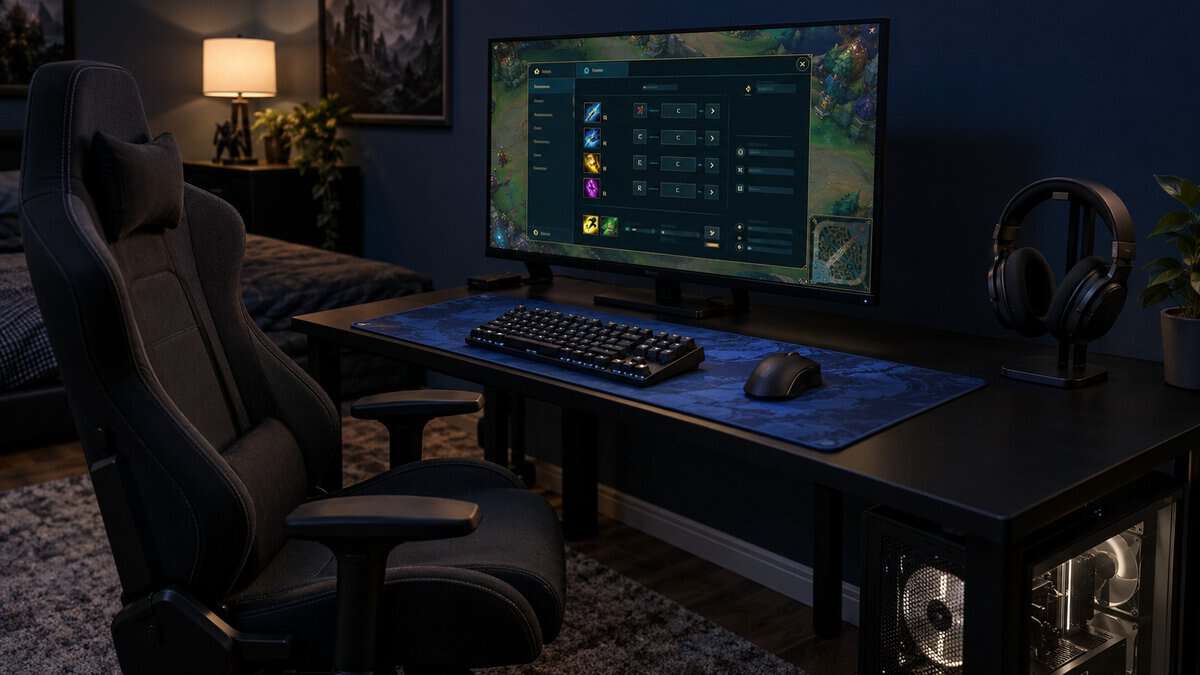
Riot’s hotkeys and keybindings FAQ explains where these settings live. You can change keybindings in game from the Options menu (press Esc) or in the League client under Settings, then Hotkeys, and Restore Defaults puts everything back.
League’s cast options also sit under Hotkeys, so you can set each ability’s cast mode in the same place.
Normal Cast Is a Press and a Click
Normal cast shows the ability’s range when you press the key, then waits for a mouse click to fire. The key only arms the ability, so switch speed barely matters and confirmation matters more.
A tactile switch like the one on the Logitech G413 TKL SE suits normal cast well. The bump tells you the key registered, and your aim happens with the mouse.
Quick Cast Fires the Moment the Key Goes Down
Quick cast fires the ability toward your cursor the instant the key registers. There is no click, so the actuation point decides when the spell leaves.
A shallow actuation point makes quick cast feel instant but raises the risk of a stray skillshot. A linear switch like the HyperX Red on the HyperX Alloy Origins Core gives a smooth, predictable press for this mode without going too shallow.
Quick Cast With Indicator Fires When You Let Go
Quick cast with indicator shows the range while you hold the key and fires when you release it. The release point decides the cast, which is where Hall-effect boards earn their place.
The Epomaker G84 HE and the Logitech G Pro X TKL Rapid let you set where a key resets on the way back up. A fixed mechanical switch has to travel back past its reset point first.
On quick cast with indicator, the release is the trigger.
The keyboard only decides when the ability fires. Where it lands still comes from your cursor, so our best mouse for League of Legends guide covers the other half of a clean skillshot.
The Keys League Leans On
League of Legends uses a small cluster of keys hard and the rest of the keyboard hardly at all, which shows which features earn their place.
Q W E R D and F Under One Hand
Q, W, E and R hold your champion’s four abilities, and D and F hold your summoner spells, such as Flash. Those six keys see the heaviest use in a game, so their switches and keycaps wear first.
PBT keycaps, like those on the Logitech G413 TKL SE and the Epomaker G84 HE, resist the shine that builds up on heavily used keys.
Items and Wards on the Number Row
League maps item actives to the number row, from 1 to 7, with the trinket ward on 4 by default. Your hand stretches up from the ability keys to reach them mid-fight.
A compact board with the number row in its normal place keeps those stretches familiar. The Logitech G Pro X TKL Rapid goes further, since KEYCONTROL can place an item active on a layer of a key you already rest on.
Why the Best Keyboard for League of Legends Keeps Its F Keys
The best keyboard for League of Legends keeps a dedicated function row because League uses it for the camera. F1 snaps the view to your own champion, and F2 to F5 snap it to each ally, which helps a support track a lane partner or a jungler check a teamfight.
A 60 percent board drops the F row, so F1 becomes a two-key press through a function layer. Riot’s FAQ notes that the Function key itself cannot be bound, so a 60 percent board means either a two-key press or rebinding the camera to other keys. Our 60 percent keyboard guide covers where that small size still makes sense, and all four picks here keep the full row.
Where Rapid Trigger Helps a MOBA Player and Where It Does Not
Rapid trigger re-arms a key the moment it starts moving back up, instead of waiting for a fixed reset point. In League of Legends its value depends almost entirely on your cast mode.
Where Rapid Trigger and Adjustable Actuation Help in League
Adjustable actuation pays off on the keys where timing is everything. A slightly deeper actuation point on Flash and your ultimate guards against an accidental press, while a shallower point on Q, W and E makes quick cast feel faster.
With quick cast with indicator, rapid trigger and a shallow release on your main skillshot fire it earlier as you lift your finger. The Epomaker G84 HE sets this per key in 0.01 mm steps, and the Logitech G Pro X TKL Rapid sets it per key in G HUB.
Where Rapid Trigger Changes Nothing
Rapid trigger and adjustable actuation do little on normal cast, where the mouse click fires the ability. They also do not change your ping, the server’s timing or how well your mouse places a skillshot.
How Hall-Effect Switches Read a Key Press
Hall-effect switches work by sensing a magnet instead of closing a metal contact. As Texas Instruments explains in its Hall-effect sensor explainer, a Hall element turns a magnetic field into a voltage, which is what lets these boards read how far down each key sits. Our best Hall-effect keyboard roundup covers the wider field beyond League.
Long Ranked Nights and Your Wrists
A ranked session in League can run several games back to back, and your left hand stays curled over the same six keys the whole time. A keyboard that sits at the right angle and height makes those hours easier on your wrist.
Keyboard angle is the first lever. The HyperX Alloy Origins Core has feet for 3, 7 or 11 degrees, and Epomaker lists three typing angles on the G84 HE. A flatter board keeps your wrist straighter. Our wrist rest guide covers what to place in front of the keyboard so your palm has support between fights.
Small Features That Save a Game
A few small keyboard features matter more in League than their spec-sheet space suggests. A Windows key lock is the first. A stray press of the Windows key in a teamfight drops you to the desktop, and the Logitech G413 TKL SE puts a lock on its FN layer while the HyperX Alloy Origins Core has a Game Mode that HyperX pitches at keeping you from knocking yourself out of a game.
Rollover and anti-ghosting are the second, since a League combo can press several keys almost together. Logitech lists 6-key rollover on the G413 TKL SE, and HyperX lists N-key rollover with full anti-ghosting.
Noise is the third. If you play late while others sleep, a gasket-mounted board like the Epomaker G84 HE, with five dampening layers, is built to sound softer than a plain tray-mounted one.
Your Role on the Rift Points to the Keyboard
Your League role shapes which keys you lean on hardest. Find your role in the table, then follow the row to the keyboard that fits it.
| Your Role | Keyboard | Why It Fits | What You Give Up |
|---|---|---|---|
| Mid laner who quick-casts combos | Epomaker G84 HE | Per-key release for quick cast with indicator, plus wireless | Time spent in the software |
| Support or newer player on normal cast | Logitech G413 TKL SE | Tactile confirmation and PBT keycaps on a budget | Adjustable actuation |
| Jungler or top laner on long ranked nights | HyperX Alloy Origins Core | Proven linear switches and an aluminum body that just work | Per-key tuning |
| Competitive ADC juggling item actives on layers | Logitech G Pro X TKL Rapid | Per-key actuation, rapid trigger and KEYCONTROL layers | A much higher price |
If your role changes from season to season, the Epomaker G84 HE adapts well, since a new profile can retune its keys without new hardware.
Frequently Asked Questions
Quick answers on choosing a keyboard for League of Legends.
What is the best keyboard switch for League of Legends?
It depends on your cast mode. On normal cast, a tactile switch like the one on the Logitech G413 TKL SE confirms each press before you click. On quick cast, a smooth linear switch like the HyperX Red gives a predictable press. On quick cast with indicator, a Hall-effect switch with adjustable release, like the Epomaker G84 HE’s, lets you set the point where the ability fires.
Is a 60% keyboard good for League of Legends?
A 60 percent keyboard works, but it makes the camera keys harder to reach. League uses F1 for your own champion and F2 to F5 for your allies, and a 60 percent board puts those behind a function layer. A board with a full F row, like every pick here, keeps the camera one press away.
What keyboard do League of Legends pros use?
Pro-usage trackers such as ProSettings show Logitech G as the most common keyboard brand among League pros, with Razer next, and the G Pro X family appears often. The Logitech G Pro X TKL Rapid is the pick here from that line.
Does rapid trigger matter in League of Legends?
Rapid trigger matters much less in League than in shooters. It helps most on quick cast with indicator, where the key release fires the ability, so a faster reset can send a skillshot a little sooner. On normal cast, your mouse click fires the ability, so rapid trigger changes very little.
Is a wireless keyboard fine for ranked League of Legends?
Yes, on a dedicated 2.4 GHz receiver. The Epomaker G84 HE runs at 8,000 Hz polling on its 2.4 GHz receiver, the same as wired. Avoid Bluetooth for ranked games, since the G84 HE drops to 125 Hz there.
Looking for more budget gaming gear? Check out Budget Loadout for the latest reviews and recommendations.
Related Articles