One question decides whether new networking gear is worth your money, and it has nothing to do with the number printed on the box. How fast is your internet plan, and what is physically plugged into the router? A WiFi 7 router on a budget earns its price through 2.5G Ethernet ports and a steadier link to new devices, not through headline speeds that no phone or console in your house can reach.
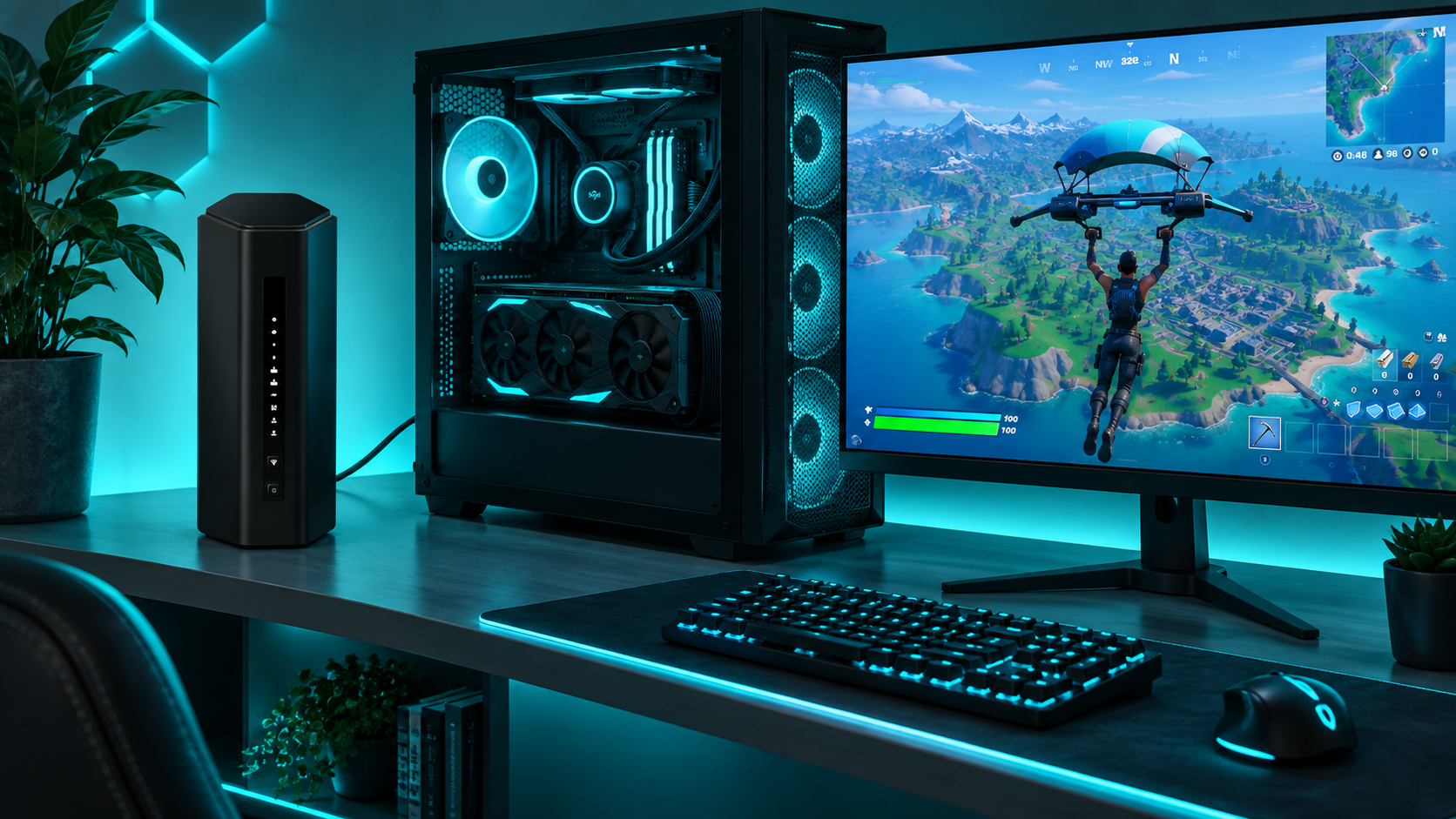
Three routers make sense at budget money. One is a tri-band all-rounder, one is the cheapest way in, and one is built for a desk full of wired machines. The sections below sort them by the internet plan you pay for, because the plan decides the router more than any spec does.
The tri-band router to buy if you want the full Wi-Fi 7 feature set without flagship money. Highest rated of the three and the easiest to set up.
- Real 6GHz band with 320MHz channels
- Three 2.5G ports in total
- Quick setup through the Nighthawk app
- Security and parental tools need a subscription
- No mesh expansion option
- Two LAN ports are gigabit only
The cheapest sensible way into Wi-Fi 7. Two 2.5G ports and multi-link for new phones, with no 6GHz band at this price.
- Two 2.5G ports at the lowest cost
- Multi-link works on new phones and laptops
- EasyMesh adds a node later
- No 6GHz band at all
- Only one multi-gig LAN port
- Advanced security sits behind a paid tier
Every port on the back is 2.5G, which no other router near this price offers. The pick for a PC, a console, and a NAS on cables.
- All five ports run at 2.5G
- 6GHz band with 320MHz channels
- EasyMesh expansion for larger homes
- Owner ratings trail the other two picks
- Firmware updates matter more here
- No port faster than 2.5G
Picks and availability last verified: November 2, 2026
- Your internet plan picks the router. Under a gigabit, Wi-Fi 7 is about ports and stability. Above a gigabit, 2.5G ports stop being optional.
- Dual-band Wi-Fi 7 routers have no 6GHz band. They still bring multi-link and 2.5G ports, but the widest and fastest channels are missing.
- A router cannot make an old device faster. Wi-Fi 7 features only switch on for phones, laptops, and consoles that support Wi-Fi 7 themselves.
- For gaming, the 2.5G and gigabit ports matter more than any wireless number. A console on a cable does not care which Wi-Fi generation you bought.
- If your current Wi-Fi 6 router covers the house and your plan is under a gigabit, keeping it is a perfectly good decision.
Table of Contents
What Wi-Fi 7 Actually Adds
Wi-Fi 7 is three changes stacked on top of Wi-Fi 6E. The Wi-Fi Alliance walks through them in its overview of Wi-Fi 7, and only one of the three matters to most homes right now.
Multi-Link Is the Feature You Will Feel
Multi-link operation lets a Wi-Fi 7 phone or laptop hold two bands at once. If the 5GHz band gets noisy because a neighbor started a download, traffic shifts to the other band without the connection dropping. You do not see a bigger speed test number. You see fewer stutters on a video call and fewer spikes in a game, which is the improvement people wanted from Wi-Fi all along.
Wider Channels Need the 6GHz Band
The second change is channel width. Wi-Fi 7 allows 320MHz channels, twice as wide as anything before, and they only exist on the 6GHz band. That is where the giant speeds on the box come from. It is also why a dual-band router, which has no 6GHz radio, cannot deliver them. The third change is denser signal encoding, which adds a little speed at close range and nothing across the house.
Why a Budget WiFi 7 Router Is Really About Ports
The quiet upgrade is on the back panel. Almost every Wi-Fi 6 router under flagship money has gigabit ports only, which cap a wired PC at gigabit speed no matter what plan you pay for. Every router in this guide has a 2.5G internet port and at least one 2.5G LAN port. For a gaming household that is the part of Wi-Fi 7 you use every day, and it has nothing to do with wireless at all.
Buy a budget Wi-Fi 7 router for its ports and its stability. The speed on the box is a lab number.
Three Routers That Earn the Upgrade
Three routers, ranked on what they give a home with a console, a PC, and a dozen phones and tablets. The spec sheet comes first, then each pick explains what its numbers do in a real house.
| Pick | Speed class | Bands | 6GHz band | Internet port | LAN ports | USB | Antennas | Mesh expansion | Best for |
|---|---|---|---|---|---|---|---|---|---|
| NETGEAR Nighthawk BE9300 | BE9300 | Tri-band | Yes, 320MHz channels | 2.5 Gbps | 2x 2.5 Gbps + 2x 1 Gbps | USB 3.0 | 4 internal | No | Most homes that want full Wi-Fi 7 |
| TP-Link Archer BE230 | BE3600 | Dual-band | No | 2.5 Gbps | 1x 2.5 Gbps + 3x 1 Gbps | USB 3.0 | 4 external | EasyMesh | Plans up to a gigabit on a tight budget |
| TP-Link Archer BE550 | BE9300 | Tri-band | Yes, 320MHz channels | 2.5 Gbps | 4x 2.5 Gbps | USB 3.0 | 6 internal | EasyMesh | Multi-gig plans and several wired machines |
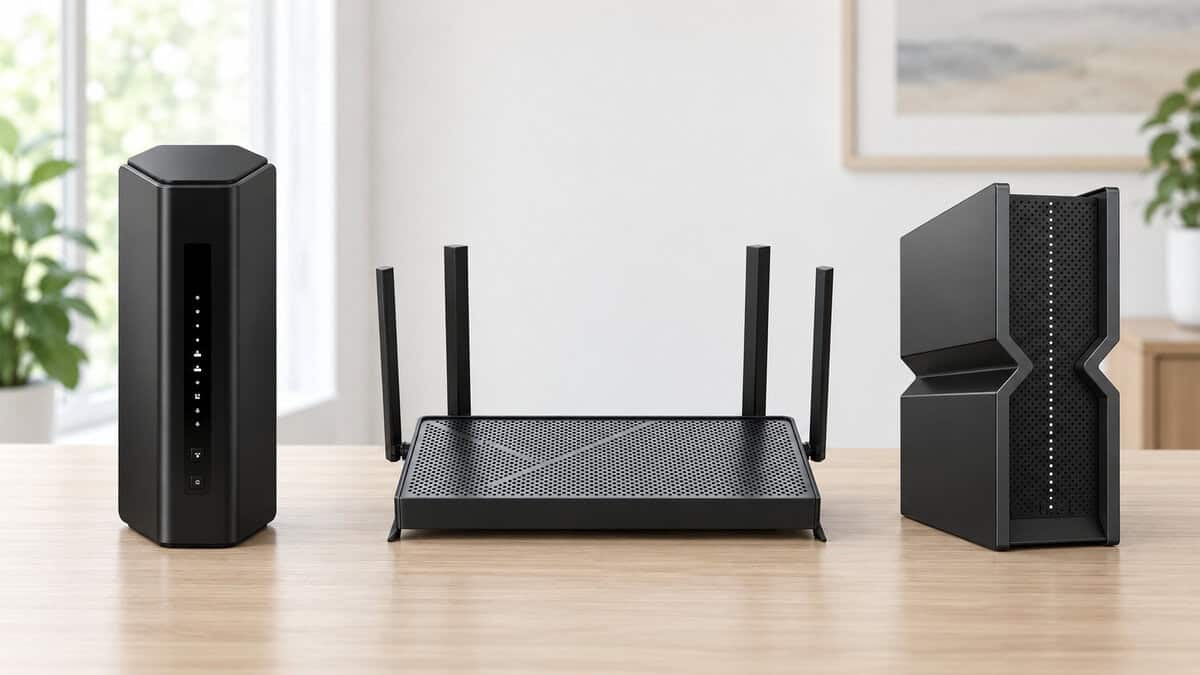
NETGEAR Nighthawk BE9300: The Tri-Band All-Rounder
The NETGEAR Nighthawk BE9300 is the router most people should buy. It is a true tri-band unit, so it has the 6GHz band and the 320MHz channels that make Wi-Fi 7 more than a label. It shares its port layout and its manual with the Nighthawk RS300, which means a 2.5G internet port, two 2.5G LAN ports, two gigabit LAN ports, and USB 3.0 for a shared drive.
What earns it the top slot is polish. It has the best owner ratings of the three, setup through the Nighthawk app is quick, and the upright case with internal antennas is easy to place on a shelf. If you want to install a router and then forget it exists, this is the one.
The best router is the one you never think about again. That is a firmware question as much as a hardware one.
The tradeoffs are about extras. NETGEAR puts its security suite and its deeper parental controls behind a subscription, and the router does not join a mesh, so a large house cannot add a satellite later. Two of the four LAN ports are gigabit only. If those two 2.5G LAN ports are enough for your desk, none of that will bother you. The smaller NETGEAR Nighthawk RS90 is the dual-band sibling, with a single 2.5G port and a lower price.
TP-Link Archer BE230: The Cheapest Sensible Way In
The TP-Link Archer BE230 costs about what a good Wi-Fi 6 router does, and it brings two things those routers lack: a 2.5G internet port paired with a 2.5G LAN port, and multi-link for new devices. Plug the modem into one, the gaming PC into the other, and the wired path through the router is no longer the slowest link in the chain. Three gigabit ports handle the console and everything else.
It is a dual-band router, and that needs saying plainly. There is no 6GHz band, so there are no 320MHz channels, and its wireless speeds sit closer to a good Wi-Fi 6 router than to the tri-band picks. What you get wirelessly is multi-link on the 2.4GHz and 5GHz bands, which helps stability more than speed.
It supports EasyMesh, so a second TP-Link unit can extend coverage later. If you want a step up without going tri-band, the TP-Link BE400 is the faster dual-band model in the same family, though at its price the tri-band picks start to make more sense.
TP-Link Archer BE550: Five 2.5G Ports
The TP-Link Archer BE550 is the pick for a desk with cables. Every port on the back is 2.5G: one for the internet and four for your machines. A gaming PC, a console, a NAS, and a second computer can all connect at multi-gig speed without a separate switch, and nothing else near this price offers that. It is tri-band as well, with the same 6GHz band and wide channels as the NETGEAR.
Four multi-gig LAN ports on a budget router is rare. If you own the machines to fill them, the choice is made.
It sits third because its owner ratings trail the other two, and the pattern in the complaints is firmware. Update it on day one and let it update itself afterwards. If your interest is gaming features such as device prioritization menus, the ASUS TUF Gaming BE6500 is the dual-band alternative, and our gaming router guide covers the higher-end options.
Plans Under a Gigabit
Most cable and entry fiber plans land somewhere under a gigabit, and at those speeds no router in this guide will make your internet faster. The plan is the ceiling. The FCC’s broadband speed guide is a useful reality check here, because it shows how little bandwidth gaming and streaming need compared with what plans advertise.
What You Are Paying For at This Tier
On a slower plan, a new router buys you three things: better coverage than the box your provider supplied, a steadier connection for new phones through multi-link, and ports that will not need replacing when you upgrade the plan. The Archer BE230 delivers all three for the least money, and it is the right call here. The tri-band picks will not feel faster on the internet. They will only feel faster moving files between devices inside the house.
If coverage is the real complaint, a single router of any generation may not fix it. A house with a dead bedroom needs a second access point more than a newer standard, and our mesh WiFi system guide covers that choice.
Gigabit Plans
A gigabit plan is where older routers start costing you speed you pay for. A gigabit Ethernet port tops out slightly under a true gigabit after overhead, and many providers deliver a little more than the advertised rate. A router with gigabit ports clips that. A router with a 2.5G internet port passes all of it through.
The Gigabit Port Is the Bottleneck
Check your modem or fiber box first. If it has a 2.5G port, any router in this guide will use it. From there the choice is about wireless. On a gigabit plan, a Wi-Fi 7 phone or laptop close to a tri-band router can come near the full plan speed over the 6GHz band, which a dual-band router cannot match. That makes the NETGEAR Nighthawk BE9300 the natural fit for this tier, with the BE230 as the budget option if your fast devices are wired anyway.
For the gaming machines themselves, the cable still wins. Our guide to WiFi or Ethernet for gaming explains why a wired console holds a steadier connection than any wireless one, whatever generation the router is.
Multi-Gig Plans
Two-gigabit fiber plans are spreading, and they expose every gigabit port in the house. On a plan like that, a router with a 2.5G internet port and gigabit LAN ports gives each wired machine at most half of what you pay for. This is the tier where port counts decide the purchase outright.
Count the 2.5G LAN Ports
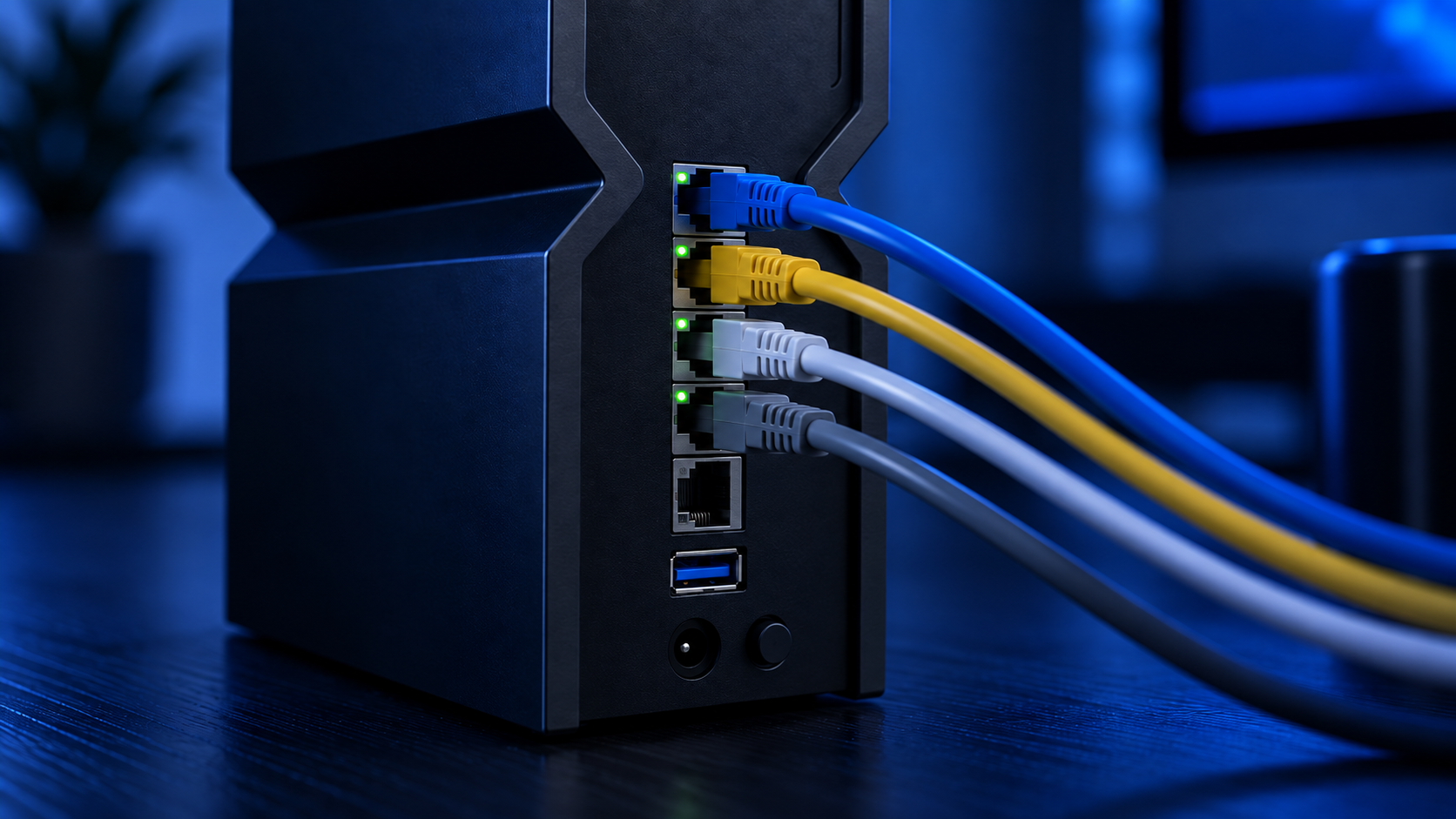
Count the wired machines that can actually use multi-gig, which means a PC or a NAS with a 2.5G network port. One machine fits any pick here. Two fit the NETGEAR Nighthawk BE9300. Three or four need the Archer BE550, or a separate 2.5G switch hung off another router. Consoles do not count, because their network ports are gigabit.
On a multi-gig plan, the wireless standard is a detail. The ports are the purchase.
A desktop without a 2.5G port can add one with an inexpensive network card, and a desktop on wireless needs a Wi-Fi 7 card to see any benefit. Our WiFi adapter guide covers the PCIe and USB options.
Your Devices Decide the Rest
A router only speaks Wi-Fi 7 to devices that speak it back. Everything else connects exactly as it did before, at Wi-Fi 6 or Wi-Fi 5 speeds, and gains nothing from the new standard beyond whatever coverage improvement the new hardware brings.
Which Devices Have Wi-Fi 7 Today
Recent flagship phones, including the latest iPhone, Pixel, and Galaxy Ultra models, support Wi-Fi 7. So do many laptops from the last two years and the PS5 Pro. The standard PS5 and the Switch 2 use Wi-Fi 6, and the Xbox Series X uses Wi-Fi 5. In most homes, that means one or two devices benefit today and the rest will catch up as they are replaced.
Where the Router Sits Still Matters Most
The 6GHz band is fast and short-ranged. It fades through walls faster than 5GHz, so its benefits show up in the same room or the next one. Put the router in the open, off the floor, and as near the middle of the house as the cable allows. If the far end of the house is the problem, a wired access point or an extender does more than a faster standard, and our WiFi extender guide covers when that cheaper fix is enough.

Turning On Multi-Link Without Breaking Old Devices
Multi-link and the 6GHz band both require WPA3 security, and that catches people out. Older smart plugs, printers, and some consoles only understand WPA2, so a network set to WPA3 alone will quietly refuse them. The fix is simple. Leave the main network on the mixed WPA2 and WPA3 setting, and let the router create its separate multi-link network for the devices that support it.
TP-Link routers do this by default, with a dedicated multi-link network name next to the normal one. Join your Wi-Fi 7 phone and laptop to that network and leave everything else where it is. Smart-home gear is happiest on 2.4GHz, so if a device refuses to pair, check that the phone doing the setup is on the same band first.
Gaming on a New Router
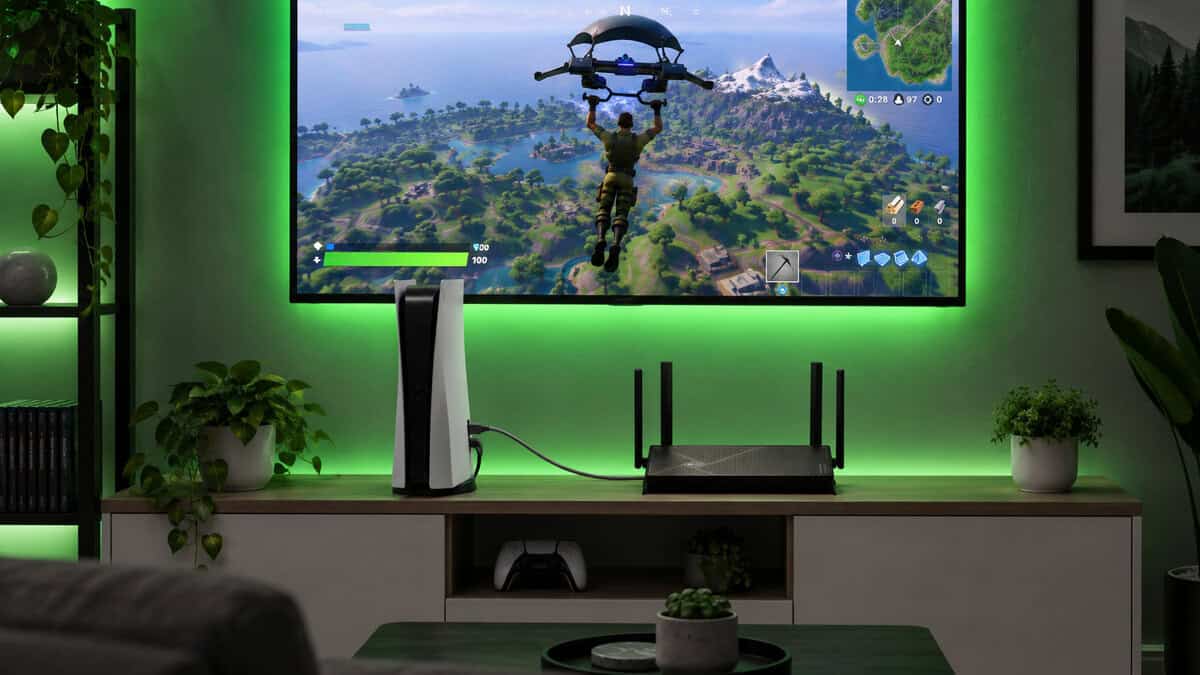
A router cannot shorten the distance between your house and the game server, so no wireless standard lowers your base ping. What a router controls is everything inside the house: how long a packet waits behind a large download, and how steady the link to your console stays while it waits.
Ping Comes From the Path Not the Standard
Two things cause most of the lag people blame on Wi-Fi. The first is a weak or crowded wireless link, which multi-link and a better-placed router both help. The second is a full upload pipe, where a cloud backup or a stream starves the game of the tiny amount of bandwidth it needs. All three picks include quality of service controls that let you put a console or a PC first in line, and that one setting does more for online play than the jump from Wi-Fi 6 to Wi-Fi 7.
Set It Once and Leave It
After setup, do three things. Update the firmware, give the gaming machine priority in the quality of service menu, and plug it into a LAN port if a cable can reach. Then stop tuning. Our guide on how to get better ping covers the rest of the chain, from the modem to the game’s own server settings.
When to Keep Wi-Fi 6
Not everyone should buy a router this year. If your current Wi-Fi 6 router covers the house, your plan is under a gigabit, and nothing drops out, a new router changes very little. The honest advice is to keep it and spend the money on a cable run to the console instead.
Three situations change that answer. The first is a router supplied by your provider, which is usually the weakest link in the house and worth replacing with anything in this guide. The second is a plan at or above a gigabit feeding gigabit-only ports. The third is a router old enough to have stopped receiving security updates, which is reason enough on its own.
Replace a router because of a problem you can name, not because a new number appeared on the shelf.
The Right Router for Your Plan
If the spec sheet left you between two routers, this table settles it by the plan you pay for and what you plug in. One row per pick, read across.
| Pick | Internet plan | Wired multi-gig machines | Wireless strength | Growing the network | Skip it if |
|---|---|---|---|---|---|
| NETGEAR Nighthawk BE9300 | Gigabit, or multi-gig with one or two wired PCs | Up to two | Full tri-band with 6GHz | Standalone only | You expect to add mesh satellites later |
| TP-Link Archer BE230 | Anything up to a gigabit | One | Dual-band with multi-link | EasyMesh nodes | You want the 6GHz band |
| TP-Link Archer BE550 | Multi-gig fiber | Up to four | Full tri-band with 6GHz | EasyMesh nodes | You never plug anything in |
Frequently Asked Questions
The questions that come up most when deciding whether a new router is worth buying.
Is a WiFi 7 router worth it for gaming?
For the wired ports, yes. A 2.5G internet port and 2.5G LAN ports remove the wired bottleneck on fast plans, and multi-link keeps wireless devices steadier. Wi-Fi 7 does not lower ping by itself. A console or PC on an Ethernet cable will still beat any wireless connection.
Do I need Wi-Fi 7 devices to use a Wi-Fi 7 router?
No. Every older device connects normally at its own Wi-Fi 6 or Wi-Fi 5 speed. You only see Wi-Fi 7 features such as multi-link and 320MHz channels on devices that support Wi-Fi 7 themselves, which today means recent flagship phones, newer laptops, and the PS5 Pro.
What is the difference between dual-band and tri-band Wi-Fi 7?
A dual-band router has 2.4GHz and 5GHz radios. A tri-band router adds the 6GHz band, which is the only place the widest 320MHz channels exist. Dual-band models cost less and still offer multi-link and 2.5G ports. Tri-band models deliver the full wireless speed of the standard at short range.
Will a Wi-Fi 7 router make my internet faster?
Only if your old router was the bottleneck. On a plan under a gigabit, the plan sets the limit and a new router mostly improves coverage and stability. On a gigabit or multi-gig plan, a router with 2.5G ports can deliver speed that a gigabit-only router was clipping.
Does Wi-Fi 7 have better range than Wi-Fi 6?
Not really. Range depends on the band, the antennas, and where the router sits. The 6GHz band is actually shorter-ranged than 5GHz and fades faster through walls. For a house with dead rooms, a mesh system or a wired access point fixes more than a newer standard does.
Looking for more budget gaming gear? Check out Budget Loadout for the latest reviews and recommendations.
Related Articles