Swapping keycaps is the cheapest way to change how a keyboard feels, and it is the upgrade most people get wrong. A set that looks incredible in product photos can sit too tall for FPS play, rattle on a board it was never cut for, or go glossy in three months. Choosing the best keycaps has less to do with colorways and limited drops than with four boring questions: what the plastic is, how the legends are printed, how tall the rows are sculpted, and whether the set actually fits your layout.
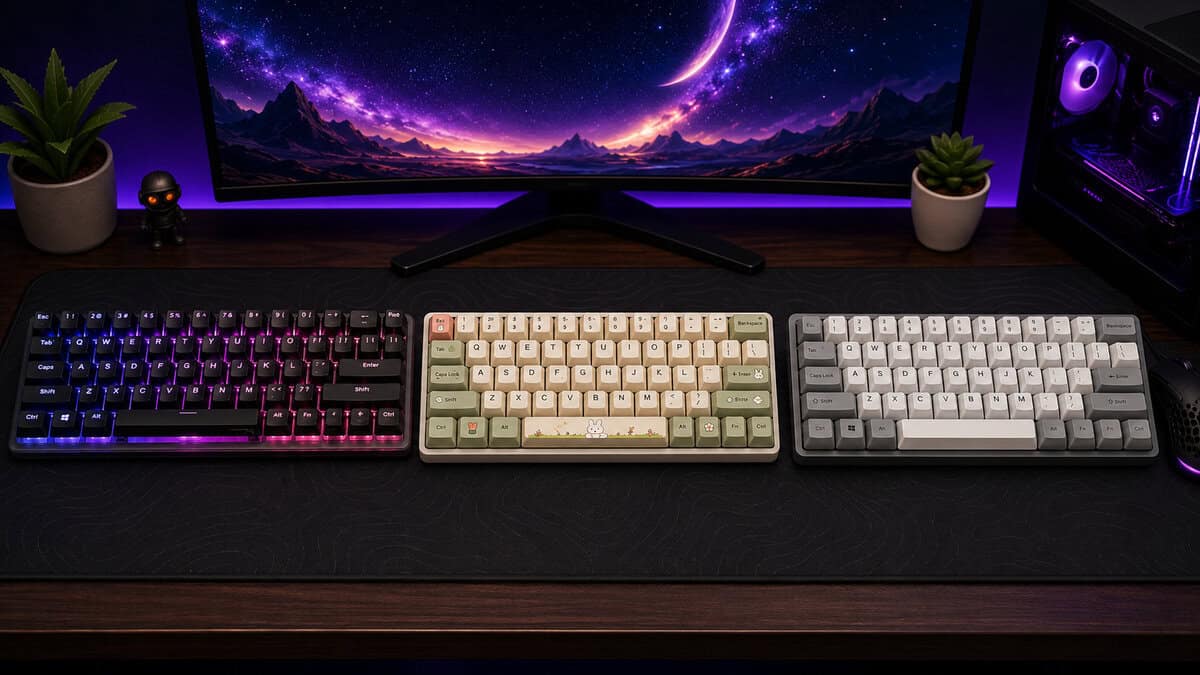
That’s the lens here. Best means the set that gives you the right mix of build quality, durability, feel, and fit without wasting money on hype. Keycaps are not a side quest. They’re one of the few upgrades you can feel every single day.
Look at what people actually buy and the pattern is clear. ABS sets dominate the cheap end because the plastic is cheaper to mould and easier to print on. Doubleshot and dye-sublimated PBT is where buyers land once they have worn a set out. Most people start cheap; the ones who type hard end up on materials that survive the abuse.
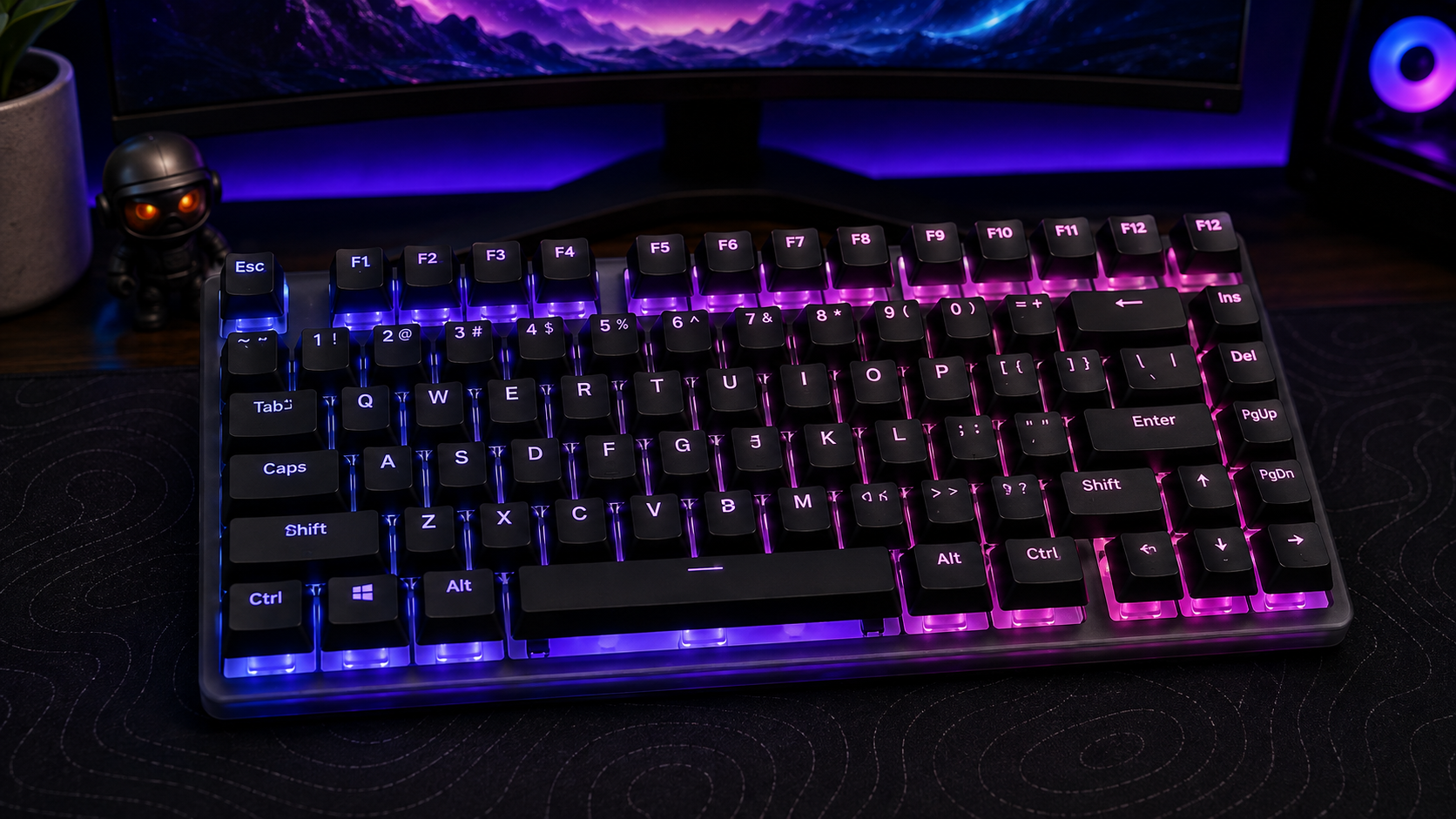
The safest all-round set here. Doubleshot moulding puts the legends inside the plastic instead of printing them on top, and the translucent lower layer is what turns RGB into lit characters rather than a glow leaking round the edges.
- Legends are moulded into the plastic and cannot wear off
- Translucent layer makes RGB lighting genuinely readable
- Sold and shipped by Amazon rather than a marketplace seller
- Wide blocky font looks unmistakably like a gaming keyboard
- 112 keys can leave gaps on unusual bottom rows
- Only three colour options to choose from
A taller, rounded sculpt that encourages a slower and more deliberate stroke, and gives the board a fuller sound. At 138 keys it covers the odd bottom-row widths that leave cheaper sets with holes in them.
- Sculpted MOG profile stays comfortable over long typing sessions
- Five-sided dye-sub printing will not fade or wear smooth
- 138 keys covers non-standard bottom rows
- Opaque plastic blocks RGB shine-through completely
- Taller profile takes about a week to adjust to
- Novelty colourway will not suit every desk
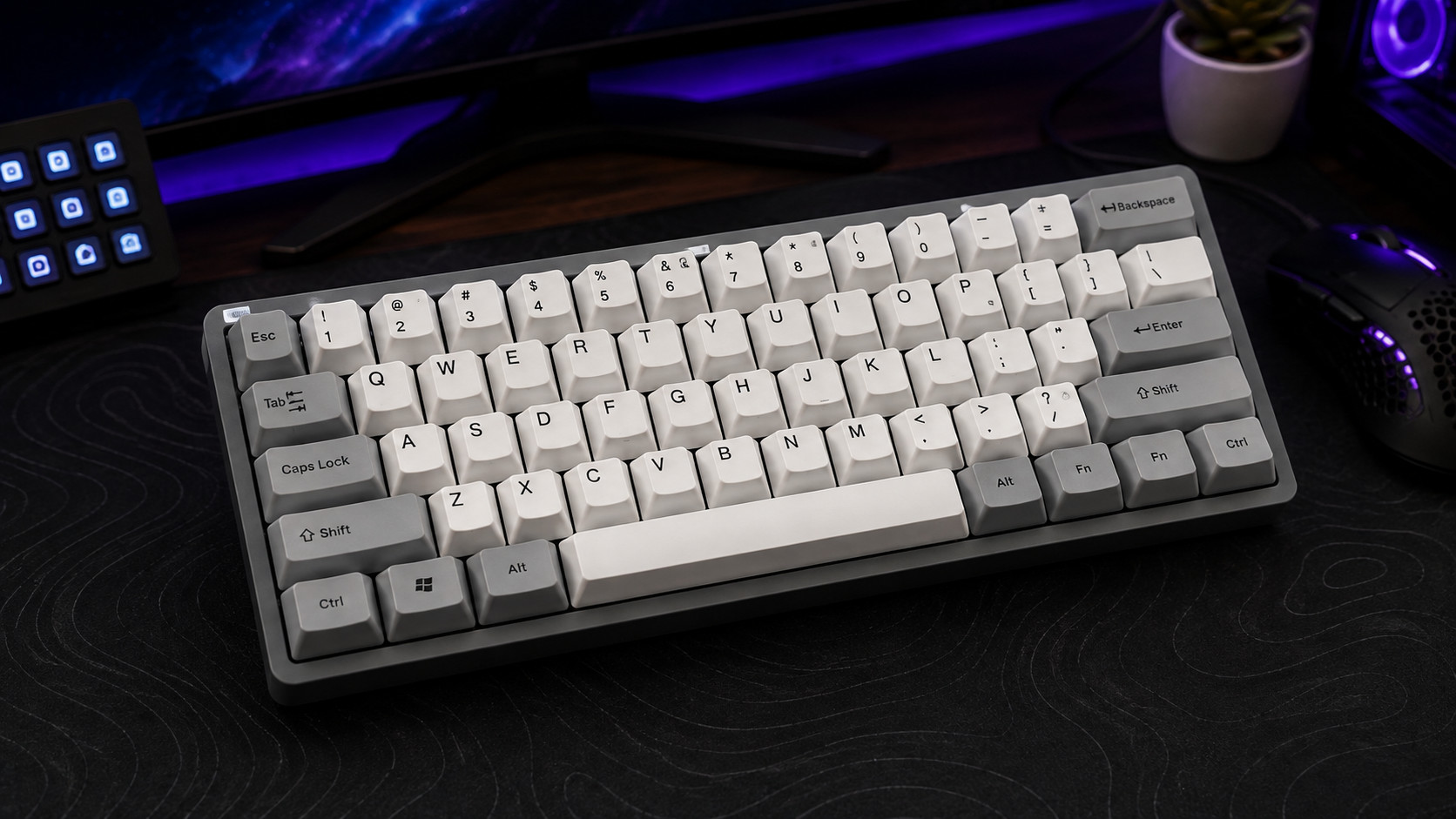
The cheapest sensible way off the ABS caps most keyboards ship with. Cherry profile is the sculpted standard enthusiast boards are designed around, sitting a touch lower than OEM, which makes it the safest shape to buy without trying it first.
- Cherry profile is the most widely compatible sculpt
- Doubleshot legends will outlast the keyboard itself
- 138 keys spans almost every common layout
- Thinner walls make the board sound more hollow
- Colourway choices are limited and fairly plain
- Less refined finish than pricier PBT sets
- PBT resists the glossy shine that ruins ABS caps, but how the legends are printed matters just as much as the plastic
- Doubleshot moulding lets RGB through the legends; dye-sublimation does not, so that choice is settled by whether your board is lit
- Profile is the spec most buyers ignore and later regret: Cherry and OEM sit lower and faster, taller sculpts like SA and MT3 suit typing
- Check ANSI versus ISO and your bottom-row widths before anything else, because a set that does not fit is money gone
- A 130-plus key set costs little more than a small one and covers far more layouts, which makes it the safer buy
Table of Contents
What Makes the Best Keycaps Worth the Money
The most expensive set is not automatically the best set. That’s the mistake people make when they shop by photos instead of by layout, profile, and material. A keycap set can look premium and still feel wrong on a board used for ranked FPS matches, late-night MMO sessions, or hours of typing.
Start with how you use the board
A gamer mashing movement keys all night wants something different from a streamer who types, chats, and edits on the same keyboard. FPS players usually care about low fatigue and quick return to home row. MMO players tend to care more about comfort and long-session consistency. Streamers need a board that stays readable and clean under bright lights and camera angles.
Practical rule: if a set does not fit your board and the way you play, it’s not premium. It’s just expensive plastic.
The budget-minded buyer should think in trade-offs. Do you want smoother shine resistance, better sound, tighter legend durability, or a lower price? You rarely get all four at once. That’s why a “value” pick often beats a flashy set that looks good on day one and feels wrong by week three.
Judge the set, not the marketing
The best keycaps are the ones you’ll enjoy after the honeymoon phase ends. If a set is too tall for your hands, too thin to sound solid, or missing the right modifiers for your layout, you’ll notice it every day. If it survives wear, feels consistent, and matches the way you play, that’s the win.
Budget Loadout treats the category the same way I do, as a performance-per-dollar problem, not a fashion contest. If you want a shortcut, start with fit, then material, then profile, then price. Anything else is backward.
Keycap Materials and Printing Methods Explained
Material decides how a set ages. Printing method decides whether the legends stay legible. If you get those two wrong, you’ll regret the purchase long before the color fades from memory.
ABS and PBT are not the same kind of cheap
ABS is the volume leader for a reason. It’s easier to mold, easier to sell, and often cheaper up front. The downside is obvious after real use, because ABS is more likely to develop shine from finger oils and friction. That’s fine for a keyboard that gets light use. It’s not fine for a board that takes daily gaming abuse.
PBT is harder, more textured, and usually the better long-term buy for anyone who pounds keys. It resists shine better and keeps that dry, grippy feel longer. If you play FPS games and hammer movement keys, or grind MMO rotations for hours, PBT usually makes more sense than saving a little money on a softer set.
| Material or Method | Durability | Sound and Feel | Best For |
|---|---|---|---|
| ABS plastic | Wears faster and shines sooner | Smoother, often lighter-feeling | Lower-cost builds and lighter use |
| PBT plastic | Better long-term wear resistance | Textured, firmer, more stable | Heavy daily use, gaming, durability |
| Doubleshot legends | Legends last very well | Usually consistent and clean | Frequent use, stream-facing setups |
| Dye-sublimated legends | Strong legend longevity | Good for durable character marking | Long-term value buyers |
| Pad-printed legends | Weakest over time | Can look fine at first | Only if the price is truly low |
The safest general choice is PBT with doubleshot or dye-sublimated legends. That covers both the material and the marking method, which matters more than people admit. If the legends rub off, the set stops looking good fast, even if the plastic itself is still usable.
The main thing to avoid is paying a premium for a pretty picture and getting weak printing. A set can be comfortable and durable, but if the legends fade early, the value drops hard. For readers who are still sorting out switch feel too, the basics of how the board itself changes the typing experience are worth pairing with this buying decision, so a straight explanation like this mechanical keyboard switches guide helps keep the whole build coherent.
Bottom line: for budget-conscious users, PBT plus durable legends is usually the right spend. ABS is acceptable only when the price gap is real and the board won’t see heavy use.
Keycap Profiles and Thickness That Actually Matter
Profile changes how the board feels under your fingers more than color ever will. Thickness changes how it sounds and how solid it feels. Those two specs are where most buyers either get smart or waste money.
Pick the height that matches the job
Cherry profile is the safest all-around choice. It’s low enough for gaming, sculpted enough for typing, and familiar to many who’ve used aftermarket sets. For a mixed-use board, it’s hard to argue against. OEM sits in a similar practical lane, though it usually feels a little taller and more generic.
SA and MT3 are the opposite of speed-first thinking. They’re taller, more dramatic, and better when you care about feel and acoustics over rapid movement. A streamer who types a lot and wants a deeper sound signature may like that. An FPS player probably won’t.
Low-profile caps are a separate call. They cut finger travel and can feel quicker, which is why they come up in fast game setups and ergonomic builds. The trade-off is simple. Less travel can mean less comfort for some hands over long sessions.
Thickness changes sound more than people think
The most usable thickness range tends to sit around 1.4 to 1.6 mm in expert roundup guidance. That’s where a lot of sets start sounding more solid without getting weird. Very thin caps below 1.2 mm can sound hollow. Very thick caps above 2.0 mm can create unwanted resonance.
That matters in real use. A thin set can make a good board sound cheap even when the switches are fine. A thicker set can make typing feel more controlled, but if you go too thick, you can end up with a sound profile that’s louder or stranger than you wanted.
A good profile should disappear into the background after a week. If you keep thinking about the height, the set probably isn’t right for your hands.
For typing-heavy users and streamers, a sculpted, comfortable profile usually wins. For competitive FPS play, lower profiles keep finger travel down and make repeated movement keys feel faster. For MMO and content-creation setups, comfort over long sessions usually matters more than a tiny speed gain.
Compatibility, Layouts, and How to Avoid the Wrong Set
Budget buyers get burned. A set can be great on paper and useless on your desk if the layout doesn’t match. The packaging won’t care that you liked the color.
Check the board before you buy
Start with the layout. ANSI and ISO are not interchangeable, and that alone can kill a purchase. Then look at the size of the board, the bottom row, and any odd keys you use every day. If you have a 60% board with extra arrow access, a split keyboard, or a board with thumb clusters, you’re already outside the easy path.
Non-standard boards need more attention because normal keycap sets often assume a standard rectangle. That is the hidden cost of buying cheap. You save money on the set, then lose it because the wrong keys don’t fit and you have to replace the whole thing. If you are still choosing the board itself rather than the caps, start with our budget mechanical keyboard guide, or browse the rest of our gaming keyboard guides to settle on a layout first.
Match the set to the stem and the row sculpt
Most buyers only think about appearance, but fit is the real issue. Check stem compatibility, row sculpting, and the exact number of modifiers your layout needs. If the set skips the keys your board uses, it’s not a bargain. It’s incomplete.
Use the board itself as the checklist:
- ANSI or ISO: confirm the physical layout before anything else.
- Bottom-row spacing: make sure your modifiers are included.
- Special keys: look for arrows, 1.75u shifts, or other non-standard sizes if your board needs them.
- Low-profile or split boards: assume standard sets probably won’t fit without careful checking.
For TKL buyers, a dedicated layout guide like this TKL keyboard overview is useful because tenkeyless boards often sit in the middle ground, standard enough to be easy, but still easy to mismatch if you don’t pay attention.
The right mindset is simple. If your board is unusual, buy for fit first and style second. If your board is standard, you’ve got more room to optimize for feel. Either way, don’t assume a set will work just because the photos look close.
Best Keycaps: Our Top Three Picks
Three sets, chosen because they are the ones you can actually buy today without gambling on a group buy or a reseller markup. They cover the three reasons people replace keycaps: better lighting, better typing, or simply getting off the ABS caps the board shipped with.
| Set | Material | Keys | Standout | Best for |
|---|---|---|---|---|
| HyperX Pudding Keycaps 2 | Doubleshot PBT | 112 | Shine-through legends | RGB boards, mixed gaming and typing |
| Akko Bun Wonderland | Dye-sublimated PBT | 138 | MOG sculpted profile | Typing-first setups |
| Womier Doubleshot PBT | Doubleshot PBT | 138 | Cherry profile | Cheapest way off stock ABS |
HyperX Pudding Keycaps 2: Best Overall
HyperX Pudding Keycaps 2 is the set we would put on most boards. It is doubleshot PBT, so the legends are moulded into the plastic rather than printed on top, and the translucent lower layer is what makes RGB read as lit characters instead of light leaking around the edges. The 112-key set covers standard layouts and HyperX includes a puller in the box. The catch is the typeface: HyperX uses a wide, blocky font to maximise light throughput, and it looks unmistakably like a gaming keyboard. If you want something quieter to look at, one of the other two will suit you better.
Akko Bun Wonderland: Best for Typing
Akko Bun Wonderland is the pick if you spend more time typing than fragging. It uses Akko MOG profile, a rounded sculpted shape with taller rows than a flat set, which encourages a more deliberate stroke and gives the board a fuller sound. At 138 keys it covers the odd bottom-row widths that leave cheaper sets with gaps. Two honest caveats. It is dye-sublimated rather than doubleshot, which is just as durable but opaque, so RGB shine-through is off the table entirely. And a taller profile takes about a week to stop feeling strange if you are coming from flat caps.
Womier Doubleshot PBT: Best Budget
Womier Doubleshot PBT is the cheapest sensible way off the ABS caps most keyboards ship with. Cherry profile is the sculpted standard that enthusiast boards are designed around, sitting a touch lower than OEM, which makes it the safest shape to buy without trying first, and the 138-key count stretches across 60 percent, 65 percent, 75 percent, TKL and full-size layouts. Doubleshot legends mean the printing will outlast the board. What you give up is refinement: the walls are thinner than the HyperX or Akko sets, so the board sounds a little more hollow. That matters if you are chasing a particular typing sound, and not at all if you just want caps that will not go shiny.
When Premium Keycaps Are Worth It and When They Are Not
Premium-feeling keycaps are worth paying for when the upgrade changes your daily use. They’re not worth it when you’re buying them to feel like you upgraded. That difference matters if you care about value.
Pay more for what you can feel
If you’re a competitive FPS player and you wear legends down fast, paying for better legend durability is rational. If you stream and stare at your board under bright lighting, cleaner legends and a more stable finish matter because you see the keyboard all the time. If you grind MMO content for hours, the profile and thickness can affect comfort enough to justify a better set.
That said, a premium keycap set is not a substitute for the rest of the setup. A streamer who lives on voice chat usually gets more real-world improvement from a proper microphone than from sculpted caps. A gamer with a poor switch choice won’t fix the feel just by buying nicer plastic. The whole chain has to make sense.
The same logic applies to durability. PBT usually makes sense when you want a set that stays useful after repeated use, while ABS is fine if you know you won’t abuse it or if the price gap is real. The point is not to buy expensive. The point is to buy the upgrade you’ll still appreciate six months later.
Use a simple filter before you spend
- Choose premium keycaps if: the set changes sound, grip, or durability in a way you’ll feel every day.
- Skip premium keycaps if: you’re chasing a colorway and the rest of the board still needs work.
- Lean budget if: the board is temporary, secondary, or used lightly.
- Lean value if: the keyboard is your daily driver and you want fewer replacements.
For gaming-specific build choices, a guide like this one on the best switches for gaming helps keep the rest of the board aligned with the cap choice. That matters more than another flashy profile debate.
Premium is worth it only when it solves a real problem. Otherwise, you’re paying extra to feel good for a week.
Installation, Maintenance, and Getting the Most Out of Your Set
A good set wasted on bad handling is still a waste. Keycaps last longer when you install them cleanly, wash them correctly, and keep up with basic maintenance. None of this is hard, but sloppy care shortens the life of every set.
Install them without damaging the board
Use a wire puller, not your fingernails. Pull straight up, gently, and don’t twist hard enough to stress the stems. When reinstalling, line each cap up before pressing down so you don’t bend a switch or seat the cap crooked.
If the board has a weird bottom row or unusual modifiers, lay the keys out first. That saves time and avoids forcing the wrong cap into the wrong spot. For split or non-standard layouts, this step matters even more because the key sizes can be easy to mix up.
Clean for the way you actually use the keyboard
Streamers and anyone under bright light should wipe the board often so dust and skin oils don’t show up on camera. FPS players who grind ranked can get away with a deeper clean less often, but they still need it. If you’ve got doubleshot or dye-sublimated legends, treat the set like a durable tool, not a disposable shell.
For a proper care routine, a practical cleaning guide like this mechanical keyboard cleaning walkthrough is enough to keep things sane. The main thing is consistency. Light maintenance beats heroic scrubbing.
A few habits make a real difference:
- Wipe weekly: keep oils, crumbs, and dust from building up.
- Deep clean periodically: remove the caps and clean the board underneath.
- Store spares dry: moisture is unnecessary damage.
- Replace individual caps when needed: don’t trash a whole set for one worn key.
Simple rule: if a single key is worn, fix the single key. Don’t buy a whole new set just because you’re impatient.
If you own multiple sets, rotate them. That spreads wear and gives you a better feel for what works. The best keycaps are the ones you keep in good shape long enough to matter.
Keycap Questions, Answered
The same handful of questions come up every time someone shops for a new set. Here are the straight answers.
Are PBT keycaps really better than ABS?
For durability, yes. ABS develops a glossy shine where your fingers sit, often within months on a board you use daily, and there is no fixing it once it starts. PBT has a rougher surface texture that resists that wear.
Where it matters less is sound and feel. A thick ABS set can sound better than a thin PBT one, so plastic type alone does not tell you how a set will feel.
Will any keycap set fit my keyboard?
No, and this is where most money gets wasted. Check three things first: whether your board is ANSI or ISO, the widths of your bottom-row modifiers, and whether your switches use the standard cross-shaped stem.
Sixty percent boards, split keyboards and anything with an unusual bottom row are the most likely to end up with gaps. A set with 130 or more keys is the safer buy because it includes the odd sizes.
Do new keycaps make a keyboard quieter?
They change the sound more than the volume. Thicker keycaps generally produce a deeper, fuller tone and cut some of the higher-pitched rattle that thin caps let through.
If you want a genuinely quieter board, the switches and case foam do far more than the caps. Keycaps refine the sound; they do not silence it.
Can you use keycaps with RGB lighting?
Only some of them. Shine-through sets have a translucent lower layer that lets light pass through the legends, which is what doubleshot moulding makes possible. Dye-sublimated sets are printed onto opaque plastic, so the legends stay dark no matter how bright the board is.
If RGB is the reason you are upgrading, a doubleshot shine-through set is the only kind that will actually deliver it.
How often do keycaps need replacing?
A decent PBT set should outlast the keyboard it sits on. Most people replace caps because they want a different look or feel, not because the old set failed.
ABS is the exception. If your board shipped with thin ABS caps and you use it daily, expect visible shine within a year, which is usually what starts people shopping in the first place.
If you want more straight answers like this, Budget Loadout keeps the focus on value, fit, and durability instead of hype. Visit Budget Loadout for more practical keyboard guides, honest gear picks, and budget-friendly recommendations that are built for real gaming and streaming use.