You’re probably in the same spot a lot of PC gamers hit sooner or later. Your current keyboard takes up too much desk space, your mouse keeps bumping into it during wide flicks, and every “compact” option you look at seems to cut something you use.
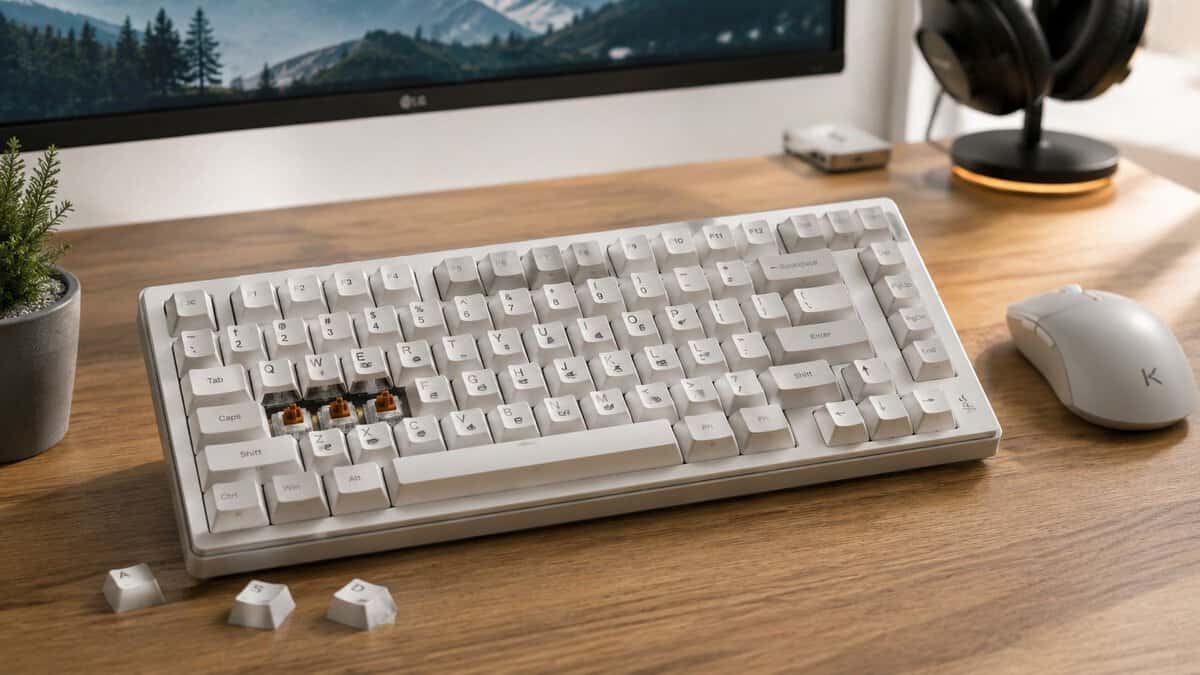
That’s where the 75% layout earns its place. It keeps the keys most gamers and streamers need, but trims the extra bulk that makes full-size and even some TKL boards feel wasteful on a smaller desk. For value-focused buyers, it’s also one of the few keyboard sizes where you can still find strong build quality, useful features, and decent durability without drifting into overpriced hobby territory.
The best 75% keyboard isn’t the most expensive one. It’s the one that gives you the right mix of desk space, reliable inputs, solid construction, and upgrade potential for your setup. If you mainly play FPS, MMO, or stream from the same desk where you work or study, this layout usually makes more sense than going smaller.
- Tri-mode wireless plus wired USB-C
- Hot-swap and gasket mount at a low price
- Huge, consistent review track record
- RGB software is basic next to QMK boards
- Stock keycaps may invite an upgrade later
- Default switches feel light for some typists
- Gasket mount and hot-swap at a budget price
- Fun TFT smart display and control knob
- Strong review track record
- TFT screen is more novelty than necessity
- Heavier than some compact boards
- Software is functional rather than deep
- Full QMK/VIA programmability
- Gasket mount with optional aluminum build
- Wireless plus wired with hot-swap
- Costs more than the budget picks
- QMK setup has a learning curve
- Newer listing with a smaller review base
- Hall-Effect switches with adjustable actuation and rapid trigger
- 8K polling and tri-mode wireless
- TFT screen and control knob built in
- Costs more than the standard mechanical picks
- Magnetic switches are not cross-compatible with standard ones
- Software takes some time to learn
- A 75% layout keeps the function row and arrow keys while dropping the numpad, the best balance of compactness and full control for gaming.
- For most gamers the EPOMAKER x Aula F75 is the value pick: tri-mode wireless, hot-swap, and gasket feel with a huge review track record.
- On a tighter budget, the Ajazz AK820 Pro delivers gasket mount, hot-swap, and a fun TFT display and knob for less.
- If you want full customization, the Keychron V1 Max adds QMK/VIA programmability and a premium build as the enthusiast upgrade.
- Spend first on switches, stabilizers, and build quality; RGB and fancy software matter far less for actual gaming feel.
Table of Contents
Finding the Perfect Compact Gaming Keyboard
A lot of people bounce between two bad fits. TKL feels safer because nothing important is missing, but it still eats more space than many gamers want. A 65% board saves room, but the lost function row gets annoying fast if you play MMOs, use push-to-talk binds, or swap between gaming and work tasks.
That’s why the 75% format has become the practical middle ground. The layout saw a rapid surge in popularity after the Glorious GMMK Pro arrived in 2021, helping turn 75% into a standard size in the compact enthusiast market, as noted by Hardware Canucks’ keyboard size guide. That rise makes sense. It fixes the biggest space problem without forcing you into layer-heavy compromises.
If you’ve looked at smaller boards and still aren’t sure how much layout you can realistically give up, it also helps to compare them against a 60 keyboard buying guide before committing. For some setups, 60% still works. For mixed gaming and daily use, 75% is usually the safer buy.
Top 75% Keyboard Value Picks for 2026
| Model | Tier | Best For | Key Feature |
|---|---|---|---|
| EPOMAKER x Aula F75 | Best Overall | Most gamers who want the best all-round value | Tri-mode wireless, hot-swap, gasket mount, control knob |
| Ajazz AK820 Pro | Best Budget | Budget gamers who still want great feel and mod potential | Gasket mount, hot-swap, TFT smart display and knob |
| Keychron V1 Max | Best Premium | Enthusiasts who want full customization and build quality | QMK/VIA programmable, wireless, hot-swap, aluminum option |
| Gamakay TK75HE V2 | Performance | Competitive gaming | Hall-Effect rapid trigger with adjustable actuation |
Bottom line: If you want one keyboard for gaming, streaming, and normal daily use, 75% is the layout most people regret the least.
Gamakay TK75HE V2 (Best for Competitive Gaming)
If you want the fastest possible inputs in a 75% board, the Gamakay TK75HE V2 is the one to look at. Its Hall-Effect magnetic switches let you set the actuation depth and use rapid trigger, so a key resets the moment you lift off, which helps with quick counter-strafing and repeated taps in shooters. It also brings an 8K polling rate, tri-mode wireless, and a small TFT screen for on-board control. The trade-off is a higher price than the standard mechanical picks and a short learning curve on the software, but for competitive play it is the standout option at this size.
What to expect at each budget level
Under the lowest budget tier, you’re usually choosing based on whether the board avoids obvious problems. At the next step up, you start getting features that improve long-term ownership, like better keycaps, more stable construction, and easier switch replacement.
Around the broader mid-range, the value gets much better. Here, 75% stops feeling like a compromise and starts feeling like the smart buy.
What Exactly Is a 75% Keyboard Layout
You feel this layout the first time your mouse stops crashing into the side of a full-size board during a low-sens flick. That is why 75% keyboards exist. It keeps the keys PC gamers and everyday users use, then trims the wasted width.
A 75% keyboard keeps the function row, arrow keys, and a compact version of the navigation cluster in a tighter frame than a full-size or tenkeyless board. The numpad is gone. The keys also sit closer together than they do on a larger layout, so the board takes up less desk space without forcing you into heavy function-layer use.
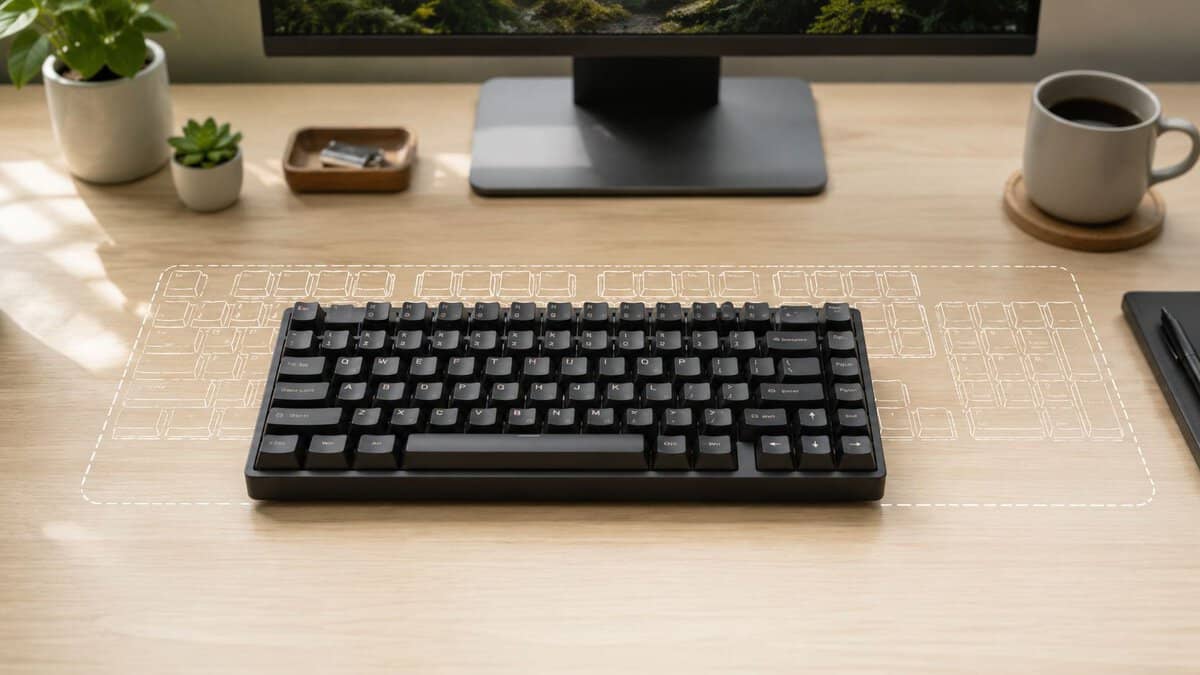
What you keep and what you lose
For gaming and general use, the keep list matters more than the percentage label.
- You keep the F-row: Useful for in-game binds, quick menu access, push-to-talk setups, and app shortcuts.
- You keep dedicated arrow keys: Better for menus, chat navigation, editing, and any game that still expects them.
- You keep most of the practicality of a larger board: Delete, Page Up, and Page Down usually stay, though placement can vary by board.
- You lose the numpad: Fine for most players. Annoying if you do a lot of data entry.
- You lose some spacing between key groups: The layout feels denser, and that can take a few days to adjust to.
Compared with a TKL keyboard layout, 75% usually saves a little more desk space but gives up some separation between the main cluster and navigation keys. TKL feels roomier. 75% feels more efficient.
Why it works so well for budget gamers
This layout hits the sweet spot because it cuts size without cutting too much function. That matters a lot at this level.
On cheap boards, every dollar has to go somewhere. I would rather see that money spent on better switches, hot-swap support, thicker keycaps, or a more stable case than on extra plastic width and a numpad many players barely touch. A solid 75% board often gives you more useful features per dollar than a full-size board at the same price.
It also avoids a common problem with smaller layouts. A 60% or 65% board can be great if you already know your layer shortcuts and want the smallest footprint possible. For a first mechanical keyboard, or for someone who games, types, works, and occasionally streams on the same setup, 75% is easier to live with.
Dedicated keys are still better than layer combos when you are in a match, tired after work, or trying to do three things at once.
Who should skip it
Skip 75% if you use a numpad every day for spreadsheets, accounting, or fast number entry. Full-size still makes more sense there.
Skip it if you want the widest spacing and least cramped feel short of a full-size board. TKL is better for that. And if your only goal is maximum mouse room with the smallest possible keyboard, 65% may fit you better.
For everyone in the middle, gaming first and everything else second, 75% is usually the safer buy.
Features to Prioritize for a Value Keyboard
Budget buyers waste money when they pay for flashy extras before locking in the basics. A value keyboard should first feel solid, hold up over time, and avoid frustrating weak points like poor stabilizers, thin keycaps, or unreliable wireless.
The most useful feature stack for a modern 75% board includes tri-mode wireless, gasket mounting, hot-swappable PCBs, and durable PBT keycaps, according to UniKeyboards’ buyer’s guide. That doesn’t mean you need every one of those features. It means those are the upgrades that change daily use.
If you’re still deciding whether mechanical is even worth paying for over a cheaper rubber dome option, this breakdown of mechanical vs membrane keyboard differences is worth checking first.
Spend on these first
Hot-swap support matters more than many first-time buyers realize. If a switch fails, feels scratchy, or just doesn’t match your taste, you can swap it without replacing the whole keyboard. That’s real value. It extends the board’s usable life and gives you room to improve it later.
PBT keycaps are another feature worth paying for. They generally hold up better than cheaper caps, and they help a budget board age more gracefully. If you use your setup every day, durability matters just as much as first-week feel.
Stable large keys often matter more than RGB effects. Spacebar, Enter, Backspace, and Shift tell you a lot about a keyboard’s quality. If those keys rattle, feel mushy, or sound hollow, the entire board feels cheaper no matter how nice the spec list looks.
Nice to have, not mandatory
Wireless is useful, but only if the board handles it well. For gaming, 2.4GHz is the mode that matters most. Bluetooth is fine for work devices, tablets, or casual use, but it isn’t the connection I’d prioritize for shooters.
Gasket mounting can make a keyboard feel less harsh and more refined, especially for longer typing sessions. But it’s not magic. A badly tuned gasket board can still sound mediocre, and a well-built non-gasket board can still feel good.
What marketing overstates
A few things get too much attention in budget keyboard listings.
- RGB first, fundamentals later: Lighting doesn’t fix bad stabilizers or flimsy construction.
- Aluminum for its own sake: A metal case can improve feel, but cheap metal doesn’t automatically beat well-done plastic.
- Software-heavy claims: If the board feels bad out of the box, software won’t save it.
Practical rule: Buy the keyboard with the best bones first. Case rigidity, keycap durability, decent stabilizers, and hot-swap support beat cosmetic extras every time.
Best feature balance for most buyers
For a value-focused gamer, the best feature mix is simple:
- Reliable 2.4GHz or wired performance for actual gaming use
- Hot-swap sockets so the board stays useful longer
- PBT keycaps for wear resistance
- A decent stock sound and feel without needing a full rebuild
That combination gives you performance per dollar instead of hobby tax.
Best 75% Keyboard for Most Gamers
You sit down for a night of ranked matches, and the keyboard is the one part of the setup that still feels cheap. The case flexes a little, the bigger keys sound sloppy, and every dollar you saved starts to feel less smart. That is the price bracket where stepping up to a better 75% board makes sense.
The EPOMAKER x Aula F75 is the strongest pick for most gamers because it nails the all-round value most boards miss. You get tri-mode wireless, hot-swap sockets, a gasket-mounted typing feel, and a control knob, backed by one of the largest review counts of any budget 75% board.
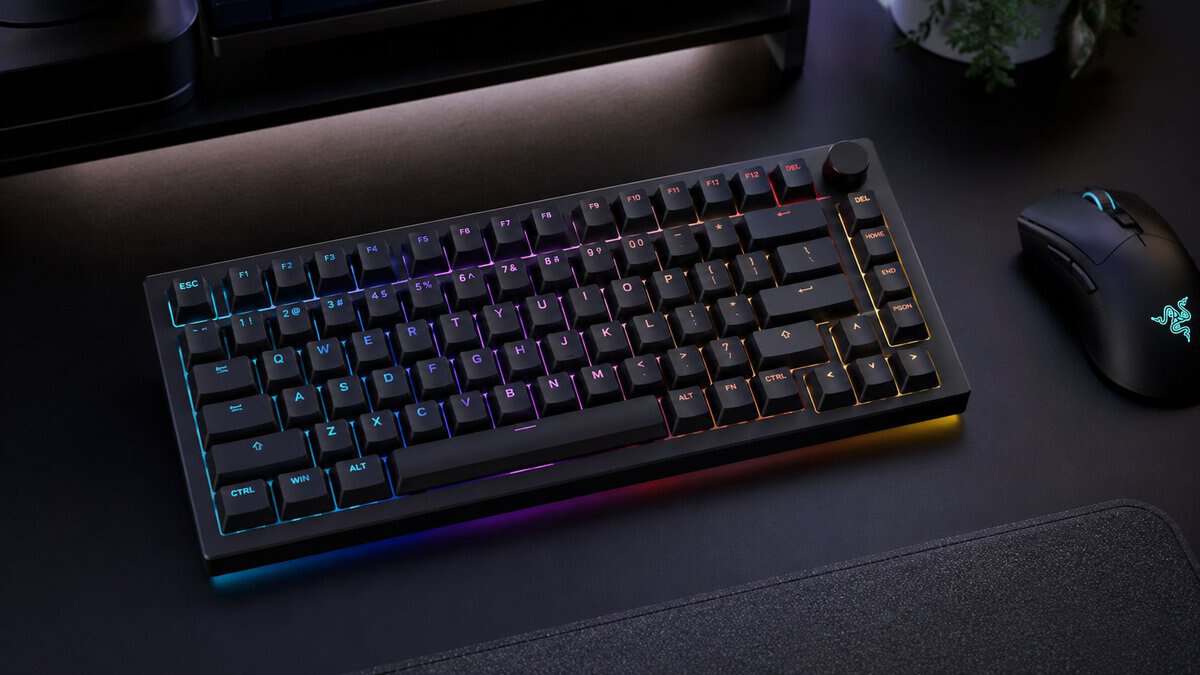
This price range is the sweet spot for budget-conscious gamers. An entry budget can be great if the board is chosen carefully, but the mid-range is where you start getting a keyboard that feels less like a starter purchase and more like something worth keeping. The jump usually buys better case rigidity, cleaner stock tuning, and fewer obvious weak points.
That matters more than spec-sheet fluff. A 75% board in this range should feel stable during fast movement in shooters, stay comfortable in longer MMO sessions, and avoid the hollow, scratchy feel that plagues a lot of cheaper boards. The Aula F75 makes sense because the money goes into the core build instead of gimmicks.
Why this is the sweet spot
For most players, the upper budget range is where performance per dollar peaks. Going cheaper often means accepting rough stabilizers, thinner caps, and a case that sounds empty unless you open it up and start modding right away. Going higher can improve finish quality, but the gains get smaller fast unless you already know you care about enthusiast extras.
I have found this range works best for buyers who want one keyboard that can cover gaming, typing, and light customization without turning into a hobby project on day one.
How it fits real use
In FPS games, the stronger build helps the board feel more planted during repeated strafing, spam inputs, and hard key presses. In MMOs or ARPGs, hot-swap support gives you options later if you decide you want lighter switches or something smoother for long sessions.
It also suits the buyer who wants a cleaner desk setup without paying premium-board prices just for better materials. That is the gap a lot of reviews skip. They either recommend the absolute cheapest option or jump straight to enthusiast boards that make no sense for a practical everyday budget.
The trade-offs
The Aula F75 is still a budget-minded keyboard. Stock sound and stabilizer tuning can vary, and you should not expect premium-level refinement out of the box. Some buyers will still want to lube the larger keys or swap switches later.
That is a fair compromise at this price. If the base quality is good, small upgrades are worth doing. If the base quality is bad, no amount of RGB, software, or marketing language fixes it.
Best Budget 75% Keyboard
You sit down to play, your old board feels mushy, and you want a real mechanical keyboard without spending enough to regret it later. The entry tier is where that decision gets tricky. There are plenty of cheap 75% boards, but only a few are worth buying.
For this price bracket, the Ajazz AK820 Pro is the pick I would start with. It hits the sweet spot between throwaway budget boards and the enthusiast stuff that costs too much for what most gamers need.
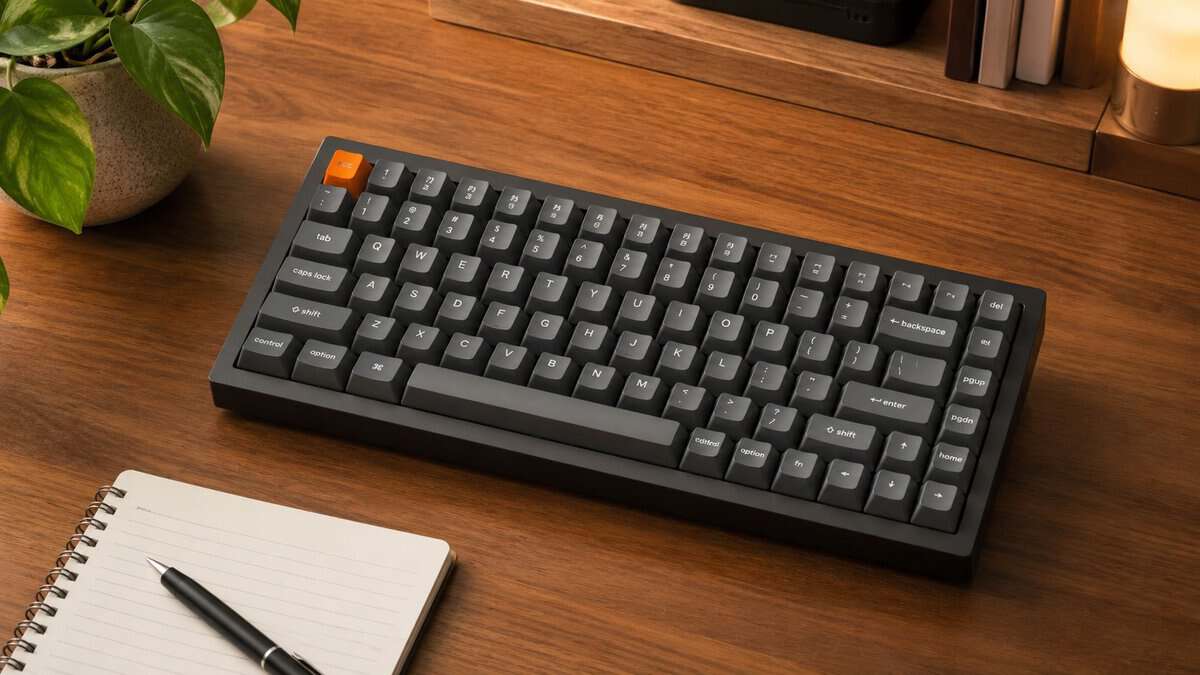
What makes it stand out is simple. You get features that usually disappear first on cheaper boards: hot-swap support, better stock keycaps, and a case design that does not feel like a hollow plastic shell the second you start typing or gaming. That matters more than flashy specs on a product page.
Why this price tier matters
Below this range, corners get cut fast. The common problems are scratchy switches, rattly stabilizers, thin caps, and firmware or wireless quirks that make the board annoying to live with after the first week.
A decent entry-level 75% board should still cover the basics well. It should feel consistent in-game, hold up to daily use, and give you some room to improve it later instead of forcing a replacement.
That is why the AK820 Pro makes sense for budget-conscious gamers. It gives you the part that matters: a usable foundation.
What you are really paying for
On a budget keyboard, I care less about marketing terms and more about whether the board saves money later. Hot-swap is worth paying for because it lets you replace bad switches or change the feel without buying another keyboard. PBT caps are worth paying for because they usually hold up better than thin ABS shine-through sets. A half-decent case and stabilizer setup are worth paying for because those are the parts that make cheap boards sound and feel worse than they should.
RGB, tiny screens, and novelty knobs are lower priority at this level. Nice if included. Not the reason to choose the board.
If you want to compare whether wireless features are useful at this price, this guide to the best wireless gaming keyboard options helps sort out what is worth paying for and what is just extra clutter on the spec sheet.
Where the compromise shows
This is still a budget keyboard. Stock tuning can vary, and you should expect some units to need light stabilizer work if you are picky about the spacebar or larger keys. The sound will not match a well-modded custom board, and the software is usually the part that feels cheapest on boards in this class.
Still, those are acceptable trade-offs on a budget.
The important thing is that the board works well before you start modding it. If the base is solid, simple upgrades make sense. If the base is bad, low price stops being a bargain.
If your budget is tighter
There are cheaper 75% boards out there, and some are fine if you only need the lowest entry price possible. I would treat those as fallback options, not first picks. At that point, quality control gets less predictable, and the odds of getting weak stabilizers, thin caps, or a rough overall feel go up.
If you can stretch to the AK820 Pro, that extra spend usually gets you the better long-term value.
Best Premium 75% Keyboard for a Clean Setup
If you want a cleaner desk without giving up usable gaming performance, the Keychron V1 Max is the easiest premium upgrade in this lineup. It makes sense for players who swap between gaming, work, and streaming on the same desk and don’t want another cable in the way.
The key thing with wireless gaming keyboards is simple. 2.4GHz matters. Bluetooth is convenience. If you’re playing shooters or anything timing-sensitive, use the low-latency wireless mode or plug the board in.
When wireless is worth paying for
Wireless earns its keep when your keyboard moves around. Maybe you share your desk with a work laptop, shift things for streaming, or just hate cable clutter. In those setups, the cleaner layout is part of the value.
For buyers comparing feature sets, tri-mode support is the most useful version of wireless because it gives you options. You can game on 2.4GHz, connect casually over Bluetooth, and still fall back to USB-C when needed.
If you’re shopping more broadly in this category, a guide to the best wireless gaming keyboard options can help sort out when wireless is a genuine upgrade and when it’s just extra cost.
What not to overpay for
A lot of wireless boards charge extra and then cut corners elsewhere. That’s where the “wireless tax” shows up. You pay more, then get weaker keycaps, average build quality, or mediocre stock tuning.
On a value keyboard, I’d rather have a well-built wireless plastic board than a badly executed metal one. Build quality still matters more than the marketing badge.
Best fit for clean setups
A good wireless 75% board works especially well for:
- Streamers who want a cleaner on-camera desk
- Work-from-home gamers switching between devices
- Students who need one keyboard for both play and productivity
- Console-adjacent desk setups where cable management gets annoying fast
If you never move your keyboard and always play wired, wireless isn’t essential. If desk flexibility matters, it’s worth paying for as long as the board still nails the fundamentals.
Quick Mods to Upgrade Your Budget Keyboard
A good budget board can get much better with a few simple changes. You don’t need a full custom build or a pile of expensive parts. Most entry-level improvements come from reducing hollow sound, smoothing the larger keys, and making the board feel more deliberate under your fingers.
If you’re new to switch types before modding, this guide to mechanical keyboard switches helps you avoid changing the wrong thing first.
Tape mod for a deeper sound
This is one of the simplest beginner mods. You add layers of tape to the back of the PCB to alter the sound profile and cut some of the thin, plasticky character budget boards often have.
It won’t transform a weak keyboard into a premium one, but it can make a board sound fuller and less cheap. Start small. Do the mod, test it, and stop when the sound lands where you want it.
Most budget boards don’t need extreme modding. They need a few smart fixes.
Foam where it actually helps
A lot of lower-cost keyboards have empty internal space that creates a hollow note. Adding foam can reduce that. The goal isn’t to stuff the case with random material. The goal is to control resonance without ruining the natural feel.
Focus on these areas:
- Case foam: Helps reduce hollow case echo.
- Plate foam: Can soften the sound and slightly change key feel.
- Spacebar foam: Useful if the spacebar sounds louder or thinner than the rest of the board.
If you care about how the setup looks as much as how it sounds, a desk mat also helps dampen noise while tying the whole space together. A good example is Elevate your desktop decor, which adds a softer surface under the board and mouse.
Lube the stabilizers before you chase bigger mods
If your spacebar or Enter key rattles, start there. Stabilizer tuning gives one of the biggest feel improvements per minute of work. A budget board with decent switches can still feel sloppy if the larger keys sound loose.
For beginners, the best order is:
- Fix rattly stabilizers first
- Add basic foam if the case sounds hollow
- Try tape only if you still want a deeper note
That order saves time and usually gives the biggest improvement fastest.
If you can live without the function row, our 65% keyboard guide covers the next size down.
Frequently Asked Questions About 75% Keyboards
Quick answers to the most common questions about 75% keyboards.
Is a 75% keyboard good for programming?
Yes, for a lot of programmers, it is.
The layout keeps the function row, arrows, and most of the navigation cluster in a tighter footprint, which is why it works well for coding, terminal use, and general desktop work. It saves desk space without forcing the big compromises you get on smaller layouts.
The main catch is number-heavy work. If you spend hours in spreadsheets or enter strings of numbers all day, a full-size board or a separate numpad usually makes more sense.
Is it good for data entry?
For occasional data entry, yes. For constant data entry, no.
That is the cleanest way to judge it. Entering a few prices, ZIP codes, or login codes is fine on a 75% board. Reaching across the top number row for hours gets old fast and slows you down compared with a real numpad.
A separate numpad is the practical fix if you want one keyboard for gaming and general use, but still need number input sometimes.
Do I need the manufacturer’s software?
Usually no.
Good budget 75% keyboards should feel usable the day you plug them in. If basic lighting controls, key remaps, or wireless battery info require clunky software, that is a downside, not a feature.
Software still matters for a few buyers. It helps if you want macros, custom RGB profiles, or function-layer remaps. For most gamers, hot-swap support, decent stabilizers, and low input delay matter more than a fancy app.
Are 75% keycaps hard to replace?
They are only hard to replace if you buy keycaps without checking the layout.
Many 75% boards use a few non-standard key sizes or a tighter right-side cluster. Switch compatibility is usually the easy part. The problem is getting a keycap set with the right bottom-row keys, shorter modifiers, or the correct navigation keys.
Check the layout diagram before you buy. That saves money and frustration.
Is 75% better than TKL for gaming?
For many PC gamers, yes.
A 75% board gives you more mouse room while keeping the keys you use in most games. That matters most in FPS titles, especially if you play on low sensitivity and tend to swing your mouse wide.
TKL still has advantages. It feels less cramped, replacement keycap support is often easier, and some players like the spacing better. If you want the best balance of compact size and everyday usability, 75% is the sweet spot. If you want more breathing room and do not care about a slightly wider board, TKL is still a good pick.
If you want more value-focused gaming gear advice without the usual hype, Budget Loadout is worth bookmarking. It’s built for players who care about performance per dollar, real trade-offs, and buying gear they won’t regret a month later.
Related Articles