Most buying advice for a best wireless gaming keyboard still starts from an old assumption: wireless means compromise. That used to be true. It isn’t the useful question anymore.
The problem now is sorting out which compromises still matter and which ones are just expensive marketing. Modern wireless boards can feel fast enough for serious play, but the gap between “good enough,” “competitive,” and “you paid extra for a spec you’ll never notice” is still poorly explained. That matters a lot if you want value, not just a flashy spec sheet.

For most players, the smartest buy isn’t the keyboard with the biggest claim on the box. It’s the one that balances 2.4GHz performance, solid build quality, practical battery life, and a layout you’ll still like after six months. If you also use your setup for school, work, or streaming, that balance matters even more.
I’d treat wireless the same way I treat any other peripheral choice. Buy for your actual use. If your setup is part gaming station and part study desk, cable-free convenience can be worth a lot. The same logic applies across your whole loadout, including something like a Bluetooth mouse for mixed-use setups, where convenience is only worth paying for if the performance holds up.
- Tri-mode wireless with a proper 2.4GHz dongle
- Hot-swap sockets future-proof the build
- Full 96% layout keeps the numpad
- 1,000Hz polling, not 4K/8K Hz like Razer
- ASUS software is heavier than it needs to be
- Slightly larger footprint than TKL builds
- True 4K Hz wireless polling
- Small OLED display for macros and info
- Hot-swap switches with snap tap
- Premium pricing
- Synapse software feels heavy
- Full system chain must keep up for 4K Hz to matter
- 266-hour battery dwarfs both flagship picks
- Pre-lubed MLX Red linears feel smooth out of the box
- Costs far less than the other two picks
- No numpad for macros or number entry
- Peak battery figure assumes lighting dialed back
- Shorter review track record than the flagships
Picks and availability last verified: October 19, 2026
- 2.4GHz wireless with a proper dongle is the only wireless spec that matters for competitive gaming: Bluetooth is fine for casual but adds perceivable latency.
- Polling rate above 1,000Hz only helps if your full chain (mouse, GPU, monitor) can keep up: pay for switches and build quality first.
- Battery life and PBT keycaps decide how long a wireless keyboard stays pleasant to own, more than RGB or spec-sheet bullets.
- 96% and 75% layouts are the modern sweet spots: you keep a numpad or save desk space without losing essential keys.
- Hot-swap sockets let you swap switches later if your taste changes, which matters more on a keyboard you plan to keep for years.
Table of Contents
Cutting the Cord Without Compromising on Performance
The old warning was simple: don’t trust wireless for gaming. The new reality is more nuanced. 2.4GHz wireless has changed the category enough that cable-free gaming no longer automatically means sluggish input or constant charging anxiety.
That doesn’t mean every wireless gaming keyboard is a good buy.
The current market is full of vague language like “ultra-fast,” “pro-grade,” and “near-zero delay.” Those terms don’t help you decide whether you’re paying for meaningful performance or just cleaner branding. Some keyboards are tuned for long battery life and everyday comfort. Others push harder on competitive speed. A few try to do both and get close.
Practical rule: Ignore broad claims first. Check the connection type, the battery approach, the build, and whether the layout actually fits your games.
For gaming, a wireless keyboard should solve a setup problem without creating a gameplay problem. A cleaner desk is nice. More mouse room is useful. Easier cable management is worth something if you stream or swap devices often. None of that matters if the board feels inconsistent in shooters or flimsy after a few months of use.
What works is buying around trade-offs you can feel:
- Serious gaming: Use 2.4GHz wireless, not Bluetooth, when responsiveness matters.
- Long sessions: Prioritize battery life and comfort over decorative features.
- Shared spaces: Look for sound treatment and sturdier caps if you game in dorms, apartments, or a home office.
- Long-term value: Hot-swap support and better materials usually age better than gimmick features.
That’s the lens that makes this category easier. Don’t ask which board is “the best” in the abstract. Ask which one gives you the best return for the kind of gaming you do.
What Actually Matters in a Wireless Gaming Keyboard
Wireless gaming keyboards get oversold on feature lists. What matters is simpler: input reliability, build quality, battery life, and whether the latency is low enough for the games you play at the price you want to pay.
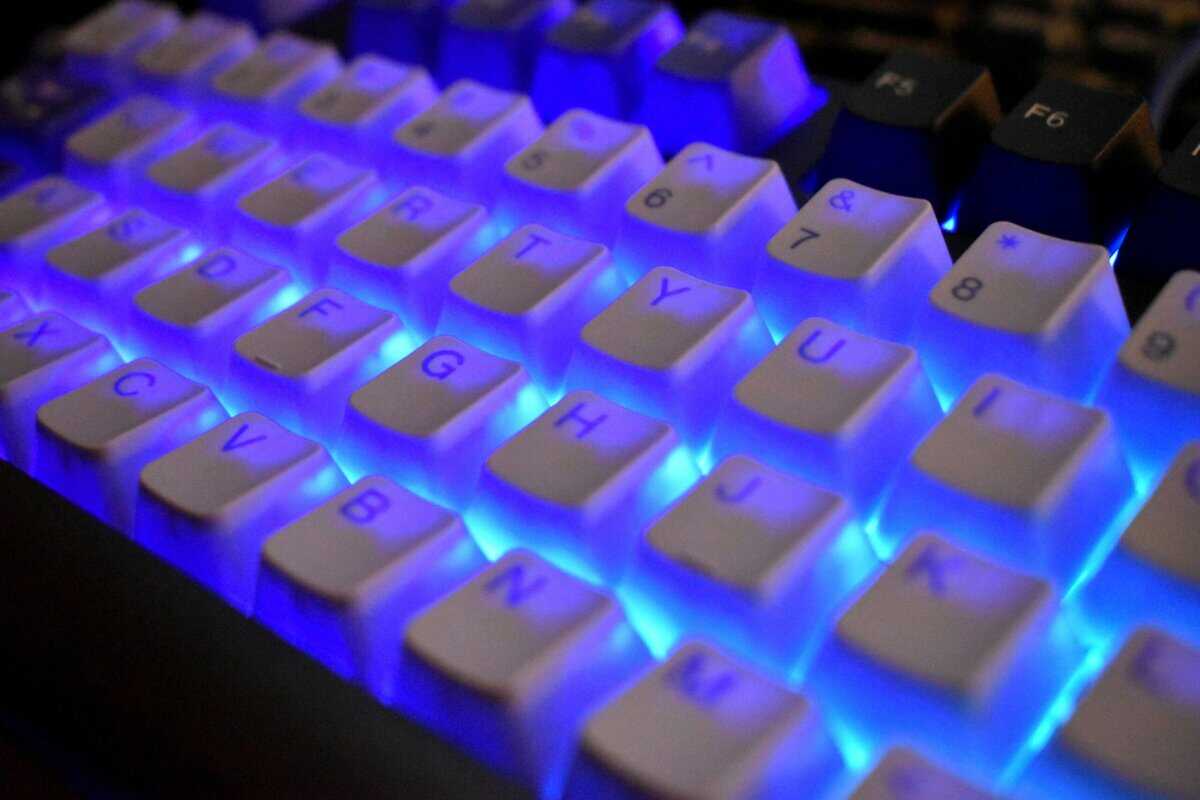
Start with the connection
For gaming, 2.4GHz wireless is the connection that matters. It is the mode built for low-latency input. Bluetooth still has a place, but that place is convenience: secondary devices, couch use, travel, and basic menu navigation.
A buying problem is that many brands do not publish clean, comparable latency testing across price tiers, which makes it harder to judge whether a pricier board is meaningfully faster or just marketed better. As noted in this wireless keyboard market gap analysis, buyers often end up relying on brand claims instead of side-by-side, budget-aware measurements.
Use the dongle for games. Use Bluetooth when convenience matters more than speed.
Polling rate matters, but price matters too
Polling rate tells you how often the keyboard reports to the PC. Higher rates can help on paper, especially in competitive shooters, but people often overspend on this.
A cheaper board with stable 2.4GHz performance and good firmware usually beats an expensive board that sells one headline number and little else. In real use, consistency matters more than peak spec bragging rights. Missed inputs, flaky wake behavior, and random reconnects are more noticeable than the difference between two already-fast boards.
Buy the fastest board you can justify, then stop paying extra once the latency gains get hard to feel. That is the core price-to-performance question in this category.
If you play ranked FPS daily, paying more for stronger wireless performance can make sense. If your time is split across RPGs, MMOs, co-op games, and typing, the smart move is often a midrange board with reliable 2.4GHz and better materials.
Switches and build quality decide how long the board stays good
Low latency gets the click. Durability keeps the keyboard worth owning.
Switch branding is less important than switch consistency, socket support, and how well the board is put together. A keyboard that feels tight after a year is a better buy than one that feels fast for a week and starts rattling by month three.
Good signs include:
- Hot-swappable sockets: easier repairs and cheaper long-term ownership
- PBT keycaps: better resistance to shine and wear
- Internal dampening: less hollowness, better sound, more solid key feel
- Sturdy frame: less flex, fewer creaks, better long-session feel
If you are still sorting out linear, tactile, and clicky options, this guide on mechanical keyboard switches explained will save you more money than chasing whatever switch name is trending.
Pick the size that fits how you play
Layout affects comfort more than many first-time buyers expect.
- Full-size: best for players who use a numpad often and have room for it
- 96%: keeps most of the utility of full-size while wasting less desk space
- TKL: a strong fit for FPS setups that need more mouse room
- Compact layouts: fine if you already know which keys you can live without
This is another place where price and performance meet. If you use low mouse sensitivity, extra desk space can matter more than a few milliseconds of theoretical latency gain. If you work and game on the same board, giving up the numpad to save a little space may not be worth it.
Battery life matters more than lighting
A wireless keyboard stops being convenient when it lives on a charging cable.
RGB lighting is usually the first thing to cut if you want longer battery life. That trade-off is easy. Brighter effects look good in product photos, but long battery life is what makes a wireless board feel good six months later. Sleep settings, sensible brightness, and efficient wireless tuning matter more than animated presets.
The best value wireless gaming keyboard is usually the one that hits a sensible latency target for your games, uses solid parts, and stays charged long enough that you forget about it.
Top Wireless Gaming Keyboards for Most Players
Low latency gets oversold. For a lot of players, the better buy is not the board with the most aggressive spec sheet. It is the one that gives you fast enough wireless performance for your games without charging premium-money for gains you will not feel outside of a narrow competitive use case.
That is why this shortlist stays small. The primary decision is not feature count. It is latency-to-price ratio.
2026 Wireless Gaming Keyboard Recommendations
| Model | Best For | Form Factor |
|---|---|---|
| Corsair K65 Plus Wireless | Best value wireless | 75% |
| Asus ROG Strix Scope II 96 Wireless | Best overall value | 96% |
| Razer BlackWidow V4 Pro | Best for competitive FPS and high-end performance | Full-size |
Two picks cover most buyers because the market splits in a pretty predictable way. One board targets strong all-around ownership value. The other charges more for lower latency headroom and a heavier feature set.
Asus ROG Strix Scope II 96 Wireless
This is the safer recommendation for most setups.
The reason is simple. It balances speed, battery life, layout efficiency, and build quality better than most wireless boards in its price class. You get the kind of responsiveness that feels right in real games, then you keep the money that would have gone toward niche performance gains.
The 96% layout helps a lot here. It keeps the numpad but trims wasted width, which is a smarter fit for mixed use desks than a full-size board in many rooms. If you are still deciding between compact and larger layouts, this breakdown of TKL keyboard size and desk space trade-offs is useful before you buy.
It also makes sense for first-time wireless buyers because the ownership friction is low. Longer battery life, hot-swap support, solid keycaps, and a more space-efficient footprint matter more over a year of use than an extra spec line on a retail box.
Razer BlackWidow V4 Pro
This pick is for the player who knows why they are paying more.
If your main games are competitive shooters and you care about squeezing input delay as low as possible, the premium can be justified. Higher polling rates and faster wireless implementations do have a place. The catch is that the value drops fast once you move outside ranked FPS play, because the price rises harder than the actual improvement for many users.
That trade-off matters. Premium wireless gaming keyboards tend to cost much more, need charging more often, and make the most sense only if low-latency performance sits at the top of your priority list. If you also want a full-size layout, extra controls, and a heavier software feature set, paying more can be reasonable. If not, it is easy to overspend.
Which one gives the better latency-to-price ratio
For most players, it is the Asus.
It is the board I would suggest to a friend building a first wireless setup because it gets the important parts right without pushing the budget into diminishing returns. You still get gaming-grade wireless performance, but you also get a layout that fits more desks, fewer charging interruptions, and a price that leaves room for a better mouse or headset.
The premium option earns its place for a narrower buyer.
- Competitive FPS focus: Pay more for the faster board if you play seriously enough to notice small latency gains.
- Mixed gaming and daily use: The Asus is the stronger buy because the overall package holds up better for the money.
- Shared desks or dorm rooms: A quieter, longer-lasting board is usually easier to live with.
- First wireless keyboard purchase: Start with the better value pick unless you already know you want top-end speed and are fine paying for it.
That is the key buying line. Do not pay top-tier wireless prices unless you need top-tier wireless performance.
The Best All-Around Value Asus ROG Strix Scope II 96
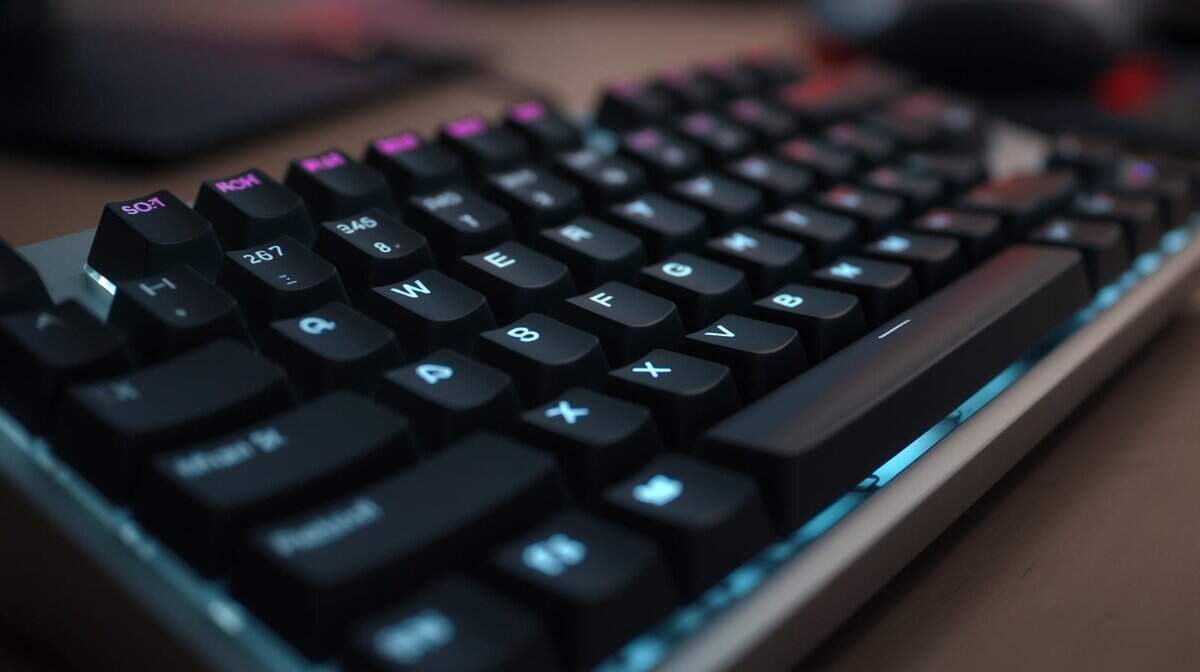
Value is not about chasing the lowest price or the flashiest spec sheet. It is about paying for the parts that still matter six months later. The Asus ROG Strix Scope II 96 earns its spot because it keeps the latency-to-price ratio in a sensible range while giving you better day-to-day usability than a lot of cheaper wireless boards.
On paper, the speed is already good enough for the broad middle of PC players. In practice, the bigger win is that Asus did not cut the wrong corners. You get a compact 96% layout with a numpad, hot-swappable switches, PBT keycaps, and internal dampening that makes the board feel less hollow than many wireless models in the same price band. Earlier testing also noted unusually long battery life over 2.4GHz, which matters more than another tiny spec bump if you do not want to keep a cable on standby.
Why the 96% layout makes sense
This layout is a smart middle ground.
A 96% board keeps the numpad and navigation cluster but trims the empty space that makes full-size keyboards awkward on smaller desks. That extra room helps more than people expect if they play low-sensitivity shooters and need wider mouse movement. At the same time, it avoids the adjustment period that can come with smaller boards.
If you are still deciding between compact layouts, this guide to TKL keyboard layouts and desk space trade-offs gives a useful baseline. The short version is simple. A 96% board keeps more keys than TKL while still clawing back some desk space.
That balance is why this model works so well for mixed use. It fits gaming, work, school, and everyday typing without feeling like a compromise built for one narrow audience.
The value shows up after the first week
Battery life gets attention, but long-term ownership is where this keyboard makes the strongest case. Hot-swap support gives you an easier repair path if a switch develops problems later. PBT caps wear better than cheaper ABS sets. The added foam helps with sound and feel, which is not just cosmetic. A keyboard that sounds less rattly usually feels more solid too.
I tend to steer first-time wireless buyers toward boards like this for a reason. Spending more for slightly lower latency only makes sense if you already know you can feel the difference and care enough to pay for it. For everyone else, durability, battery life, and a practical layout deliver more value per dollar.
The Scope II 96 gets that equation right.
The Best High-Performance Keyboard Razer BlackWidow V4 Pro

Chasing the fastest wireless keyboard is usually a bad value play. This is one of the few cases where paying more can make sense, but only for a narrow group of players.
The Razer BlackWidow V4 Pro is built for buyers who put latency ahead of price, battery life, and desk efficiency. That matters if you play competitive shooters, already run a fast monitor and responsive mouse, and care about shaving small delays across your whole setup. If that does not describe you, the extra money is harder to justify.
Who should pay for this level of speed
This board earns its place on speed first. You get 2.4GHz wireless aimed at low-latency play, high polling support, and the kind of response that appeals to players who tune settings because they can feel the difference.
That last part is the key trade-off.
A lot of wireless keyboard marketing treats “lowest latency” like a universal upgrade. It is not. The latency-to-price ratio gets worse near the top of the market. You pay a large premium for a smaller gain, and many players would get more out of spending that money on a better monitor, mouse, or headset instead.
For the right buyer, though, this is the point of the product. It is a performance-first full-size board with fewer compromises than cheaper wireless models.
The premium buys more than raw speed
The BlackWidow V4 Pro also makes a stronger case than many expensive boards because the rest of the package is built for long-term use. You get a full-size layout, dedicated controls, onboard macro options, hot-swappable switch support, and a heavier-duty build than the lightweight budget wireless boards that feel good for six months and loose after a year.
If you are sorting out whether switch tech should be part of that buying decision, this guide to the optical switch keyboard category is a good starting point.
Wireless mode still matters. Serious gaming should stay on the 2.4GHz connection. Bluetooth is better saved for casual use, travel, or switching over to a laptop for email and documents.
The short version is simple. Buy this keyboard if low latency is the main reason you are shopping, and you are willing to pay for the last slice of performance. Skip it if you want the best performance per dollar. That buyer should stay lower in the price stack, where the latency penalty is small and the savings are easier to feel.
The Best Budget Pick Corsair K65 Plus Wireless
The Corsair K65 Plus Wireless exists to prove the wireless tax has collapsed. You get the same low-latency 2.4GHz connection the flagships run, Bluetooth for a second device, and pre-lubed Corsair MLX Red linears, all in a compact 75% layout that keeps the arrow keys.
It gives up almost nothing you would notice mid-game and costs a fraction of the flagships.
The headline spec is endurance. Corsair rates the battery at up to 266 hours, which turns charging from a routine into an afterthought; the two premium picks measure their endurance in days, this one in weeks. The pre-lubed linears also arrive smoother than stock switches at this tier usually do.
The honest tradeoffs: there is no numpad, the marathon battery figure assumes the lighting is dialed back, and the review history is shorter than what the Asus and Razer have banked. None of that changes the verdict. If you want to go wireless without flagship money, this is where you start.
Getting the Most From Your Wireless Keyboard
Buying the right board is only half the job. Setup and maintenance decide whether it still feels good a year from now.
Do the boring setup first
Install the manufacturer software long enough to check for firmware updates, save your key settings, and confirm the wireless modes are working properly. After that, keep only what you’ll use. Some suites are useful for macros and lighting. Others are just extra background clutter.
For mixed gaming and work desks, it also helps to think beyond the keyboard itself. If your setup doubles as a home office, a short list of remote work productivity tools can help you clean up the rest of the workflow around it.
Stretch battery life without making the board annoying to use
You don’t need to kill every feature to get better endurance. Start with practical changes:
- Lower RGB brightness: Lighting is one of the fastest ways to drain a wireless board.
- Use auto-sleep settings: Let the keyboard sleep when you walk away.
- Keep the dongle placement clean: A stable connection avoids weird dropouts that can feel like battery issues.
- Charge on your schedule: Topping off during downtime is better than waiting for the board to die mid-session.
Protect the build quality you paid for
A durable keyboard still needs basic care. Pull dust off the deck regularly, wipe the case with a soft cloth, and clean keycaps safely when grime builds up. If you game for long stretches, comfort also becomes part of durability because discomfort changes how long you can use the board well. This guide on choosing a wrist rest for a keyboard is worth a look if your setup still feels tiring after a few hours.
Small maintenance habits do more for longevity than most upgrade purchases.
For the wider field at a sensible budget, see our top gaming keyboards on a budget guide.
Frequently Asked Questions
Is a wireless gaming keyboard good for console play?
Usually yes, but game support matters more than keyboard support. Some console games handle keyboard and mouse input well, especially genres like MMOs and certain shooters. Others barely support it or ignore it completely. If you are buying for console, check your specific game first, then confirm the keyboard supports the connection mode you want to use.
Is Bluetooth fine for casual gaming?
For casual use, menu navigation, chat, and general typing, Bluetooth is often perfectly reasonable. For serious gaming, 2.4GHz is still the safer choice because it is designed around lower-latency performance. If you want one keyboard for both desk work and play, Bluetooth is best treated as the convenience mode, not the main gaming mode.
What should I do if the wireless signal feels inconsistent?
Start with the easy fixes. Move the dongle closer to the keyboard, reduce clutter around the receiver, and make sure the battery is not running low. If the keyboard supports multiple modes, re-pair the 2.4GHz connection and update firmware before assuming the hardware is faulty.
Can a wireless keyboard work for streaming too?
Yes, especially if you want a cleaner desk and flexible placement. A reliable 2.4GHz dongle keeps typing responsive for chat and scene switching while eliminating a cable that otherwise shows up in every webcam frame.
If you want practical gear advice without the usual hype, Budget Loadout is built for that. It’s a solid place to compare real trade-offs, find durable peripherals, and put together a setup that performs well without wasting money.
Related Articles