The best AM4 motherboard in 2026 is a B550 board that boots your Ryzen chip on day one and leaves room for one upgrade. The chipset label matters less than the CPU you plan to run and the BIOS the board ships with. It also matters whether the board can update that BIOS without a working chip.
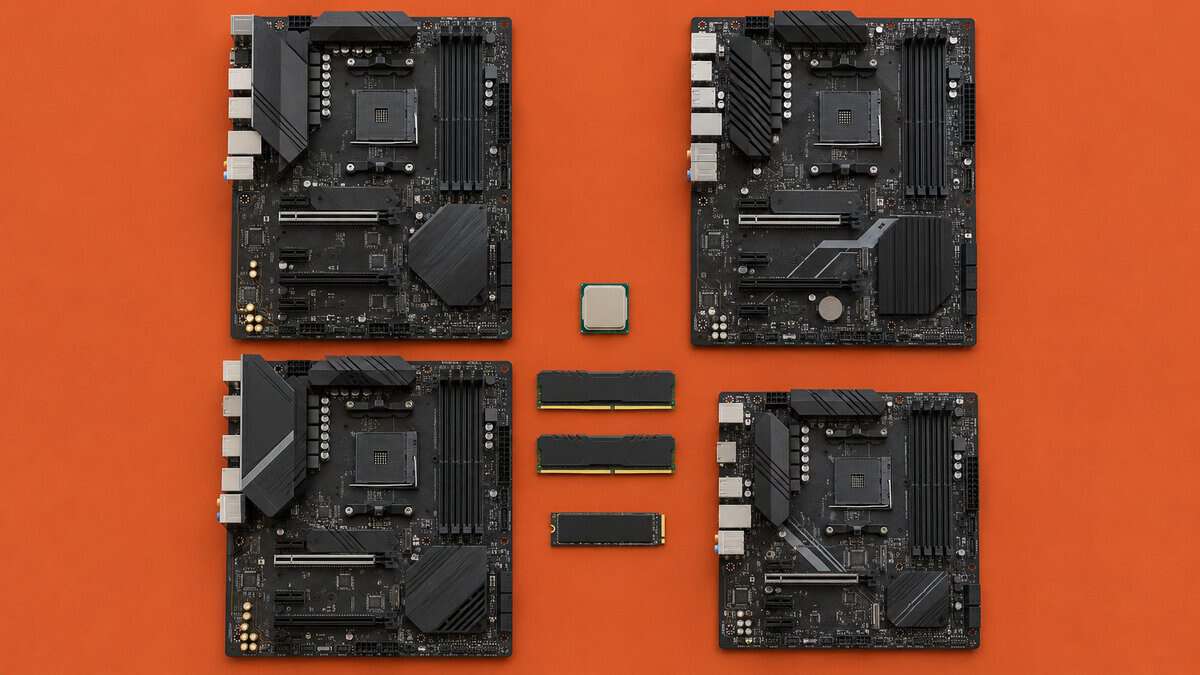
AM4 is still a low-cost way into a capable gaming PC and Ryzen 5000 chips remain solid gaming CPUs at 1080p and 1440p. Four B550 boards made the cut. Under the picks there’s a table pairing each board with the Ryzen chips it suits.
The ASUS TUF Gaming B550-PLUS WiFi II is the default ATX pick for a Ryzen 5000 build. It pairs Dr. MOS power stages with 2.5Gb LAN and Wi-Fi 6. Its BIOS FlashBack button means a newer chip like the Ryzen 7 5700X3D never has to wait on old firmware.
- BIOS FlashBack button updates the firmware from a USB drive
- 2.5Gb LAN, Wi-Fi 6 and a rear USB-C port on one ATX board
- ASUS lists the Ryzen 5 5600, 5800X3D and 5950X from BIOS 0303
- No front USB-C header for cases that have the port
- Using the second M.2 slot turns off two SATA ports
- Wi-Fi 6 rather than the newer Wi-Fi 6E on the MSI pick
The MSI MAG B550 Tomahawk WiFi is the easiest home for an X3D chip. MSI’s CPU list shows every Ryzen 5000 chip on its first listed BIOS, the 5700X3D included. It adds Wi-Fi 6E and a Flash BIOS Button.
- MSI lists every Ryzen 5000 chip on its first listed BIOS
- Wi-Fi 6E and Bluetooth 5.3
- 8+2+1 power design with 50A DrMOS stages and an extended heatsink
- Its HDMI port is HDMI 1.4, which matters only with a G-series chip
- Only one of its two M.2 slots runs at PCIe 4.0
- Costs more than the ASUS TUF pick
The GIGABYTE B550 AORUS Elite AX V2 is the pick for a case with a front USB-C port and an AIO cooler. Gigabyte lists five fan headers plus a front USB-C header. Its Amazon listing names a 12+2 phase power design.
- Five fan headers, including one for an AIO pump
- Internal USB-C header for a case with a front Type-C port
- Q-Flash Plus button for BIOS updates from a USB drive
- The most expensive board in this list
- The Wi-Fi module changed across revisions, from Wi-Fi 6 to Wi-Fi 6E
- The second M.2 slot runs at PCIe 3.0 from the chipset
The ASUS Prime B550M-A WiFi II is the budget AM4 board for a Ryzen 5 build. It keeps PCIe 4.0, two M.2 slots and Wi-Fi 6 in a micro-ATX size. It has no BIOS flash button so it suits chips its CPU list covers from the first BIOS.
- Wi-Fi 6 and two M.2 slots on the cheapest board here
- Micro-ATX size fits compact towers
- Four memory slots for up to 128GB of DDR4
- No BIOS FlashBack so newer chips may need an older CPU to update
- 1Gb LAN instead of 2.5Gb
- Four fan headers and no USB-C port on the back panel
Picks and availability last verified: November 23, 2026
- The best AM4 motherboard for a new build is a B550 board. AMD lists B550 support for Ryzen 3000 to 5000 chips with PCIe 4.0 for the graphics card and NVMe drive.
- Match the board to the CPU first. A Ryzen 5 5600 runs on all four picks and a Ryzen 7 X3D chip suits the MSI’s 8+2+1 design or the Gigabyte’s 12+2 phase design.
- Newer Ryzen 5000 chips like the 5700X3D need a newer BIOS than older B550 stock may carry. A BIOS flash button loads the newer BIOS from a USB drive without a spare CPU.
- All four picks have Wi-Fi, four DDR4 slots and two M.2 slots. Paying more buys 2.5Gb LAN and USB-C, while the Gigabyte lists five fan headers to the Prime’s four.
- AM4 tops out at Ryzen 5000, DDR4 and PCIe 4.0. Buy it to save money now and plan on a new platform for your next big CPU upgrade.
Table of Contents
Which AM4 Board Fits Your Ryzen CPU
A Ryzen 5 5600 fits all four B550 picks, including the budget micro-ATX one. A Ryzen 7 5700X3D or 5800X3D fits best on a board whose CPU list covers it from the first listed BIOS, like the MSI Tomahawk WiFi.
| Board | Size | Pairs best with | Ryzen 5000 BIOS note | BIOS update without a CPU |
|---|---|---|---|---|
| ASUS TUF Gaming B550-PLUS WiFi II | ATX | Ryzen 5 5600 up to Ryzen 7 5800X3D | ASUS lists the 5600 and 5800X3D from BIOS 0303 and the 5700X3D from BIOS 2803 | Yes, BIOS FlashBack button |
| MSI MAG B550 Tomahawk WiFi | ATX | Ryzen 7 5700X3D or 5800X3D | MSI lists every Ryzen 5000 chip on the first listed BIOS, X3D chips included | Yes, Flash BIOS Button |
| GIGABYTE B550 AORUS Elite AX V2 | ATX | Ryzen 7 and Ryzen 9 5000 chips | Check Gigabyte’s CPU list for your board revision | Yes, Q-Flash Plus button |
| ASUS Prime B550M-A WiFi II | Micro-ATX | Ryzen 5 5600 | ASUS lists the 5600 from BIOS 0303 and the 5700X3D from BIOS 2803 | No, it needs a CPU the board already runs |
Read the BIOS column before anything else. If you have not settled on the processor yet, our best AM4 CPU guide sorts the Ryzen 5000 chips by what each one is worth in a gaming build.
BIOS Updates for Newer Ryzen 5000 Chips
Newer Ryzen 5000 chips need a newer BIOS than many B550 boards shipped with. ASUS lists the Ryzen 7 5800X3D on its two B550 picks from BIOS 0303, while the later Ryzen 7 5700X3D needs BIOS 2803. A board that sat in a warehouse on old firmware may not boot that chip until it is updated.
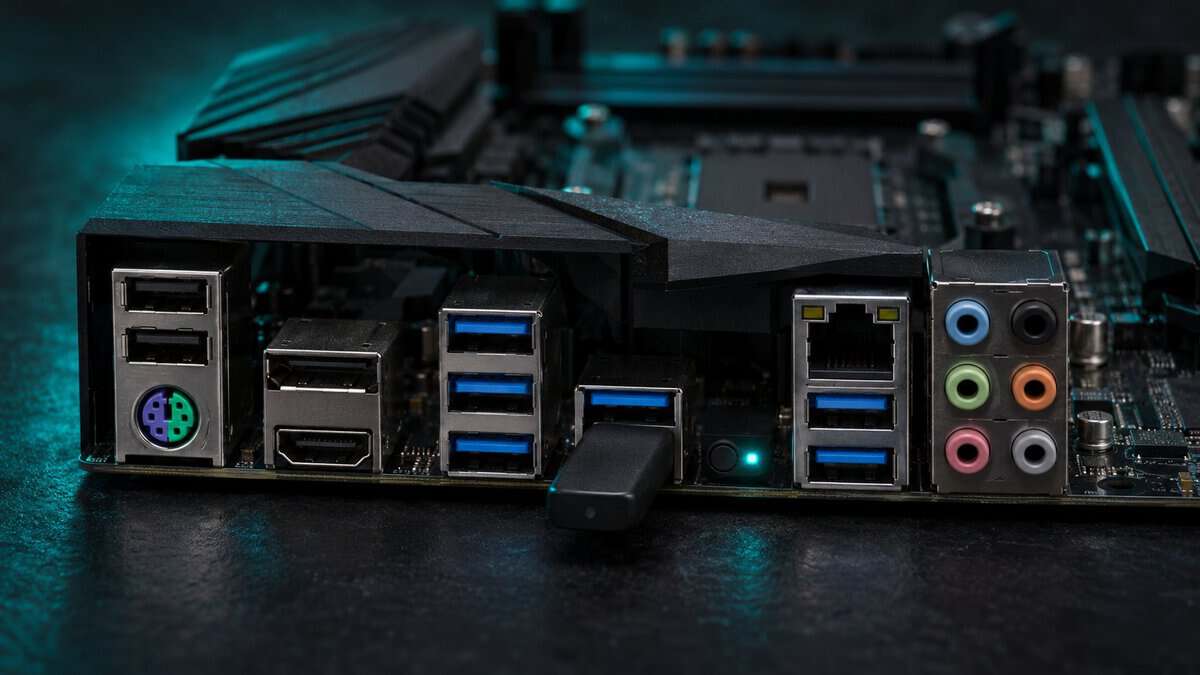
A BIOS flash button solves the old-firmware problem. MSI’s guide to the Flash BIOS Button says the button refreshes the BIOS without a CPU and RAM installed. The ASUS TUF and the Gigabyte have their own versions, called BIOS FlashBack and Q-Flash Plus.
- Find your chip on the board’s CPU support list. Note the first BIOS version that lists it.
- Look for a BIOS flash button. With one, you can load the update from a USB drive before the CPU goes in.
- Without a button, pick a chip from the earliest BIOS. On the ASUS Prime that means a chip like the Ryzen 5 5600.
Check a board’s CPU support list before the price.
The Best AM4 Motherboard for Each Kind of Build
The ASUS TUF Gaming B550-PLUS WiFi II is the best AM4 motherboard for gaming on a typical Ryzen 5000 build. The MSI Tomahawk WiFi suits X3D upgrades and the Gigabyte Elite AX V2 suits a case with a front USB-C port. The ASUS Prime B550M-A WiFi II keeps a micro-ATX build cheap.
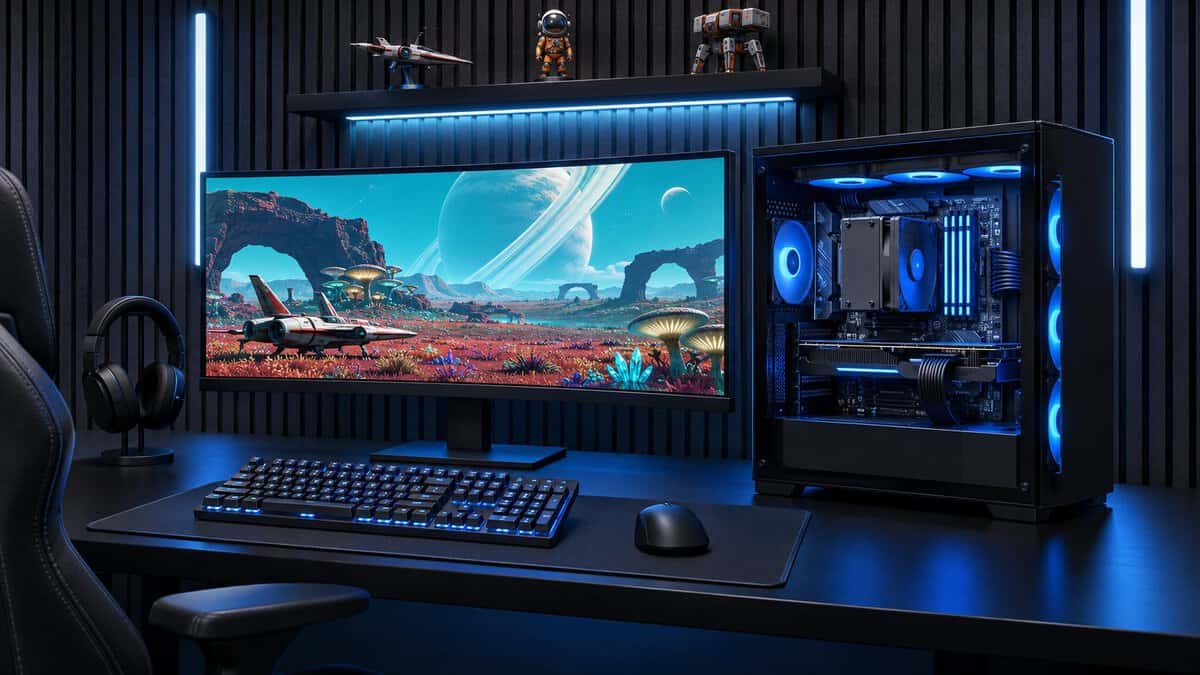
ASUS TUF Gaming B550-PLUS WiFi II for Most Ryzen Builds
The ASUS TUF Gaming B550-PLUS WiFi II is the default ATX pick for a Ryzen 5000 build. ASUS pairs a DIGI+ power design using Dr. MOS stages with 2.5Gb LAN, Wi-Fi 6 and Bluetooth 5.2. The rear panel adds a USB 3.2 Gen 2 Type-C port.
The TUF’s BIOS FlashBack button is a big help on a new build. ASUS lists the Ryzen 7 5700X3D and Ryzen 9 5900XT from BIOS 2803 and FlashBack loads that update from a USB drive.
The TUF’s tradeoffs are small. ASUS turns off SATA ports 5 and 6 when the second M.2 slot is in use. There is no front USB-C header either so a case with a front Type-C port leaves it unplugged.
MSI MAG B550 Tomahawk WiFi for X3D Upgrades
The MSI MAG B550 Tomahawk WiFi is the pick for a Ryzen 7 5700X3D or 5800X3D. MSI’s CPU support list shows every Ryzen 5000 chip on the board’s first listed BIOS, X3D chips included. It also has a Flash BIOS Button on the back panel.
MSI’s Amazon listing for the Tomahawk WiFi describes an 8+2+1 power design with 50A DrMOS stages under an extended heatsink. The Tomahawk WiFi’s power design suits an 8-core chip in long gaming sessions. MSI adds Wi-Fi 6E with Bluetooth 5.3, 2.5G LAN and a 10Gbps USB-C port on the rear panel.
The Tomahawk’s CPU list covers every X3D chip from its first listed BIOS.
The Tomahawk WiFi’s HDMI port is HDMI 1.4. That only matters if you run a Ryzen G-series chip without a graphics card. Its second M.2 slot runs at PCIe 3.0, the same split as the other three boards.
GIGABYTE B550 AORUS Elite AX V2 for Front USB-C and AIO Builds
The GIGABYTE B550 AORUS Elite AX V2 suits a build with an AIO cooler and a case with a front USB-C port. Gigabyte lists five fan headers, one of them for a water-cooling pump. It also has an internal USB Type-C header for a case with a front USB-C port.
The GIGABYTE B550 AORUS Elite AX V2’s Amazon listing names a 12+2 phase power design. The Elite AX V2’s power design suits a Ryzen 7 or Ryzen 9 5000 chip under sustained load. A Q-Flash Plus button on the back panel handles BIOS updates from a USB drive.
The Elite AX V2 costs the most of the four boards. Gigabyte also changed its Wi-Fi module across revisions. The rev 1.0 spec lists Wi-Fi 6 and later revisions list Wi-Fi 6E. Buy the Elite AX V2 for its fan and USB-C headers and check the revision if Wi-Fi 6E matters to you.
ASUS Prime B550M-A WiFi II as the Best Budget AM4 Motherboard in a mATX Size
The ASUS Prime B550M-A WiFi II is the best budget AM4 motherboard for a Ryzen 5 build. It is a micro-ATX board with PCIe 4.0 for the graphics card and the first M.2 slot, plus Wi-Fi 6 and Bluetooth 5.2. ASUS still fits four memory slots for up to 128GB of DDR4.
The Prime has no BIOS FlashBack button. ASUS lists the Ryzen 5 5600 and Ryzen 7 5800X3D from BIOS 0303 so those chips are the safe pairing. A Ryzen 7 5700X3D needs BIOS 2803. Updating without a button means booting first with a chip the board already runs.
On the Prime, check the BIOS version before you pick a chip.
The Prime’s other cuts are modest. LAN runs at 1Gb and there are four fan headers. The back panel has no USB-C port.
Get our free Budget Gaming Setup Checklist
Plus one email every Thursday on what changed for budget gaming gear.
No spam. Unsubscribe any time. Privacy
B450 vs B550 vs X570 vs A520 on AM4
B550 is the AM4 chipset to buy new in 2026, going by AMD’s own support chart. AMD’s AM4 chipset page lists the Ryzen series each chipset supports. It also notes that support may require a BIOS upgrade.
- B550 runs Ryzen 3000, 4000 and 5000 chips. It gives the graphics card and NVMe drive PCIe 4.0 and allows overclocking.
- X570 adds Ryzen 2000 support and PCIe 4.0 across the chipset. It also allows overclocking.
- B450 covers Ryzen 2000 through 5000 on PCIe 3.0. Ryzen 5000 support on a B450 board depends on its BIOS.
- A520 runs the same Ryzen 3000 to 5000 chips as B550 but stays on PCIe 3.0 and cannot overclock.
Why B550 Beats B450 for a New Build
B550 beats B450 for a new build because B550 brings PCIe 4.0 to the graphics slot and the first M.2 slot. A used B450 board can still run a Ryzen 5000 chip, but only on a BIOS that supports it. Confirm the installed BIOS version before buying a used B450 board.
When X570 Still Makes Sense
X570 makes sense only when you need PCIe 4.0 beyond the main slot and the first M.2 slot. AMD lists PCIe 4.0 across the X570 chipset, while B550 limits PCIe 4.0 to the graphics card and NVMe drive. Several fast NVMe drives are the main reason to pay for X570. For a gaming PC with one graphics card and one or two drives, B550 does the same job.
What to Check on Any AM4 Board
Check power delivery first on any AM4 board. Size, networking and storage come next for a gaming build.
Power Delivery for Ryzen 7 and X3D Chips
Power delivery matters most when an 8-core chip runs for hours. The VRM feeds power to the CPU and its heatsink keeps it cool under sustained load. A Ryzen 5 5600 asks little of any board here. A Ryzen 7 X3D chip suits the MSI’s 8+2+1 design or the Gigabyte’s 12+2 phase design.
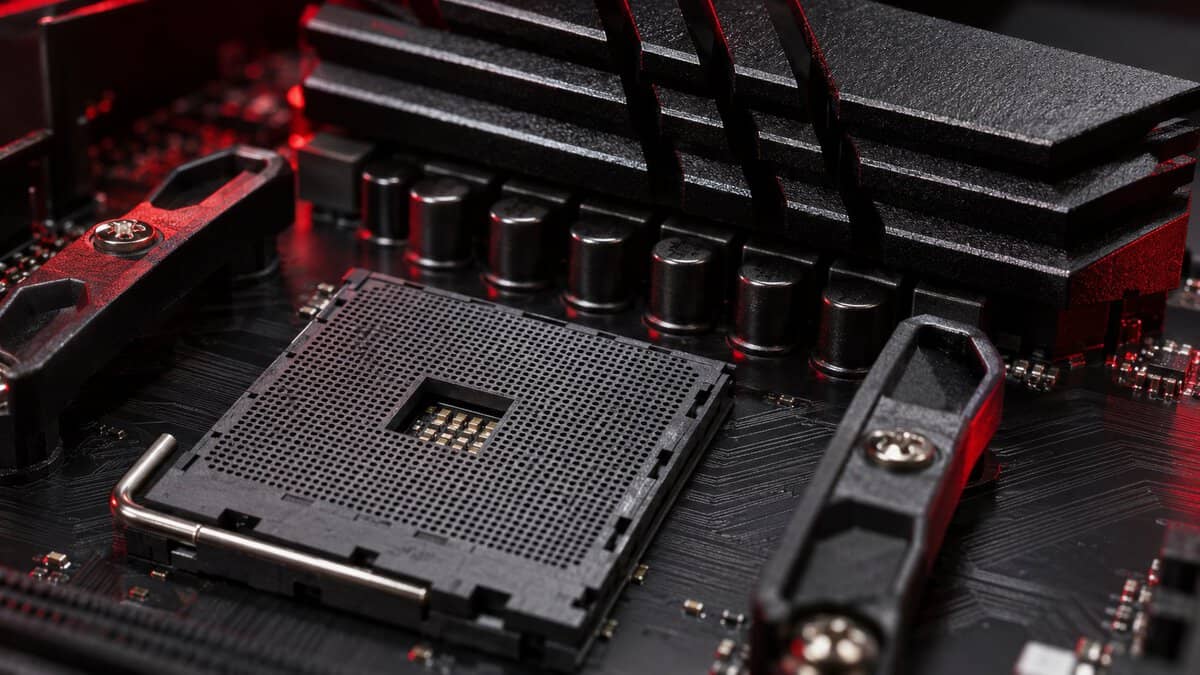
Airflow around the socket helps too. A tower cooler moves air past the VRM heatsinks next to the socket as well as the CPU.
Micro-ATX or ATX for an AM4 Build
Micro-ATX is the right AM4 size for a compact build with one graphics card. The ASUS Prime is the best AM4 micro-ATX motherboard in this guide. It keeps four memory slots and two M.2 slots, but it has fewer expansion slots than the ATX TUF and one fan header fewer than the Gigabyte. Our micro-ATX case guide covers small towers that still take a full-size graphics card.
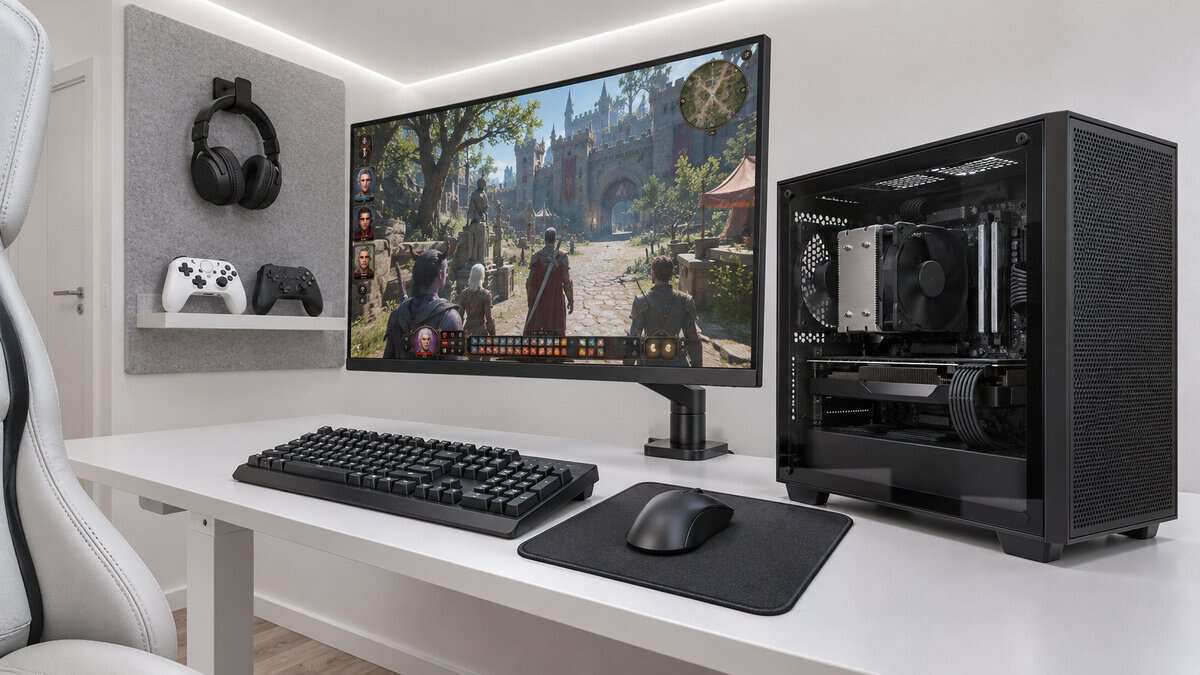
ATX suits a larger case with more fans, a capture card or extra drives. The ASUS TUF adds a PCIe 3.0 x16 slot running at x4 plus three x1 slots.
Which AM4 Boards Come With Wi-Fi
All four picks come with Wi-Fi built in so none needs a separate adapter. The MSI Tomahawk has Wi-Fi 6E and Bluetooth 5.3. The two ASUS boards have Wi-Fi 6 with Bluetooth 5.2. Wired LAN is 2.5Gb on every ATX pick and 1Gb on the Prime.
Memory and Storage on AM4
AM4 runs DDR4 only and every pick has four memory slots. Two sticks in dual channel are enough for gaming and our best DDR4 RAM guide covers kits worth buying for AM4.
Each board has two M.2 slots. The first runs at PCIe 4.0 with a Ryzen 3000 or 5000 chip and the second runs at PCIe 3.0 from the chipset. Ryzen 5000 G-series chips drop the graphics slot and first M.2 slot to PCIe 3.0 on the ASUS and Gigabyte boards.
Is AM4 Still Worth Building On in 2026
AM4 is still worth building on if the goal is the most gaming performance for the least money. B550 boards, DDR4 kits and Ryzen 5000 chips usually cost less than their AM5 equivalents. A Ryzen 7 X3D chip on a B550 board remains a capable gaming pairing.
You give up the upgrade path, though. AM4 stops at Ryzen 5000, DDR4 and PCIe 4.0. The chip you buy now is close to the last one the board will take. If you want DDR5 and room for future Ryzen chips, see our best AM5 motherboard picks.
Skip AM4 if
- You plan to drop in a new CPU generation in two or three years.
- You already own DDR5 memory you want to reuse.
- You want PCIe 5.0 storage, which no AM4 board supports.
Frequently Asked Questions
Short answers to common AM4 board questions.
What is the best CPU for an AM4 motherboard?
The best CPU for an AM4 motherboard in a gaming build is a Ryzen 7 5700X3D or 5800X3D. A Ryzen 5 5600 is the budget choice and runs on all four boards in this guide. Check the board’s CPU support list first because newer chips like the 5700X3D need a recent BIOS on many B550 boards.
Is AM4 still worth buying in 2026?
Yes, AM4 is still worth buying in 2026 for a budget gaming PC. B550 boards, DDR4 memory and Ryzen 5000 chips usually cost less than an AM5 build. You give up the upgrade path because AM4 ends at Ryzen 5000. Choose AM5 instead if you want DDR5 and newer CPUs later.
Should I buy a B550 or X570 motherboard?
Buy B550 for a gaming build. AMD lists Ryzen 3000 to 5000 support on both and B550 gives the graphics card and NVMe drive PCIe 4.0. X570 adds PCIe 4.0 across its chipset lanes, which matters only if you run several fast NVMe drives at once.
Does a B550 motherboard need a BIOS update for a Ryzen 7 5700X3D?
A B550 board often needs a BIOS update for a Ryzen 7 5700X3D unless it ships with recent firmware. ASUS lists the 5700X3D from BIOS 2803 on its TUF and Prime B550 boards. The ASUS TUF, MSI Tomahawk WiFi and Gigabyte Elite AX V2 have flash buttons that update from a USB drive. MSI lists the 5700X3D on the Tomahawk WiFi’s first listed BIOS.
Is a micro-ATX AM4 motherboard good enough for gaming?
Yes, a micro-ATX AM4 motherboard is good enough for a gaming build with one graphics card. The ASUS Prime B550M-A WiFi II has PCIe 4.0, two M.2 slots and four memory slots. You give up a few expansion slots, which matter only for capture cards or extra add-in cards.
Looking for more budget gaming gear? Check out Budget Loadout for the latest reviews and recommendations.
Related Articles