You load into a raid, lean out for a quick peek, tap back to cover, and your movement feels half a beat late. That’s the kind of problem players often blame on nerves, desync, or bad timing. Sometimes it is. Sometimes it’s also the keyboard.
The best keyboard for Tarkov isn’t the one with the loudest specs sheet or the most RGB. It’s the one that lets you move cleanly, hit awkward binds reliably, and hold up under long sessions without developing chatter, wobble, or software headaches. For Tarkov, that means focusing on input behavior, layout, build quality, and whether the premium features help your movement style.
If you’re shopping on a budget, that doesn’t mean buying the cheapest board you can find. It means paying for the features that matter and skipping the fluff.
- Hot-swap sockets let you change switch feel without soldering
- Tri-mode connectivity (USB, 2.4GHz, Bluetooth) fits any setup
- Gasket-mount build feels nicer than the price suggests
- Standard switches lack the adjustable actuation of magnetic boards
- 75% layout drops the dedicated nav cluster some players lean on
- LCD knob is more novelty than competitive edge
- Gateron magnetic switches enable adjustable actuation and rapid trigger
- QMK/VIA support for deep remapping
- Wireless and wired with an aluminum frame
- Costs more than standard mechanical value picks
- Software takes time to dial in actuation
- 75% layout omits a dedicated function row for some
- OmniPoint 3.0 magnetic switches with per-key adjustable actuation
- Rapid Tap (SOCD) sharpens counter-strafe-style movement
- Built-in OLED and game presets for on-the-fly tuning
- Premium price for features casual players may not use
- TKL layout drops the numpad
- Per-key tuning takes time to optimize
- Analog optical switches with adjustable actuation and rapid trigger
- Snap Tap (SOCD) for instant direction priority
- Heavy adoption among tracked competitive players
- Premium pricing, not a value-first pick
- Analog optical feel differs from magnetic switches (preference-dependent)
- TKL layout omits the numpad
- Hall-Effect rapid trigger at a mid-range price
- Adjustable actuation to tune per keybind
- Tri-mode wireless with 8K polling
- Newer brand versus SteelSeries or Razer
- Software is less polished than the premium picks
- Magnetic switches are not standard-swappable
Picks and availability last verified: October 19, 2026
- Tarkov rewards consistent, low-latency inputs more than typing feel, so prioritize a stable board with clean movement keys
- Hall-effect and analog switches add adjustable actuation and rapid trigger, which genuinely help counter-strafe-style movement
- A TKL or 75% layout frees mouse space while keeping the keys that matter for raids
- A solid hot-swap mechanical board is the best value if you won’t tune software; magnetic boards pay off if you will
- Upgrade your keyboard when the current one is unreliable or limiting; otherwise better keybinds often help faster than new hardware
Table of Contents
Why Your Keyboard Matters More in Tarkov
Tarkov punishes messy inputs harder than most shooters. In a fast arena game, a sloppy strafe or a missed utility bind might cost you one duel. In Tarkov, it can cost the whole raid, your kit, and the last twenty minutes.
A lot of players start out on whatever keyboard is already on the desk. That’s fine until the control scheme starts fighting back. You’re leaning, crouch adjusting, slow walking, checking inventory, changing fire mode, and trying to keep your fingers anchored around movement. Once that happens, the keyboard stops being a typing tool and becomes part of your survival setup.
The biggest mistake I see is treating Tarkov like a general “gaming keyboard” problem. It isn’t. This game cares less about typing feel and more about whether your board handles repeated movement inputs cleanly, whether the layout fits your binds, and whether the chassis stays stable when you’re playing tense, long raids.
A keyboard can’t fix bad decisions in Tarkov. It can remove bad friction.
That’s why the old membrane versus mechanical debate still matters, especially if you’re upgrading from a basic office board. If you want the short version, this mechanical vs membrane keyboard breakdown is a good primer. For Tarkov specifically, the important part is simple: you want consistent input, clear key feel, and enough durability that your movement keys still feel the same after months of hard use.
What actually changes in raid
A better board won’t suddenly turn you into a labs demon. What it will do is make a few things easier to repeat:
- Corner movement: cleaner A and D taps when you’re shoulder peeking
- State changes: smoother transitions between sprinting, stopping, crouching, and leaning
- Bind reliability: less fumbling on awkward keys during looting or panic fights
- Comfort over time: fewer mistakes late in a session when your hands start getting tired
That’s the essential lens for buying the best keyboard for Tarkov. Not hype. Not branding. Just fewer missed inputs and better control.
What Keyboard Features Actually Improve Tarkov Gameplay
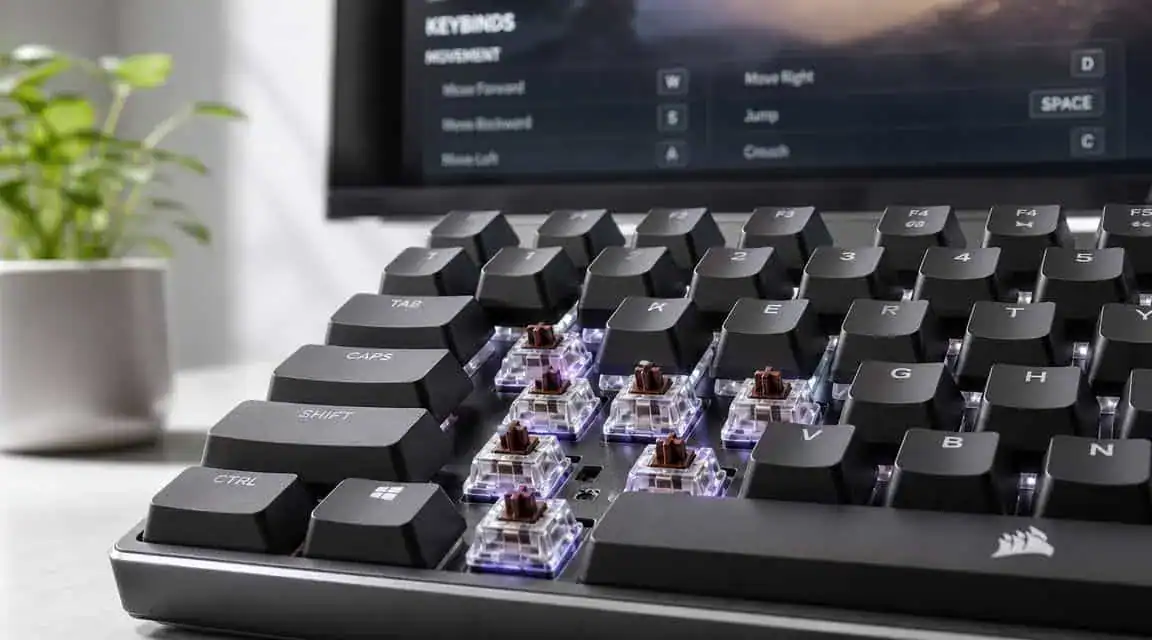
Most keyboard features don’t matter much in Tarkov. A few do. Those are the ones worth paying for.
Polling rate and input consistency
Competitive keyboards commonly advertise 1000 Hz polling as the standard, which equals a 1 millisecond report interval. Some newer boards go to 8000 Hz, or 0.125 milliseconds, but that higher setting can add CPU demand and only pays off if the board’s internals are built to support it properly, as explained in this keyboard polling rate reference.
In real Tarkov terms, that matters most for movement inputs. Strafing out, counter-strafing back in, quick peeks, and stop-start repositioning all feel more consistent when the board reports cleanly and predictably.
Here’s the practical takeaway:
- 1000 Hz is enough for most players. It’s the mainstream baseline and already a big step up from low-end boards.
- 8000 Hz is a luxury feature. It’s for people chasing small gains and willing to deal with extra system load.
- Implementation matters more than marketing. A stable board with solid firmware beats a flashy spec sheet every time.
Hall effect and adjustable actuation
Keyboards have seen their greatest advancements in key registration technology. Hall effect boards let you adjust when a key registers instead of forcing you to live with one fixed actuation point. That gives you more control over how quickly movement keys trigger and reset.
For Tarkov, that matters because your movement isn’t just forward and sideways. You’re making tiny, deliberate corrections. A key that activates too deep can feel sluggish. A key that activates too shallow can feel twitchy and cause accidental presses.
If you’re still sorting out switch basics, this guide to mechanical keyboard switches explained covers the foundations well.
Practical rule: Pay for adjustable actuation if you know how you want your movement keys to behave. Skip it if you’re still struggling with binds and positioning.
Layout matters more than people admit
A full-size board gives you more keys. A TKL or 75% board gives you more mouse room. In Tarkov, both can make sense.
If you play low sensitivity and use wide mouse movements, smaller layouts are usually easier to live with. They free up desk space and reduce the chance that your keyboard crowds your mouse hand during frantic fights. If you stream, work, or play MMOs on the same setup, a larger layout may still be worth it because the extra keys can be useful outside Tarkov.
Build quality and durability
This part gets ignored until something starts failing.
You want a board with a rigid frame, stable keycaps, and switches that don’t feel uneven across the main cluster. Tarkov is rough on the same small group of keys. If WASD, crouch, lean, and interact start feeling inconsistent, your confidence drops with them.
Durability is part of value. A cheaper board that develops wobble, ping, or unreliable keys isn’t a budget win. It’s a replacement waiting to happen.
Choosing the Right Switches for Movement and Control
Switch choice changes how Tarkov feels under your fingers more than most spec sheets suggest. Not because one switch magically improves aim, but because movement, lean timing, and accidental presses all come from how the key behaves at the moment you hit it.
Traditional switch types
For standard mechanical boards, you’re usually looking at three broad categories:
- Linear switches: smooth travel, no tactile bump, usually the easiest for repeated movement inputs
- Tactile switches: a noticeable bump during the press, often better for mixed gaming and typing
- Clicky switches: tactile and loud, usually the least appealing for serious Tarkov play
For most players, linears make the most sense. They’re predictable on WASD and less distracting when you’re making constant micro-adjustments. If you also use the same keyboard for MMO play or long typing sessions, tactiles can still work well, especially if you prefer more feedback on utility and inventory keys.
If you want a deeper look at linear options in general, this roundup of best linear switches is useful.
Why Hall effect feels different
A normal mechanical switch works like a light switch with a fixed click point. Press far enough and it turns on. Release far enough and it resets. That fixed behavior is simple and reliable, but it doesn’t adapt.
A Hall effect switch is closer to a dimmer slider. It tracks key movement across a range, which allows features like adjustable actuation and rapid reset behavior. That gives you finer control over how quickly a key turns on and off.
That matters most in Tarkov when you’re doing short directional taps, peeking, or trying to stop movement cleanly before taking a shot. A fixed switch can still do the job. A Hall effect switch just gives you more room to tune the board around your habits.
If your movement already feels disciplined, Hall effect features can sharpen it. If your movement is messy, they can also amplify bad habits.
Which switch type fits which player
Here’s the straightforward breakdown:
Choose standard linear mechanical if
- You want good value and don’t need deep software tuning
- You split time between FPS games, MMOs, and everyday use
- You care about durability and feel more than edge-case speed gains
Choose tactile mechanical if
- You want stronger feedback for typing, streaming, and work
- You don’t mind a little more resistance on movement keys
- You prefer a dual-purpose board over a Tarkov-first setup
Choose Hall effect if
- You mainly play FPS games and care about movement precision
- You want adjustable actuation and faster-feeling reset behavior
- You’re willing to pay more for software-based tuning
For budget-conscious buyers, this is the hard truth. Hall effect is useful. It’s not mandatory. If your current board is unreliable, any solid low-latency mechanical upgrade can help more than chasing premium features you won’t configure properly.
Top Keyboard Recommendations for Tarkov in 2026
If you want the best keyboard for Tarkov, start by deciding what kind of buyer you are. Buyers often fall into one of three groups: value-first upgrader, serious player looking for the sweet spot, or enthusiast chasing the cleanest movement possible.
Recent testing and usage trends make one thing clear. High-end low-latency boards with adjustable actuation have become mainstream in competitive gaming.
Tarkov Keyboard Recommendations Compared
| Model | Tier | Switch Type | Key Feature for Tarkov | Trade-off |
|---|---|---|---|---|
| Tecware Spectre 75 | Budget mechanical | Mechanical | Strong value for players who want a real gaming board without paying for premium tuning | Doesn’t offer the same actuation control as magnetic boards |
| Keychron K2 HE | Mid-range value | Hall effect | Entry into adjustable actuation and rapid trigger style features | More expensive than standard mechanical value picks |
| SteelSeries Apex Pro TKL Gen 3 | Premium performance | Hall effect | OmniPoint adjustable actuation, rapid trigger, and SOCD movement | Premium cost, with extras casual players may not use |
| Razer Huntsman V3 Pro TKL | Premium alternative | Analog optical | Popular competitive choice with low-latency focus | Premium pricing and not a value-first pick |
| Gamakay TK75HE V2 | Value Performance | Hall-Effect magnetic | Rapid trigger and adjustable actuation for fast peeks | Newer brand with less polished software |
Best budget mechanical
The Tecware Spectre 75 is the pick for players who need a meaningful upgrade and don’t want to sink premium money into a board yet. Independent testing lists it as the best value option, while still placing magnetic boards above it for outright performance in the same roundup of best gaming keyboards.
For Tarkov, this kind of board makes sense if your current keyboard is the weak link. You get the basics that matter: gaming-ready responsiveness, a more controlled feel on movement keys, and a layout that works well for mixed use. It’s also the easiest recommendation for players who split time between Tarkov, MMOs, and general PC use.
Trade-offs are straightforward. You’re giving up the deeper input tuning and rapid reset behavior available on Hall effect boards. That means you won’t get the same flexibility for dialing in movement keys exactly how you want them.
Best mid-range value
The Keychron K2 HE is the tier where the conversation gets more interesting. This is the board for the player who knows they care about movement feel, wants Hall effect features, but still has a budget ceiling.
This category is where the best value often sits for serious Tarkov players. You’re paying for features that can change how the keyboard behaves in game, not just cosmetics. Adjustable actuation is useful on movement keys, and the smaller footprint can help if you run low sensitivity and need room for broad mouse movement.
The downside is that software and tuning become part of the ownership experience. That’s good if you like tweaking. It’s annoying if you just want to plug in a board and never think about it again.
Best premium performance
The SteelSeries Apex Pro TKL Gen 3 is the premium answer if you want the cleanest feature set for competitive movement, and unlike the cult-favorite Wooting 80HE it is actually easy to buy. The Wooting is the enthusiast darling for pure movement tuning, but it sells direct-only in limited batches; the SteelSeries delivers the same Hall-effect, adjustable-actuation, and rapid-trigger advantages with reliable availability. It’s at the top of the current conversation for a reason. Hall effect switches, adjustable actuation, and a design aimed squarely at performance-heavy play all fit Tarkov well.
This is the board I’d point to for players who already know what they want from movement keys and are willing to pay for that control. It’s especially compelling if Tarkov is one of your main games, not just something you rotate into occasionally.
The truth, though, is that premium keyboards hit diminishing returns fast. If your binds are a mess, your desk ergonomics are bad, or your current board is already decent, the improvement won’t feel as dramatic as the price jump suggests.
Buy premium for finer control, not for a shortcut to better raids.
Premium alternative if you prefer a more established tournament-style pick
The Razer Huntsman V3 Pro TKL deserves mention because competitive adoption matters. When a board shows up heavily among tracked players, that tells you the feature set isn’t niche anymore. For Tarkov, the TKL layout is also practical because it frees mouse space without going so small that your binds feel cramped.
If you want more general value-focused suggestions beyond Tarkov-specific priorities, Budget Loadout also keeps a broader list of best budget mechanical keyboards for people comparing form factors and switch styles.
Gamakay TK75HE V2 (Best Value Hall-Effect)
If you want magnetic switches without paying flagship prices, the Gamakay TK75HE V2 is the value pick for Tarkov. Its Hall-Effect switches offer rapid trigger and adjustable actuation, so keys reset the instant you release, which suits fast lean-and-peek fights and quick repeated inputs. You also get an 8K polling rate, tri-mode wireless, and a small on-board screen. It is a newer brand with less polished software than SteelSeries or Razer, but it brings most of the competitive benefit for noticeably less money.
How to Optimize Your Keyboard Setup for Tarkov
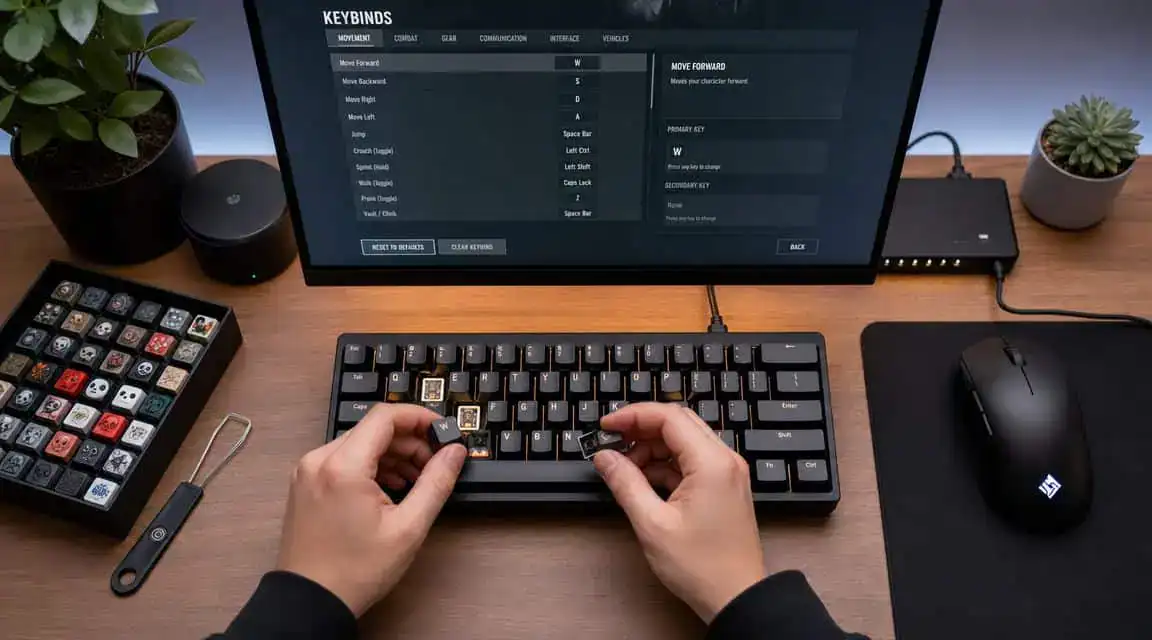
A new keyboard helps. A smarter setup often helps more.
Tarkov-specific guides increasingly recommend moving lean controls to mouse side buttons so your movement fingers can stay planted on WASD. That advice is called out directly in this Escape from Tarkov hotkeys guide, and it’s one of the few changes I’d suggest to almost everyone.
Keybind changes that usually pay off fast
Start with the binds that interrupt movement the most.
- Move leaning off Q and E: Mouse side buttons keep your strafing fingers free.
- Separate high-risk actions: Put grenades, melee, or other accidental-press actions somewhere less sensitive.
- Group related actions logically: Healing, interact, and stance controls should be easy to hit without hand contortions.
If you only make one change, make it the lean bind. It reduces finger traffic immediately.
Tune sensitivity by key importance
If you have a board with adjustable actuation, don’t set every key the same way. That’s one of the most common mistakes.
Use lighter, faster settings for keys that control movement. Use slightly less sensitive settings for keys that can punish mistakes. Tarkov is full of actions you do under stress, so it helps when the board reflects that.
A simple approach works well:
- Set movement keys lighter: WASD benefits most from quick response.
- Keep utility keys more deliberate: Inventory, discard, or grenade-related binds shouldn’t trigger by accident.
- Test in offline raids: Walk, crouch, lean, and peek in common fight scenarios before locking in settings.
The right setup feels boring. You stop noticing the keyboard and start noticing cleaner movement.
Don’t ignore ergonomics
Some players don’t need a new keyboard. They need a less painful setup.
If your wrist angle is bad, your keyboard is too far from the mouse, or your layout forces constant finger stretching, no premium switch tech will fix that. Compact boards can help with desk space. In some cases, a keypad or mouse-heavy control scheme makes more sense than replacing the whole board.
This matters even more if you stream or work from the same setup. Long sessions stack fatigue fast. If hand strain is already part of the problem, it’s worth looking at tools and habits that reduce load outside the raid too, including voice typing for fatigue prevention.
A practical setup order
Don’t change everything at once. Use this order:
- First, fix binds
- Second, fix placement and posture
- Third, tune software features
- Last, decide if new hardware is still necessary
That order saves money. It also makes it easier to tell whether the keyboard was the problem.
Simple Keyboard Maintenance for Lasting Performance
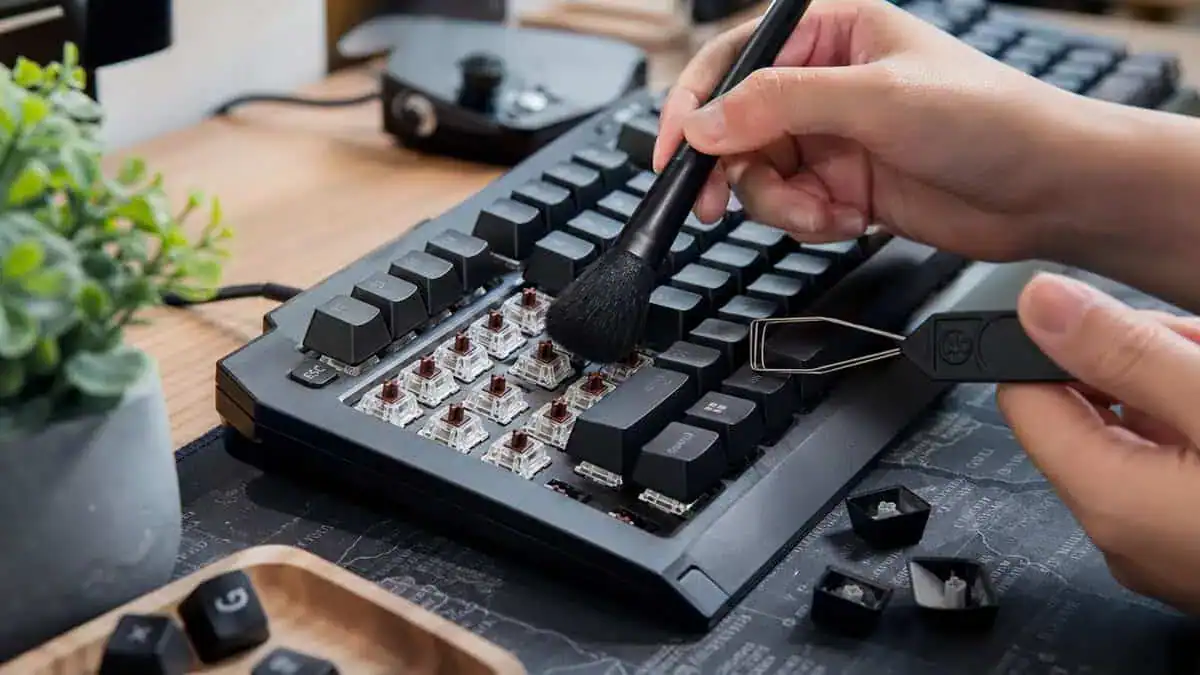
A keyboard that feels good on day one can turn unreliable if you never maintain it. Dust, skin oil, crumbs, and cable strain all add up. For a game like Tarkov, where repeated movement inputs matter more than flashy features, comfort and reliability matter as much as premium specs. That’s also the buyer-focused gap highlighted in this gaming keyboard discussion.
What to do regularly
You don’t need a full teardown every week. Just keep the board from getting gross and unstable.
- Brush out debris: Focus on the movement cluster and the space around commonly used keys.
- Wipe keycaps and case: A soft cloth keeps oils from building into grime.
- Check cable routing: Don’t let the cable kink, pinch, or drag under desk hardware.
If you want the step-by-step version, this guide on how to clean a mechanical keyboard covers the process clearly.
Small issues to catch early
Watch for changes in feel, not just full failures.
A key that starts sounding different, wobbling more than the others, or feeling scratchy is easier to deal with early. On hot-swappable boards, reseating a switch can solve a lot of headaches. On any keyboard, replacing worn keycaps or cleaning around stabilizers can restore consistency before the problem gets annoying.
Reliability is part of performance. If a board feels inconsistent, you’ll play around it even when you don’t realize you’re doing it.
Good maintenance isn’t glamorous. It just keeps your keyboard from becoming the reason a simple input goes wrong.
A keyboard is one piece of the raid. Our lightweight mouse picks for Tarkov, the budget monitor for Tarkov, and the headset that hears footsteps first cover the rest of the setup. The mousepad guide for Tarkov sizes the pad that keyboard has to share.
Building out the rest of your Escape from Tarkov setup? Our gaming setup builder fills every slot from monitor to mousepad, and if you play more than one game, it finds the gear our guides recommend across all of them.
Frequently Asked Questions About Tarkov Keyboards
Is Hall effect worth it for Tarkov?
Yes, if Tarkov or other FPS games are your main focus and you care enough to tune the board. No, if you mostly need a reliable upgrade from a weak keyboard and won’t touch the software after setup. For many players, a solid mechanical board is the better value move.
Should I buy full-size, TKL, or something smaller?
For most Tarkov players, TKL or 75% is the safest choice. You keep a practical layout while freeing desk space for mouse movement. Full-size still makes sense if you use the same keyboard for work, streaming controls, or MMO keybinds and make use of the extra keys.
Is a keyboard upgrade better than changing keybinds?
Not always. If your current board is functional, changing lean, utility, and movement-adjacent binds can improve your play faster than buying new hardware. Upgrade the keyboard when the current one is unreliable, uncomfortable, or clearly limiting input consistency.
If you’re building a setup that can handle Tarkov without wasting money on gimmicks, Budget Loadout publishes practical gear guides that focus on value, durability, and what actually improves play.
Related Articles