Finding a noise-cancelling headset for gaming involves navigating inflated prices and marketing buzzwords. The goal is to get a headset that offers a competitive edge without paying a premium for features you don’t need. This guide cuts through that noise.
We focus on performance per dollar. We will analyze the technology, identify which specs genuinely impact gameplay, and provide direct recommendations for budget-conscious gamers who prioritize value.
- Lightweight design with memory foam earcups stays comfortable during long sessions
- Cardioid mic with noise isolation reduces background noise for clear voice chat
- Wired-only via 3.5mm means no wireless freedom for couch or mobile gaming
- Standard version lacks stitched edges, which may show wear with heavy daily use
- No software customization for EQ or mic settings compared to USB alternatives
- Simultaneous 2.4GHz and Bluetooth lets you game and take calls without switching
- 38-hour battery life outlasts most competitors by a significant margin
- ClearCast Gen 2 mic uses AI noise filtering for broadcast-quality voice clarity
- The retractable mic, while convenient, may feel less adjustable than a boom arm design
- Earcup padding may warm up during extended summer gaming sessions
- Dolby Atmos spatial audio provides a genuine competitive edge for positional awareness
- 70-hour battery life is class-leading: charge once and game for weeks
- Sonarworks SoundID creates a personalized sound profile tuned to your hearing
- Slightly bulkier design compared to lighter competitors in the same price range
- Dolby Atmos requires compatible software setup, which adds an initial configuration step
- The open-back style may leak some sound, which could be noticed in quiet environments
- For competitive gaming, prioritize low-latency 2.4GHz wireless or wired connections over Bluetooth, which adds noticeable delay
- Passive noise isolation through well-sealed earcups is more practical for gaming than active noise cancellation, which can introduce latency and muffle important audio cues
- The Razer BlackShark V2 X is the entry point: strong passive isolation without wireless cost
- The SteelSeries Arctis Nova 7P is the mid-range all-rounder for mixed PC and console use
- The Corsair Void v2 MAX takes the premium-value slot on comfort and feature depth
Table of Contents
Finding the Best Noise Cancelling Headsets for Gaming
This guide is for anyone who needs to block out distractions: from competitive FPS players who rely on audio cues, to MMO gamers coordinating raids, to streamers delivering commentary. We will show you how to identify a durable build and make an investment that will serve you for years.
What This Guide Covers
This guide provides the practical knowledge to select the right headset for your specific needs, focusing on real-world value over brand loyalty. We’ll cover the critical points:
- The Tech Explained: We will clarify Active Noise Cancellation (ANC) and passive isolation so you understand what you are paying for.
- Specs That Matter: We will break down which specifications (like mic quality and latency) make a difference for the games you play.
- Tiered Recommendations: We will provide direct headset recommendations organized by price, complete with the tradeoffs you are making at each level.
- Durability and Comfort: We will show you how to identify solid build quality for a headset that lasts and remains comfortable during long gaming sessions.
Our approach is direct: to provide the tools to see past marketing. Your money should go toward features that offer a tangible in-game advantage. By the end, you’ll be able to confidently pick a headset that fits your budget and improves your gameplay.
Understanding Noise Cancellation Technology For Gaming
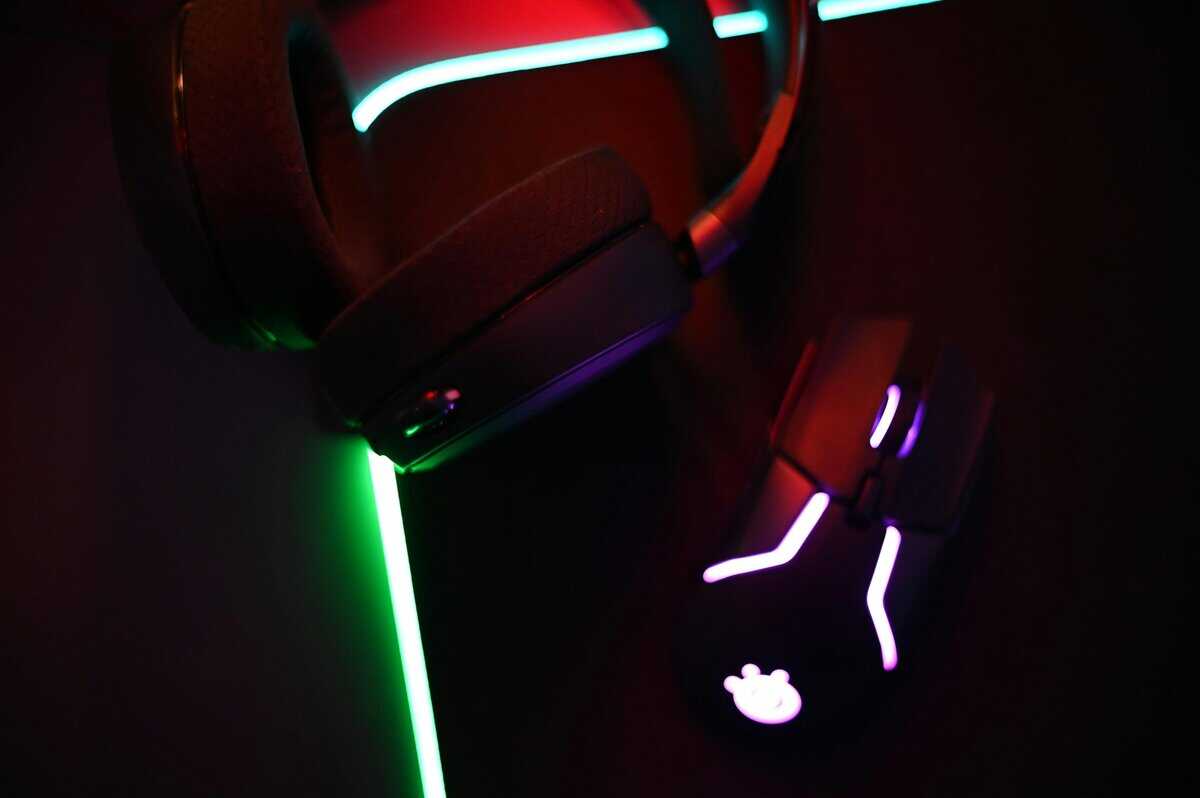
To find the right noise-cancelling headset, you must understand that “noise cancellation” combines two different technologies. Knowing what each one does is key to not overspending on features you may not need.
The first is Passive Noise Isolation. This is about physics. It is the physical seal that a headset’s earcups create around your ears, blocking sound waves.
A good passive seal is most effective against high-frequency and irregular noises, such as conversations, a dog barking, or the clatter of a mechanical keyboard. A headset with plush, well-fitted, closed-back earcups is best for blocking these distractions.
Active Noise Cancellation (ANC) Explained
The second part is Active Noise Cancellation (ANC). This is the technology component. It uses microphones to detect ambient sound and generates an opposite sound wave to electronically cancel the noise before it reaches your ears.
This is what eliminates low-frequency, constant drones, like the hum of PC fans, an air conditioning unit, or distant traffic. ANC excels at removing these sounds, providing a silent background to hear what matters in your game. For an FPS player, this can mean the difference between hearing a footstep and missing it.
Key Takeaway: Passive isolation physically blocks sharp, sudden sounds with an earcup seal. Active Noise Cancellation electronically erases low, constant rumbles. A quality headset uses both for optimal performance.
ANC itself comes in several forms, and the type a headset uses indicates its performance:
- Feedforward ANC: A microphone on the outside of the earcup listens to environmental noise. It is effective at reducing a wide range of mid-to-low frequency sounds but can be imprecise.
- Feedback ANC: A microphone on the inside of the earcup listens to what you are hearing and corrects for it. This approach is more accurate but can struggle with higher-frequency noise.
- Hybrid ANC: This is a combination setup, using both external (feedforward) and internal (feedback) mics. It targets a much wider spectrum of sound more effectively.
Key Specs That Matter For Performance
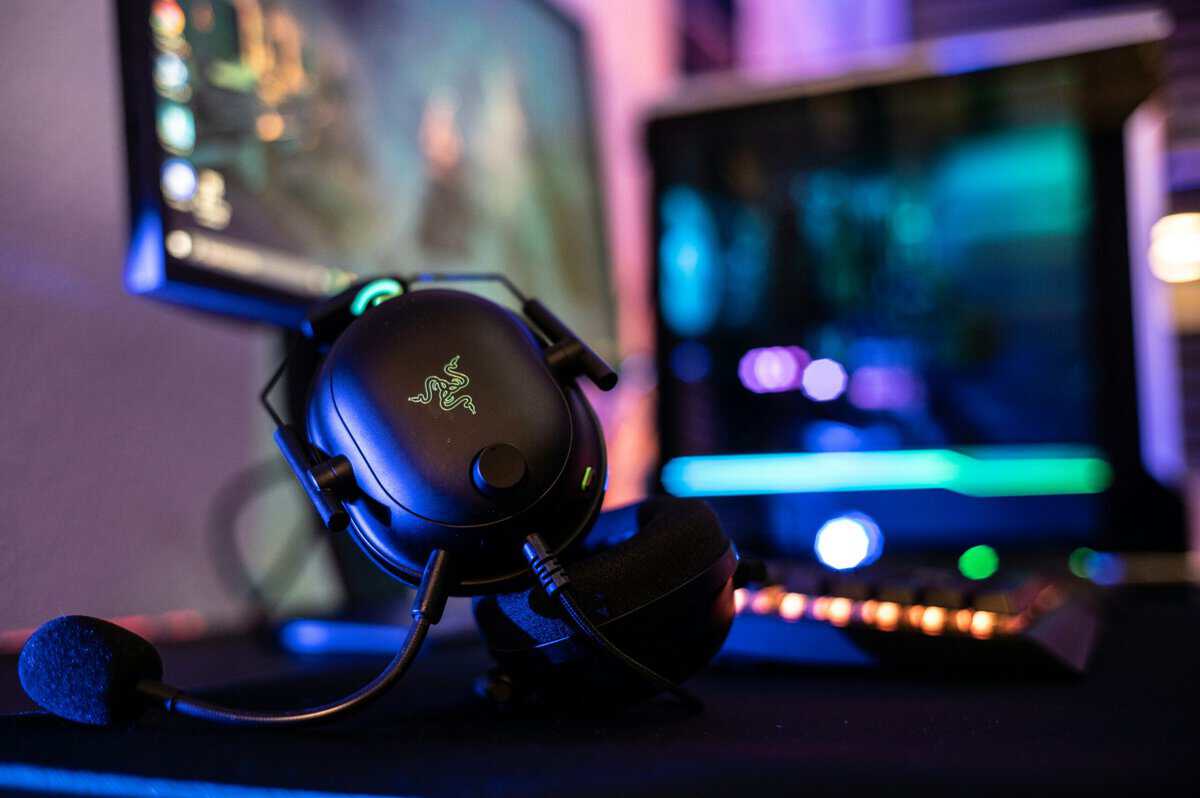
Headset marketing often uses jargon to sell, not inform. To find a noise-cancelling headset that fits your budget, focus on the specs that actually improve your gaming experience and provide a tangible advantage.
Start with the microphone. For clear communication in a raid or for streaming, a quality mic is essential. Look for a headset with a cardioid microphone, designed to capture sound from directly in front of it while rejecting noise from the sides and back. This isolates your voice from keyboard clacks and background chatter.
For competitive gamers, clear communication is as important as immersive sound. Understanding microphone technologies like the cardioid polar pattern can improve your in-game experience by ensuring your callouts are heard clearly.
Latency: Wired vs. Wireless
Latency (the delay between an in-game sound and you hearing it) is critical, especially for competitive FPS players. A small delay can be the difference between winning and losing. Your connection type is the biggest factor.
- Wired (3.5mm or USB): This offers zero-latency. A direct physical connection provides the fastest audio transmission, and you don’t worry about battery life. The tradeoff is being tethered by a cable.
- 2.4GHz Wireless: This is the standard for wireless gaming. Using a dedicated USB dongle, these headsets achieve an ultra-low latency connection that is nearly indistinguishable from wired. You get freedom of movement without a performance penalty.
- Bluetooth: While convenient for music, Bluetooth introduces noticeable audio lag. It is not recommended for serious PC or console gaming where reaction time is crucial.
Build Quality and Long-Term Comfort
A headset is an investment, so it should be durable. Don’t be misled by all-plastic designs that feel brittle. Look for robust construction, like a metal-reinforced headband and sturdy hinges. These are common failure points, and spending more for metal can add years to your headset’s life.
Comfort is equally important, especially during long gaming sessions. Earcup materials matter. Look for breathable fabric or velour earpads over standard pleather, as they manage heat and sweat better. The clamping force should be firm enough for a good passive seal but not so tight that it causes pressure headaches.
If you are interested in exploring audio fidelity beyond gaming, check out our guide on the best budget audiophile headphones.
Top Noise Cancelling Headset Picks
Finding the right noise cancelling headset is not about buying the most expensive model. It’s about identifying your needs and finding a headset that delivers on key features without charging for extras you won’t use.
Entry-Level Value: Razer BlackShark V2 X
This tier is for gamers who need to block out noise on a budget. These headsets are a significant step up from basic models because they get the core gaming features right. The Razer BlackShark V2 X is a prime example of a smart compromise. Instead of costly ANC, Razer focused on exceptional passive noise isolation from its thick, plush earcups. The result is a quiet experience that muffles high-frequency chatter and household noise.
- Best For: FPS gamers on a tight budget. The audio is tuned to highlight positional cues, making it easier to pinpoint enemy footsteps.
- Build Quality: It has a mostly plastic build but feels sturdy for its price. Its lightweight design and breathable memory foam cushions allow for comfortable wear over long sessions.
- The Trade-Off: The microphone is serviceable for Discord calls but lacks the clarity needed for streaming. Since its isolation is passive, it won’t cancel low-frequency drones from an AC unit or fan.
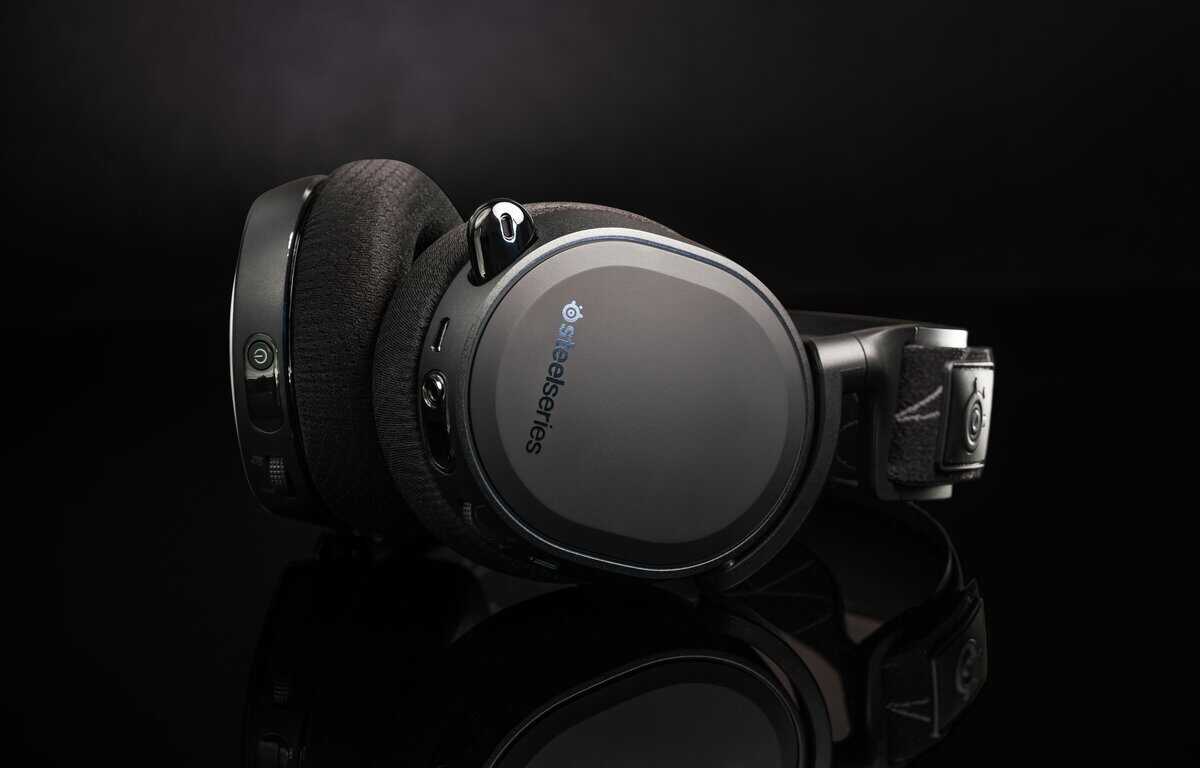
Mid-Range All-Rounder: SteelSeries Arctis Nova 7P
The SteelSeries Arctis Nova 7P hits the sweet spot for most gamers, delivering the best performance for the dollar. It features the same Nova Acoustic System found in higher-end SteelSeries headsets, paired with a low-latency 2.4GHz dongle and simultaneous Bluetooth support so you can take a call while gaming.
- Best For: MMO gamers and streamers who need versatile connectivity. The ClearCast Gen 2 mic delivers broadcast-quality voice clarity with AI-powered noise filtering.
- Key Specs: 2.4GHz wireless + Bluetooth | 38-hour battery | USB-C charging | Nova Acoustic System drivers | Retractable mic | ~$100
- Why It Stands Out: The 38-hour battery life is exceptional: most competitors max out at 20-30 hours. The simultaneous dual wireless means you can stay connected to your phone and PC at the same time without swapping connections.
Affordable Premium: Corsair Void v2 MAX
The Corsair Void v2 MAX is Corsair’s latest wireless gaming headset, built for players who want premium features without breaking the bank. It supports Dolby Atmos for immersive spatial audio and includes Sonarworks SoundID for personalized sound profiles that adapt to your hearing.
- Best For: Immersive single-player and competitive gamers who want spatial audio advantage. Dolby Atmos lets you pinpoint footstep direction and environmental cues with precision.
- Key Specs: 2.4GHz + Bluetooth | 70-hour battery | Dolby Atmos | Sonarworks SoundID | USB-C fast charging | ~$120
- Why It Stands Out: The 70-hour battery life is class-leading: you could game for weeks between charges. Fast charging gives you 6 hours of play from just 15 minutes plugged in, so you are never stuck waiting.
Headset Value Comparison By Use Case
| Headset Model | Price Tier | Best For | ANC Performance | Mic Quality | Build & Durability |
|---|---|---|---|---|---|
| Razer BlackShark V2 X | Entry-Level | FPS Gamers | Passive Only (Good) | Serviceable | Sturdy Plastic |
| SteelSeries Arctis Nova 7P | Mid-Range | MMO/Streamers | Good (Hybrid) | Excellent (AI) | Steel Reinforced |
| Corsair Void v2 MAX | Premium | Streamers/Hybrid | Very Good (Hybrid) | Broadcast-Quality | Machined Aluminum |
How To Maximize Your Headset’s Performance And Lifespan
Unboxing your new headset is just the beginning. To get the most from your investment, you need to use its software and adopt simple maintenance habits. Proper setup and care ensure peak performance for years.
A common mistake is assuming default settings are optimal. Windows and modern consoles have spatial audio technology that can improve in-game awareness by creating a virtual 3D soundscape, making it easier to pinpoint the direction of sounds.
Configuring Your Audio For A Competitive Edge
Most gaming headsets come with software; use it. These applications unlock the hardware’s full potential, letting you fine-tune everything from microphone noise-gating to audio equalization (EQ). Ignoring the software means leaving performance on the table.
Here’s how to configure your system for better audio:
- Enable Spatial Audio: On PC, right-click the speaker icon, go to “Spatial sound,” and choose Windows Sonic for Headphones (free) or Dolby Atmos for Headphones (paid). On Xbox and PS5, find these options in the audio output menu.
- Tune Your EQ: Use the companion software to create custom EQ presets. For an FPS like Valorant, boost high-mid frequencies to make footsteps more prominent. For an MMO, a more balanced profile may be better.
- Update Your Firmware: Manufacturers release firmware updates that improve connectivity, fix bugs, and sometimes enhance audio or mic performance. Always check the app for the latest version.
A common mistake is assuming a headset sounds best out of the box. Spending 15 minutes on setup provides a greater competitive edge than a minor hardware upgrade.
Essential Maintenance For Longevity
A gaming headset endures heavy use. Its lifespan depends on more than just build quality. Consistent maintenance separates a headset that lasts one year from one that lasts five.
These simple steps prevent common failures:
- Clean Your Earpads Regularly: Skin oils and sweat degrade earpad materials. Wipe them weekly with a slightly damp microfiber cloth. If fabric pads are removable and washable, do so.
- Practice Smart Cable Management: For wired headsets, the cable connection is a frequent failure point. Avoid sharp bends, don’t wrap the cable tightly around the headset, and use a velcro tie for storage.
- Preserve Your Battery: For wireless models, avoid leaving the headset plugged in constantly. To maximize long-term battery health, keep the charge between 20% and 80%.
FAQ: Noise Cancelling Headsets for Gaming
Here are answers to common questions from gamers seeking value.
Is Active Noise Cancellation Worth The Extra Cost For Gaming?
Yes, but only if you game in a consistently noisy environment. ANC is specialized for erasing low, droning sounds like PC fans, air conditioners, or traffic. For a competitive player, eliminating this background noise can be crucial for hearing enemy footsteps.
However, if your gaming area is already quiet, ANC is likely unnecessary. A headset with good passive noise isolation will provide more value. A quality pair of closed-back earcups will block many sudden, higher-pitched sounds on their own, and you won’t pay a premium for a feature you don’t need.
Should I Choose A Wired Or Wireless Headset For Gaming?
This is a trade-off between reliability and convenience. A wired headset guarantees a zero-latency, reliable audio signal that never needs charging. It is the most dependable and often most affordable option for pure gaming performance. The only downside is the cable.
A wireless headset offers freedom from cable clutter, a significant quality-of-life benefit. For serious gaming, choose a model with a dedicated 2.4GHz USB dongle for a low-latency connection that is nearly indistinguishable from wired. Avoid Bluetooth for fast-paced games due to its inherent audio lag.
Can I Use My Bose Or Sony Headphones For Gaming?
You can, but it is not ideal for serious gaming. While premium lifestyle headphones from brands like Sony and Bose offer excellent ANC, they have compromises that make them a poor choice for this purpose.
Key Takeaway: The microphones on lifestyle headphones are designed for phone calls, not the clear, sustained voice chat needed for gaming. Your teammates will notice the difference in quality.
Additionally, many of these headphones rely on Bluetooth, which introduces critical audio latency. A purpose-built gaming headset, even a budget model, will almost always provide a better overall experience with its low-latency connection, superior microphone, and design focused on long-session comfort. For console-specific advice, see our guide to the best Xbox headset.
At Budget Loadout, we help you find gaming and streaming gear that delivers maximum performance for every dollar. Explore our reviews and guides to build your perfect setup without overspending at Budget Loadout.
Related Articles